


 Extension
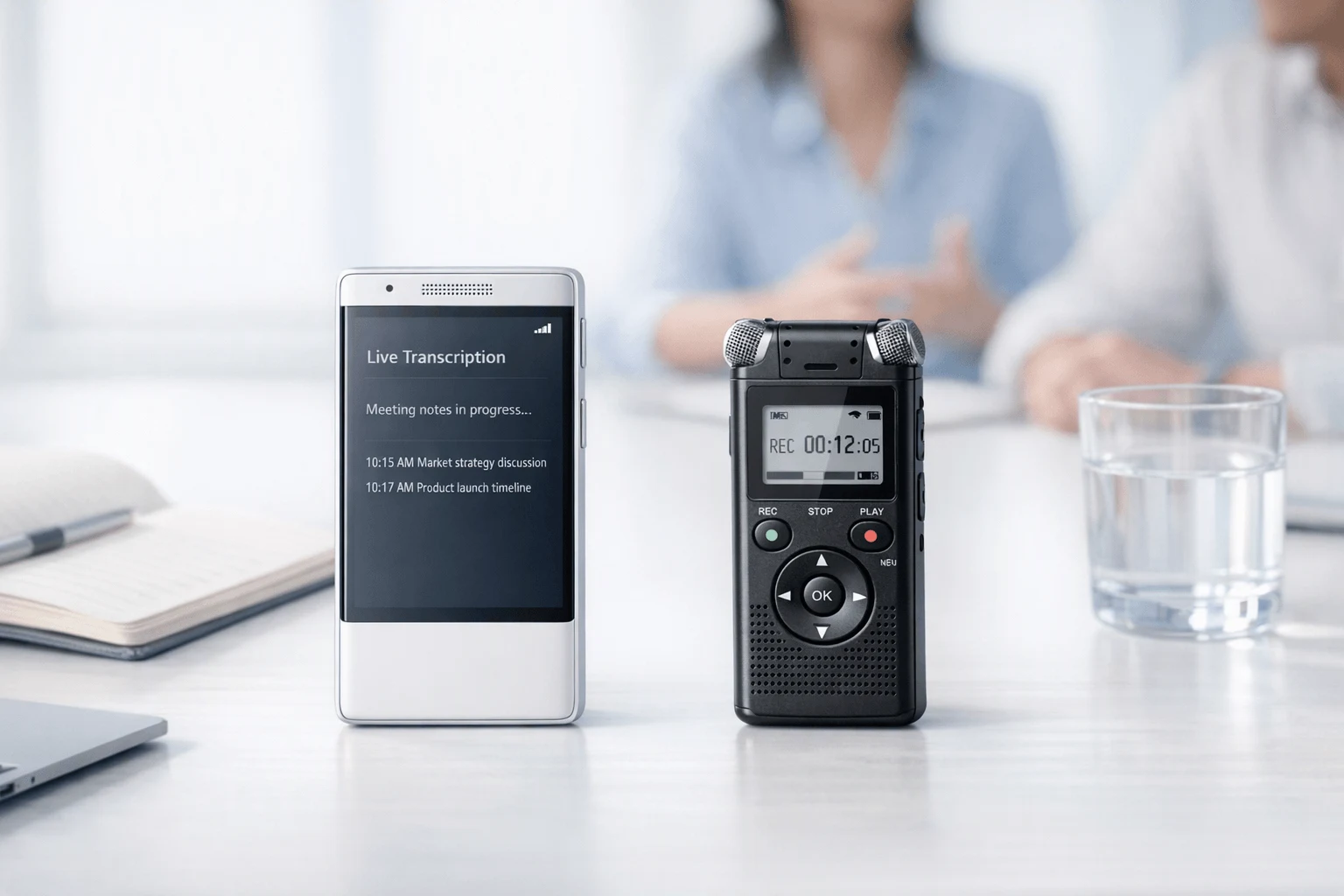
TL;DR: AI Note Taker or Voice Recorder? The Short Answer
If you need the cleanest answer fast, use a dedicated AI device for in-person meetings when you want searchable notes, summaries, speaker labels, and faster follow-up; a plain recorder still wins if your only goal is dependable audio and long battery life. In other words, in the ai note taker vs voice recorder debate, AI is better for turning talk into action, while a traditional recorder is better for simple capture.
That gap matters more in real rooms than on Zoom. In-person meetings put more pressure on microphone pickup, offline reliability, and how professional the device looks on a table, not just app features.
This guide compares dedicated recorders, app-only tools, and hybrid devices with a clear table, a quick decision matrix, and role-based recommendations. One hardware-first option stands out as a practical middle ground: TicNote, which pairs recorder-style simplicity with AI outputs after the meeting—worth a look once you've seen the evidence.
AI note taker vs voice recorder: what is the real difference?
In practice, the ai note taker vs voice recorder decision is not just about capturing sound. In-person meetings create a different problem than Zoom or Teams calls because many AI tools were built around meeting bots, not real rooms. If you're a consultant, account executive, project manager, researcher, or field user, the real issue is what happens after the meeting: do you get usable notes, clear action items, and searchable context, or just another audio file you'll never revisit?
Start with capture quality, not AI
A traditional voice recorder still gets a lot right. It usually gives you:
- simple controls
- reliable local recording
- long battery life
- low setup friction
- fewer failure points
That's why standard recorders still work well for interviews, lectures, site visits, and compliance-sensitive settings where teams prefer to store audio locally and process it later. And here's the key point: bad source audio stays bad. Software can clean up a file a little, but it can't fully recover weak mic pickup, room noise, or missed speakers after the fact.
Focus on what happens after the meeting ends
An AI note taker adds a second layer of value once the conversation is captured. Instead of leaving you with raw audio, it can turn the meeting into usable output:
- searchable transcripts
- speaker identification
- summaries and recap notes
- to-do and follow-up extraction
- templates for different meeting types
- translation and bilingual review
- document generation from recordings
That matters in real workflows. Most professionals don't lose time because recording failed. They lose time because recall is weak, commitments get missed, and recap emails are written from memory hours later.
Use hardware when meetings happen in the real world
This is where hardware-first tools stand apart from app-only note takers. TicNote is a good example: it records offline, then turns conversations into transcripts, summaries, action items, and reusable project knowledge inside its app. That makes it closer to a dedicated recorder with an AI workflow layered on top, rather than a meeting bot trying to fit an offline room.
If you want a wider look at category options, this guide to AI note taking devices for meetings and lectures is a useful next comparison. In the next section, we'll break the choice down by workflow, privacy risk, and the real cost of getting from recording to usable notes.
Which option actually fits your workflow and risk level?
The right choice depends less on features and more on meeting stakes, privacy needs, and how fast you must turn talk into usable output. In the ai note taker vs voice recorder decision, the winner changes by workflow: some people need searchable records, while others need a clean, reliable path from room audio to action items.
Choose dedicated hardware for client-facing work
Consultants, account teams, and project leads usually need three things at once:
- strong room pickup
- professional table presence
- fast recap delivery
For in-person client meetings, dedicated hardware often fits better than a phone app. It avoids weak speaker placement, doesn't depend on guest Wi‑Fi, and feels more intentional in the room. If client discussions include pricing, legal terms, or roadmap details, consent and storage rules matter too. That makes privacy settings, encrypted sync, and clear data controls part of the buying decision, not a footnote.
Prioritize search and long-session capture for research work
Students, researchers, and interview-heavy teams often care less about polished summaries and more about retrieval. They need long recordings, quote lookup, speaker separation, and multilingual support.
A voice recorder with transcription may be enough if your main job is to archive interviews and pull exact lines later. A dedicated AI device becomes more useful when you also need faster coding, review, cross-session search, and offline meeting transcription for fieldwork. If that sounds like your workflow, this guide to AI note takers for meetings and field notes is a useful next step.
Start simple if usage is light
Low-frequency users can start with a phone recorder plus a transcription app. That's the cheapest path, but the trade-offs are real:
- weaker room pickup
- more awkward table setup
- manual uploads
- less consistent reliability
Use a simple test: if better notes save you even 15 to 20 minutes per meeting, a dedicated device can justify its cost faster than the monthly app spend suggests.
How we reviewed the top options fairly
To compare an AI note taker vs voice recorder fairly, we started with the part many reviews underrate: capture quality. If the source audio is weak, the transcript, summary, and action items will also be weak. So our framework scores pickup range, voice clarity across a table, background-noise control, and whether each tool still works in both 1:1 conversations and larger room setups.
Start with audio, not AI
We weighted raw capture first because transcription accuracy depends on signal quality more than marketing claims. Each option was reviewed on:
- pickup distance and consistency
- clarity from the near side and far side of a table
- noise handling in busy rooms
- fit for one-on-one, small team, and wider-room meetings
We then used a compact decision matrix and side-by-side comparison chart to normalize those results across dedicated recorders, app-only tools, and hybrid hardware.
Judge the output, not just the recording
A recording tool is only useful if the output becomes usable work. We scored transcript readability, speaker labels, summary quality, action-item extraction, export flexibility, and whether notes could turn into documents instead of raw text dumps.
Score privacy and real ownership cost
Privacy and consent were part of the same framework, not a footnote. Under Regulation (EU) 2016/679 (General Data Protection Regulation), consent is defined as "any freely given, specific, informed and unambiguous indication of the data subject's wishes" (Article 4(11)). We also reviewed encryption disclosures, offline recording, data control, and whether cloud sync was optional or required.
For total cost of ownership, we looked at device price, included minutes, paid tiers, and add-on usage over time. TicNote's self-claimed privacy features, encrypted workflows, offline recording, and included Plus plan were included in that review context, not treated as independently verified facts. Every option was judged by the same criteria.
Best tools compared: which AI note takers and recorders are worth it?
If you're weighing an AI note taker vs voice recorder for in-person meetings, the best pick depends less on hype and more on how much friction you can tolerate after the meeting ends. Some tools are great at capturing clean audio. Others turn that audio into summaries, action items, and searchable notes fast enough to save real time the same day.
Choose TicNote AI Voice Recorder for premium card-style hardware
TicNote AI Voice Recorder is the strongest fit for professionals who want dedicated hardware without carrying something bulky. It uses a slim card form, 64GB storage, a 25-hour battery, a 3-mic array, and a lever switch for Earphone or Speaker recording modes. In practice, that means more intentional capture in meeting rooms, fewer compromises than a phone, and a faster path from recording to post-meeting summary.
It fits consultants, account executives, and project managers especially well because the workflow stays simple: record offline, sync later, then review transcripts, summaries, and exports in the app. The trade-off is clear too: summaries arrive after recording, not live during the meeting.
- Best for: client meetings, workshop recaps, room capture, discreet daily carry
- Main strengths: dedicated hardware, reliable battery life, offline capture, fast post-meeting AI workflow
- Main limit: no live in-meeting summary
Buy TicNote Device · See the Device
Pick TicNote Lite for the lowest-cost dedicated AI recorder
TicNote Lite AI Voice Recorder is the value play. At $129.99, it keeps the core advantages that matter most: dedicated recording hardware, one-button use, offline capture, a built-in magnetic sleeve, and a 25-hour battery. For users who want a recorder that simply works, this is the easiest on-ramp.
Compared with an app-only setup, Lite gives you better meeting discipline. You are not juggling phone calls, alerts, or battery drain from other apps. You also keep the same core post-meeting AI workflow instead of stitching together separate recording and transcription tools.
- Best for: solo professionals, budget-conscious buyers, simple in-person meetings
- Main strengths: low entry price, one-button recording, offline reliability
- Main limit: less premium hardware feel and lower onboard storage than the main card model
Use TicNote Pods 4G when phone-free capture matters most
TicNote Pods 4G is the most advanced option here because it solves a problem many mobile professionals run into: the phone is not always the right tool. With built-in 4G, phone-free capture, live upload, and live summary during recording, it is built for consultants on the move, field teams, and users working across travel days or remote sites.
This higher price, $299.99, is justified when reliability matters more than sticker cost. It also stands out as a practical Otter alternative for in-person meetings, because it does not depend on leaving your phone on the table in a connected room.
- Best for: field work, travel, site visits, mobile consultants
- Main strengths: no phone needed, live AI summary, dual room and call workflows
- Main limit: highest upfront cost in the group
Buy TicNote Device · See the Device
Stick with a traditional digital voice recorder if audio is the only job
A standard digital voice recorder is still a fair choice. It is dependable, simple, and often avoids subscription pressure. If your main goal is to capture audio cleanly and archive it, this category still works well.
But the limits are real. You must transcribe files manually or send them to another service later. There is no built-in summary, no action-item extraction, and no searchable knowledge layer across meetings. That makes the total workflow slower, even if the device itself is easy to trust.
Try a phone recorder plus transcription app for low-stakes use
This is the cheapest path, and for informal meetings it can be enough. If you already own the phone and use a basic transcription app, your upfront cost may be near zero.
Still, this setup breaks down fast in professional settings. Phone use is visible. Notifications interrupt capture. Room pickup is often weaker than dedicated hardware. Uploads may be manual. And if your phone battery is low, the whole process becomes fragile.
Use an Otter-style mobile app workflow in smaller connected spaces
Software-first tools like Otter work best when you already pay for the app and mostly record in smaller rooms with stable connectivity. They are strong for search, collaboration, and quick access across devices.
But for in-person room capture, dedicated hardware still has an edge. Table presence is cleaner, offline use is stronger, and the workflow feels more intentional. Otter is convenient; it is just less dependable as a hardware replacement in larger or noisier real-world meetings.
For hardware context, PLAUD NOTE AI Voice Recorder product specifications state that the device has 64GB memory and a 30-hour continuous recording battery life.
| Tool | Best for | Key advantage | Main drawback | Score /10 |
| TicNote AI Voice Recorder | Consultants, AEs, PMs | Premium dedicated capture plus post-meeting AI | No live summary | 9.1 |
| TicNote Lite AI Voice Recorder | Budget-focused professionals | Lowest-cost dedicated AI recorder | Less premium build and storage | 8.8 |
| TicNote Pods 4G | Field users and travelers | Phone-free capture with live summary | Higher upfront price | 9.3 |
| Traditional digital voice recorder | Audio-only users | Simple, dependable recording | Manual transcription workflow | 7.4 |
| Phone recorder + app | Casual or low-stakes use | Lowest cost | Weak reliability in pro meetings | 6.8 |
| Otter-style mobile app | Small connected spaces | Strong software workflow | Weaker room capture than dedicated hardware | 7.6 |
Compact scoring summary: Pods 4G is the best fit for mobile, high-stakes work. TicNote AI Voice Recorder is the best all-around premium card recorder. TicNote Lite gives the best value. Traditional recorders still win on simplicity, while phone and app workflows win only on cost.
See the TicNote lineup side by side on the TicNote device collection.
What does TicNote offer that standard recorders and apps cannot?
The real gap in the AI note taker vs voice recorder debate is what happens after you press stop. A standard recorder stores audio. Most app-only tools transcribe it. TicNote goes further by turning meetings into usable work: speaker-based transcripts, summaries, action lists, searchable answers, and draft documents you can use right away. That cuts down on re-listening and helps teams move from conversation to follow-up much faster.
Turn recordings into outputs, not archives
For busy consultants, sales teams, and project managers, raw audio is only step one. TicNote adds a workflow layer on top of recording:
- time-stamped transcripts with speaker identification
- AI summaries and to-do lists when recording ends
- highlights and annotations during live transcription
- project-level Q&A across recordings
- generated reports, notes, and formatted documents
- photo syncing tied to exact transcript moments
In practice, that means less manual sorting and fewer missed next steps. Instead of hunting through a 45-minute discussion, you can search for a quote, pull a recap, or ask the system what was decided.
Match the hardware to the meeting
This is where TicNote stands out from both standard voice recorders and software-only apps. It offers different hardware for different work styles:
- TicNote AI Voice Recorder: premium card-style device, 3mm thin, 64GB, 25-hour battery
- TicNote Lite: simpler one-button capture at $129.99
- TicNote Pods 4G: phone-free recording, built-in 4G, and live summaries during meetings
- TicNote Pods Wi-Fi: sync-based model for global use with no region lock
That range matters. A field worker may need phone-free capture. A consultant may want a slim card recorder. An app alone usually can't solve both.
Keep control with offline recording and optional sync
TicNote's privacy position is practical for client meetings and fieldwork. The company says recordings can be captured offline, then synced later only if you choose. It also describes encrypted recordings and transcripts, a U.S.-based cloud, no model training on user content, traceable AI operations, and local processing for key features.
If you want to compare more bot-free and hardware-led setups, see this guide to Zoom note takers with hardware and app trade-offs. You can also explore the full device lineup in the TicNote brand hub.
How to choose the right product for your meetings
The best choice in the ai note taker vs voice recorder debate depends on how much you value reliability, speed, and usable notes after the meeting. If you record client work, site visits, or research interviews often, dedicated hardware usually beats a phone because it is easier to trust, faster to start, and less likely to get buried under notifications or battery anxiety.
Match the tool to the meeting
- Choose TicNote AI Voice Recorder if you want premium card-style hardware. It is slim, polished, easy to carry, records offline, and turns meetings into transcripts, summaries, and follow-up outputs after you stop recording. It fits consultants, account teams, and managers who want a client-ready device. Buy TicNote AI Voice Recorder See the product
- Choose TicNote Lite if you want the lowest-cost dedicated AI recorder. At $129.99, it gives you one-button simplicity and dedicated capture without forcing you back to a phone workflow. Buy TicNote Lite See the product
- Choose TicNote Pods 4G if you need phone-free capture and live summaries. It is the strongest fit for field teams, traveling consultants, and road warriors. Buy TicNote Pods 4G See the product
- Choose a traditional recorder if clean audio matters more than AI and you are fine transcribing later.
- Choose an app-only setup if low cost matters most and your meetings are informal, not high stakes.
| Need | Best fit |
| Premium card recorder | TicNote AI Voice Recorder |
| Lowest-cost dedicated device | TicNote Lite |
| Phone-free capture | TicNote Pods 4G |
| Best raw audio only | Traditional recorder |
| Cheapest casual option | App-only tool |
Compare the full TicNote device lineup and pick the right fit
Final thoughts
In the ai note taker vs voice recorder debate, the answer is simple: a basic recorder is still fine if you only need a clean audio file. But if you need searchable transcripts, summaries, action items, and faster follow-up, an AI note taker is usually the smarter buy.
Use this quick checklist before you decide:
- Choose a voice recorder if you want low cost, long battery life, and simple offline capture.
- Choose an AI note taker if you run frequent meetings and need usable notes right after.
- Prioritize privacy, consent, and storage controls if you handle client, legal, or research conversations.
- Pick hardware-first tools if phone-free recording and offline reliability matter in the field.
If subscription value is part of your shortlist, this price and plan breakdown can help. Then go back to the comparison table and decision matrix to match the right setup to your room size, meeting volume, and risk level. Explore TicNote devices for in-person meetings


