


 Extension
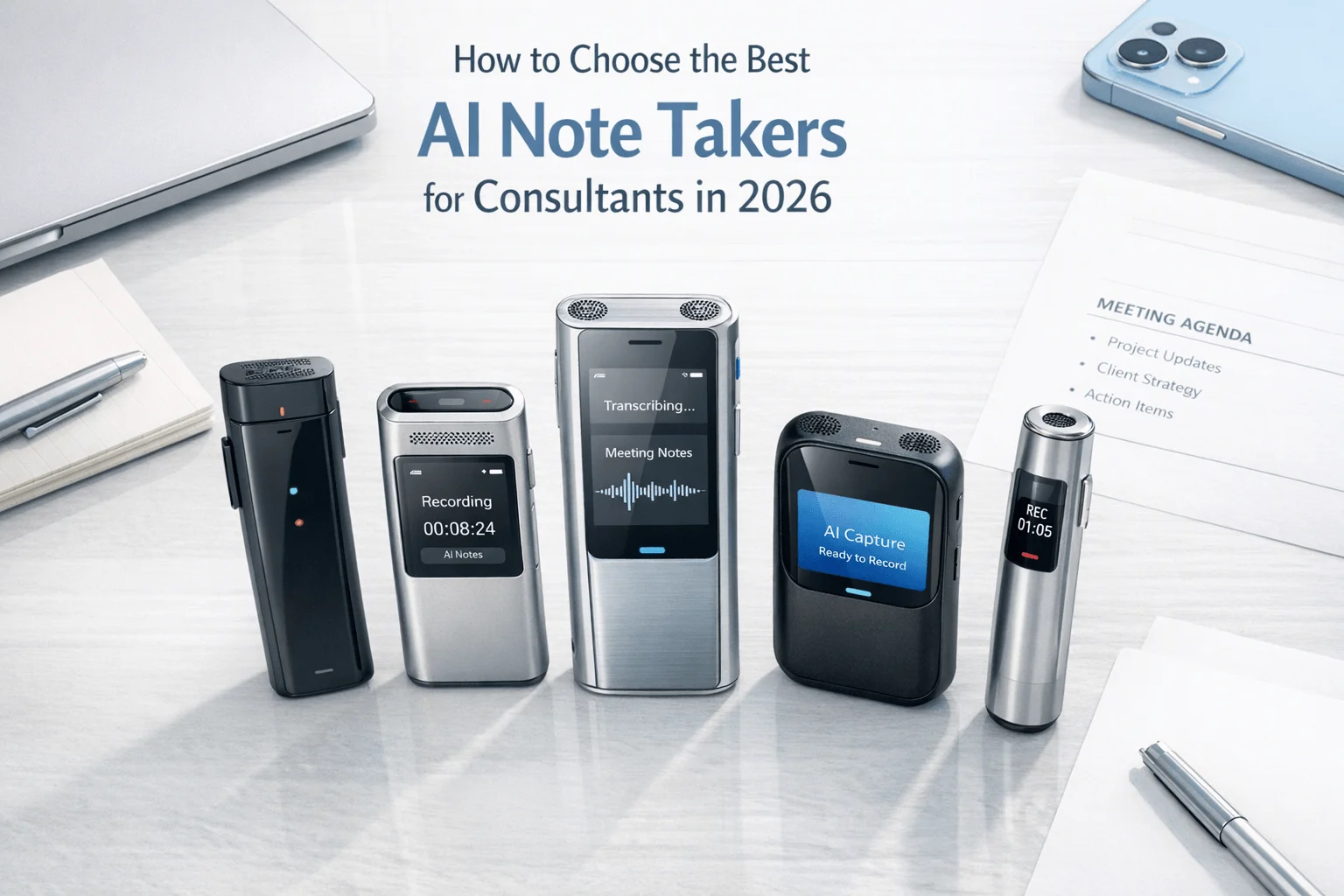
TL;DR: Which AI note taker is right for consultants?
After a 75-minute client discovery call, a 2-hour steering committee, and a hallway follow-up, I don't need more raw audio. I need a clean recap, action list, and searchable transcript before the next meeting, and TicNote AI Voice Recorder is the fastest fit when my day spans virtual calls and in-person conversations. In consulting, missed details turn into weak follow-ups, rework, and client risk. I tested both hardware recorders and meeting bots, and the best choice came down to where the meeting happened, how sensitive the data was, how fast I needed deliverables, and how much admin control the team required.
- TicNote AI Voice Recorder is best if you need one device for in-person meetings and phone calls.
- TicNote Watch is best for discreet, mobile, offline capture between formal meetings.
- Otter.ai is best for solo consultants who live in virtual calls.
- Fireflies.ai is best for consulting teams that need strong workflow integrations.
- Fathom is best for Zoom-first consultants who want a simpler, lower-friction setup.
- The main buying rule: choose by meeting location, data sensitivity, deliverable speed, and admin control, not transcript features alone.
Quick Picks: best AI note takers for consulting meetings at a glance
I'd split this decision by where your client work actually happens. If you spend Tuesday in a boardroom, Wednesday on a site visit, and Thursday on Zoom, hardware-first tools usually beat app-only meeting bots because they keep recording when Wi-Fi drops or the conversation happens away from your laptop. If your week is almost entirely virtual, cloud meeting assistants are faster to deploy and easier to search.
If you want a deeper look at device-first options, this guide on AI recording note takers for meetings and in-person notes is a useful companion before you compare the full list below.
Quick picks summary table
| Tool | Best for | Recording method | Offline capability | Price starting point | Main tradeoff | |
| TicNote AI Voice Recorder | Consultants who split time between client rooms and phone calls | Card-style hardware recorder | Yes, offline recording with sync on reconnect | $159.99 device, Plus plan included with 600 transcription minutes/month | Heavier monthly usage may require a paid cloud plan | |
| TicNote Watch | Consultants who move between workshops, site visits, and informal client chats | Wrist-worn hardware recorder | Yes, offline recording with sync on reconnect | $249 with Plus plan and 600 minutes/month | 3 to 5 m pickup is shorter than a larger room recorder | |
| Otter.ai | Remote consulting calls and live searchable notes | Meeting assistant app/bot | No offline hardware capture noted | Freemium cloud model | Weaker fit for discreet in-person capture | |
| Fireflies.ai | Consulting teams that want transcripts pushed into existing software | Meeting bot/app | Cloud-first, not positioned around offline hardware capture | Subscription software | Less ideal for procurement-sensitive in-person work | |
| Fathom | Zoom-heavy independent consultants | Meeting assistant app | Cloud-first, not positioned around offline room capture | Freemium software | Narrower fit outside supported virtual workflows |
What these quick picks mean
Here's the simple read. Hardware-first tools fit consultants who work in boardrooms, workshops, ride-alongs, and client sites where a bot can't just join the call. App-first tools fit remote advisory teams that live inside Zoom or Teams and care more about instant summaries than offline capture.
That's why TicNote stands out for mixed consulting work: it covers in-person meetings and calls without forcing every conversation into a browser tab. The full list below breaks down the pricing math, governance checks, and best-fit scenarios for solo consultants, boutique firms, and larger teams.
5 best AI note takers for consultants
If I were choosing an AI note taker for consulting work in 2026, I wouldn't start with features. I'd start with where the conversation happens. A boardroom workshop, a hallway comment after a steering meeting, a Zoom check-in with a client team, and a procurement-sensitive interview all create different note-taking risks. The best tool is the one that fits that exact setting without adding friction.
TicNote AI Voice Recorder: Best for consultants who need one recorder for client rooms and phone calls
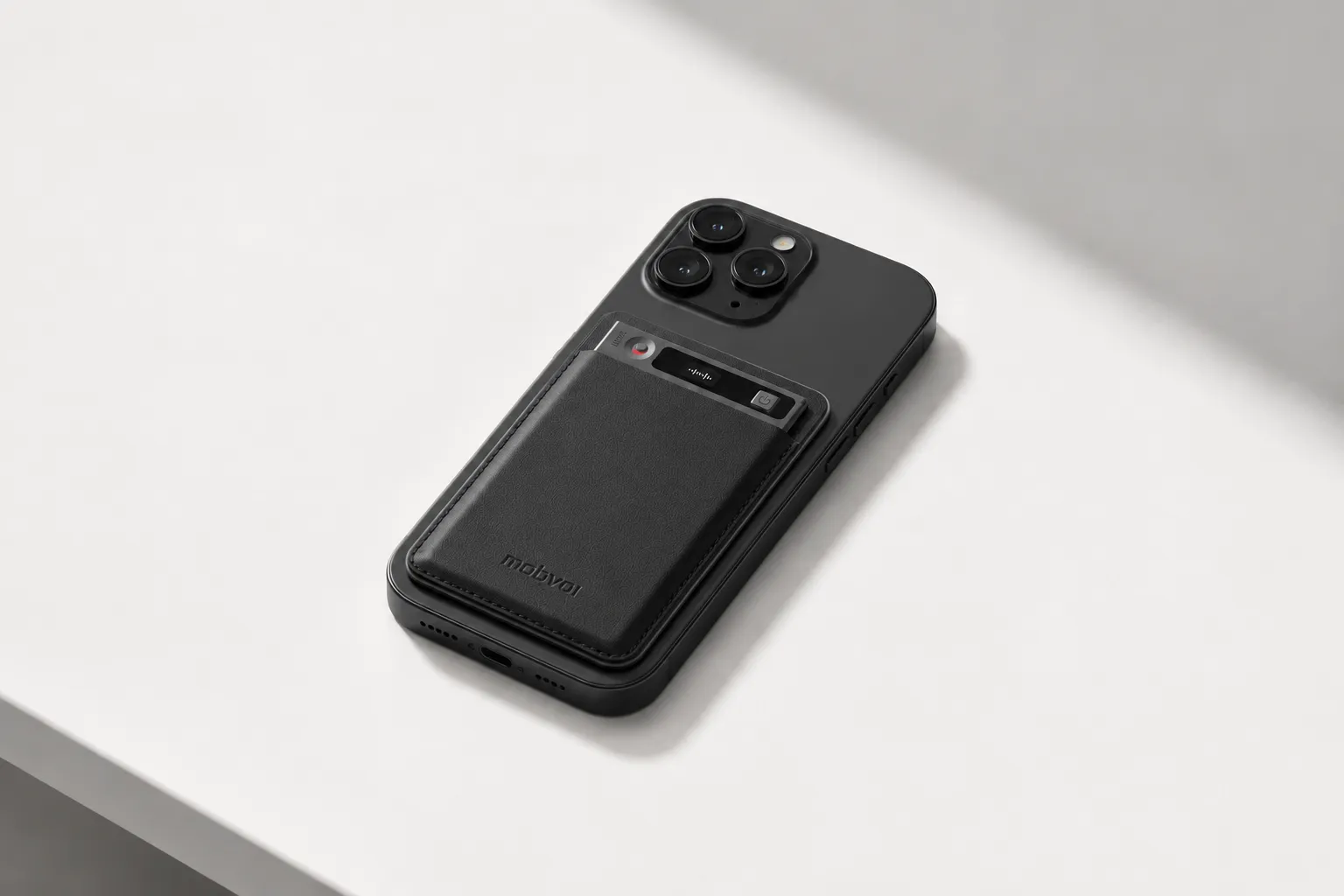
I picture a consultant finishing a 60-minute stakeholder interview in a client conference room, then stepping outside for a follow-up phone call with the project sponsor. That's where this device makes sense. It gives you one workflow for both moments, without relying on a meeting bot joining the call.
The card-style recorder stays with the phone and switches between Earphone and Speaker modes, so you can handle calls and room conversations on the same device. If you want a closer look at how dedicated hardware compares across formats, this guide to AI note-taking devices for meetings and calls is a useful companion.
Proof matters here. The hardware costs $159.99, has a 3-mic array with up to 10m voice pickup, runs for 25 hours, and stores 64GB locally, or about 434 hours. It records offline and syncs when you're reconnected. After that, you get time-stamped transcripts with automatic speaker identification, summaries when recording ends, 100+ summary templates, Notion and Obsidian export, a Project Knowledge Base, Generate Visual Report & Slides, TicNote API access, and BYO model support.
Key features
- Earphone / Speaker modes: one device for consultant phone calls and room meetings.
- 3-mic array up to 10m: a better fit for boardrooms and workshops than short-range wearables.
- Automatic speaker identification and time-stamped transcript: useful when multiple stakeholders talk over each other.
- 100+ summary templates and custom templates: faster client-ready recaps.
- Generate Visual Report & Slides: helpful when you need a deliverable right after the session.
- Notion and Obsidian export: easy to fit into an existing consulting workflow.
Pros
- $159.99 hardware price is straightforward for solo consultants and small firms.
- 25-hour battery and 64GB local storage reduce dependence on a laptop or cloud connection.
- Offline recording with later sync fits travel, field work, and poor Wi-Fi.
- Supports 120+ transcription and translation languages and 17 live languages.
Cons
- The included Plus plan covers 600 minutes a month, so heavier users may need Pro or Business.
- Advanced AI outputs depend on cloud features.
- Buyers should still validate GDPR-aligned and U.S.-based cloud claims during procurement.
TicNote Watch: Best for consultants who need discreet capture during site visits, workshops, and in-between moments
A lot of useful consulting detail doesn't show up in the formal meeting. You leave the room, a client makes an important comment in the hallway, and you need to save it without pulling out your phone and breaking the moment. That's the gap this watch is built for.
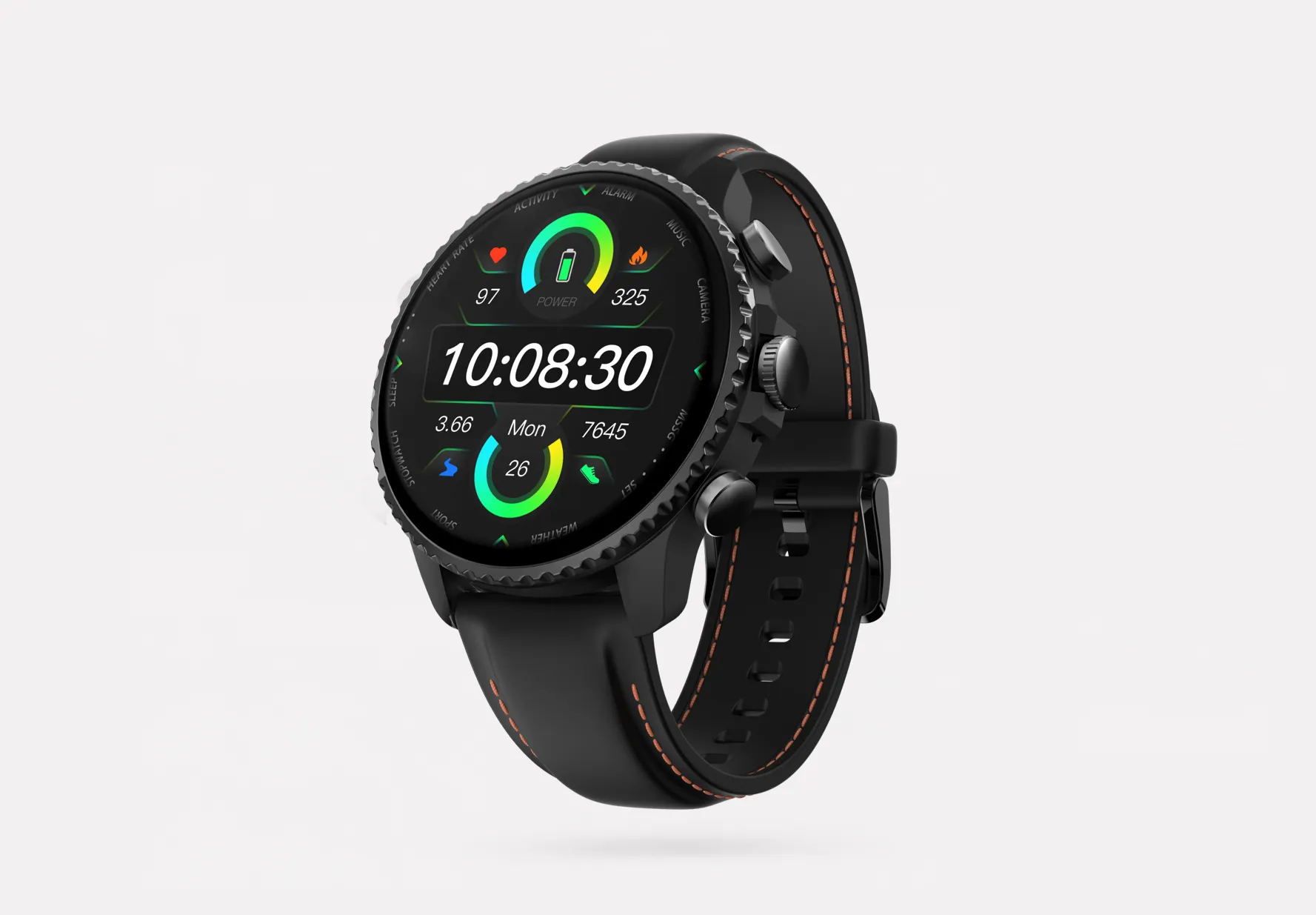
The wrist-worn format lowers friction. A dedicated recording button starts capture fast, Discreet Recording Mode keeps it subtle, and a double-tap Random Thought feature lets you save a short idea while you're walking between sessions.
At $249, it records for over 24 hours continuously. A single file can run up to 5 hours before auto-segmenting. Its dual omnidirectional mics offer 3 to 5m pickup with intelligent noise reduction. It also supports live transcription on the wrist in 17 languages, offline highlights, AI summary on the watch face, Project Knowledge Base, and summaries and transcripts in the app or cloud.
Key features
- Dedicated top recording button: fast capture during unplanned client conversations.
- Discreet Recording Mode: better suited to field work.
- One-Tap Highlight works offline: mark the exact moment a client agrees to a term.
- Random Thought: save a sub-60-second insight between meetings.
- AI summary pushed to watch face: useful before your next session starts.
Pros
- $249 price is reasonable for consultants who spend days moving between rooms and sites.
- Over 24 hours of recording covers long workshop days.
- Bluetooth call recording, offline capture, and sync support mobile work.
- Live wrist transcription in 17 languages is handy for fast review.
Cons
- The 3 to 5m pickup range is more limited for large rooms.
- The screen isn't ideal for reviewing long transcripts.
- The included 600 monthly minutes may be tight for heavy workshop teams.
Otter.ai: Best for solo consultants who spend most of the week in virtual meetings
If most of your client work already happens on Google Meet, Teams, or Zoom, Otter.ai is a practical pick. I see it fitting the consultant who runs back-to-back online check-ins and wants live notes, searchable transcripts, and quick summaries without carrying extra hardware.
Its strength is remote-first coverage. You get live transcription, searchable meeting history, summary support, and collaboration features that make online follow-up easier.
Key features
- Live notes during virtual meetings.
- Searchable transcript history.
- Easy sharing for post-meeting follow-up.
Pros
- Strong remote-meeting usability.
- Easy transcript search.
- Familiar cloud workflow.
Cons
- Weak fit for discreet in-person client capture.
- Depends more on cloud-connected workflows.
- Sensitive consulting environments may require stricter review because work product sits in a third-party service.
Fireflies.ai: Best for boutique consulting teams that want AI transcription tied into existing software
Sometimes the real problem isn't capturing the meeting. It's getting the record into the systems the team already uses. For a consulting lead who wants internal and client calls to flow into project tools and shared follow-up systems, Fireflies.ai is often the better fit.
This is more about integration-led workflow than hardware capture. It works well when several consultants need a shared call library, searchable transcripts, and summary outputs across multiple meeting platforms.
Key features
- Integration-heavy workflow.
- Team sharing.
- Searchable call library.
- Summary outputs.
Pros
- Better suited to team process consistency.
- Useful when multiple consultants need access to the same call record.
- Strong fit for virtual environments.
Cons
- Less ideal as an offline AI note taker for client meetings.
- Not the best answer for discreet field capture.
- Buyers should check retention, admin, deletion, and consent settings carefully before procurement.
Fathom: Best for independent consultants who mainly use Zoom and want simple post-meeting notes
If you're a solo advisor and want a lightweight way to capture virtual discussions, Fathom is easy to like. I think it works best for consultants who want a recap fast after a Zoom call and don't need deep systems work or offline flexibility.
The appeal is simplicity. It focuses on summary generation, highlights, and a quick virtual-meeting workflow.
Key features
- Simple summaries.
- Highlight capture.
- Fast Zoom-centered workflow.
Pros
- Easy to start.
- Good fit for Zoom-heavy habits.
- Quick recap workflow.
Cons
- Narrower use outside virtual meetings.
- Less suitable for in-person consulting workshops.
- May not satisfy firms that want hardware capture or stronger governance controls.
How I evaluated AI meeting notes for consultants
Most AI note taker roundups judge tools by one question: did they produce a readable transcript? That's too shallow for consulting work. In a steering committee, a due diligence interview, or a multilingual workshop, I need a meeting record I can defend, search, export, and turn into next-step deliverables without rewriting half of it. If you're weighing AI note takers against plain voice recorders for in-person meetings, that gap matters fast.
Why most AI note taker lists do not help consultants
Generic reviews reward convenience. Consultants need accuracy under pressure.
A client meeting note is often evidence, not just memory support. If speaker labels are wrong, retention settings are unclear, or the export is messy, the transcript becomes extra work. That's why I tested each tool against situations consultants actually face: a 60-minute boardroom discussion, a 45-minute expert interview, and a workshop where two languages show up in the same session.
The 4 decision variables for consulting work
Recording context: I checked whether the tool works in boardrooms, on mobile calls, inside Zoom or Teams, and during live workshops. A tool that only works well with a meeting bot will miss too many consultant moments.
Deliverable speed: I looked at how quickly raw audio became useful output. The standard wasn't "nice summary." It was whether I could send same-day follow-up notes, pull action items, or move content into slides and memos within minutes.
Governance control: This is where many shortlists fail. I looked for retention visibility, deletion options, private-by-default behavior, exportability, admin controls, and consent workflow support because procurement teams ask about all of them.
Transcript quality factors: I focused on speaker ID, timestamps, language coverage, and highlights. If I still need 20 minutes to fix a 30-minute transcript, the tool isn't saving time.
Quick comparison
| Tool | Works well when | Falls short when | Best for |
| TicNote AI Voice Recorder | Meetings happen in rooms, on calls, and across mixed formats | Included free monthly minutes only cover lighter usage | Independent consultants and advisory teams needing bot-free capture |
| TicNote Watch | Meetings are mobile, informal, and captured on the go | The room is large or voices are far from the device | Field consultants and workshop-heavy professionals |
| Otter.ai | Most client work happens in virtual meetings | You need discreet in-person capture without a bot or laptop | Solo remote consultants |
| Fireflies.ai | Integrations and team workflow standardization matter | You need offline hardware capture for in-person sessions | Boutique firms standardizing virtual workflows |
| Fathom | Zoom is the center of your client work | Your workflow regularly extends to in-person meetings | Solo Zoom-first advisors |
How to choose the right AI note taker for client meetings and consulting teams
The right tool depends less on brand and more on where your conversations happen, what you need 30 minutes later, and how strict your client governance rules are. In consulting, those three factors usually decide the purchase faster than any feature comparison.
Start with where conversations actually happen
If most of your work happens in client conference rooms, on speakerphone, and during calls from your mobile, I'd start with TicNote AI Voice Recorder. The reason is simple: it covers both room meetings and phone calls with Earphone and Speaker modes in one device, so you don't have to force every client interaction into a laptop workflow. That matters when a project day includes a 40-minute steering call, a hallway debrief, and a two-hour workshop in the same building.
If that sounds like your week, I'd read the comparison on device vs app note taking for real meetings and put TicNote AI Voice Recorder at the top of the shortlist.
If your work happens while walking sites, running workshops, or catching insights between formal sessions, TicNote Watch is the better fit. A wrist-based recorder creates less friction than pulling out a phone, and features like offline One-Tap Highlight and Random Thought are built for messy consulting days when the useful insight arrives three minutes after the meeting ends. That's a different job from a desktop meeting bot.
For that workflow, I'd look at how a dedicated note-taking device compares with an app before defaulting to software alone, because the watch format solves a real capture problem.
If nearly all your work is remote, Otter.ai or Fathom may be simpler. Otter.ai makes more sense when you want broader meeting capture across recurring internal and client calls. Fathom is a cleaner fit when you live in Zoom and mostly want a fast recap without adding hardware.
Decide what must happen in the 30 minutes after the meeting
A transcript alone rarely finishes the job. Most consultants need client-ready notes, action items, follow-up questions, research prompts, or the first draft of a memo or deck.
That's where TicNote AI Voice Recorder has a stronger case. If fast deliverable creation matters, it shortens the gap between conversation and output with summaries, 100+ templates, a Project Knowledge Base, Ask AI, and Generate Visual Report & Slides. In practice, that means turning a 60-minute discovery call into a usable internal brief before the next meeting starts.
Fireflies.ai is a better choice when shared team follow-up matters more than hardware capture. It's useful for firms that care about collaboration and integrations across CRM, project management, and internal workflows.
Fathom still has a place for solo consultants. If you just need a clear recap and action list after a remote call, it gets you there fast without much setup.
Stress-test governance before you buy
Before procurement signs off, run the same checklist on every vendor:
- Where is the data stored?
- Is customer data used to train models?
- Can recordings stay local and sync later?
- What export formats are available?
- Who can delete recordings and transcripts?
- What admin settings exist for retention, sharing, and access?
- How will your team handle consent in client meetings?
This part isn't optional. According to IBM's 2024 Cost of a Data Breach Report, the global average breach cost reached $4.88 million. For consulting teams working with board discussions, diligence calls, or operational reviews, governance is a buying criterion, not a legal footnote.
TicNote says recordings and transcripts are encrypted, private by default, not used to train AI models, and protected with end-to-end encryption, with key AI features processed on-device. Those are strong claims, but I'd still validate them in procurement and security review. Cloud-first tools deserve the same scrutiny on retention windows, deletion rights, admin controls, and consent workflows.
Choose the tool your consultants will actually carry, your clients will accept, and your operations team can defend.
Conclusion: the best consultant meeting recorder is the one your team will trust
After enough client calls, steering committees, and onsite workshops, I stop asking which tool writes the flashiest summary. The better question is simpler: which one fits how your team actually captures evidence, turns meetings into next steps, and handles sensitive client data without drama. In consulting, the right choice usually comes down to three things: meeting format, output speed, and governance.
If I worked solo and ran mostly Zoom or Google Meet calls, I'd choose a software-first tool with fast summaries and CRM exports. If I spent days in client offices, site visits, or phone-based follow-up, I'd pick TicNote AI Voice Recorder and lean hardware-first because it covers mixed in-person and call workflows more reliably. Boutique firms usually need a balance of speed and light admin controls. Larger advisory teams need stricter retention settings, deletion paths, consent rules, and role-based access before rollout.
No AI note taker removes the need for human review. Not for board discussions, not for compliance-heavy projects, and not for meetings where one missed nuance can change the recommendation.
A practical next step takes under 10 minutes: list the last five meeting types your team ran, then match each one to a recording method, a review owner, and a retention rule. That exercise will narrow your shortlist faster than another feature comparison. If you want a hardware-first option for mixed in-person and phone-call workflows, it's worth seeing how AI note takers for meetings compare by recording style and privacy.


