


 Extension
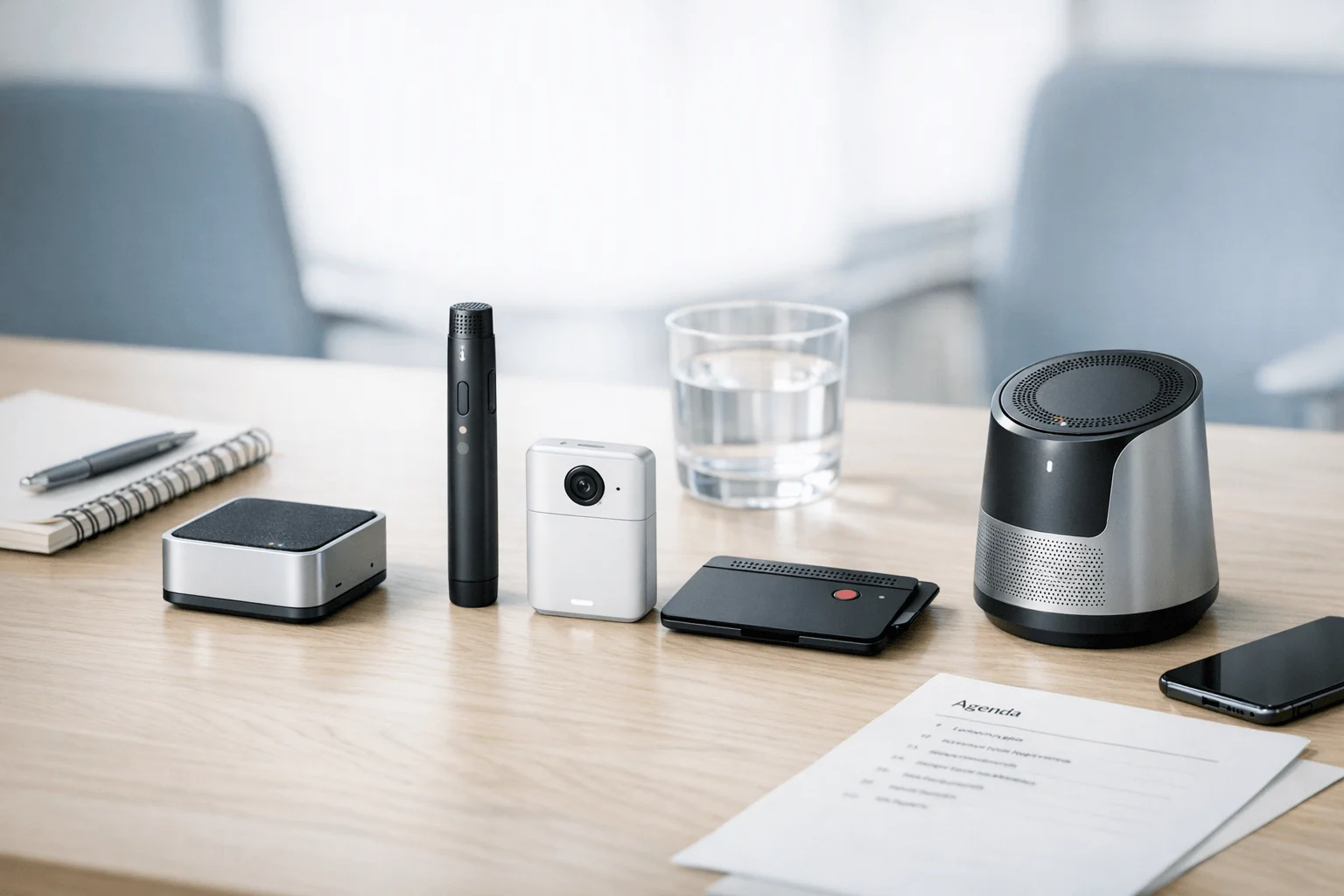
I've walked out of a 45-minute client meeting with three pages of half-usable notes, one missed action item, and another meeting starting in 20 minutes. If you want the short answer, TicNote Watch is the best AI note taker for in-person meetings when you need discreet capture in mobile conversations.
Manual notes break down fast once meetings stack up, and cleanup later usually means guessing what mattered. After weeks of testing device-based and bot-free options in small rooms, hallways, and on-the-go workflows, here's my take: TicNote Pods 4G is best for field teams and multilingual client work that needs live summaries without a phone nearby, PLAUD Note is best if you want a simpler recorder-card format, and Otter's mobile app is best only when budget matters more than room pickup and meeting optics.
This guide compares the best AI note takers for in-person meetings using a standardized matrix built around visibility in the room, consent risk, pickup range, live versus post-meeting outputs, and total cost of ownership, plus scenario-based picks by workflow.
Quick picks: best AI note takers for in-person meetings at a glance
I'd short-list these four based on one question: how visible do you want the recorder to be when you're sitting across the table? For in-person meetings, the best option usually isn't the app with the most features. It's the one that fits the room, captures voices clearly enough to trust later, and gives you the right output fast, whether that's a live summary on your wrist or clean notes after you stop recording.
Quick picks summary table
| Product | Best for | Why it stands out | Main trade-off | Starting price |
| TicNote Watch | Consultants, recruiters, journalists, and managers | Wearable AI note taker with discreet screen-off recording, One-Tap Highlight, live wrist transcription in 17 languages, and 24+ hours of continuous recording | Smaller wearable format won't suit buyers who prefer a dedicated recorder body | $249 |
| TicNote Pods 4G | Sales reps, field consultants, and multilingual teams | 4G eSIM, 10 m pickup, live summary during the meeting, quick summary at stop, and conversation translation | Higher upfront cost than app-only options | $299.99 |
| PLAUD Note | Buyers who want a slim recorder and simple capture workflow | Thin recorder form factor and straightforward recording process | Less clear fit if you want live in-meeting review versus a dedicated wearable workflow | N/A |
| Otter mobile app | Budget-conscious users already comfortable using a phone in meetings | Low-cost entry point and familiar phone-based workflow | Room pickup, visibility, and phone dependence are real limits in face-to-face settings | N/A |
If you're comparing a dedicated device with a phone-based setup, this breakdown of AI note takers versus standard voice recorders is worth reading before you buy.
Who should short-list which tool first
A hallway chat at a conference is where TicNote Watch makes the most sense. I can start recording discreetly, keep the screen off, and mark the key quote with One-Tap Highlight before the conversation drifts.
A 60-minute on-site discovery meeting leans toward TicNote Pods 4G. The 10 m pickup range and live summary are practical when three or four people speak from different spots in the room.
For a multilingual supplier walkthrough, Pods 4G is the clearest fit because translation and in-meeting summaries reduce cleanup later. In a private one-on-one in a small room, PLAUD Note or TicNote Watch usually feels less obtrusive than putting a phone on the table.
Otter works best when budget matters most and everyone already accepts a phone-first workflow.
4 best AI note takers for in-person meetings
If I were choosing an AI note taker for in-person meetings today, I would split the shortlist by real room behavior, not by app-store ratings. In face-to-face meetings, the tool has to do three things well: capture speech clearly, fit the social tone of the room, and turn that recording into usable notes fast enough to matter.
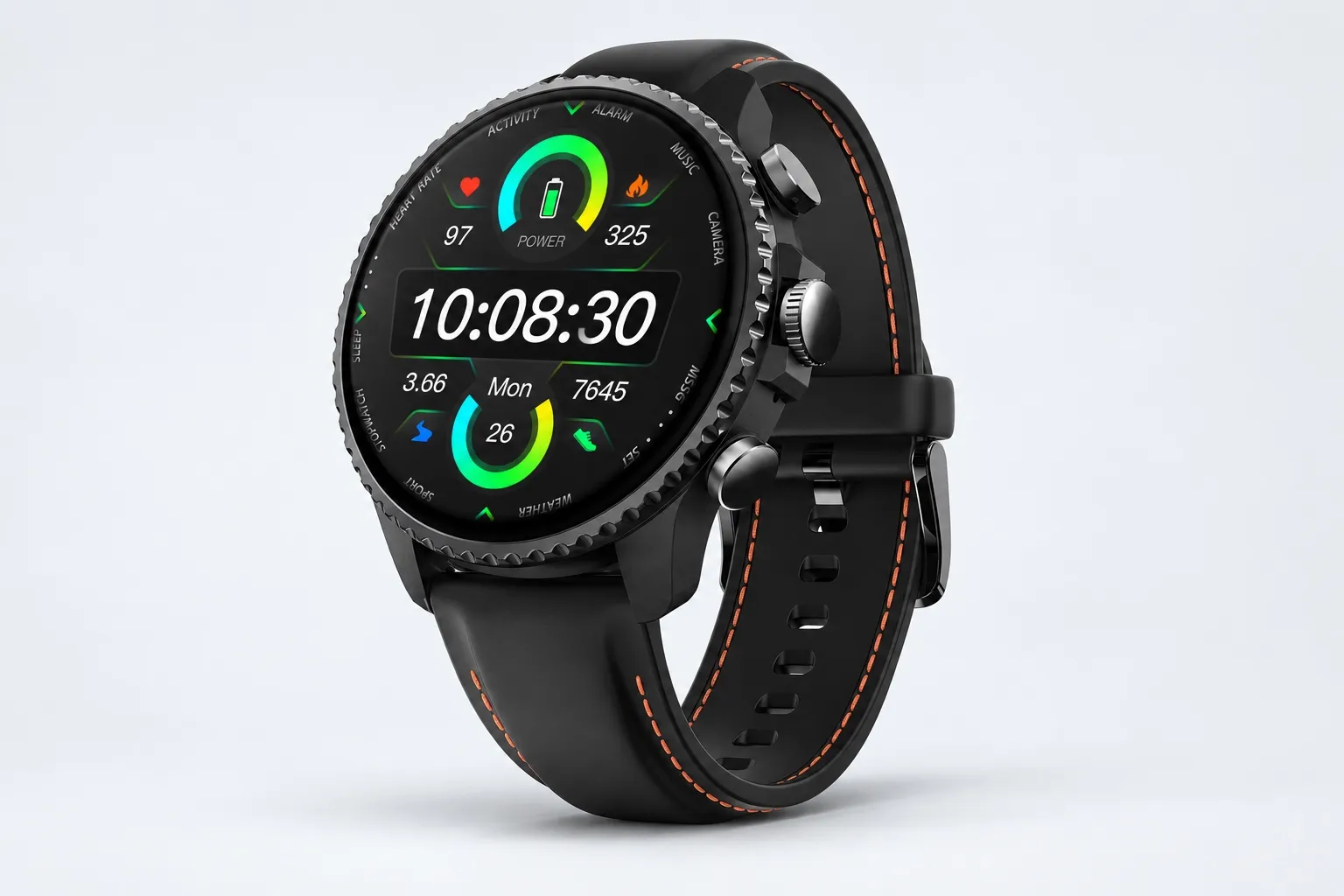
TicNote Watch: Best for professionals who move between in-person meetings and need discreet capture without pulling out a phone
I think of the recruiter doing a lobby interview, the consultant standing through a client workshop, or the journalist grabbing a quote after an event. In those moments, pulling out a phone changes the tone. A wrist-based recorder makes more sense because holding the top button for 2 seconds starts recording, and the screen-off Discreet Recording Mode keeps the device low-profile while still showing a persistent red-dot indicator.
That workflow matters more than specs alone. During a 45-minute review, One-Tap Highlight lets you mark exact decisions without breaking eye contact, then return to those moments later. If you want the full product breakdown, you can Learn more about TicNote Watch.
The fit is backed by concrete features: dual omnidirectional digital silicon mics, 3 to 5m pickup with intelligent noise reduction, over 24h continuous recording, and single files up to 5h with auto-segmentation. You also get live transcription on the wrist in 17 languages, AI summaries pushed to the watch face, transcripts with automatic speaker identification, 100+ summary templates, Ask AI, a Project Knowledge Base, exports to Notion and Obsidian, and the TicNote API for downstream workflows. If you're also comparing dedicated hardware more broadly, this guide to AI note-taking devices for meetings and lectures gives useful context.
Key features
- Discreet Recording Mode: useful when a phone on the table would change the tone of a face-to-face meeting.
- One-Tap Highlight: helps mark exact decisions during a 45-minute review so follow-up is faster.
- Live wrist transcription: lets mobile users glance at notes without opening a laptop.
- Project Knowledge Base: useful when consultants need to ask AI across multiple client meetings.
- Export to Notion and Obsidian: helps post-meeting workflows stay clean.
Pros
- $249 price is competitive for dedicated hardware.
- Over 24h continuous recording suits full-day meeting schedules.
- Includes 600 transcription minutes per month on the Plus plan.
- Supports live transcription and live translation.
- On-device plus encrypted privacy positioning is stronger than a phone-on-table workflow.
Cons
- 3 to 5m pickup is better for small to medium rooms than very large boardrooms.
- Only 17 languages are available live on the wrist, even though broader app support is larger.
- Some buyers won't need the added health features.
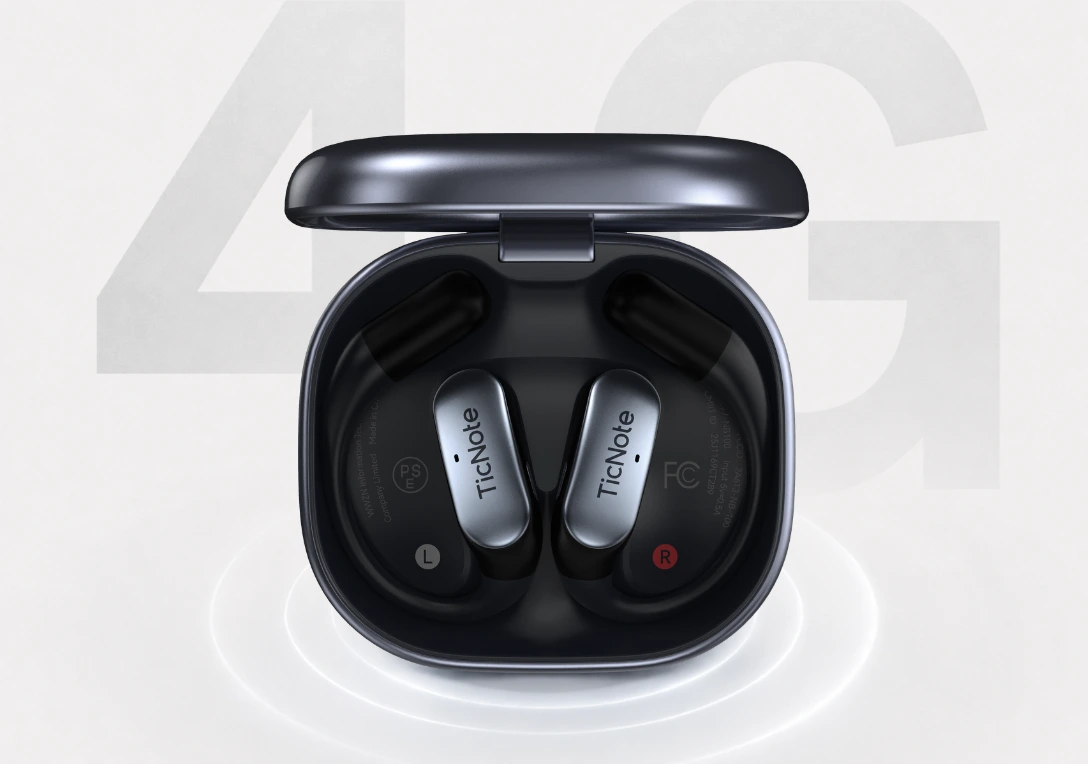
TicNote Pods 4G: Best for field teams and client-facing pros who need AI meeting notes before they reach the next stop
This one fits the sales rep walking out of a factory tour, the field consultant driving to the next site, or the buyer sitting in a multilingual supplier meeting. The problem in those settings isn't just capture. It's handoff speed. You need notes before the next stop, not later that night.
That's why built-in 4G eSIM is the real differentiator. The device can record and upload in real time without a phone nearby, Live Summary appears while the meeting is still running, and Quick Summary lands as soon as recording stops. If that matches your workflow, Check TicNote Pods 4G details.
The proof points are solid for larger spaces and mobile work: 10m pickup, dual mics plus ENC noise cancellation, automatic call recording on the earbuds, 32GB case storage for around 2,150 hours, 13 hours battery with 4G on, and 22 hours with 4G off. You also get Conversation Translation, Listen Translation, speaker-identified transcripts, AI summaries, mind maps, visual reports, and export options.
Key features
- Built-in 4G eSIM: matters when your phone is not practical on-site.
- Live Summary: useful when a manager wants key points before you leave the building.
- Case and earbuds dual recording modes: fits both room discussions and calls.
- Conversation Translation: useful for multilingual meeting transcription needs.
- 10m pickup: a stronger fit for larger rooms and walkthroughs.
Pros
- $299.99 price is reasonable for a mobile-first hardware setup.
- Live summaries appear during meetings.
- 10m pickup gives it more flexibility in bigger rooms.
- Automatic call recording adds value for mixed in-person and phone workflows.
- 32GB case storage is unusually generous.
Cons
- Earbud-style design is less discreet than a watch in some formal rooms.
- Battery life is shorter with 4G on.
- If you rarely travel, you may not use the 4G advantage enough to justify it.
PLAUD Note: Best for professionals who want a slim device-based recorder for straightforward in-person capture
Some buyers don't want a smartwatch or earbuds at all. They just want a dedicated recorder they can carry into a meeting, keep separate from their phone, and turn into AI notes later. That's where PLAUD Note tends to enter the shortlist.
I'd frame it as a hardware-first option for people who dislike meeting bots and prefer a familiar recorder concept. It's commonly considered for in-person note capture, and it's relevant if your main goal is simple dedicated hardware rather than live in-meeting review.
Key features
- Simple hardware-first capture.
- Dedicated recorder form factor.
- Clean separation between recording and phone use.
Pros
- Dedicated device approach is easy to understand.
- Easier to compare against phone-app workflows.
- Familiar recorder concept works for many professionals.
Cons
- Less clear advantage for live in-meeting review and live summaries.
- Weaker fit than TicNote Watch for wrist-based discretion or Pods 4G for field workflows.
- Buyers should review subscription math carefully.
Otter mobile app: Best for users who already rely on their phone and need a low-friction starting point for occasional in-person notes
Sometimes the meeting is informal, the room is quiet, and putting a phone on the table is acceptable. In that narrow use case, a phone app is the easiest starting point because there's no extra hardware to carry or charge.
Otter fits that app-first workflow. It's a practical, budget-friendly way to test AI note-taking for in-person meetings, but the tradeoff is obvious: room optics and pickup reliability are usually weaker than purpose-built hardware, especially in noisy or privacy-sensitive spaces.
Key features
- App-based capture.
- Easy starting workflow.
- Familiar software experience.
Pros
- No extra hardware needed.
- Easy to test for occasional use.
- Good fit if you already work from your phone.
Cons
- A visible phone can change the feel of a meeting.
- Room pickup is less purpose-built than dedicated devices.
- Less suited to discreet professional use cases.
How I evaluated AI note takers for face-to-face meetings
Most lists of AI note takers for in-person meetings read like app-store feature grids. That doesn't help when you're sitting in a glass conference room, interviewing a candidate across a small table, or walking a job site with traffic noise in the background. I evaluated these tools based on what actually changes the outcome in a face-to-face meeting: whether the device looks natural, captures usable audio at real distances, turns notes around fast enough to help before the next meeting, and avoids unnecessary consent friction. If you're comparing dedicated note-taking devices versus phone apps, that's the split that matters most.
Why most AI note taker lists miss real meeting conditions
Generic comparison posts usually overvalue transcription accuracy in ideal settings and undervalue room dynamics. In practice, a tool can score well in a quiet demo and still fail in a six-person client meeting because it's too visible, the mic range is weak, or the summary arrives 40 minutes too late to be useful. For in-person professionals, bot-free and hardware-first workflows often matter more than another app integration.
The 5 decision variables I used
Visibility in the room: Does it feel normal on the table, in your hand, or on your wrist, or does it make people tense up?
Consent and privacy risk: Is recording status obvious, and do the storage, export, and encryption controls fit professional use?
Pickup range and noise handling: Can it handle a two-person office, a 10-person meeting room, or a louder hallway or site visit?
Live vs post-meeting output: Do you get useful notes during the meeting, right after, or only later when the moment has passed?
Total ownership cost: I looked at device price, recurring plans, included minutes, and whether the time saved justifies the spend.
Quick comparison
| Tool | Works well when | Falls short when | Best for |
| TicNote Watch | You need discreet capture in 1:1 meetings and quick notes without putting a recorder in the middle of the table | You need wide-room pickup for larger group meetings | Consultant needing discreet notes in 1:1s |
| TicNote Pods 4G | You move between offices, cars, and client sites and need summaries between visits | You want the lowest upfront cost | Field rep needing summaries between visits |
| PLAUD Note | You want simple hardware capture for interviews, desk meetings, and solo note backup | You need stronger live workflow support or broader room coverage | Professional wanting simple hardware capture |
| Otter mobile app | You want to test phone-based notes before buying hardware | Phone placement is awkward, battery is limited, and room pickup drops fast in noisy spaces | Occasional user testing phone-based notes |
How to choose the right AI note taker for your meeting setting
The right device depends less on headline features and more on what the room does to your workflow. I'd choose based on four constraints first: how visible the recorder feels, how fast you need notes after the meeting, how much movement is involved, and whether follow-up time costs you more than the device itself.
If my meetings happen in small rooms, hallways, ride-alongs, or interviews where a phone on the table changes the vibe, I'd pick TicNote Watch. A wearable AI note taker fits motion-heavy work better because it stays natural while you're walking, standing, or switching locations. That's where Discreet Recording Mode, One-Tap Highlight, 24+ hours of recording, and watch-face summaries matter in practice, and if that sounds like your setup, Learn more about TicNote Watch.
If I'm leaving one client site and need usable notes before the next stop, TicNote Pods 4G is the better fit. Built-in 4G eSIM means I don't have to depend on my phone, and Live Summary plus Quick Summary are built for field handoffs where speed matters more than perfect formatting. The 10 m pickup range also helps in cars, job sites, and larger rooms, and Conversation Translation makes more sense when teams switch between languages during visits. If that matches your day, Check TicNote Pods 4G details.
PLAUD Note fits buyers who want simple hardware and are fine reviewing everything later. I'd recommend it when the goal is dedicated recording with fewer workflow layers, not in-meeting output. That simplicity is real, but it also falls short if you need live summaries, faster handoffs, or a device built around field movement.
If budget is the main filter and the room is quiet, Otter's mobile app is the easiest low-commitment test. It can prove whether AI notes save you enough time to justify a device. But a phone-first setup is still less ideal for discreet meeting recorder for professionals use cases, especially in client-facing meetings.
Total cost of ownership is where most buyers misjudge this category. A one-time device price matters less than the 15 to 30 minutes you save after every meeting, the included minutes on TicNote hardware plans, and the point where heavier use forces an upgrade. For consultants and field teams, the best choice is usually the one that cuts follow-up work fastest, which is also why these AI note takers for consultants tend to outperform tools with longer feature lists on paper.
See which TicNote setup fits your meetings best.
Conclusion: what actually matters in an in-person AI meeting notes device
The real question isn't which tool has the most AI features. It's which one fits how you actually meet, record, review, and share notes after a face-to-face conversation. In practice, plenty of tools can turn speech into text, but far fewer handle the messy parts of in-person meetings well: how visible the device is on the table, how far away voices are picked up, how comfortable people feel about being recorded, and how fast you can send usable notes 10 minutes later.
That's the logic I'd use. If you want a discreet wearable for hallway chats, client visits, and mobile conversations, TicNote Watch is the best fit. If you need live summaries, better pickup range, and a phone-free setup for field work, TicNote Pods 4G makes more sense. PLAUD Note is the simpler dedicated hardware pick. Otter is still the cheapest way to test whether AI note-taking fits your routine before you spend more.
One practical next step: look at your last five in-person meetings and mark three things for each one, room size, privacy sensitivity, and how quickly you needed notes afterward. That 10-minute exercise will usually make the right choice obvious. If you want a broader side-by-side on AI note takers for meetings, calls, and in-person notes, Explore TicNote options for in-person meetings.


