


 Extension
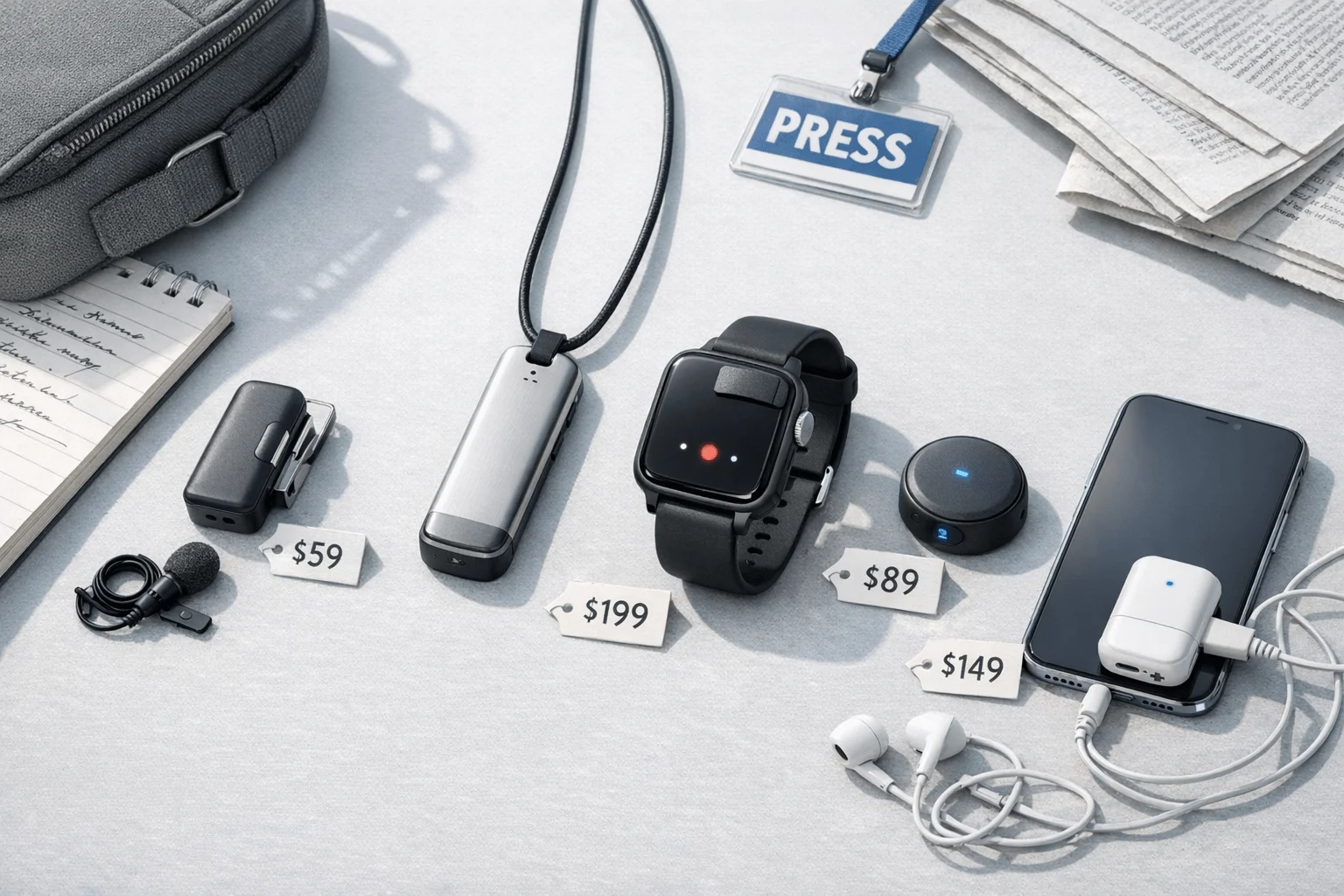
TL;DR: Which AI note taker is best for journalists?
If you need the best option fast, TicNote Watch is the strongest pick for most journalists because it gives you discreet wrist-based recording, a dedicated record button, Bluetooth call capture, live transcription in 17 languages, and 24+ hours of continuous recording in one field-ready device. That matters when you're leaving a 42-minute sidewalk interview with 6% battery left, one quote to verify, and another 28-minute editor call still waiting to be logged.
Long recordings create real deadline friction: a 40-minute interview can easily turn into another 60 to 90 minutes of review, cleanup, and quote checking if your notes are messy. I spent weeks comparing wearable and field-friendly AI note takers across in-person interviews, phone calls, multilingual conversations, and privacy-sensitive reporting.
My short list is clear. TicNote Watch is best for most reporters. TicNote Pods 4G fit travel and phone-heavy reporting because the earbuds and case can record, upload, summarize, and translate without needing your phone nearby. PLAUD NotePin S works well if you want a lighter wearable focused on simple capture. PLAUD NotePin is the budget pick for basic interviews, but it gives up some of the workflow and call-recording advantages that matter on deadline.
Quick picks: the best wearable AI note takers for journalists
If you're comparing options fast, this is the shortlist I'd give a colleague before a reporting trip. I judged every pick on the same journalism-specific criteria: how flexibly it captures interviews and calls, how useful the transcript is afterward, how easy it is to export into a newsroom workflow, what privacy controls you get, and what the real ongoing cost looks like. If you want broader hardware context, this AI note-taking device comparison helps frame where these wearables fit.
| Tool | Best for | Works well when | Falls short when | Starting price | Notable workflow fit |
| TicNote Watch | Field reporters who want a discreet recording device worn on the wrist | In-person interviews, hallway chats, and Bluetooth phone calls | You need phone-free 4G uploads | $249 | Fast capture for on-the-move reporting without pulling out a phone |
| TicNote Pods 4G | Travel reporters and journalists handling phone interviews and multilingual reporting | You need automatic call recording, 4G eSIM upload, live summary, and translation | You do not want an earbud-style device | $299.99 | Strong fit for call-heavy, cross-border, and mobile-first reporting |
| PLAUD NotePin S | Journalists who want a wearable AI transcription device for interviews in a simple form factor | You want lightweight wearable capture | You need richer export, phone-free connectivity, or broader workflow tooling | N/A | Best for simple interview capture and review |
| PLAUD NotePin | Budget-conscious reporters who mainly need wearable voice capture and transcript review | You handle straightforward interviews | You need advanced newsroom workflows or heavy call recording | N/A | A lower-complexity option for basic reporting notes |
My quick take: TicNote Watch is the strongest match for field reporting, while TicNote Pods 4G makes more sense if your week includes phone interviews, border crossings, and multilingual sources. The detailed reviews below break down exactly which reporting scenario each device suits.
4 best wearable note takers for journalists
When I compare wearable note takers for reporting, I don't start with specs. I start with the moment a reporter is actually in: a sidewalk interview that runs 35 minutes, a rushed voice memo between locations, a source call from a train platform, or a sensitive conversation where privacy rules matter as much as transcript quality. These four picks stand out because they solve different reporting realities, not because they pile on generic AI features.
TicNote Watch: Best for field reporters who need a discreet recording device for reporters that stays ready all day
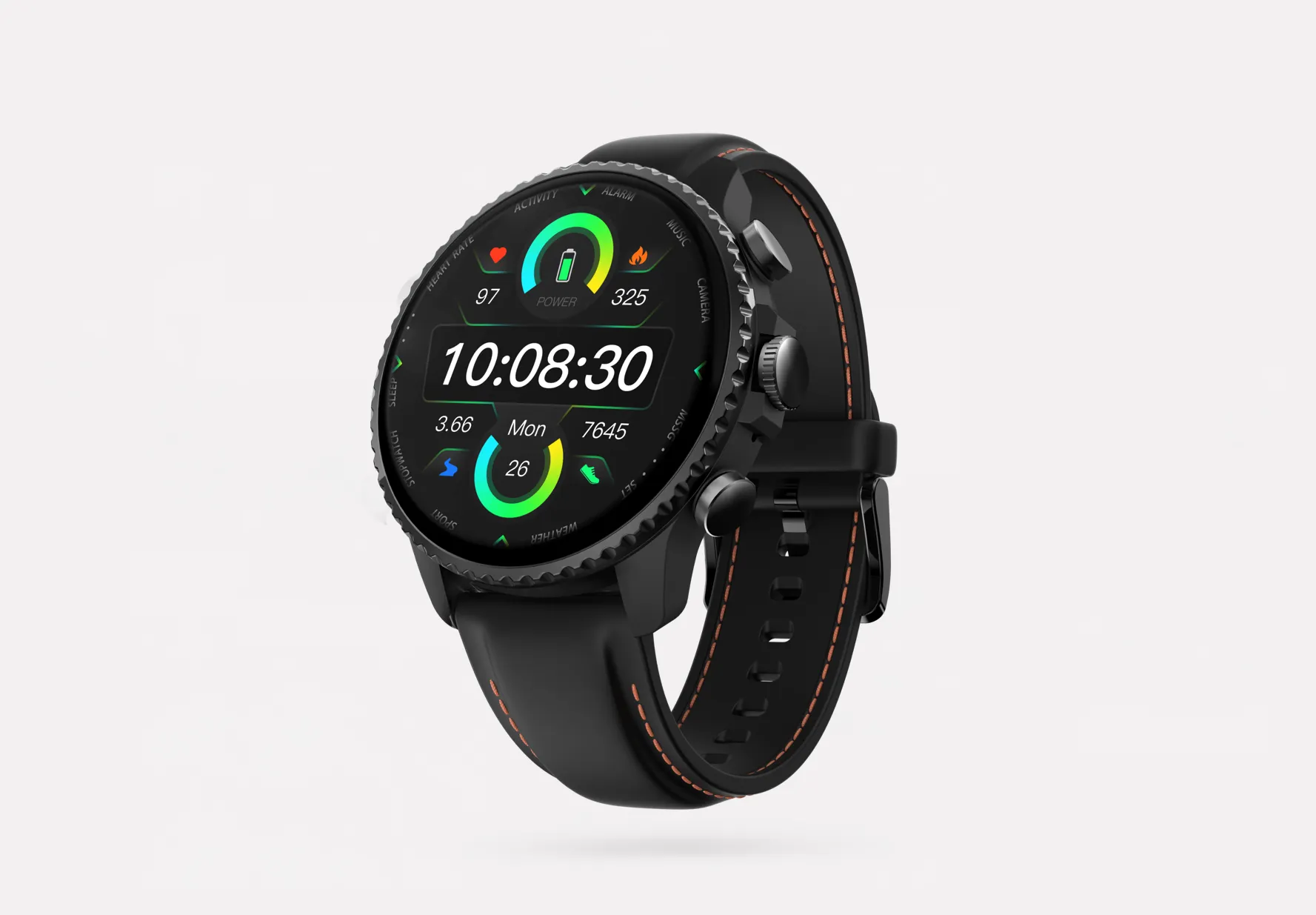
I picture a reporter finishing a 35-minute curbside interview, dictating a follow-up note while walking, then taking a Bluetooth phone call from a source without pulling out a phone. That's exactly where TicNote Watch fits. The dedicated top recording button matters because surprise interviews don't wait. One press starts capture fast, and Discreet Recording Mode lets the screen stay off while the persistent red-dot indicator still signals recording on-device.
What makes it useful in a real newsroom isn't just capture. It's what happens after. I can record offline, let it sync when I'm connected again, and get summaries ready after the recording ends. The watch also handles Bluetooth call recording of both sides with transcription, which makes it a practical phone interview tool when I don't want to juggle another recorder.
Transcript quality is where the workflow gets stronger. Live transcription runs on the wrist in 17 languages, and the full transcript adds timestamps plus automatic speaker identification. One-Tap Highlight works offline, so I can mark a quote in the moment and see that marker carried into the transcript later. Exports to Notion and Obsidian make newsroom handoff cleaner than a basic audio file drop.
Baseline hardware is solid for day-to-day reporting: dual omnidirectional digital silicon mics, 3 to 5 m pickup, intelligent noise reduction, over 24 hours of continuous recording, and 5-hour file auto-segmentation to keep long sessions manageable. At $249, with the Plus plan included and 600 transcription minutes per month, the cost is easier to model than devices that push you into immediate add-ons. If you're comparing recurring spend, this breakdown of device price and subscription math is worth checking before you buy.
Key features
- Dedicated top recording button: fast start for surprise interviews
- Discreet Recording Mode: lower social friction in the field while still signaling recording on-device
- Bluetooth call recording: useful for journalist interview recorder needs on calls
- One-Tap Highlight: mark quotes in real time
- Export to Notion and Obsidian: easier newsroom handoff
- 17-language live transcription and 120+ language transcription/translation support: helps multilingual reporting
Pros
- $249 price is competitive for a watch-style recorder with AI workflow built in
- 24+ hour recording supports full reporting days
- 5-hour auto-segmentation keeps long files easier to review
- 600 monthly transcription minutes are included
- End-to-end encryption and private-by-default positioning fit security-conscious teams
Cons
- No built-in 4G eSIM
- 3ATM water resistance is fine for daily wear, not ruggedized field gear
- You still need to validate local consent law and newsroom policy before recording
TicNote Pods 4G: Best for travel reporters and journalists who need hands-free note taking for phone interviews and multilingual reporting
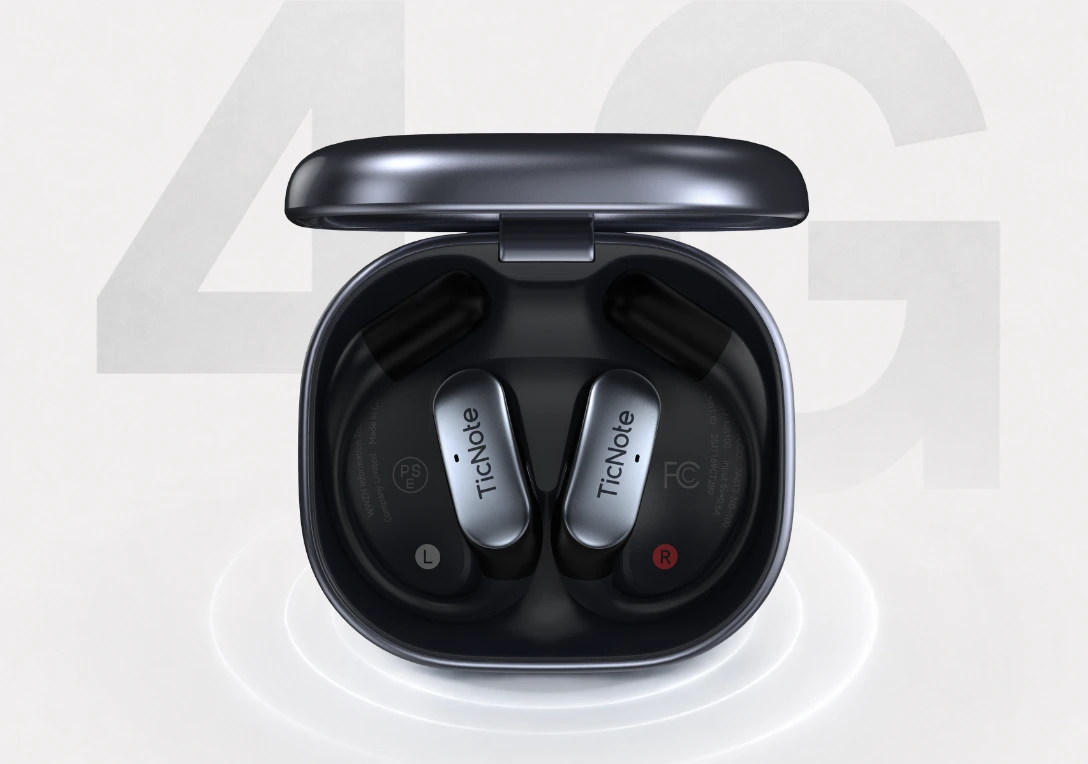
I think of the reporter who just left one interview, needs a summary before boarding a train, and gets a source call before the laptop is even open. That's where the earbuds-plus-case setup makes sense. TicNote Pods 4G can upload in real time through a built-in 4G eSIM, so you're not dependent on your phone to get transcripts moving.
The workflow is built for speed. Live Summary shows up while the meeting is still running, and Quick Summary appears when recording stops. Automatic call recording on the earbuds is useful for phone-heavy reporting, while the dual modes with automatic switching help separate call capture from room capture without extra setup.
For international reporting, this is the strongest fit here. Conversation Translation, Listen Translation, real-time transcription, and live translated subtitles help when you're moving across languages fast. Add 10 m pickup, ENC noise cancellation, time-stamped transcripts, automatic speaker identification, offline recording with later sync, a searchable project knowledge base, and exports to Notion and Obsidian, and it feels built for moving desks and changing locations.
Key features
- Built-in 4G eSIM: real-time transcription for field interviews without relying on a phone
- Automatic call recording: strong for journalist interview recorder use
- Dual recording modes: better fit across calls and in-person interviews
- Conversation and Listen Translation: useful for cross-language interviews
- 32GB case storage: supports long travel days
- Notion and Obsidian export: cleaner post-interview workflow
Pros
- $299.99 price includes a broader mobile workflow than most basic wearables
- Live and quick summaries reduce turnaround time
- About 13 hours with 4G on or about 22 hours with 4G off
- 10 m pickup helps with room interviews
- 32GB case storage holds roughly 2,150 hours
Cons
- Earbud-style hardware won't suit every newsroom or source interaction
- Battery life drops when 4G is on
- Some journalists will prefer a visibly separate recorder for disclosure clarity
PLAUD NotePin S: Best for journalists who want a simple wearable AI note taker for short field interviews
Sometimes I just want the smallest thing possible clipped onto me for routine interviews and quick field notes. That's the case for PLAUD NotePin S. Its appeal is simple: wearable capture, transcript review, and a lighter daily-carry footprint than workflow-heavy devices.
That makes it relevant for shorter interviews and straightforward note collection. If your process is mostly record, review transcript, pull quotes, it can do the job. But I wouldn't pick it over the TicNote options if I needed stronger exports, call handling, or a broader research workflow.
Key features
- Wearable form factor: easy to keep on during short reporting sessions
- AI transcription workflow: fits transcript-first review
- Simple capture/review flow: good for lighter reporting needs
Pros
- Simple to carry
- Easy to add to a daily reporting kit
- Suitable for basic transcript-first workflows
Cons
- Journalists needing richer exports may outgrow it
- No clear edge for built-in call handling or phone-free upload
- Less compelling for advanced knowledge management needs
PLAUD NotePin: Best for budget-conscious reporters who need a wearable voice recorder for reporters for basic interviews
I see this one fitting a freelance journalist who mostly records scheduled interviews and looks up the transcript later. Not every reporting workflow needs live summaries, translation layers, or call automation. PLAUD NotePin belongs on the shortlist because it offers a simpler entry point into wearable capture.
The tradeoff is that you need to compare total cost, call workflow, and export needs carefully before treating it as the cheapest long-term choice. For basic note capture and transcript review, it's a reasonable category option. For multilingual field reporting, advanced newsroom exports, or phone-heavy reporting, the more workflow-rich devices above are the better fit.
Key features
- Compact wearable recording: easy for basic interview capture
- Transcript review: supports later quote lookup
- Simple note capture: fits straightforward reporting needs
Pros
- Lower-friction starting point for basic use
- Easier shortlist for price-sensitive buyers
Cons
- Likely weaker fit for multilingual field reporting
- Less suited to advanced newsroom exports
- Phone-heavy reporting workflows have better options above
How I evaluated these AI note takers for reporting
Most lists of wearable AI note takers score generic specs like battery life, app polish, or meeting transcription. That misses how reporting actually works. Journalists need gear that can handle a noisy curbside interview at 6:40 p.m., a phone call from a source at 9:15, mixed accents, and sensitive material you may not want pushed to the cloud by default.
Why most wearable note taker lists do not help journalists
A recorder can look great on a consumer checklist and still fail in a newsroom workflow. If I can't mark a quote while walking, export a clean transcript into my editor's system, capture a Bluetooth call, or record discreetly without a clumsy setup, it slows filing and raises risk.
That's why I weighted reporting friction over lifestyle features. I also looked at whether a device behaves more like an interview tool than a general meeting gadget. If you want the baseline difference, this guide on AI note takers versus standard voice recorders for in-person interviews is a useful starting point.
The 4 decision variables for journalist interview recorder workflows
Capture flexibility. I checked whether each tool could handle in-person interviews, Bluetooth or earbud phone calls, and multilingual conversations. If it can't move across those three scenarios, it creates gaps in a real reporting week.
Transcript utility. I prioritized time stamps, search, speaker labels, and live highlighting. Those features cut quote retrieval time fast, especially under deadline.
Privacy and control. For sensitive-source work, I looked for offline recording, encryption, private-by-default settings, and clear storage choices. The Committee to Protect Journalists advises reporters to minimize unnecessary data exposure, which makes device-level control a practical buying factor, not a bonus.
Total cost of ownership. I counted device price, included minutes, subscription tiers, and pay-as-you-go charges. A tool that starts at $129 but needs $20 per month to stay useful is a different decision from a one-time purchase.
Quick comparison
| Tool | Works well when | Falls short when | Best for | |
| TicNote Watch | Day-long wrist capture, Bluetooth calls, live quote marking | You need phone-free connectivity | Beat reporters balancing field interviews and calls | |
| TicNote Pods 4G | 4G upload, live summary, automatic call recording, translation | You dislike earbud hardware or want maximum battery with connectivity offloading | Travel reporters and foreign correspondents | |
| PLAUD NotePin S | A small wearable matters most | Advanced export and call workflow matter | Journalists who want lightweight interview capture | |
| PLAUD NotePin | Budget and basic recording matter | Your workflow is more complex | Freelancers with simple interview needs |
How to choose the right AI note taker for your reporting workflow
I'd choose this less by feature count and more by where interviews actually happen, what I need to file right after, and how much setup friction I can get away with in front of a source. A device that looks great on a spec sheet can still slow me down if it takes two hands to start, needs my phone nearby, or buries quotes after a 40-minute conversation.
Pick for in-person reporting first
If most of your work happens across coffee shops, hallways, press scrums, and scheduled source meetings, I'd start with TicNote Watch. It fits the reality of reporting because it's already on the wrist, starts fast with a dedicated button, and lets me mark key moments with One-Tap Highlight while the person is still talking. For a journalist who needs a secure note taker that doesn't interrupt eye contact, that matters more than having the longest feature list. If that sounds like your workflow, it's worth seeing how the TicNote Watch handles live interview capture.
I'd point you to PLAUD NotePin S instead when size and simplicity matter more than on-wrist access. It's smaller and easier to clip on, but the workflow advantages are narrower once you need faster quote marking or deeper post-interview organization.
Choose speed when phone interviews stack up
If I'm doing six phone interviews in a day or need usable notes before I get back to my desk, TicNote Pods 4G is the clear fit. Automatic call recording, built-in 4G eSIM, Live Summary, and Quick Summary cut the lag between interview and write-up. That matters when a same-day brief is due in 30 minutes, not tomorrow morning.
TicNote Watch is still workable if Bluetooth call handling is enough for your setup. PLAUD NotePin is the more basic route if you can live with fewer workflow gains after the call ends.
Prioritize exports and language support for complex beats
For multilingual reporting, travel, or collaboration across editors and research systems, I'd lean toward TicNote Pods 4G first because translation and phone-free uploads remove a lot of field friction. TicNote Watch makes more sense if your reporting archive lives in Notion or Obsidian and you want searchable transcripts tied to ongoing project knowledge. If that's your world, compare the Pods 4G workflow for mobile reporting and then do the subscription math carefully, because heavy users processing long interviews every week can feel the cost difference fast.
If you want the least disruptive setup for daily reporting, choose the device that matches where your interviews happen most often.
Recording consent, security, and newsroom policy: what journalists need to check
A recorder can look perfect in a comparison table and still be the wrong pick for your reporting. If it conflicts with local consent law, your newsroom's retention rules, or a source's expectations, the risk outweighs the convenience. For journalists, the right device is the one you can defend legally, use ethically, and fit into policy on day one.
Consent and disclosure before you press record
Start with consent rules, not hardware. In the U.S., the Digital Media Law Project notes that states split between one-party and all-party consent, and phone calls can trigger the law where each participant is located. That means I check both the interview location and the caller's location before I record.
If your policy or ethics standard requires disclosure, build it into your script. A discreet wearable may help in fast field reporting, but an explicit recorder setup is often the safer choice when you need visible notice and clear verbal consent on tape.
Security settings that matter for sensitive-source work
For sensitive-source work, I look for five controls: offline recording, encryption for recordings and transcripts, private-by-default storage, manual sync control, and a clear statement that customer data isn't used to train AI models. Those settings matter more than a polished summary.
TicNote is a useful example here because its workflow centers on encrypted recordings and transcripts, private-by-default handling, and vendor claims that user data isn't used to train AI models. That's the kind of setup I want for high-risk interviews, but I still verify the latest documentation and get newsroom approval before rollout.
Newsroom policy checklist before rollout
Before a team adopts any device, check five basics: retention period, where exports can be sent, who owns the account, whether regional compliance review is required, and whether AI summaries can be shared outside the newsroom. Then run three tests: one standard field interview, one phone interview, and one sensitive-source scenario. If a device fails any of those, it isn't ready for newsroom-wide use.
Conclusion: pick the wearable note taker that fits your reporting reality
After testing these devices against real reporting tasks, I don't think the decision is about who has the highest generic transcription score. It comes down to which device removes the most friction from your actual loop: capture, quote checking, export, privacy review, and monthly cost. If that loop starts in the field and you need discreet wrist-based recording plus fast quote marking, TicNote Watch is the strongest fit. If your week includes phone interviews, travel days, and multilingual reporting, TicNote Pods 4G makes more sense. PLAUD NotePin S works well for lighter wearable interview capture, while PLAUD NotePin is the simpler budget pick.
None of these tools solves consent, source trust, or newsroom policy on its own. My practical next step is simple: list your last five interviews, mark each one as in-person, phone, multilingual, or sensitive, then match that pattern to the device above. If you want a broader baseline before buying, this guide to AI note takers for meetings, calls, and field notes is a useful cross-check. Explore TicNote wearable note-taking options.


