


 Extension
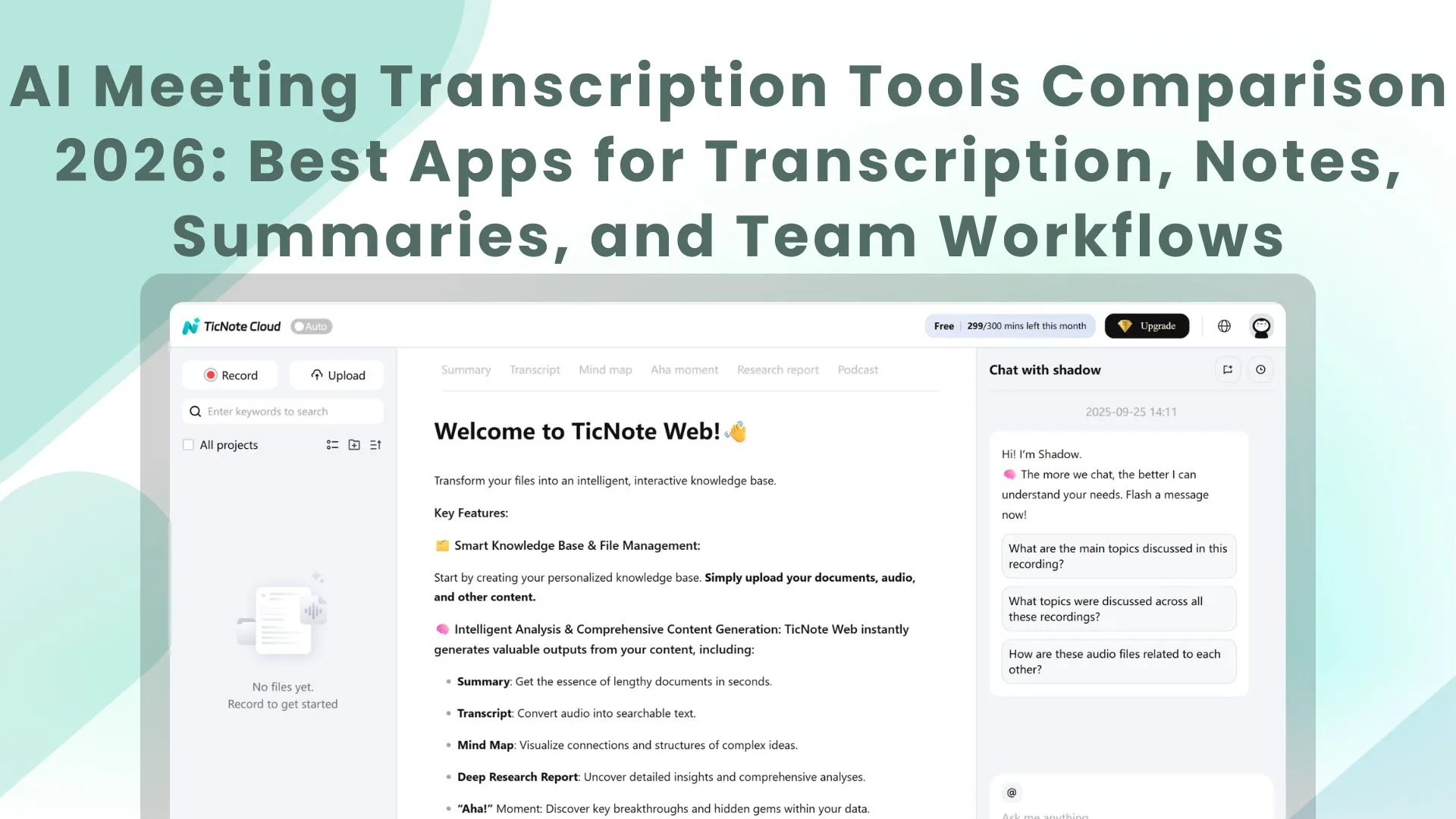
If you want the short answer, TicNote Cloud is the best meeting transcription tool for most teams in 2026 if you need more than a transcript. It combines real-time capture, AI summaries, smart templates, mind maps, multilingual support, and a searchable knowledge layer that helps you find insights after the meeting ends. Otter.ai is still a strong option for live collaboration, Fireflies.ai stands out for integration-heavy workflows, and Fathom remains one of the easiest free options to start with.
Quick comparison summary
Best overall: TicNote Cloud Best for live collaboration: Otter.ai Best for integrations and searchable archives: Fireflies.ai Best free option: Fathom Best for multilingual meetings: Notta Best for sales and async collaboration: tl;dv Best bot-free option: Jamie Best lightweight browser option: Tactiq
The reason this category has changed is simple: the best meeting transcription tools no longer stop at turning speech into text. The best ones now help teams capture conversations, summarize them, organize them, search across them, and turn them into next steps. That broader workflow matters more than a raw transcript alone.
How we evaluated the best meeting transcription tools
We looked at seven things:
- Transcript usefulness Not just whether the words are captured, but whether the output is readable and easy to trust.
- Summaries and action items Good tools should reduce post-meeting cleanup, not create more of it.
- Search and retrieval The best platforms help you find answers across past meetings, not just inside one transcript.
- Meeting coverage Online meetings are only part of the story. Many teams also need support for interviews, lectures, in-person discussions, phone calls, or voice memos.
- Privacy and recording model Some tools send a visible bot. Some work through a browser extension. Some run bot-free. Some support dedicated recording hardware.
- Collaboration and integrations Notes are most useful when they flow into CRM, docs, chat, and project tools.
- Value over time A tool that works for one quick transcript is different from a tool that becomes your long-term meeting memory.
The best meeting transcription tools in 2026
TicNote Cloud: Best overall for teams that need transcription plus a searchable knowledge base
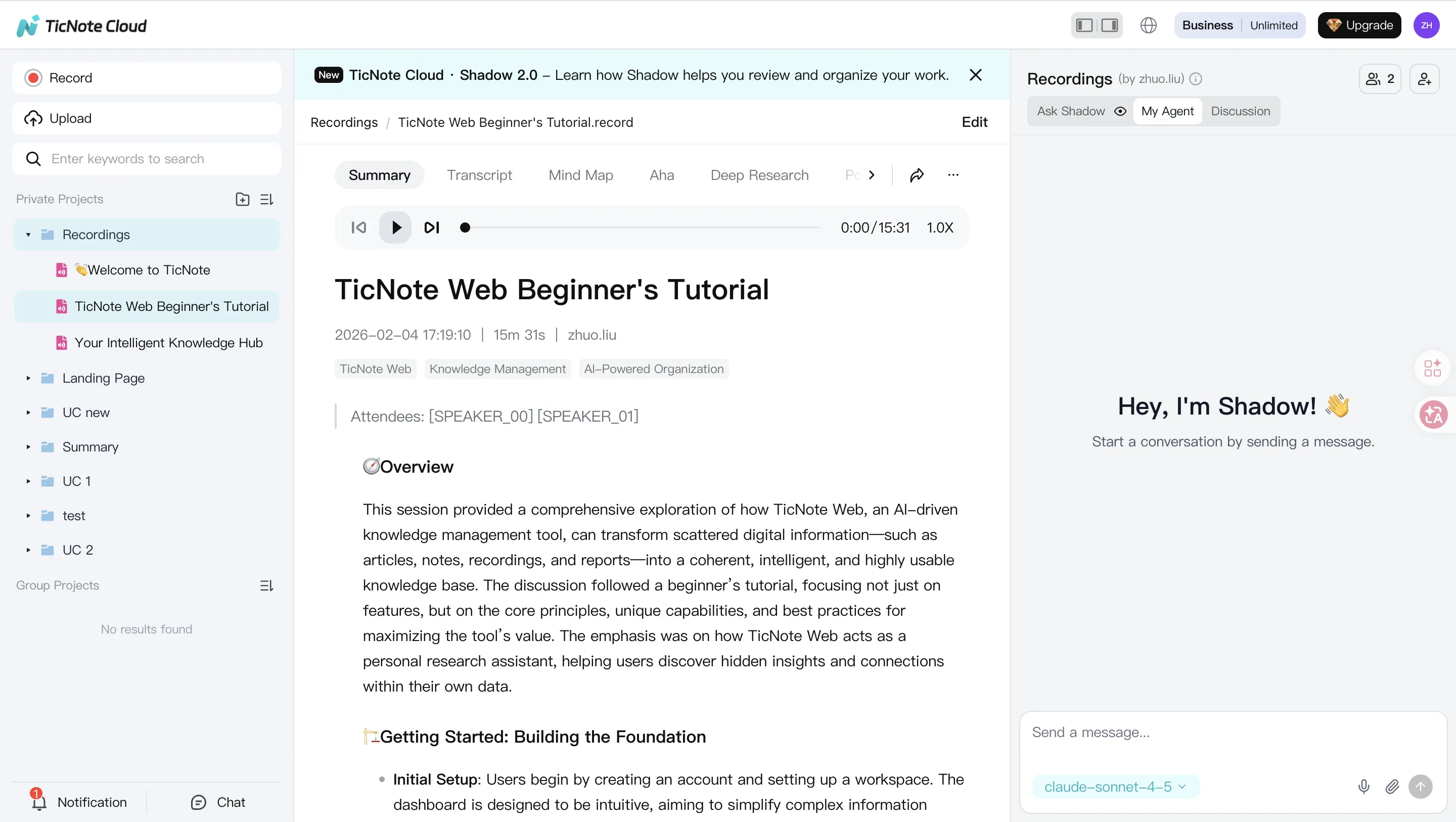
TicNote Cloud stands out because it solves a bigger problem than transcription alone. It captures conversations, generates summaries and action items, structures information with mind maps and templates, and keeps everything inside a searchable AI knowledge base. That makes it especially strong for teams that have lots of recurring meetings, research calls, interviews, lectures, or customer conversations and need to retrieve insights later, not just once.
It is also one of the more differentiated products in this category because it is not limited to a single meeting-bot workflow. TicNote Cloud supports real-time transcription, AI summarization, Shadow AI assistance, cross-file questioning, and project-style knowledge organization. It also connects with TicNote hardware for scenarios like in-person meetings, phone calls, and mobile capture, which broadens its usefulness beyond standard Zoom-only note taking. TicNote's official site and product materials also emphasize multilingual support, free starter usage, and a privacy posture that says user data is not used for model training without permission.
Why it ranks first: it is one of the few options that meaningfully combine meeting capture, AI organization, retrieval, and cross-context research in one workflow. For teams that want a transcript today and reusable knowledge tomorrow, that is the most complete package.
Best for: product teams, researchers, consultants, founders, multilingual teams, legal and healthcare documentation, and anyone who wants meetings to feed a long-term knowledge base instead of disappearing into folders.
Watchouts: if all you need is a simple transcript from occasional online meetings, some lighter tools may feel easier at first. TicNote Cloud shows its biggest advantage when you use the broader workspace, not just the transcript.
Otter.ai: Best for live collaboration
Otter.ai remains one of the safest recommendations for teams that want a familiar, easy-to-adopt meeting notetaker with strong real-time collaboration. Its official pricing page highlights live transcription, speaker identification, advanced search, meeting templates, mobile apps, and a free tier with 300 monthly transcription minutes. Paid plans add more minutes, imports, and integrations like Salesforce, HubSpot, and Zapier.
Otter is especially strong when your main priority is working live inside the meeting. If you want teammates to follow along in real time, search within the conversation, and quickly share notes after the call, Otter still does that well.
Best for: teams that value live collaboration and fast adoption. Watchouts: it is less differentiated if your workflow depends on broader knowledge management, deeper post-meeting research, or more flexible capture beyond standard online meetings.
Fireflies.ai: Best for integrations and searchable call archives
Fireflies.ai is still one of the strongest choices for teams that care most about integrations and searchable conversation history. Its official pricing page highlights unlimited transcription on the free plan, limited AI summaries on that tier, support for Zoom, Google Meet, Teams, meeting search, real-time notes, and transcription in 100+ languages.
This makes Fireflies particularly useful for sales teams, customer success teams, and operations-heavy organizations that want meetings to flow into other systems. When the workflow question is "how do I make my meeting notes talk to the rest of my stack?", Fireflies is usually near the top of the shortlist.
Best for: integration-heavy organizations, searchable archives, CRM-oriented workflows. Watchouts: if privacy sensitivity is high, visible meeting bots may still be a concern for some teams.
Fathom: Best free option
Fathom stays near the top because its free individual plan remains unusually generous. Fathom's help documentation says the free version includes unlimited storage and recordings, which keeps it very attractive for freelancers, founders, and smaller teams that want to get started without friction. Team plans are also available for more advanced use.
Fathom is one of the easiest tools to recommend when budget is the first filter. It works well for people who want straightforward recording, transcription, and summarization without immediately committing to a paid workflow.
Best for: individuals, freelancers, lean teams, fast proof-of-value. Watchouts: it is a great starting point, but more advanced knowledge retrieval or broader cross-context work may eventually push teams toward more full-stack platforms.
Notta: Best for multilingual meetings
Notta remains a strong multilingual option. Its official site says it supports 58 languages, and its pricing page shows a free plan plus paid tiers starting at $8.17/month billed annually for Pro. The product is positioned around transcription, summarization, collaboration, and turning meetings or recordings into searchable text and visuals.
If your team works across languages, interviews people globally, or regularly handles meeting content that needs to be shared internationally, Notta deserves attention.
Best for: global teams, multilingual workflows, interviews, and meeting notes that cross language boundaries. Watchouts: if you want a stronger knowledge-layer experience beyond transcription and summary output, other tools may go further.
tl;dv: Best for sales and async collaboration
tl;dv is still one of the most relevant options for sales teams and async-heavy organizations. Its official site emphasizes free forever access, AI-powered recording and transcription, support for 30+ languages, meeting summaries, and workflow automation into CRM and collaboration tools.
Where tl;dv shines is not just transcription, but the ability to make conversations easier to share inside distributed teams. If your team works across time zones, hands off customer context internally, or uses meetings as a source of coaching and follow-up, tl;dv is a strong fit.
Best for: sales, customer success, async collaboration, distributed teams. Watchouts: it is more specialized around meeting workflows than broader research-style knowledge management.
Jamie: Best bot-free option
Jamie's biggest differentiator is simple and important: it does not rely on a visible meeting bot. Jamie's official site describes it as a bot-free AI note taker that works across meeting platforms and even offline, with support for 100+ languages. Its pricing page shows a free tier with 10 meetings per month, a Plus plan at €25/month, and a Pro tier with unlimited meetings.
That makes Jamie a compelling choice when meeting presence matters. Some teams do not want a bot joining sensitive calls. In those situations, a bot-free model can improve comfort and reduce friction.
Best for: privacy-conscious users, sensitive conversations, teams that dislike meeting bots. Watchouts: if you want deeper integrations or a more expansive knowledge system, other tools may offer more.
Tactiq: Best lightweight browser option
Tactiq is a smart choice for users who want something lighter than a full meeting assistant. Its pricing page shows a free plan with 10 transcripts per month and a paid plan starting at $8/user/month billed annually, while its site emphasizes in-meeting AI, summaries, action items, and workflow sharing to tools like Slack, Notion, Linear, and HubSpot.
Tactiq is useful when you want quick transcript capture inside your browser without adopting a heavier platform immediately.
Best for: lightweight setup, quick note capture, browser-first workflows. Watchouts: it is less complete as a long-term meeting intelligence system than broader platforms.
Bot-based vs browser-based vs bot-free vs device-assisted
This is one of the most important buying decisions in 2026, and many comparison posts still under-explain it.
Bot-based tools like Otter.ai, Fireflies.ai, Fathom, and tl;dv are often easy to deploy and work well for standard online meetings. The tradeoff is that a visible assistant may join the meeting.
Browser-based tools like Tactiq are lighter and often faster to start with, especially for users who want quick transcripts and summaries from meetings they already attend personally.
Bot-free tools like Jamie are appealing when privacy, comfort, or meeting optics matter.
Device-assisted or hybrid tools are where TicNote Cloud becomes especially interesting. Because it is tied to a broader recording and knowledge workflow, including hardware-assisted capture, it covers use cases that cloud-only meeting bots often miss, such as phone calls, interviews, lectures, and in-person conversations. That is a major reason it ranks first in this guide.
Which tool is right for you?
Choose TicNote Cloud if you want the broadest all-around solution, especially if your team needs transcription, summaries, retrieval, and long-term knowledge organization in one place. It is the best fit when meetings are not just events, but inputs into ongoing work.
Choose Otter.ai if your top priority is live meeting collaboration and an easy mainstream workflow.
Choose Fireflies.ai if your top priority is integrations, searchable archives, and routing meeting context into the rest of your stack.
Choose Fathom if you want the easiest free place to start.
Choose Notta if multilingual meeting support is your main concern.
Choose tl;dv if sales, customer handoff, or async sharing is at the center of your workflow.
Choose Jamie if you want a bot-free experience.
Choose Tactiq if you want a light browser-based workflow and fast summaries without adopting a bigger platform right away.
Pricing snapshot
Current vendor pricing pages show that most tools in this category now offer some kind of free entry point, but the limits vary widely. TicNote Cloud materials describe a free plan with 300 transcription minutes per month. Otter's Basic tier includes 300 monthly transcription minutes. Fireflies offers a free plan with unlimited transcription but limited AI summaries. Fathom says its free individual version includes unlimited storage and recordings. Notta has a free plan and Pro from $8.17/month billed annually. Jamie's free tier includes 10 meetings per month. Tactiq's free tier includes 10 transcripts per month.
The practical takeaway is this: free plans are good for testing, but the real difference between tools appears after the transcript is created. That is where workflow depth, retrieval, privacy model, and team usability start to matter more than the sticker price.
Bottom line
If you only need a basic transcript, there are many solid options in 2026.
If you want the best meeting transcription tool for most teams, TicNote Cloud is the strongest overall choice because it goes beyond note capture and turns meetings into organized, searchable, reusable knowledge. Otter.ai remains an excellent live collaboration pick. Fireflies.ai is a top option for integration-heavy teams. Fathom is still one of the best places to start for free.
In other words, the category winner in 2026 is no longer just the tool that transcribes well. It is the tool that helps your team remember, retrieve, and act on what was said. On that standard, TicNote Cloud comes out on top.


