Extension
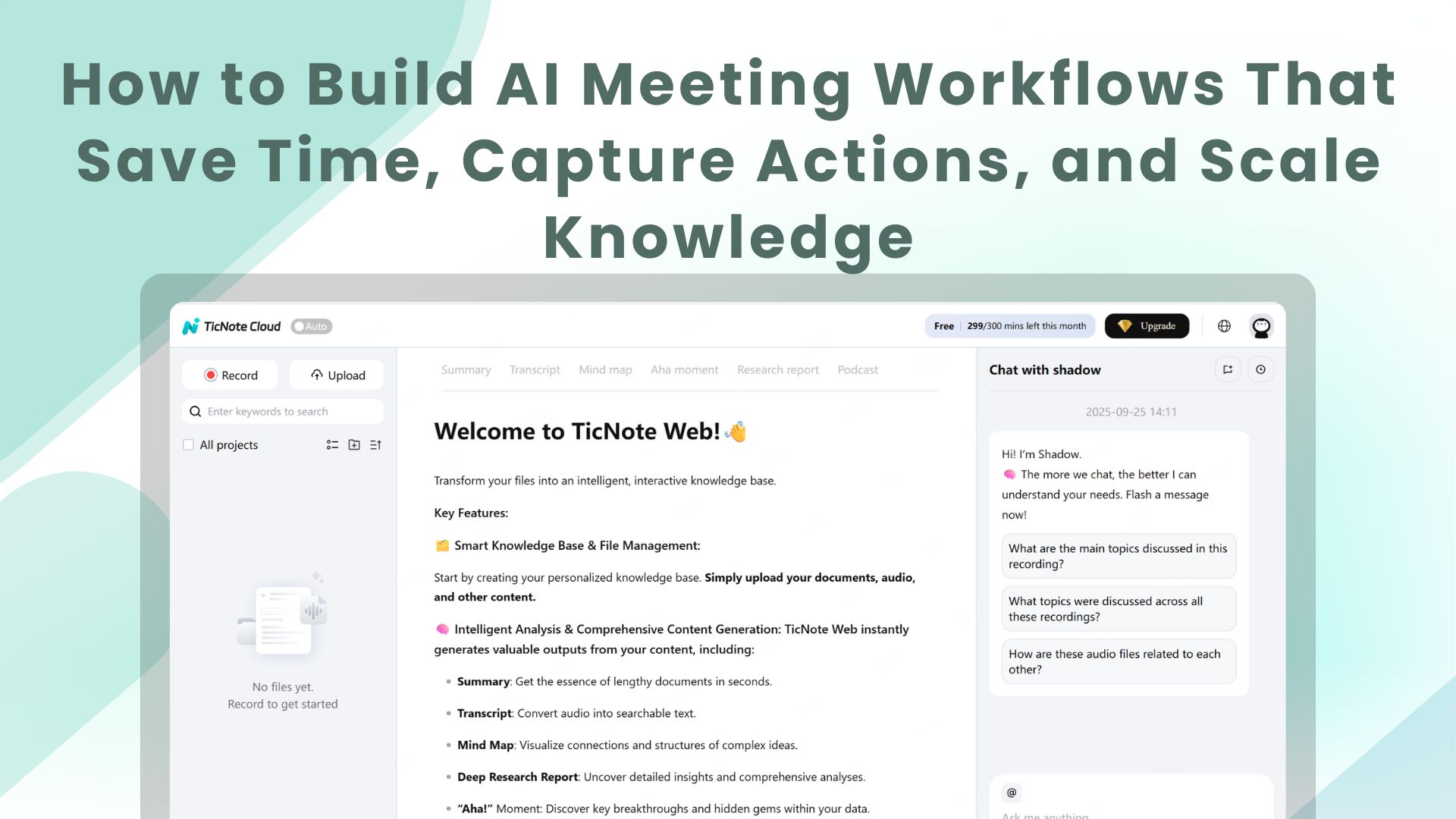
TL;DR - What this guide covers and the quick win
Outcome: deploy AI meeting workflows that auto-capture notes, surface action items, and turn meeting content into searchable team knowledge. This is for busy founders, ops leads, product managers, and chiefs of staff. Expect a working workflow in 30 to 90 minutes.
Quick win you can ship today:
- Turn on live transcription for one meeting.
- Use a simple summary template to auto-extract decisions and tasks.
- Push the summary to Slack or Notion for follow-up.
In one hour, you’ll stop losing decisions in chat threads. In 90 minutes, you’ll have auto-generated notes, clear owners for actions, and a searchable record that scales across meetings. Keep this page handy when you set things up.
AI meeting workflows turn meetings into repeatable outcomes in days, not months. They cut the friction between discussion and execution by automating notes, surfacing decisions, and creating assignable tasks. That means less prep, faster follow-up, and fewer decisions lost in chat threads.
Cut meeting-to-action friction fast
AI tools capture the conversation in real time and turn it into the next steps. Use live transcription to get an accurate record, then run an AI summary to surface decisions and context. The assistant can extract actions, create tasks, and tag owners automatically. That shortens the loop from “we decided” to “who’s doing it?” and saves hours per week.
- Live transcription and searchable transcripts for instant reference
- Auto summaries that highlight decisions, risks, and owners
- Action extraction that creates assignable tasks and reminders
Scale knowledge and reduce repeat work
Make every meeting a searchable asset. Build a chat-ready knowledge base from transcripts and files, so teams can ask past-meeting questions without hunting through notes. Use visual mind maps to show the thread of a project and avoid rehashing the same context in future meetings. Over time, you’ll run fewer redundant syncs and onboard new people faster.
AI meeting workflows also improve cross-team handoffs, multilingual collaboration, and post-mortem analysis. Start small with one recurring meeting, measure the time saved, and expand from there.
What TicNote Cloud actually does (features mapped to workflows)
TicNote Cloud transforms meetings into actionable knowledge. Using AI, it captures, processes, and summarizes meeting content—from speech to files to follow-up—in a seamless, automated workflow.
Core features mapped to user workflows
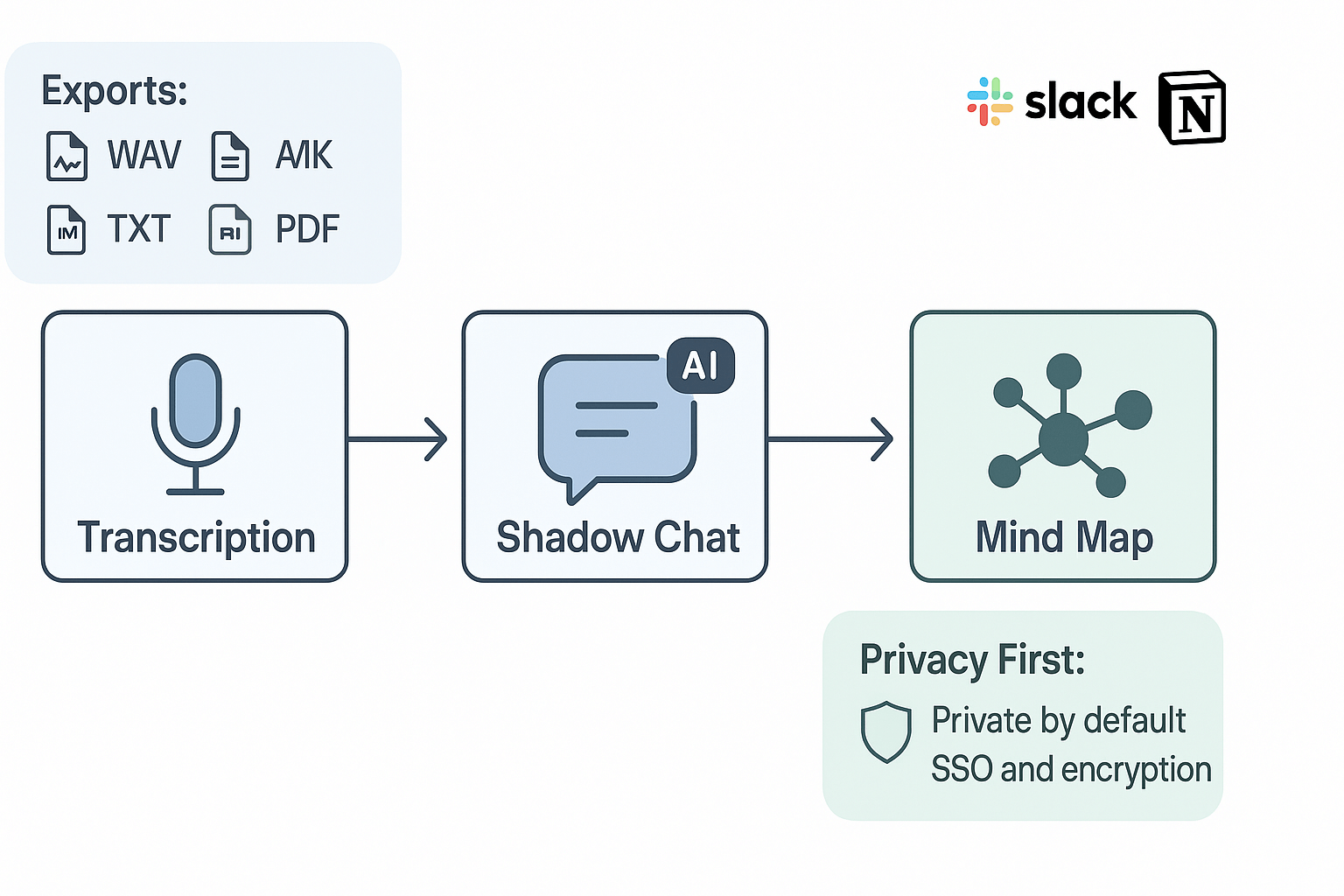
- Capture: Record meetings with live transcription or upload audio/video. Transcripts (TXT) and raw audio (WAV) are saved automatically.
- Follow Up: AI-generated summaries extract decisions, action items, owners, and deadlines. The Shadow Chat feature allows contextual AI conversations across transcripts and documents.
- Review and Share: Meetings can be reviewed using auto-generated visual Mind Maps. Easy to share insights in presentations or async updates.
Outputs & Integrations
- Export formats: Markdown, DOCX, PDF, WAV, and TXT.
- Integrations: Share highlights via Slack or sync full notes into Notion.
Privacy & Security
- Private workspaces by default
- User data is not used for training AI
- Enterprise options include SSO and advanced permissions
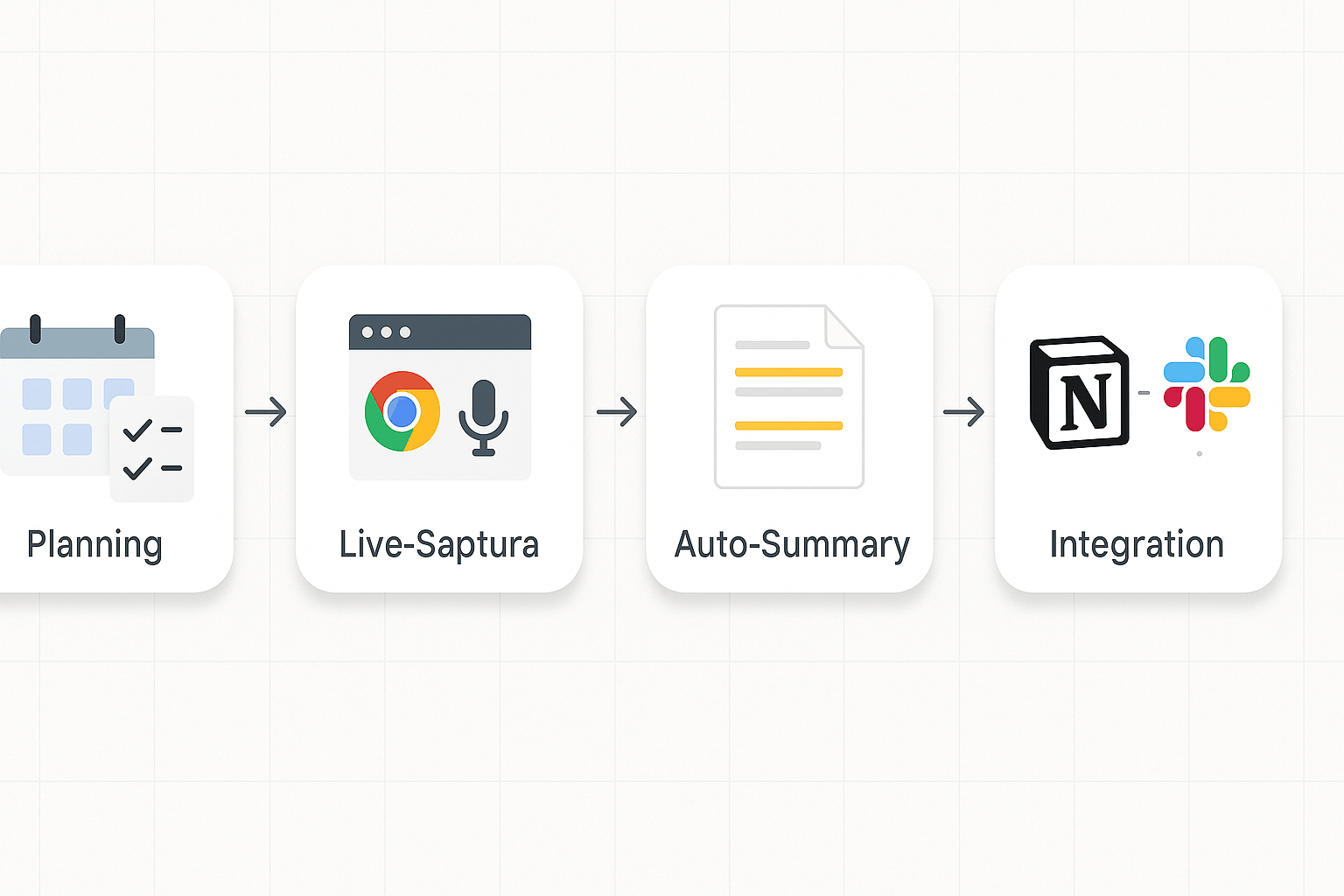
Get hands-on and build a working AI meeting workflow pipeline in under an hour. This walkthrough covers prerequisites, live capture setup using TicNote’s Chrome extension and app, post-meeting automation, and connecting to Notion and Slack. Follow the steps to automatically generate summaries, tasks, and searchable knowledge from your meetings.
Before You Start: Prerequisites
- Install the TicNote Chrome extension or app (web/mobile)
- Create a workspace and invite your team
- Select one recurring meeting as the pilot
- Decide your output targets: Notion, Slack, or both
Step 1: Live Capture (Chrome Extension or App)
Chrome Extension (Google Meet/Web Teams):
- Install the TicNote Chrome Extension
- Join a meeting, click the extension, and start transcription
- Choose transcription language as needed
App Recording (Zoom/Audio Upload):
- Open the TicNote App
- Record or upload your meeting audio
- TicNote will process and transcribe audio, creating an initial summary
Step 2: Auto Summary and Action Extraction
- Enable auto-summarization in settings
- Use templates to structure outputs:
- Start with decisions, then actions, then references
Automation Walkthrough:
- Automatically generate summary after transcription
- Run Action Extraction to create tasks
- Use tags (e.g. project name, owner) to organize
Step 3: Connect to Notion and Slack (Zapier-Style)
Generic Automation Pattern:
- Trigger: New summary in TicNote
- Transform: Map fields (title, decisions, tasks)
- Action A: Update/create Notion page
- Action B: Post tasks in Slack with mentions
TicNote Integration Setup:
- Notion: Authorize access, connect DB, define field mapping
- Slack: Authorize workspace, define channel, customize task message template
Templates to Copy Into TicNote
- Meeting Summary: "Goal, Decisions, Next Steps (Owner, Due), References"
- Action Item: "Task, Owner, Due Date, Context, Link to Timestamp"
- Sprint Retro: "What went well, What to improve, Experiments"
Security, privacy, and compliance — what to check and how to configure it
Security matters when you add AI to meetings. Good controls let you run sensitive sessions with confidence while keeping ai meeting workflows practical. This section lists what to check and simple steps nontechnical operators can follow.
Checklist for security reviewers
- Data residency and custody: confirm where data is stored and whether the vendor offers regional hosting or dedicated cloud regions. This matters for client work and regulatory reviews.
- Encryption: require strong encryption in transit and at rest, and verify key management policies with the vendor. Ask for encryption standards in writing.
- Access controls and SSO: enforce single sign-on, role-based access, and least privilege for Connectors like Notion and Slack.
- Redaction and data masking: require per-meeting redaction and automatic masking for sensitive fields. Follow data masking best practices, as emphasized by ISO/IEC 27001:2022 Annex A 8.11, to limit exposure.
- Audit logs and retention: set retention windows, exportable logs, and proof of deletion options for compliance checks.
Quick steps for nontechnical operators
- Choose the plan with SSO and admin controls for your team.
- Enable meeting-level redaction and set a default retention policy.
- Connect Notion and Slack with least privilege and test exports.
- Run a privacy smoke test: record a sample, redact, then verify the transcript and logs.
- Document the policy for meeting hosts and require consent where needed.
For formal compliance checks, reference GDPR guidance and your legal team.
Measuring impact: KPIs, dashboard & templates
Start by tracking outcomes that matter to leaders, not vanity stats. For ai meeting workflows focus on time saved, actions closed, and searchable queries. Those three show direct ROI, surface adoption, and prove knowledge reuse.
Track three primary KPIs
- Time saved: hours per attendee saved per week, measured by pre/post survey and calendar duration saved. Set a pilot target, for example 20% fewer meeting hours. See gains: Reducing indirect labor costs at semiconductor companies | McKinsey finds workflow automation can improve productivity by 40 to 45 percent.
- Actions closed: percent of action items completed within 7 days.
- Searchable queries: percent of team queries answered from the knowledge base within 5 minutes.
Copyable tracker and 30-day pilot
Use a spreadsheet with tabs: Raw data, KPI dashboard, and Executive Report. Columns: date, meeting, attendees, meeting min, actions created, actions closed, time saved (calc). Run a 30-day pilot: week 1 onboard, week 2 record and tag, week 3 optimize templates, week 4 report. Deliver an executive one-page that highlights hours saved, closure rate, and top reuse examples.
Troubleshooting & common integration errors (and how to fix them)
If an integration hiccup slows your ai meeting workflows, don’t panic. Most issues come from simple mismatches: token expiry, channel mapping, or duplicate mappings. Below are fast checks and fixes you can run before escalating.
Quick fixes for sync failures
- Reconnect the connector (Notion or Slack) and re-authorize OAuth scopes.
- Check the workspace, page, or channel mapping in TicNote and in the target app.
- Run a manual resync on one record to see real-time errors.
Fix duplicate tasks and mapping loops
- Use a single source of truth: pick one app to own tasks.
- Turn off auto-create rules, then re-enable them one at a time.
- If duplicates persist, add a dedupe key (meeting ID or timestamp).
Resolve permission or organization mismatches
- Confirm the connected account has edit rights on the target page or channel.
- For cross-org teams, ensure the right workspace is selected and SSO settings match.
What to collect before contacting support
Collect these items first: the failing meeting ID, screenshot of the connector settings, timestamped error message, exported transcript (TXT), and the browser console log or request ID if shown. Redact private data before sending.
Alternatives & when TicNote is the best fit
If you run many meetings, choosing the right AI meeting workflows tool matters. TicNote combines high quality transcription, a searchable second brain, and mind maps. Compare it to Otter, Fireflies, and Mem to pick the fastest path to reliable notes and actions.
Quick product compare
- Otter: Strong live transcription and simple summaries. Great if you only need fast transcripts. It lacks deep cross-file Q&A and mind mapping.
- Fireflies: Focuses on meeting capture and CRM integrations. Use it for sales workflows and contact logging, but it is less about a centralized knowledge base.
- Mem: Built as a personal knowledge tool. It’s great for notes and linking ideas, but its transcription and research features are lighter.
When to add Zapier or automation
Use Zapier when you need many two-way automations, like pushing tasks to Asana, creating Notion pages, or copying summaries into CRM fields. TicNote has native Notion and Slack connectors, so add Zapier only for complex multi-step flows.
Decision checklist
- Team size: Small teams use TicNote Free or Pro; enterprises pick Business or Enterprise.
- Security: If you need SSO or strict controls, choose TicNote Enterprise.
- Features: Want cross-meeting Q&A, mind maps, and deep research, pick TicNote.
Real user mini case study + expert quote
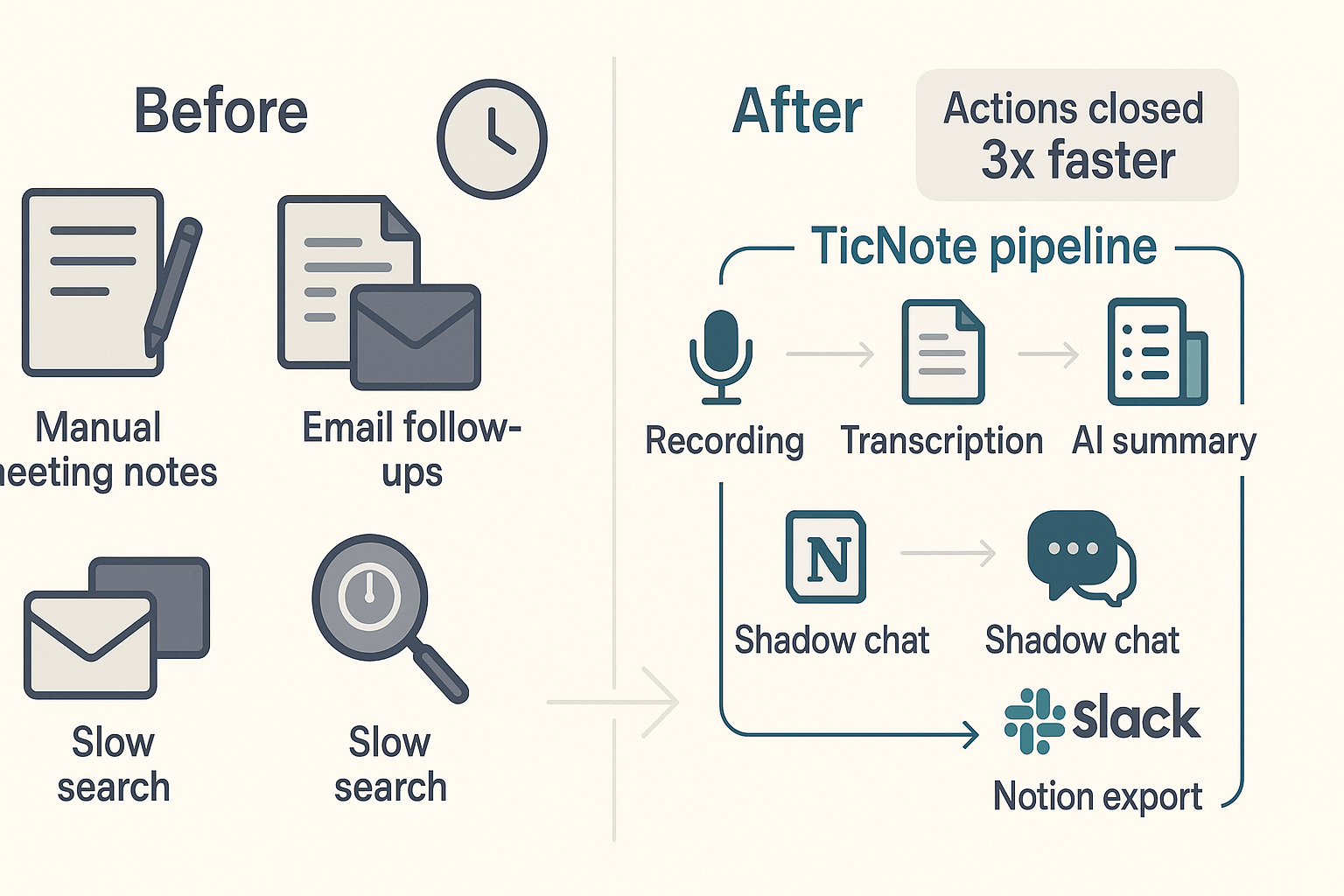
A fast moving startup was drowning in follow ups. They ran eight cross functional meetings a week, lost action items in chat, and spent hours hunting past decisions. We built an ai meeting workflows pipeline with TicNote Cloud to capture, summarize, and route tasks into Slack and Notion.
What we changed
The TicNote workflow recorded meetings, created topic summaries, auto-extracted action items, and pushed tasks to a shared Notion board. Shadow chat made it easy to ask past-meeting questions. The team also used the mind map export for weekly syncs.
Results, before and after:
- Faster follow ups: average time to close action items fell from about 72 hours to 24 hours.
- Less rework: estimated 40 percent fewer missed actions and status check meetings.
- Time saved: product managers reported roughly 3 hours saved per week on meeting admin.
"We stopped losing decisions in chat. TicNote made follow ups automatic, and we actually started catching things earlier," said Maya Patel, Ops Lead at Brightbyte.
Embed a 20 second audio excerpt of Maya describing the time savings, and offer a downloadable before/after workflow diagram to show the pipeline visually.