Extension

TL;DR — Quick answer: Why record and transcribe your meetings?
Recording and transcribing meetings preserves decisions, saves time, and makes knowledge searchable. The benefits of meeting transcription show up as fewer missed tasks, faster onboarding, and clearer audit trails.
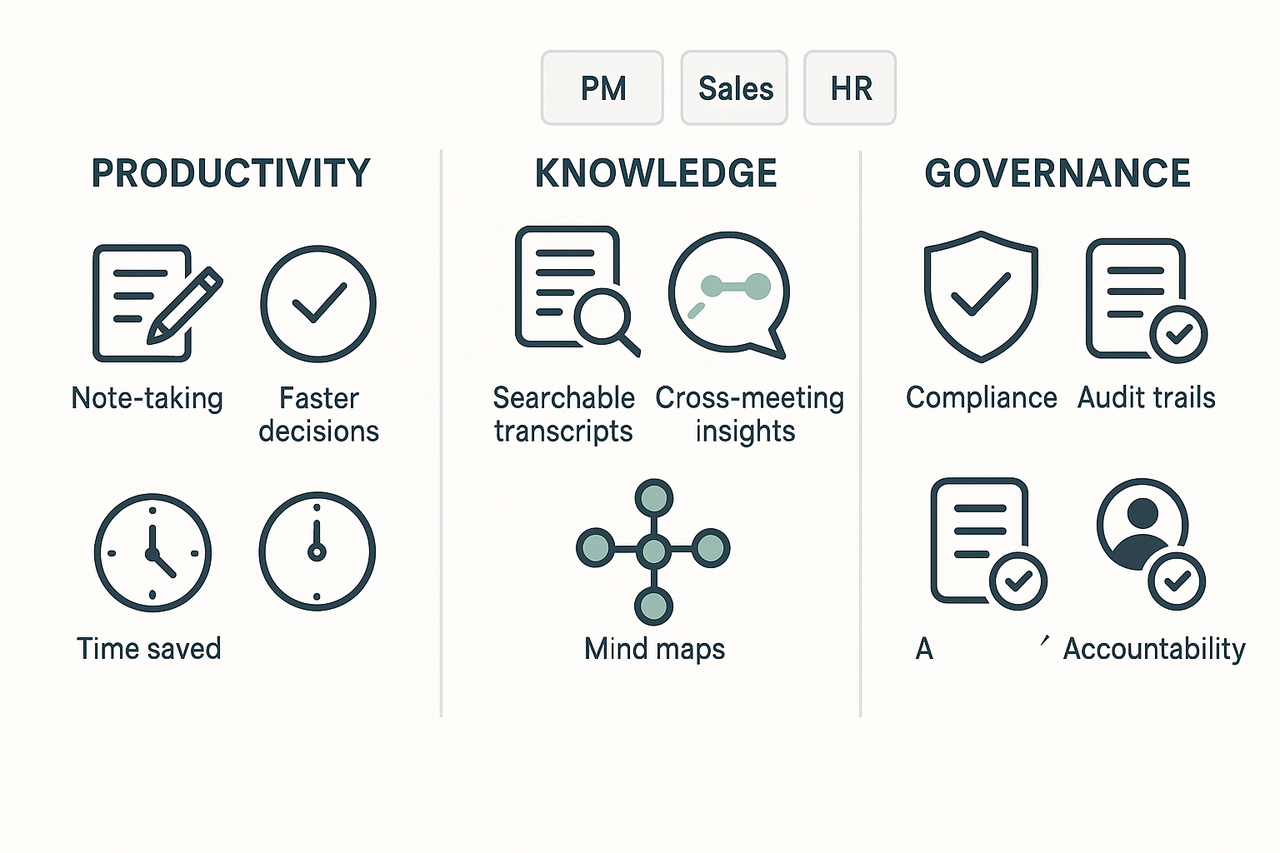
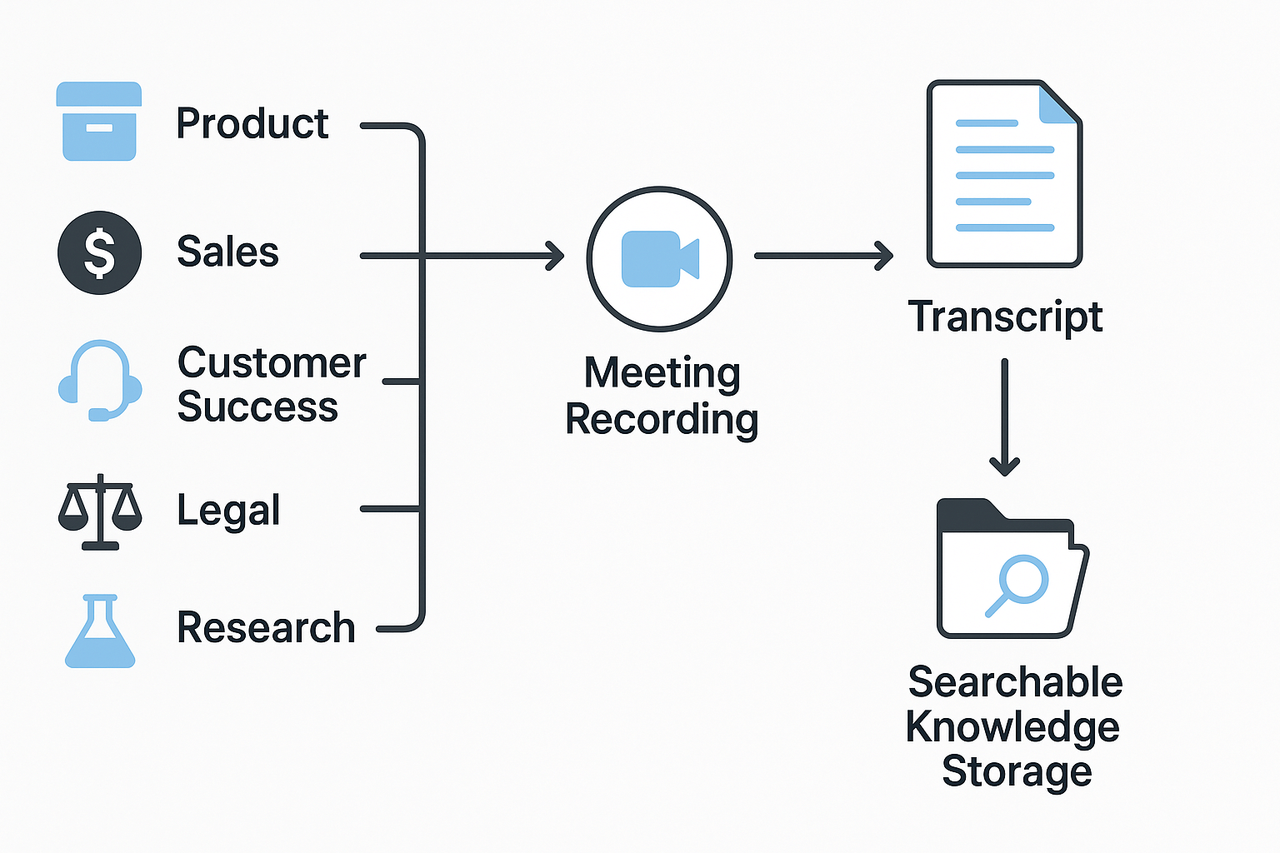
Who benefits most? Teams with heavy meeting cadences: product, sales, customer success, operations, HR, legal, and knowledge managers see the fastest ROI. Individual contributors gain value too, but the payoff is strongest where meetings drive decisions.
Core wins are simple: accurate records, clear action items, searchable knowledge, faster follow-up, and easier compliance. Transcripts also power summaries, translations, and reusable knowledge for training and handoffs.
Quick pilot plan: record a handful of recurring calls, transcribe them, auto-summarize, and share the notes. Track time saved and the drop in follow-up clarifications to prove value.
Why recording + transcription matters right now
Work is hybrid, attention is short, and calendars are packed. Recording meetings and adding accurate transcripts reduces information loss and saves time. The benefits of meeting transcription are practical: clearer decisions, faster handoffs, and fewer repeat meetings.
According to HP Forrester Research Release 2023 Hybrid World Report, in 2023, 75% of companies reported that the shift to remote and hybrid working models had magnified IT operational challenges. That pressure makes it easier for action items to slip, and harder for teams to find the why behind a decision.
Common pain points
- Missed actions: people leave a meeting without a clear owner or next step.
- Slow onboarding: new hires replay meetings to catch context and lose days.
- Fragmented knowledge: decisions live in chat, email, and drive folders.
- Repeated work: teams redo research because past conversations are hard to find.
Transcripts change outcomes by turning spoken conversations into findable text. Searchable notes and automated summaries surface decisions and tasks in minutes. Teams reuse clips for training, compliance, and product specs, so fewer meetings are needed. In short, recording plus transcription reduces wasted time and makes institutional knowledge reusable across projects and people.
Top benefits of meeting transcription (detailed list)
Save time on note-taking and prep
Transcription removes the need to type while you listen. Instead of juggling note-taking and leading a meeting, you can focus on the agenda and decisions.
- Quick example: A product manager runs a roadmap session and reviews the transcript after the call to capture decisions.
- Feature note: Use live transcription and AI summaries to auto-generate meeting notes and action lists. The platform can turn raw audio into a draft summary you edit.
- Workflow impact: This cuts manual note time, often saving several hours per week for busy contributors.
Improve accountability and follow-up
Transcripts create a clear record of what was said and who agreed to what. That clarity reduces missed tasks and finger-pointing.
- Quick example: Sales leaders attach a transcript to a CRM record to verify pricing or commitment details.
- Feature note: Time-stamped transcripts with searchable text make it fast to find a promise or a deadline. The tool helps you tag action items directly in the transcript.
- Workflow impact: Teams close loops faster, and fewer items slip through the cracks.
Speed onboarding and knowledge transfer
New hires learn faster when they can read and search past meetings. Transcripts and summaries provide context that training slides alone rarely capture.
- Quick example: A new support hire reads transcripts of customer handoff meetings to learn common issues and management style.
- Feature note: Batch uploads and cross-file search let HR and managers assemble onboarding packs from past sessions.
- Workflow impact: Reduce ramp time by giving new team members searchable conversations, not just static docs.
Boost accessibility and multilingual collaboration
Transcription helps people with hearing needs and non-native speakers. Transcripts plus translation turn one meeting into content for many teams.
- Quick example: A global engineering team reads translated transcripts to catch subtle design decisions from a call in another timezone.
- Feature note: Live captions and AI translation create multilingual transcripts and summaries for global teams.
- Workflow impact: Fewer misunderstandings, less rework, and better inclusion for remote and diverse teams.
Turn meetings into searchable, reusable knowledge
Recorded meetings are a goldmine of tacit knowledge. Transcripts make that knowledge indexable, so you can pull insights across projects.
- Quick example: A knowledge manager searches across months of product calls to find past decisions on a feature.
- Feature note: The platform converts transcripts into searchable notes, mind maps, and a chat-ready knowledge base for cross-meeting Q&A.
- Workflow impact: Faster retrieval replaces repeated context-setting, saving hours across teams.
One more payoff: faster decisions and fewer meetings
When you can search and summarize prior discussions, you spend less time repeating or recreating work. That lowers meeting load and speeds decisions.
- Quick example: Instead of holding a 30-minute sync, a manager reviews a transcript and shares a two-minute summary with references.
- Feature note: Auto-summaries and topic indexes let stakeholders get the gist without another call.
- Workflow impact: Reduced meeting time and clearer decision trails improve overall productivity.
Transition: These benefits add up across roles and industries. Next, we’ll map real-world use cases and short micro case studies that show ROI and role-based wins.
Real-world use cases & micro case studies (by role & industry)
This section gives short, concrete examples that map the problem to the solution and outcome. It shows the benefits of meeting transcription for typical meeting-heavy roles. Each mini case lists the problem, the transcript-enabled fix, and the plain outcome.
Product teams: faster feature decisions
Problem: Product meetings run long, and decisions get lost. Notes diverge across documents and Slack. Solution: Record demos and auto-transcribe each meeting. Tag decisions and feature requests in the transcript. Outcome: Teams find decisions in seconds and avoid rehashing topics. Product cycles speed up and fewer follow-up meetings are needed. Result: Faster launch readiness and clearer decision ownership.
Sales teams: better coaching and pipeline accuracy
Problem: Reps forget key objections from demos. Coaching relies on memory and sporadic call reviews. Solution: Capture demo audio, add searchable transcripts, and flag objection patterns. Share snippets for coaching reviews. Outcome: Managers give targeted feedback faster and reps close deals with clearer rebuttals. Result: Higher forecast accuracy and shorter sales cycles.
Customer success: reproducible onboarding and lower churn
Problem: Customer onboarding varies by rep, and handoffs miss details. Knowledge lives in inboxes. Solution: Record onboarding sessions and store transcripts in a central knowledge base. Create templates with action items. Outcome: New customers get consistent, repeatable guidance. Handovers include exact commitments and dates. Result: Faster time to value and fewer support escalations.
Legal and compliance: audit trails and dispute defense
Problem: Stakeholder recalls differ, and audit logs are incomplete. Paper notes don’t prove intent. Solution: Keep recorded meeting files and transcripts with timestamps. Tag approvals and contractual language for review. Outcome: Clear evidence for audits and dispute resolution. Legal teams find the right quote quickly. Result: Lower legal risk and faster reviews.
Research teams: richer analysis from verbatim transcripts
Problem: Analysts waste hours re-listening to recordings. Coding qualitative data is slow. Solution: Transcribe interviews and meetings, then index by theme. Use searchable transcripts to extract quotes and themes. Outcome: Faster coding and repeatable synthesis. Teams surface patterns across interviews quickly. Result: Deeper insights delivered sooner. TicNote Cloud helped standardize transcripts and exportable quotes for reports.
Privacy, security & legal considerations (how to do it safely)
Recording and transcribing meetings unlock clear benefits of meeting transcription, but they raise real legal and privacy risks. This section shows what teams must do: clear consent, safe storage, sensible retention, and vendor checks that map to compliance needs.
Get consent and notify participants
Always tell people when you record. Use calendar notes, a spoken preamble, and written consent for sensitive subjects. If you handle health records, the HIPAA Privacy Rule requires covered health care providers to develop and distribute a notice that provides a clear, user-friendly explanation of individuals' rights with respect to their personal health information and the privacy practices of health care providers, see the Notice of Privacy Practices for Protected Health Information for details; fold that language into any patient-facing recording policy.
Best practice checklist:
- Choose one consent method and apply it everywhere.
- Add recording notices to invites and agendas.
- Log who consented and when.
Store, encrypt, and retain data safely
Limit where transcripts live. Use strong encryption in transit and at rest, role-based access, and account auditing. Define retention rules for different record types.
Sample retention policy:
- Quick internal sync calls: delete after 30 days.
- Project decisions and specs: retain 1 year.
- HR, legal, or regulated records: retain 7 years or per legal counsel.
Vendor selection and compliance questions
Ask vendors these questions before you sign:
- Where is the data hosted, and who can access it?
- Is data encrypted in transit and at rest?
- Is customer data used to train AI models?
- What certifications do you hold, like ISO 27001 or SOC 2?
- Do you support SSO, audit logs, and data export?
Check for GDPR alignment, documented data processing agreements, and local law mappings.
Mitigate AI transcription errors
Don’t publish raw transcripts as legal records. Train reviewers to correct errors, flag sensitive PII, and attach provenance metadata. Keep an edit log so you can trace changes.
Check the platform’s security page for private-by-default storage, encryption details, and GDPR notes when you evaluate solutions.
Choosing the right approach: human vs AI transcription and tool comparison
When to pick human transcription
Human transcription is best for legal records, regulated testimony, and any audio that must meet court or compliance standards. Use human services when verbatim accuracy and certified timestamps matter. Expect longer turnaround and higher per-minute costs.
When AI transcription wins
AI is ideal for day-to-day meetings, large volumes, and fast turnaround. It scales cheaply and often delivers usable drafts for summaries and search. If you plan to repurpose content, AI gives instant transcripts that speed editing and reuse.
Buyer checklist: choose by need
- Accuracy requirement: Is verbatim, certified text required? If yes, choose human. If not, AI often suffices.
- Volume and speed: High volume or real-time needs favor AI.
- Security and compliance: Check encryption, data residency, and whether transcripts train AI models.
- Search and reuse: Do you need a searchable knowledge base or cross-meeting Q&A? That favors platforms with indexing and context chat.
- Integrations and export: Verify connectors and export formats for your workflows.
- Total cost of ownership: Budget for storage, overage minutes, and admin time for redaction.
Vendor comparison
| Vendor | Best for | Key strengths | Common drawbacks | Pricing model caveats |
| TicNote Cloud | Teams needing searchable meeting knowledge | Searchable transcripts, Shadow chat (contextual Q&A), mind maps, repurpose tools | No speaker diarization; audio-only recording mode | Minute caps vary by plan; check per-file length limits and import caps |
| Otter | Note-taking for teams | Live transcripts, integrations | Limited deep reuse tools | Watch for per-user billing and overage rates |
| Rev (human) | High-accuracy legal transcripts | Certified verbatim transcripts, human QC | Slower, higher cost | Per-minute human fees, rush charges add up |
| Fireflies | Call capture and summaries | Meeting capture bots, playback | Mixed accuracy on noisy calls | Hidden costs from storage and team seats |
Pricing caveats and hidden costs: Watch per-minute limits, file length limits, and per-user seats. Also, budget for storage, redaction work, and integrations. Some vendors charge extra for exports, translations, or higher retention.
Keep one rule: match the service to the risk. Use human for high-stakes accuracy, use AI for scale, and pick a platform that turns transcripts into searchable, reusable knowledge.
How to implement transcription & recording into your workflow (step-by-step)
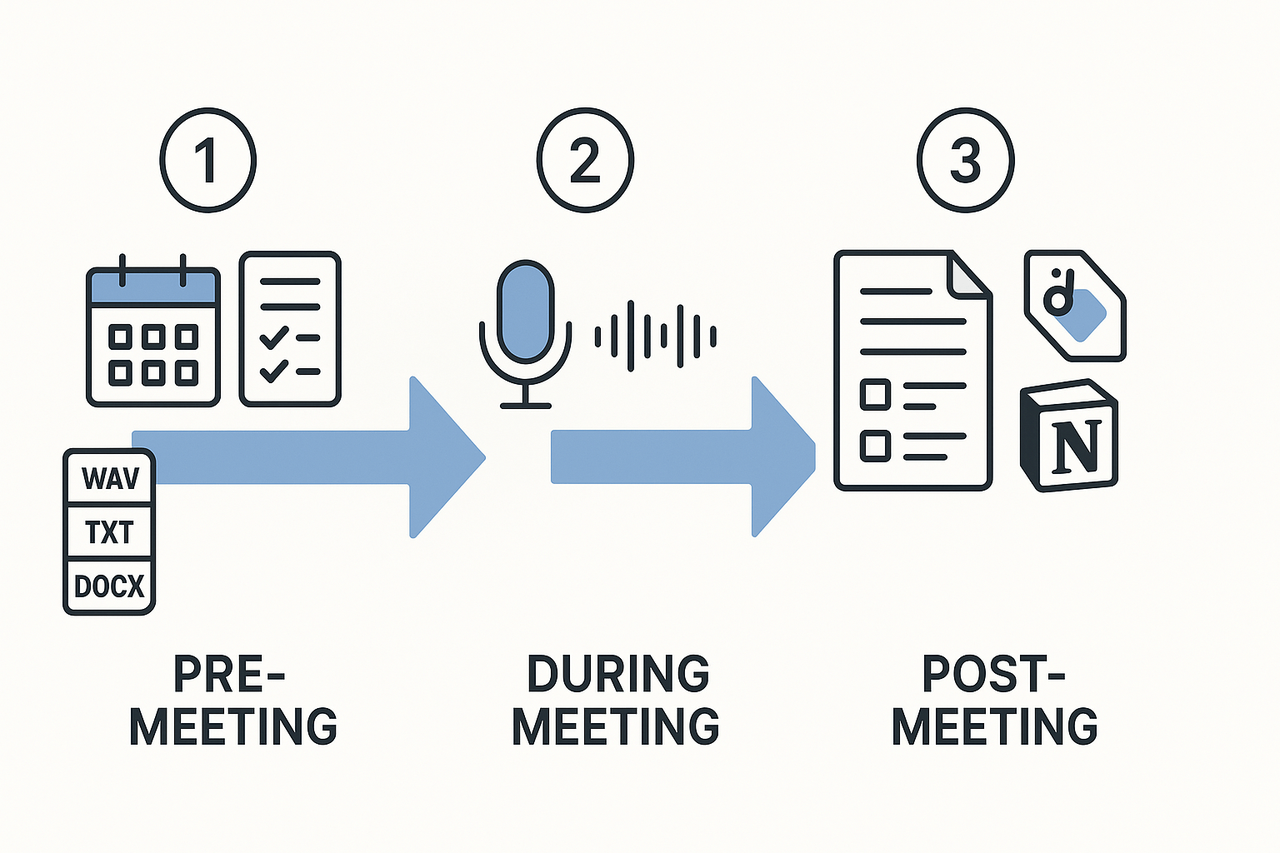
Start simple and aim for repeatable habits. The benefits of meeting transcription are biggest when you standardize invites, capture audio cleanly, and route notes to the right place. Below is a compact, piloted workflow you can run in a week.
Pre-meeting: set rules and templates
- Use a short agenda template in the invite: purpose, 3 topics, desired outcome, and expected decision owner.
- Add clear invite language: “This meeting will be recorded for notes and actions. Reply if you object.”
- Attach a one-click recording guide and a purpose tag (eg, Research, Client, Sprint).
- Assign a note owner and a follow-up reviewer.
Why this matters: templates cut cognitive load and make transcripts easier to parse. Keep the invite lines short and explicit.
During the meeting, capture clean audio and signals
- Start recording at the join time. If you use TicNote Cloud, start live transcription at roll call to get time-synced notes and instant search. (Only say the product name once per section.)
- Ask speakers to say their name before long turns. Short turns give clearer transcripts.
- Call out actions verbally with a tag like “Action” or “Task” so the transcript flags them.
- Mute unused lines and use headphones to cut echo. Record locally if the audio is poor.
Pro tip: Repeat decisions aloud. That makes it faster to auto-extract outcomes later.
Post-meeting: summarize, tag, and route
- Generate an AI summary from the transcript. Check and edit the 3-sentence decisions block.
- Extract action items and assign owners in the summary. Add due dates.
- Tag topics and projects for search. Use consistent tags.
- Export transcript and summary: TXT for search, DOCX or PDF for stakeholders, WAV for archive.
- Route items: push actions to Slack as a message, and sync the final note to Notion for the project folder.
Recommended integrations and export workflows
- Notion: export summary as Markdown or DOCX, then attach to the project page.
- Slack: post the 3-sentence decision and tasks to a channel, and link the full note.
- Email: send a short follow-up with decisions and deadlines.
Pilot checklist and diagram
- Run a 3-meeting pilot with one team. Use the same invite template and tag set each time.
- Measure time to first decision lookup, owner clarity, and follow-up completion rate.
Bold next step
Measuring impact: ROI, KPIs, and cost considerations
Start with what you want to measure. The benefits of meeting transcription are real, but you must turn them into KPIs sponsors care about: time saved, faster onboarding, fewer follow-ups, and less rework. Use clear baselines and simple math to show value to procurement and finance.
Key KPIs to track
- Time saved on notes: minutes saved per attendee per meeting, measured by survey or timed tasks.
- Faster onboarding: days to competency for new hires, tracked by manager signoff and ramp milestones.
- Fewer follow-ups: percent reduction in clarification emails or repeat meetings, tracked in ticket systems or CRM.
- Reduced rework: hours spent redoing work due to missed decisions, captured in project logs.
- Search and retrieval time: minutes to find past decisions, measured with timed searches before and after.
Quick ROI calculator (example you can adapt)
Formula: Annual savings = meetings/week × avg participants × minutes saved per person ÷ 60 × hourly rate × 52.
Example: 50 meetings/week × 6 participants × 10 minutes saved ÷ 60 = 50 hours saved/week. At $$60/hour that is 50 × 52 ×$$60 = $156,000 saved per year.
Compare that to your annual transcription and tool costs to get simple payback months.
For benchmark context, note that McKinsey & Company (2025) found top performers unlock bigger returns when they invest in talent and tools, which supports using conservative uplift assumptions.
Pilot design: measure impact in 30 to 90 days
- Pick a team of 10 to 30 heavy meeting users.
- Capture a 1–2 week baseline for the KPIs above.
- Run the pilot for 30–90 days, recording meetings and using transcripts to take action.
- Collect weekly KPI snapshots and a short user survey on time saved.
- Calculate annualized savings and payback months.
- Present results to sponsors with recommended rollout scope.
Run the pilot on TicNote Cloud’s Free plan to record real meetings and export transcripts for measurement.
Baseline tips: use the same meeting types, track a consistent sample, and log assumptions clearly so procurement can validate the math.
TicNote Cloud spotlight: how TicNote solves these problems
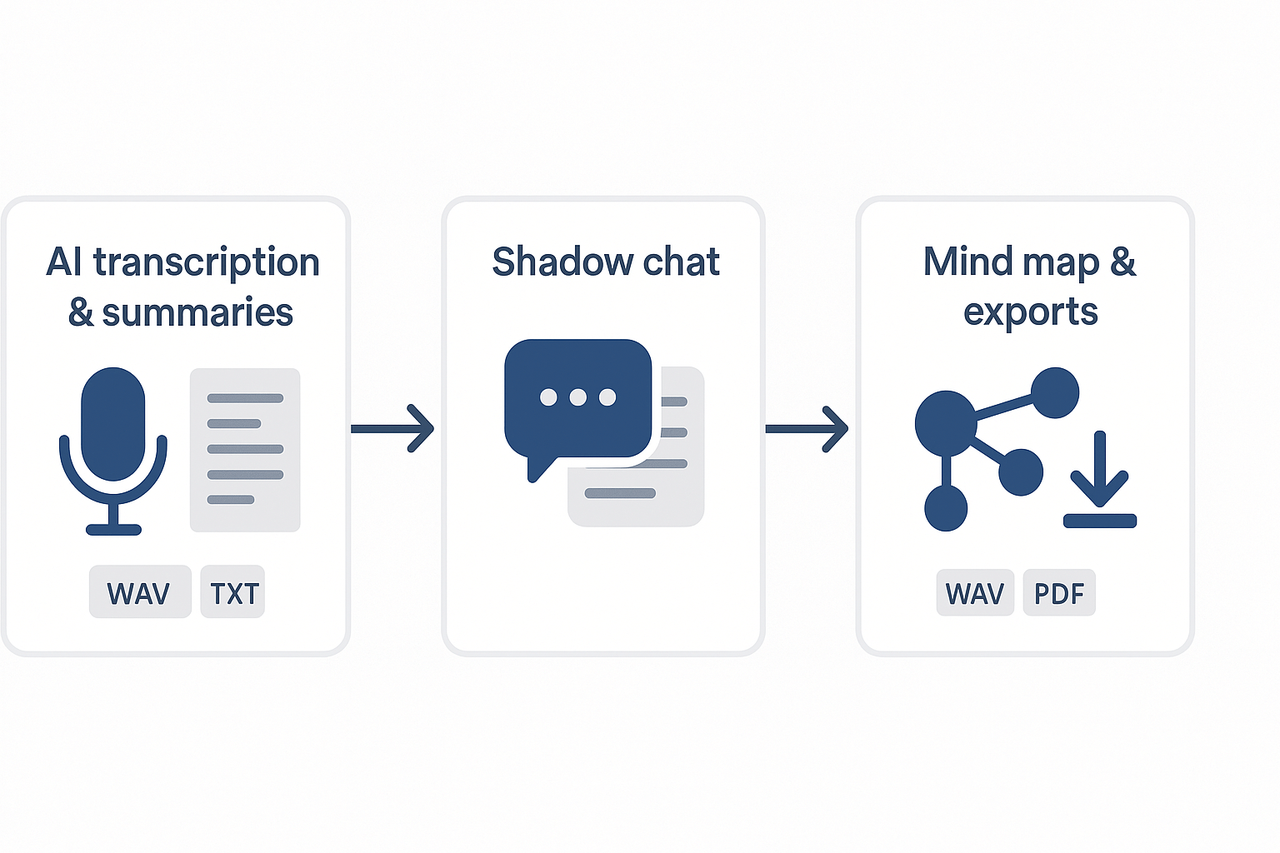
TicNote Cloud bundles live and post-meeting AI transcription with structured outputs so teams capture the benefits of meeting transcription without extra work. The platform turns raw audio into searchable transcripts, concise AI summaries, and exportable assets you can reuse across projects.
Live and post-meeting transcription + summaries
The tool records audio or ingests uploads, then produces time-stamped transcripts and short, topic-aware summaries. That saves prep and follow-up time, helps surface decisions, and reduces missed action items.
Cross-file Q&A with Shadow
Ask a chat-style assistant questions across meetings and documents to find past decisions, references, or tasks. This makes cross-meeting knowledge reuse fast and supports audits or handovers.
Mind maps, exports, and downstream workflows
Auto-generated mind maps, research reports, and flexible exports (WAV, TXT, DOCX, PDF, PNG) let teams drop outputs into Slack, Notion, or a PM tool. Use templates to standardize meeting notes and task capture.
Plans at a glance:
- Free: 300 mins/month, live transcription, basic templates (great for pilots).
- Professional: 1,500 mins/month, longer recordings, unlimited AI chat.
- Business: 6,000 mins/month, extended recording length.
- Enterprise: custom usage, SSO, 24/7 support.
Include screenshots of the live transcript, a Shadow chat example, and a sample mind map. Add an audio demo and a transcript sample to boost conversion.