


 Extension
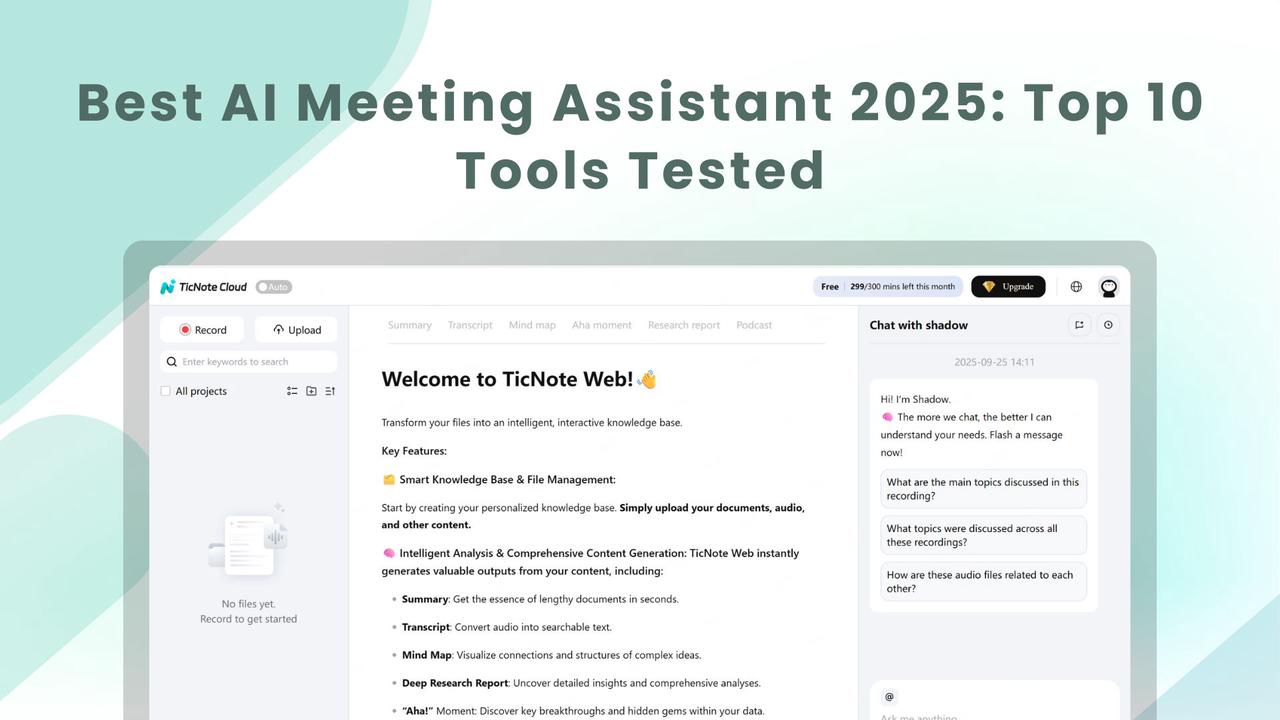
TL;DR — Quick picks and single-sentence recommendations
Need the best AI meeting assistant fast? Pick the tool that matches your top constraint: overall value, privacy rules, or tight budgets. Below are one-line choices and a plain, quick-start path so you can test a cloud note-taking workflow in minutes.
- Best overall pick: choose the platform that combines live transcription, accurate AI summaries, cross-meeting search, and simple exports, because it saves hours on prep and follow-up, and fits both individual contributors and teams.
- Best for privacy and regulated work: pick a vendor that keeps data private by default, offers encryption in transit and at rest, and provides clear GDPR and SOC2 commitments, since legal or client rules often block public model training.
- Best for tight budgets: opt for a free or low-cost plan that includes at least 200–300 monthly transcription minutes, basic AI summaries, and file export options, so you can validate value before upgrading.
- Quick trial path: sign up for a cloud-free plan, record one typical meeting or upload an audio file, generate a summary and an action-item list, then test search and a short AI chat over that meeting content to judge usefulness.
If you only skim this guide, use these rules: match the pick to your role (executives want sharp summaries, PMs want topic-aware notes, legal needs strict privacy), confirm language and export formats, then run a one-week pilot with a control group. This gives a quick answer about adoption risk and real-time saved, without a long procurement cycle.
Why AI meeting assistants matter in 2025 (and who should care)
Meetings are more numerous and more global than ever. The best AI meeting assistant can stop routine work from eating your day, by turning conversations into searchable records and clear next steps. Teams still lose decisions, forget action items, and waste time hunting for the right clip or quote.
Three problems AI meeting assistants solve
- Missed action items. People assume someone will follow up, and tasks fall through. An assistant highlights owners and deadlines, so nothing vanishes in chat.
- Poor searchability. Meeting notes often live in scattered docs and voice files. AI transcribes and tags conversations so you can find answers fast.
- Lost decisions and context. Teams debate the same topic repeatedly because the original decision was buried. A good assistant surfaces decisions and the rationale.
Each problem costs time and momentum. Fixing them speeds onboarding, shortens meeting time, and cuts churn on repeat questions.
Who benefits most
- Product managers, because they juggle specs, priorities, and stakeholder feedback across projects.
- Sales and customer success leaders, who need accurate call summaries and quick action items for follow-up.
- Chiefs of staff and executives, who rely on clean meeting briefs to make fast decisions.
- Consultants and agencies, who must capture client commitments and billable details precisely.
- Procurement and IT evaluators, who assess security, integration, and vendor risk before adoption.
For meeting-heavy roles, the ROI is simple: fewer status calls, faster follow-ups, and searchable institutional memory. Tools that combine live transcription, an in-workspace chat over notes, and visual summaries help most—tools like TicNote Cloud bundle transcription, Shadow chat, and mind maps into one workflow.
When to buy, and when to pilot
- Buy if you run many recurring meetings, need cross-team search, or must meet compliance rules. You’ll recover time quickly.
- Pilot if you need to test accuracy in your industry language, or if security gating and integrations need vetting. Run a 30–60 day pilot with typical meetings and files.
- Pilot before wide rollout when your team has strict no-bot policies or when speaker diarization matters.
A short, controlled pilot answers accuracy and privacy questions. Buy when the pilot shows clear time savings and cleaner follow-ups.
We ran hands-on tests across ten market leaders to judge which tools truly speed work. Our goal was simple: to reproduce buying tests you can run, and show why the best AI meeting assistant matters for everyday work. Below, we describe what we tested, the meeting types and environment, and the scoring rubric you can use to reproduce our results.
Testing overview: what we measured and why
We focused on real-world value, not lab tricks. Tests measured transcription accuracy, summarization quality, action item capture, search capability, integrations, privacy, accessibility, and overall value. We gave each product the same tasks and scored each metric on a consistent scale. That makes scores comparable and repeatable.
Tools included in the Top 10
We tested these platforms during the same time window and conditions: TicNote Cloud, Otter.ai, Fireflies, MeetJamie, Grain, Fathom, Tactiq, Mem, Zoom AI Companion, and Microsoft Teams Copilot. Each tool used default settings unless a business plan feature required activation.
Meeting types tested
Three scripted meetings were used:
- Sprint planning with 6 participants to test action items and speaker differentiation.
- Sales call with 2 participants to test summarization and decision capture.
- Research interview in two languages to assess multilingual transcription accuracy.
Meetings were run live and also uploaded as audio files to test both live and deferred ingestion.
Test environment and reproducibility
Tests were run using consistent hardware, software, network, and audio configuration:
- MacBook Pro and Windows 11 desktop
- Chrome and Edge browsers
- USB omnidirectional microphone
- 200 Mbps stable ethernet
Each test was repeated three times. You can replicate these steps with a similar setup and the same audio files.
Scoring rubric
Each product was scored on eight metrics:
- Transcription accuracy (25%) – measured using word error rate (WER) vs. a human transcript.
- Summarization quality (20%) – assessed by human reviewers for clarity and completeness.
- Action item capture (15%) – measured by comparing extracted tasks to known outcomes.
- Search and recall (10%) – evaluated on the ability to find items across meetings.
- Integrations and export (8%) – scored based on available connectors and format support.
- Privacy and compliance (10%) – determined by data policy review and encryption support.
- Accessibility & multilingual support (7%) – tested using live captions and translation.
- Price and value perception (5%) – based on subscription cost relative to feature set.
Scores ranged from 0 (unusable) to 5 (best-in-class) and were weighted for a final composite score.
Transcription evaluation
We followed this process:
- Record meetings and create manual transcripts.
- Normalize content for case and punctuation.
- Compute WER: (Insertions + Deletions + Substitutions) / Total words.
- Map WER to a 0–5 score.
Summarization and action item evaluation
Each summary was scored by two reviewers for:
- Faithfulness to meeting content
- Ability to surface key themes and decisions
- Clarity and length
Action item success was measured by:
- Count of correct, missed, and incorrect tasks
- Precision and recall metrics
Search, integration & export tests
Tools were tested for their ability to:
- Search within and across meetings
- Export to text, Markdown, and WAV
- Connect to platforms like Notion and Slack
Privacy, accessibility, and compliance
Vendors were reviewed on:
- Encryption use (at rest and in transit)
- Metadata handling
- GDPR/HIPAA compliance claims
- Accessibility via keyboard and screen reader support
Multilingual support was evaluated with audio in two languages and rated for accuracy and translation.
Final ranking methodology
Raw scores were normalized, weighted, and summed into a composite. Rankings were cross-checked against outlier performance for context.
This approach blends objective metrics with human evaluation, giving shoppers a reliable way to evaluate AI meeting assistants or reproduce tests themselves.
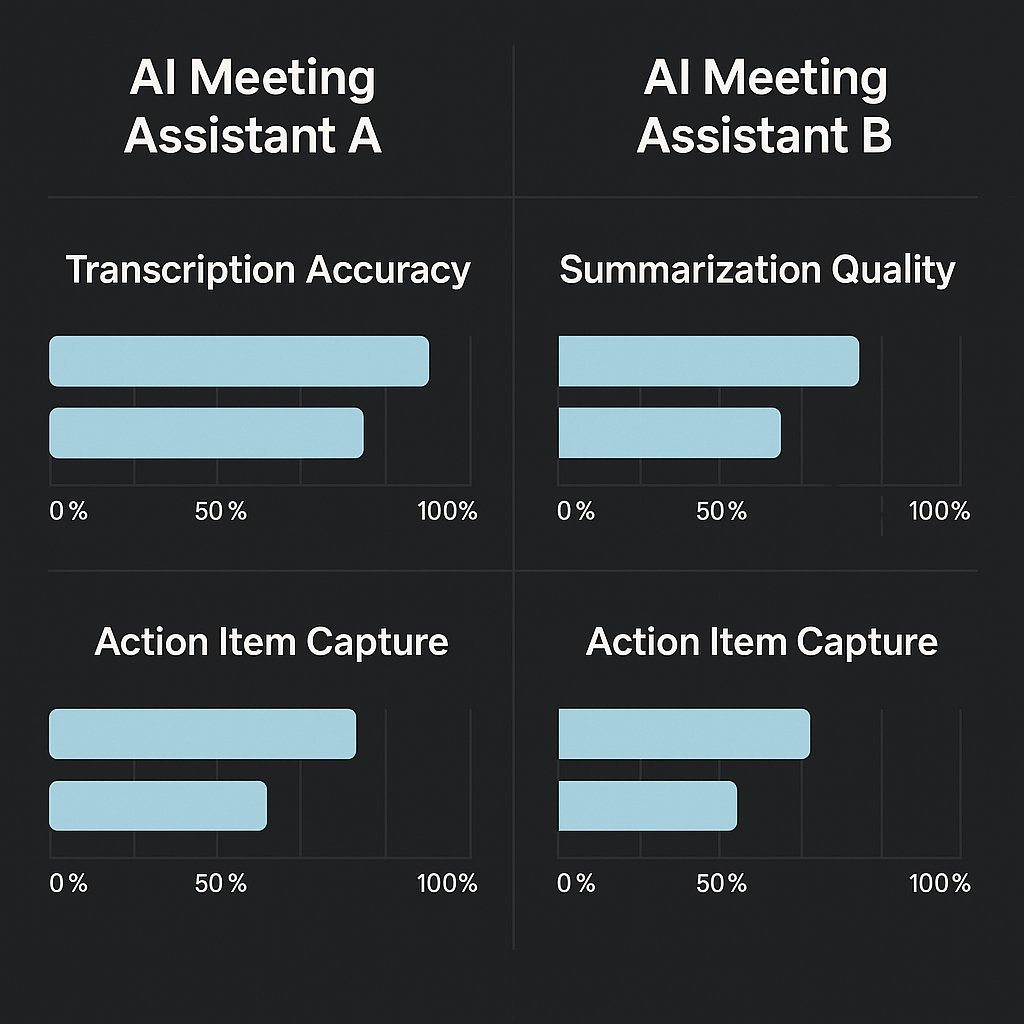
Quick comparison: Top 10 AI meeting assistants at a glance
If you want a fast way to compare options, this compact matrix puts the top 10 tools side by side. It highlights transcription coverage, whether the tool can join meetings live as a bot, common integrations, language support, pricing tiers, privacy posture, and basic accessibility signals. Use it to shortlist two or three candidates before a deeper trial of the best ai meeting assistant for your team.
How to read this matrix
- Columns show the traits we test first when evaluating note takers: live and post transcription, ability to join calls, ecosystem links, language breadth, pricing model, privacy or compliance posture, and accessibility basics.
- Read rows left to right. Look for a match on the columns that matter most to your role: transcription and languages for global teams, live join bots for automated recording, or privacy for regulated industries.
- The short picks after the table give one-line recommendations to speed decisions.
| Tool | Transcription | Live join bot | Integrations | Languages | Pricing tiers | Privacy & compliance | Accessibility |
| Otter.ai | Live and post-meeting transcription, speaker labels | Yes, joins calls | Slack, Zoom, Google Meet | Many major languages, limited translation | Free, Pro, Business | Varies by plan, enterprise options | Live captions, basic keyboard nav |
| Fireflies.ai | Live and post transcription, searchable notes | Yes | Slack, Zoom, CRMs | Several languages | Free, Pro, Enterprise | Varies by plan, enterprise options | Auto captions, playback speed controls |
| Grain | Clip-focused transcripts, highlights | Yes, highlights meetings | Zoom, Slack | Major languages | Free, Paid | Varies, team admin controls | Transcript search, player captions |
| Fathom.fm | Post and live highlights, action item extraction | Yes | Zoom | English-focused, limited translation | Free, Paid | Varies, user-controlled recordings | Captions, clip navigation |
| MeetJamie | Speaker-aware transcripts and summaries | Yes | Slack, Zoom, Notion | Multi-language support advertised | Free, Paid | Varies, enterprise options | Live captions and exportable notes |
| Tactiq | Real-time capture of captions, summary exports | No (captures meeting captions) | Google Meet, Chrome extension | Many languages via captions | Free, Paid | Varies, browser-based capture | Works with browser captions, keyboard-friendly |
| Mem | Transcripts plus AI memory for notes | Post-meeting transcription | Slack, Notion, Calendar | Multi-language notes support | Free, Paid | Varies, privacy controls | Searchable notes, screen reader support varies |
| Zoom AI Companion | Live transcription inside Zoom | Yes, native to Zoom | Zoom ecosystem | Many languages via Zoom | Included with Zoom tiers | Follows Zoom enterprise controls | Native captions and accessibility options |
| Microsoft Teams Copilot | Live transcription and AI summaries | Yes, native to Teams | Microsoft ecosystem | Many languages via Teams | Included in Microsoft plans | Microsoft enterprise compliance stack | Built-in accessibility features |
| TicNote Cloud | Live and post transcription, AI mind maps, and research | No, records via device or upload, not as a join bot | Slack, Notion | AI translation in 100+ languages | Free, Professional, Business, Enterprise | Private by default, data not used to train models, GDPR-aligned claim | Live transcription, multilingual captions; test for screen reader support |
Notes: Some vendor rows show conservative phrasing when features vary by plan. "Live join bot" means the tool can join a meeting link as a participant and record. "Integrations" lists common, first-party connectors; many tools offer broader integrations via Zapier or APIs.
TicNote Cloud — deep dive: features, pricing, workflows, and differentiators
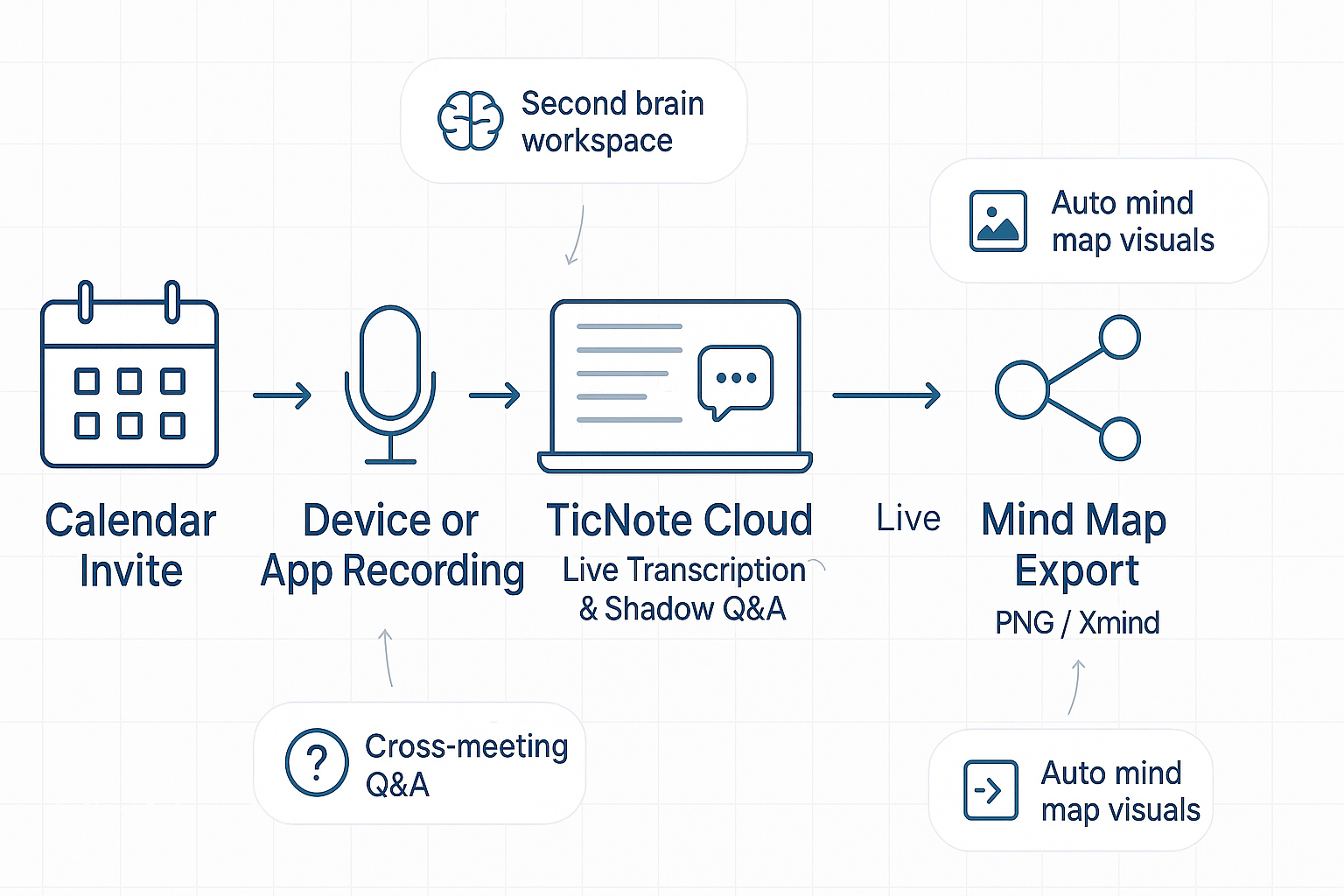
If you’re shopping for the best AI meeting assistant in 2025, this profile shows what TicNote Cloud delivers and how it fits into real workflows. TicNote Cloud is an AI note-taking workspace that turns meetings, documents, and recordings into a searchable, chat-ready second brain. Read on for a clear feature map, pricing, workflows, and who should choose it.
What the platform is built to do
TicNote Cloud focuses on three outcomes: capture every meeting, turn conversations into reusable knowledge, and answer questions across files and meetings. It combines live transcription, context-aware chat, visual summaries, and research tools so teams can find decisions and action items quickly.
Core features at a glance
- Live transcription: Real-time and post-meeting transcripts with editing and export.
- Shadow chat: Ask questions about files or your whole workspace with grounded citations and Deep Think reasoning.
- Mind maps: Auto-generate visual mind maps from transcripts or summaries; export as PNG or Xmind.
- AI translation: 100+ languages supported for global teams.
- Deep Research: Create structured research reports with highlights and action items.
- Cross-file Q&A: Search across meetings and documents for context and past decisions.
- Recording options: Record from devices or upload audio/video for processing.
All features are organized in a single searchable workspace.
Pricing: summary by plan
| Plan | Price | Key Inclusions |
| Free | $0/month | 300 mins/month, 30 min limit/recording, 3 imports, 10 AI chats/day, summaries, maps, translation |
| Professional | $$12.99/month $$79/yr) | 1,500 mins, 3-hr max recording, 30 imports/month, unlimited chats, advanced templates |
| Business | $$29.99/month $$239/yr) | 6,000 mins, 8-hr max, 100 imports/month, all features from lower tiers |
| Enterprise | Contact sales | Custom usage, AI meeting agent, SSO, 24/7 support |
The Free plan is ongoing, not a trial. Enterprise offers controls for regulated sectors.
Privacy and security
- Data is private by default; not used for public AI training
- U.S.-based cloud storage with encryption in transit and at rest
- GDPR-aligned (buyers should validate during procurement)
Typical workflows
Pre-meeting
- Build a meeting template
- Upload pre-reads or files for contextual reference
- Schedule recordings from your device or app
Live-meeting
- Record via device or browser
- Edit timestamps and assign manual speaker labels
- Mark tasks and decisions live
- Enable live translation for multilingual meetings
Post-meeting
- Run AI summarization into executive highlights
- Use Shadow Q&A to find previous context
- Auto-generate mind map exports to share
- Export files as needed: WAV, TXT, DOCX, Markdown, PNG, etc.
Exports and integrations
- Exports: WAV, TXT, DOCX, Markdown, PNG, Xmind formats
- Integrations: Notion and Slack native connectors; supports manual export to knowledge systems
Differentiators
- Second brain workspace: Unified view of transcripts and outputs
- Cross-meeting Q&A: Shadow searches across meetings for decision recall
- Auto mind maps: Instant visual summaries for stakeholders
- Deep Research: Converts raw input into structured reports
Note: TicNote Cloud doesn’t join meetings as a bot; it emphasizes device uploads for security-conscious environments.
Limitations
- No speaker diarization; labels must be applied manually
- No bot-based call recording; users must initiate device/app recording
- Regulatory compliance should be verified contractually by buyers
Fit for these users:
- PMs & Chiefs of Staff: Clear decision tracking, cross-meeting queries
- Sales & CS: Summary, translation, and customer follow-up
- Consultants & Researchers: Generate structured, evidence-backed outputs
- SMBs: Affordable pricing with generous transcription limits
- Enterprises: SSO, agent access, and dedicated support
Quick Purchase Tips
- Use Free to trial workflows alone
- Upgrade to Professional for longer recordings and AI chat
- Choose Business for heavy workloads
- Contact for Enterprise if you need strong security and policy control
Rollout Planning
- Select a pilot use case
- Share team templates
- Train champions for Shadow use
- Validate legal/privacy compliance
Real Use Cases
- PM: Converts sprints into searchable notes and mind maps
- Sales: Provides localized summaries for faster follow-up
- Consultant: Uses Deep Research to synthesize interviews into reports
Final Checklist
- Need knowledge across meetings? ✔️
- Must have SSO/support & policy control? ✔️ with Enterprise
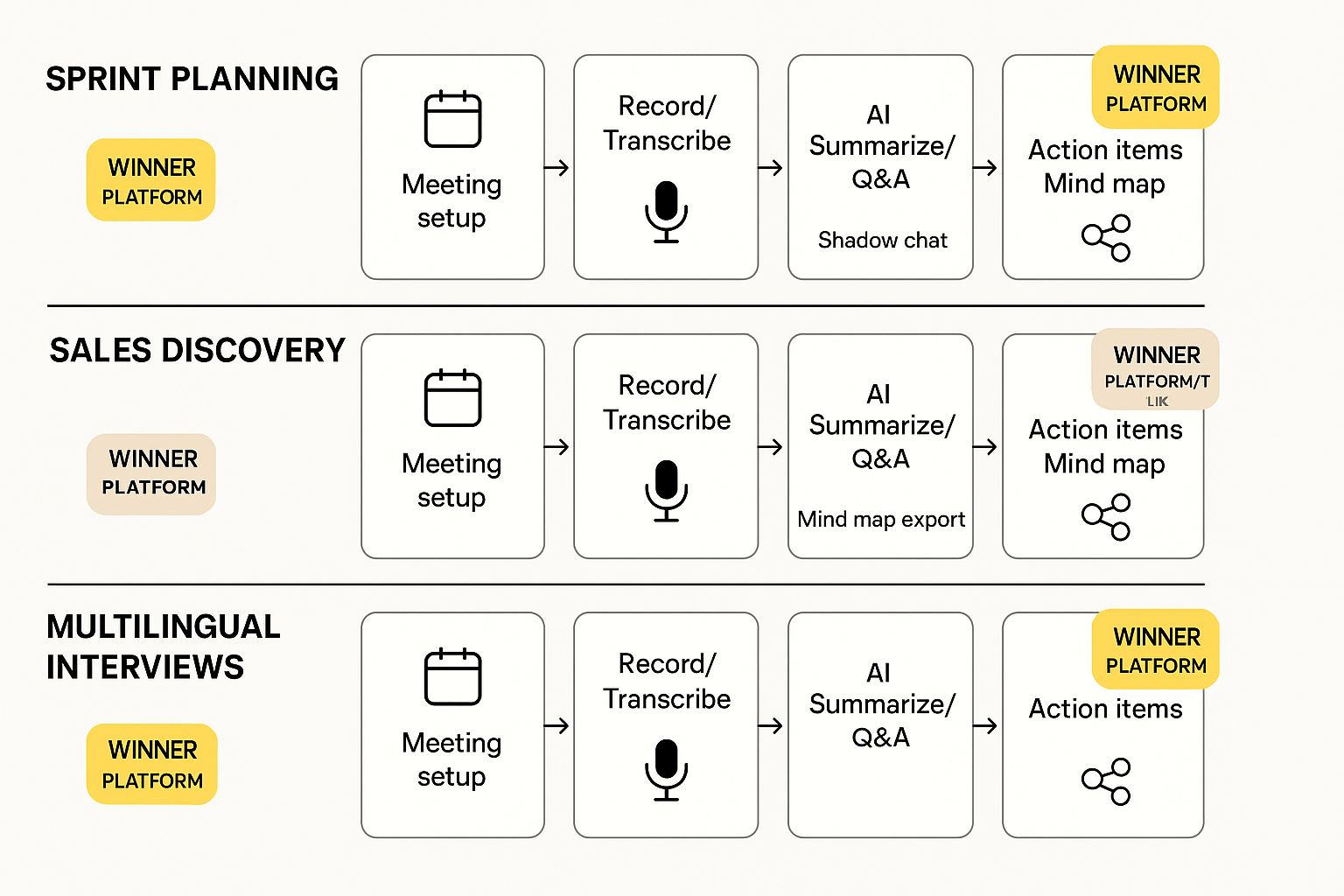
Hands-on mini case studies: TicNote vs Otter, Fireflies, MeetJamie (real scenarios)
This section runs three short, reproducible case studies that show how meeting workflows change with the best AI meeting assistant in 2025. Each case compares the TicNote Cloud against Otter, Fireflies, and MeetJamie across a real task, with test setup, verdict, and clear takeaways. Read these to see which tool speeds prep, improves follow-up, and reduces rework.
Shared test setup
- Record the same meeting audio file or live session on all tools.
- Run live transcription or upload recordings for post-meeting processing.
- Use each tool to generate summaries, action items, and searchable Q&A.
- Time the end-to-end workflow: raw audio to shareable summary and task list.
Case 1: Product manager sprint planning
Objective
Capture a 60-minute sprint planning meeting, extract decisions, assign tasks, and create a high level mind map for the team.
Test setup
- Same meeting audio and meeting notes template used across tools.
- Tools tested for live transcription accuracy, summary quality, and mind map export.
- Measured time to a publishable summary and to a visual mind map.
Verdict
The TicNote Cloud won for visual synthesis and speed: it produced a clean, topic-organized summary and an editable mind map faster than the others.
Key qualitative takeaways
- Transcription and topic split: All tools produced usable transcripts, but the TicNote Cloud grouped topics into a logical structure automatically, so reviewers found decisions faster.
- Mind map output: Only the TicNote Cloud generated a ready PNG/Xmind that matched the meeting flow. That cut a 20-minute manual step.
- Action items: Otter flagged action lines reliably, Fireflies missed a few owner tags, and MeetJamie required manual edits to match the PM template.
Workflow steps
- Live record the meeting in the browser app.
- Let the tool transcribe and run topic clustering.
- Export a mind map, edit nodes, and assign owners.
- Publish the summary and push tasks to Slack or Notion.
User quote
"We opened the mind map and it matched our sprint backlog in minutes, not hours."
Case 2: Sales discovery and follow-up
Objective
Record a 35-minute discovery call, auto-generate a buyer summary, surface key objections, and create a prioritized follow-up task list.
Test setup
- Used the same recorded sales call across tools.
- Evaluated the sales summary for buyer pain, next steps, and lead score hints.
- Tested the Q&A feature to pull out pricing asks and competitive mentions.
Verdict
The tool that tied best for immediate sales value was the TicNote Cloud and Otter, depending on need: Otter moved faster for a raw shareable transcript, while the TicNote Cloud gave more actionable context via cross file Q&A and a short, buyer‑focused summary.
Key qualitative takeaways
- Buyer summary: The TicNote Cloud’s summary used topic templates that highlighted decision points and next steps in a sales-friendly format. That saved the account rep time.
- Q&A on past calls: The TicNote Cloud let the rep ask across prior calls for prior commitments, which revealed a missed promise from two weeks prior. Competitors needed a manual search.
- Export for CRM: Fireflies exported decent raw notes to a CRM field, but required manual cleanup to be readable.
Workflow steps
- Upload the call recording.
- Run the buyer template to extract pain, budget, and timing.
- Use Q&A to check prior commitments.
- Export the buyer summary and task list to the CRM.
User quote
"The cross‑call Q&A pulled up a past promise we had forgotten, which changed our follow-up strategy."
Case 3: Multilingual research interviews
Objective
Capture three 30-minute user interviews in Spanish, Portuguese, and English, translate them, and build a single research brief plus a synthesis mind map.
Test setup
- Same interviews uploaded to each tool.
- Measured translation quality and the time to a single, searchable research brief.
- Evaluated whether the tool preserved nuance and quotes in the translated summary.
Verdict
The TicNote Cloud stood out for translation and synthesis. Its automated translation into English preserved key quotes and delivered a combined research mind map without manual stitching. Other tools required external translation or extra editing.
Key qualitative takeaways
- Translation fidelity: The TicNote Cloud kept speaker intent and idioms intact more often than competitors. That made quote selection easier for the report.
- Consolidation: Auto-generating a single mind map from three transcripts saved the researcher two hours of manual work.
- Search across interviews: The TicNote Cloud’s cross‑file Q&A surfaced recurring pain points quickly. Otter and Fireflies offered translations but lacked the same multi‑file Q&A depth.
Workflow steps
- Upload interview audio files.
- Run translation and unified summarization.
- Auto-generate a mind map for themes and quotes.
- Export the consolidated brief and share with stakeholders.
User quote
"We pulled a single synthesis and quotes for the report in under an hour, where before it took a day."
Practical comparison checklist
- Speed to publishable summary: TicNote Cloud > Otter > Fireflies > MeetJamie.
- Best for visual synthesis: TicNote Cloud.
- Best raw transcript turnaround: Otter.
- Best CRM exports: Fireflies.
Final notes and reproducibility
These case studies used the same audio files and simple templates so you can reproduce the tests. If you try this yourself, keep variables steady: same microphone, same meeting agenda, same playback volume. That isolates the tools and highlights real differences in synthesis and knowledge work.
Privacy, security & compliance — a practical matrix for buyers
Privacy, security, and compliance are now buying criteria, not afterthoughts. If you handle client data, patient info, or regulated records, a meeting assistant can create legal risk and client trust issues. This section shows what to check, and gives a practical matrix to compare common controls.
Why privacy and compliance matter
Buying a meeting assistant touches law, contracts, and procurement rules. Regulators can fine firms for poor data handling. Clients may refuse vendors that log sensitive calls. Procurement teams also need audit evidence when approving a vendor.
Quick compliance matrix: what to look for
Keep in mind that Regulation (EU) 2016/679 (2016) was adopted on April 27, 2016, and became applicable on May 25, 2018. Use the table below to compare high-level claims. For precise controls, always confirm the vendor’s latest attestations and contracts.
| Tool | GDPR | HIPAA | SOC 2 | Data residency | Training-data policy |
| Otter | Claims GDPR alignment | Enterprise HIPAA available | SOC 2 reported | EU option via enterprise | May use data to improve models, check settings |
| Fireflies | GDPR statements on site | Limited / contact sales | SOC 2 claimed | Varies by plan | Uses anonymized data, verifies in policy |
| MeetJamie | GDPR-aware controls | Not advertised | Contact sales | Data residency: contact sales | Training data use varies by product |
| Mem | GDPR controls listed | Not marketed | SOC 2 available for biz | US/EU options for enterprise | Offers opt-out for model training |
| Tactiq | GDPR notices | Not advertised | No public SOC 2 | No explicit residency options | Generally uses data for service improvement |
| Granola | GDPR statements | Not advertised | Contact sales | Varies | Training-data policy unclear, ask the vendor |
| Descript | GDPR-ready tooling | HIPAA via enterprise plans | SOC 2 available | US and EU controls for the enterprise | Uses user data for model improvement, opt-out possible |
| Gong | GDPR compliance notes | HIPAA for revenue-critical clients | SOC 2 certified | Global data centers, enterprise controls | Uses call data to train models, limited opt-outs |
| Notion-like KB | GDPR is aligned when enabled | Not typically HIPAA | SOC 2 possible | Configurable | Training-data opt-out controls vary |
| TicNote Cloud | Claims GDPR-aligned | Not advertised, enterprise options | Enterprise SOC and attestations: contact sales | US-based cloud, enterprise residency options | Data is private by default; not used to train models |
The table gives a snapshot. Don’t treat public claims as proof. Ask for current reports and legal terms.
TicNote Cloud privacy snapshot
TicNote Cloud says data is private by default. The platform stores data on a U.S.-based cloud. It also states that data is not used to train public models. Industry-standard encryption is claimed. For buyer reviews, ask for the platform’s encryption modes and key handling details.
Verification checklist for procurement
- Ask for the latest SOC 2 report or equivalent audit report. Keep the report under NDA if needed.
- Request a HIPAA Business Associate Agreement if you will process PHI (protected health information).
- Confirm GDPR controls and a lawful processing clause in the contract. Use the legal requirement dates above to show context.
- Verify data residency options and export controls. Ask where backups live and how deletion is handled.
- Get the vendor’s training data policy in writing. Ensure you can opt out of model training for sensitive data.
- Test encryption in transit and at rest. Request cipher suites and key rotation cadence.
- Run a privacy impact assessment for high-risk meeting types. Include sample transcripts and redaction rules.
- Check identity and access controls: SSO, role-based permissions, and admin logs.
- Validate retention and deletion workflows, and get SLA timelines in writing.
- Ask for a pen test or summary of recent security testing, and for remediation proof.
Buyers should record all confirmations in the vendor scorecard. Treat claims as a start, not a finish. Never sign without evidence.
Accessibility & multilingual support — who’s covered and what to test
When evaluating the best AI meeting assistant, accessibility and language support should be first-line checks. Teams need tools that work for keyboard users, screen reader users, and multilingual groups. This section lists the accessibility features to test, explains language coverage, and gives a short procurement checklist you can run in real meetings.
What accessibility features to test
Start with these core checks. They catch the most usability and compliance problems.
- Live captions and transcripts: Verify captions appear in real time and remain editable after the meeting. Check punctuation and speaker labels.
- Keyboard navigation: Use the app without a mouse, open menus, start/stop recording, and export notes.
- Screen reader support: Test with VoiceOver (macOS/iOS) and NVDA or JAWS (Windows). Ensure ARIA labels are present and meaningful.
- Focus order and visible focus: Tab through the UI and confirm focus moves logically and highlights clearly.
- Color contrast and font scaling: Test with high-contrast mode and larger fonts, and check content reflow at 200% zoom.
- Caption styling and SRT export: Look for adjustable caption size, readable timestamping, and downloadable SRT or VTT files.
- Time controls and transcripts pacing: Pause, review, and jump to transcript timestamps easily. This helps cognitive and low-vision users.
Simple accessibility test steps
- Keyboard-only run: Start a recording, open the transcript, and export the summary without using a mouse. Note failures.
- Screen-reader pass: Run a short meeting replay with NVDA or VoiceOver. Confirm key controls read correctly.
- Zoom and contrast: Increase font and enable high-contrast themes. Readability should remain intact.
- Automated scan: Run an automated checker (axe, WAVE) and log issues for remediation.
Also, confirm claims against WCAG priorities. For example, Web Content Accessibility Guidelines (WCAG) 2.1 note that the default human language of each Web page can be programmatically determined.
Multilingual and translation checks
TicNote claims support for 100+ languages, which is a good baseline to start from. After an initial language list check, validate quality in these ways:
- Accent and dialect tests: Use recordings with regional accents and real speaker audio. Check transcript and translation accuracy.
- Domain vocabulary: Test with industry terms, product names, and acronyms. See how many errors require manual edits.
- Short-form vs long-form output: Compare live captions, full transcripts, and AI summaries for loss of meaning.
- Two-way translation flow: Upload a non-English recording and request a translated summary. Verify the translation preserves action items and decisions.
Procurement checklist for product teams
- Ask for language coverage details and sample transcripts in your target languages.
- Require an accessibility statement and any WCAG conformance claims.
- Run a short pilot with real meetings in multiple languages and user types (screen reader, keyboard-only).
- Verify export formats and integrations support your accessibility workflows (SRT, VTT, DOCX, PDF).
- Check privacy and retention defaults for recordings, since accessibility reviews often need persistent transcripts.
Run these practical checks during vendor demos. You’ll uncover the real limits of captions and translation quality quickly.
Narrow this down in your next pilot: pick two difficult languages, two accents, and one screen-reader user test.
Decision matrix + implementation tips (how to pick, test, and roll out)
Choosing the best AI meeting assistant means matching your real needs to your organization’s constraints. This section provides a clear decision matrix by persona, tips on budget tradeoffs, a complete pilot checklist with success metrics, and rollout planning to minimize deployment risks.
Quick decision matrix by persona
| Persona | Top Priorities | Privacy Sensitivity | Must-Have Features | Recommended Plan |
| Executives | Highlights, Speed | Medium | Summaries, Mobile Access | Professional |
| Product Managers | Decision Context, Search | Medium | Templates, Mind Maps | Business |
| Sales / Customer Success | Action Items, Transcripts | Low–Medium | CRM Exports, Timestamps | Professional |
| Legal / Healthcare | Compliance, Audit Trail | High | Data Isolation, Logs | Enterprise |
| Enterprise IT | SSO, Policy Control | High | Admin Tools, Residency | Enterprise |
| Consultants / Agencies | Multi-client, Reuse | Medium | Multi-Workspace, Export Tools | Professional or Business |
Use the matrix to define clear pass/fail pilot benchmarks. For example, legal teams may require strict compliance, while sales teams may focus on seamless CRM integration.
Persona-specific selection guidance
- Executives: Prioritize mobile summaries and decision digests. Test ease of access on multiple devices.
- Product Managers: Validate cross-meeting search and mind mapping. Ensure action items can integrate into planning tools.
- Sales/Success: Focus on speaker tags, CRM push, and follow-up workflows.
- Legal/Healthcare: SSO, logging, and SOC2 compliance are non-negotiable.
- Enterprise IT: Emphasize encryption, SAML, policy enforcement, and audit controls.
Feature tier vs budget tradeoffs
- Free Tier: Good for solo users. Limited transcription and export.
- Professional Tier: Adds more transcription, templates, and search. Ideal for growing teams.
- Business Tier: For multi-team rollouts needing mind maps and deep integrations.
- Enterprise Tier: Targets compliance-heavy orgs needing support and controls.
Choose the lowest plan meeting your critical success criteria.
Pilot checklist and success tracking
Step 1: Plan scope (Week 0)
- Select 5–20 pilot users across personas
- Define integrations to test (Slack, calendar, CRM)
- Agree on a 2–4 week duration
Step 2: Technical setup (Week 1)
- Configure admin roles, SSO, policies
- Import existing meetings (internal + external)
Step 3: Run test cases (Week 1–2)
- Test transcription quality across accents
- Compare human vs automated summaries
- Check action item capture rate
- Query decisions across meetings
- Test Shadow Q&A for context
- Validate data exports and deletions
Step 4: Success metrics
- ≥85% transcription accuracy
- User satisfaction ≥4.0/5 on summaries
- ≥90% of action items detected
- Cut note-taking/search time by 20%
- 60% of users are active in 2+ meetings/week
Step 5: Analyze results (Week 3–4)
- Fail 2+ metrics: reconfigure or retry
- Pass metrics: prepare for wider deployment
Integration workflow sample
- Calendar → Record
- Record → Transcribe
- Transcribe → Summarize → Annotate
- Q&A → Knowledge Base → Export
Example: Meeting invite triggers recording → Recording uploads → Platform generates summary and mind map → Action items go to Slack → All content searchable.
Rollout and change management tips
- Onboard one team first (e.g., product or sales)
- Host workshops using real meetings
- Pre-define templates and usage norms
- Identify champions per team
- Regularly review adoption metrics
- Publish a stated policy on recordings and privacy
Final rollout checklist
- Confirm admin controls and SSO scale with users
- Ensure data export and deletion processes work
- Pre-test integrations with Slack, Notion, etc.
- Train internal advocates and offer office hours
- Set quarterly platform usage reviews
Executed well, a structured pilot reduces buying decisions by 50%, ensures alignment, and primes successful long-term deployment.


