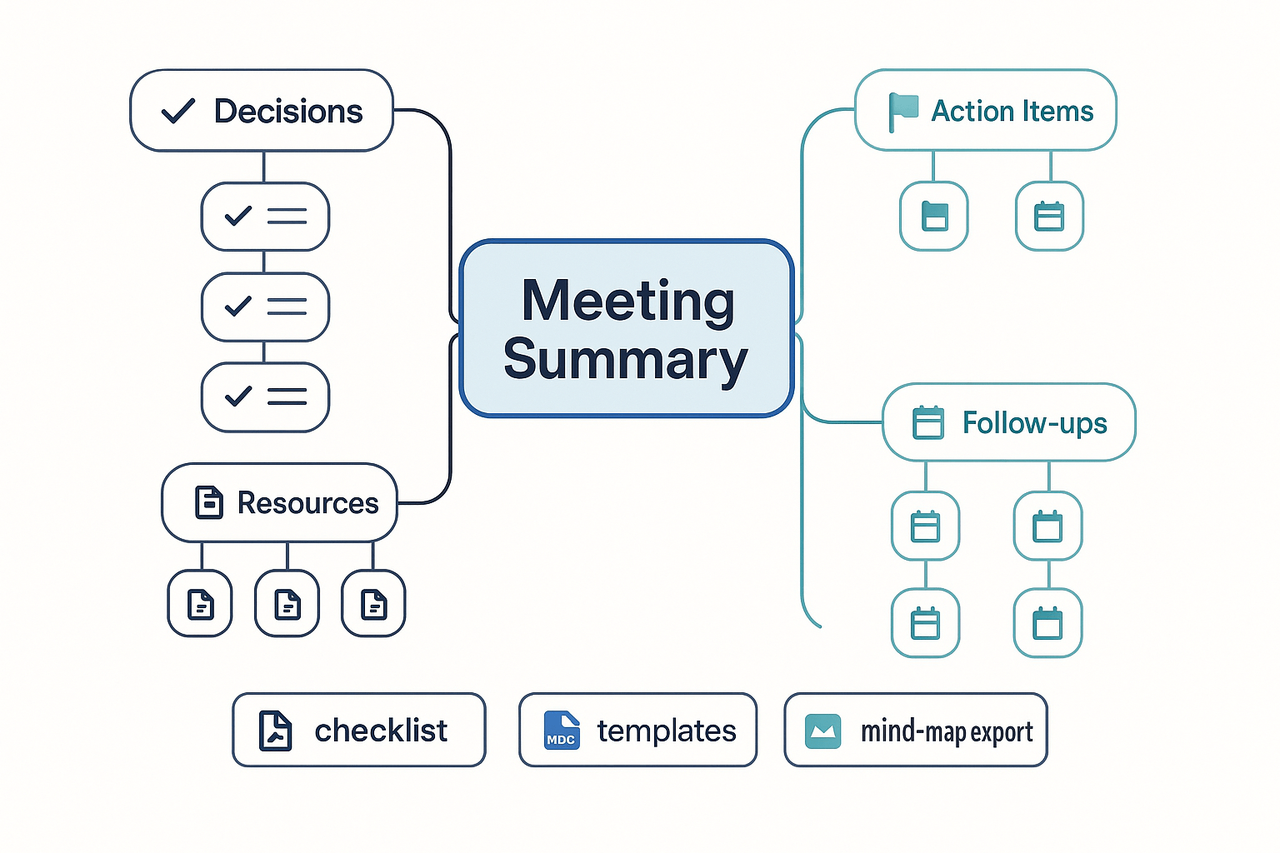
Extension
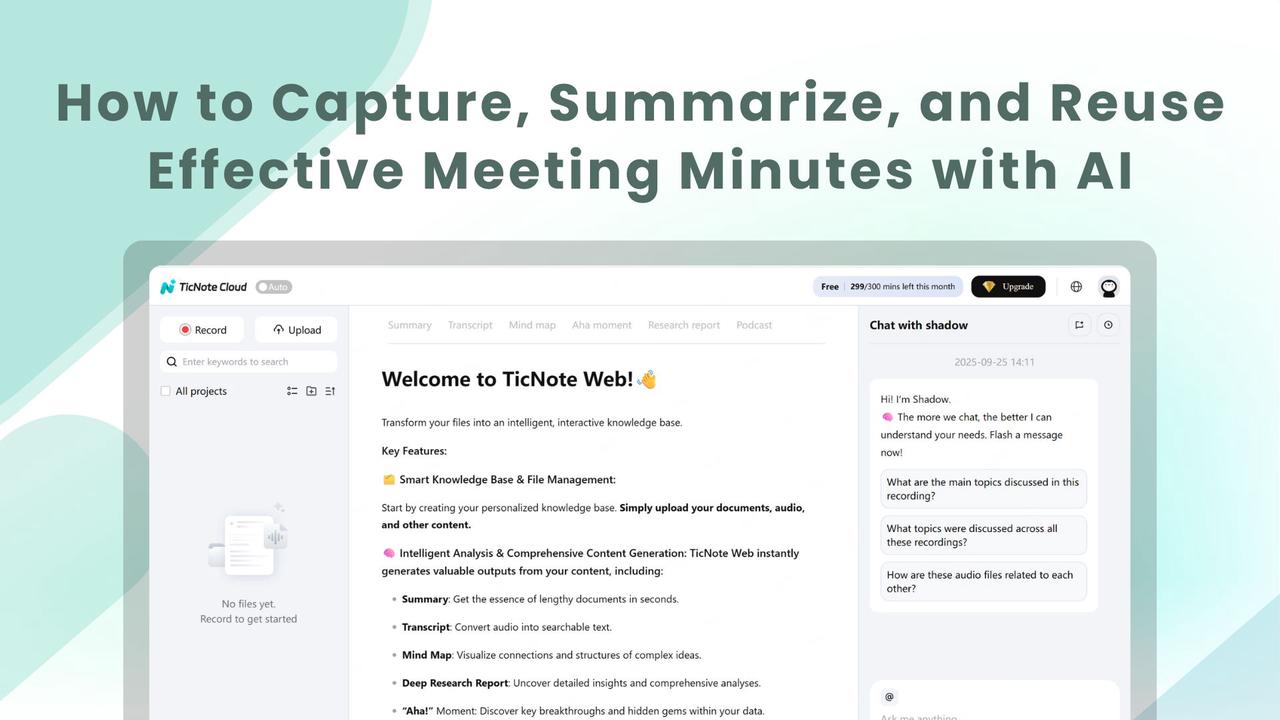
TL;DR — What effective meeting minutes look like (quick takeaway)
Effective meeting minutes are concise, actionable records that name decisions, owners, and deadlines. They open with a two to three-sentence summary, list clear action items with owners and due dates, and link to supporting docs or transcripts.
Immediate benefits:
- Faster follow-up: people know what they must do next.
- Less rework: decisions and rationale are easy to find.
- Better accountability: owners and due dates reduce drift.
- Reuse: minutes feed a searchable knowledge store for future projects.
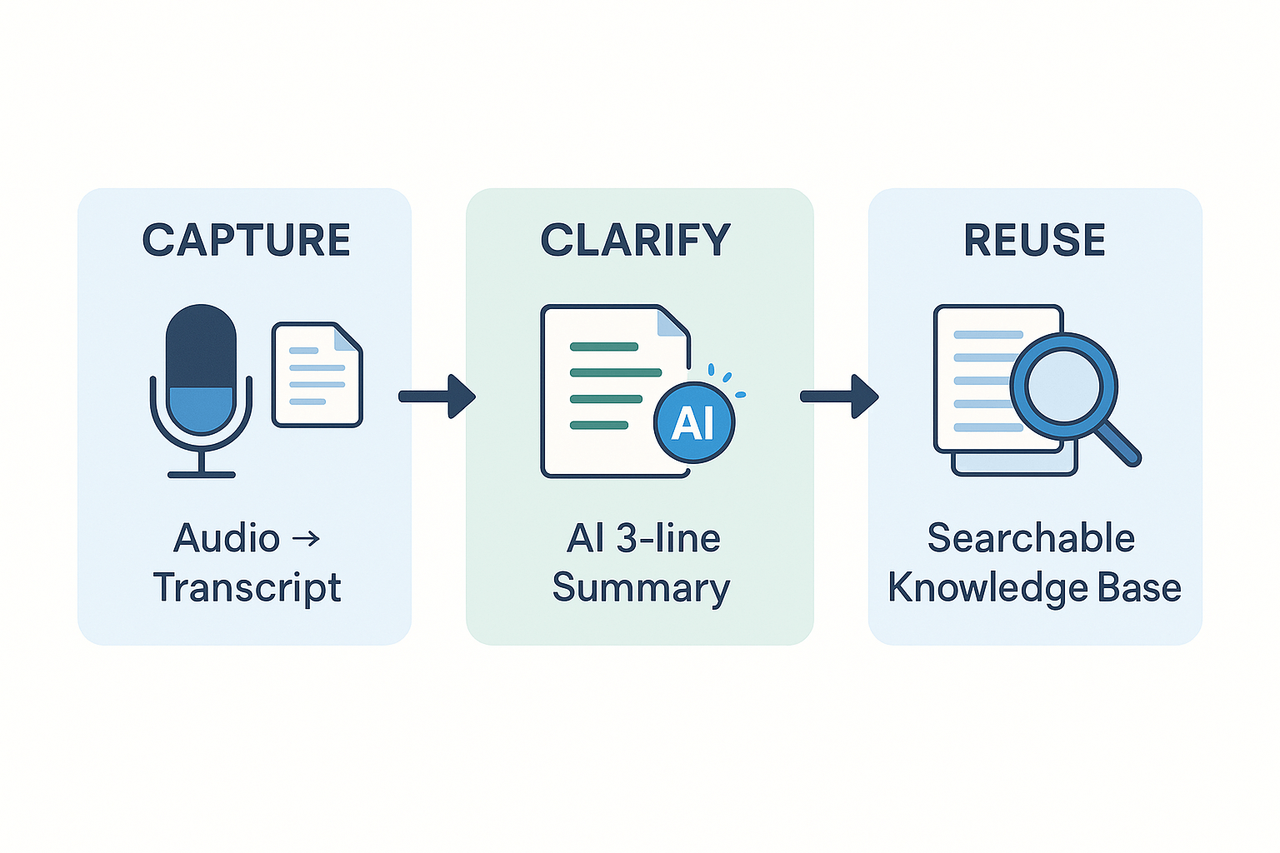
Quick tooling recommendation: pick an AI note workspace that records or imports audio, auto-transcribes, produces a three-line AI summary, tags decisions, and makes notes searchable for cross-meeting reuse.
Why effective meeting minutes matter (and common failures)
Good meeting minutes do three things: record decisions, assign clear actions, and store context for later use. They make meetings useful, not just noisy. According to the PMI Pulse of the Profession Report (2013), ineffective communication is the primary contributor to project failure one-third of the time, and has a negative impact on project success more than half the time. Poor minutes are a common form of that failure.
Common failures and practical risks
- Missed actions. When notes omit owners or due dates, tasks fall through the cracks. Projects stall and teams chase the same issues twice.
- Weakened accountability. Vague minutes blur who decided what. That makes follow-up slow and blame common when things go wrong.
- Lost institutional memory. Meeting context disappears as people change roles. Teams repeat past debates or rework prior decisions.
- Fragmented records. Notes locked in meeting chat, email, or individual drives are hard to search. Valuable context becomes invisible.
A real example makes the cost tangible. A chief of staff at a mid-size nonprofit recalled a product launch delayed three weeks because two key decisions were never recorded. "We assumed someone would own the API spec," she said, "and no one did. That cost us time and donor confidence." Short failures like that add up to long delays.
A minutes-to-knowledge workflow fixes these risks. Capture audio or transcripts, tag decisions and owners, then create a searchable record for future teams. That approach turns scattered notes into a reliable reference and helps make meetings genuinely productive rather than just frequent.
Preparing the right template and a clear agenda makes note capture fast and consistent. Use a purpose-built layout so attendees arrive knowing roles, owners, and what will be captured. That upfront clarity is the best way to produce effective meeting minutes and cut time spent cleaning notes after the call.
Pick a template that fits the meeting
Choose one template per meeting type and stick to it. Templates set sections, default fields, and required owners. A good template includes: goal, agenda items, decisions, action items, owners, and due dates. Create a short naming convention so your team finds templates fast.
Quick pre-meeting checklist
- Select the template that matches the meeting type.
- Upload any pre-read documents to the workspace.
- Add agenda items with one-sentence goals.
- Assign roles: facilitator, timekeeper, note owner.
- Share the agenda and expected outcomes 24 hours before the meeting.
This checklist makes it clear who will speak and who will own follow-ups. When notes follow a known structure, notes become reusable knowledge, not messy scraps.
Micro-guidance for common formats
- Board and committee: use a formal minutes template with sections for quorum, conflicts, motions, votes, and attachments. List motions as single-line items with proposer, seconder, and result.
- Project meeting: use a topic-by-topic template. For each topic capture decision, action, owner, and due date. Keep the decision short and provide evidence links in attachments.
- Daily standup: use a three-question template: yesterday, today, blockers. Limit each speaker to one line per question to keep the record scannable.
Import pre-meeting materials and set expectations
Upload agendas, slide decks, and background docs before the meeting. Tag files to topics in the notes so the recorder links evidence easily. Use the platform to pre-fill owner fields and task assignees. That way the note taker only confirms, not types, during the meeting.
Make the agenda a note-taking cue
Turn each agenda item into a live heading in the notes. Add placeholders for decisions and actions under that heading. Ask attendees to add clarifying bullets before the meeting if they own a topic. This reduces interruptions and speeds capture.
By preparing templates and agenda-ready notes, you cut editing time and raise clarity for follow-up work. Use a consistent pre-meeting ritual: pick a template, upload files, assign owners, and share the agenda. Your meetings will end with clear, actionable minutes every time.
Good meeting notes keep the conversation focused and make follow-up simple. During the meeting, aim to capture decisions, motion details, and clear action owners. This habit produces effective meeting minutes and prevents the backlog of unclear tasks after the call.
Assign roles and stick to them
Give each attendee a simple role so note-taking stays tidy. Roles reduce the split focus problem and keep meetings productive.
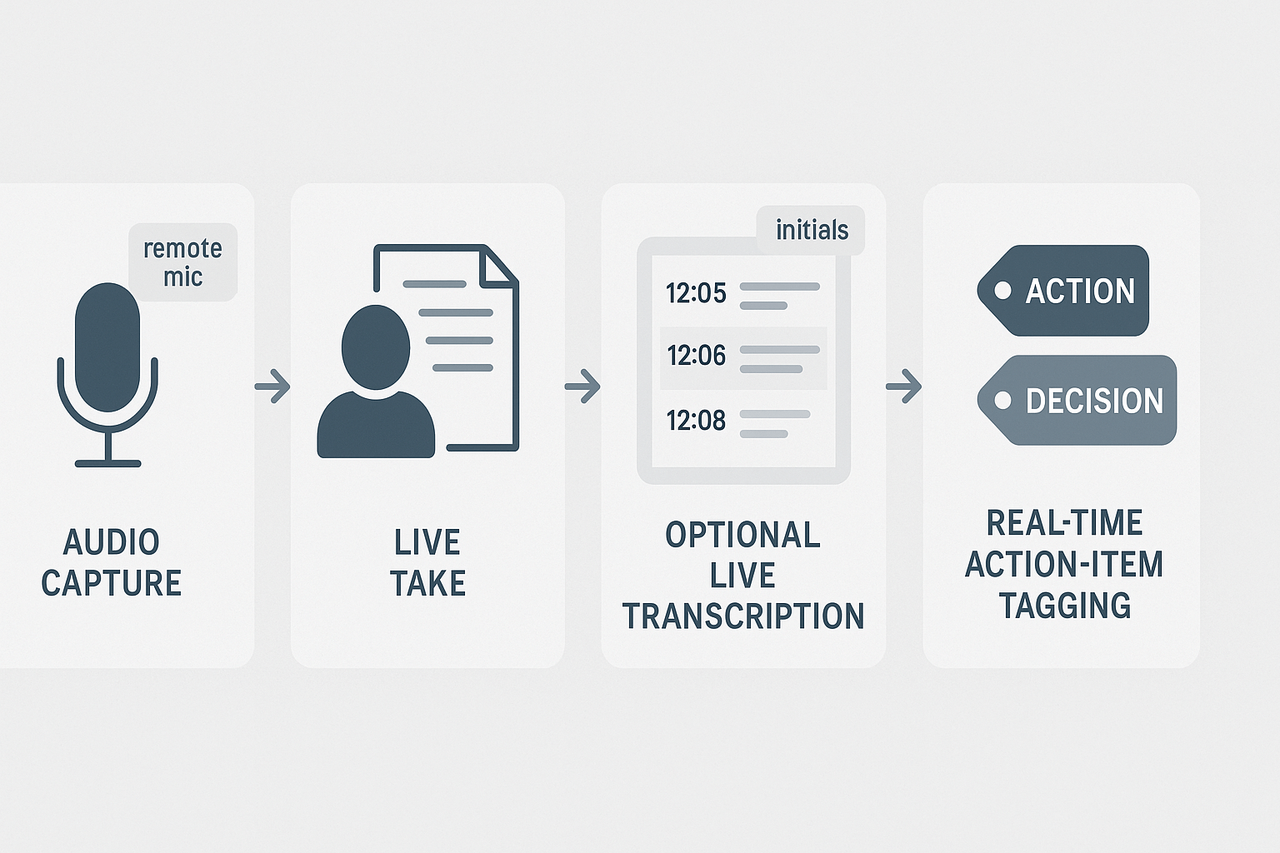
- Scribe: writes the minutes, marks decisions, and logs action items. Keep entries short. Use initials for speakers.
- Facilitator: guides the agenda and prompts for decisions. The facilitator calls out when a motion is proposed.
- Timekeeper: watches time and flags agenda overruns.
- Note reviewer: quickly checks the draft near the end for missing decisions or owners.
Make these roles explicit at the meeting start. One quick line in chat is enough.
Use concise shorthand and tagging
Short, consistent shorthand speeds up capture and improves reuse. Decide on a tiny set of tags and stick to them.
- Tags to use: ACTION, DECISION, ISSUE, FOLLOWUP.
- Short forms: “AI” for action item, “DEC” for decision, and initials for owners.
- Use timestamps or minute markers for long meetings to make later review easier.
A simple live template with these tags makes the scribe faster. If you use a digital tool, map the tags to filters for quick sorting after the meeting.
When to use live transcription versus manual notes
Choose the method that fits the meeting type and privacy needs. Use live transcription for long, information‑dense meetings. Use manual notes for quick standups and sensitive discussions.
TicNote Cloud offers live transcription that converts audio to text in real time, which is handy when you need a full record without typing. The platform does not support automated speaker diarization, so have a back up plan for speaker IDs: ask speakers to state their name when they first speak, or use initials in parentheses.
Live transcripts are great when you need a verbatim record, or when multiple people will mine the content later. Manual notes work best when you need a short, action-focused outcome fast. Hybrid approach: record with live transcription while the scribe captures a short action list in parallel.
Capture decisions, motions, and action items in real time
Follow a simple 4-step micro process to keep minutes actionable.
- State the motion or decision aloud. Pause for a second so the scribe can mark it.
- Confirm the exact wording of the decision and note it under DECISION.
- Assign an owner and a clear due date using ACTION: Owner (due).
- Mark priority or status if required, and repeat back the owner and date.
Use templates that create a one-line summary per action: task, owner, due date, and next step. That keeps the action list scannable and ready for follow-up.
Tips for hybrid and remote setups
Keep the mic close to active speakers and ask remote attendees to unmute when speaking. For mixed rooms, put a shared screen or chat message with the scribe’s live note view. If speaker tracking is needed, ask each speaker to use initials at the start of their comments.
Real-time tagging and a single live action list keep attention on outcomes. After the meeting, convert the transcript or notes into tidy minutes with decisions and a prioritized action register. This keeps meetings short and work moving forward.
After the meeting: converting notes to clear, reusable minutes
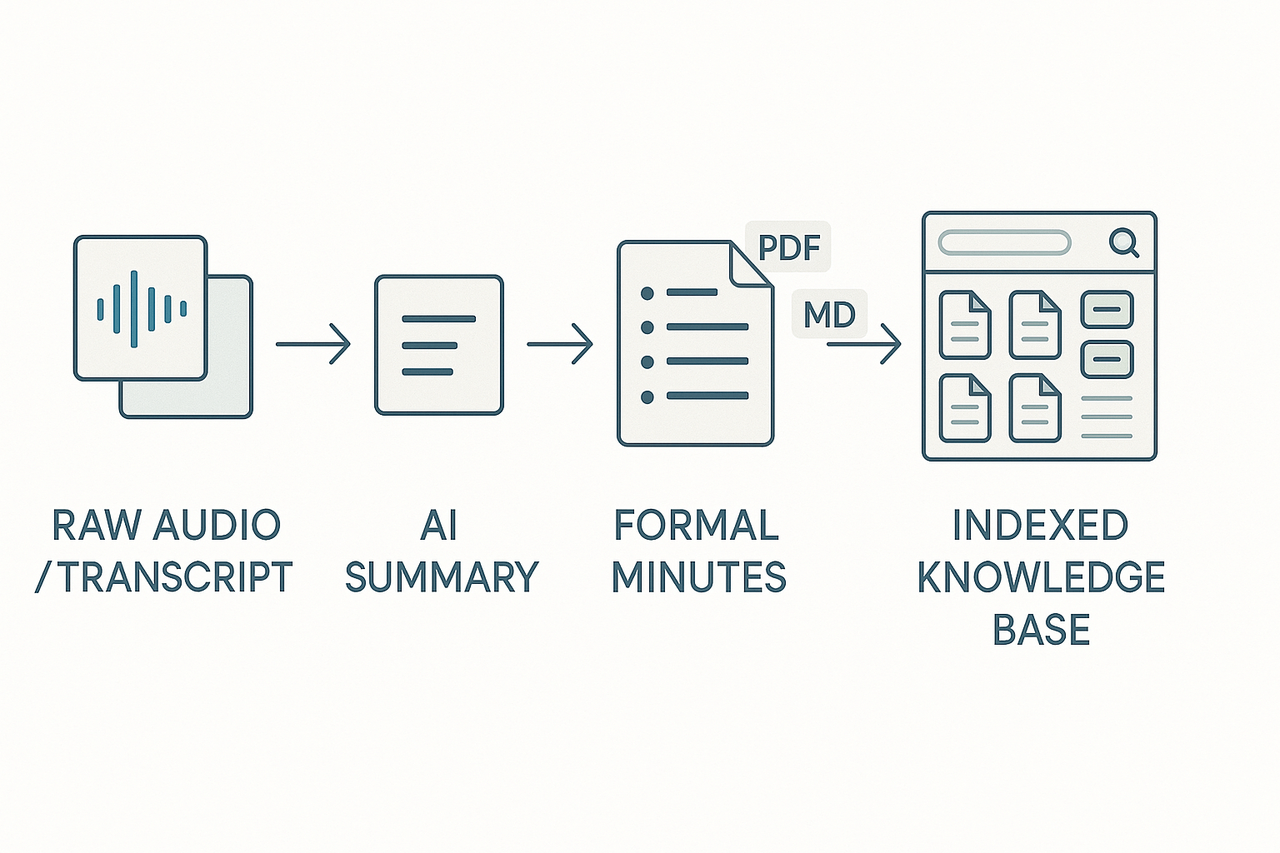
The real value of meetings appears after they end. Start with a raw transcript and produce a tight, three-line executive summary, then expand that into formal minutes with clear action items, owners, and deadlines. This post-meeting path turns messy conversation into effective meeting minutes you can reuse across projects.
Fast AI pipeline: raw transcript to a 3-line executive summary
- Feed the transcript into an AI summary tool and ask for a three-line executive summary. Keep each line to one short sentence: decision, top action, and risk or dependency. Example:
- Decision: Move to Q3 pilot for Feature X.
- Action: Product team to prototype by May 12 (owner: L. Chen).
- Risk: API limits may delay integration.
- Use speaker timestamps and short quotes to anchor the summary. That makes it easy to verify claims later.
- Save the one-paragraph summary as the document's lead. It becomes the searchable description users scan in a list view.
Turn summaries into formal minutes with extracted actions
Use the three-line summary as your lead and expand to a structured minutes document.
Ordered steps to create formal minutes:
- Header: meeting title, date, time, attendees, and absent members.
- Executive summary: paste the 3-line AI summary at the top.
- Decisions: list each decision with one-sentence context and a timestamp.
- Action items: present as a table with columns for task, owner, due date, and status.
- Notes and references: short bulleted supporting points and links to transcripts or recordings.
Action item example (table-style text):
- Task: Build Feature X prototype
- Owner: L. Chen
- Due: May 12
- Status: In progress
Keep language positive and specific. Avoid vague verbs like "follow up" without an owner.
Exporting, indexing, and turning minutes into knowledge
Export your final minutes to DOCX, PDF, or Markdown for sharing and archiving. Then index the file in your knowledge workspace so minutes become searchable across meetings.
Best practices for archiving:
- Tag by project, client, and topic for fast retrieval.
- Link minutes to related transcripts, recordings, and supporting docs.
- Run an AI mind map or topic extractor to auto-generate a visual summary for quick review.
Save finalized minutes and index them in TicNote Cloud to make them chat‑ready and discoverable across projects. After that, use the platform to answer cross-meeting questions, surface past decisions, or pull action histories into a project brief.
Follow this pipeline, and minutes stop being a static record. They become active knowledge you can query, share, and reuse.
Special scenarios: confidentiality, legal compliance, and accessibility
Sensitive meetings need clear rules about who sees notes, how long they are kept, and how people with disabilities or other language needs can access them. Effective meeting minutes should balance usefulness with legal and privacy protections. Below are practical controls you can apply before, during, and after a meeting.
Lock meeting data and set retention limits
The storage of individuals’ personal data must be limited in time, in light of the purpose for which this data was collected and processed, as noted by Data protection basics | European Data Protection Board, so define retention periods up front. Apply these steps to reduce risk:
- Restrict access by role, not everyone. Grant view or edit rights only to attendees and owners.
- Turn off recording when sensitive topics appear. Use short recordings for specific agenda items.
- Encrypt audio and exports, and require strong passwords for downloads.
- Configure automatic deletion or archival after the retention window ends. Log deletion events for audit trails.
For extra protection, use a platform with privacy-by-default settings. For example, TicNote Cloud lets you keep data private by default, control export formats, and set custom templates that omit sensitive fields.
Prepare for audits and legal holds
Make meeting records auditable. Keep an access log and a changelog for every transcript, summary, and export. If legal hold is likely, freeze the folder and export a forensically sound copy in WAV and TXT formats. Redact personal data from shared summaries, and add a short custody note describing who produced and reviewed the minutes.
Checklist for audit readiness:
- Enable immutable logs for edits and exports.
- Tag recordings and minutes with case or project IDs.
- Keep a retention policy document attached to each folder.
Make meetings accessible and multilingual
Transcripts and captions help people with hearing loss and nonnative speakers follow meetings. Offer transcripts in the meeting language and translated summaries for global teams. Provide readable formats: plain text for screen readers, large-print PDFs, and mind-map visuals for quick review. Label files clearly and add alt text for any images.
Quick accessibility actions:
- Generate live captions and post-meeting transcripts.
- Offer translated summaries when attendees have varied language needs.
- Use clear headings and short paragraphs in distributed minutes.
Apply these controls to keep sensitive meetings usable and defensible. Document your retention rules, test exports regularly, and train note takers on redaction and access steps. This keeps minutes helpful, searchable, and compliant without blocking productive collaboration.
Troubleshooting common minute‑taking mistakes (with examples)
Poor minutes waste time and hide decisions. This section shows quick fixes for common failures, with before and after examples you can copy. Use these tips to make effective meeting minutes that capture decisions, owners, and next steps.
Fix ambiguous language
Bad example:
- "Budget will be reviewed next week."
Why it fails: no owner, no deliverable, no date.
Good rewrite:
- "The finance team will review the Q3 budget and send changes by Friday, May 9. Owner: Jana Lee."
How to get there:
- Name the owner. 2. Add a clear deliverable. 3. Set a due date.
Make action owners explicit
Bad example:
- "Follow up on client request."
Why did it fail? Who follows up? What is the request?
Good rewrite:
- "Sam to contact Acme Corp about the API timeout and report back with log files by Tue, May 6."
Checklist to assign owners:
- Use full names, not roles.
- Use an action verb, a clear outcome, and a deadline.
- If multiple people are involved, mark the lead owner.
Capture decisions, not just discussion
Bad example:
- "Discussed launching in Q4."
Why it fails: no decision recorded.
Good rewrite:
- "Decision: Launch scheduled for Oct 10. Owner: Product VP. Risks to address: localization and support staffing."
Tip: add a short rationale and any blocked conditions.
Fast talking or overlapping speakers: step-by-step fixes
Problem: Notes miss key lines when people talk over each other.
Step-by-step:
- Record the meeting and enable a transcript.
- Mark timestamps when speech overlaps.
- After the meeting, replay the timestamps and extract exact phrases.
- If uncertain, flag the line and ask the owner for one-line confirmation by email.
Use speaker labels in transcripts so you can assign actions reliably.
Resolving contested decisions after the fact
When attendees disagree after the meeting, follow this sequence:
- Review the recording and transcript for the decision and vote.
- Check chat logs and any written votes or motions.
- If ambiguity remains, call a 10-minute reconvene or run a quick poll by email.
- Update minutes with the confirmed outcome, who approved it, and the date of confirmation.
Always keep an audit trail: timestamped transcript clips, named approvers, and the final confirmation message.
Quick proofreading checklist
- The owner is present for every action.
- Clear deliverables and dates.
- Decisions recorded with a short rationale.
- Ambiguous lines flagged for confirmation.
Try this set of checks on your next meeting notes to cut follow-up time and missed tasks.
Tool comparison & recommended workflows (TicNote vs competitors)
Choosing the right tool depends on what you need from effective meeting minutes. This section compares transcription accuracy, privacy defaults, knowledge base features, and team workflows. It shows where TicNote Cloud fits for teams that want search, reuse, and AI summaries.
At-a-glance comparison
| Tool | Transcription accuracy | Privacy defaults | Knowledge base & search | Best for |
| TicNote Cloud | High for clear audio; AI refinement tools | Private by default, data not used to train models | Built-in searchable knowledge base and cross-file chat | Teams that want minutes turned into reusable knowledge |
| Otter | Good, speaker diarization support | Team sharing defaults vary | Basic folder search and highlights | Fast live notes for meetings and interviews |
| Fireflies | Good, call integrations | Shared transcripts by default | Simple tagging and exports | Sales and CRM workflows |
| Manual notes (Docs/Notion) | N/A, human accuracy varies | Controlled by org settings | Depends on your system and tags | Small teams and board minutes requiring legal style |
When to use a manual note-taker plus the platform
Use a human note-taker when context and judgment matter. For sensitive decisions, legal wording, or board minutes, a person preserves tone. Capture raw audio or a quick transcript with the platform. Then the note-taker edits, tags, and publishes a clean minute. This hybrid keeps accuracy, intent, and a searchable record.
Recommended hybrid steps:
- Record the meeting audio on the app or device.
- Let the tool produce a draft transcript and AI summary.
- Human editor verifies decisions and action items.
- Publish to the knowledge base with tags and due dates.
When to use fully automated bots
Use automated capture when volume is high and decisions are routine. Bots work well for standups, retros, and recurring syncs. You get fast transcripts, instant summaries, and searchable content. The trade-off is lower nuance for complex legal or strategic meetings.
Use cases for bots:
- Daily standups and scrum meetings.
- Product demos that require quick turnarounds.
- Cross-team knowledge capture for onboarding.
Recommended upgrade path for teams
Start on the Free plan to test recording and AI summaries. Upgrade to Professional as you need more transcription minutes, unlimited AI chat, and custom templates. Move to Business when you need higher quotas, longer recordings, and admin controls. Each step reduces manual work and improves cross-meeting search.
Case studies to ship faster
Case study: nonprofit board (realistic example)
A small nonprofit replaced freeform notes with the board minute template and mind-map review. Prep and edit time fell by about 30 percent. Missed actions dropped sharply, with follow-ups completed faster and fewer items lost between meetings. The visual mind-map helped volunteers find decisions and files without emailing the secretary.