
 Extension
TL;DR: What to avoid and what to do instead
The five biggest meeting note mistakes to avoid are vagueness, missing actions, poor structure, inconsistent naming, and ignoring legal or governance needs. Fix these with simple swaps: record clear decisions, assign owners and deadlines, use a single template, standardize names and versioning, and capture approvals and conflicts of interest.
- Vagueness: replace paragraphs of “discussion notes” with a decision line and rationale. Keep context short, action-focused, and searchable.
- Missing actions: always add an owner, due date, and follow-up method for each task.
- Poor structure: use topic headers, bullets, and a decisions/actions summary at the top.
- Inconsistent names: standardize attendee names, roles, and document IDs across meetings.
- Legal and governance gaps: log approvals, votes, and where minutes are archived.
Why Accurate Meeting Notes Matter (Legal, Governance, and Productivity Risks)
Accurate meeting notes are essential for legal compliance, sound governance, and team productivity. They serve as a reliable reference for organizational decisions and accountability.
Legal and Governance Risks
Meeting minutes, especially for boards and official committees, are legal documents. Regulators and courts depend on them to assess compliance and oversight. Poor documentation can create liability, regulatory scrutiny, and legal challenges.
- Incomplete or vague minutes can be used against an organization in disputes.
- A lack of documentation can trigger failures in compliance audits.
- Minutes ensure that duties are documented and that decisions are defensible.
Productivity and Follow-up Issues
When meeting notes are unclear or missing:
- Team members may miss key tasks or misunderstand priorities.
- Follow-ups fall through, causing project delays and duplicated efforts.
- Institutional knowledge erodes, especially when team members leave.
Effective meeting notes enhance transparency, enable efficient follow-ups, and help preserve organizational memory.

Poor meeting minutes waste time and raise risk. This list names the top 10 meeting note mistakes to avoid, shows how each mistake appears in minutes, and explains the real harm it causes. Use this as a quick checklist when you write, edit, or audit notes.
Top 10 mistakes and how they show up
- Vague or missing decisions
Notes say things like "Discussed X" or "Team to decide later." No clear outcome or owner appears. Harm: Stakeholders can’t confirm what was approved. Auditors cannot prove governance decisions, and follow-ups stall.
- No clear action items or owners
Minutes list tasks without names or deadlines. "Follow up on budget" is common. Harm: Work gets duplicated or ignored. Accountability disappears, and projects slow down.
- Missing attendee or approval records
The attendee list is incomplete or absent. Voting or approvals aren’t recorded. Harm: For boards and regulated bodies, missing attendance breaks compliance trails. That makes audits costly and risky.
- Ambiguous language and passive voice
Notes use fluffy phrasing: "It was suggested" or "Some concerns were raised." Who said what and who will act is unclear. Harm: Teams misread intent. Legal teams struggle to interpret obligations.
- Poor structure and no timestamps
Notes are one long paragraph or unordered bullets with no timestamps. You can’t match the discussion to the decisions or recordings. Harm: Replay and review take longer. Finding the moment a decision happened is hard during audits.
- Over‑transcription without synthesis
Every sentence gets copied verbatim, including small talk. The transcript is long and noisy. Harm: Actionable items and decisions get buried. Readers waste time scanning and may miss key points.
- Inconsistent terminology and missing context
Different people use different terms for the same item. Background, scope, or constraints are omitted. Harm: Teams implement the wrong solution. Future reviewers can’t map old notes to current work.
- No version control or change log
Minutes are edited without tracking who changed what and when. A later file replaces the original with no notes. Harm: Auditors and governance teams lose the timeline of decisions. Disputes over wording are harder to resolve.
- Fragmented storage and poor searchability
Files live in multiple drives and chat threads. Notes are PDFs, screenshots, and long transcripts scattered across folders. Harm: Retrieval takes too long, and context is lost. Tools that centralize searchable transcripts and summaries reduce this error; for example, TicNote Cloud can centralize recordings and make decisions and actions searchable in one workspace.
- Ignoring confidentiality and compliance flags
Sensitive topics are recorded without redaction or access controls. Regulatory notes lack retention comments. Harm: Breaches, fines, and reputational damage follow. Compliance teams can’t show proper handling during reviews.
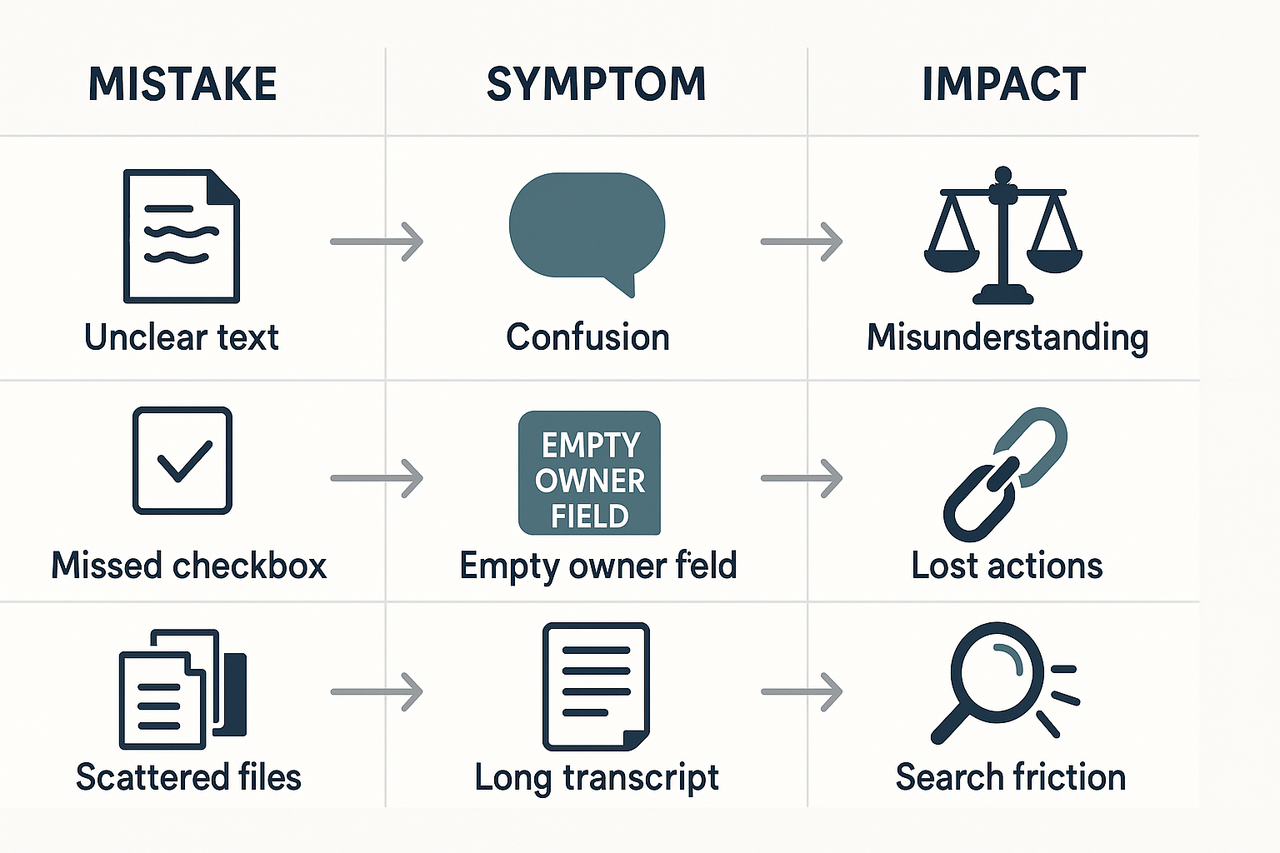
Each mistake shows up as a simple symptom, but the impact compounds across meetings. Use this list as a diagnostic tool: spot the symptom, fix the shortcoming in your template, and add one control to prevent repeat errors.
How to fix each mistake — side‑by‑side poor vs good examples
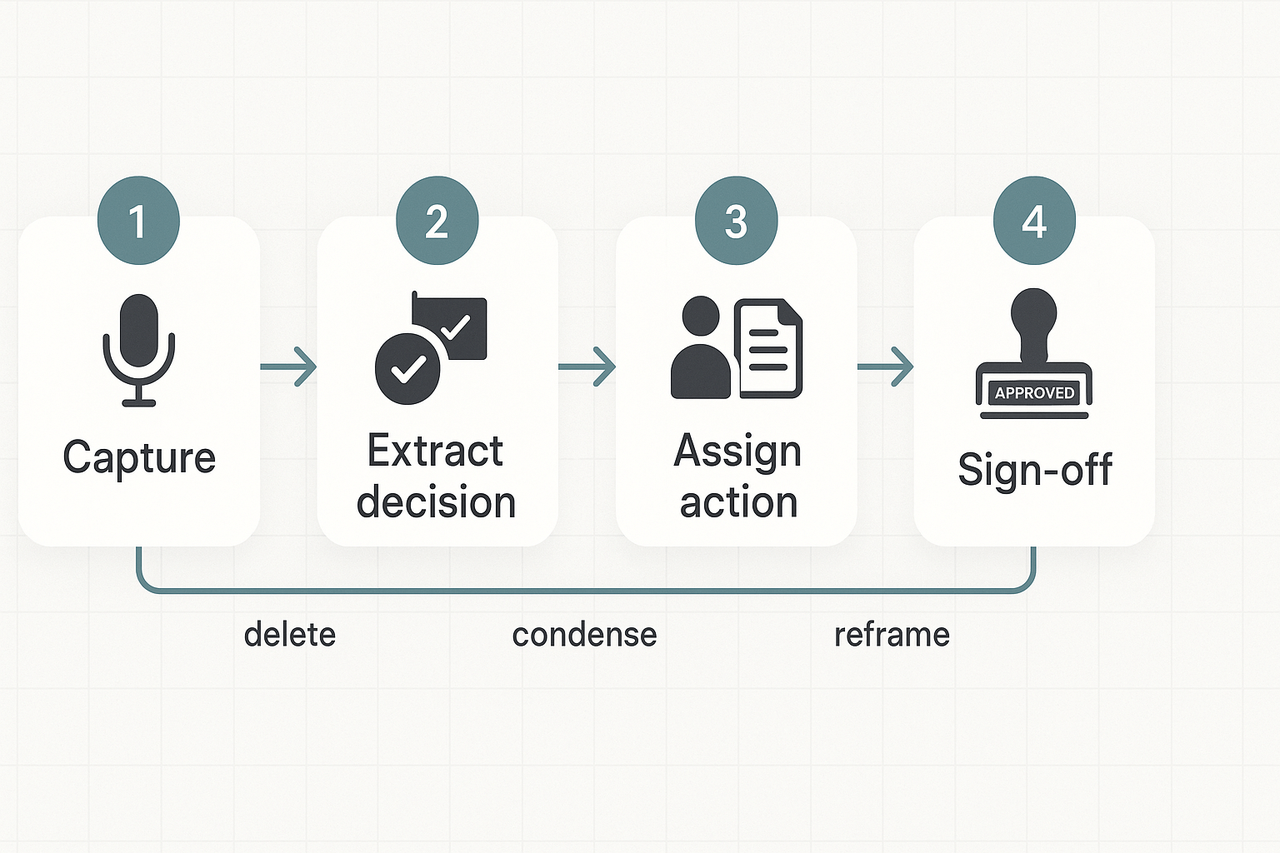
Start by trimming raw text down to decisions, reasons, and actions. Meeting note mistakes to avoid often come from treating transcripts like finished minutes. Below are direct, annotated examples showing what to delete, what to condense, and how to reframe a messy transcript into a short, useful minute.
Side-by-side example: vague vs decision-focused
Poor (verbatim excerpt):
- "So, I think we should probably look at Q3 numbers and maybe revisit the budget. What do you think, Sarah?"
- "Yeah, sounds good. We’ll follow up."
Good (clean minute):
- Decision: Review Q3 budget variance at the next finance meeting.
- Owner: Sarah M. to prepare variance report.
- Due: April 10.
Why this works: the poor example records the debate, not the outcome. The good example records a decision, assigns an owner, and sets a due date.
Template walkthrough: what to capture in each section
Use a simple header and five short sections for every set of minutes:
- Meeting header: date, time, attendees, apologies. Keep one line.
- Purpose: one sentence that states the meeting goal.
- Decisions: list each decision, one line each, with owner and date.
- Actions: numbered tasks with assignee and deadline.
- Notes & references: short context or relevant links, max two bullets.
Capture priorities first: decisions, then actions, then context. That order helps readers act quickly.
How to edit: a fast checklist to convert messy notes into usable minutes
Follow this quick edit pass after you finish transcribing:
- Delete filler words and side conversations. Keep only outcomes.
- Convert open questions into assigned actions or follow-ups.
- Add owners and deadlines to every action. No owner, no task.
- Bold or tag decisions so they stand out in search and exports.
- Add a one-line purpose and one-line summary at the top.
- Trim long quotes to a short rationale when needed.
Example edits, step by step
Start: 1200-word transcript. Step 1: Highlight lines that contain verbs like "decide", "agree", "assign", and "due". Step 2: Move those to the Decisions or Actions sections. Step 3: Remove everything that isn’t an assignment or a justification. Step 4: Add owners and dates. Step 5: Run a one-paragraph summary.
This process turns noisy transcripts into minutes people can act on within minutes.
Manual vs AI-assisted workflows: a practical comparison
Start with a clear goal: reduce missed actions, improve findability, and stop retyping notes. Manual note-taking is familiar and low-tech, but it often costs time and creates the common meeting note mistakes to avoid: missing decisions, vague actions, and buried context. AI-assisted workflows cut repetitive work, speed indexing, and surface tasks, though they need oversight.
Quick side-by-side comparison
| Phase | Typical manual workflow (time) | Typical AI-assisted workflow (time) |
| Prep | 15–30 minutes: assemble materials, set agenda | 5–10 minutes: upload docs, pick template |
| During meeting | 30–90 minutes: live typing, selective capture | 0–10 minutes: light notes, monitor live transcript |
| Post-meeting | 30–120 minutes: clean up, distribute, store | 5–30 minutes: review AI summary, assign actions |
Common errors with manual work: transcription gaps, inconsistent action phrasing, and lost context. AI risks include misattributed speakers, hallucinated facts, and over-trusting auto-summaries. Both need final governance checks.
When manual still wins
- Sensitive sessions where recordings are disallowed or regulated.
- Short, focused huddles where typing would distract.
- Legal or formal minutes that require exact wording and signer oversight.
Practical tips to blend approaches
- Use live AI transcription for capture, but edit the draft before distribution.
- Create a simple template for decisions, motions, and actions to normalize phrasing.
- Add a human checkpoint: a reviewer verifies accuracy and signs off on formal minutes.
- Limit AI to drafts and summaries in regulated meetings, then redact or remove audio if policy requires.
- If you trial an AI note tool, test it on one recurring meeting and compare outputs for two weeks.
If you want a guided trial that shows how AI helps reduce cleanup time, try the platform’s free plan to generate your first AI summary in minutes.
TicNote Cloud spotlight — how the product solves the top mistakes
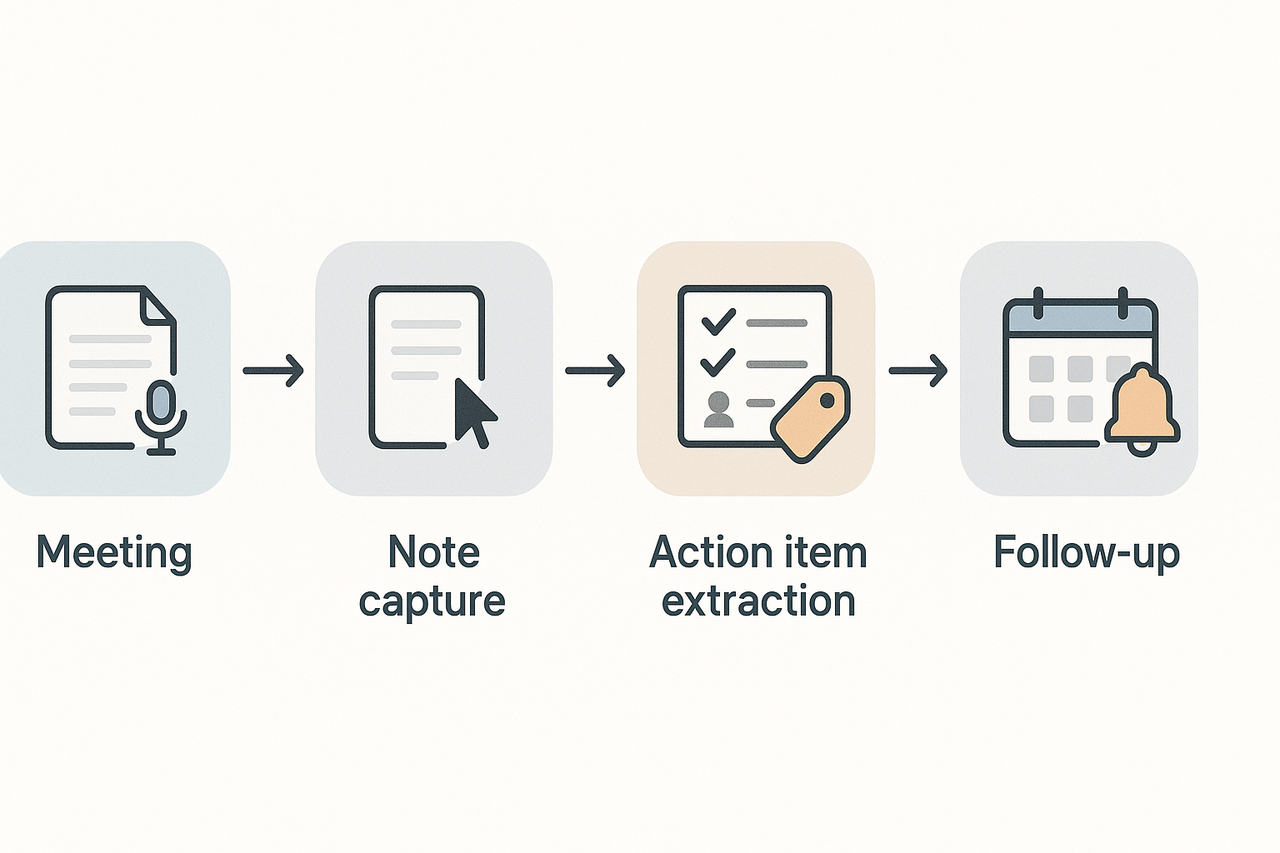
Accurate notes stop work from slowing and prevent governance gaps. This section maps the top meeting note mistakes to concrete fixes you can use in practice, and it names the platform that ties the fixes together: TicNote Cloud. The focus is clear: stop repeating mistakes, save time, and reduce legal and productivity risk.
Transcription that captures everything
Automatic transcription reduces missed facts and fuzzy quotes. The platform records and turns audio into time-stamped text. That means you can verify statements, recover exact wording, and avoid disputed summaries.
AI summaries and clean structure
Poorly structured minutes hide decisions and next steps. Use AI summaries to pull topics, decisions, and context into clean sections. The tool creates short, editable summaries that follow your template, so readers get what they need in one scan.
Action-item capture and tracking
Missed or unclear actions are common. The platform auto-detects tasks and assigns provisional owners. You get a clear action list, due dates, and a simple export so nothing slips between meetings.
Cross-meeting search and reuse
Fragmented files mean repeated work. The platform builds a searchable knowledge base across meetings. Find prior decisions, references, or background in seconds, and link related minutes to keep history intact.
Exports, templates, and visual aids
Need formal minutes, annotated samples, or visuals? Export as DOCX, PDF, or Markdown. Auto mind maps make reviews faster. Use editable templates to standardize notes across teams.
Privacy safeguards and compliance
Protecting meeting data reduces legal risk. The platform keeps workspaces private by default and supports export controls. That helps governance pros meet policy needs without manual locking.

Special cases & compliance: board minutes, nonprofits, and multi‑jurisdiction rules
Rules for board minutes and nonprofit records vary by jurisdiction. Getting them wrong risks governance problems and legal exposure. Common meeting note mistakes to avoid include treating board minutes as informal notes.
For example, California Corporations Code Section 6320 requires nonprofit public benefit corporations to keep 'minutes of the proceedings of its members, board, and committees of the board' in 'written form or some other form capable of being converted into clearly legible tangible form.' Start by treating formal board minutes as legal records, not loose notes. Record decisions, votes, attendees, and actions clearly.
Quick templates and sign-off
Use consistent wording for virtual meetings, corrections, and approvals. Examples:
- Virtual meeting wording: "The meeting was held via videoconference under applicable law, all participants consented, and procedures were followed."
- Corrections and amendments: "At the next meeting, proposed corrections to the minutes were read, amended as shown, and approved."
- Final sign-off: "Minutes approved by the board on [date] and signed by [name, title]."
For jurisdiction-specific rules, consult official corporate registry guidance, government websites, or corporate counsel.
Case studies, expert quotes, and a 30-day action plan
Two brief case studies show wins after fixing meeting note mistakes to avoid, plus a five-step 30-day plan any team can use.
Case studies
- Project team: Before: scattered notes and missed actions. After: templates and weekly reviews helped reduce missed actions and made decisions easily findable.
- Board administrator: Before: slow decision retrieval. After adopting TicNote Cloud workflows, decision-making became faster, and follow-ups were reduced by half.
Expert quote
"Templates and live summaries cut follow-up time in half," says a senior board administrator.
30-day checklist
- Week 1: Audit past notes and identify missed decisions/actions.
- Week 2: Implement a meeting notes template and train the team.
- Week 3: Start using live summaries and action item tagging.
- Week 4: Measure improvements in action tracking and information retrieval.
- Ongoing: Review monthly and adapt based on new challenges.