Extension
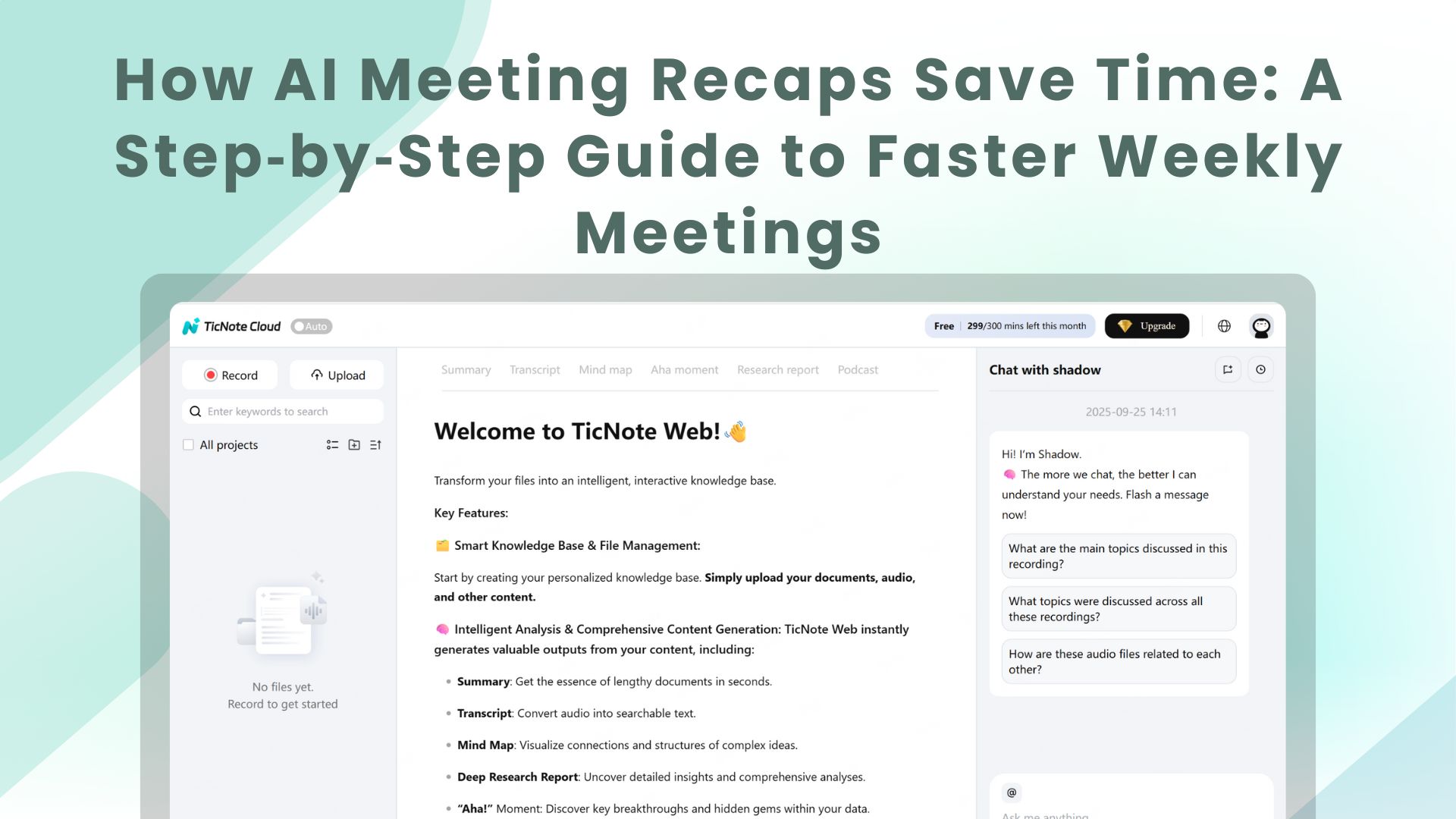
TL;DR: 60‑second summary
Accurate meeting recaps save time and cut missed actions. This guide shows how AI meeting summaries turn spoken notes into concise, searchable records. Teams prepare faster and follow up with less back-and-forth.
What you'll get:
- A short setup walkthrough to automate weekly recaps with live transcription and templates.
- A mini case study that shows minutes saved per weekly meeting, before and after.
- Annotated examples and a privacy and accessibility checklist.
Decide fast: read the full guide for step-by-step demos and visuals, or jump to the setup and checklist sections to start saving time this week.
Why meeting recaps still matter (and where teams lose time)
Most teams run weekly meetings, but few capture what matters. Missing action items, fuzzy decisions, and long manual writeups turn a 30 or 60 minute sync into hours of follow-up work. According to McKinsey & Company , executives spend nearly 40% of their time making decisions, with more than half of that time considered ineffective. That wasted time often comes from poor recap habits.
Where teams leak time
- Prep and context hunting. People spend minutes searching past notes and attachments before a meeting. That adds friction and forces meetings to cover status instead of decisions.
- Slow, manual note-taking. One person types live notes, then rewrites them into an email or doc. That adds up: a 45-minute meeting can require 30 to 60 minutes of post-meeting write-up.
- Ambiguous action items. Tasks written casually or buried in chat get missed. Teams re-discuss the same topic next week, duplicating work.
- Fragmented follow-up. Tasks live in chat, task trackers, and email. No single source of truth means more meetings to align.
- Poor retrieval. When someone needs a past decision, they spend time asking others or digging through files. That slows execution and hurts deadlines.
A smart recap stops these leaks. Automated AI meeting summaries cut the rewrite step, structure decisions and actions, and make content searchable. When recaps list owners, deadlines, and links, teams spend less time aligning and more time doing. That’s why improving recaps is often the fastest way to reclaim hours each week.
Post-meeting work eats time and focus. Meeting recaps should lock in decisions and actions, but they often miss the mark. When notes are incomplete or late, teams spend hours chasing context instead of doing the work.
Where time leaks after meetings
- Missing action items: People forget who owns what. That leads to follow-up threads, repeated clarifications, and stalled tasks.
- Unclear decisions: Without a clear decision log, teams debate the same point again. That creates duplicate meetings and extra prep time.
- Hunting for notes: Notes live in chat, drives, or personal docs. People spend minutes searching, which add up across a week.
- Manual writeups and edits: The note taker rewrites and formats notes for different audiences. That turns one 30-minute meeting into a 90-minute aftertask.
- Redundant work: When outcomes are unclear, teammates redo each other’s work. It wastes time and morale.
Why manual writeups fail
- Note taking and leading at once is hard. The host often splits attention and misses key items.
- No standard template means inconsistent outputs. Teams waste time translating formats into whatever their stakeholders need.
- Delayed distribution kills momentum. If notes arrive late, owners forget context and must be re-briefed.
- Lack of searchable records blocks re-use. Tasks and decisions vanish into old files, so knowledge cannot scale.
Weekly meetings compound these problems. Small delays after each meeting turn into hours of avoidable work by Friday. Automating summaries and turning transcripts into a searchable record reduces the chase, clarifies ownership, and keeps meetings focused on moving work forward, not explaining it.
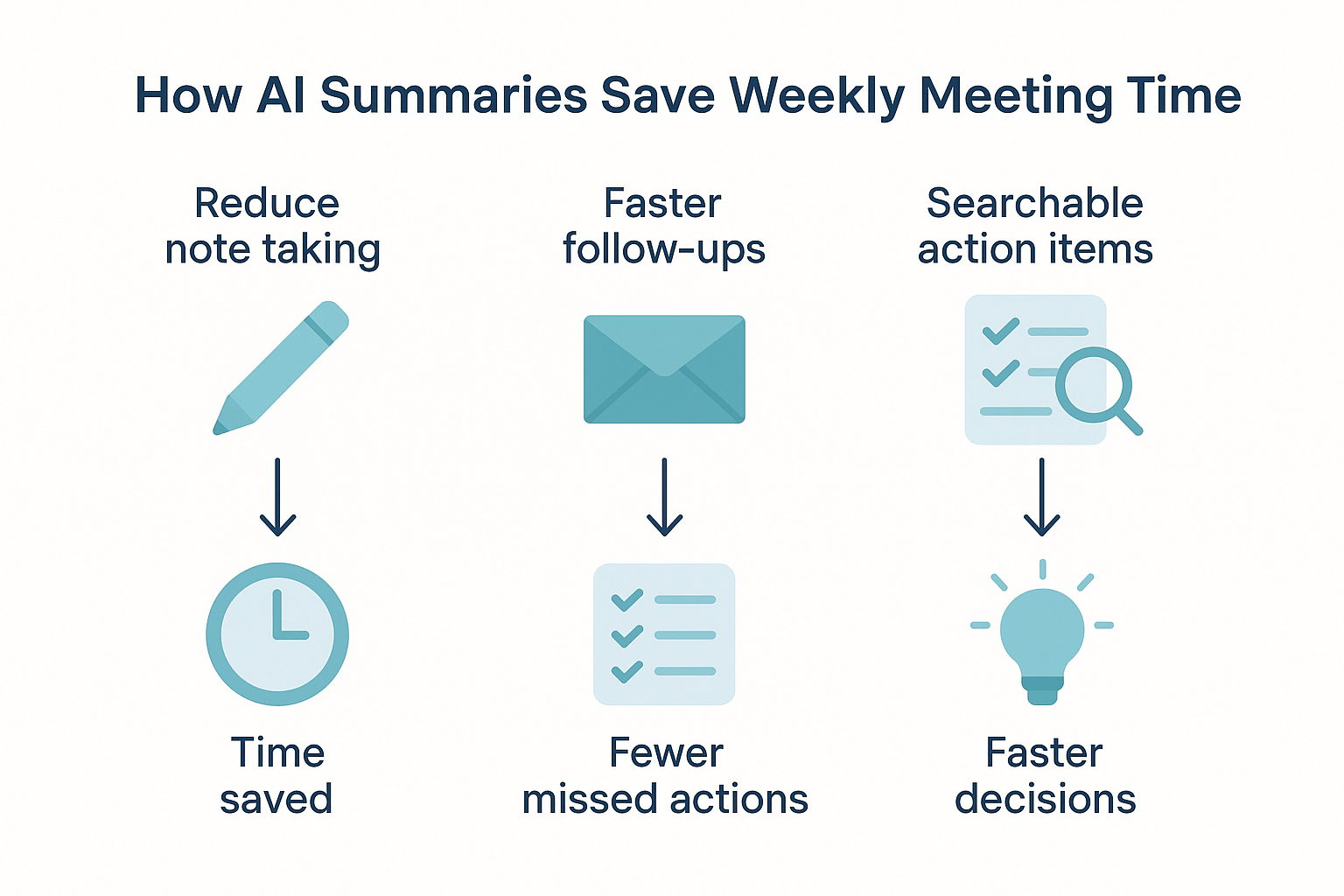
AI meeting summaries cut the overhead that drags weekly meetings down. When teams use live transcripts and AI summaries, they stop splitting attention between the conversation and note taking. The result: clearer decisions, faster follow-ups, and meeting notes you can search later, not a stack of PDFs you’ll never open.
Cut the note-taking load with live transcription
Live transcription captures the conversation in real time so someone doesn’t have to type every line. That frees the meeting host to listen and lead. Example: a product manager who used live transcription skipped 10 to 15 minutes of manual notes each week and kept the team more engaged.
Speed post-meeting follow-ups with AI summaries
AI summaries turn long transcripts into a short, action-focused recap. Instead of writing a long summary after each meeting, teams get a polished digest in minutes. That makes it faster to assign tasks, draft a follow-up email, and get buy-in from stakeholders.
- Typical time saved per weekly meeting: 10–20 minutes on note cleanup and follow-up drafting.
- Common outcome: fewer missed actions and faster decision cycles.
Turn words into a visual memory with mind maps
A mind map turns a messy transcript into a visual outline you can scan in seconds. For review, a 1-page mind map replaces a 10-minute rewatch or a long read. Presenting decisions to other teams is also faster, since visuals stick.
Make decisions searchable with cross-file Q&A
Cross-file Q&A (ask across past meetings and docs) finds earlier decisions and open tasks in seconds. Instead of digging through five recordings, you type a question and get the exact minute or note. That cuts prep time and avoids re-discussing settled topics.
Real examples in practice:
- Live transcription removes the need for a dedicated note-taker.
- AI summaries create a follow-up email draft instantly.
- Mind maps convert topics into a one-slide review.
- Shadow chat or cross-file Q&A surfaces past action items in under a minute.
Together these features change a weekly routine: shorter meetings, fewer follow-up threads, and a searchable record of decisions. If you run weekly standups or check-ins, try generating one AI summary and watch the time savings appear.
TicNote Cloud: Features that turn meetings into a second brain
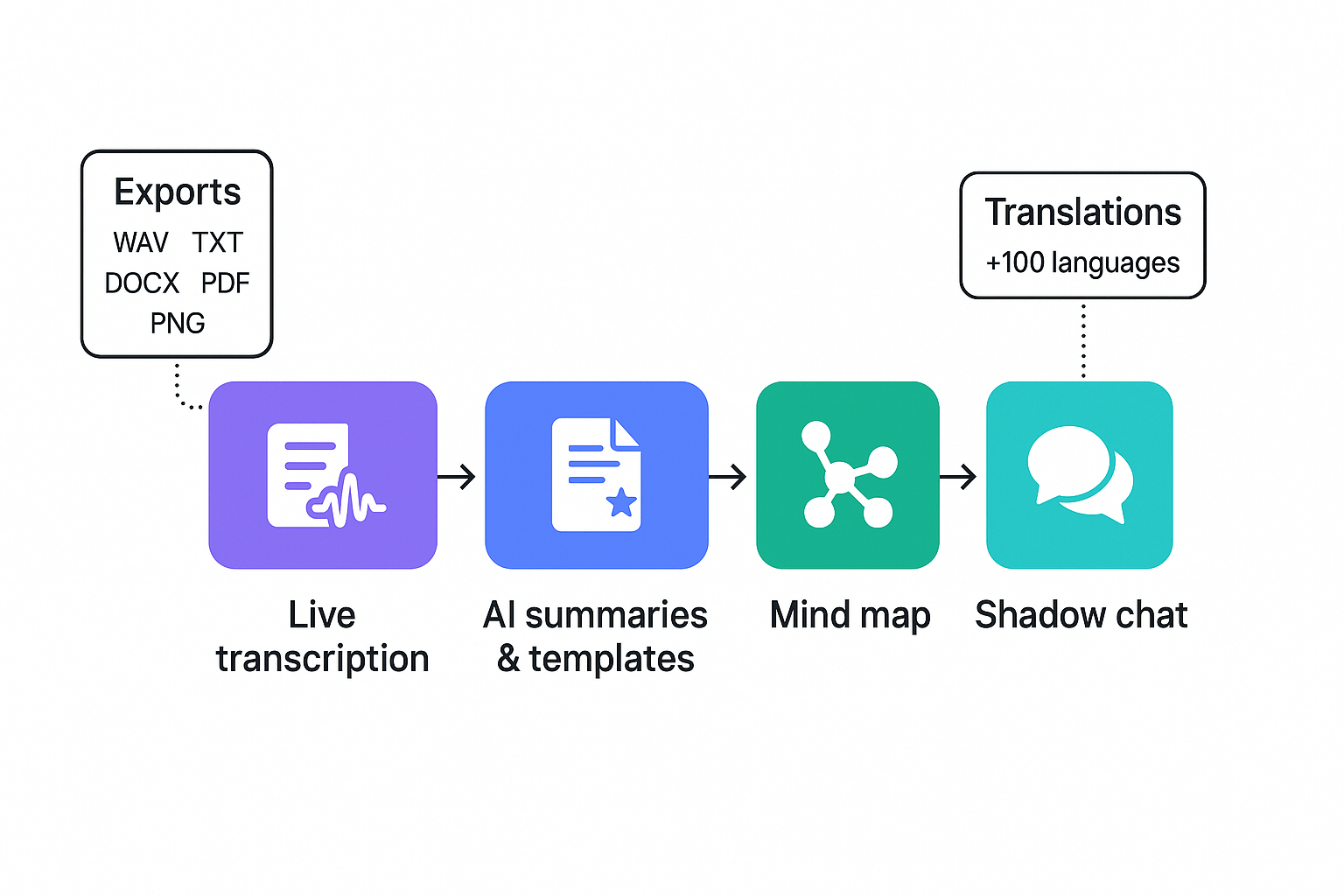
Turn every weekly meeting into searchable knowledge. TicNote Cloud maps the work you already do into modules that speed up meeting recaps and make decisions easy to find later. This section walks through live and post meeting transcription, AI meeting summaries and templates, auto mind maps, Shadow cross-file Q&A, translation, and export options.
Capture audio and text with live and post meeting transcription
Use live transcription to follow conversations in real time and to reduce note taking. Post meeting, upload recordings and get accurate transcripts. Multilingual transcription makes it easy to record global teams and keep a single source of truth.
Produce fast, actionable summaries and use templates
AI summaries condense long transcripts into decisions, action items, and highlights. Apply a template to extract roles, deadlines, and owners automatically. Want consistent weekly notes across teams? Save a custom template once and reuse it for every meeting.
Practical uses:
- Auto-extract action items and assign owners.
- Create a one-paragraph executive summary for leadership.
- Turn decisions into searchable tags for project archives.
Visualize context with auto mind maps and Shadow chat
Mind Map auto-creates a visual overview from a transcript, so teams scan topics in seconds. Shadow (TicNote’s cross-file Q&A) lets you ask questions across meetings and documents. Need to find last quarter’s decision about scope? Ask Shadow and get grounded answers from linked files.
Translate, export, and integrate with workflows
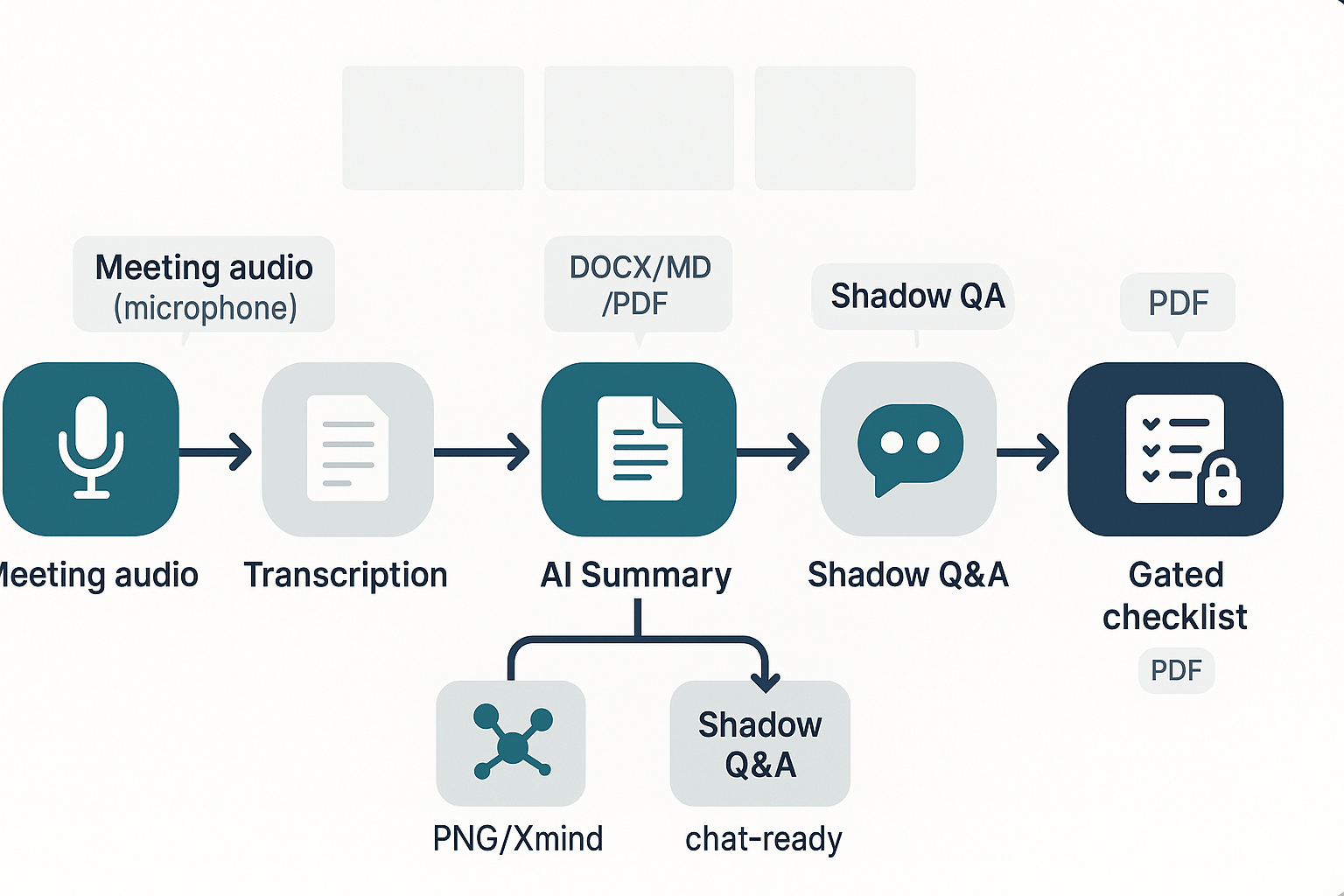
Translate transcripts and summaries into over 100 languages for global teams. Export summaries to Markdown, DOCX, or PDF for handoffs. Send action items to Slack or sync notes to Notion using connectors and simple exports. Supported formats: WAV for audio, TXT for transcripts, PNG/Xmind for mind maps.
Privacy and buyer-relevant controls
Data is private by default and not used to train public models, which helps with policy and client constraints. TicNote Cloud offers industry standard encryption and GDPR-aligned controls, plus enterprise features like SSO and admin policies for audits.
Real user mini case study — weekly meeting time savings (before & after)
A small product ops team adopted TicNote to cut the time they spent on meeting recaps and make weekly standups actionable. This short case shows the team profile, how they rolled out TicNote step by step, and the hard numbers they used to measure impact. If you need a template to build a business case, this is one you can copy.
Team profile and baseline burden
The team: 8 people, product manager, two engineers, a QA lead, two designers, a customer success rep, and an operations coordinator. They ran one weekly 60-minute meeting. Notes were manual, so the ops coordinator spent time before and after the meeting creating a recap and chasing owners.
Baseline pain points:
- Prep and note setup: 20 minutes per meeting.
- Live note-taking and edits: 15 minutes per meeting.
- Post-meeting recap email and task updates: 25 minutes.
- Time lost searching past decisions: 30 minutes per week spread across the team.
Stepwise implementation
- Enable TicNote Cloud live transcription for weekly meetings.
- Create a custom recap template: decisions, action owners, due dates, and references.
- Turn on AI summarization and mind map generation after each meeting.
- Use Shadow chat to answer follow-up questions across past meetings.
This rollout took two weeks. The team trained members on the template and ran two pilot meetings.
Quantified results: before and after
| Metric | Before | After |
| Prep time saved (team) | 20 min | 5 min |
| Post-meeting recap time | 25 min | 6 min |
| Time spent finding past decisions | 30 min | 8 min |
| Median task closure time | 6 days | 3 days |
Net effect: the team reclaimed about 56 minutes per weekly meeting in overhead work. That adds up to almost five hours saved each month. Tasks closed twice as fast because owners had clear, timestamped notes and assigned actions in the summary.
How they measured impact: they compared timestamps on task creation and task completion for four weeks before and after TicNote. They also logged time spent on notes and searches in a shared tracker.
This mini case gives a repeatable path for teams to quantify ROI from automated meeting recaps. Use the same metrics and you can justify a trial or an upgrade with concrete minutes saved.
Step-by-step: Setting up TicNote for automated weekly recaps
Start by choosing a recap template that matches your meeting type. Meeting recaps should be consistent, scannable, and action-oriented so people skip the meeting and still know what to do. This walkthrough shows the short setup steps: pick or edit a template, enable live transcription, connect exports, then build a repeatable weekly workflow.
1) Pick or customize a recap template
- Open Templates and choose a weekly standup or project recap template. Keep sections for Goals, Decisions, Action items, and Blockers.
- Quick tip: shorten headings to 2 words max, so summaries stay concise.
- QA check: run the template on a past transcript and confirm all action items map to the Action items section.
2) Enable live transcription
- Turn on Live Transcription in TicNote before your meeting. Select language and speaker labeling if needed.
- Quick tip: enable speaker labels for clarity when tasks are assigned.
- QA check: after a short test recording, open the transcript and scan for obvious mishearings. Fix common names in the transcript editor.
3) Set up exports and Slack or Notion connectors
- Go to Integrations and connect Slack and Notion. Choose the target channel or workspace folder.
- Configure export formats: DOCX or PDF for summaries, TXT for transcripts, PNG for mind maps.
- Quick tip: set summaries to export as Markdown for Notion, and as PDF for external stakeholders.
- QA check: trigger a manual export, then confirm the file lands in Slack or Notion and that formatting holds.
4) Create a repeatable weekly workflow
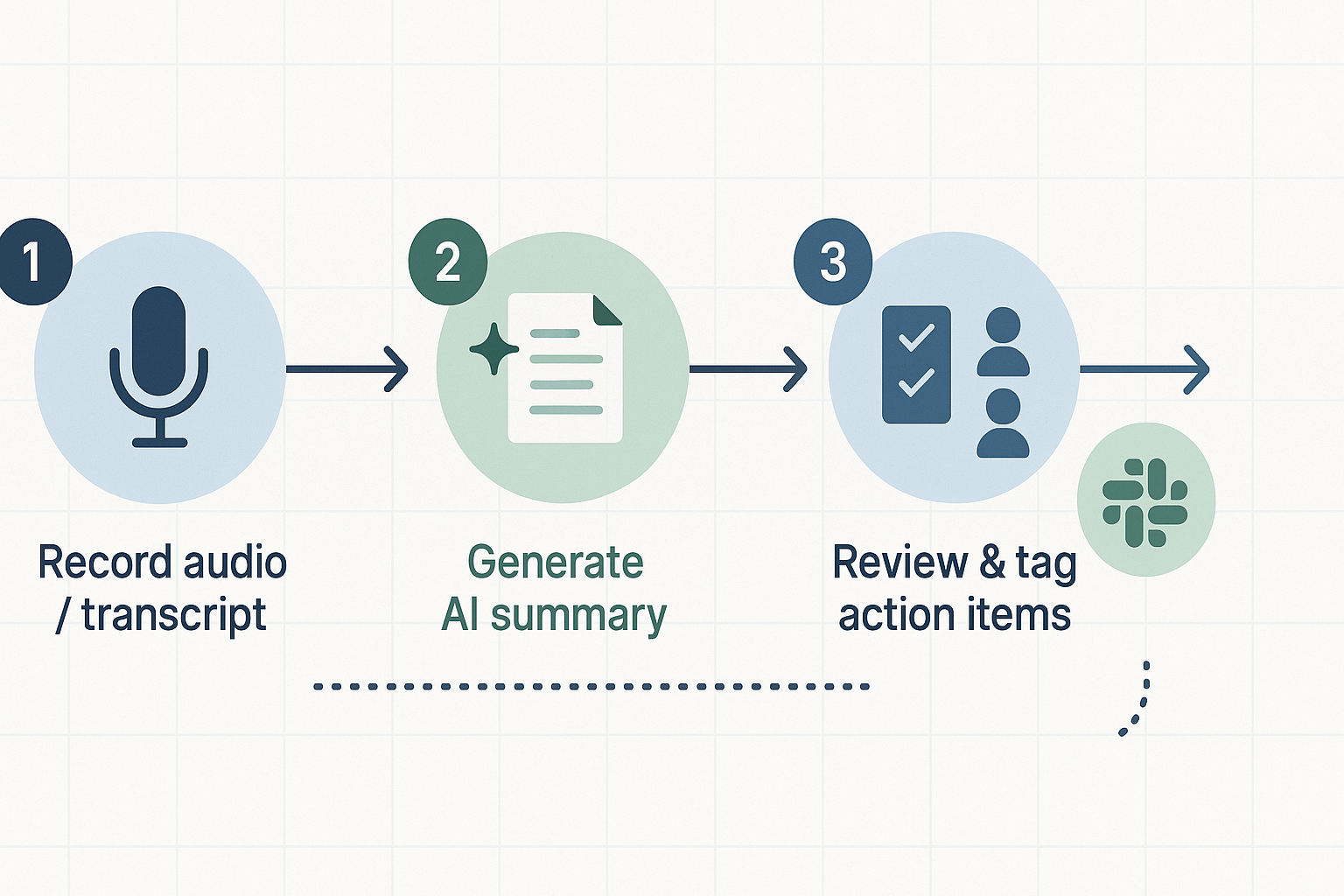
- Record: start live capture or upload audio.
- Generate: run the AI summary and auto-create a mind map.
- Review: tag action items and add owners.
- Distribute: export and post to Slack or Notion, or schedule an email.
- Automation trigger: enable auto-export after summary generation to send the recap to Slack or a Notion page. Or use folder-based rules to push recaps automatically.
- Final QA: run a full cycle for one meeting and verify owners, timestamps, and links are correct.
Generate your first AI summary in minutes
Quick lead paragraph: Good meeting recaps let teams find decisions and next steps fast. Below we show a short, annotated bad recap and then an improved version an AI template can produce. You can copy the structure and use the downloadable one-page checklist and the sample email template to send recaps right after your weekly meeting.
Bad recap: short example and why it fails
Bad recap example:
"Weekly sync notes: talked about roadmap. Need to follow up on design. John to look into it. More discussion next time."
Why this fails:
- No clear decisions. The note says "talked about roadmap," but it does not capture what changed.
- Vague owners. "John to look into it" gives no due date or scope.
- No timestamps or context. You can’t tie the note back to the recording or agenda item.
- No action detail or priority. Team members won’t know what to do first.
Good recap: AI template output with annotations
Improved recap example (AI template):
Summary: Agreed to delay Feature X launch to May 15 to add UX polish.
Decisions:
- Delay Feature X launch to 2025-05-15 (Owner: A. Chen, Reason: address UX issues)
Action items:
- A. Chen, finish UX fixes, due 2025-04-28, status: In progress
- S. Patel, update release timeline in Jira, due 2025-04-30
Links and context:
- Recording: [link to recording]
- Transcript: [link to transcript]
- Related doc: Roadmap v3
Annotated improvements:
- Clear decisions and dates, so no ambiguity.
- Named owners with due dates, so accountability is immediate.
- Links to recording and transcript for quick verification.
- Short summary up top for fast skimming.
Use the downloadable one-page recap checklist to run this template after every weekly meeting. The sample email template makes distribution quick and consistent.
Privacy, accuracy, and accessibility: What to watch for with AI recaps
AI meeting recaps speed work, but they need guardrails. This short guide shows how to validate summary accuracy, add simple human in the loop (human review step), handle data privacy, and meet accessibility and multilingual needs for distributed teams.
Validate accuracy with quick human checks
Never publish a recap without a fast human review. Use this three-step check:
- Spot check: meeting owner scans the summary for wrong facts or missing decisions. 2. Action audit: confirm every action has an owner and deadline. 3. Quote and context check: verify any direct quote or number against the transcript.
These small checks cut rework and stop errors from spreading.
Ask vendors these privacy questions
Make sure the vendor follows Article 25 GDPR - Data protection by design and by default, which states: Article 25 of the GDPR mandates that data controllers implement appropriate technical and organizational measures, such as pseudonymization, to effectively integrate data protection principles into processing activities.
Key questions to ask:
- What is your data retention policy and how do users delete data?
- Is data encrypted at rest and in transit?
- Do you use customer data to train models?
- Who owns the transcripts and summaries?
- Do you offer SSO and role-based access controls?
Accessibility and multilingual support
For distributed teams, ask about captions, readable export formats, and translations. TicNote Cloud provides AI translation into 100+ languages and keeps data private by default, which helps meet multilingual and privacy requirements. Also check for screen reader compatibility and clear file export options like DOCX and PDF.
Use the checks above to keep recaps accurate, private, and usable by everyone.