


 Extension
TL;DR — Quick answers and action steps
What is meeting transcription? It’s the process of converting spoken meeting audio into written text. Meeting transcription captures conversations, decisions, and action items so they’re searchable and reusable.
Fastest way to start: record the meeting and run an automated transcription tool to get a searchable transcript within minutes.
Three practical next steps for immediate results:
- Assign a note owner to tag decisions and action items, add timestamps, and share the cleaned transcript within 24 hours.
- Use a simple template for decisions, owners, and due dates so follow-ups are clear and fast.
- Store transcripts in a shared, searchable workspace so teams can pull past decisions across projects.
What is meeting transcription? (simple definition + quick examples)
Meeting transcription answers a simple need: turn speech from a meeting into written text. In plain terms, meeting transcription captures what people say, timestamps it, and makes it searchable and shareable. Knowing what is meeting transcription helps teams make decisions, assign action items, and pull quotes for reports.
Quick examples
- Live transcript snippet (during a call): "Maria: Budget review, we cut travel by 20 percent. Action: Alex to update forecast by Friday."
- Post-meeting upload transcript (from recorded audio): "00:02:14 Speaker 2: We agreed on new onboarding steps, send docs to HR by Monday."
These examples show two common flows: one word-for-word as people speak, the other produced after the meeting from an audio file.
Common types and why each matters
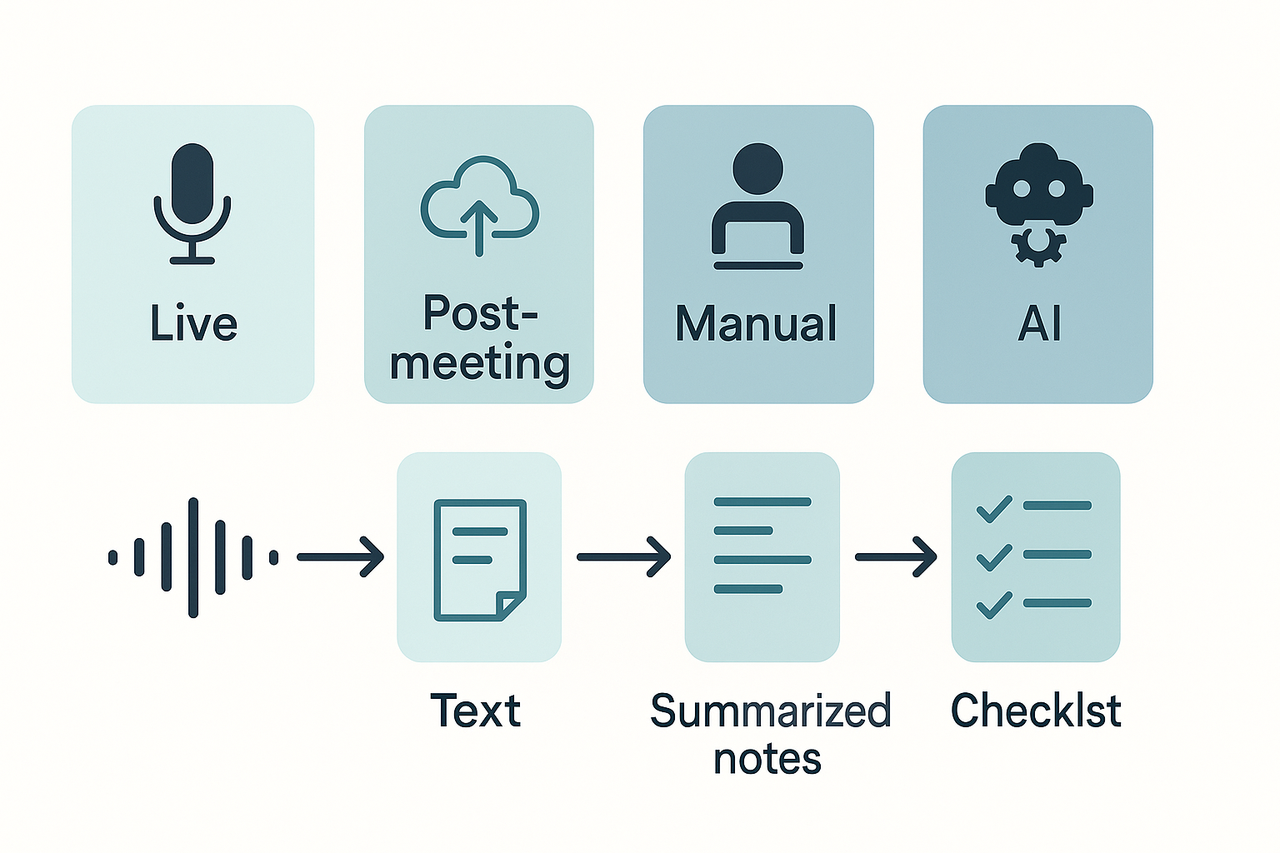
- Live transcription: converts speech in real time during a meeting. It helps remote teams follow along and catch decisions as they happen.
- Post-meeting transcription: uses uploaded recordings to create a finished transcript. It’s better for higher accuracy and editing after the fact.
- Manual transcription: a human types or corrects the transcript. Choose this when legal precision or complex terminology is needed.
- Automated transcription: software uses AI to convert audio to text quickly. It scales cheaply and gives instant searchable records.
Each type matters because teams trade off speed, cost, and accuracy. Live automated tools speed up capture but may miss accents or overlap. Manual work boosts accuracy but costs time and money. For action items and searchable records, pick the mix that matches your meeting cadence: fast capture for daily standups, careful human review for client agreements.
Why meeting transcription matters: benefits & real use cases
If you’re asking what meeting transcription is, it’s the practice of turning spoken meeting audio into searchable text. That simple step changes how teams make decisions, track action items, and close follow-ups. The rest of this section shows concrete outcomes and job‑specific use cases for teams that run many meetings.
Key benefits that change everyday work
Meeting transcripts create a single, searchable record for every conversation. Teams find past decisions fast, without re‑asking or replaying long calls. Transcripts speed recall, so people spend less time hunting and more time doing. They also clarify accountability by tying decisions to speakers and timestamps, which cuts down confusion after handoffs. Finally, transcripts improve accessibility for hearing‑impaired team members and non‑native speakers by giving a text version to read and translate.
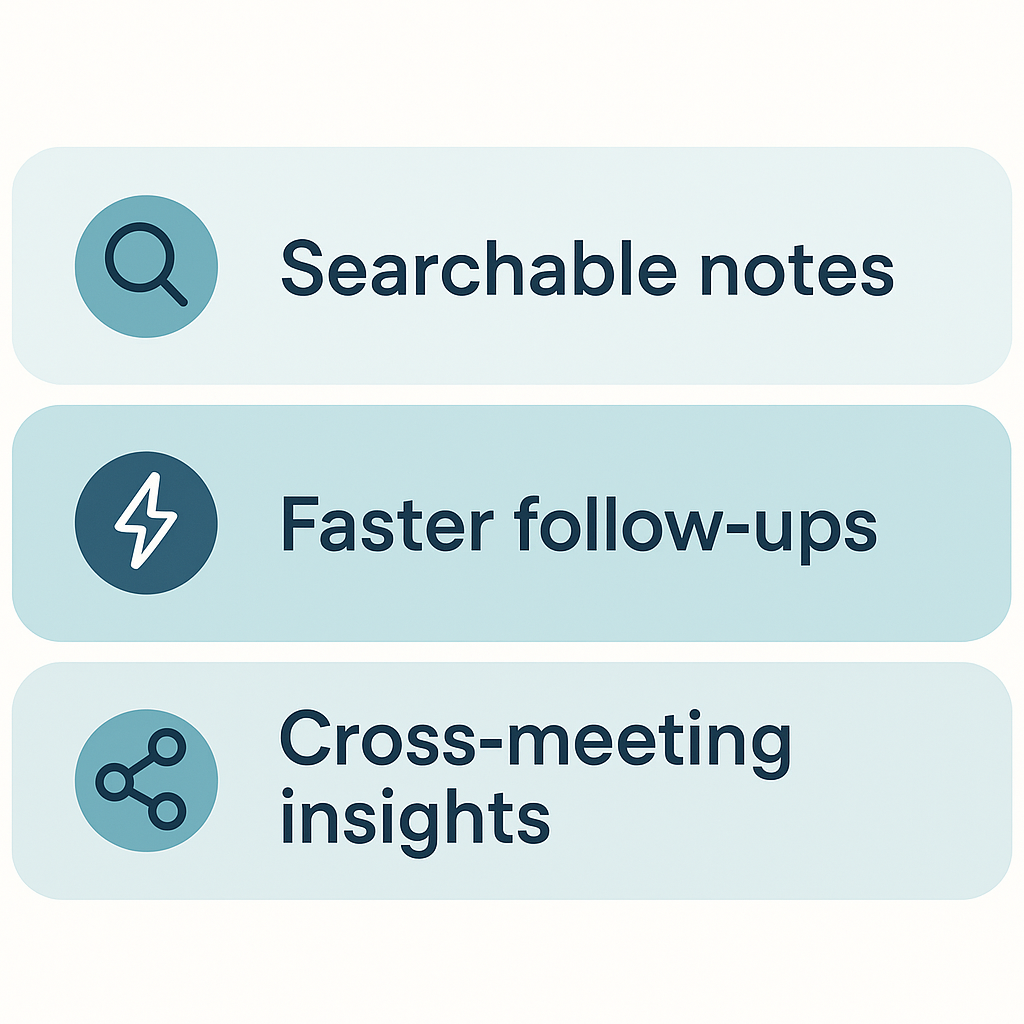
- Searchable records: locate quotes, dates, and tasks in seconds.
- Faster recall: skim a transcript instead of rewatching an hour of video.
- Clearer accountability: assign actions with speaker tags and timestamps.
- Better accessibility: readable text for the hearing‑impaired and translated copies.
Role-based use cases: who benefits and how
Product managers: capture feature decisions, backlog items, and open questions. Use transcripts to auto‑populate meeting notes and update tickets faster.
Sales teams: review objection handling, extract quotes for proposals, and confirm commitment language. Transcripts make coaching calls and deal reviews more effective.
Legal and compliance: preserve an audit trail for approvals and contract talks. Text records reduce reliance on memory and help with downstream reviews.
Researchers and analysts: turn interviews and focus groups into coded data for faster analysis. Transcripts let teams tag themes and pull supporting quotes quickly.
Verified user case
A verified operations manager at a mid‑sized SaaS firm reported a big drop in follow‑up time. Using automatic transcripts inside their meeting workflow, the team cut average follow‑up time from days to hours. They said it reduced status email volume and made action owners obvious.
Bottom line
Transcription is low effort with high return. It turns meetings into reusable knowledge you can search, summarize, and act on. If your team runs frequent meetings, adding transcripts will save time, reduce errors, and make work more inclusive.
Manual vs Automated Transcription: Time, Cost, and Accuracy Comparison
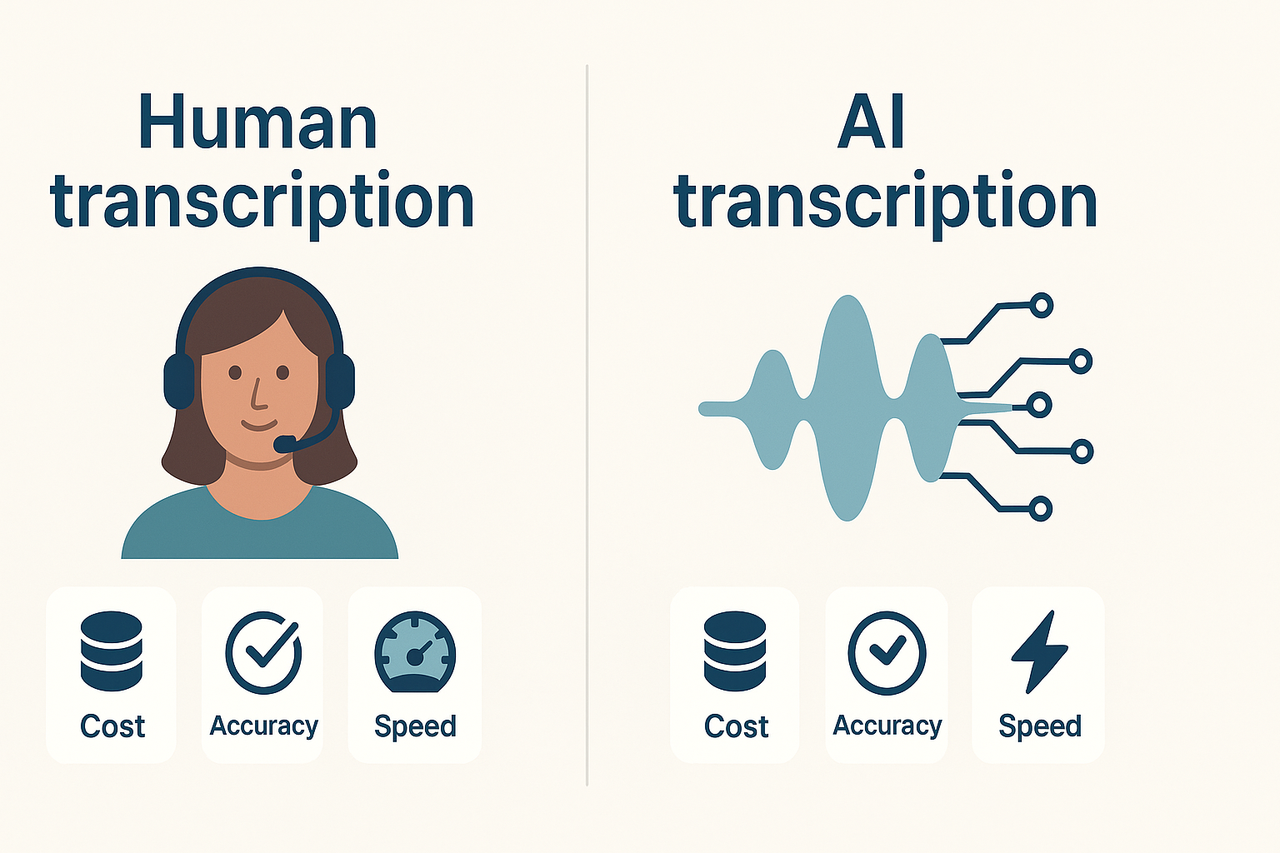
When deciding between human and AI-powered meeting transcription, key considerations include turnaround time, cost per audio minute, and transcription accuracy. Below, we explore how each method compares and when a hybrid approach may be your best option.
Turnaround Time and Cost
| Metric | Manual (Human) | Automated (AI) |
| Turnaround Time | 24 – 72 hours | Live or within minutes |
| Cost per Audio Minute | $$1.00 –$$3.00 | $$0.00 –$$0.20 |
| Best For | Legal, medical, high-stakes accuracy | Fast notes, bulk transcription |
Human transcription is most accurate but time-consuming and expensive. AI offers speed and affordability, though with some tradeoffs in accuracy.
Accuracy Rates
A 2003 study published in the Archives of Pathology showed the accuracy of human transcriptionists at 99.6% and voice-automated software at 93.6%. While AI has improved, edge cases remain.
Factors Affecting Transcription Accuracy
- Noisy or overlapping speech
- Accents and unusual pronunciations
- Domain-specific terminology or jargon
- Multiple speakers without speaker labels
AI engines struggle with nuanced language, but human transcribers can interpret context, flag issues, and ensure formatting consistency.
When to Use Each Approach
- Use Human Transcription: When precision is legally or professionally necessary.
- Use Automated Transcription: For quick insights, team documentation, or internal summaries.
- Use a Hybrid Workflow: Combine AI speed with human review for high-quality transcripts at moderate cost.
Modern tools like TicNote Cloud make hybrid transcription efficient, blending live AI notes with manual editing options.
Conclusion
AI transcription is excellent for speed and scale, while human transcription is unmatched for quality. A hybrid model delivers the best of both worlds.
How to transcribe meeting minutes — step-by-step guide (practical tutorial)
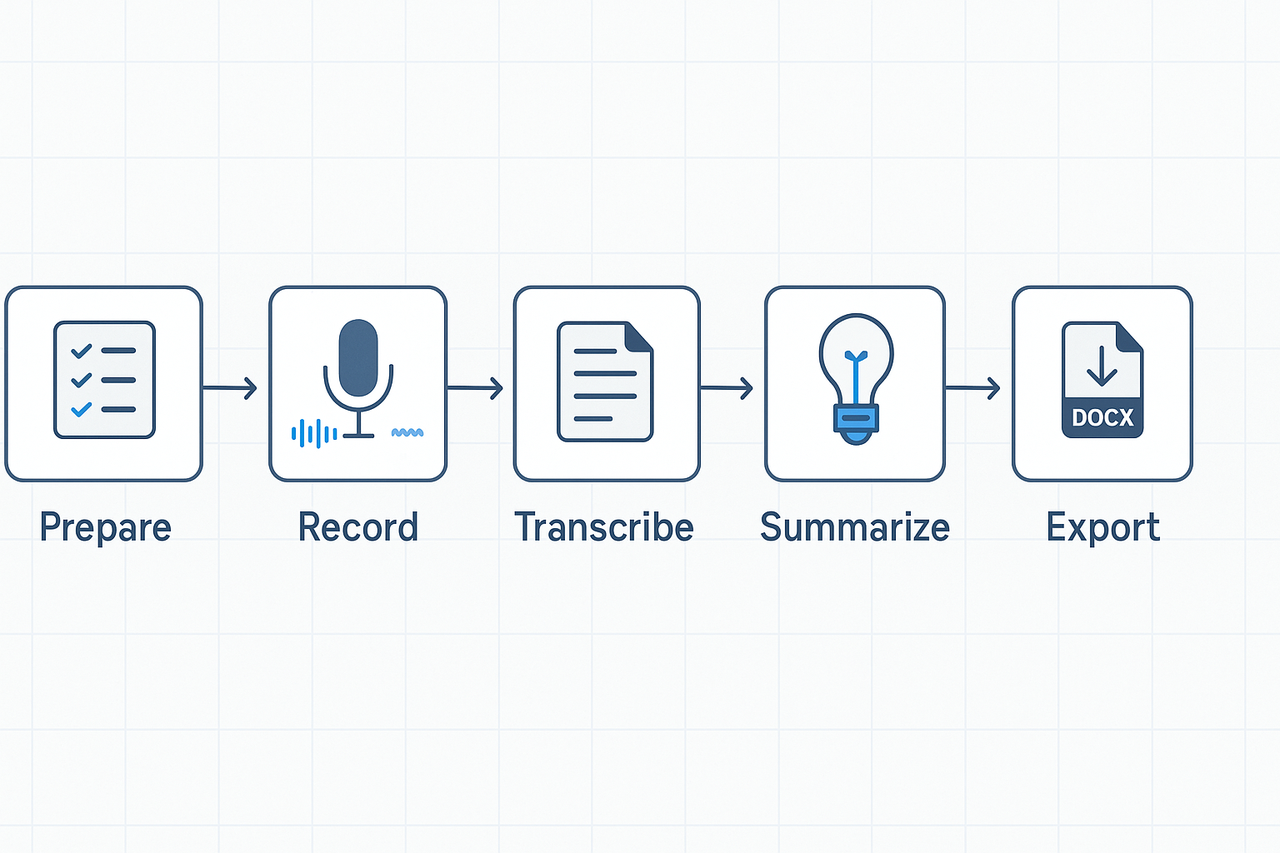
This tutorial gives a practical workflow from prep to polished minutes. It shows how to transcribe meeting minutes and how to turn raw audio into decisions, action items, and owners.
Before the meeting: prep so transcription is useful
Good notes start before you press record. Share a clear agenda and a short speaker list. Ask presenters to use headsets or a room mic so audio stays clean. Create a template that highlights decisions, action items, owners, and due dates.
Key prep checklist:
- Agenda (timeboxed topics and owners).
- Speaker list with roles and expected speakers.
- Recording plan: local recorder, conferencing app, or phone backup.
- Template saved in your notes app or folder.
Live recording: capture reliably
Start recording a minute early to catch roll call. State the meeting name, date, and participants out loud for context. Use a dedicated recorder app, meeting platform record, or a secondary device as backup.
Tips for cleaner audio:
- Mute notifications and ask attendees to mute unless speaking.
- Ask speakers to state their name before speaking, especially remote attendees.
- Position the mic near the main speakers, not the ceiling.
Automated vs live transcription: capture and sync
If you use live transcription, let the tool join the call or run on your device. If you record and upload later, note the file name and time offsets. Label long recordings with time markers for major topic changes.
Post-meeting: upload, transcribe, and annotate
- Upload the audio file to your chosen transcription tool. Name the file using the date and topic.
- Run the transcript job and wait for the initial draft. Most tools give timestamps and speaker segments.
- Review high-level sections, flag unclear timestamps, and correct speaker labels.
Turn raw transcript into clean minutes: a simple editing flow
Follow this flow to turn text into usable minutes:
- Skim for Outcomes: highlight all clear decisions and agreements.
- Extract Action Items: list tasks, owners, and due dates in a table or bullet list.
- Create a Summary paragraph (2-4 sentences) that states the purpose and main outcomes.
- Add Context: attach agenda, attachments, and a short transcript excerpt for each decision.
- Finalize formatting: use headings, bold decisions, and export to DOCX or PDF.
Use this simple action-item template:
- Action: [what]
- Owner: [name]
- Due: [date]
- Notes: [short context]
Example workflow: record to DOCX using TicNote Cloud
- Open TicNote Cloud and create a meeting entry with an agenda and speakers.
- Click record or upload the meeting audio after the call.
- Let the platform auto-transcribe the file. Wait for the draft transcript.
- Use the AI Notes function to generate a 3-sentence meeting summary and a separate action-item list.
- Auto-generate a mind map from the transcript for a quick visual of topics.
- Review, edit owners, and export the final minutes as DOCX.
This proves the full loop: capture, convert, summarize, visualize, and export ready minutes.
Quick editing and quality checks
- Verify speaker attribution for every action item.
- Confirm due dates before sending minutes.
- Mark uncertain transcript lines with [inaudible] and check the recording for clarity.
- If accents or noise cause errors, replay the clip and correct the text manually.
Final checklist before distribution
- Summary paragraph at the top.
- Clear decision list and action items with owners.
- Links to attachments and original audio.
- Exported DOCX or PDF and a shareable link to the transcript.
Best practices, common issues & troubleshooting
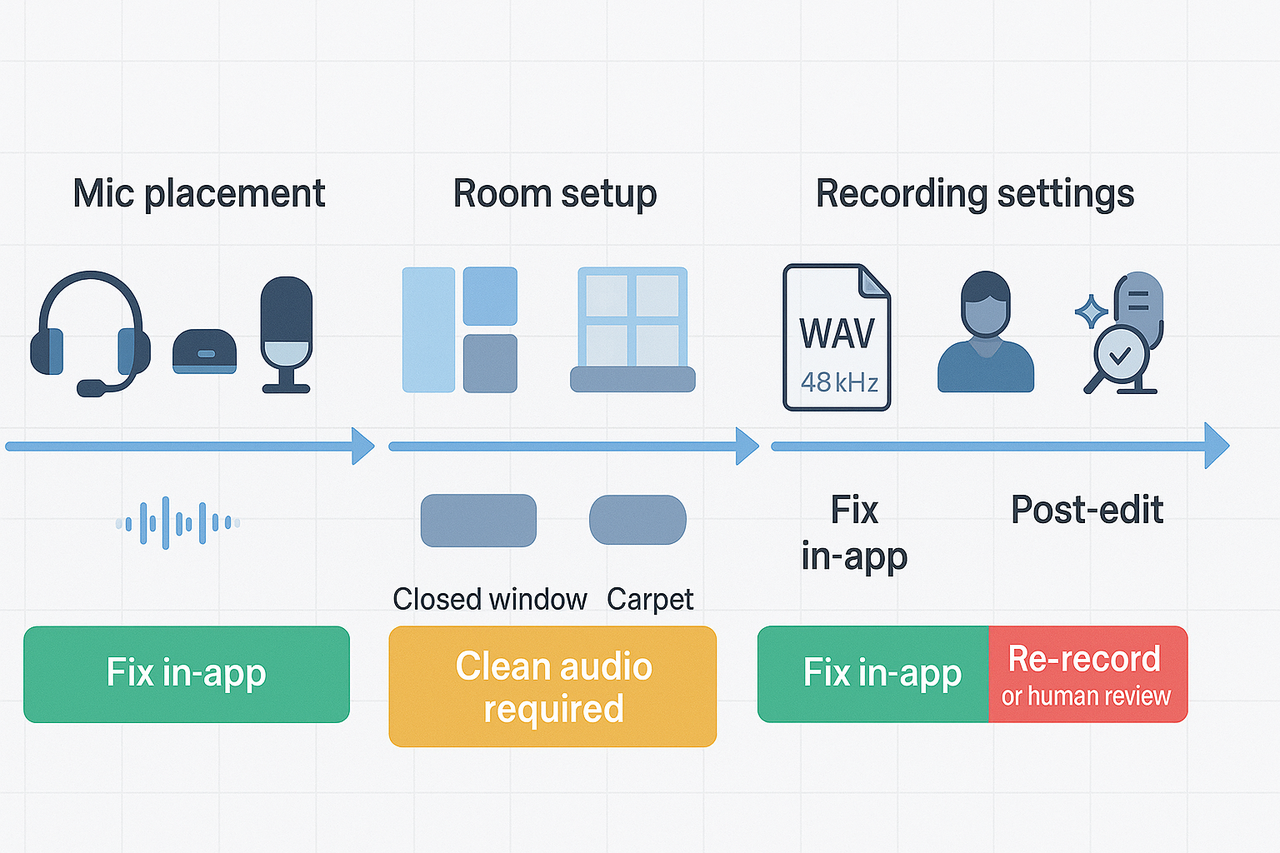
If you want cleaner meeting transcripts, start with sound. Understanding what meeting transcription is helps you fix audio problems early and save editing time. These tips cover mic setup, room prep, platform settings, and how to handle overlap and accents.
Quick audio fixes: mic, room, and placement
- Use a dedicated mic or headset for each speaker when possible. It cuts crosstalk and improves clarity.
- Keep the mic 6 to 12 inches from the mouth, slightly off-axis to reduce plosives (popping sounds).
- Reduce echo by adding soft surfaces: curtains, rugs, or movable panels. Close windows and doors.
- Mute unused devices and ask remote attendees to use headsets and a stable internet.
- Do a 30-second test recording and listen back before the meeting starts.
Recording settings and platform tips
- Record locally when you can, or enable high-quality uploads (WAV). Higher bitrate means better transcripts.
- Choose the right language model or accent setting if the platform offers it.
- Turn off aggressive automatic noise suppression if it mutes low voices; test both ways.
- Platforms like TicNote Cloud offer live transcription and multi-source uploads, enabling language selection and speaker labeling when available.
Handling overlapping speech, accents, and noise
- Ask participants to speak one at a time for key points. Short pauses help AI separate speakers.
- Use speaker labels or participant pins to improve attribution in the transcript.
- For strong accents, pick a model trained for multilingual audio or upload a clean local recording.
- If background noise is constant, capture a noise profile and run a noise reduction pass before transcribing.
Post-transcription editing checklist
- Correct names, acronyms, and technical terms.
- Add or fix speaker labels and timestamps.
- Highlight decisions, action items, and owners.
- Create a short summary and a one-line subject for search.
- Export in needed formats and save to your knowledge base.
For quick guidance on how to transcribe meeting minutes, focus edits on actions and decisions first.
AI troubleshooting flow: when to re-record, clean, or get human review
- Audio corrupted or clipped: re-record if possible.
- Content present but noisy: apply denoise, equalize, then re-run AI transcription.
- Overlap or many speakers: try speaker separation tools, then human review for final accuracy.
- Legal, medical, or compliance needs: skip AI-only and send to a certified human transcriber.
When to escalate to professional transcribers
- Legal, court, or compliance-grade transcripts.
- Audio is still unreadable after cleaning, or more than half the file is unintelligible.
- Need verbatim style or time-coded certification.
Follow these rules and you’ll cut edit time and get reliable records for decisions and actions.
Privacy, security & compliance for meeting transcripts
When teams ask what is meeting transcription is, they often think of text output only. But transcripts can hold sensitive details, decisions, and personal data. This section covers key risks, legal checks, and practical controls procurement teams should validate.
Top privacy and security risks
- Unauthorized access to meeting content, including decisions and personal data.
- Long retention of sensitive notes increases breach risk.
- Cross-border data transfers that violate local rules.
- Inadequate deletion or export controls when staff leave.
Legal frameworks to watch
Under the law, Regulation (EU) 2016/679 (General Data Protection Regulation) states: Under the GDPR, controllers and processors must implement appropriate technical and organisational measures to ensure a level of security appropriate to the risk, including the pseudonymisation and encryption of personal data. For health data in the U.S., HIPAA requires safeguards and, when applicable, a Business Associate Agreement (BAA). For cross-border moves, require documented transfer mechanisms, such as adequacy decisions or standard contractual clauses.
Secure storage, access, and encryption
- Encryption in transit and at rest, using strong algorithms and key management.
- Role-based access control (RBAC) and least privilege for editing and export.
- Multi-factor authentication (MFA) and single sign-on (SSO) for accounts.
- Audit logs and tamper evidence for who accessed or exported transcripts.
- Data retention and deletion policies with simple administrative controls.
What procurement should validate in a vendor review
- Certifications: SOC 2, ISO 27001, or equivalent reports.
- Data processing agreement (DPA) and subprocessors list.
- Encryption details and who controls the keys.
- Incident response plan, breach notification timelines, and pen test history.
- Support for BAAs for HIPAA and documented cross-border transfer mechanisms.
- Ability to redact, export, or permanently delete transcripts on demand.
Mention one reference product capability during evaluation, such as live deletion, translation, or role controls offered by vendors like TicNote Cloud. After checks, insist on a short technical appendix in contracts that lists controls and SLAs.
TicNote Cloud: Features, Pricing, Comparisons, and Workflow Examples
If you’re wondering what meeting transcription really means in a productivity context, TicNote Cloud is a standout example. It captures meetings, transcribes them with AI, translates, summarizes, and helps users extract knowledge efficiently. This section breaks down essential features, pricing plans, competitor comparisons, and two real-world workflows.
🚀 Key Features
- AI Transcription: Live and batch transcription in multiple languages.
- Translation: Supports over 100 target languages, useful for global teams.
- AI Summaries & Notes: Concise briefs auto-generated by topic, template, or meeting type.
- Shadow Q&A: Ask questions across transcripts for contextual answers.
- Mind Maps: Visualize discussions and ideas from transcripts.
- Upload Flexibility: Accepts audio, video, and text; live or post-uploaded meetings.
- Export Options: WAV (audio), TXT (raw transcript), DOCX/PDF/Markdown (summaries), PNG/Xmind (mind maps).
- Privacy: End-to-end encryption and team-level access controls.
💰 Pricing Plans
- Free Plan: 300 transcription minutes/mo, 3 uploads lifetime, max 20-min per upload. Best for testing.
- Pro Plan ($$12.99/mo or$$79/yr): 2,000 minutes, 30 uploads/month, up to 60-minute files. Great for individuals or startups.
- Business Plan ($$29.99/mo or$$239/yr): 6,000 minutes, unlimited uploads & duration, ideal for teams and agencies.
✅ Plan Recommendations
| Role | Suggested Plan |
| Solo user or VA | Free or Pro |
| Ops manager or project lead | Pro |
| Knowledge team or agency | Business |
📊 Comparison Table
| Feature | TicNote Cloud | Otter.ai | Fireflies |
| Monthly Minutes | 300 / 2,000 / 6,000 | Varies by plan | Varies by plan |
| Translation Support | 100+ Languages | 100+ Languages | 100+ Languages |
| Knowledge Base & Cross-Q&A | ✅ Built-in | ❌ Basic Search | ❌ Limited |
| Visual Mind Map | ✅ Native Support | ❌ No | ❌ No |
| Best Use Case | Research & KB | Real-time Notes | Sales/CRM Workflows |
🧠 Example Workflows
1. Sprint Sync → Action Plan
- Record meeting with live transcription.
- Auto-generate summary and action items.
- Visualize dependencies in a mind map.
- Export actions to Markdown/DOCX and send to the task app.
2. Research Session → Knowledge Artifact
- Upload audio, videos, and notes.
- Query outcomes using Shadow Q&A.
- Output a research summary report (PDF or DOCX).
- Archive in the workspace knowledge base for team access.
Start using TicNote Cloud free today and elevate every meeting.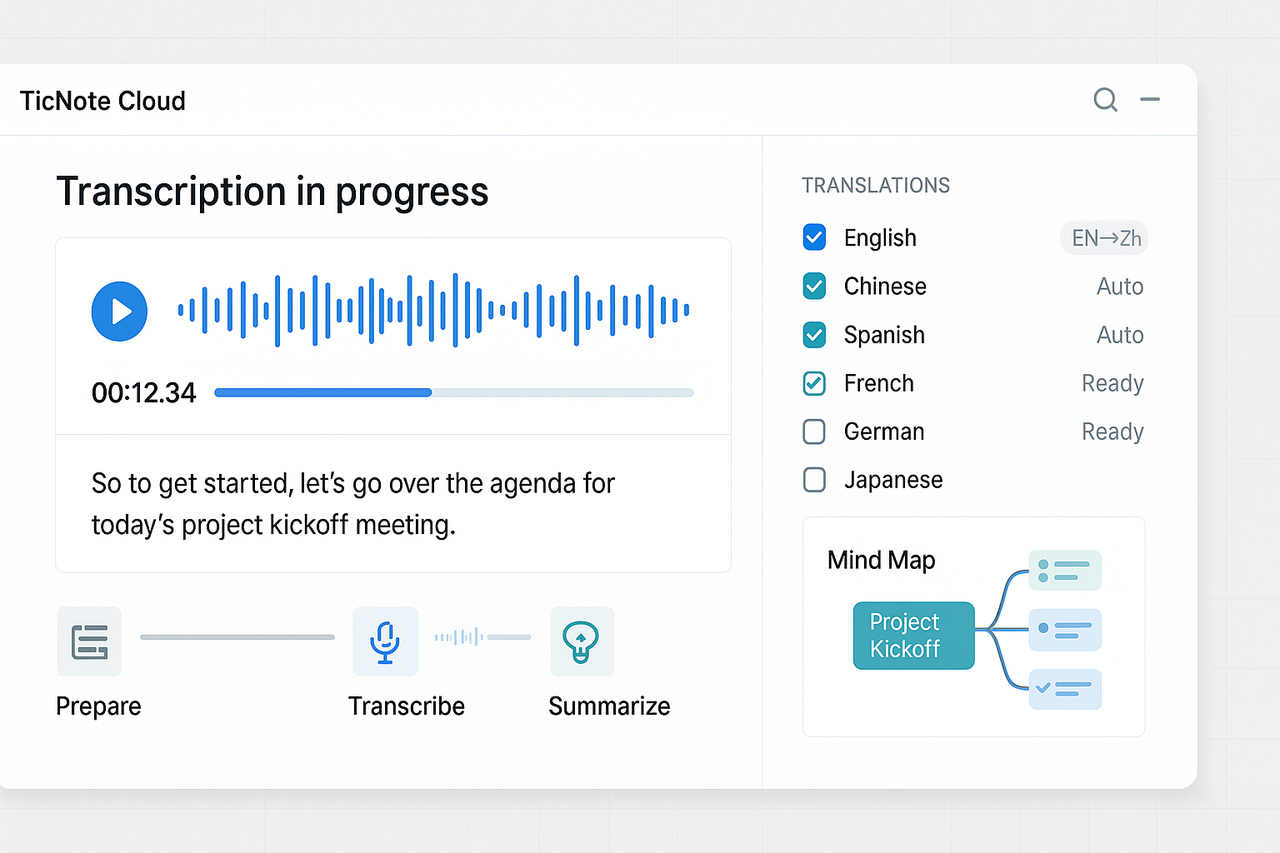
Integrations, templates, diagrams & CTAs, next steps for teams
Recommended integrations and export workflows
Connect meeting transcripts to tools your team already uses. Use Notion for structured knowledge and long-term search. Send highlights and action items to Slack channels for fast follow-up. Export polished minutes to DOCX for legal records or PDF for stakeholder distribution. Keep an archive (TXT) for searchable transcripts and raw audio for audits.
Downloadable templates and one-page checklist
Provide three templates: classic minutes (attendees, agenda, decisions, actions), rapid standup notes, and a stakeholder summary. Offer a one-page pre- and post-meeting checklist: record, assign note owner, tag topics, export, and follow up. Gate the downloads behind an email capture, so teams can try examples in their own workflows.
Visual assets to embed in the article
- Flowchart: show recording to transcript to task creation. Keep it simple and linear.
- Sample transcript snippet: small UI screenshot with speaker labels and timestamps. Highlight a decision and an action item.
- Mind-map: auto-generated map from a transcript, showing topics and linked tasks.
Links and next steps for teams
Link to internal meeting transcription cluster pages for guides and templates. Recommend one pilot team and a 30-day trial to validate the flow. Track time saved and the number of closed actions after two sprints.
Start TicNote Cloud free today and generate your first AI summary in minutes.


