Extension
TL;DR — What to do first (quick action plan)
Start with three fast moves that cut meeting noise and surface decisions. In the next 24 to 72 hours, align expectations, pick one dominant async channel, and run one improved recurring meeting with a clear agenda and a note workflow. Do this to stabilize remote team communication and reduce follow-up chaos.
- Decide responsibilities and standards. Tell the team who owns meeting outcomes, who writes notes, and how long replies should take. Set a one-line meeting purpose for recurring meetings.
- Pick one async channel and enforce it. Choose a single place for decisions and action items (async means asynchronous, like a shared doc or chat thread). Move all follow-ups there and archive duplicate threads.
- Run one improved recurring meeting. Publish a short agenda 24 hours before. Use a simple note template: purpose, decisions, actions (owner + due date). After the meeting, post the notes and call out the next three steps.
Immediate outcomes: fewer unclear asks, faster handoffs, and a single source of truth for decisions. You’ll cut time hunting for context and reduce repeat questions. After 72 hours, you should see clearer follow-ups and one agreed-upon place to find decisions.
Next steps: repeat the meeting template for other recurring syncs and measure the reduction in follow-up messages over two weeks.
Why remote team communication matters (productivity, culture & outcomes)
Remote team communication shapes how fast teams deliver, how well people trust each other, and who stays. When messages, decisions, and tasks are clear, teams hit deadlines more often. Poor remote communication creates rework, slow decisions, and low morale.
Reduce rework with clearer handoffs and notes
Unclear handoffs cost time. When one person assumes another knows the next step, work stalls. Make handoffs explicit: name who owns what, and when it’s due. Capture the decision and the reason so others can move forward without chasing context.
Benefits at a glance:
- Fewer follow-up emails and ad hoc calls.
- Faster delivery and fewer missed deadlines.
- Clear accountabilities and quicker onboarding for new members.
Make knowledge searchable, not scattered
Notes that sit in chat threads or personal docs are invisible. A searchable knowledge base (a central, searchable repository) keeps the truth in one place. Teams reuse decisions and avoid repeating work when notes and transcripts are easy to find.
Practical wins:
- Searchable transcripts turn meetings into reusable assets.
- Topic tags and templates speed up lookups.
- Auto summaries save time on recap and follow-ups.
Invest in process and tools so gains scale
Process alone won’t stick. Tools alone won’t solve behavior. You need both. Start with simple rules: short agendas, explicit owners, and a consistent meeting rhythm. Then add tools that make the rules easy to follow.
Actions to start today:
- Standardize a one-page meeting agenda template.
- Record or transcribe key meetings for searchable notes.
- Store decisions and action items in a shared project space.
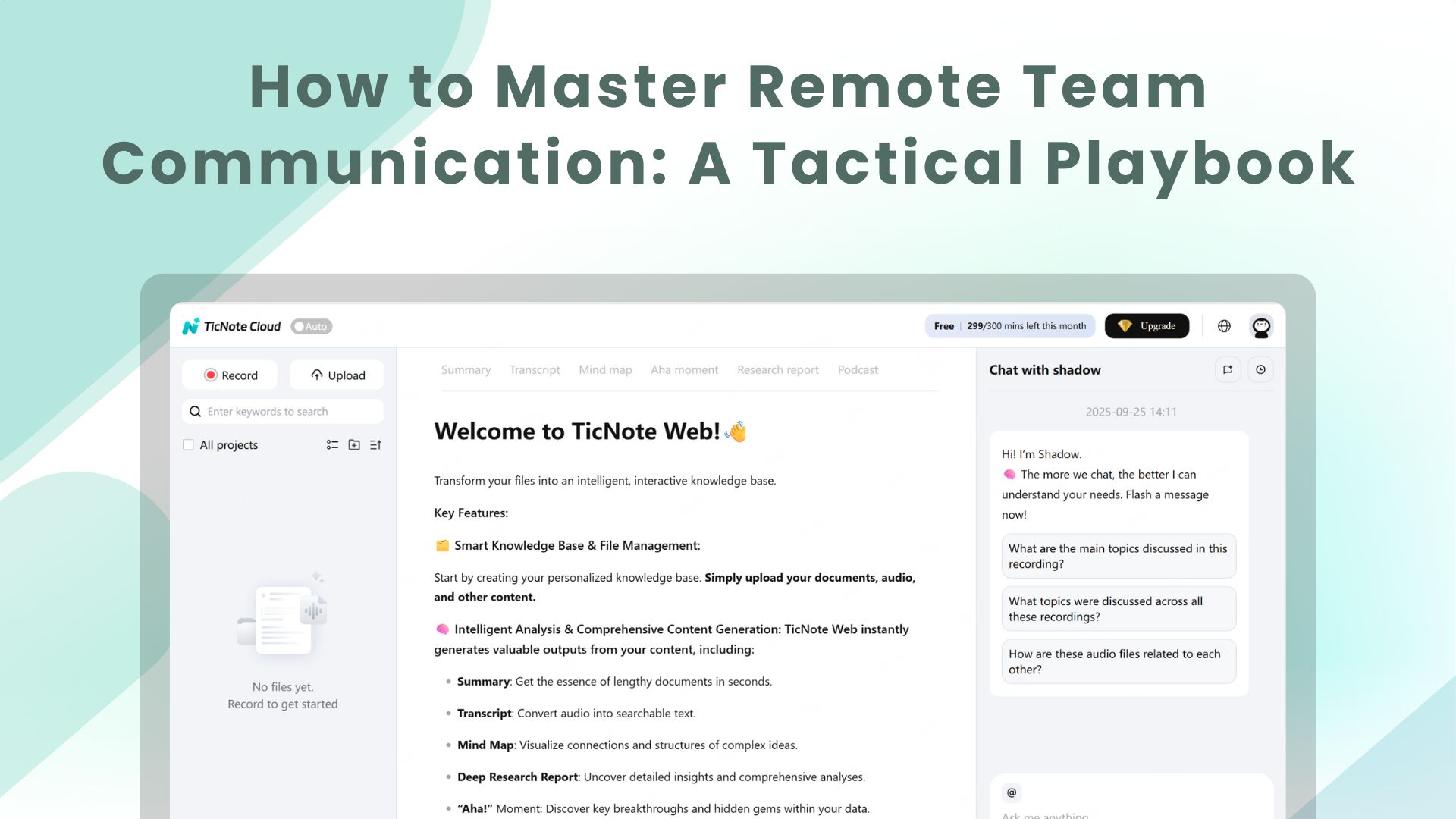
Tools like TicNote Cloud can speed this work by transcribing meetings and making notes searchable and chat-ready. That reduces decision lag and keeps cross-timezone teams aligned.
When you combine a clear process with the right tools, teams make faster choices, cut rework, and build trust. That steady improvement shows up in delivery speed, predictability, and higher retention.
Top challenges and common pitfalls in remote communication
Remote teams fall into repeatable traps that cost time, clarity, and morale. Meeting overload is one of the biggest drivers: executives spend an average of nearly 23 hours a week in meetings, up from less than 10 hours in the 1960s, according to Stop the Meeting Madness. Below are the predictable pitfalls, a short real example for each, and the immediate consequence, so managers can spot them fast.
Common pitfalls with examples
- Misaligned expectations — Example: A product manager asks for a "quick sync" but brings a decision agenda. Team members show up unprepared. Consequence: Decisions stall and trust erodes.
- Too many meetings, too little purpose — Example: Daily standups run 30 minutes because everyone updates every task. Consequence: Context switching rises and deep work drops.
- Timezone friction — Example: Repeatedly scheduling meetings that favor one region. Team members in other zones skip or join tired. Consequence: Participation falls and decisions skew to the dominant zone.
- Accessibility gaps (language, captions, formats) — Example: Meetings rely on spoken updates with no transcript. A non-native speaker misses nuance. Consequence: Some team members get left behind and deliverables suffer.
- Tool overload and fractured context — Example: Notes in one app, tasks in another, and recordings in a third. No one knows where to look. Consequence: Work repeats and institutional memory vanishes.
- Unclear decisions and missing action items — Example: A meeting ends without assigned owners or due dates. Consequence: Work stalls and blame grows.
- Lack of async culture — Example: Everything becomes a meeting because conversations aren’t structured for async. Consequence: People waste time aligning instead of building.
- Privacy and compliance risks — Example: Recording sensitive client calls without a clear policy. Consequence: Legal exposure and loss of customer trust.
Spotting these patterns matters because many fixes are process and tool-based. Later in this playbook, we map quick fixes and workflows that add structure, not noise, and show how to use tools to enforce agendas, capture decisions, and keep records searchable.
Effective methods & tools for remote team communication (actionable playbook)
Start with a clear menu of methods you can mix and match. This section gives practical playbooks for live meetings, async work, and written processes. It also maps the tool types that support each pattern and a short checklist to pick the right tools.
Synchronous playbooks: run tighter live meetings
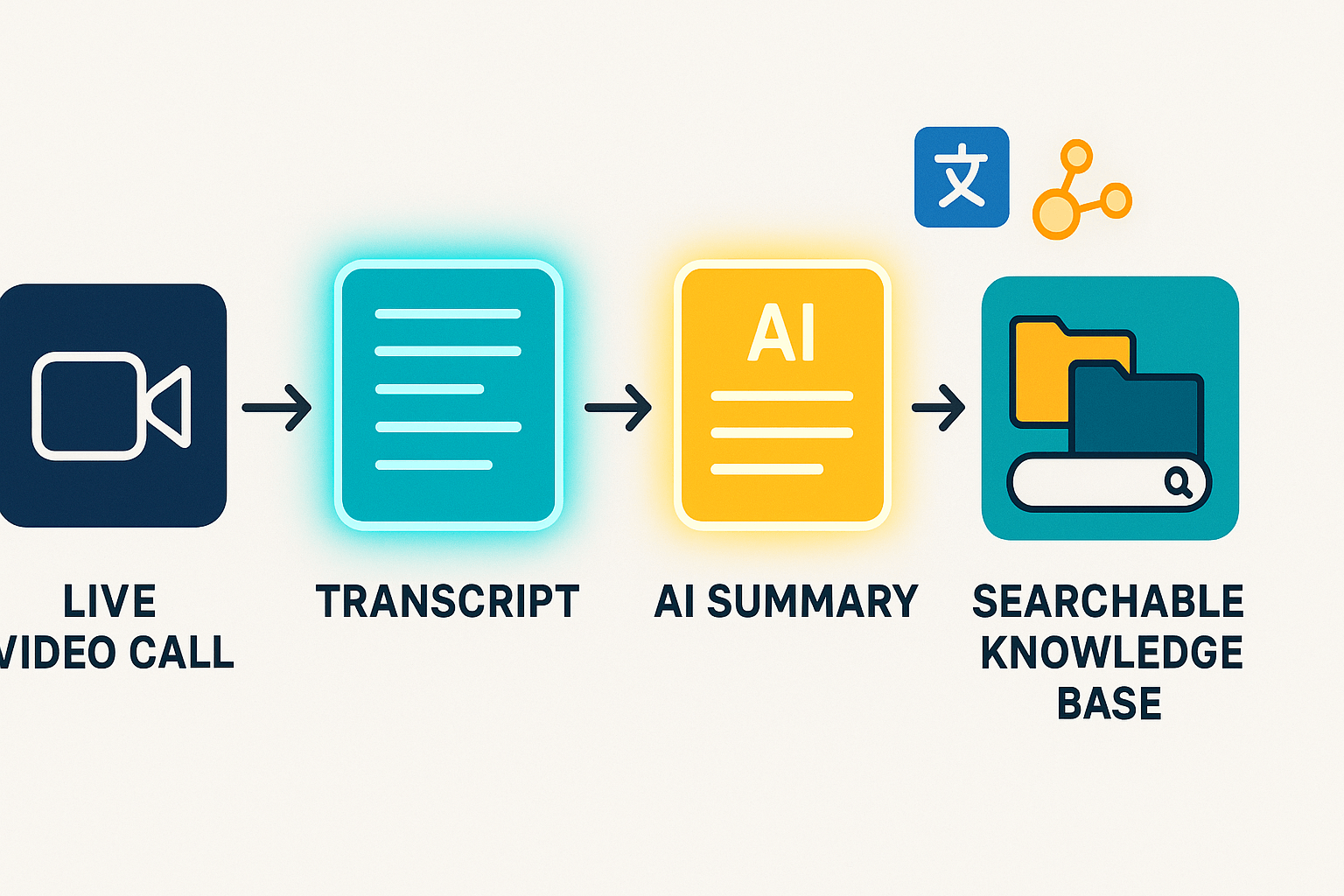
Use video calls when real-time alignment matters. Run each meeting with a short agenda and two roles: a facilitator and a timekeeper. Turn on live transcription so everyone can follow and search the conversation later. After the call, publish a one-paragraph summary and an explicit list of action items with owners and due dates.
Key tactics:
- Start with a 3-item agenda and timebox each item.
- Share the agenda in advance, so participants can prepare.
- Capture decisions live in a shared doc and mark action owners.
- Record and transcribe meetings for recall and for teammates in other time zones.
Async patterns: keep work moving without meetings
Choose async when the discussion does not require live input. Use short video or audio updates for complex context. Pair updates with a one-line TL;DR and a link to the source document. Set clear response windows, for example, 24 or 48 hours, to avoid stalled threads.
Practical async formats:
- Shared docs for iterative drafts and inline comments.
- Short screen-recording demos for product or design work.
- Threaded updates in chat with metadata: project, date, owner.
- Async decision proposals using RFCs (Request for Comments).
Structured written communication: reduce noise and bias
Standardize how you write to make meaning reusable. Use templates for meeting agendas, decision logs, action trackers, and RFCs. Keep each template focused: purpose, key context, proposed decision, and next steps. Store templates in a central place so every team uses the same format.
Templates to adopt:
- Meeting agenda template with goals and timeboxes.
- Decision log to record outcomes and rationale.
- Action item tracker with owner and due date.
- RFC template for cross-team proposals.
Tools matched to the playbooks
Match tool types to the pattern you need. For live calls, use a platform with recording and live transcription. For async use, collaborative docs, short-video tools, and threaded chat. For structured writin,g add a template library and a searchable knowledge base.
What to look for in tools:
- Live transcription and searchable transcripts for every meeting.
- AI summarization to turn long meetings into short notes.
- Multi-source uploads and exports for reuse.
- Integrations with your task manager and chat apps.
You can combine tools where needed. For example, record calls and auto-export transcripts into your project folder. Then link the summary in your task tracker.
Tool selection checklist (quick)
- Privacy: Is user data private by default?
- Integrations: Does it connect to Slack, Notion, or your task tool?
- Transcription accuracy: What is the typical accuracy and language support?
- Cost: Does the pricing match your meeting volume and team size?
- Exports: Can you export transcripts, summaries, and mind maps?
- Accessibility: Are captions, translation, and readable exports available?
How live transcription and AI summaries speed follow-ups
Transcription removes the “I missed that” problem. AI summaries cut a 60-minute meeting to a three-paragraph brief. Use this flow: record, auto-transcribe, generate a summary, and create action items. That chain reduces handoff time and makes follow-ups clearer.
Pilot suggestion: test one combo for four weeks
Pick one team and one workflow to pilot. Define success metrics like fewer follow-up emails and faster task completion. Run the pilot for four weeks, collect feedback, and iterate. Scale the patterns that improve outcomes and cancel those that add noise.
How TicNote Cloud improves remote team communication (step-by-step workflows)
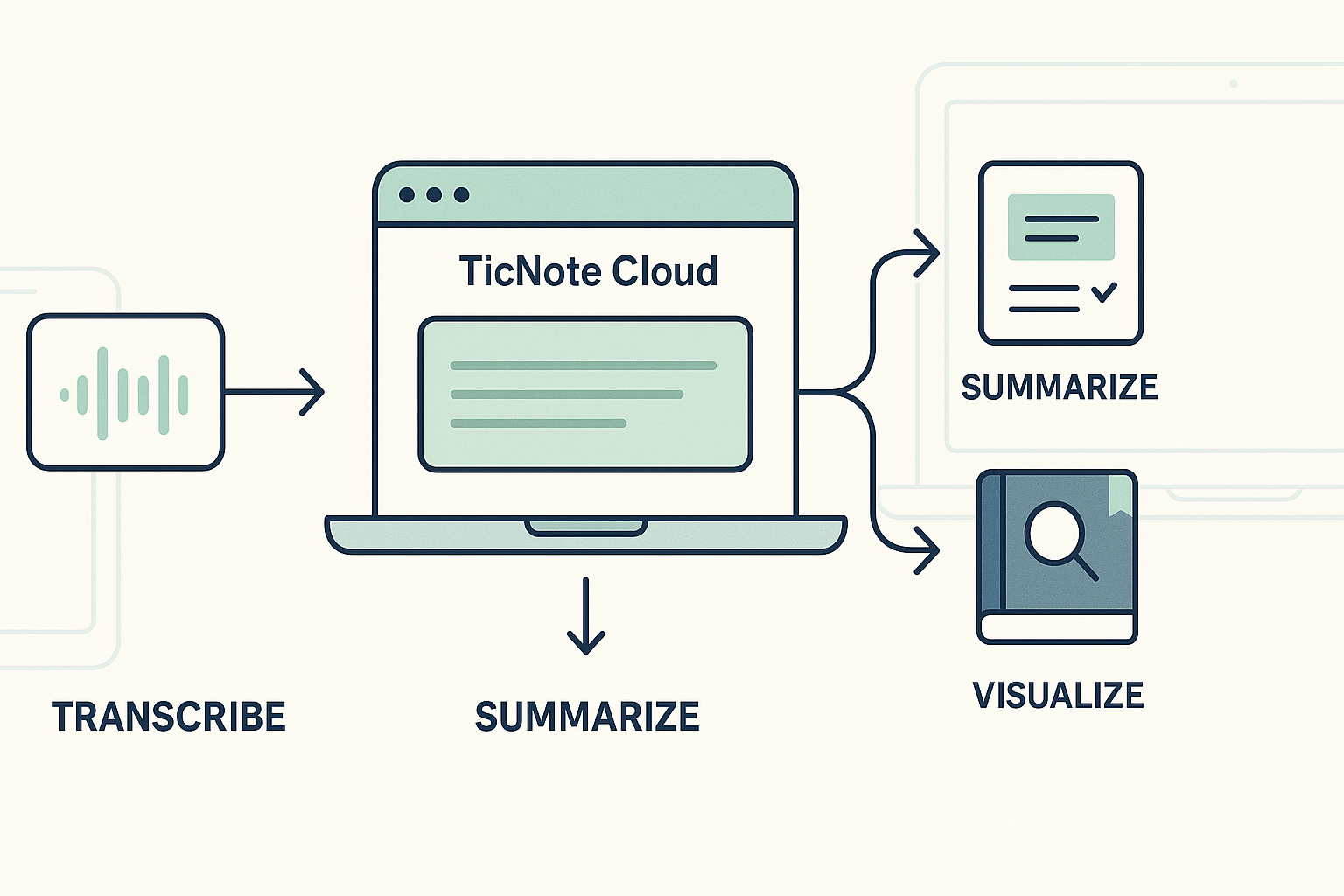
Remote teams benefit from clear communication flows, searchable context, and streamlined handoffs. Here are four step-by-step workflows showing how TicNote Cloud delivers those outcomes using built-in features—from transcripts and summaries to AI chat and mind maps.
1) Run recurring meetings with live transcription and auto-summaries
Perfect for teams needing reliable, shareable documentation from meetings.
- Inputs: Calendar invite, agenda, live audio (web or device).
- TicNote features: Live transcription, AI notes and summaries, custom templates.
- Outputs: Searchable transcript, AI-generated 1-page summary, summarized tasks, timestamped decisions.
- Next Step: Export summary to DOCX or paste highlights into your project manager.
2) Support cross-timezone teams with AI translation and searchable knowledge
Let globally distributed teammates catch up in their language and timezone.
- Inputs: Meeting transcript or audio recording.
- TicNote features: AI translation, knowledge base generation, and Shadow Q&A assistant.
- Outputs: Language-specific summaries (120+ languages), indexed notes, searchable workspace answers.
- Next Step: Pin key translated notes in the project space and notify stakeholders via Slack or email.
3) Accelerate onboarding using Shadow chat and templated notes
Give new hires fast access to tribal knowledge without manually walking them through everything.
- Inputs: Role-specific recordings, documentation, templates.
- TicNote features: Upload hub, template library, Shadow AI Q&A.
- Outputs: Interactive onboarding pack, quick AI answers, checklist for ramp-up.
- Next Step: Share onboarding link and set expectation to ask 1 daily onboarding question via Shadow.
4) Create visual mind maps from lengthy meetings
Speed up reporting and stakeholder comprehension with a clean visualization.
- Inputs: AI summary or full transcript.
- TicNote features: Mind Map generator, export to PNG/Xmind.
- Outputs: Shareable mind maps with linked branches and clear themes.
- Next Step: Attach a visual to a status email or team wiki for easy reference.
Try TicNote Cloud for teams – Customize your templates, sync your files, and let Shadow help you search it all.
Real-world examples
Good examples make best practices stick. Below are two short case studies from meeting-heavy teams, run one improved meeting, and see immediate gains in remote team communication.
Product team: fewer follow-ups, clearer decisions
A mid-size product team fought long email threads and missed decisions after sprint demos. They started using a consistent meeting agenda template and a decision log. During meetings they recorded audio, used live transcription, and tagged action items. Post-meeting summaries and a single follow-up digest reduced repeat clarifying messages and sped decisions, so fewer items slipped between sprints.
Global support team: faster resolution with AI translation
A global support organization handled tickets across five languages. They added multilingual transcription and AI translation to post-meeting notes. Agents used translated summaries to hand off cases across shifts. The result: fewer escalations and faster handoffs, since every agent read the same clear summary in their language. This made cross-timezone follow-ups smoother and customer replies clearer.
Measuring the effectiveness of your remote communication strategy (KPIs & cadence)
Start with a compact plan that tracks both hard numbers and human signals. This section lists clear KPIs, a baseline and a 90-day experiment, a sample dashboard, and sample survey text so teams can run a controlled pilot and measure impact. According to Effective Meetings for a Hybrid Workforce (2021), On average, workers spend about eight hours per week in meetings.
Quantitative KPIs to track
- Meeting minutes per person, weekly: total meeting minutes divided by headcount. Use this to spot overload.
- Action item completion rate: percent of assigned tasks closed on time.
- Average meeting length: track trends in meeting duration.
- Search retrieval time (seconds): how long it takes to find a past decision or note.
- Decisions captured per week: count of documented decisions in notes.
Qualitative signals and sample survey text
Collect sentiment, not just stats. Short pulse surveys give context.
Pulse survey (1 question, weekly): "How effective were your meetings this week for getting work done?" 1 Poor to 5 Excellent. Meeting rating (post-meeting): "Was the purpose clear?" Yes/No. "One change to make next time" (open). Quarterly check: "Do you feel decisions are easy to find after meetings?" 1 to 5.
Baseline and 90-day experiment plan
- Baseline (weeks 0 to 2): collect current KPIs and 2-week pulse data.
- Intervention (weeks 3 to 14): apply changes, e.g., standardized agendas, time-boxing, and AI note capture.
- Measure (weeks 15 to 16): compare KPIs and survey scores to baseline.
Run one controlled pilot team and one control team, if possible.
Sample dashboard fields and review cadence
- Fields: Week, Team, Meeting_minutes_per_person, Avg_meeting_length_min, Action_items_assigned, Action_items_completed_pct, Avg_search_time_s, Avg_meeting_rating, Decisions_count.
- Cadence: Weekly ops check-ins for tactical fixes, monthly reviews for trends, and a 90-day retrospective for the experiment.
Which TicNote exports and reports support these KPIs
- Export transcripts (TXT) and summaries (Markdown/DOCX/PDF) to verify decisions captured and to count decisions.
- Use exported timestamps and audio durations (WAV) to compute meeting minutes per person.
- Pull AI notes and action items from TicNote summaries to measure completion rates.
- Use mind map PNG/Xmind exports to speed decision retrieval, lowering search time.
Run the 90-day plan, compare control and pilot, and iterate based on both metrics and pulse feedback.
Accessibility, privacy & compliance (inclusive remote communication)
Accessibility and privacy shape trust and outcomes in remote team communication. Use clear accessibility practices, quick inclusion checks, and policy controls. Also pick tools that reduce compliance risk while keeping knowledge searchable.
Accessibility basics
- Captions and live captions for all recordings, so people who are deaf or hard of hearing can follow.
- Alt text for images and exported mind maps, describe visuals in one sentence.
- Plain language in agendas and summaries, short sentences and action labels.
- Transcripts and translated summaries for multilingual teams, allow review before publishing.
- Keyboard navigation and screen reader friendly formats, test common workflows.
Quick meeting checks for inclusion
- Share agenda 24 hours ahead, list roles and goals.
- Offer multiple ways to contribute: chat, poll, voice, and async notes.
- Use time buffer for mental breaks and clear turn-taking signals.
- Ask if anyone needs accommodations at the start.
Privacy and enterprise controls
As the Be compliant | European Data Protection Board emphasizes, organizations must implement appropriate measures and safeguards to ensure compliance with data protection principles, including data protection by design and by default.
Choose tools that are private by default, allow export of transcripts and summaries, and support SSO and role-based access. TicNote Cloud’s private-by-default approach, export formats (WAV, TXT, DOCX, PDF, PNG), and enterprise SSO reduce policy friction while keeping searchable knowledge available. Also verify encryption and data residency needs.
Compliance checklist (quick)
- Confirm GDPR alignment and process maps.
- Require data processing addendum and encryption at rest.
- Enable SSO, role controls, and audit logs.
- Define retention and export rules, test exports regularly.
- Run a buyer security review: ask for compliance docs, export samples, and support SLA.
Implementation roadmap: from pilot to scale
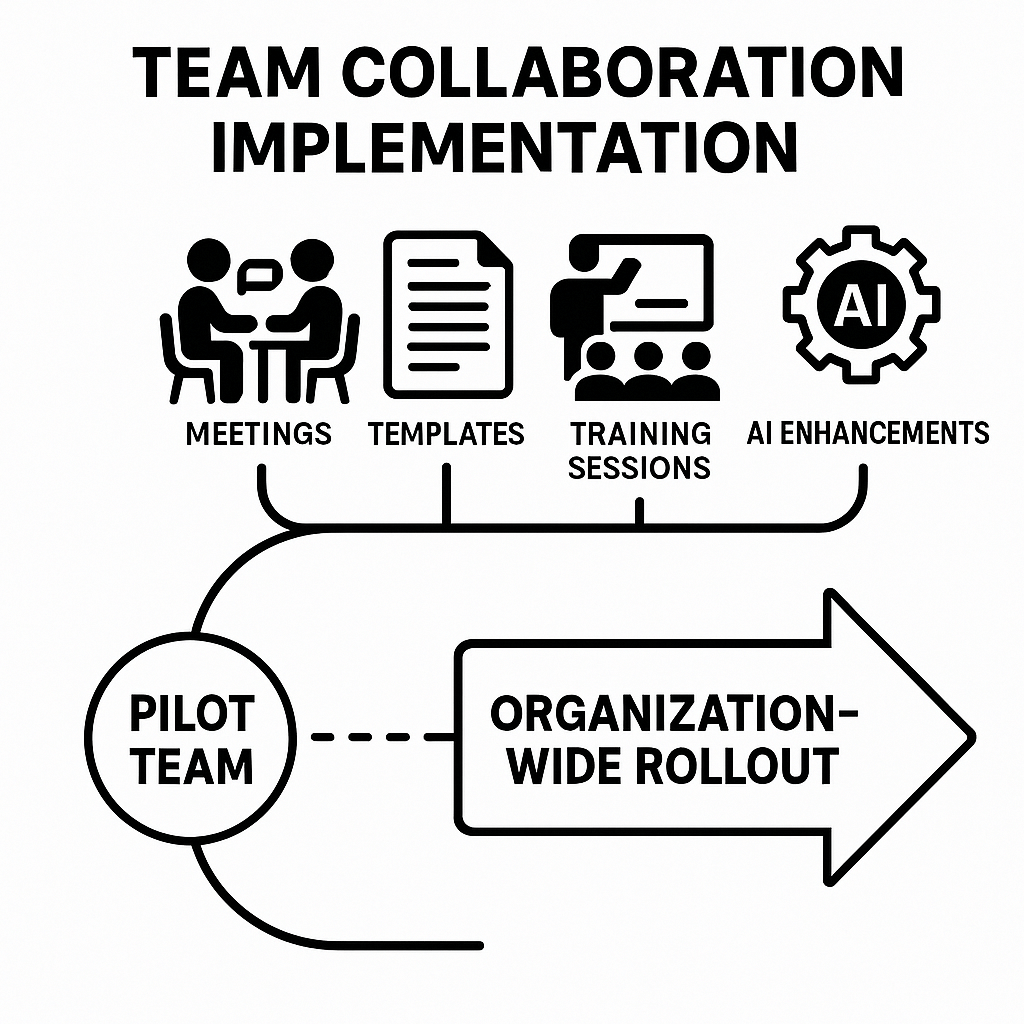
Start small, measure fast, then expand. Run a one-week pilot with a single team to validate workflows and collect baseline metrics for remote team communication. Use the pilot to test templates, live transcription, and a simple follow-up cadence.
Pilot week checklist
- Pick one team with frequent meetings and clear goals.
- Measure baseline: meeting length, number of decisions, follow-up task rate.
- Pick one template: meeting agenda or decision log.
- Enable live transcription and save one recording.
- Run a 30‑minute kickoff and 15‑minute training for participants.
- Capture feedback and a short wins list at week end.
30 to 60 day rollout plan
- Week 2 to 4: add two more teams, standardize agenda templates, and hold weekly office hours for questions.
- Week 5 to 8: run role-based training: facilitators, note champions, and ops. Include recorded demos and a Q&A forum.
- Templates to deploy: agenda, decision log, action-item tracker, and post-meeting summary.
Champion scripts (use as-is)
- Kickoff: "We’ll test live transcripts and a single agenda template for one week. Try commenting on the transcript for action items."
- Nudge: "Quick reminder: add 2 bullets to the agenda before the meeting so notes stay focused."
- Follow-up: "Here’s the AI summary and assigned actions. Reply if anything’s missing."
Scale, governance, and reuse
- Create a simple folder hierarchy by team, project, and quarter.
- Use naming rules: YYYYMMDD_Team_Project.
- Set access policies and a retention schedule.
- Build cross-meeting knowledge with topic tags, auto mind maps, and a searchable space for decisions.
Common blockers and fixes
- Low attendance: shorten meeting time and require pre-read.
- No uptake: surface quick wins and make champions public.
- Privacy concerns: enable private-by-default settings and document policy.
Upgrade guidance
- Move to Professional when you need more transcription minutes and unlimited AI chat. Upgrade to Business for heavy recording needs or longer uploads. Book an enterprise demo if you need SSO, 24/7 support, or a custom AI meeting agent.