Extension
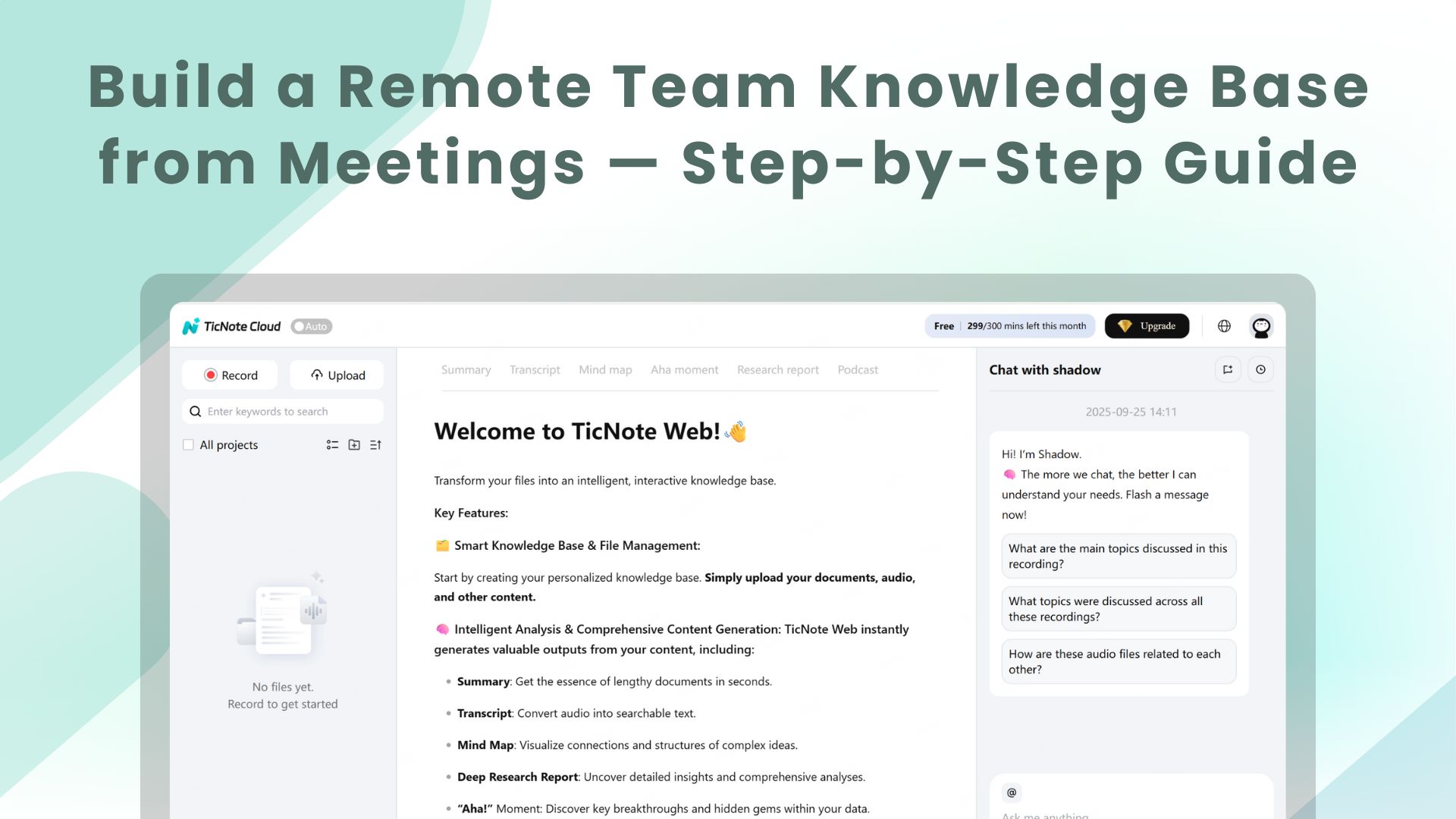
TL;DR: What a remote team knowledge base does and why it matters
A remote team knowledge base captures meeting transcripts, notes, decisions, and files, turning conversations into searchable, reusable knowledge. This guide shows how to build a meeting-first pipeline that pulls live and uploaded recordings into organized, chat-ready knowledge and how to measure its business impact.
Who should read this
- Remote team managers and ops leads who run many meetings.
- HR, onboarding, and knowledge managers who need a faster ramp and consistent policy docs.
- Support, success, and product teams that must find decisions and action items quickly.
What you’ll get from this guide
- A clear step-by-step process to capture meeting content and seed a searchable knowledge base.
- Practical templates and a setup checklist you can copy.
- Metrics to track ROI: search time saved, action completion, and onboarding speed.
- A mini case study and comparisons so you can pick the right tools and prove value quickly.
Remote teams lose context faster than co-located teams. A remote team knowledge base captures meeting notes, decisions, and files in one searchable place. That single source cuts the time people spend hunting for context and repeating work.
Common knowledge gaps
Many distributed teams face the same traps:
- Notes live in chat, docs, and personal files, so nobody knows where to look.
- Decisions get buried in meeting threads, and action items go missing.
- Teams duplicate work because they cannot find past research or outputs.
- Handoffs between time zones fail without clear, accessible records.
- New hires take longer to ramp, because tribal knowledge never gets written down.
Why one searchable repository matters
A central knowledge base fixes these gaps. It gives every team member fast access to decisions and context. That speeds handoffs, so projects keep moving across time zones. It also makes async work reliable, because people can find answers without waiting.
Key benefits at a glance:
- Faster handoffs: clear records mean fewer clarification calls.
- Better async work: people can work independently and stay aligned.
- Fewer repeated meetings: searchable summaries replace status checks.
- Less duplication: teams reuse notes, templates, and past research.
- Faster onboarding: new hires find role history and decisions quickly.
Evidence you can measure
Analyst and academic research tie meeting overload and fragmented knowledge to lost productivity. You can track clear signals that show value from a knowledge base:
- Time saved searching for documents or notes.
- Reduced follow-up meetings and clarifying emails.
- Shorter time to first meaningful contribution for new hires.
- Fewer duplicated deliverables across teams.
Investing in a searchable repository pays off in fewer meetings, faster decisions, and measurable time savings. Start by capturing meeting transcripts and summaries, so conversations turn into findable knowledge.
Core components of an effective remote team knowledge base
A remote team knowledge base makes meeting content usable and findable. It stores transcripts, summaries, and decisions so teams stop hunting for context. This section lists the core building blocks and shows where meeting transcripts and AI summaries fit in the stack.
Searchable content and metadata
Store searchable text, timestamps, and metadata for each item. As the Data on the Web Best Practices recommends, provide metadata to enhance discoverability and usability. Good metadata includes speaker, date, project, action owner, and privacy level. That metadata makes search and filters fast, which cuts time to find decisions or tasks.
What to include: quick checklist
- Full meeting transcript with timestamps and speakers
- AI summary and action items per meeting
- Topic tags and project links
- Document attachments and exported files
Meeting transcripts and AI summaries
Transcripts capture every utterance as searchable text and raw evidence. AI summaries condense long meetings into decisions, risks, and next steps. Store both versions so people can skim summaries and verify details in transcripts. This dual record reduces errors and speeds follow up.
Clear taxonomy and tagging
Define a simple taxonomy: projects, teams, and topic tags. Taxonomy means folder and tag structure that everyone uses. Keep it shallow, three levels max, to avoid confusion. A clear taxonomy helps cross-team searches and automated linking.
Reusable templates and playbooks
Include meeting templates, note templates, and follow up playbooks. Templates standardize note capture, so transcripts map cleanly to fields like decisions and owners. Playbooks store common workflows and make onboarding faster. Reuse reduces cognitive load for busy distributed teams.
Access controls and privacy
Set permissions at space, folder, and file levels. Include read, comment, and edit roles, and label sensitive items. Privacy controls stop accidental leaks and keep records compliant. Clear rules let teams share broadly while protecting client or HR info.
Where transcripts and AI summaries plug in
In practice, ingest recordings or uploads into the knowledge base first. Run AI transcription to create text, then generate an AI summary and action list. Tag and store both outputs with metadata and links to related projects. This pipeline turns meeting audio into chat-ready knowledge, searchable research, and reusable playbooks.
Core components of an effective remote team knowledge base
A remote team knowledge base gives distributed teams one searchable place for decisions, notes, and reference files. It reduces repeated questions and speeds onboarding. Below are the building blocks you need, and where meeting transcripts and AI summaries plug into the stack.
Searchable content and metadata
Make content full text searchable and attach structured metadata. Metadata means short fields like project, owner, date, decision, and tags. Those fields let people filter and find answers fast. Include timestamps in transcripts so users jump to the exact moment of a decision.
Key metadata examples:
- Title, project, and owner
- Date and meeting type
- Decision and action items
- Topic tags and keywords
- Transcript timestamps and speakers
Meeting transcripts and AI summaries: raw capture to digest
Transcripts are the raw layer of the knowledge base. They store what was said, who said it, and when. AI summaries turn long transcripts into short, scannable digests and highlight actions.
Use transcripts for verbatim search and quotes. Use AI summaries for fast context, onboarding, and triage. Automated topic extraction and short summaries also seed tags and playbooks, so new content surfaces in relevant places.
Clear taxonomy and navigation
A clear taxonomy is a shared naming system for folders, tags, and pages. Keep it shallow and consistent. Use project spaces, date prefixes, and a small set of top-level topics.
Taxonomy reduces decision friction. People spend less time guessing where to save notes. It also makes automation rules work better, like auto-tagging from summaries.
Reusable templates and playbooks
Turn repeatable meeting types into templates. Create templates for standups, postmortems, client calls, and handoffs. Templates standardize where action items and owners live.
Playbooks capture repeat processes and link to relevant notes. That reduces rework and keeps answers consistent across teams.
Access controls and privacy
Control who sees what with roles and permissions. Support SSO (single sign-on) and folder-level access. Make sensitive spaces private by default.
Clear controls increase trust, and that encourages people to store real work in the system. That means better search results and higher reuse.
Together these components remove friction. Transcripts and AI summaries act as the capture engine, feeding searchable content, metadata, and tags into the knowledge base. When you combine them with taxonomy, templates, and access controls, teams find answers faster and act with confidence.
Step-by-step: Build your remote team knowledge base (practical)
Start with a clear scope and a short plan. A remote team knowledge base succeeds when you limit the first iteration to one team or project. Define what counts as knowledge, and pick one hub for storage and search. This keeps the work focused and shows value fast.
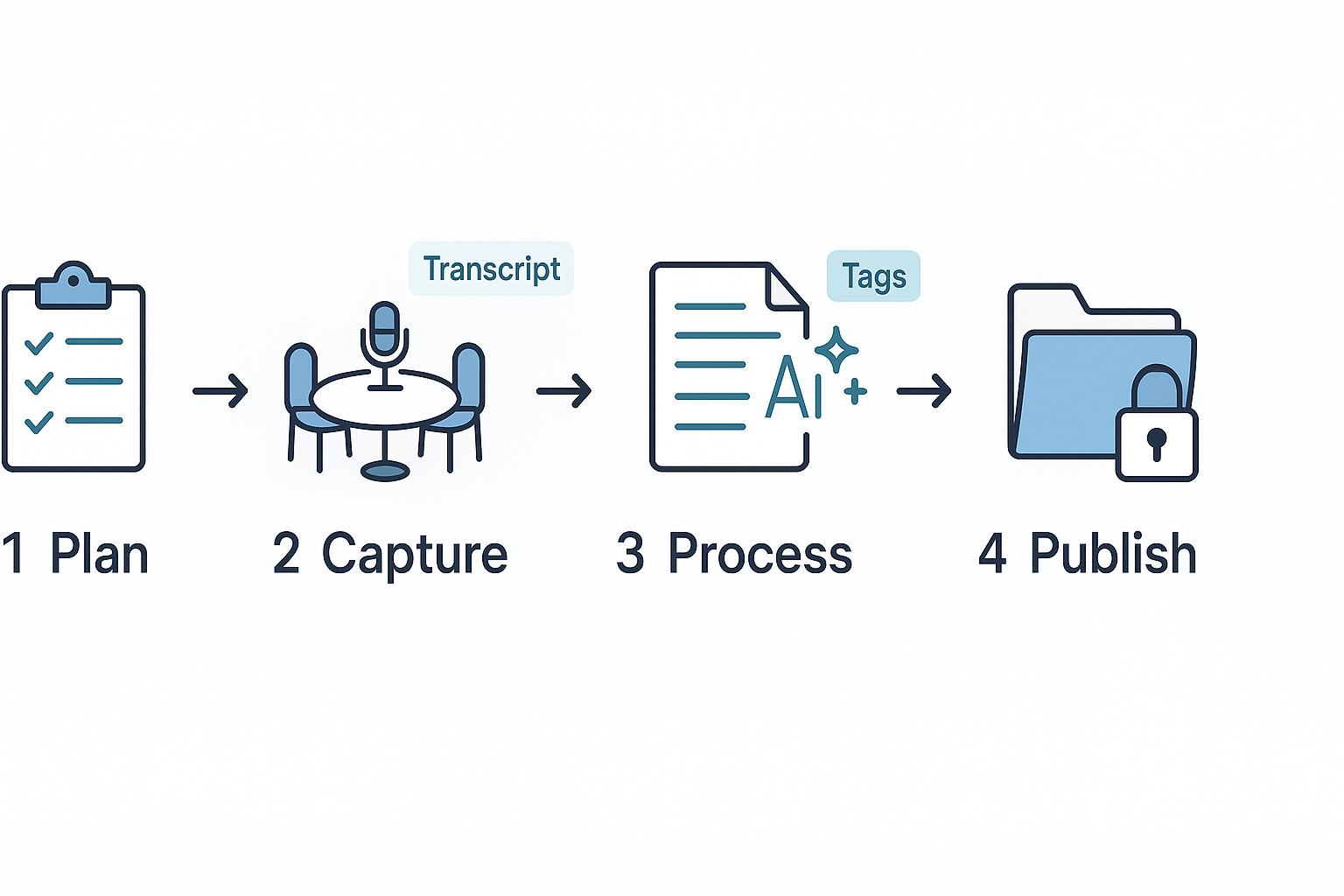
1) Plan scope, owners, and taxonomy
Design the smallest useful space first. Pick one project, one set of meetings, and one owner. Create a taxonomy (folder and tag structure) that matches how people work, not how you think they should. Keep tags shallow: role, project, decision, action, and meeting type. Assign a content owner and a reviewer to every new page.
What to decide now:
- Project boundaries and spaces.
- Who owns uploads and approvals.
- Core tags and folder names.
- Retention and privacy rules.
These choices stop chaos later.
2) Capture meetings and source files reliably
Make capture part of the meeting routine. Record audio or use live transcription. Save slide decks and chat logs to the same folder. Encourage short, focused captures: three key outcomes, five minutes of notes, and clear action items. Use consistent file names: YYYY-MM-DD_project_topic.
Capture checklist:
- Record audio or upload the file.
- Export the transcript after the meeting.
- Attach the slide deck and chat export.
- Add a one-line summary in the title.
Automated recording and uploads reduce friction.
3) Process: transcripts, AI summaries, tagging, and approvals
Turn raw captures into searchable pages fast. Start by generating an AI summary from the transcript. Use that summary to create a page draft. Auto-suggest tags from the summary and transcript, then ask the owner to approve. Keep approval simple: two clicks to publish or request edits.
Practical processing steps:
- Clean the transcript for speaker labels and timestamps.
- Run an AI summary to extract decisions and actions.
- Auto-tag using topic and role suggestions.
- Owner reviews, adds context, and approves.
Tip: cross-file Q&A tools can surface prior decisions. Use them to link or merge pages so duplicates don’t multiply.
4) Publish into spaces with permissions and links
Publish drafts into the correct project space once approved. Apply folder-level permissions so only the team and stakeholders can edit. Add a short public summary for wider audiences when needed. Link published pages from project trackers and meeting invites, so retrieval is easy.
Publishing checklist:
- Place in project space with proper tags.
- Set edit/view permissions.
- Add related links to other pages.
- Pin or favorite the page for the sprint.
This makes the content discoverable where people look.
5) Maintain, prune, and iterate governance
Set a simple maintenance rhythm. Weekly triage for new pages keeps the base tidy. Quarterly audits remove outdated pages and update tags. Track ownership changes and reassign pages when people leave. Keep governance lightweight, and automate reminders.
Maintenance routine:
- Weekly owner review of new content.
- Monthly merge and de-duplicate pass.
- Quarterly taxonomy audit.
- Automated reminders for stale pages.
How AI speeds this pipeline
Use transcripts to seed page drafts automatically. AI summaries create the first draft and highlight decisions and actions. Cross-file Q&A tools let you ask questions across meetings to auto-link evidence. These steps speed tagging, reduce manual editing, and help teams see value in days, not months. For example, platforms that combine live transcription, AI summarization, and cross-file answers let you turn one meeting into a searchable page in under ten minutes.
Mini checklist to run your first sprint
- Pick one team and three weeks of meetings.
- Capture and transcribe every meeting.
- Auto-generate drafts and tags.
- Have owners approve and publish.
- Run weekly triage and measure search success.
Follow this sequence and you’ll have a usable knowledge base in under a month. The key is tight scope, fast feedback loops, and automation that turns meeting transcripts into live knowledge.
Start strong: a clear launch plan makes adoption painless and fast. The goal is to turn meeting output into a living remote team knowledge base that people actually use. Begin with simple defaults, clear roles, and a few quick wins so busy teams see value within days.
Starter templates and role-based onboarding flows
Provide templates that match everyday work. Create a meeting notes template for PMs, a decision log for execs, and an incident postmortem for support. Each template should include fields for decisions, action owners, and follow-up dates.
- Project kickoff notes: agenda, milestone decisions, and owners.
- Sprint retro: what went well, what to change, owners.
- Client call capture: requests, promises, next steps.
- Policy or legal notes: redlines, approvers, status.
Map a short role flow for each template. Show one or two screenshots in the first week. Offer a 15-minute role-based walkthrough for each team.
Recruit champions and set incentives
Pick champions in each team who will model the habit. Champions should be early adopters who get a small perk, like recognition or a training budget credit. Keep incentives simple and visible.
- Public shout-outs in team channels.
- Small rewards for consistent captures for 30 days.
- Leaderboard of most reusable notes.
Example async capture workflow managers can copy
- Before the meeting, add the meeting template and goals in the calendar invite.
- During the meeting, record audio and let live transcription run.
- After the meeting, assign action items inside the note within 24 hours.
- Tag related projects and upload any files.
- Use an AI summary to create a 2-sentence executive brief.
- Post the brief and links to the team channel with the tag "capture".
Integrate short demos and artifacts into existing meetings
Add a 5-minute demo slot to two recurring meetings during week one. Show how to seed a note, call up an AI summary, and search cross-meeting Q and A. Keep demos short and hands-on. That creates small habits that scale.
Make onboarding friction-free and visible. When teams get fast value, the capture habit sticks.
Measure success: KPIs and ROI for your knowledge base
A remote team's knowledge base should save time and make answers easy to find. Start by picking a few straight metrics. Track search success, time to answer, meeting time cut, and task follow-through.
Key KPIs to track
- Search success rate: percent of searches that find an answer on page one. Aim to improve this over time.
- Time to answer: average minutes from question to usable answer. Lower is better.
- Reduced meeting time: minutes shaved per meeting after using the knowledge base.
- Task follow-through: percent of assigned actions completed on time.
- Knowledge reuse rate: percent of content reused across projects.
How to measure: simple methods
Use a mix of quick signals and hard numbers. Run a short pulse survey asking how fast people find answers. Combine that with analytics from your KB and meeting tool. Look at search logs, view counts, and Shadow cross‑file chat hits. For causal proof, run an A/B or before/after test. Measure a cohort for six to eight weeks, then compare the same metrics.
Use sampling and spot checks for quality. Randomly inspect summaries and transcripts for accuracy. Count the number of meeting minutes and transcripts created, and track how often summaries are opened. These are low-effort signals you can collect weekly.
Quick ROI example you can adapt
- Team size: 10. Average fully loaded hourly cost: $50.
- Time saved: 30 minutes per person per week by faster search and fewer follow-ups.
- Weekly hours saved: 10 people * 0.5 hours = 5 hours.
- Weekly value: 5 hours * $$50 =$$250. Annual value: $$250 * 52 =$$13,000.
- KB cost: $$79 per seat per year (example). Total cost:$$790.
- Net annual gain: $$13,000 -$$790 = $12,210. ROI: 12,210 / 790 = 15.5x (1,550%).
Adjust inputs to your team size, hourly cost, and realistic time saved. Run the test for a quarter, then scale up what works.
Tech & tools: Where TicNote Cloud fits (comparison & selection guide)
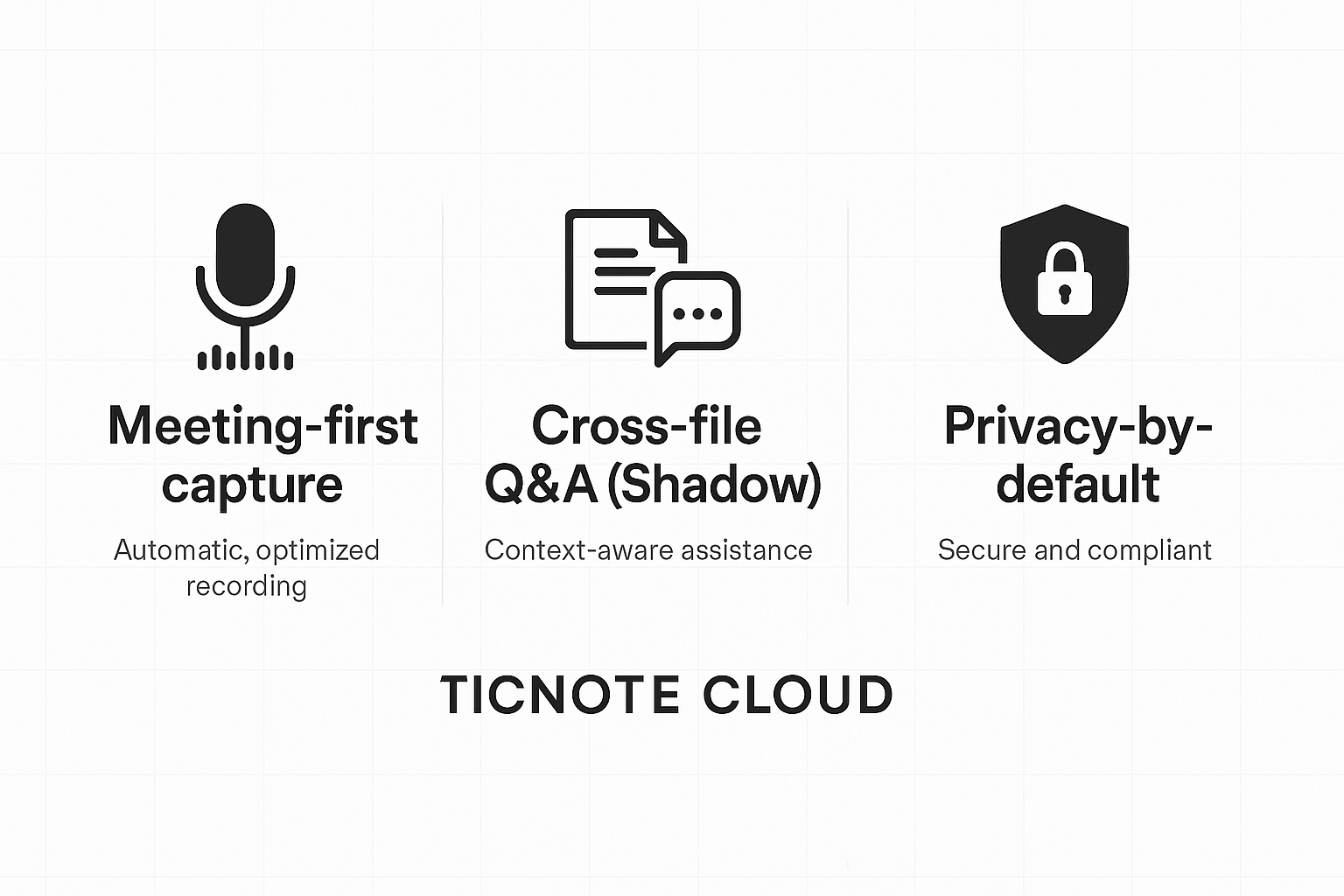
Start with meetings, and you change the whole knowledge pipeline. A meeting-first capture approach turns spoken decisions and tasks into searchable notes, summaries, and reusable knowledge. For teams building a remote team knowledge base, this cuts the time from talk to action and keeps context with the source meeting.
Make meetings the source of truth
When you capture audio and transcript live, you keep the timing, speakers, and the thread of decisions. That helps search, task linking, and audit trails. It also makes summaries and mind maps more accurate, because they use the original conversational signals.
Where TicNote Cloud sits in the workflow
TicNote focuses on the meeting to knowledge flow. Key modules you’ll use:
- AI transcription: Live and post-meeting transcription from audio and uploads. It supports many languages and long recordings.
- AI notes and summaries: Topic-aware summaries and templates that turn raw transcripts into short briefs.
- Shadow cross-file Q&A: Ask questions across meetings and documents and get grounded answers that cite sources.
- Mind maps and exports: Auto-generated visual maps and standard exports for sharing.
- AI knowledge base: Organize notes into spaces so anyone can chat with past meetings.
Together, these tools seed a chat-ready knowledge base without manual re-entry.
What to check when you pick a tool
Use this short checklist when you evaluate vendors:
- Transcription accuracy and language coverage. Does it handle accents and noisy audio?
- Cross-file search and Q&A. Can you ask about decisions across meetings and docs?
- Privacy and data controls. Is data private by default, and can you enforce export limits?
- Integrations and exports. Will it sync with your drive, Slack, or Notion?
- Enterprise controls. Look for SSO, admin controls, and retention policies.
Note that the GDPR went into force on European Data Protection Board (2018), on 24 May 2016 and has been applied since 25 May 2018.
| Tool | Transcription quality | Cross-file Q&A | Privacy posture |
| TicNote Cloud | High-accuracy transcription, meeting-first capture | Built-in Shadow for cross-file Q&A and long-context chats | Private by default, encryption and enterprise controls |
| Otter / common note takers | Strong live transcription, varies by language | Basic cross-file search, limited cross-document Q&A | Privacy settings vary by vendor |
| Fireflies/meeting recorders | Good meeting capture, vendor-dependent | Search across meetings, usually no long-context chat | Policies vary, review data use terms |
| Fathom / simple recorders | Easy live notes, shorter recordings | Minimal cross-file Q&A features | Focus on meeting capture, check privacy terms |
Short compliance notes
For regulated teams, confirm data residency, SSO, and retention settings. Map your vendor terms to your contracts and security checklist. Use encryption and audit logs where available.
If you want a quick trial, try the meeting-first flow and see how fast recordings turn into searchable answers. This shows the real value of automated capture in minutes, not days.
Real-world examples, templates & checklist (copy-ready assets)
A meeting-first remote team knowledge base closes the loop between conversations and actionable memory. Below is a short case study that shows real gains, followed by three copy-ready assets you can paste into your tools. Each asset notes how TicNote Cloud speeds capture, auto-summarization, and search so your team actually uses the system.
Mini case study: Product ops team, before and after
Before: product ops at a 120-person SaaS company spent 12 minutes on average finding context for a ticket. Handoffs between PMs and engineers took 48 hours on average. Meeting notes lived in Slack threads and scattered docs.
After: they used a meeting-first workflow: record every sync with TicNote Cloud, auto-transcribe and tag by project, then use Shadow (cross-file Q&A) to fetch decisions. Results in three months:
- Average time to find context dropped from 12 minutes to 2 minutes.
- Handoff latency fell from 48 hours to 6 hours.
- Meeting prep time per attendee cut 30% thanks to AI summaries.
- Team search adoption reached 85% for new tickets.
How TicNote Cloud helped: live transcription captured exact decisions, AI summaries produced one-paragraph TL; DRs, and Shadow let engineers query multiple meetings at once.
Copy-ready asset: Onboarding email
Subject: Welcome to our meeting notes system
Hi team,
From today, we’ll record project syncs in TicNote Cloud. After each meeting, you’ll get a short AI summary, task list, and link to the project knowledge page. Use the link to review past decisions before meetings.
Quick steps:
- Sign up at TicNote Cloud and join the project space.
- Record or upload your meeting recording. Transcripts are auto-generated.
- Add the meeting to the project page and tag relevant tickets.
Questions? Reply and I’ll help set up your first recording.
Thanks, [Name]
Copy-ready asset: Knowledge page template
Title: [Project Name] — Decisions & Actions
- Date: [YYYY-MM-DD]
- Meeting link (TicNote): [link]
- One-sentence summary: [AI summary]
- Decisions (bullet list)
- Action items (owner, due date)
- Related files and meeting excerpts
Copy-ready asset: Weekly review checklist
- Review AI summaries for open projects.
- Close or reassign unresolved actions.
- Tag new knowledge pages with the project and team.
- Run Shadow queries for cross-meeting follow-ups.
Each template is ready to paste into Notion, Confluence, or TicNote pages. Use TicNote Cloud to auto-fill transcripts, summaries, and search, so your team moves from meetings to knowledge in minutes.
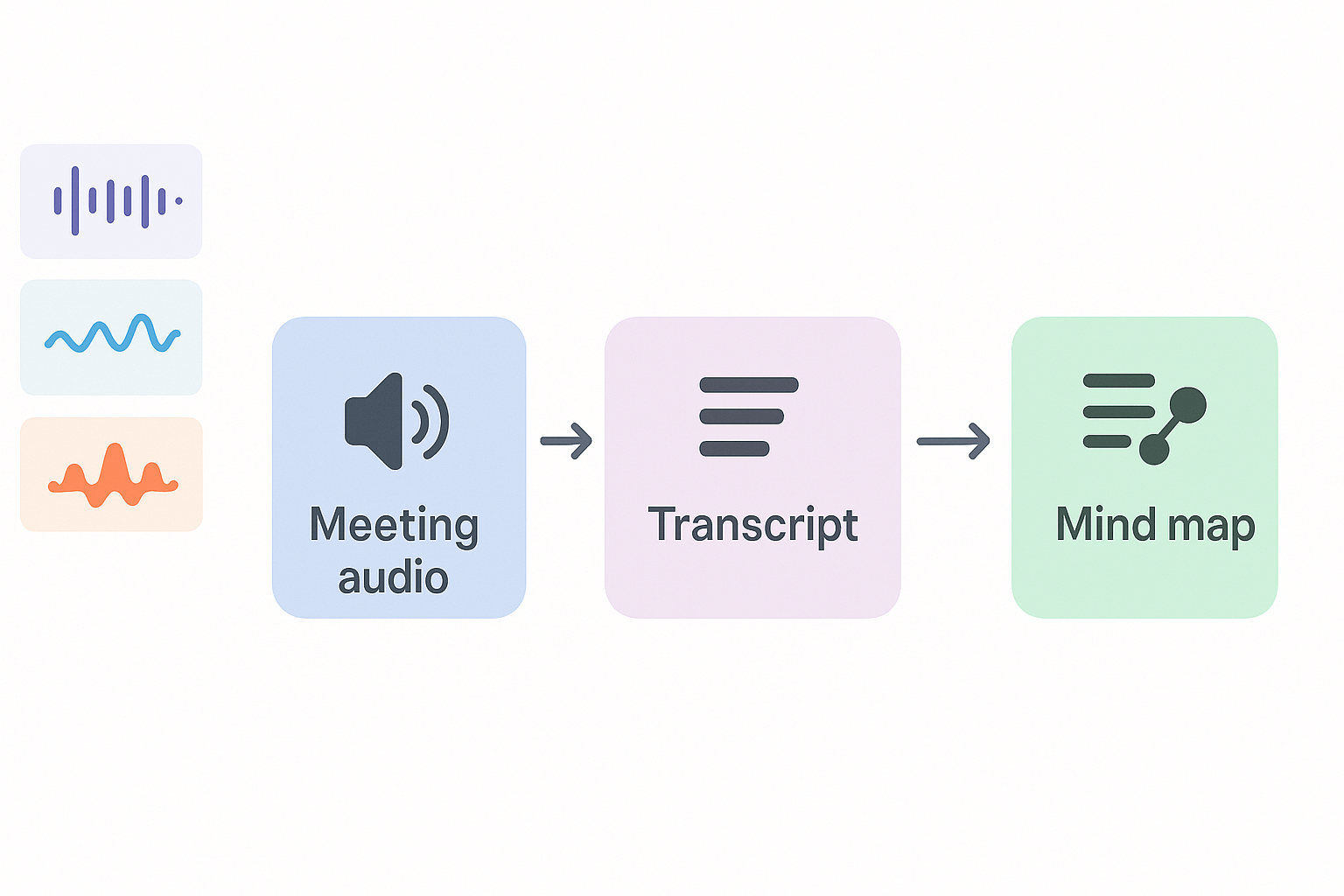
Start with an annotated demo video that shows a meeting turning into a transcript, an AI summary, and an auto-generated mind map. This single clip helps managers judge accuracy, speed, and the end-to-end capture-to-knowledge flow for a remote team knowledge base. Add visual callouts and timestamps so viewers can spot where decisions and action items appear.