Extension
TL;DR — Quick takeaways for sharing meeting minutes
If you need to share meeting minutes fast, use a short capture-to-share flow. Put decisions, owners, and deadlines at the top. Send a searchable summary so absent team members can act quickly.
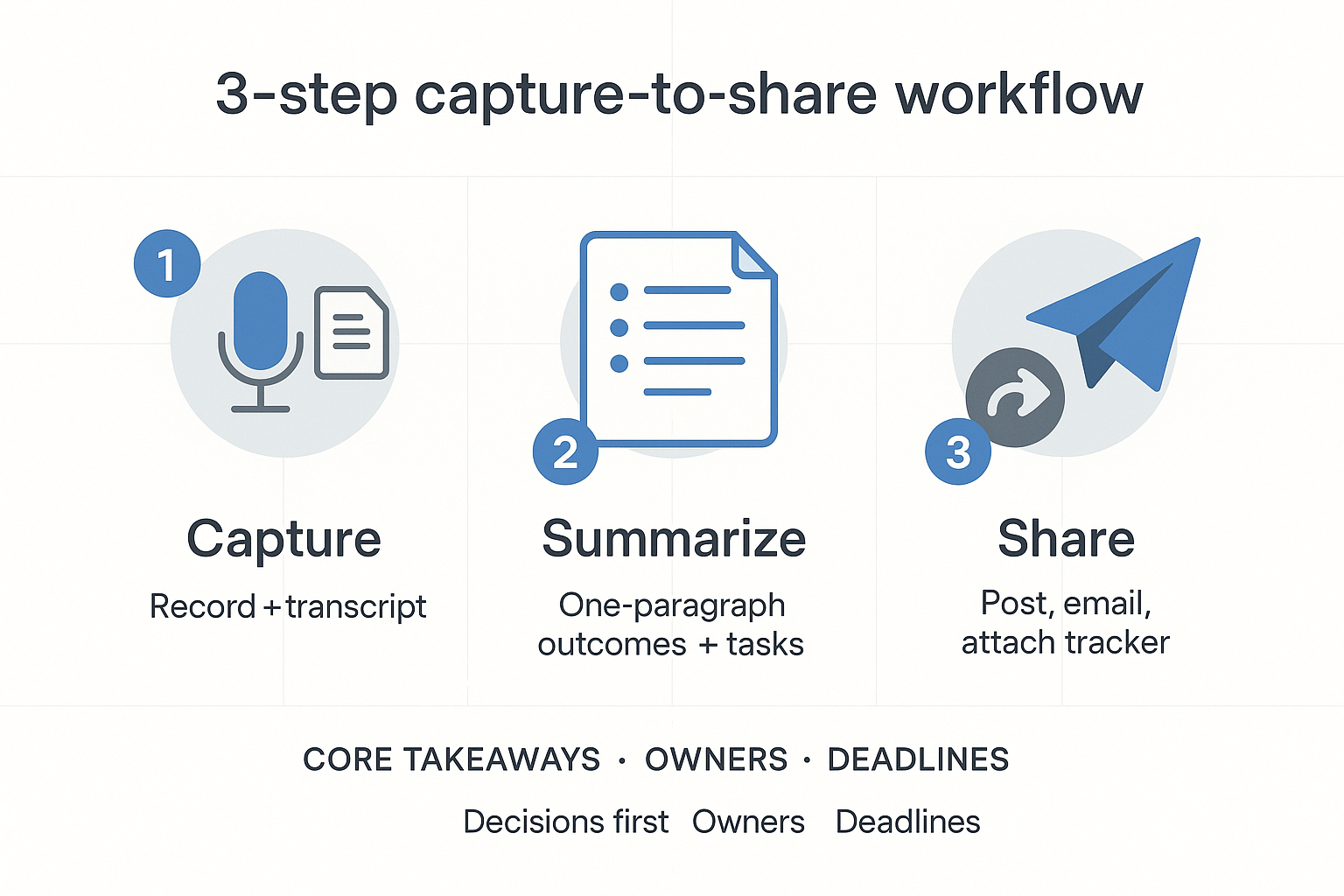
- Capture: Record the meeting and generate a transcript. Tag decisions and action items as you capture, so nothing gets lost.
- Summarize: Produce a one-paragraph summary that lists key outcomes. Then add a short task list with owners and due dates.
- Share: Post the summary and transcript in the team channel, email a one-click digest to absentees, and attach the task tracker.
Make this a habit. Use a template to keep formatting consistent. Automate transcription and AI summarization to save time and reduce errors. A simple, repeatable workflow cuts follow-up emails and missed actions, and it keeps your team aligned.
Why sharing meeting minutes matters (and common failures when you don't)
When you share meeting minutes fast and clearly, teams stay aligned and decisions turn into work. Good minutes cut follow-up time, reduce rework, and help absent members catch up without a call. If you delay or send fuzzy notes, momentum disappears and tasks slip.
Clear minutes speed action
Minutes work best when they list decisions, owners, and deadlines. That makes it simple to see what changed, who will act, and when the next check-in is. Absentees rely on notes to understand context and priorities, not to re-run the whole meeting.
Common failures and how they break work
- Lost decisions: People forget what was decided, so teams reopen settled issues and waste time.
- Missed actions: No named owner means no one feels responsible, so tasks fall through the cracks.
- Duplicated work: Without a clear record, two people may do the same work twice.
- Missing context for absentees: Short or vague notes force absent members to ask follow-up questions, slowing progress.
- Fragmented storage: Notes scattered across chats and drives become hard to find, reducing reuse and learning.
Fixing these failures is simple: send a single, searchable summary within 24 hours, highlight action items, and store the notes where the team already looks. That small habit prevents friction, speeds delivery, and keeps everyone on the same page.
Who to share minutes with and when (audience, timing, and permissions)
Start with the people who need to act. Share meeting minutes promptly so assignees can start work. Below are clear recipients, timing rules, and simple permission guidelines to keep follow-ups fast and accountable.
Core attendees and timing
- Meeting host and note taker (always).
- Decision makers and assigned owners.
- Directly affected team members.
Send a draft of action items within 24 hours. Circulate full draft minutes within 48 hours for review. Publish the final minutes within five business days unless your group needs faster closure.
Optional recipients and externals
- People who asked to be kept informed.
- Cross-functional partners and sponsors.
- External vendors or clients, only if items affect them.
When sharing with optional or external people, redact internal-only commentary. For clients or vendors, attach a short summary of decisions and explicit next steps to prevent confusion.
Permissions and recordkeeping
Use view or comment links for wide reads and edit links only for reviewers. Archive final minutes in a team channel or shared drive with restricted edit rights. For legal recordkeeping, note that Electronic Recordkeeping | U.S. Department of Labor The Department of Labor advises that unions maintain all records related to matters that must be reported under the LMRDA, including minutes of all membership and executive board meetings. Keep a retention label for any minutes that must be preserved.
Start with a clear, decision-first summary that highlights what changed and what needs to happen next. If you need to share meeting minutes with absent team members, put decisions and action items at the top so readers get the signal fast. Keep the first paragraph short and link to the full notes below.
Subject lines and metadata: make it findable
Use a short subject line that includes the project, meeting type, and date. Add tags or metadata if your document system supports them, for example: Project X, Sprint Planning, 2025-09-07. Include a one-line meeting purpose and the list of attendees and absentees.
Decision-first summary: reduce friction
Open with a 2–4 sentence summary that lists decisions and outcomes. Readers should be able to scan and leave with a clear sense of what changed. Use bullet points for each decision and one line for context if needed.
Actions with owners and due dates: be explicit
Actions drive results, so name the owner and a due date every time. Use this simple format:
- Action: what to do
- Owner: who is accountable
- Due: yyyy-mm-dd
- Status: open, in progress, or done
This makes follow-up and automation easier.
Attachments versus shared links: prefer links for living files
Attach a single final PDF when you must freeze a record. Otherwise, share links to the live doc or folder so everyone sees updates. For audio or transcripts, link to an export (DOCX or TXT) and also to the raw transcript or recording for context.
Version control tips: track changes and visibility
Keep an edit log (who edited, when, and why) and use a clear version name like v1.0, v1.1. Lock or freeze minutes that affect compliance or legal matters. If you need threaded discussion, prefer a comments pane instead of inline edits.
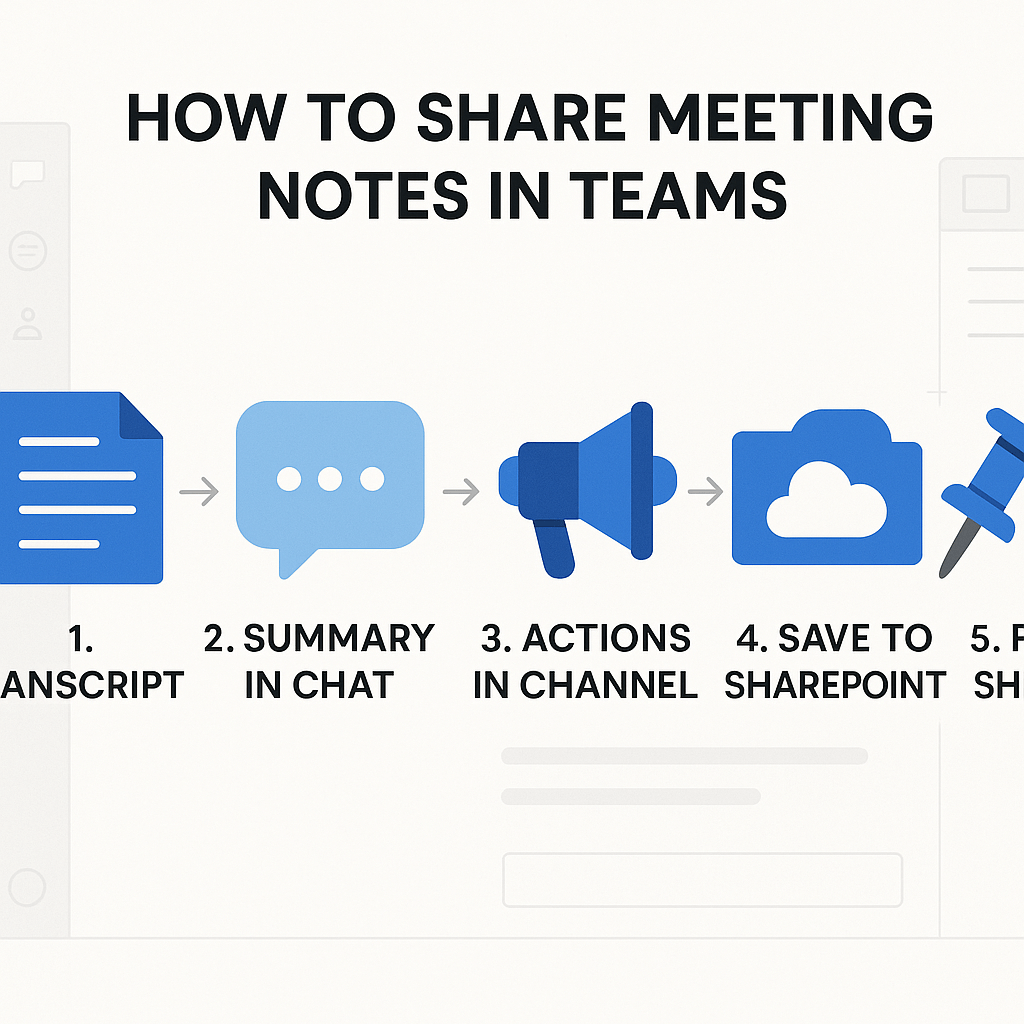
How to Share Meeting Notes in Teams After the Meeting
After your meeting concludes, it’s crucial to ensure that your notes are organized, shareable, and easy for others—especially those who were absent—to access and act on. Here’s a step-by-step guide to sharing meeting minutes effectively in Microsoft Teams.
1. Share the Transcript and Summary in the Meeting Chat
- Upload the full transcript (TXT or DOCX) to the meeting chat.
- Include a concise summary—40 to 80 words—highlighting key decisions and actions.
- Tag absent participants so they're notified.
💬 Example message:
Hi team—here’s the transcript from today’s meeting and a short summary below. Summary: We decided on A and B. Action items for X (Owner, Due: Friday). Full transcript attached.
2. Post Decisions and Actions in the Team Channel
- Create a new channel post summarizing the decisions and listing action items.
- Use @mentions to assign responsibilities and include due dates.
- Pin the message for visibility and ask team members to confirm tasks in replies.
📢 Example post:
✅ Decisions: 1) Move forward with Project X, 2) Update client roadmap. ✅ Action Items: @Jordan—draft proposal (Due: Friday), @Casey—revise timeline (Due: Thursday).
3. Upload the Final Document to Files or SharePoint
- Prepare a cleaned-up version of the minutes and save it as PDF or DOCX.
- Upload it to the appropriate meeting folder in SharePoint or the Files tab in Teams.
- Mark this version as the "official" record and include links in both chat and posts.
4. Optional: Share in OneNote
- If your team uses OneNote, paste the summary and action list into the meeting notes section.
- Share the notebook link for reference.
5. Ensure Proper Permissions
- Set SharePoint file permissions appropriately: team-wide view access, edit for owners.
- Confirm that all tagged individuals can access the documents.
Make your meetings count by closing the loop. A few minutes of clear documentation can save hours of confusion later.
👉 Try TicNote Cloud for automated summaries and team task sync. Start for Free
Use TicNote Cloud to capture, summarize, and share meeting minutes
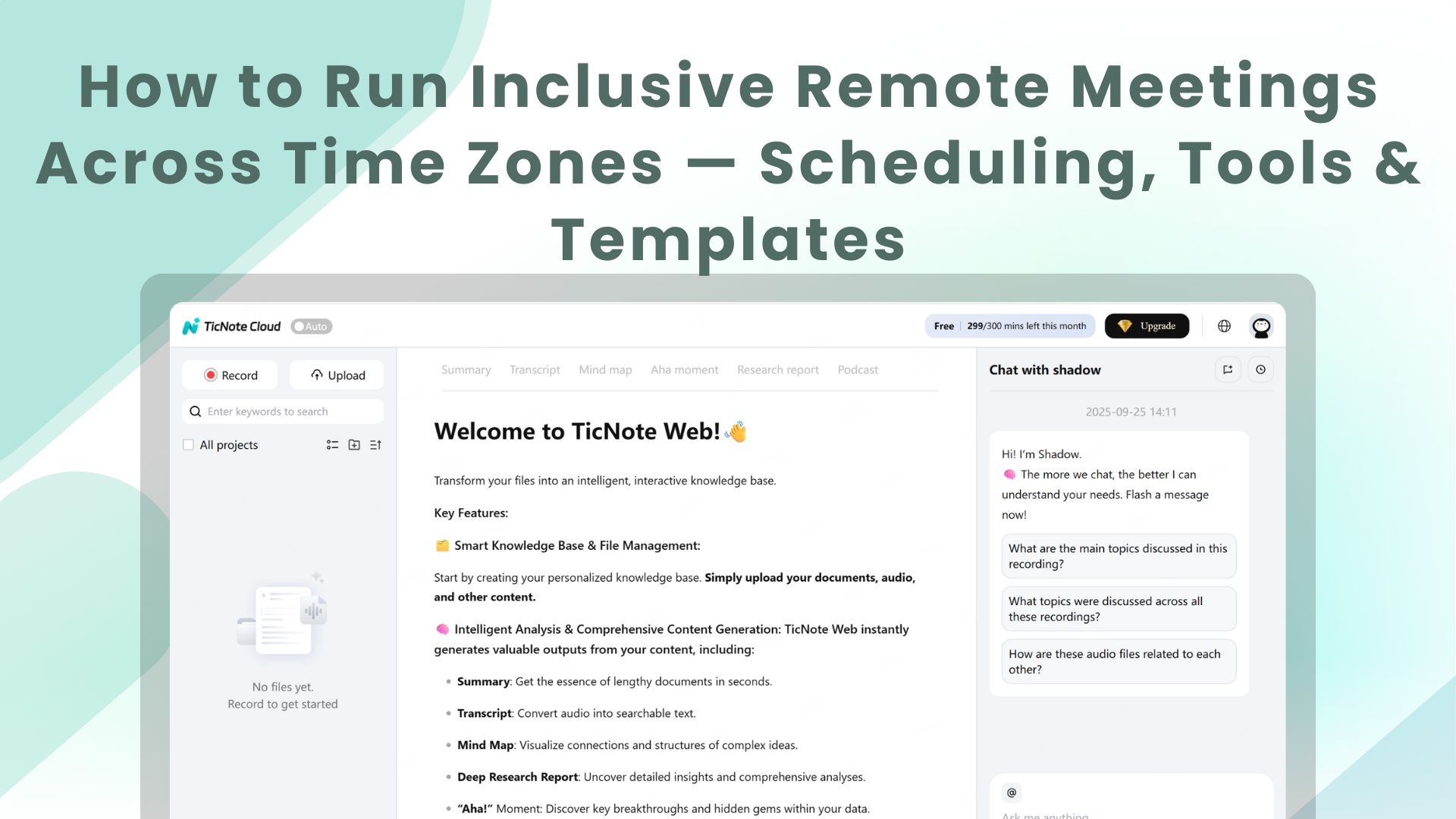
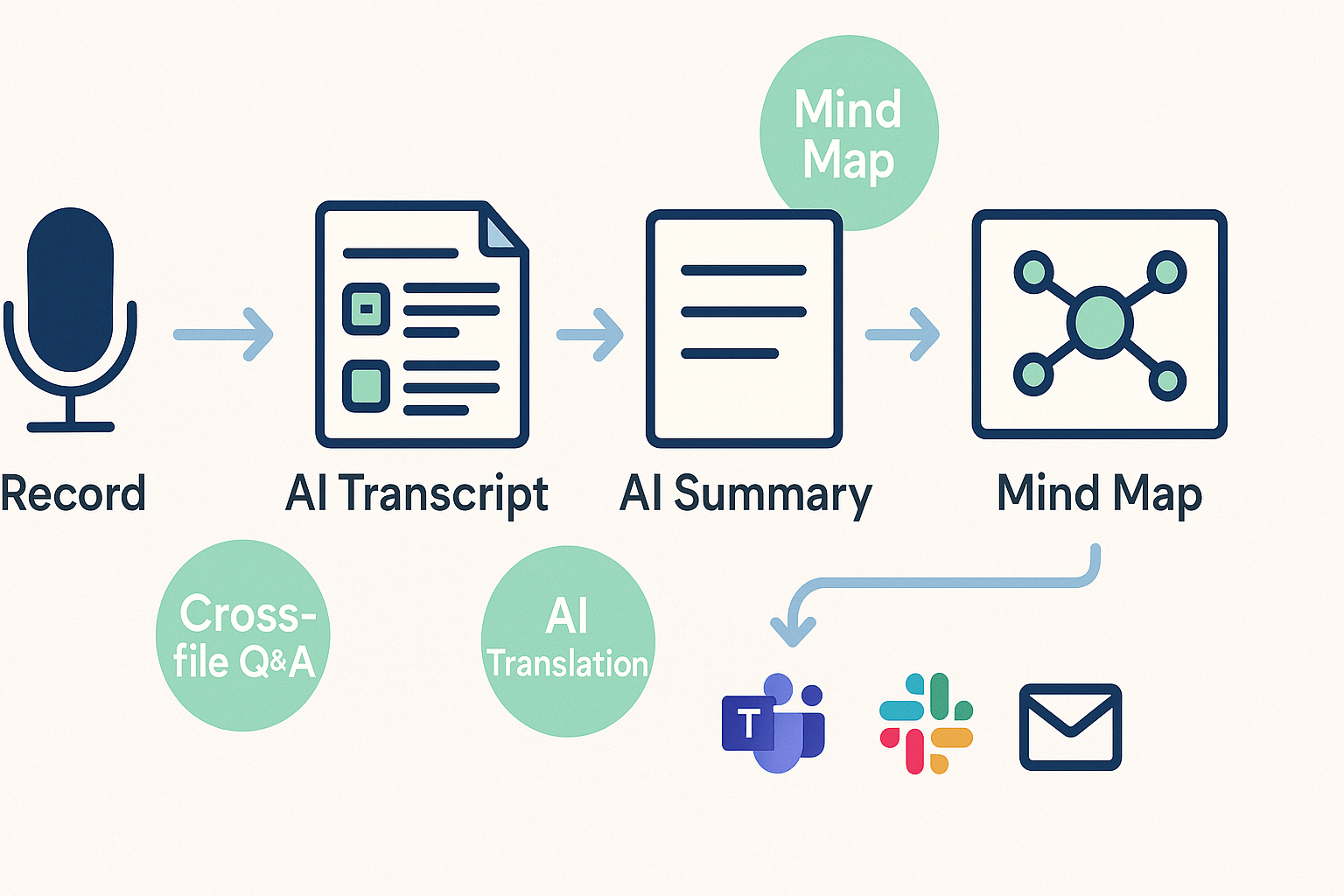
Start with one recording, and turn it into minutes you can actually use. TicNote Cloud records or ingests audio, auto-creates a searchable transcript, and produces an AI summary you can export as DOCX or PDF to share meeting minutes with absent teammates. The workflow saves time and keeps decisions and action items clear.
Record, transcribe, and organize
Capture audio live with the Chrome extension or upload a recording. TicNote then:
- Generates a time‑stamped transcript for quick skimming.
- Detects topics and tags speakers for easy scanning.
- Stores the file in a project space so notes stay linked to related meetings.
This makes it simple to find the line where a decision was made or pull quotes for reports.
Turn the transcript into minutes and a mind map
Use an AI template to extract decisions, action items, owners, and due dates. Then run the AI summary tool to produce a one‑page executive minutes document. You can also auto‑generate a mind map (visual summary) to show topic structure.
Key exports:
- Summary: DOCX, Markdown, PDF
- Transcript: TXT
- Mind map: PNG or Xmind
Templates speed repeatable sharing. Save a meeting minutes template that already lists agenda, decisions, and actions. When you export, the DOCX mirrors that template , so you don’t rewrite the same sections.
Export and share: Teams, Slack, or email
After export, attach the DOCX or PDF to a Teams channel post, a Slack thread, or an email. TicNote also copies a shareable link you can paste into meeting chat. For Teams, add the document to the meeting channel and tag the action owners.
Differentiators that matter:
- Mind maps for quick visual briefings.
- Cross‑file Q&A to find past decisions across meetings.
- AI translation so distributed teams can read minutes in their language.
Quick example: a product manager recorded a sprint retro, exported a templated DOCX, and shared it to the team channel. The result: fewer follow‑up reminders and clearer owners.
Tracking follow-ups and accountability after sharing minutes
When you share meeting minutes, turn decisions into tracked tasks so nothing falls through the cracks. Start by listing action items, assigning owners, and adding clear due dates in the same document or tracker. That clarity makes follow-up easy for absent team members and keeps the team accountable.
Turn decisions into tracked tasks
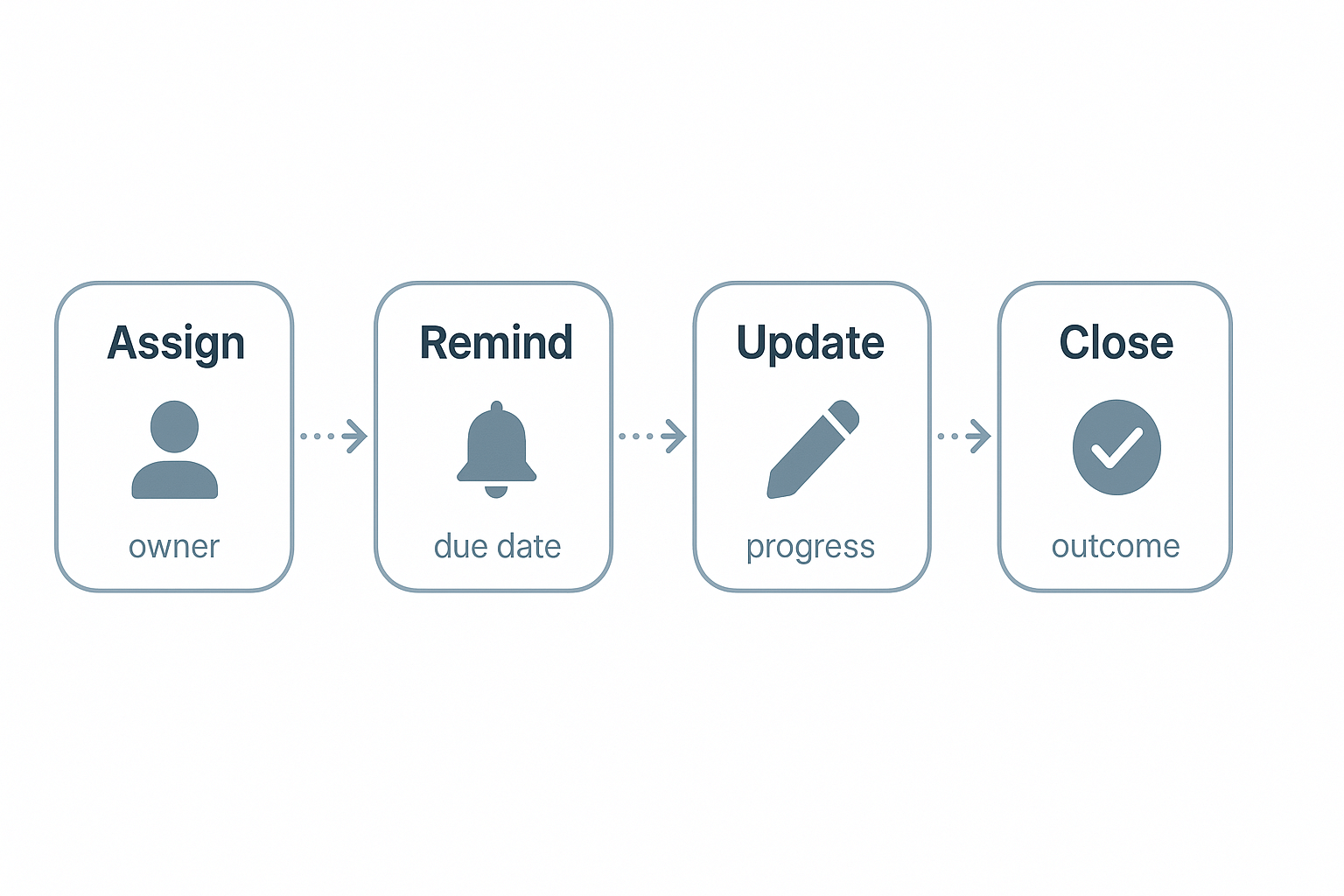
Use a simple task lifecycle to keep ownership visible: assign, remind, update, close. A short ordered workflow works well:
- Assign: name an owner and set a due date.
- Remind: schedule an automated nudge before the deadline.
- Update: owner posts progress and links to notes.
- Close: confirm completion and record outcome.
Use a compact tracker template
Keep a single table with these columns: Action item, Owner, Due date, Status, Link to minutes, Priority. Save this as an editable DOCX or a Notion database so it’s easy to filter by owner or date.
Automate reminders and syncs
Automate reminders via calendar invites, Slack reminders, or task platform alerts. Sync tasks from your notes using TicNote Cloud exports and connectors: push summaries to Notion, send task pings to Slack, or export a summary to create Asana tasks via Zapier or a native integration. That keeps tasks mirrored across the tools your team already uses.
Optional tracker: copy this small table into your notes after each meeting and assign owners before you close the doc.
Advanced scenarios & compliance: board meetings, legal, multilingual teams, and accessibility
Sharing meeting minutes for high‑risk meetings needs rules and an audit trail. Start by deciding who has permanent access and who approves final minutes. Standards and records guidance matter: ISO 15489-1:2016 provides principles and concepts for records management, including metadata for records, records systems, policies, assigned responsibilities, monitoring of records, training, and recurrent analysis of business context.
Board and legal minutes: what to lock down
- Keep a signed, dated version for official records.
- Note attendees, absentees, motions, votes, and exact resolutions. (Don’t paraphrase votes.)
- Use controlled access and versioning in your document system.
- Compliance checklist: retention policy, approval stamp, custody log, and secure archival.
Multilingual teams and accessibility
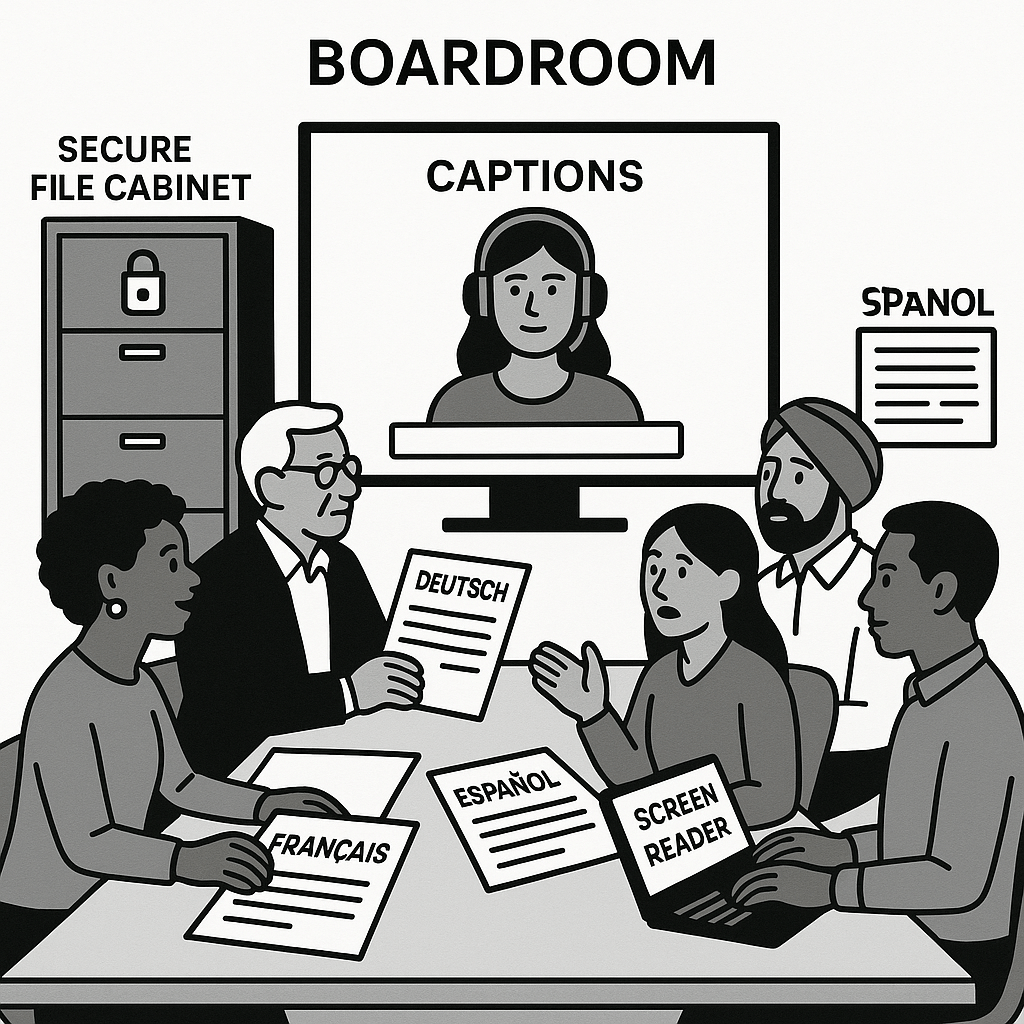
Translate summaries, not full transcripts, for speed. Use professional translation for legally sensitive content. Provide plain text transcripts, captioned audio, and headings for screen readers. Explain any abbreviations when first used.
Recommended audit trail for contested minutes
- Save the raw transcript and timestamped recording. (Raw files are evidence.)
- Export the drafted minutes and track edits and who made them.
- Require a formal signoff (name, role, date) before publishing.
- Archive final and prefinal versions with metadata.
This approach keeps you defensible, searchable, and inclusive when you share meeting minutes.