Extension
TL;DR — What this article covers and recommended next steps
This guide explains what an AI meeting assistant is, how it works, and when it helps teams. It answers the core question, What is an AI Meeting Assistant, and shows real benefits like faster prep, better notes, and clearer follow-up.
You’ll get a quick tech primer, a features checklist, common risks and privacy points, a simple decision framework, and a product spotlight with anonymized case studies. There are practical assets too: a checklist, templates, and visual workflows for quick adoption.
Next steps: run a 30-day pilot with one meeting type, compare notes quality and follow-up speed, and review data policies before wider rollout. Use the decision framework in this guide to pick a tool that fits your workflow and privacy needs.
What is an AI Meeting Assistant? A clear definition
An AI meeting assistant is software that listens to or ingests meeting audio and turns that raw conversation into useful, searchable work products. What Is an AI Meeting Assistant is a simple answer: it captures speech, transcribes it, highlights decisions, and extracts action items so teams spend less time on note-taking and more time on work.
Core capabilities
Most AI meeting assistants combine a few core features you will see again and again:
- Live and post-meeting transcription, converting speech to text with time stamps.
- Concise summaries that surface the meeting purpose, key points, and outcomes.
- Action item and decision extraction, with assignees and due dates when available.
- Speaker labels and simple diarization (who said what) for easier review.
- Searchable transcripts and the ability to jump to relevant moments.
- Follow-up automation such as templates, assigned tasks, or shareable notes.
- Contextual Q&A over past meetings or files, letting you ask questions about prior discussions.
How it differs from a recorder or calendar bot
A recorder simply saves audio files. It does not organize, summarize, or show the next steps. A calendar bot schedules meetings and posts invites, but it does not capture or analyze the conversation. An AI meeting assistant adds understanding: it reads the transcript, classifies topics, and produces outputs you can act on.
Common labels and names
Vendors call these tools different things: meeting assistant, AI note taker, AI meeting recorder, transcript assistant, or meeting co-pilot. The names vary, but the promise stays the same: turn spoken meetings into tidy, actionable knowledge.
How AI Meeting Assistants work (tech & typical features)
What Is an AI Meeting Assistant? In short, it is software that records conversations, turns audio into text, and surfaces the key points. This section explains the main technical pieces and typical features so you can set realistic expectations for accuracy and outputs.
Technical building blocks
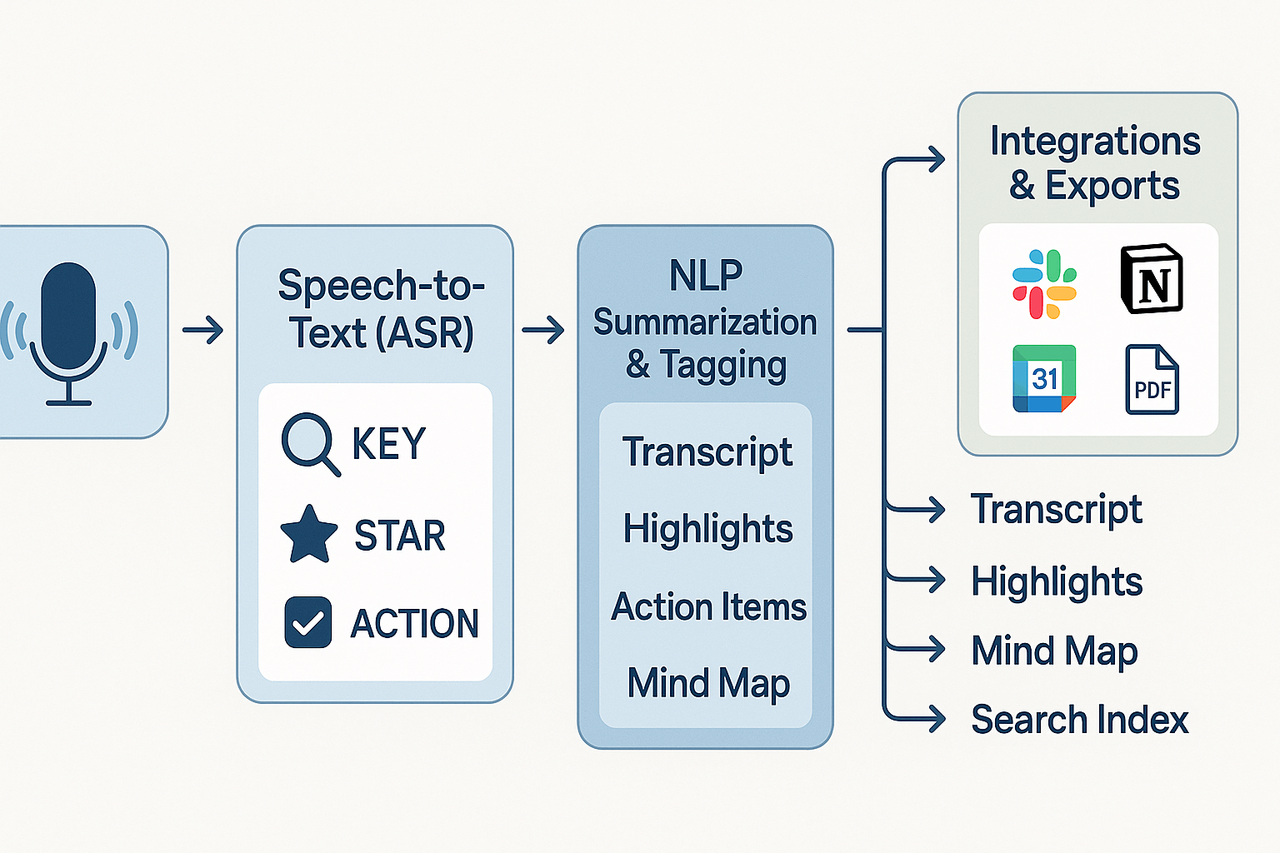
- Audio capture and preprocessing. The system records audio from a device or accepts uploads. It cleans noise and normalizes volume before analysis.
- ASR (automatic speech recognition). ASR converts speech to text. Accuracy depends on audio quality, accents, and model size.
- Speaker diarization (who spoke when). Diarization groups speech segments by speaker. It can be channel-based or model-based, and it often needs tuning for multi-speaker calls.
- NLP (natural language processing) summarization and tagging. NLP extracts topics, action items, decisions, and entities from transcripts.
- Indexing and search. The final text, tags, and metadata are indexed for fast, full-text search across meetings.
Typical features you’ll see
- Live transcription: real-time captions during a meeting and full transcripts after the call.
- Summaries and highlights: short overviews, meeting minutes, and topic-based highlights.
- Action items and decisions detection: output as tasks you can assign or export.
- Speaker labels and timestamps: rough speaker markers and time cues.
- Cross-file Q&A and contextual chat: ask questions about past meetings and files.
- Visual exports: auto-generated mind maps or slide-ready summaries.
For example, some platforms bundle live transcription, Shadow chat, and mind-map exports in one workspace.
Diarization tradeoffs
Diarization improves clarity but adds error risk. It can confuse similar voices or noisy channels. Multi-channel recordings (separate tracks per speaker) are far more accurate than single-track audio. If privacy rules ban in-call bots, device-only recording is a safer option but needs reliable local capture.
Where automated summaries come from
Summaries use two approaches: extractive and abstractive. Extractive methods pull key sentences from the transcript. Abstractive methods rewrite content to be concise. Modern systems use transformer-based models and templates, then validate outputs against the transcript for factual checks. The result is useful for quick review, but always verify nuance and decisions.
Integrations and exports
Connectors push notes to calendars, Slack, and note apps. Exports usually include TXT transcripts, DOCX or PDF summaries, WAV audio, and PNG mind maps. That makes it easy to add meeting knowledge to your workflows.
Key benefits: How AI assistants save time and improve outcomes
What is an AI Meeting Assistant in real work? It’s software that captures conversations, turns speech into text (transcription), and produces usable outputs like summaries and action lists. For meeting-heavy roles, the point is clear: spend less time chasing notes and more time acting on decisions. This section shows concrete benefits that matter to product managers, sales leads, and ops teams.
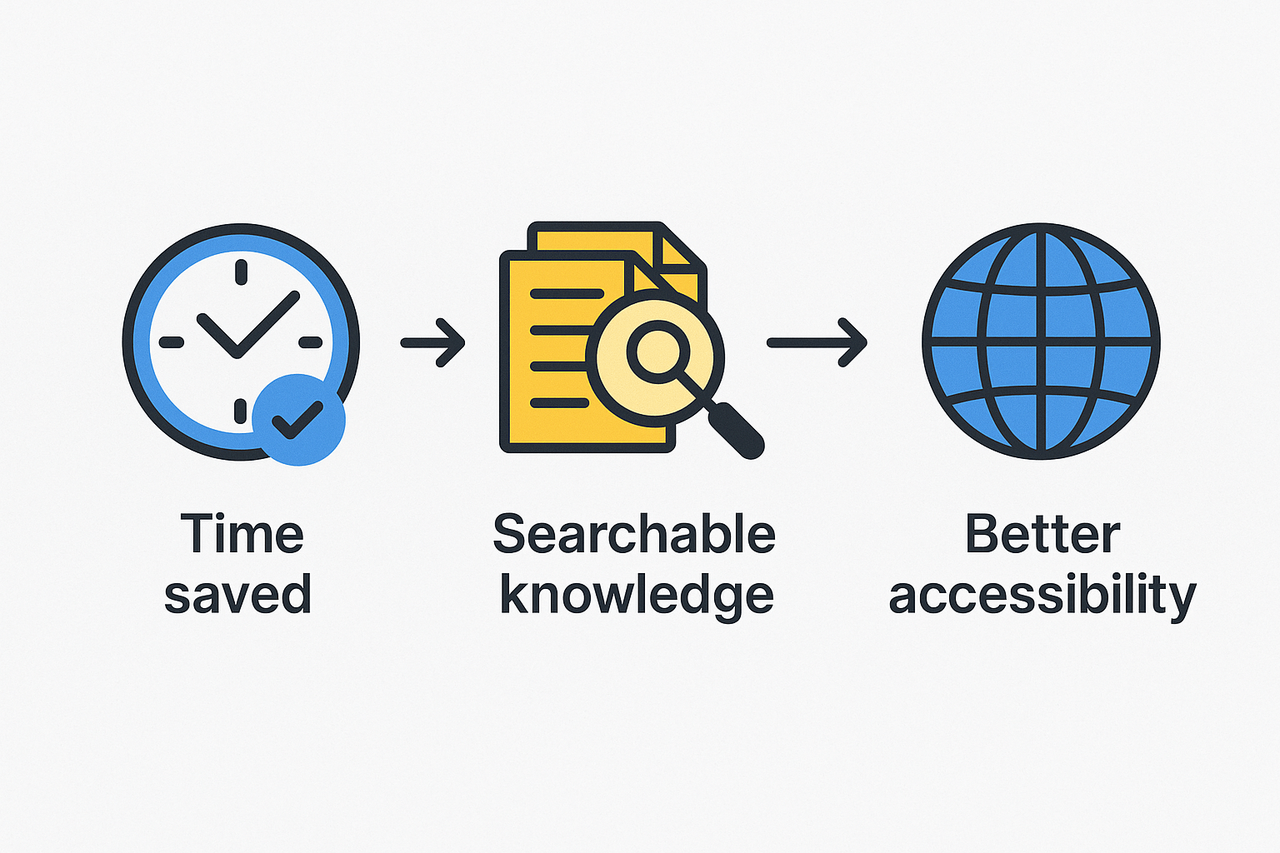
Faster turnarounds and fewer follow-ups
AI meeting assistants speed post-meeting work. Live transcription and instant summaries cut the time to deliver notes from hours to minutes. That means stakeholders get decisions and action items sooner, and teams send fewer clarifying emails. Faster outputs also reduce context-switching, so people stay in execution mode.
Searchable meeting knowledge that scales
A central, searchable meeting archive saves repeated work. When notes, transcripts, and attachments live together, you find past decisions fast. Useful outputs that increase reuse include:
- Auto summaries and timestamped transcripts for quick skimming
- Templates that standardize agendas and note structure
- Visual mind maps that turn long discussions into clear topic trees
These formats make it easy to repurpose content for docs, onboarding, or handoffs. For example, mind maps help presenters turn a complex recap into a single slide.
Better accessibility and global collaboration
Captions and AI translation make meetings inclusive. Live captions help neurodiverse team members and those in noisy environments. Translation into many languages removes timezone and language friction for global teams.
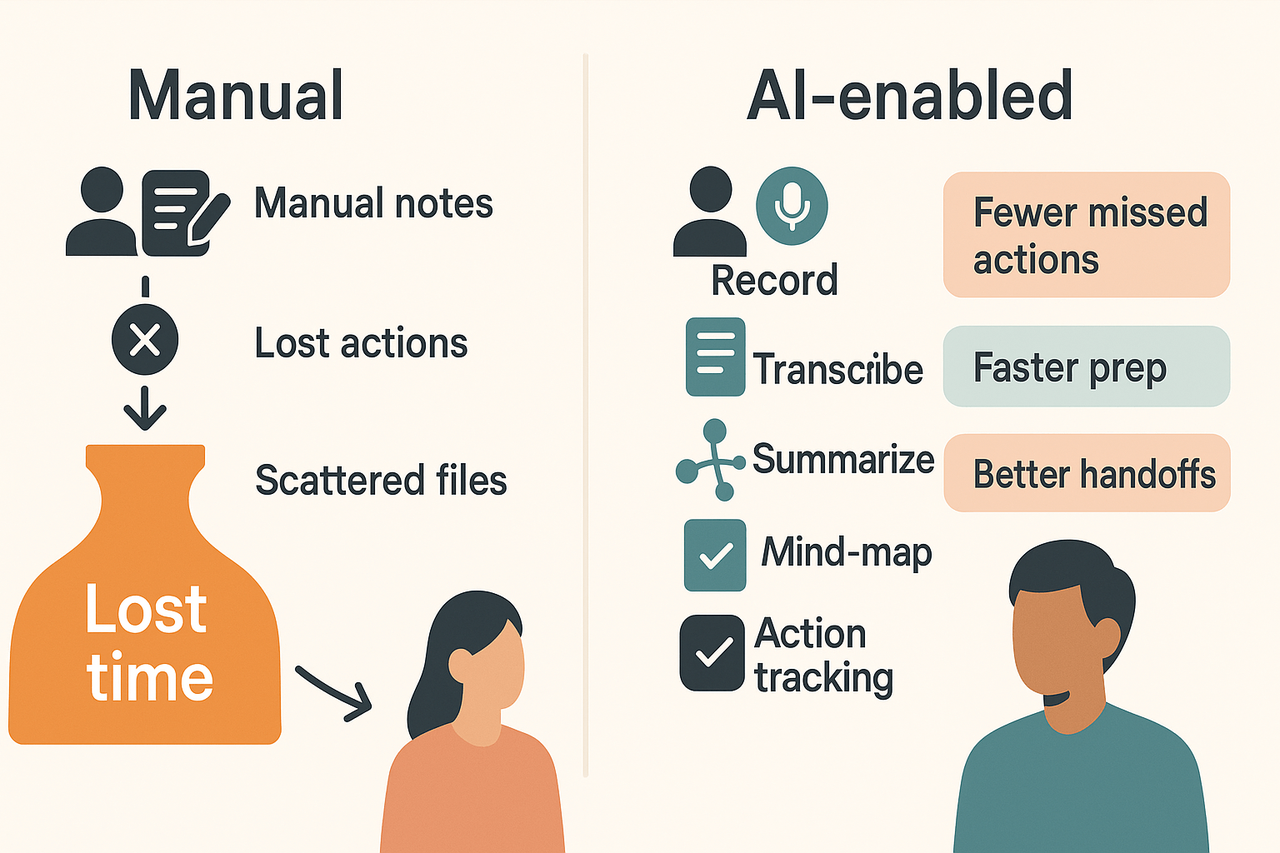
Practical benefits add up: fewer missed tasks, faster handoffs, and better reuse of institutional knowledge. TicNote Cloud’s mind-map and template exports show how these outputs reduce rework and speed discovery. Want concrete next steps? Start by picking one recurring meeting to record and summarize, then iterate on templates from that baseline.
Limitations, risks, and data‑privacy considerations
When teams ask, "What is an AI Meeting Assistant?" they often expect flawless notes. Reality is messier: these tools can help a lot, but they introduce risks like transcription errors, hallucinations, and accidental exposure of sensitive data. Read on for practical mitigations and a short vendor checklist you can use in procurement.
Common risks to watch for
- Transcription errors and AI hallucinations (false facts). Automated transcripts can miss jargon, names, or decisions. AI summaries can invent details when context is weak. Always verify outputs before sharing.
- Sensitive data exposure. Meeting audio can include passwords, personal data, or legal details. Recordings and derived notes multiply the places where sensitive data lives.
- Compliance gaps. For regulated health data, follow HIPAA: According to The Security Rule | HHS.gov, the HIPAA Security Rule requires covered entities to implement administrative, physical, and technical safeguards to ensure the confidentiality, integrity, and security of electronic protected health information. GDPR and local rules may also require consent, data minimization, and data subject rights.
- Organizational no-bot policies. Some clients or projects ban meeting bots. If bots are blocked, you need manual capture options or device-only recording.
Practical mitigations
- Set recording rules: require consent and note scope before each session. Limit who can download transcripts.
- Use human review: add a quick human pass for action items, decisions, and legal phrases. Treat AI notes as drafts.
- Minimize sensitive capture: avoid reading PHI/PCI aloud on recorded calls. Use placeholders or private channels for such topics.
- Retention and access controls: purge old recordings, and use role-based access for transcripts.
Vendor security and governance checklist
- Data use: Is user data used to train models? (No is preferred.)
- Encryption: In transit and at rest?
- Residency: Where is data stored and processed?
- Compliance support: Does the vendor document GDPR, HIPAA, or ISO controls?
- Admin tools: Role controls, audit logs, and SSO support
Follow these steps and you’ll reduce risk while still getting the productivity gains of AI meeting tools.
How to choose the right AI meeting assistant — a simple decision framework
If you’re wondering what an AI Meeting Assistant is, this quick decision framework helps match your team size, must-have features, and security needs to the right product tier. Use it to shortlist options, estimate minutes and integrations required, and run a simple cost versus return check. At the end, grab the downloadable checklist and a small ROI calculator to test scenarios.
Step 1: Match scale to tier
- Solo or freelancer: pick a free or low-cost plan with live transcription and basic summaries. Three features to confirm: local recording support, export formats (TXT, DOCX), and template presets. If you host many long calls, choose higher transcription minutes.
Step 2: Prioritize must-have features
- Feature checklist: transcription accuracy, multi-language support, searchable transcripts, and an ai assistant for meeting notes (chat over your files). Also, look for mind-map exports and cross-meeting Q&A for reuse. Rank features by daily value, not novelty.
Step 3: Lock down security and integrations
- For teams, require single sign-on, data privacy promises, and export controls. Confirm connectors for Slack, Notion, and cloud drives to fit your workflow. If you work with regulated clients, validate data residency and non-training clauses.
Step 4: Quick cost versus ROI prompt
- Estimate weekly meeting hours per seat.
- 2. Multiply by the average hourly rate of attendees.
- 3. Apply a conservatively achievable 10 to 30 percent time savings from automation to get annual savings. Use that number to compare subscription cost per seat.
Download the decision checklist and the quick calculator to test your numbers locally.
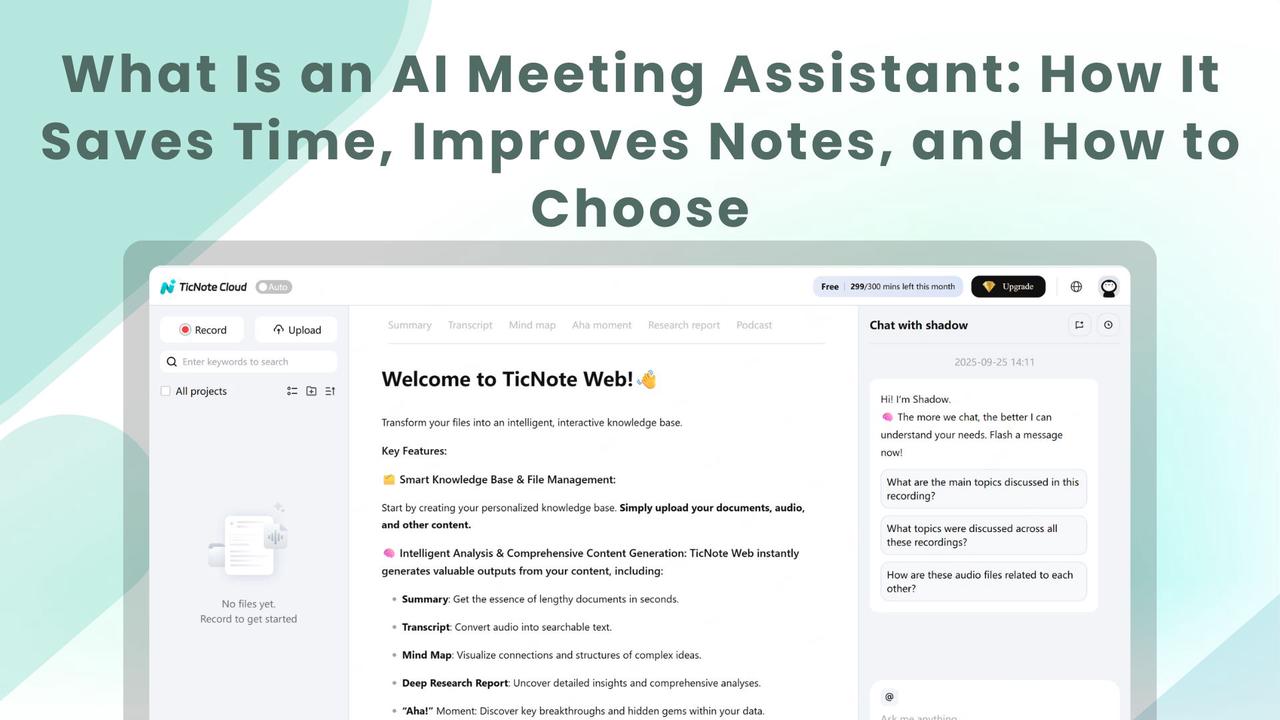
If you’ve wondered "What is an AI Meeting Assistant?", this product spotlight shows how one platform maps to real team needs. TicNote Cloud captures live and uploaded audio, turns conversations into searchable knowledge, and adds tools for cross-file Q&A, visual review, and synthesis. Read on to see which features help which workflows, the pricing tiers, and how the platform compares to transcription-only tools.
Key features that map to common needs
The platform focuses on turning meeting audio into usable work, not just a transcript. It groups outcomes, lets you ask questions across files, and creates visuals for quick reviews.
- Shadow chat for cross-file Q&A: Ask about decisions, tasks, or references across meetings and documents. It surfaces grounded answers that link back to the source material.
- AI mind maps for visual review: Auto-generate mind maps from a transcript or summary to speed post-meeting review and presentation prep.
- Deep research reports: Turn a set of meetings and documents into a structured report with insights and action items.
- Live transcription and translation: Capture meetings in real time and translate notes into 100+ languages for global teams.
- AI notes and templates: Produce topic-aware summaries and export clean notes in Markdown, DOCX, or PDF.
Plans and pricing snapshot
Choose a plan by meeting load and feature needs. Here are the highlights at a glance.
- Free: 300 transcription minutes per month, live transcription, basic templates, 10 AI chats per day, and AI summaries. Great for individuals testing workflows.
- Professional ($$12.99/mo or$$79/year): More minutes, longer recording limits, unlimited AI chat, and advanced templates for team workflows.
- Business ($$29.99/mo or$$239/year): High transcription quotas, longer recordings, and larger import limits for power users.
- Enterprise: Contact sales for SSO, custom usage, and 24/7 support.
Privacy and compliance posture
The vendor says data is private by default and not used to train models. Standards help guide vendor controls; ISO/IEC 27701:2019 extends ISO/IEC 27001 by adding privacy-specific controls, creating a Privacy Information Management System (PIMS). In practice, expect U.S.-based cloud hosting, industry-standard encryption, and GDPR-aligned policies to be part of a security review.
- What to verify: encryption at rest and in transit, data residency, deletion policies, and admin controls.
- For enterprises: ask about SSO, audit logs, and contract language on data use and incident response.
Where it fits versus broad transcription tools
This platform is more than a transcriber. Use it when you need a second brain that connects meetings to documents and questions. It excels for teams who want searchable knowledge, cross-meeting Q&A, and visual summaries. For teams that only need verbatim transcripts, a basic transcription tool may be cheaper. But if you want an ai assistant for meeting notes that creates summaries, maps, and research from meetings, this tool is a better fit.
Real-world examples & anonymized case studies
If you’re asking, "What is an AI Meeting Assistant?", these short case studies show real impact. Each example is anonymized. They highlight measurable outcomes, quick wins, and one lesson you can copy.
Product team: stop losing decisions
A mid-size product team used TicNote Cloud to record meetings and auto-surface action items. The team reduced missed actions by half and cut follow-up email time by 30%. They also found decisions faster in search.
- Results: 50% fewer missed actions, 30% faster follow-ups
- Testimonial: "We stopped losing tasks after every meeting." — PM lead Key lesson: Standardize one template and always record. That eliminates ambiguity in decisions and owners.
Global customer success: faster prep and clearer handoffs
A global customer success group used an AI assistant for meeting notes to translate and summarize regional calls. Prep time for handoffs dropped by 40%. Cross-team Q&A about past calls saved about two hours per week.
- Results: 40% less prep time, ~2 hours/week reclaimed
- Testimonial: "Translations and quick summaries cut our prep in half." — CS manager Key lesson: Use translation and searchable transcripts for async handoffs across time zones.
Research group: turn meetings into reusable insights
A market research team used auto mind maps and deep research exports to build pitch-ready briefs. They sped up briefing time and reused insights across four projects. The tool made it easy to repurpose interviews into structured reports.
- Results: Faster brief creation, higher reuse across projects
- Testimonial: "We turned scattered interviews into one clear brief." — Research director Key lesson: Auto-generated visual maps make it fast to share findings with stakeholders.
Implementation checklist & best practices for teams
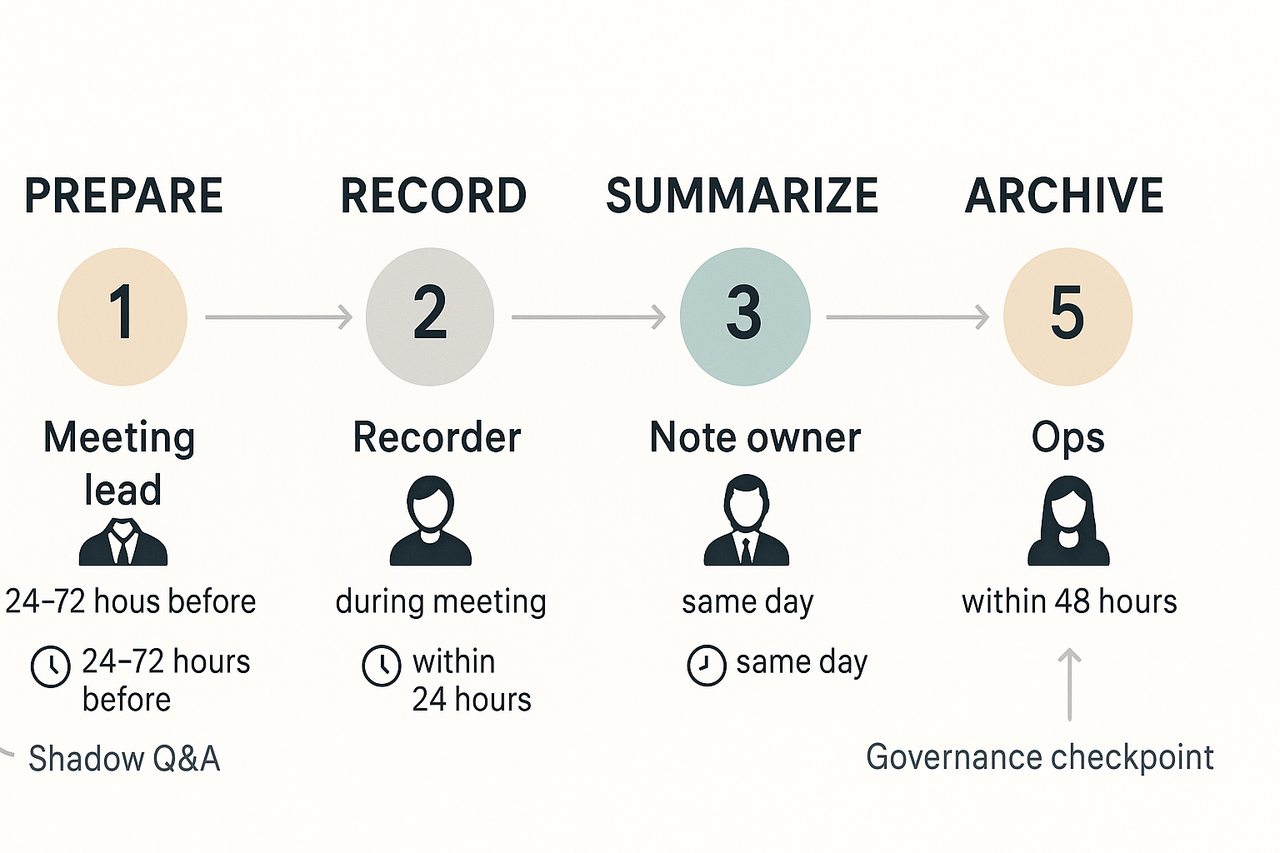
Start with clear rules, a short pilot, and measurable goals. Answer the question What is an AI Meeting Assistant for your team in the pilot kickoff. Define who owns notes, what gets recorded, and how notes flow into your systems.
Before meetings: prep, consent, and templates
Create a meeting template with purpose, agenda, and required outcomes. Add a short consent line for recordings, like: “This meeting will be recorded for notes and action tracking.” Store templates in a shared folder and link them to calendar invites. Provide quick training on the template and the expected note style.
During meetings: recording rules and etiquette
Set one recorder or app per meeting to avoid duplicates. Mute or pause recording for private segments. Announce the recording at the start and repeat when new participants join. Prefer device-based recording when policy forbids meeting bots. Keep recordings short or chaptered for easier review.
After meetings: summarize, assign, and Shadow Q&A
- Generate an AI summary within 24 hours. Keep summaries short, with decisions, owners, and deadlines.
- Create action items and assign owners in the task tool or meeting notes. Link tasks back to the transcript.
- Run a Shadow Q&A or cross-file query to surface missing context. Use it to find past references and verify commitments.
- Archive the transcript and summary in the team knowledge base with tags and project links.
Governance: access controls and review cycles
Limit edit rights to note owners and leads. Use role-based access for sensitive meetings. Review permissions quarterly and revoke inactive access. Keep an audit log and rotate retention policies per policy.
Pilot, training, and adoption metrics
Run a 4–6 week pilot with a single team. Track these metrics: percent of meetings recorded, time to summary, actions closed within a week, and active users. Offer short, hands-on sessions and quick reference cheat sheets. Measure sentiment via a short survey after four weeks.
Implementation is about process, not just tech. Keep rules simple, iterate fast, and tie outcomes to real team goals.