


 Extension
TL;DR: Best Voice Recorders and AI Note Takers for Back-to-Back Calls
Back-to-back calls can really be exhausting, and in such situations, it's easy to miss important information during a call if you're not paying close attention. That's why a reliable meeting assistant is so important.
So, this article will compare the top options at a glance: the best AI note taker for back-to-back calls depends on where calls actually happen, not just which app has the most features. After testing this category, the biggest gap is clear: many tools work well in scheduled video meetings, but fewer stay reliable across phone calls, in-person chats, and nonstop meeting days.
- Best overall: TicNote for professionals who want a dedicated AI voice recorder with bot-free capture, phone-call support, offline recording, and solid performance across meeting rooms, field work, and mixed call workflows.
- Best software-first bot-free option: Granola for laptop-centered users who mostly live in desktop meetings and want a clean, low-friction notes workflow.
- Best for collaboration-heavy teams: Otter.ai for shared notes, familiar meeting workflows, and searchable team conversations.
- Best for automation and integrations: Fireflies.ai for teams that care most about syncing calls into CRM, ATS, and workflow tools.
- Best budget pick for Zoom users: Fathom for individuals who spend most of the day inside Zoom and want strong value.
If you need one tool that handles more than browser meetings, TicNote is the clear buy. See TicNote devices or buy TicNote Device.
What makes an AI note taker for back-to-back calls worth using?
A good AI note taker for back-to-back calls does more than turn speech into text. It helps you stay present while preserving decisions, names, next steps, and exact wording across phone calls, video meetings, and in-person conversations. When your day is stacked wall to wall, the real risk isn't missing a sentence. It's losing context between calls.
Protect attention when calls pile up
Split attention hurts note quality fast. If you're listening, typing, and thinking about the next meeting, you usually capture only fragments:
- key promises without deadlines
- action items without owners
- names without context
- quotes without exact phrasing
That's why an AI note taker for calls needs to do more than transcript capture. It should create usable output right after the conversation ends, so follow-ups don't depend on memory.
Avoid the friction of bots and manual notes
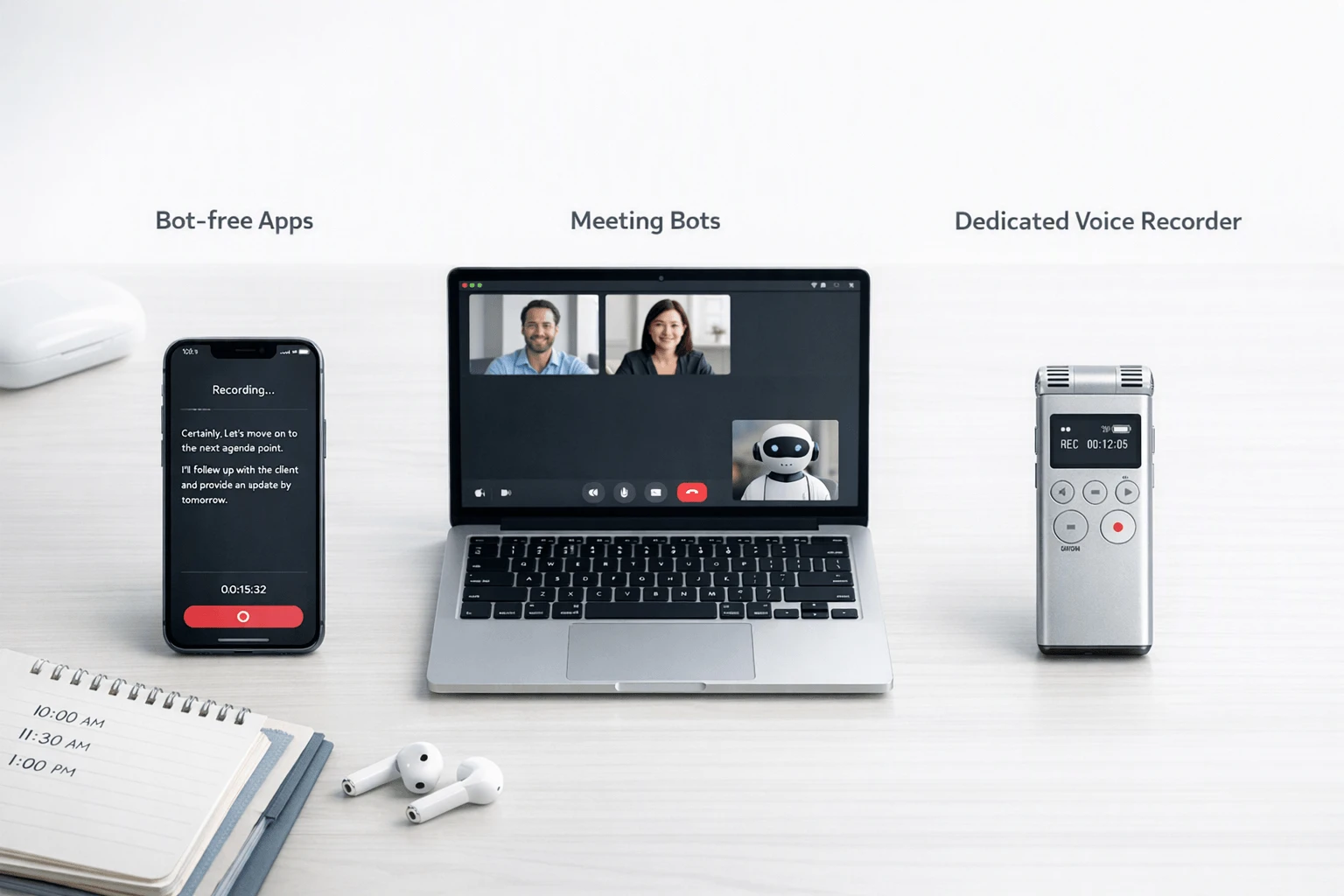
Meeting bots work in some workflows, but they can break down in real life. They may not help with standard phone calls, can feel intrusive when they join as a visible participant, and often struggle when a discussion moves between laptop audio, speakerphone, and in-room talk. Manual notes have the opposite problem: they're private, but they force you to choose between listening well and typing fast.
That trade-off matters in high-volume roles. Recruiters can lose nuance in candidate feedback. Sales reps can miss pricing details, objections, or the exact next step that drives a deal forward.
Use a voice-recorder-first workflow when reliability matters
This is where a dedicated AI voice recorder for meetings often fits better. Hardware-based capture is usually more dependable for in-person conversations, travel days, unstable connections, and phone-heavy work. A bot-free option like TicNote is useful here because it can record offline, sync later, and turn conversations into summaries and action items after the call. If you want the clearest breakdown of where each approach fits, check the comparison table next.
How we reviewed these tools fairly
We tested each tool the same way an AI note taker for back to back call gets used in real life: fast handoffs, little downtime, and no second chance to capture a key detail. This is an editorial comparison, not a claim that one product fits every team. The goal was simple: find which tools stay reliable when your day includes Zoom, Teams, Google Meet, mobile calls, and quick in-person conversations.
We used the same test flow for every product
Each tool was checked across five scenarios:
- back-to-back Zoom calls
- Microsoft Teams meetings
- Google Meet sessions
- mobile phone calls
- short in-person conversations in mildly noisy spaces
We scored them on seven factors: capture reliability, setup friction, transcript quality, speed to summary, phone-call support, bot visibility, and value for heavy daily call volume. That matters because a tool can look strong in demos, yet fail when calls stack up eight or more times in one day.
We checked privacy, consent, and output quality
We also reviewed whether each product had a clear consent flow, whether it could record without a visible meeting bot, and whether offline recording was possible. For privacy language, we looked for plain statements about encryption, storage, and model training. We also checked how transcripts handled accents, cross-talk, and room noise, plus whether summaries produced action items and follow-up notes people could actually use.
A final note: consent laws vary by region. Under Regulation (EU) 2016/679 (General Data Protection Regulation), Article 4(11), "consent" means any freely given, specific, informed and unambiguous indication of the data subject's wishes by which he or she, by a statement or by a clear affirmative action, signifies agreement to the processing of personal data relating to him or her. Always verify local recording rules before you hit record.
Which tools are best for nonstop calls and meeting-heavy days?
If your calendar is packed, the best tool is the one that captures every conversation with the least friction. For many buyers, that means choosing between a device-based AI note taker for back to back call workflows and software that works best when every conversation happens on a laptop. The five tools below stand out for different reasons, but they fit very different call habits.
TicNote
Best for: professionals who move between Zoom, phone calls, in-person meetings, and field conversations in the same day.
Strengths: TicNote stands out because it is hardware-first and bot-free. That matters when your day is not limited to scheduled video meetings. The Card and Card Lite work well for simple press-to-record capture in rooms, on speakerphone, or on the go. Pods 4G fit users who need phone-call support, live summaries during recording, and upload without keeping a phone nearby. Pods Wi-Fi make more sense for users who want the earbud workflow without 4G or region limits. Across the range, TicNote supports offline recording, transcription, translation, summaries, action items, speaker identification, and document generation after sync.
Tradeoffs: This is a broader system than a simple app, so buyers need to pick the right SKU. Card is the premium wallet-sized option at $159.99. Card Lite is the simpler budget pick at $129.99. Pods 4G, at $299.99, are the best fit for mobile-heavy users who want live summary and call capture. Pods Wi-Fi, at $249.99, fit global users who usually keep a phone nearby. If you only work at a desktop, dedicated hardware may be more than you need.
Workflow fit: Best when calls happen across devices and environments, not just inside one meeting app.
Granola
Best for: recruiters, founders, and sales reps who spend most of the day on a Mac and want cleaner notes without a visible bot joining every call.
Strengths: Granola is appealing because it feels lightweight. It is bot-free in the sense that it does not rely on the classic meeting bot experience, and it is especially good at turning rough meeting capture into polished notes and follow-up drafts. That makes it attractive for people who live in interviews, pipeline reviews, and customer calls from a computer.
Tradeoffs: Granola is still a desktop-first product. That means its fit is less obvious for offline capture, mobile phone calls, hallway conversations, or in-person meetings away from your laptop. If your workday spills beyond your desk, the lack of dedicated hardware becomes a real limitation.
Workflow fit: Strong when your whole workflow stays on a computer and your main need is better writing after the call.
Otter.ai
Best for: teams that want familiar meeting notes, searchable transcripts, and shared records across common meeting platforms.
Strengths: Otter remains one of the best-known tools in this category. It combines recording, transcription, AI summaries, speaker identification, and collaboration features in a package many teams already understand. Shared notes and searchable history are useful for managers, coordinators, and cross-functional teams that revisit calls later.
Tradeoffs: Otter is strongest in video-meeting and app-based workflows. For phone-heavy days, field use, or in-person conversations, the experience can be less universal than a dedicated recorder. Depending on setup, users may also need to accept browser, app, or bot-style capture tradeoffs rather than silent device-based recording.
Workflow fit: Best for scheduled online meetings where collaboration matters more than flexible real-world capture.
Fireflies.ai
Best for: operations-heavy teams that care about integrations, automated handoffs, and searchable conversation data.
Strengths: Fireflies.ai is strong when meetings need to flow into CRMs, ATS tools, Slack, or team workflows. That makes it attractive for sales teams, recruiters, and managers who want more than a transcript. It can help push meeting knowledge into the systems where work actually happens.
Tradeoffs: Its software-first model also brings the usual concerns: visible meeting bots in some workflows, reliance on supported platforms, and the need to verify exact phone-call support for your setup. If discretion, offline capture, or in-room recording matters, this category has limits.
Workflow fit: Best for team automation and handoff, less ideal for mixed phone, field, and offline recording needs.
Fathom
Best for: Zoom-heavy users who want a low-cost way to get summaries, highlights, and post-call notes quickly.
Strengths: Fathom is a practical starting point because it lowers the barrier to entry. If most meetings happen on Zoom, it can deliver useful summaries and key moments without much setup. For solo users or small teams, that can be enough.
Tradeoffs: Its strength is also its limit. It is less suited to phone calls, in-person conversations, travel days, and offline use. So while it can be effective in a narrow workflow, it is not the most flexible option for nonstop call schedules that move across contexts.
Workflow fit: Best for video-first users, not for broad capture across every kind of conversation.
Use the same scorecard for every tool
To keep the comparison fair, use the same mini-template for each product:
- Best for
- Strengths
- Tradeoffs
- Pricing snapshot
- Workflow fit
That structure makes the real question easier to answer: not which tool has the longest feature list, but which one still works when your fifth call of the day starts two minutes late and you have no time to think about setup.
How do the top options compare at a glance?
If you need an AI note taker for back to back call workflows, the best choice depends less on transcript polish and more on where your conversations happen: Zoom, phone calls, in-person meetings, or all three. That is why hardware and software should be compared in one normalized view instead of treated like the same product category.
Jump to the quick picks below if you already know your workflow and budget.
| Tool | Device type | Bot-free capture | Phone-call support | In-person capture | Offline recording | Summary timing | Transcription | Translation | Compliance/security notes | Starting price | Ideal user |
| TicNote Card / Card Lite | Dedicated recorder | Yes | Yes, speaker-side and mixed use | Yes | Yes | After recording sync | Yes | Yes | GDPR-aligned claim, encrypted storage and transit, private-by-default claims | $129.99 | Professionals moving between office, mobile, and in-person calls |
| TicNote Pods 4G / Wi-Fi | Earbuds + case recorder | Yes | Yes, strongest for phone-first use | Yes | Yes | 4G: during recording; Wi-Fi: after upload | Yes | Yes | Same TicNote privacy model; 4G version adds phone-free upload | $249.99 | Field teams, sales reps, and heavy callers |
| Otter | Software app | Usually yes in app; bot for many meetings | Limited compared with hardware | Limited by device setup | Limited | Real time | Yes | Limited language set | Cloud software with documented security controls | App plans start free | Solo users who live in app-based meetings |
| Fireflies.ai | Meeting bot software | No, often bot-based | Limited direct phone support | Weak for room capture | No true device-side capture | After meeting processing | Yes | Yes | SOC 2 Type II, GDPR, HIPAA context on higher tiers | Free | Teams that want automation and integrations |
For translation-heavy Google Meet users, Google Meet Help — Translate captions in Google Meet states participants can translate captions in over 65 languages, but that still solves only live meetings inside Meet, not phone calls or offline capture.
Best picks by workflow
- Best overall for mixed environments: TicNote. It covers in-person, phone, and online calls better than software alone.
- Best bot-free app: Otter. Good if you mainly record inside one app and want searchable notes.
- Best Zoom-first free option: Otter Free. Solid for light usage and simple meeting recap needs.
- Best automation-heavy team tool: Fireflies.ai. Best for CRM, admin controls, and workflow automation.
- Best for phone-first professionals: TicNote Pods 4G. It records calls and uploads without needing your phone nearby.
The short version: if your day includes desk meetings, mobile calls, and hallway follow-ups, dedicated hardware wins because it captures more of real work.
How to choose the right product
If you need an AI note taker for back to back call workflows, the right choice mostly comes down to where your conversations happen and how much capture risk you can tolerate. For most readers here, TicNote is the best fit because it works across phone calls, in-person meetings, travel days, and mixed environments without depending so heavily on meeting bots, browser extensions, or perfect internet.
Choose TicNote when reliability matters most
Pick TicNote if your day moves between calls, hallways, cars, conference rooms, and client sites. Its hardware-first approach is better for messy real life: the Pods 4G suit users who want phone-free recording with live summaries on the go, the Card suits wallet-ready portability, and the Card Lite is the lower-cost choice if you want simple one-button capture. If you want a closer look at the lineup, this device comparison guide helps match each model to your workflow.
Choose Granola when you want bot-free laptop notes
Granola makes sense if you work mostly from a laptop and want a bot-free software workflow. It's a better pick for users who care more about polished post-call notes on a computer than about dedicated hardware for phone, in-person, or field recording.
Choose Otter.ai for shared meeting workflows
Otter.ai fits collaboration-heavy teams that already live in Zoom, Google Meet, or Microsoft Teams. If your meetings already happen on mainstream platforms and you want searchable transcripts, shared notes, and familiar software workflows, Otter is a sensible option.
Choose Fireflies.ai for automation and integrations
Fireflies.ai is strongest for teams that want workflows after the meeting, not just notes during it. It's a smart choice for sales, recruiting, and operations teams that need integrations, searchable records, and automated follow-up across tools.
Choose Fathom for the cheapest easy start
Fathom is the practical low-cost option for individuals who mostly work inside Zoom and want to get started fast. If you need hardware-backed reliability for calls beyond your laptop, go back to the comparison table and then review TicNote product pages first.
What does TicNote do that other AI note takers do not?
Most tools built for an AI note taker for back to back call assume you're sitting in one app all day. TicNote is different because it starts with hardware choices that match how people actually work across desks, hallways, cars, client sites, and phone calls.
Match the form factor to the job
Each TicNote device fits a different work style:
- TicNote Card: best for consultants, recruiters, and managers who want a thin recorder always in a wallet or badge setup
- TicNote Card Lite: best for budget-conscious sales reps and operators who want one-button recording with less setup
- TicNote Pods 4G: best for field teams, road warriors, and recruiters taking calls away from a desk because it can upload without a phone nearby
- TicNote Pods Wi-Fi: best for international travelers and mobile professionals who want the earbud form factor without 4G region concerns
That matters. Meeting bots work well in scheduled video calls, but dedicated devices are often more reliable in phone, in-person, and mixed settings. If you want a closer look at wearables, this guide to smart note-taking devices is a useful next read.
Capture more than scheduled meetings
What separates TicNote is the workflow after recording:
- offline recording with later sync
- live summary on Pods 4G while the meeting is still happening
- multilingual transcription and translation
- call recording through earbuds
- photo-to-transcript sync for context
- AI chat across recordings and projects
- generated notes, reports, and formatted documents from conversations
In short, TicNote covers the gaps where bots often fail: unscheduled calls, field conversations, hallway updates, and multilingual meetings. For buyers in regulated teams, validate consent, retention, privacy, and GDPR-related requirements during procurement before rollout.
Final thoughts
The best AI note taker for back to back call workflows is usually the one that captures every conversation reliably, not the one with the flashiest bot summary. If your day moves between Zoom, phone calls, hallways, client sites, and travel, TicNote is the strongest all-around fit because it combines dedicated hardware capture with transcription, summaries, and follow-up outputs in one system.
That said, software-only tools still make sense for narrower desktop workflows. If most of your calls happen inside scheduled video meetings, products like Otter or Fireflies.ai can be enough. But once your work includes mobile calls, in-person talks, or mixed environments, a recorder-first setup is more dependable. For a deeper device comparison, see these top AI recorders for meetings and calls.
Before you record, review your local consent and workplace privacy rules.
See which TicNote device fits your call workflow best



