


 Extension
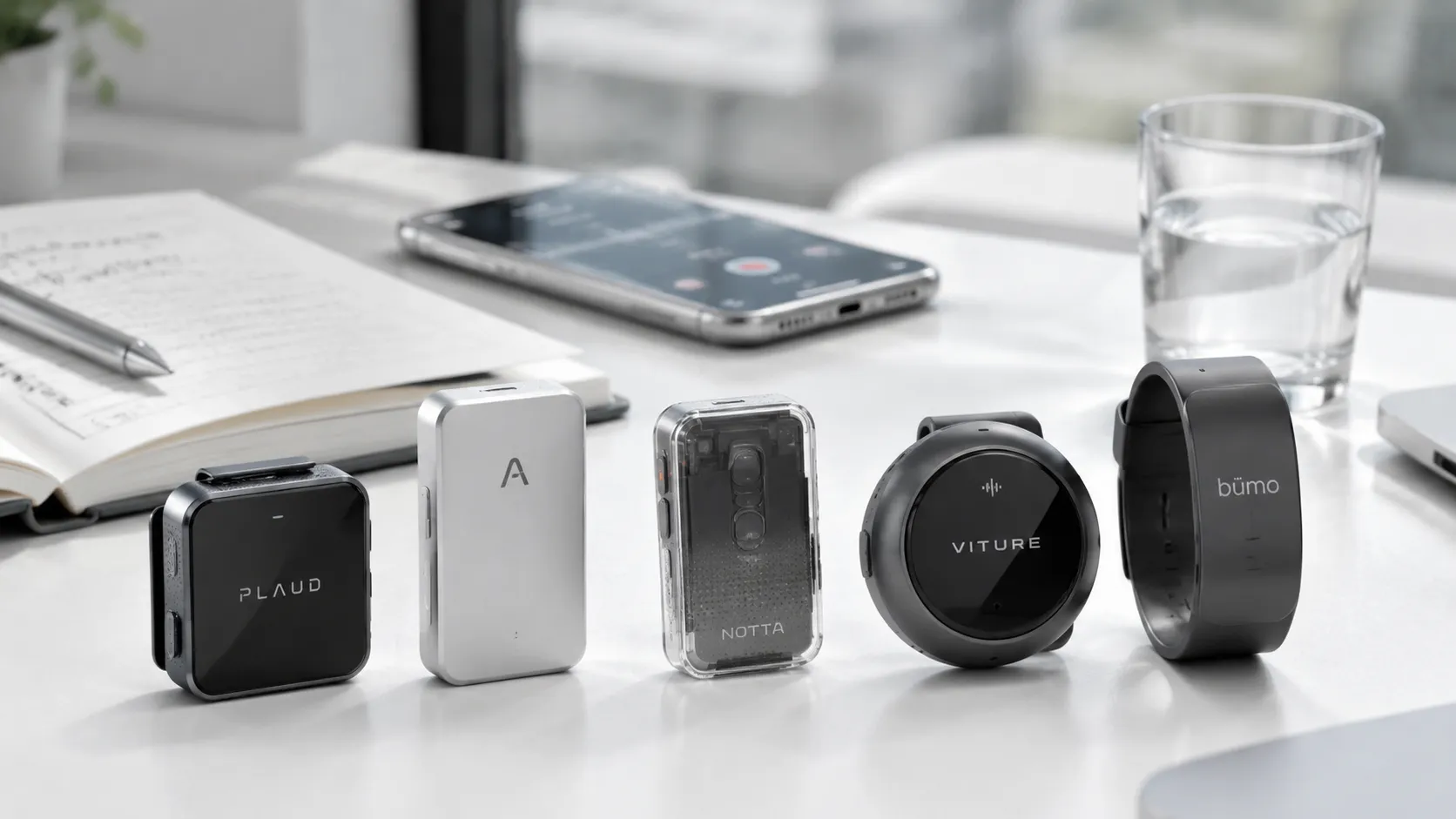
TL;DR: Best Voice Recorders You Can Wear
After testing a lot of AI recording gear, I've learned that the best wearable note-taking device is the one you trust when the conversation gets messy, and for most professionals, that was the TicNote Pods 4G. It stood out because it doesn't just record well; it handles phone-free 4G capture, live summaries, call recording, and clean post-meeting organization in one workflow. My quick ranking: TicNote Pods 4G first, Plaud NotePin second for polished meeting use, Bee Pioneer Edition as the value pick, Omi for tinkerers, and TicNote Pods Wi-Fi if you want the same core system without cellular.
Missed details usually aren't caused by bad meetings. They happen because recording, transcription, and follow-up live in separate tools, so important points slip between steps. That's why TicNote Pods 4G felt more practical than most wearables I tested: it reduces that handoff problem by capturing, summarizing, and organizing the conversation while you keep moving.
- Best overall for professionals: TicNote Pods 4G
- Best runner-up for meeting focus: Plaud NotePin
- Best value option: Bee Pioneer Edition
- Best for tinkerers: Omi
- Best TicNote alternative without cellular: TicNote Pods Wi-Fi
Which wearable note-taking device performed best in real use?
To compare each wearable note-taking device fairly, I used the same five scenes every time: a quiet office meeting, a noisy cafe chat, walking voice notes outdoors, phone calls, and short multilingual exchanges. That matters because many devices sound strong in ideal conditions, then fall apart once background noise, motion, or call capture enters the picture. The result was simple: TicNote Pods 4G performed best overall for real-world reliability, while a few rivals still stood out in narrower use cases.
Testing setup and scoring rubric
I scored each device on eight practical points:
- recording reliability
- transcript usefulness
- summary quality
- call handling
- comfort over long sessions
- sync friction
- privacy clarity
- total cost
This method favors repeatable use, not spec-sheet promises. Noise handling mattered a lot. In fact, The CHiME-5 Challenge: Dataset and Task (2018) reported official baseline word error rates of 81.3% for single-array track 1, 79.7% for multiple-array track 1, 95.0% for single-array track 2, and 94.2% for multiple-array track 2 across all test conditions. That helps explain why cafe and walking tests separated the good recorders from the frustrating ones.
Quick decision guide by use case
If you want the fastest answer, here it is:
- Best for professionals and fieldwork: TicNote Pods 4G
- Best for polished meeting summaries: Plaud NotePin
- Best budget wearable AI recorder: Bee Pioneer Edition
- Best for open ecosystem experimentation: Omi
- Best global sync-first option: TicNote Pods Wi-Fi
For buyers comparing broader AI recorders for meetings and calls, this split is more useful than a single winner badge.
Comparison table criteria
The full table uses the same fields for every device so trade-offs stay clear.
| Device | Price | Subscription exposure | Recording style | Phone dependence | Battery behavior | Privacy posture | Multilingual support | Best for |
| TicNote Pods 4G | $299.99 | Low to moderate | Earbuds + case | No phone needed for 4G upload | ~13 hrs with 4G on | Clear and detailed | Strong | Field work, calls, mobile pros |
| Plaud NotePin | Premium | Moderate | Wearable pin | Often phone-linked | Varies by workflow | Fair | Good | Clean meeting recaps |
| Bee Pioneer Edition | Lower | Moderate | Wearable recorder | Usually app-dependent | Moderate | Basic | Limited to moderate | Budget buyers |
| Omi | Varies | Varies | Open wearable platform | Higher setup dependence | Varies | Depends on stack | Flexible | Tinkerers |
| TicNote Pods Wi-Fi | $249.99 | Low to moderate | Earbuds + case | Phone nearby for sync | ~22 hrs | Clear and detailed | Strong | Global travelers, sync-first users |
The 5 wearable reviews: what stood out after hands-on testing
After testing these five devices across office meetings, café conversations, walking voice notes, and calls, the gap between "records audio" and "actually helps you remember what mattered" became very clear. The best wearable note-taking device wasn't the one with the flashiest app. It was the one that fit real work with the fewest misses, the fastest recap, and the least friction when the day got busy.
TicNote Pods 4G
This was the most complete system in daily use. The open-ear earbud design stayed comfortable on commutes and during long meeting blocks, and it looked discreet enough to wear without drawing much attention. More importantly, the charging case could capture room audio when the earbuds weren't the best fit, which made it more flexible than earbuds-only designs.
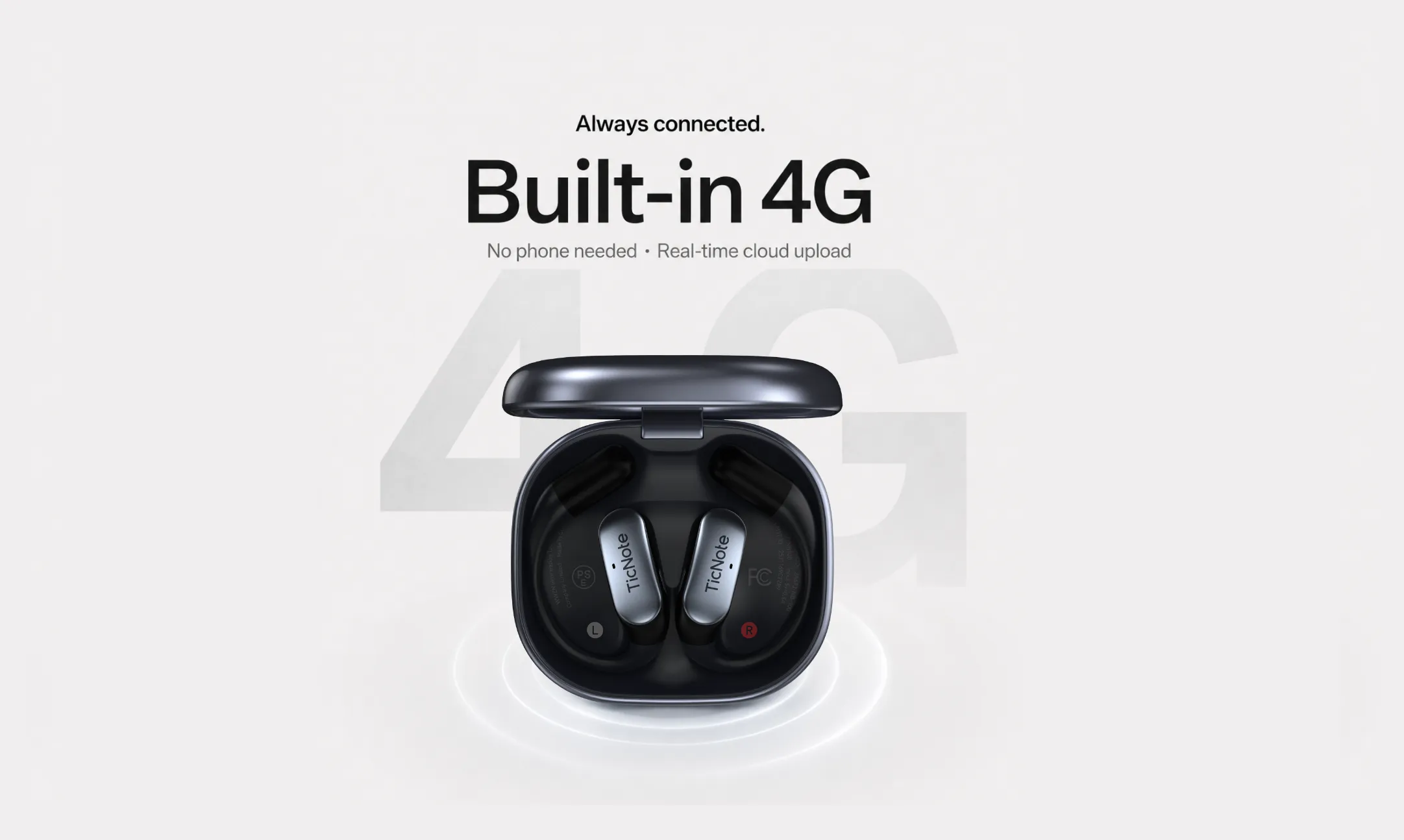
The big difference was the built-in 4G eSIM. In practice, phone-free upload changed how often I actually used it. I didn't have to think about pairing, hotspotting, or whether my phone battery was about to die. Live Summary also mattered more than expected. To be honest, I have never seen a live summary in any other note-taker. Instead of waiting until after a meeting, useful notes, key points, and direction started arriving before the meeting ended.
Best fits:
- Mobile work and commuting
- Sales calls and client follow-ups
- Field meetings away from a desk
- Multilingual conversations that benefit from live translation
Main trade-offs:
- Highest upfront price in this group
- 4G convenience may come with regional considerations depending on where you use it
Plaud NotePin
Plaud NotePin felt polished from the start. The hardware is clean, easy to wear, and clearly built around a meeting-first workflow. In straightforward office use, it delivered dependable capture and strong summaries, especially when the session was structured and the speaker setup was predictable.
The limit showed up in edge cases. It worked well when I remembered to start it and kept the workflow intentional. But it felt less flexible than a wearable AI recorder that can handle calls, mobile movement, and more phone-free situations. For desk-heavy users, that may be fine. For people moving between meetings, calls, and transit, it asked for more active management.
Bee Pioneer Edition
Bee Pioneer Edition stands out on price and on the idea of passive capture. That low barrier makes it interesting for buyers who want to experiment without spending much upfront. In casual use, that can be enough.
For professional records, though, it felt less precise. Summaries and capture quality were more variable, and the overall product felt more consumer-experimental than business-ready. That's not a deal-breaker for personal recall. It is a problem if you need transcripts you can trust for client commitments, requirements, or formal follow-up.
Omi
Omi is appealing for a different reason: openness. If you like plugins, customization, and the freedom to shape your own workflow, it has real appeal. Power users may enjoy that flexibility, especially if they already live in a stack of connected tools.
The trade-off is polish. Setup took longer, stability felt less predictable, and the burden of judgment shifted back to the user. Once third-party integrations enter the picture, privacy also becomes less clear-cut. For tinkerers, that may be acceptable. For most professionals, it adds friction where they usually want certainty.
TicNote Pods Wi-Fi
TicNote Pods Wi-Fi came surprisingly close to the 4G version in what matters most: recording quality, transcripts, summaries, and overall AI output. In quiet rooms and normal meetings, I didn't feel like I was stepping down much at all.
The difference is workflow. This version is more sync-dependent, so it makes the most sense if your phone is usually nearby or you don't mind uploading after the fact. That's still a good fit for many buyers. It's also the safer pick for global users who want to avoid any 4G region concerns while keeping nearly the same day-to-day experience.
Here was the practical ranking after hands-on use:
- TicNote Pods 4G — best overall for professionals who need mobility, calls, summaries, and phone-free use
- Plaud NotePin — best for structured, meeting-first workflows
- TicNote Pods Wi-Fi — best value alternative to the top pick if your phone is usually with you
- Omi — best for tinkerers who want customization
- Bee Pioneer Edition — best for low-cost experimentation, not high-stakes records
In short, each voice recorder for meetings fits a real buyer. TicNote Pods 4G was the most capable all-rounder. Plaud NotePin was solid but narrower. TicNote Pods Wi-Fi was the smart compromise. Omi suited technical users, and Bee made the most sense as an entry-level trial rather than a primary work tool.
What makes TicNote different from other voice recorders?
Most wearable recorders can capture audio, then turn it into a transcript later. TicNote feels different because it is built for moving work, not just stored files. In real use, that changes how a wearable note taking device helps during meetings, calls, travel days, and fast follow-up.
Phone-free 4G capture and live summary
The biggest gap shows up with TicNote Pods 4G. A typical AI note taker needs your phone nearby, then waits to sync before anything useful happens. TicNote's 4G case can upload in real time without the phone beside you, so summaries can appear while the meeting is still happening.
That matters more than it sounds. In a client review or field visit, you can check the live recap before the conversation ends and catch missed action items on the spot. It shifts the device from passive recorder to active meeting tool.
- No phone required nearby for upload
- Live Summary appears during the session
- Quick Summary arrives right after recording stops
- Better fit for travel, site work, and back-to-back meetings
Real-time translation and call workflows
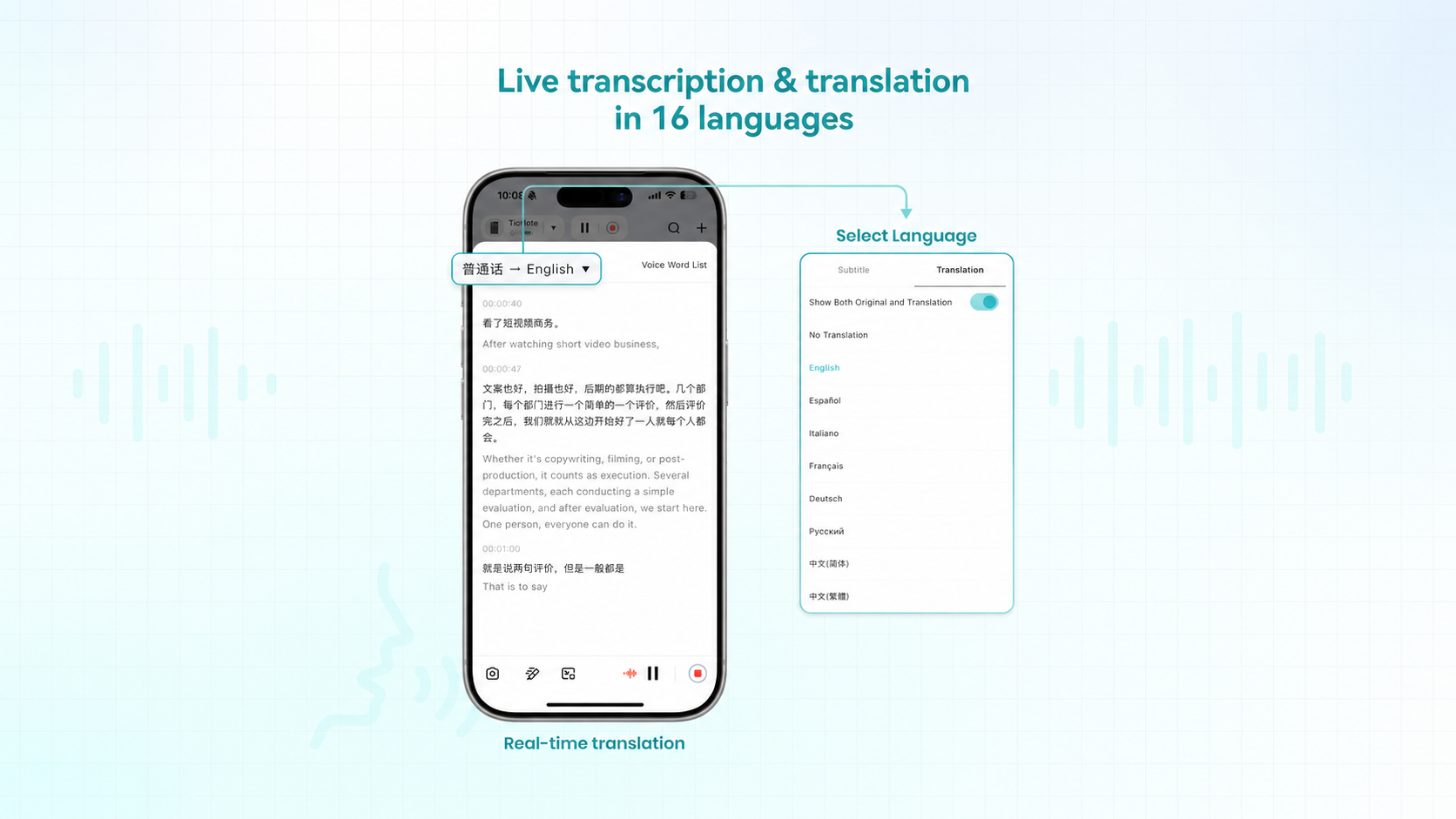
TicNote also goes beyond simple transcription in multilingual work. Its translation works like bilingual subtitles, which makes mixed-language conversations easier to follow in real time. There's also conversation translation: one person speaks, and the other can read translated text on the phone screen.
For people who travel or work with global teams, that removes a lot of friction. The call workflow is also more practical than most wearables. When you're wearing the earbuds, calls can be recorded automatically, which is useful for sales follow-ups, client approvals, or fast decision calls that usually vanish into memory.
Use cases where this stands out:
- Client calls that need exact follow-up notes
- Cross-border meetings with two languages in play
- Travel days when you can't set up a full recording stack
- Teams that switch between in-person talk and phone calls
Ask AI, projects, and document generation
Here's the deeper difference: TicNote turns recordings into working memory. Instead of leaving you with static transcripts, it lets you group sessions into projects, search across them, and ask AI direct questions about what was said, decided, or promised.
That makes long-term recall much better. A consultant can search several workshops at once. A founder can trace when a product decision first came up. A manager can turn raw discussion into reports, action lists, or formatted docs without copying text into three other tools. If you want a broader look at how this kind of searchable workflow compares with assistant-connected recorders, this guide to AI assistant access for voice recordings is useful.
In short, many devices record meetings. TicNote is more useful in motion because it helps before, during, and after the conversation.
How to choose the right product
After testing these devices in meetings, calls, walks, and travel days, the best choice comes down to workflow friction. A good wearable note-taking device should fit how you already work, not add one more step. Here's the simplest way to decide.
Choose TicNote Pods 4G if you want the most flexible wearable system
- Who it fits: Professionals moving between conference rooms, client sites, calls, and airports, and requiring live summaries on their phone.
- Trade-off you accept: You pay more upfront for the extra flexibility.
- When I'd recommend it: Buy this if you want the least fragile setup. It records calls, handles room audio, and can upload without your phone nearby. In real use, that matters more than one or two extra app features.
Choose Plaud NotePin if you want polished meeting summaries
- Who it fits: People who mostly want clean recaps for one meeting at a time.
- Trade-off you accept: Less flexibility across mobile, phone-free, and mixed recording scenarios.
- When I'd recommend it: It makes sense if your day is mostly desk meetings and your top priority is a mature summary workflow. If you're comparing cost over time, this quick guide to Plaud plan pricing is worth checking before you buy.
Choose Bee Pioneer Edition if budget matters most
- Who it fits: Students, casual users, or first-time buyers testing the category.
- Trade-off you accept: Lower price usually means more compromise in reliability, fit, or software polish.
- When I'd recommend it: Only if price is the main filter. For light use, it can be enough. For client work or important meetings, I'd spend more.
Choose Omi if you want an open ecosystem to tinker with
- Who it fits: Builders, developers, and early adopters who enjoy setup and customization.
- Trade-off you accept: More work. You need more tolerance for bugs, setup time, and privacy review.
- When I'd recommend it: I'd buy Omi only if experimenting is part of the appeal. If you want a tool that just works, this is not the safe pick.
Choose TicNote Pods Wi-Fi if you want global use
- Who it fits: Buyers who like TicNote's recording, transcription, summaries, and translation features and use them globally without restrictions.
- Trade-off you accept: No phone-free cellular workflow.
- When I'd recommend it: This is the better value pick for most people. You keep much of the same experience, spend $50 less than the 4G version, and avoid cellular dependence.
| Scenario | Best pick |
| Office meetings | Plaud NotePin |
| Lectures | TicNote Pods Wi-Fi |
| Fieldwork | TicNote Pods 4G |
| Sales calls | TicNote Pods 4G |
| Multilingual teams | TicNote Pods 4G |
| Budget-first purchases | Bee Pioneer Edition |
What should buyers know about privacy, consent, and long-term cost?
A wearable note taking device can save hours each week, but it also changes the risk profile of every meeting, call, lecture, and client conversation you record. Before you buy, look past transcription quality and ask three practical questions: is recording legal in your setting, what happens to your data after upload, and what will the product really cost after 12 months?
Recording laws and consent basics
Recording rules depend on where you are and who is involved. Some places allow one-party consent, while others require every participant to agree before a conversation is recorded. For example, Recording Phone Calls and Conversations (California Attorney General) states that California is a two-party consent state: under California Penal Code section 632, all parties must consent before a confidential communication may be recorded.
Treat wearable recording with extra care in:
- meetings with clients or outside vendors
- phone and video calls across state or country lines
- classrooms with institutional policies
- healthcare, legal, and HR conversations
The safest rule is simple: disclose recording clearly and get consent when needed. A good device helps with capture. It does not remove your duty to follow local law and workplace policy.
Cloud processing, storage, and deletion controls
Privacy review should be a checklist, not a vibe. Compare vendors on five points:
- where audio is processed
- whether recordings and transcripts are encrypted
- what deletion and export controls you get
- whether your data trains AI models
- how clearly retention terms are explained
This is where privacy posture starts to separate products. TicNote says recordings and transcripts are encrypted, the system is private by default, and customer data is not used to train AI models. Those are strong claims, but buyers should still verify retention settings, admin controls, and how deletion works across device, app, and cloud.
Subscription math and total cost of ownership
The sticker price is only step one. Real ownership cost = hardware + included minutes + upgrade plan + overage risk.
| User type | Typical use | Upfront device cost | Likely year-one plan | Estimated year-one total |
| Light | 2-5 hrs/month | $129.99 $159.99 | Included hardware plan | $129.99 $159.99 |
| Medium | 10-20 hrs/month | $129.99 $299.99 | Included plan or Pro upgrade | $129.99 $378.99 |
| Heavy | 30+ hrs/month | $159.99 $299.99 | Pro or Business likely | $238.99 $538.99 |
For TicNote hardware owners, the included Plus tier adds 600 minutes per month. That covers many light users. Medium users may stay within that limit some months, but heavy users should expect an annual Pro or Business upgrade. In short: compare the device price, monthly minute cap, and realistic usage before you decide. That gives you a much better one-year cost than the box price alone.
Final thoughts
After hands-on testing, the best wearable note taking device wasn't the one that did the most on paper. It was the one I trusted to capture the moment, turn it into usable notes, and stay flexible when work moved from meeting room to sidewalk to phone call. On that standard, TicNote Pods 4G is the strongest overall pick.
Here's the short version:
- TicNote Pods 4G is the best choice for most professionals because it combines reliable recording, transcription, live and post-call summaries, and true phone-free mobility in one system.
- Plaud NotePin makes sense if you want a simpler, lighter wearable and can accept a narrower workflow.
- Bee Pioneer Edition fits buyers who care more about ambient capture than polished recap tools.
- Omi is best for early adopters who don't mind rough edges.
- TicNote Pods Wi-Fi is the better TicNote option if you want the same core experience but don't need 4G.
If your real workflow depends on capturing conversations accurately, then getting clean summaries fast, TicNote Pods 4G is the one I'd choose. Compare the TicNote device and buy the model that fits how you actually work


