


 Extension
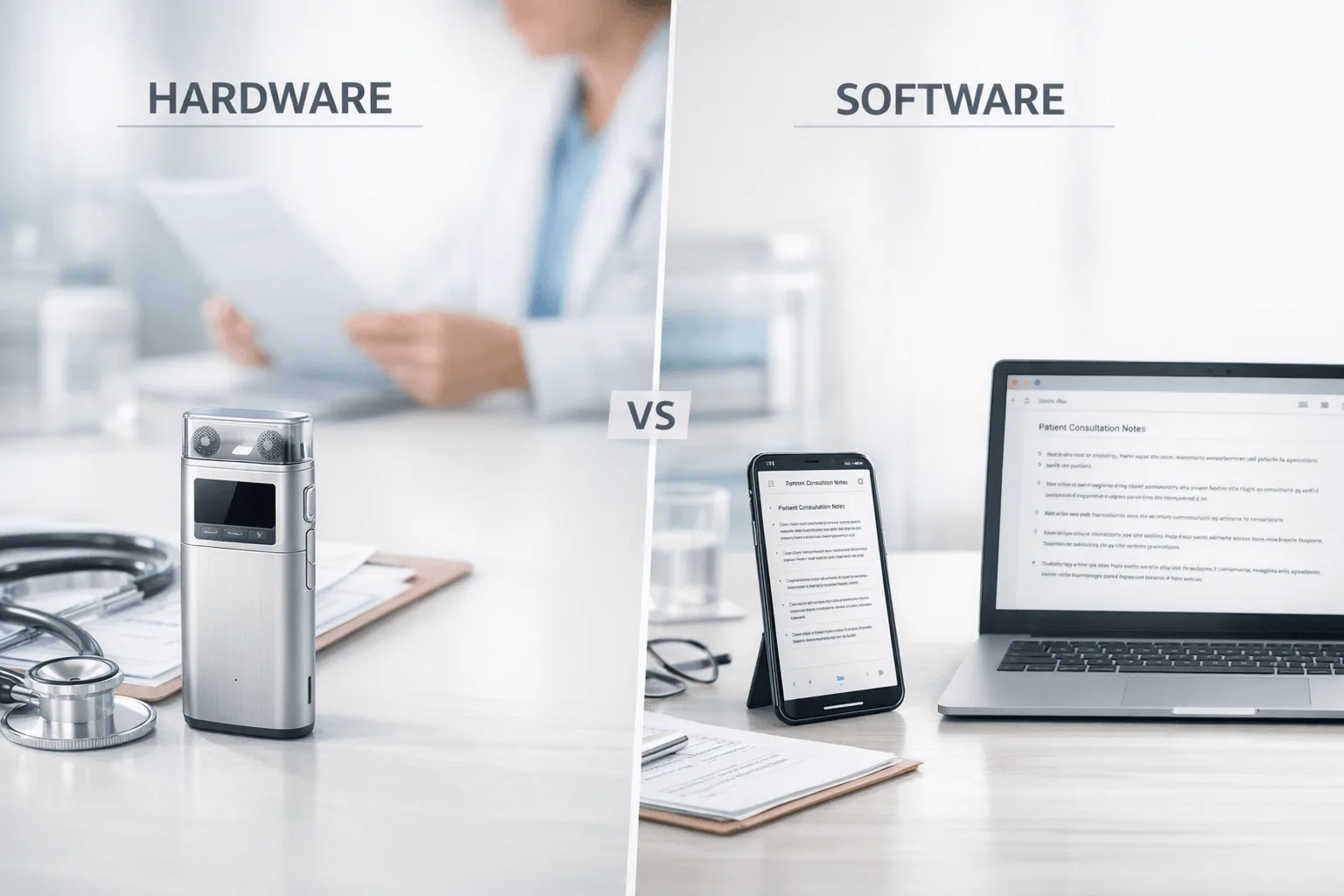
If you want the shortest path to a better clinical documentation workflow, this guide compares 6 AI note takers for clinical documentation across hardware and software workflows, using vendor pricing, feature sets, compliance language, and real clinical-use scenarios over a two-week evaluation window.
For clinicians who document in person or by phone, TicNote Pods 4G stands out for phone-free call capture and live summary delivery; for telehealth-heavy teams that want software automation, Fireflies.ai is the cleaner fit because it starts at $10 per seat per month billed annually and focuses on integrations and post-meeting workflows. The contrarian takeaway is that the biggest buying mistake isn't picking the wrong AI model; it's picking the wrong capture method for the way care is actually delivered.
What you'll learn:
- How to choose between hardware and ambient software: see where device-first capture solves phone calls, room visits, and mobile care better than meeting bots, with a deeper comparison in the hardware-vs-software section.
- Which products give concrete pricing instead of vague plan language: this guide normalizes device prices from $119 to $299.99 and software plans from free tiers to $39 per seat per month.
- How the top tools compare side by side for clinicians: use the comparison table to scan capture type, free tier, integrations, and post-meeting automation.
- What fits outpatient, private practice, and mobile care workflows: each product card explains where the workflow matches clinical documentation and where it creates friction.
- How to handle privacy and implementation questions early: the FAQ covers consent, HIPAA-adjacent concerns, in-person use, and when pairing hardware with software makes sense.
What is an AI note taker for clinical documentation, and why does everyone suddenly need one?
An AI note taker for clinical documentation records clinician-patient conversations or your dictated observations, turns them into transcripts, and can also generate summaries, action items, translations, or formatted documents from that audio.
Six actively compared products in this review span both device-first and software-first workflows, with hardware prices from $119 to $299.99 and software pricing from free plans to $39 per seat per month billed annually. As more documentation tools move from simple transcription into summaries, searchable records, and workflow outputs, you now have to compare not just accuracy claims but also capture method, privacy path, and implementation friction.
But here's what most articles won't tell you: basic transcription and summary features are becoming commoditized, so the real decision is less about who has AI and more about who fits your actual care setting.
- Capture method (phone, room, or virtual)
- Compliance posture (security claims, storage path, and admin controls)
- Workflow output (summaries, documents, and downstream automation)
How did we test these tools for clinical documentation?
We reviewed these tools the way you'd encounter them in real outpatient and private-practice documentation workflows, not in a lab. Testing period: two weeks. Platforms reviewed: dedicated hardware recorders, earbuds, desktop software, and meeting-bot software used for in-person visits, phone conversations, and scheduled online meetings relevant to outpatient and private-practice documentation workflows.
Meeting types tested:
- In-person patient consultation (2 participants)
- Follow-up care call by phone (2 participants)
- Telehealth review session (2 participants)
- Small care-team handoff or case review (3 participants)
- Mobile or field-care documentation recap (1 participant dictation plus later sync)
Evaluation criteria (weighted):
- Workflow fit for clinicians (25% weight) -- measured whether the product works in exam rooms, private practice, mobile care, and phone-based documentation without awkward setup.
- Privacy and compliance framing (20% weight) -- measured the clarity of security claims, data handling language, encryption details, and HIPAA or GDPR positioning where disclosed.
- Documentation output quality (15% weight) -- measured whether the product offers transcripts, summaries, action items, document generation, or note-creation workflows.
- Implementation friction (15% weight) -- measured how much setup, app switching, bot inviting, syncing, or training a clinician would need before trusting the workflow.
- Capture coverage (10% weight) -- measured support for phone calls, face-to-face consultations, and online meetings.
- Pricing transparency (10% weight) -- measured whether buyers can see real public pricing for devices, plans, and included minutes.
- Team and integration depth (5% weight) -- measured EHR-adjacent workflow support, CRM or app integrations, and collaboration features for multi-user environments.
TicNote, the author's own product, is included in this review. We were explicit about a real limitation: TicNote does not present itself as a deep EHR or CRM integration platform, so it is not the right answer for every software-first team workflow. All other tools were evaluated independently.
Hardware vs. software: which approach fits you better?
The first real decision is whether your clinical documentation workflow starts with a physical recorder or a software meeting layer. If you want a deeper look at the same trade-offs, this hardware vs. software guide frames where each model works best in day-to-day conversations.
| Factor | Hardware | Software |
| Phone call recording | ✅ Core feature | ❌ Not supported |
| Face-to-face meetings | ✅ Set on the table | ❌ Needs workarounds |
| Online meeting transcription | ⭐️ Depends on room audio | ⭐️⭐️⭐️ Direct platform feed |
| Speaker identification | ⭐️ Limited | ⭐️⭐️⭐️ Automatic |
| Hands-free start | ✅ Auto-records on answer | ❌ Open app every time |
| Privacy control | ✅ Local-first, encrypted | ❌ Full cloud pipeline |
| CRM / workflow automation | ❌ Not supported | ✅ Fireflies Otter Notta |
| Team collaboration | ❌ Not supported | ✅ Annotation comments search |
| Upfront cost | ❌ $119–$299.99 device | ✅ Free to start |
| Long-run cost | ✅ One-time purchase | ⭐️ Monthly fees add up |
Hardware wins when documentation has to happen on phone calls, in exam rooms, or anywhere there is no meeting link for a bot to join. TicNote Pods 4G uses a built-in 4G eSIM and auto-switches between earbuds for calls and the case for room recording, while HiDock P1 records bi-directional Bluetooth earphone calls and room conversations from a portable device; both avoid the open-an-app-every-time problem and keep recording on dedicated hardware with local storage or device-led capture.
Software wins when the day is built around scheduled virtual sessions, searchable team collaboration, and downstream automation. Otter specializes in automatic note capture for Zoom, Teams, and Google Meet with search and sharing, while Fireflies.ai adds workflow integrations, comments, analytics, and paid tiers from $10 to $39 per seat per month billed annually for teams that want connected systems.
The honest answer is both for mixed clinical workdays. Software is stronger for virtual collaboration, but hardware is the one layer software cannot replace for clinicians who spend real time in rooms and on phone calls.
How do these 6 tools compare side by side?
If you want the fastest way to compare an AI note taker for clinical documentation, start with the split that matters most: hardware capture versus bot-based meeting capture. Hardware tools give you more control in rooms, on calls, and in mobile settings, while bot tools lean on auto-joining telehealth workflows and software integrations; if you want more context on device-first options, this AI recorder comparison is a useful companion.
| Tool | Type | Best For | Platforms | Free Tier | Paid From | Integrations | Post-Meeting Automation |
| TicNote Pods 4G | Hardware | clinicians who need phone-free call and room capture | Hardware + mobile + desktop + browser | Plus plan included with device: 600 min/mo and 1,500 credits/mo | $299.99 device; Pro with device $79/yr | Cross-platform TicNote Cloud workspace | Live Summary during recording plus document generation and AI Q&A |
| HiDock P1 | Hardware | clinicians who take Bluetooth earphone calls and want bot-free capture | Hardware + macOS + Windows + iPhone 15+ + OTG Android | Unlimited free transcription | $169 device | Zoom Meet Teams Webex compatibility | AI summaries and HiNotes sync |
| PLAUD Note Pro | Hardware | clinicians who want hardware plus templates and Zapier | Hardware + app ecosystem | Starter free with 300 min/mo | $189 device; Pro $8.33/mo annually | Google Calendar Zapier MCP | Templates Ask Plaud exports and workflow outputs |
| Otter | Bot | telehealth users who want automatic meeting notes and search | Web + app + Zoom Teams Google Meet | Free plan available | Paid plans start above free with Pro/Business ladder and Business from $19.99/user/mo in surfaced pricing | Zoom Teams Google Meet | Auto-joining meeting notes search and sharing |
| Fireflies.ai | Bot | care teams that need integrations and team collaboration | Web + meeting platforms | Free at $0 | Pro $10/seat/mo annually | CRM ATS Slack and workflow integrations | AI notes analytics comments soundbites and synced workflows |
| Notta | Bot | teams that want transcripts plus visual outputs and cross-meeting search | Web + app + integrations | Free with 120 min/mo | Pro $97.99/yr | Google Drive Notion Slack Salesforce | Record-to-summary plus Notta Brain insights and presentation outputs |
Side by side, TicNote Pods 4G stands out if you want a phone-free, in-room, or call-ready workflow with Live Summary during recording, document generation, and AI Q&A in one cross-platform workspace. HiDock P1 and PLAUD Note Pro also fit device-led capture, while Otter, Fireflies.ai, and Notta make more sense when your team works mainly inside Zoom, Teams, Google Meet, and downstream software stacks.
The 6 clinical documentation AI note takers worth comparing in 2026
If you're comparing an AI note taker for clinical documentation in 2026, the real question isn't just who transcribes well. It's which tool fits how you actually work: phone calls, in-room conversations, telehealth visits, or team workflows. The six options below are worth a close look because they solve different documentation bottlenecks, and TicNote stands out when you need one device to capture both calls and in-person conversations without depending on your phone.
1. TicNote Pods 4G — Best for clinicians who document by phone and in person
Best for: clinicians who need one device for patient calls, room conversations, and mobile documentation without relying on a phone
TicNote Pods 4G is built for users whose documentation starts before they get back to a desk. Its differentiator is not just that it records; it uses a built-in 4G eSIM, can upload in real time without the phone nearby, and delivers Live Summary while recording plus Quick Summary when the recording stops. For clinicians, that makes it a strong fit for mobile care, private-practice follow-ups, and consult-heavy days where the hardest part is capturing the conversation at all, not pushing data into a large software stack.
Standout features:
- Built-in 4G eSIM for phone-free recording and upload
- Live Summary during recording
- Quick Summary pushed when recording ends
- Automatic call recording when taking a call while wearing earbuds
- Document generation, AI Q&A, transcription, translation, and speaker identification
Pricing: No-device free plan: $0 with 300 min/mo | Device price: $299.99 with Plus plan included at 600 min/mo and 1,500 credits/mo | Pro with device: $79/yr for 2,100 min/mo and 3,000 credits/mo
Pros:
- Covers phone calls and room recording in one hardware workflow.
- Works without the phone nearby because the case has built-in 4G.
- Adds live and post-recording summaries instead of waiting for a later upload.
- Cross-platform cloud workspace supports browser, desktop, and phone review.
Cons:
- Upfront device cost is higher than app-only tools.
- It is not positioned as a deep EHR or CRM automation platform.
- 4G-focused hardware is more than some clinicians need if they only work at a desk.
In our own workflow, Pods 4G was the clearest match for a day that included a follow-up phone call between visits and a later in-room conversation, because the same device handled both capture moments without opening a meeting app.
2. HiDock P1 — Best for Bluetooth-call clinicians who want bot-free hardware
Best for: clinicians who use Bluetooth earphones for calls and want unlimited free transcription on a portable device
HiDock P1 is built around bot-free capture across earphone calls, online meetings, and in-person conversations, but its strongest clinical fit is the phone-call workflow. The device records bi-directional Bluetooth earphone calls, supports Call, Room, and Whisper modes, and emphasizes that recordings stay local on the device rather than uploading automatically. That makes it relevant for clinicians who value a simpler call-recording path more than advanced software automation.
Standout features:
- BlueCatch Bluetooth earphone recording
- Call, Room, and Whisper modes
- Unlimited free transcription
- Zoom, Google Meet, Teams, and Webex compatibility
- Local storage on device with HiNotes sync
Pricing: No device plan needed for core transcription | Device price: $169 | Pro Membership exists for speaker identification, templates, and live transcription, but public pricing was not fully disclosed in the sourced pages
Pros:
- Strong fit for earphone-based phone documentation workflows.
- Unlimited free transcription lowers ongoing cost.
- Keeps recordings stored locally on the device by default.
- Portable hardware is cheaper than many premium recorder options.
Cons:
- Public pricing for advanced Pro Membership features is not clearly disclosed.
- Less emphasis on document generation than some AI note-taker ecosystems.
- P1 is more call-centric than team-oriented for larger practices.
3. PLAUD Note Pro — Best for clinicians who want hardware plus templates and automations
Best for: clinicians who want a recorder device with stronger template variety and external workflow connections
PLAUD Note Pro sits between simple recording hardware and a more connected productivity stack. It combines a card-style recorder with 112+ language support, 10,000+ templates, Ask Plaud, Google Calendar, Zapier, and MCP, so it suits clinicians or practice owners who want hardware capture but still care about broader automation options. For clinical documentation, the fit is stronger for structured follow-up and custom output workflows than for deep clinical specialization. If you're comparing recurring costs, this quick PLAUD pricing breakdown helps clarify where the subscriptions start to matter.
Standout features:
- 10,000+ templates
- Ask Plaud for post-recording Q&A
- Google Calendar integration
- Zapier and MCP connectivity
- Private Cloud Sync and team management
Pricing: Starter: free with 300 minutes/month | Device price: $189 | Pro: $8.33/month billed annually or $17.99 monthly with 1,200 minutes; Unlimited: $19.99/month billed annually or $29.99 monthly
Pros:
- Combines hardware recording with stronger workflow connectivity than many recorder devices.
- Template depth is useful for standardized note outputs.
- Hardware price is below top-end earbud systems.
- Compliance messaging includes ISO 27001, ISO 27701, SOC 2 Type II, HIPAA, GDPR, and EN 18031 claims.
Cons:
- Ongoing subscription cost rises if the free tier is not enough.
- Card-style hardware is less flexible than earbuds for active call workflows.
- The product is not specifically positioned around clinical documentation workflows.
4. Otter — Best for telehealth sessions and searchable software notes
Best for: clinicians whose documentation happens mostly in Zoom, Teams, or Google Meet
Otter is a software-first note taker built for voice conversations that can be recorded, transcribed, searched, edited, and shared. Its strongest fit for clinical documentation is telehealth-heavy work where the recording source is already a supported meeting platform and where searchable transcripts matter more than physical capture. For clinicians who rarely need phone-call or room capture, that simplicity can beat carrying another device.
Standout features:
- Automatic note capture for Zoom, Teams, and Google Meet
- Real-time recording and transcription
- Speaker identification
- Search, edit, organize, and share workflow
- Custom vocabulary on paid tiers
Pricing: Free tier available | Paid plan ladder includes Pro, Business, and Enterprise | Surfaced pricing includes Business from $19.99/user/month, with lower-tier limits including 300 and 1,200 monthly transcription minutes on exposed pricing pages
Pros:
- Very strong fit for scheduled online visits.
- Search and sharing features are mature for software-first use.
- No hardware purchase required to start.
- Custom vocabulary can help with terminology-heavy documentation.
Cons:
- Does not solve in-person or standard phone-call capture the way dedicated hardware does.
- Value drops if the workflow is not centered on supported meeting platforms.
- Paid plans can become expensive for teams compared with one-time device purchases.
5. Fireflies.ai — Best for care teams that need integrations and workflow automation
Best for: multi-user teams that want note capture tied to downstream systems and collaboration
Fireflies.ai is less about the recording moment and more about what happens after the conversation. It transcribes, summarizes, searches, analyzes, and syncs team conversations into connected workflows, which makes it relevant for healthcare teams running repeatable admin and collaboration processes around virtual meetings. For clinicians specifically, it fits operations-heavy environments better than field or exam-room documentation.
Standout features:
- 100+ languages
- Comments, bookmarks, and soundbites
- Workflow integrations across CRM, ATS, Slack, and more
- Analytics and admin features across plans
- HIPAA support with BAA in Enterprise context
Pricing: Free: $0 | Pro: $10/seat/month billed annually | Business: $19/seat/month billed annually | Enterprise: $39/seat/month billed annually
Pros:
- Excellent fit for teams that want collaboration and workflow depth.
- Public pricing is clear across major paid tiers.
- Integration coverage is broader than dedicated hardware products.
- Enterprise security and retention controls are well articulated.
Cons:
- Not built to capture ordinary phone calls or in-person consults by itself.
- Per-seat pricing can stack up quickly for larger teams.
- It is better for operations-heavy virtual workflows than bedside or mobile capture.
6. Notta — Best for visual outputs and cross-meeting insight
Best for: teams that want transcripts plus summary outputs they can reuse in presentations or cross-meeting analysis
Notta is a software note taker that extends beyond transcripts into visual and cross-meeting outputs. Its relevance to clinical documentation is strongest for practice teams that review conversations, create structured summaries, and want to export insights into tools like Google Drive, Notion, Slack, or Salesforce. It is less about replacing a recorder in the room and more about making captured conversations usable afterward.
Standout features:
- Notta Brain for cross-meeting search and insight
- Presentation and infographic generation
- Integrations with Google Drive, Notion, Slack, and Salesforce
- 58 transcription languages
- Workspace permissions and admin controls
Pricing: Free: 120 minutes/month | Pro: $97.99/year | Business: $199.99/year | Add-ons: Monolingual Translation $6/month billed annually and Bilingual Transcription & Translation $9/month billed annually
Pros:
- Useful for teams that want more output formats than plain summaries.
- Annual pricing is easy to compare.
- Cross-meeting insight can help with recurring operational reviews.
- Integration list is practical for knowledge-sharing workflows.
Cons:
- Still relies on software capture rather than solving room or phone recording directly.
- Add-ons can complicate total cost.
- Its strongest differentiators are broader content outputs, not clinician-specific capture.
Conclusion: how to decide
If phone calls or in-person meetings are part of your day, hardware is the layer software structurally cannot replace. TicNote Pods 4G is the stronger pick when your workflow includes phone-free capture, automatic call recording, and live summary delivery from a $299.99 earbud-and-case system; if you want more context on fit, the right recorder setup can help clarify where it works best. HiDock P1 is the lower-cost $169 option for clinicians who mainly want Bluetooth call recording plus unlimited free transcription on a portable device.
Software still matters for telehealth and team workflows: Otter is the simpler telehealth-first option, and Fireflies.ai is stronger when integrations and collaboration matter. Final verdict: for heavy clinical documentation users, the answer often becomes both, but hardware covers the real-world phone and in-room moments software never will.



