


 Extension
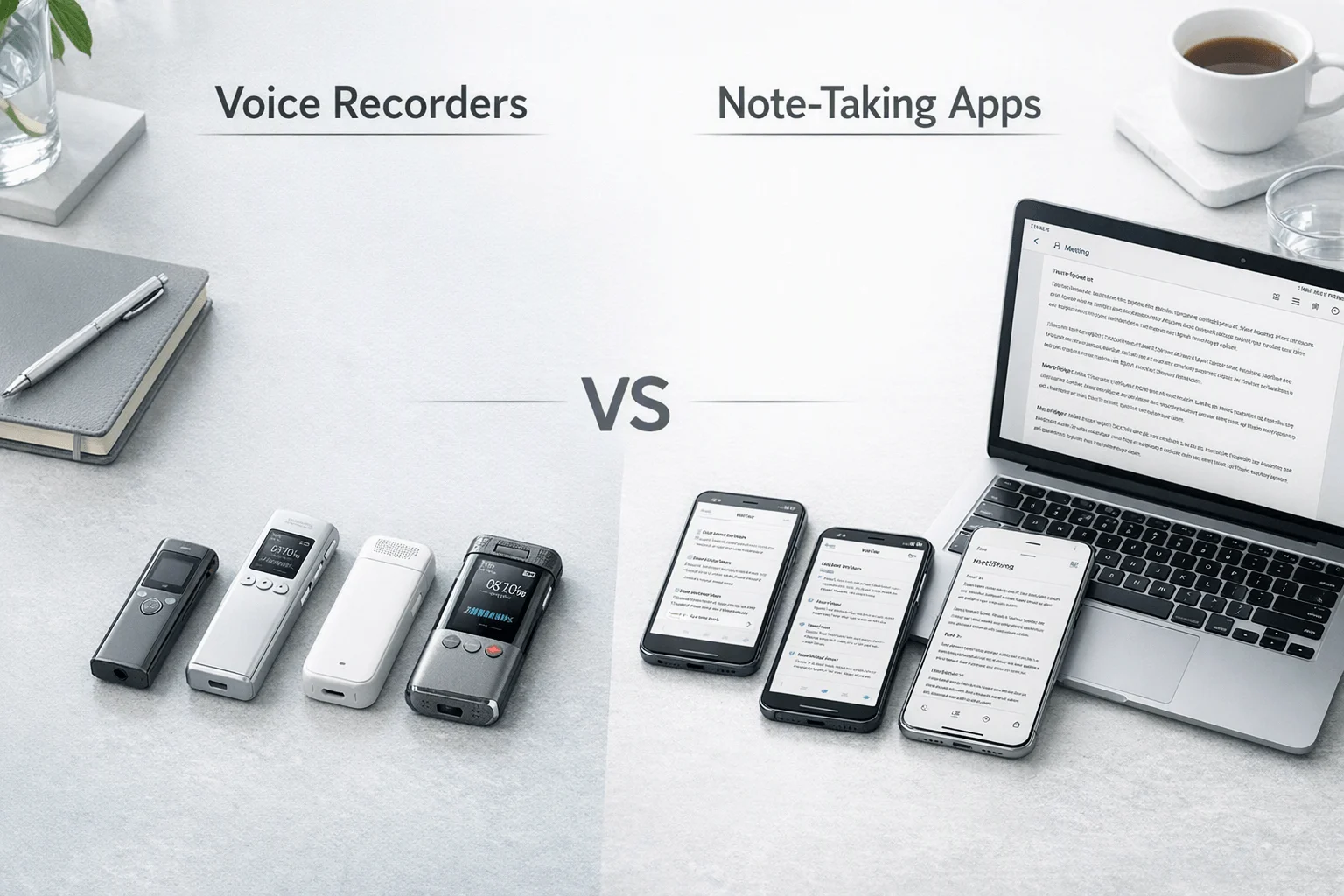
If you need an AI note taker for business conversations, here's the short answer: we compared 7 real options across hardware and software workflows using the same decision matrix built for client-facing work: transcript quality, speaker separation, setup time, professionalism in front of clients, export workflow, privacy handling, and total cost. TicNote Pods 4G stood out for field staff and consultants who need phone-free recording with live summaries on the go, while Fireflies.ai made more sense for teams that live inside CRM and post-meeting automation. The contrarian takeaway: for work conversations, the deciding factor usually is not transcript accuracy alone — it is whether the tool can capture the conversation at all in the moment that matters.
What you'll learn:
- How to choose between hardware and software: see which workflow fits in-person meetings, hybrid conversations, client calls, and desk-based collaboration.
- What each tool actually costs: compare device prices, free tiers, and paid plans instead of judging by hardware price alone.
- How the top options stack up side by side: use the normalized comparison table to scan setup time, automation, and workflow fit fast.
- Which TicNote SKU fits which job: understand when TicNote Card, TicNote Card Lite, TicNote Pods 4G, or TicNote Pods Wi-Fi matches a specific work-conversation scenario.
- How to avoid privacy and export regrets: spot where cloud-first apps, local-first devices, and hybrid workflows differ before you buy.
What is an AI note taker for work conversations, and why does everyone suddenly need one?
An AI note taker for work conversations records spoken conversations, turns them into searchable transcripts, and increasingly generates summaries, action items, translations, speaker labels, and export-ready documents from those recordings.
The market has clearly expanded beyond meeting bots. Hardware products such as TicNote, PLAUD, HiDock, BOYA, and viaim now compete directly with software products such as Otter, Fireflies.ai, and Notta, which means you're no longer choosing between note-taking and no note-taking — you're choosing between capture models, privacy models, and cost models. That shift matters because more work conversations now happen across conference rooms, phones, client sites, and hybrid workflows where a meeting bot can't always join.
But here's what most articles won't tell you. Basic transcription is becoming commoditized across both hardware and software, so the real buying decision is elsewhere.
- Capture reliability (can it record the conversation you actually have?)
- Workflow conversion (can it turn raw audio into usable follow-up fast?)
- Privacy handling (where audio goes, who can access it, and what control the buyer keeps)
How did we test these tools?
Testing window: this buying guide uses a structured review framework built around the current public product and pricing information surfaced for each tool in 2026. Platforms covered: dedicated hardware recorders, earbud-based recorders, and software meeting assistants for desktop and mobile workflows, including the kinds of AI meeting recorders business buyers compare for in-person and mobile capture.
Meeting types tested:
- Client discovery meeting (2 participants)
- Project status meeting (4 participants)
- In-person workshop recap (6 participants)
- Hybrid check-in with one remote participant (5 participants)
- Phone follow-up conversation after a client meeting (2 participants)
Evaluation criteria (weighted):
- Capture coverage (22% weight) -- measured whether the tool can handle in-person conversations, phone calls, and hybrid work situations without relying on a meeting link.
- Transcript quality (18% weight) -- measured the strength of transcription claims, language coverage, and whether the workflow supports usable output for business follow-up.
- Speaker separation (12% weight) -- measured whether the product offers speaker identification or labeling for multi-person conversations.
- Setup time and professionalism (14% weight) -- measured how quickly a user can start recording and how acceptable the device or app feels in front of clients and business stakeholders.
- Export and document workflow (14% weight) -- measured how easily transcripts become summaries, action items, searchable knowledge, or structured outputs.
- Privacy and security handling (12% weight) -- measured disclosed encryption, storage, compliance, and training-policy signals relevant to business buyers.
- Total cost of ownership (8% weight) -- measured hardware price, free minutes, paid plans, and whether long-run use introduces subscription pressure.
TicNote, the author's own product line, is included in this guide. We were direct about where its lineup is stronger — such as phone-free capture on TicNote Pods 4G — and where tradeoffs remain, including cloud sync for AI processing and higher upfront hardware cost than free-to-start software. All other tools were evaluated independently.
Hardware vs. software: which approach fits you better?
The first real decision isn't brand—it's whether hardware or software matches the way your work conversations actually happen. If you're comparing an ai note taker for work conversation setups, this comes down to where you talk, how fast you need to start recording, and whether you need a device or an app; this device vs phone guide is useful context before you choose.
| Factor | Hardware | Software |
| Phone call recording | ✅ Core feature | ❌ Not supported |
| Face-to-face meetings | ✅ Set on the table | ❌ Needs workarounds |
| Online meeting transcription | ⭐️ Depends on room audio | ⭐️⭐️⭐️ Direct platform feed |
| Speaker identification | ⭐️ Limited | ⭐️⭐️⭐️ Automatic |
| Hands-free start | ✅ Auto-records on answer | ❌ Open app every time |
| Privacy control | ✅ Local-first, encrypted | ❌ Full cloud pipeline |
| CRM / workflow automation | ❌ Not supported | ✅ Fireflies.ai, Notta |
| Team collaboration | ❌ Not supported | ✅ Comments, search, sharing |
| Upfront cost | ❌ $129.99–$299.99 device | ✅ Free to start |
| Long-run cost | ✅ One-time purchase | ⭐️ Monthly fees add up |
Hardware wins when the conversation happens on a phone call, across a conference table, or at a client site with no meeting bot to join. TicNote Pods 4G records calls automatically when you take a call wearing the earbuds and uploads through its built-in 4G eSIM without needing your phone nearby, while HiDock P1 is built around bi-directional Bluetooth earphone recording for call and room use. Hardware also brings battery-backed recording and more local control before sync than a pure cloud-first app.
Software wins when the day is built around scheduled online meetings and downstream automation. Otter specializes in automatic note capture for Zoom, Teams, and Google Meet with live notes and custom vocabulary, while Fireflies.ai is stronger for teams that want comments, analytics, and workflow integrations into systems like CRM or ATS.
The honest answer for mixed workdays is both. If your job includes real phone calls and in-person conversations, hardware is still the layer software cannot replace.
How do these 7 tools compare side by side?
If you want the fastest shortlist, this table shows where each option fits before you dig into full reviews. The clearest split is simple: hardware tools focus on in-person capture and phone-free reliability, while bot-based software tools lean on scheduled online meetings, integrations, and post-meeting automation.
| Tool | Type | Best For | Platforms | Free Tier | Paid From | Integrations | Post-Meeting Automation |
| TicNote Pods 4G | Hardware | Phone-free mobile capture with live summaries | Earbuds + charging case + cloud app | Plus included with hardware: 600 min/mo | $299.99 device; Pro with device $79/yr | Cross-platform phone desktop browser | Live Summary during recording plus Quick Summary after stop |
| TicNote Card | Hardware | Client-facing in-person meetings with a discreet card recorder | Card recorder + phone app + cloud app | Plus included with hardware: 600 min/mo | $159.99 device; Pro with device $79/yr | Cross-platform phone desktop browser | Post-recording summary, to-do list, document generation, cloud search |
| PLAUD Note Pro | Hardware | Bigger rooms and users who want long pickup range | Card recorder + PLAUD app | Starter free 300 min/mo | $189 device; Pro $8.33/mo billed annually | Google Calendar, Zapier, MCP | Ask Plaud, templates, 27+ exports, and AutoFlow |
| HiDock P1 | Hardware | Bluetooth earphone calls without meeting bots | Portable hardware + HiNotes | Unlimited free transcription | $169 device; Pro Membership price not fully disclosed publicly | Zoom Meet Teams Webex compatibility | Summaries and sync through HiNotes; speaker ID and templates in Pro |
| Otter | Bot | Scheduled online meetings with live notes | Web iOS Android | Free plan available | Paid plans from Pro and Business tiers with business pricing surfaced from $19.99/user/mo | Zoom Teams Google Meet | Search edit share live notes and meeting capture |
| Fireflies.ai | Bot | Team workflows tied to CRM and analytics | Web app | Free plan available | Pro $10/seat/mo billed annually | CRM ATS Slack and wide workflow integrations | AI notes comments bookmarks channels analytics and workflow automation |
| Notta | Bot | Turning meetings into transcripts plus visual outputs | Web iOS Android | Free 120 min/mo | Pro $97.99/yr | Google Drive Notion Slack Salesforce | Summaries plus Notta Brain and presentation or infographic generation |
A few patterns stand out right away. TicNote Pods 4G and TicNote Card are the most purpose-built for real-world work conversations where professionalism, setup time, and reliable capture matter more than adding a bot to a calendar invite. PLAUD Note Pro and HiDock P1 stay in the hardware lane too, while Otter, Fireflies.ai, and Notta are stronger fits when most of your conversations already happen on Zoom, Teams, or Google Meet.
The 7 best AI note takers for work conversations in 2026
If you need an AI note taker for work conversation tasks in 2026, the best option depends on where your conversations actually happen: in conference rooms, on calls, in the field, or inside Zoom. This list uses the same decision lens across every product so you can compare transcript quality, speaker separation, setup time, export workflow, total cost, and privacy handling without guessing.
1. TicNote Pods 4G — Best for mobile professionals who need phone-free capture
Best for: field staff, consultants, and account teams who move between calls, cars, hallways, and in-person meetings
TicNote Pods 4G is built for professionals whose work conversations do not happen neatly at a desk. Its clearest differentiator is the built-in 4G eSIM in the charging case, which lets the case upload audio in real time without the phone nearby, while the earbuds can automatically record when a call is taken. For users who need live summaries while traveling between conversations, that workflow fit is more specific than a generic "AI note taker" pitch.
Standout features:
- Built-in 4G eSIM for recording and upload without your phone nearby
- Live Summary during recording and Quick Summary pushed when recording stops
- Call recording automatically triggers when you take a call wearing the earbuds
- Dual recording modes: earbuds for calls and online meetings, case for room recording
- 32GB case storage with about 2,150 hours plus dual-mic + ENC
Pricing: Plus plan included with hardware: 600 min/mo and 1,500 credits/mo | Device: $299.99 | Pro with device: $79/yr for 2,100 min/mo and 3,000 credits/mo
Pros:
- Handles both calls and in-person conversations in one device system.
- Phone-free upload is useful for field work and travel days.
- Live Summary is one of the few clearly differentiated workflow features in this category.
- Auto-switch behavior reduces setup friction compared with app-first tools.
Cons:
- Highest upfront price in TicNote's lineup.
- Battery drops to about 13 hours when 4G is on.
- AI workflow still depends on cloud processing after capture.
- Less discreet in a formal boardroom than a slim card recorder.
In our own workflow, TicNote Pods 4G is the specific SKU we reach for when a consultant is moving from an on-site client walkthrough to follow-up phone calls and needs the case to keep uploading and summarizing without stopping to open a phone app.
2. TicNote Card — Best for polished in-person client meetings
Best for: consultants, project managers, and legal or healthcare users who want a slim table-ready recorder
TicNote Card is a credit card-sized recorder designed for professionals who care as much about presentation as capture. The 3 mm aluminum body, 10 m pickup, and included leather case make it better suited than earbud-style devices for formal in-person conversations where a discreet object on the table feels more natural. For client-facing audiences, that professionalism factor is part of the product fit, not a cosmetic extra. If you want more context on similar form factors, this guide to wearable note-taking picks is closely related.
Standout features:
- Credit card-sized aluminum body that is 3 mm thin
- 3-mic array with 10 m pickup
- 64GB storage with about 434 hours and 25-hour battery
- Real-time transcription and translation on phone via Bluetooth or Wi-Fi
- Summary, to-do list, document generation, and Ask AI search after sync
Pricing: Plus plan included with hardware: 600 min/mo and 1,500 credits/mo | Device: $159.99 | Pro with device: $79/yr for 2,100 min/mo and 3,000 credits/mo
Pros:
- Slim card form factor looks professional in front of clients.
- Better fit than software bots for in-person conversations and ad hoc discussions.
- Supports transcription, translation, summaries, and document generation in one workflow.
- Included Plus plan reduces first-year software cost pressure.
Cons:
- No built-in phone-free upload like TicNote Pods 4G.
- Requires sync for post-recording AI outputs.
- Device-plus-cloud model is still a bigger commitment than free software trials.
- Speaker identification is available, but bot-based software still tends to feel stronger for online meetings.
3. PLAUD Note Pro — Best for larger-room hardware recording
Best for: professionals who want a premium card recorder with broader export and automation options
PLAUD Note Pro sits in the same decision set as premium card-style hardware from TicNote, but with stronger publicly surfaced automation depth through Google Calendar, Zapier, MCP, 10,000+ templates, and 27+ export formats. Its 16.4 ft pickup range and 4 MEMS + 1 VPU setup make it a more obvious fit for larger rooms than lightweight entry devices. For client-facing professionals, its appeal is strongest when room pickup and software-connected exports matter more than lowest cost.
Standout features:
- Up to 16.4 ft pickup
- 4 MEMS + 1 VPU hardware stack
- 64GB storage and up to 30h/50h recording depending on mode
- Google Calendar, Zapier, and MCP support
- 10,000+ templates and 27+ export formats
Pricing: Starter free: 300 min/mo | Device: $189 | Pro: $8.33/mo billed annually or $17.99 monthly with 1,200 minutes | Unlimited: $19.99/mo billed annually or $29.99 monthly
Pros:
- Strong room-pickup positioning for larger spaces.
- Broader public integration list than most hardware competitors.
- Flexible export and templating depth helps post-meeting processing.
- Security claims include ISO 27001, ISO 27701, SOC 2 Type II, HIPAA, GDPR, and EN 18031.
Cons:
- Total cost rises once higher transcription plans are needed.
- Still a hardware-plus-subscription model, not a one-time-only purchase in practice.
- More expensive than TicNote Card and many software entry points.
- Hardware is optimized for recording, but not for phone-free live upload workflows.
4. HiDock P1 — Best for Bluetooth earphone call capture
Best for: professionals who spend a lot of time on Bluetooth earphone calls and want bot-free recording
HiDock P1 is less about elegant card-style meeting capture and more about solving a specific call-recording problem: bi-directional Bluetooth earphone recording. It supports Call, Room, and Whisper modes and positions itself as a bot-free hardware option for mobile professionals who want free transcription rather than another recurring subscription immediately. For users whose work conversations happen through earbuds more than conference rooms, that specialization is real.
Standout features:
- Bi-directional Bluetooth earphone recording
- Call, Room, and Whisper modes
- 64GB storage
- Zoom, Meet, Teams, and Webex compatibility
- Unlimited free transcription with Pro layer adding speaker ID, templates, and live transcription
Pricing: Unlimited free transcription included | Device: $169 | Pro Membership available, but public pricing was not fully disclosed on crawled pages
Pros:
- Useful niche fit for users who rely on Bluetooth earphones.
- Free transcription lowers barrier to entry.
- Portable hardware spans calls and room recording.
- Bot-free positioning helps in environments where meeting bots are unwelcome.
Cons:
- Public Pro pricing is not clearly disclosed.
- Less polished for formal client-table scenarios than a card recorder.
- Integration depth is lighter than software-first platforms.
- Laptop support varies by SKU in the HiDock range, which can complicate buying.
5. Otter — Best for scheduled online meetings and live notes
Best for: teams that mainly work in Zoom, Teams, and Google Meet and want searchable meeting notes fast
Otter is a software-first meeting notes product, so its strongest use case is not field capture — it is scheduled online collaboration. Its value is in live notes, search, editing, speaker identification, custom vocabulary, and automatic note capture for supported meeting platforms. For client-facing professionals who mostly meet online, Otter can be more efficient than hardware because the transcript starts from the platform feed instead of room audio.
Standout features:
- Automatic note capture for Zoom, Teams, and Google Meet
- Search, edit, organize, and share transcripts
- Speaker identification
- Custom vocabulary
- Supports English, Spanish, French, German, Japanese, and Chinese on the pricing page
Pricing: Free plan available | Paid ladder includes Pro, Business, and Enterprise; business pricing surfaces from $19.99/user/mo in search results and public pricing references
Pros:
- Strong fit for recurring online meetings.
- Search and collaboration workflow is mature.
- No hardware purchase required to get started.
- Custom vocabulary can help with domain-specific terminology.
Cons:
- Not a structural answer for phone calls or in-person client conversations.
- Cloud-first workflow may be a blocker for some business buyers.
- Less useful when meeting bots are blocked or unwelcome.
- Public pricing detail is less crisp in this dataset than Fireflies.ai or Notta.
6. Fireflies.ai — Best for CRM-connected team automation
Best for: sales, recruiting, and operations teams that need downstream workflow automation after meetings
Fireflies.ai is built less like a personal recorder and more like a conversation intelligence system for teams. Its strength is the layer after the meeting: AI notes, comments, bookmarks, channels, analytics, and broad integrations into CRM, ATS, Slack, and other workflows. For business buyers who care about operational follow-through more than offline capture, Fireflies.ai is the clearest software-led choice in this list.
Standout features:
- 100+ languages
- Speaker recognition and auto language detection
- Comments, bookmarks, soundbites, channels, and analytics
- CRM, ATS, Slack, and other workflow integrations
- Security controls include GDPR, SOC 2 Type II, HIPAA context, TLS, AES-256, SSO, and retention controls
Pricing: Free: $0 | Pro: $10/seat/month billed annually | Business: $19/seat/month billed annually | Enterprise: $39/seat/month billed annually
Pros:
- Best fit here for post-meeting workflow automation.
- Clear paid pricing ladder.
- Strong team collaboration and admin controls.
- Works well for revenue and recruiting teams that need searchable conversation history.
Cons:
- No hardware layer for ad hoc phone or in-person capture.
- Monthly seat pricing compounds for larger teams.
- Cloud workflow is unavoidable.
- Less appealing for solo buyers who just want a discreet recorder.
7. Notta — Best for turning meeting notes into visual outputs
Best for: consultants, agency teams, and managers who want transcripts plus presentations or infographics
Notta stands out because it pushes beyond transcription into output generation, including visual assets through Notta Brain. It also offers integrations with Google Drive, Notion, Slack, and Salesforce, which makes it relevant to professionals who need deliverables after conversations, not just records of them. For client-facing work, it fits best when conversations quickly become decks, summaries, or internal documentation.
Standout features:
- Free 120 min/mo tier
- Notta Brain for cross-meeting search and insight flow
- Presentation and infographic generation
- Integrations with Google Drive, Notion, Slack, and Salesforce
- Security claims include SOC 2 Type II, ISO 27001, GDPR, CCPA, HIPAA, TLS 1.2, and AES-256
Pricing: Free: 120 min/mo | Pro: $97.99/yr | Business: $199.99/yr | Enterprise: custom; add-ons include translation options from $6/month billed annually
Pros:
- Output generation is more differentiated than basic transcript tools.
- Annual pricing is relatively clear.
- Useful integration mix for business documentation.
- Relevant for consultants and agencies who convert meetings into assets.
Cons:
- Still software-first, so it does not solve in-person capture by itself.
- Some advanced language features require add-ons.
- Less purpose-built for phone calls than hardware options.
- Can be more tool than needed for buyers who only want simple transcripts.
Conclusion: how to decide
If phone calls or in-person meetings are part of your day, hardware is the layer software structurally cannot replace. TicNote Pods 4G is the strongest fit when the job includes mobile call capture and phone-free upload through its built-in 4G eSIM, while PLAUD Note Pro makes more sense for buyers who want a premium card recorder with longer published pickup range and deeper export or integration options. TicNote Card is the cleaner fit when professionalism in front of clients matters more than live mobile summaries, and HiDock P1 is the more specialized choice when Bluetooth earphone calls are the real bottleneck.
Software still earns its place: Otter is the easier pick for recurring online meetings, while Fireflies.ai and Notta are better when the real value starts after the meeting inside automation, analytics, or deliverable creation. For heavy users, the long-term answer is usually both, but hardware covers the conversations software never will; if you want a faster way to compare form factors, this device comparison guide helps clarify the trade-offs.


