


 Extension
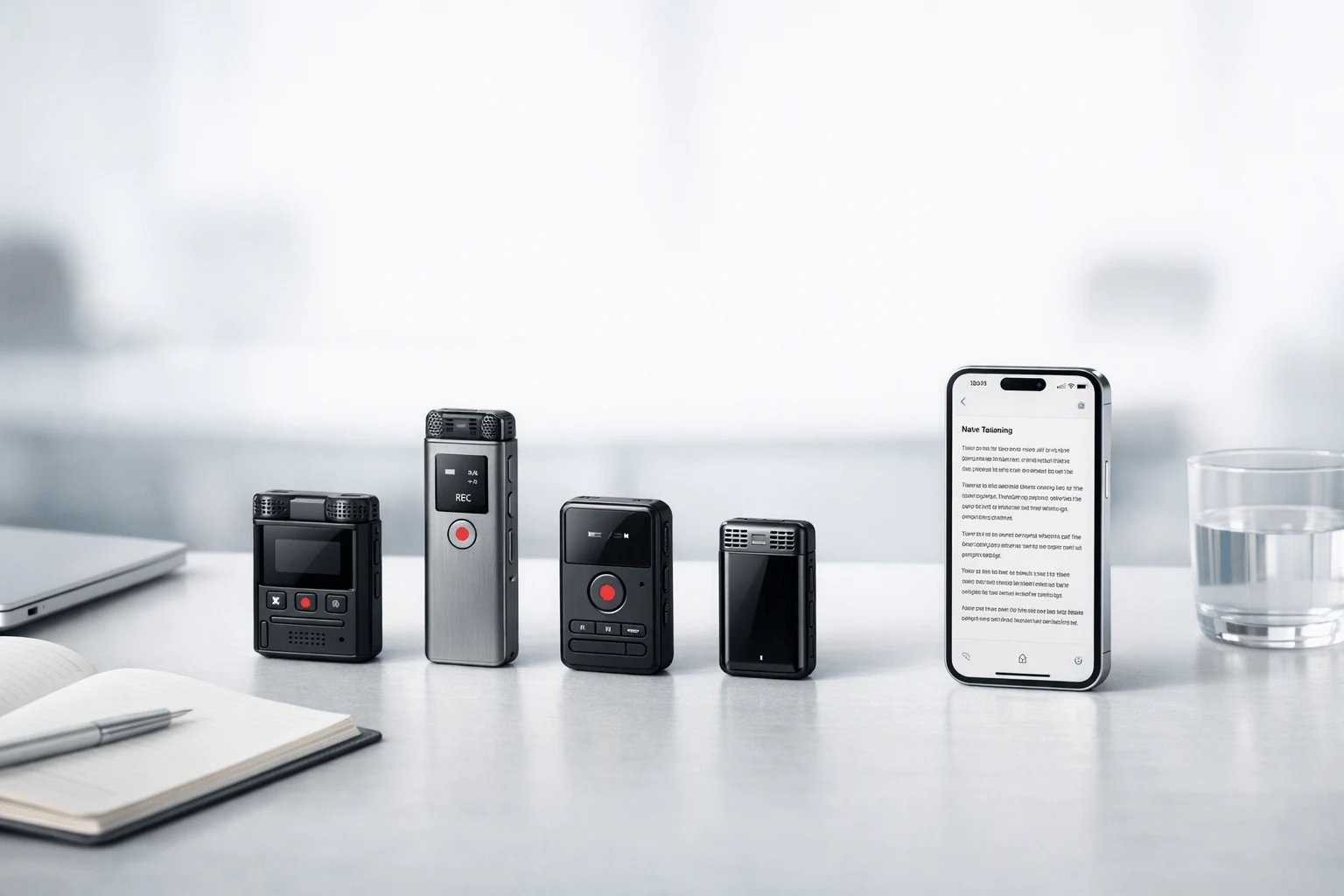
TL;DR: Best Voice Recorders and AI note takers for business conversations
If you need an AI note taker for business conversation that works across Zoom, Google Meet, Teams, phone calls, client meetings, and in-person conversations, TicNote is the strongest fit. It stands out because it combines device-based capture, offline recording, transcription, translation, summaries, and project knowledge tools in one system, which matters when browser-only meeting bots fall short.
For fast positioning: Otter fits transcript-first teams, Fireflies.ai works well for searchable meeting archives, Fathom is a smart pick for free individual use, Granola suits people who already take notes, and tl;dv is useful for clips and async sharing. The full guide includes a normalized comparison table, pricing references, privacy context, buyer scenarios, and a simple workflow diagram.
Buy TicNote Device or See the Device.
What makes an AI note taker for business conversation worth paying for?
A paid ai note taker for business conversation should do more than turn speech into text. It should help teams capture decisions, assign follow-ups, and keep client context from getting lost between meetings, calls, and real-world conversations. That's the real gap: many tools can record, but far fewer can help a sales rep after a discovery call, a consultant after a workshop, or a manager after a hallway update.
Solve the work that happens after the meeting
The core business problems are simple:
- decisions get buried in long transcripts
- next steps never turn into assigned action items
- notes live across apps, docs, and chat threads
- handoffs from call to execution are weak
- in-person and hybrid conversations often go uncaptured
That is why baseline recording and transcription aren't enough. A useful meeting note taker for sales calls should surface commitments, objections, and tasks fast. A strong AI recorder for client meetings should also preserve context, support search, and make outputs usable in reports, follow-ups, and team handoffs.
This matters because meetings already consume more time than most teams realize. Microsoft Work Trend Index: The Next Great Disruption Is Hybrid Work—Are We Ready? (2021) reports that the average Teams user spent 252% more time in weekly meetings in 2020 than in February 2020, and the average meeting is 10 minutes longer.
Use a framework, not vendor claims
For this review, we separate hands-on evaluation from brand claims. We score tools on:
- capture flexibility across calls, meetings, and in-person use
- transcript quality and speaker separation
- summaries, action items, and usable outputs
- integrations and export options
- multilingual support
- offline workflow reliability
- privacy controls and data handling
- pricing value for small teams
- day-to-day ease of use
In short, what matters is not just what gets recorded. It is what happens next.
Know when a browser bot is not enough
Browser bots work well for scheduled Zoom or Teams meetings. They are weaker in hallway chats, client site visits, workshops, hybrid room calls, and phone-free workflows. They can also feel awkward in sensitive discussions where a visible bot changes the tone.
That's why this article looks closely at device-first capture, offline meeting recorder with AI summary workflows, and cross-context consistency. If you want a broader view of tools that skip meeting bots, this bot-free note taker guide provides useful context. The comparison table and workflow diagram later in this article will make that difference clearer.
How do the top tools compare at a glance?
If you're comparing an ai note taker for business conversation, the biggest mistake is treating every tool like it solves the same job. It doesn't. Some products are built for Zoom bots and meeting transcripts. Others are built to capture real conversations wherever they happen: on calls, in conference rooms, in hallways, on site, and without a laptop open.
That difference matters. A browser-first app can be great for scheduled online meetings. But a device-first recorder often wins when conversations happen off calendar, in person, or without reliable connectivity. So the fairest way to compare these tools is to normalize them around context, capture flexibility, outputs, privacy posture, and value.
Compare the tools side by side
| Tool | Capture type | Supported contexts | Online meeting support | Offline recording | Summaries | Translation | Integrations | Privacy posture | Entry price | Best-fit user |
| TicNote | Hardware + cloud | Meetings, calls, in-person, field notes | Yes | Yes | Yes, real-time and post-meeting | Yes | Moderate, plus project knowledge base | Strong buyer-facing posture; encrypted, private by default, GDPR-aligned claim | Hardware from $129.99 | Professionals who need one tool across online and offline work |
| Otter | Software-first | Online meetings, interviews, lectures | Yes | Limited device-first support | Yes | Limited compared with multilingual device-first tools | Moderate | Business-focused security controls | From $8.33/user/month; Otter Pricing lists Otter Business at "$20 per user/month" or "$240 billed annually." | Users focused on live meeting transcription and AI chat |
| Fireflies.ai | Software-first bot/platform | Online meetings, team call archives | Yes | No true device-first offline capture | Yes | Yes | Strong | Strong admin and compliance options | From $10/user/month | Teams that want searchable meeting archives and workflows |
| Fathom | Software-first meeting assistant | Online meetings, sales calls | Yes | No | Yes | Limited | Good, especially CRM-oriented workflows | Standard SaaS privacy model | Free; paid team tiers | Individuals and sales users who want a strong free assistant |
| Granola | Desktop note assistant | Online meetings plus user-written notes | Partial, depends on workflow | No dedicated offline recorder | Yes | Limited | Light to moderate | More local-feeling workflow, but less capture breadth | From $14/month | Active note-takers who want AI to refine their notes |
| tl;dv | Software-first meeting recorder | Online meetings, async review | Yes | No | Yes | Some multilingual support | Good | Standard SaaS privacy model | Free plan; paid tiers | Teams that want clips, search, and sharing from lots of calls |
Use a transparent scoring model
We weighted six areas:
- Capture versatility: Can it handle meetings, calls, and in-person conversations?
- Summary usefulness: Are outputs clear, fast, and action-oriented?
- Post-meeting outputs: Can it create notes, tasks, reports, or reusable docs?
- Collaboration and integrations: Does it fit team workflows?
- Privacy and compliance readiness: Are controls clear enough for business review?
- Total value: What do you get for the price?
Under this model, TicNote scores highest for mixed-context work because it captures more situations than meeting bots do. Device-based recording, offline support, real-time transcription, translation, and AI outputs give it the widest operating range.
Transcript-first apps still win in narrower cases. Otter is strong when your day is mostly live online meetings and searchable transcripts. Fireflies.ai is especially useful for teams that care more about archives, integrations, and meeting analytics than physical-world capture. Fathom is a smart low-cost pick for solo users who mostly live in scheduled calls.
Quick picks by use case
- Startup founders: TicNote. Best all-around choice when your week mixes investor calls, team meetings, hallway decisions, and travel.
- Sales reps: TicNote for field and phone flexibility; Fathom if your work is almost entirely online demos.
- Consultants: TicNote. It handles workshops, discovery calls, and in-person client sessions better than bot-only tools.
- Project managers: Fireflies.ai or TicNote. Pick Fireflies for integration-heavy team ops; pick TicNote for broader capture.
- Field teams: TicNote by a wide margin. Offline recording and phone-free options matter here.
For skimmers, this is the point in the article where a sticky "compare tools" jump link or mini table CTA works best, because many buyers decide the shortlist before they read full reviews.
Standardized recommendation cards
TicNote Best for: professionals who need one tool for meetings, calls, and in-person conversations Website: ticnote.com Pricing: hardware from $129.99; cloud plans from free to business tiers Key features: device-first capture, offline recording, real-time transcription and translation, AI summaries, Ask AI, document generation, and project knowledge base Limitations: hardware purchase required for full device-first value; some advanced cloud usage depends on plan Why it stands out: strongest cross-context option, not limited to meeting bots.
Otter Best for: users focused on live meeting transcription and AI chat Website: otter.ai Pricing: from $8.33/user/month Key features: real-time transcript, searchable notes, AI chat, uploads Limitations: less suited to in-person or device-based capture Why it stands out: strong transcript-first workflow.
Fireflies.ai Best for: teams that want searchable meeting archives and collaboration features Website: fireflies.ai Pricing: from $10/user/month Key features: searchable archives, collaboration, integrations, topic tracking Limitations: mainly meeting-centric capture Why it stands out: good for meeting-heavy teams.
Fathom Best for: individuals and sales users who want a strong free meeting assistant Website: fathom.ai Pricing: free; team plans from paid tiers Key features: strong free plan, concise summaries, clips, CRM support Limitations: meeting-bot model may not suit every setting Why it stands out: low-friction free entry point.
Granola Best for: people who already take notes and want AI to refine them Website: granola.ai Pricing: from $14/month Key features: bot-free feel, human-plus-AI notes, local-style capture approach Limitations: depends on user note-taking habit; less ideal for full passive capture Why it stands out: excellent for active note-takers.
tl;dv Best for: teams that want clips, search, and async sharing from meetings Website: tldv.io Pricing: free plan; paid tiers Key features: clips, search, sharing, reports Limitations: focused on online meeting workflows Why it stands out: useful for review and sharing across many calls.
Which TicNote features are exclusive for business conversations?
What makes TicNote different is simple: it was built for business conversations that happen everywhere, not just inside a calendar invite. As an ai note taker for business conversation, it covers online meetings, in-room discussions, client visits, sales calls, and walk-and-talk updates without forcing a visible meeting bot into every exchange.
Capture conversations without changing how you work
TicNote's device-first setup is the big separator. The Card and Card Lite work like dedicated recorders you can carry all day, while the Pods models add earbud-based capture for calls, mobile work, and faster handoff after meetings. That matters when a browser bot can't join, would feel awkward, or simply doesn't fit the setting.
Key advantages for business use:
- Record in person, on the move, or during client visits
- Keep recording even when your phone isn't the center of the workflow
- Use a lower-friction setup for sensitive or informal conversations
- Choose hardware based on how visible or hands-free you want capture to be
Pods 4G goes furthest here. It can upload without your phone nearby and deliver Live Summary during the meeting, which is rare in this category.
Turn live talk into usable output fast
Capture is only step one. TicNote also gives you real-time transcription, bilingual subtitles, and translation support across 120+ languages, with real-time transcription available in 16 languages. During a conversation, you can highlight key moments, add notes, and sync photos to exact points in the transcript. After the recording ends, the system generates a summary and to-do list automatically.
For multilingual teams, that shortens the gap between discussion and action. A sales rep can review next steps in minutes. A consultant can attach photos from a workshop directly to the transcript. A manager can scan action items instead of replaying a 45-minute meeting.
Build project memory, not just transcripts
TicNote goes beyond recording by turning each conversation into searchable business context. You can ask AI questions about a single recording, generate notes or formatted reports, and use the Project Knowledge Base to search across multiple meetings in one place. If you want a closer look at fit by device, this recorder comparison guide breaks down the workflow differences.
Feature callout: TicNote combines device capture, AI transcription, translation, summaries, document generation, and cross-project Q&A in one system. That's the real business value: the conversation stays useful after it ends.
Pick the right TicNote device
- Card — Best for premium wallet carry and frequent in-person meetings. Starts at $159.99.
- Card Lite — Best for simpler, lower-cost recording with one-button use. Starts at $129.99.
- Pods 4G — Best for road warriors who want phone-free capture and live summaries. Starts at $299.99.
- Pods Wi-Fi — Best for global users who prefer phone or Wi-Fi sync and no region lock. Starts at $249.99.
For buyers comparing hardware styles, the right choice depends less on transcription quality and more on where your conversations happen.
See the TicNote device lineup and compare models.
How to choose the right product for your workflow
The right ai note taker for business conversation depends less on feature count and more on where your conversations actually happen. If your week moves between Zoom, Google Meet, phone calls, client offices, hallways, and job sites, a device-first system usually fits better than a meeting bot alone. For a deeper breakdown of AI note takers for business calls, it helps to match the tool to the workflow first, then compare extras.
Choose TicNote for mixed conversation workflows
Choose TicNote if you need one system for online meetings, in-person discussions, mobile work, and offline capture. It stands out because it combines recording hardware with transcription, translation, summaries, action items, and a searchable project knowledge base. That matters for founders, consultants, sales reps, and managers who switch contexts all day and don't want one tool for meetings, another for calls, and a third for field notes.
TicNote is the strongest fit when you want:
- device-based recording, not just a browser bot
- offline capture with later sync
- multilingual transcription and translation
- post-call outputs like summaries and to-do lists
- searchable memory across projects, not isolated meeting files
Its biggest advantage is coverage. The Card and Card Lite suit desk-to-room workflows. The Pods 4G fit mobile users who need phone-free recording and live summaries on the go. If your work crosses online and offline settings, this is the most complete choice.
Choose Otter for transcript-first meeting notes
Choose Otter if your top priority is live text, searchable transcripts, and AI chat during standard online meetings. It makes the most sense when most conversations happen inside Zoom, Google Meet, or Teams, and you care more about seeing and searching words fast than capturing audio in the real world.
Otter is a solid fit for:
- meeting-heavy desk workers
- teams that want fast searchable text
- users who rarely record in person
Choose Fireflies.ai for meeting-heavy team collaboration
Choose Fireflies.ai when your team runs recurring meetings and needs comments, collaboration, analytics, and integrations around those calls. It's stronger as a meeting archive and workflow layer than as a tool for hallway chats, client site visits, or offline conversations.
Best fit:
- sales managers reviewing call history
- recruiting or ops teams with repeat meetings
- companies that value integrations over hardware capture
Choose other tools for narrower use cases
Some buyers need a lower-cost or more specific workflow.
- Choose Fathom for free individual use. It's a strong test bed for solo users and sales reps who want a capable free meeting assistant before spending budget.
- Choose Granola for human-plus-AI notes. It's best for people who already take structured notes and want AI to clean them up afterward, especially in bot-averse meetings.
- Choose tl;dv for searchable clips and async review. It's useful when teams share snippets, review calls later, and care more about clips than device-based recording.
Match the tool to your role
Use this quick guide:
- Leadership: choose TicNote if your conversations happen across boardrooms, calls, and travel days
- Consulting: choose TicNote if workshops, client meetings, and follow-up docs all need one capture system
- Sales: choose TicNote for mixed calls and field meetings; choose Fathom or Fireflies if most work stays in scheduled online calls
- Field work: choose TicNote first, especially hardware models that record without a laptop open
Place a simple workflow diagram here to show: capture → transcript → summary → actions → project knowledge base.
Privacy, compliance, and rollout considerations
If you're choosing an ai note taker for business conversation, privacy rules matter as much as summary quality. The biggest split is how audio gets captured: browser bots join calls as visible attendees, desktop capture records system audio on a computer, and hardware recorders capture from a device in the room or on the user. In practice, many client-facing teams prefer device-based capture because it can feel less disruptive in workshops, site visits, and in-person conversations where a meeting bot would be awkward.
Match the capture method to the setting
Each method has trade-offs:
- Browser bots: easy for Zoom, Meet, and Teams, but highly visible and sometimes blocked by guests or admins.
- Desktop audio capture: useful for solo calls, but tied to one machine and less flexible in the field.
- Hardware recording: better for offline, in-person, and mobile use, but teams still need clear consent rules.
Consent isn't optional. Recording laws vary by location and use case, so buyers should confirm internal policy and local requirements before rollout. For data scope, Regulation (EU) 2016/679 (General Data Protection Regulation) states that the GDPR applies to the processing of personal data wholly or partly by automated means and to the processing other than by automated means of personal data which form part of a filing system or are intended to form part of a filing system.
Ask vendors the due-diligence questions
Before you buy, get direct answers on:
- encryption in transit and at rest
- retention and deletion controls
- whether customer data trains AI models
- cloud region and data residency
- admin access controls and SSO
- audit logs and traceability
- claims such as GDPR alignment or HIPAA support
For multilingual and mobile teams, also test real workflows, not just claims. Verify supported languages, translation quality, offline recording behavior, sync speed after reconnection, and whether summaries generate instantly or only after cloud upload. A smart pilot usually lasts 2 to 4 weeks and should cover one remote team, one field team, and one multilingual workflow before wider rollout.
Final thoughts
Most products in this category now handle recording, transcription, and summary well enough. But the best ai note taker for business conversation is the one that works in the places business actually happens: Zoom calls, hallway chats, client visits, phone calls, workshops, and field work.
That's why TicNote stands out. It goes beyond browser meeting bots with device-based capture, offline recording, multilingual transcription and translation, and outputs that stay useful after the conversation ends. For buyers who need flexibility across contexts, it's the strongest overall fit.
Other tools still make sense in narrower lanes:
- Otter for software-first meeting notes
- Fireflies.ai for team analytics and integrations
- Fathom for meeting-heavy call workflows
- Granola for lightweight desktop note capture
- tl;dv for reviewing recorded online meetings
If you want a broader look at dedicated hardware, this guide to AI recorders for meetings and calls adds useful context before you decide.


