


 Extension
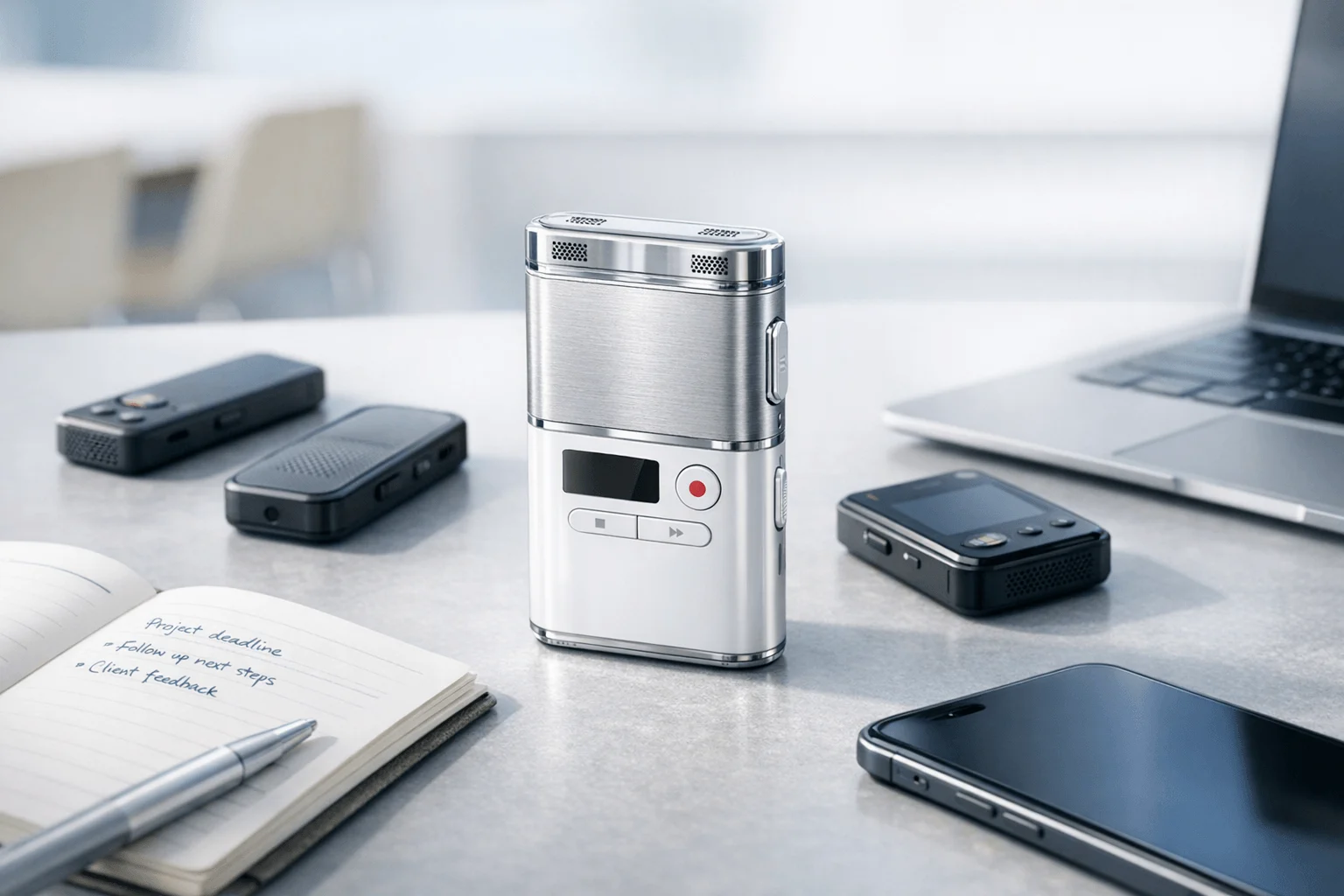
TL;DR: Best bot-free Voice Recorders and note taker picks
If you want a device-first bot-free note taker for meetings, calls, and lectures, TicNote is the best overall pick. In real use, software-only tools are faster to start, but dedicated recorders handle more situations without sending a meeting bot into the room.
- Best all-around device-based capture: TicNote
- Best for integrations and searchable team archives: Fireflies
- Best for simple in-person transcription: Otter
- Best for noise-heavy remote calls: Krisp
- Best for desktop-only bot-free software: Superpowered or Tactiq
The main trade-off is simple: software is easier on day one, but AI voice recorder devices give you bot-free capture in meetings, phone calls, lectures, and face-to-face conversations. Want the full breakdown? Jump to the comparison table, then explore the TicNote device lineup.
What makes a bot free note taker worth using in real meetings?
A bot free note taker records without showing up as an extra attendee in Zoom, Meet, or Teams. That sounds simple, but it changes the whole feel of a meeting: no visible bot name, no auto-join notification, and less chance that clients, candidates, or students tighten up the moment they see software listening in. In practice, recording starts from a device, app, browser, or desktop audio workflow instead. That matters most when trust is fragile and when a visible meeting bot can trigger policy questions.
Reduce friction in sensitive conversations
Bot-free capture works well when people care about privacy, tone, or classroom norms. It fits:
- external client calls
- interviews and recruiting screens
- lectures and seminars
- internal workshops with open discussion
- field conversations that happen away from a desk
A device-first option like TicNote also goes beyond browser meetings. It can capture room audio, phone calls, lectures, and ad hoc conversations that never happen inside Zoom or Google Meet. That's a big gap between software-only tools and real work. If you want a broader look at AI recorders for meetings and calls, this is where hardware starts to make more sense.
Work where browser tools can't
Browser-based note tools are convenient, but they usually depend on a scheduled online meeting. Real operations don't. Sales teams jump from mobile calls to conference rooms. Consultants move from workshops to hallway follow-ups. Educators record long lectures. Field teams log site visits with weak signal or no laptop nearby.
Bot-free tools are strongest when mobility matters:
- in-person workshops
- hybrid meetings with uneven audio
- lectures and training sessions
- site visits and inspections
- offline note capture during travel
Accept the trade-offs
There are trade-offs. Some tools need a manual press to start. Some require hardware upfront. Some depend on phone proximity, local storage, or a later sync before transcripts appear. And bot-free never removes consent duties. Under the General Data Protection Regulation (GDPR), consent must be "freely given, specific, informed and unambiguous."
So the right question isn't just, "Does it avoid bots?" It's whether the workflow is fast, clear, and compliant enough for daily use. That's why the next section compares privacy claims, storage limits, sync friction, and collaboration depth in one scoring framework.
How this review evaluates bot-free note takers fairly
A good bot free note taker should save time without creating new friction. That sounds simple, but buyers are comparing very different tools: hardware recorders, browser tools, desktop apps, and meeting software that may or may not join calls like a bot. So this review uses one practical rubric built for real buying decisions, not lab-style claims or vendor demos.
Use a weighted buyer rubric
We score each product on the factors that matter most in daily work:
- capture flexibility
- transcript quality
- summary usefulness
- speaker identification
- privacy posture
- mobility
- storage and retention
- total value
The weighting favors outcomes over feature lists. In plain terms, a tool scores higher if it reliably captures meetings, lectures, calls, and in-person conversations with less setup and fewer missed details. Privacy and value also matter because a cheaper tool stops being cheap if minute caps, archive limits, or weak controls force an upgrade fast.
Normalize unlike products on the same factors
This comparison puts device-based recorders, software apps, and browser-based meeting tools through the same decision filter. We ask the same questions of every product: Is it truly bot-free? What can it record? Does it work offline? When do summaries appear? Where does it work best? At what point do plan limits make it annoying or impractical?
That matters because buyers often compare hardware to software in the same shortlist. TicNote is judged inside that same framework, not on a softer standard. If you are also comparing hardware economics, this competitor pricing breakdown is a useful reference point.
Watch the hidden cost traps
Free plans in this category often look generous until you hit the real limits: 300 to 600 minutes, AI credit caps, export restrictions, small archives, or bot-free workflows locked behind trials. Hardware adds another layer, since the right math is device cost plus cloud plan over time, not sticker price alone.
TicNote does well here because its device-linked plans improve long-term value, especially for frequent users, though buyers should still check monthly minute caps, storage needs, and security review requirements before deciding. The next section turns this rubric into a standardized comparison table, with a workflow view to show when device capture beats software capture.
Bot-free note taker comparison table for 2026
If you're comparing a bot free note taker, the fastest way to narrow the field is to look at how each product actually captures conversations. Some tools rely on meeting bots, some depend on browser tabs or desktop audio, and some are built around dedicated hardware that works in rooms, on calls, and on the move. That difference matters more than feature checklists.
Use the table below to spot fit fast, then jump to the device guidance later if you already know you need in-person capture, phone-free recording, or stronger privacy control.
Side-by-side comparison matrix
| Product | True bot-free support | Recording method | Remote vs in-person coverage | Summary timing | Speaker labels | Translation support | Mobile availability | Offline support | Storage model | Free-plan or trial limits | Entry pricing |
| TicNote | Yes | Dedicated hardware + app sync | Strong for both remote and in-person | Post-recording on Card/Card Lite; live on Pods 4G | Yes | Yes, including real-time translation | Strong mobile support | Yes | Device storage + cloud sync | Free app plan limited; hardware includes Plus plan with 600 min/mo | $129.99 |
| Fireflies.ai | Partial; often bot-based in meetings | Bot, uploads, app integrations | Best for remote; weaker for live room capture without extra workflow | Post-meeting | Yes | Yes | Mobile-light | Limited | Cloud-first | Free tier available; paid plans unlock storage, analytics, admin | $10/seat/mo |
| Otter | Partial; often bot/app workflow | App, imports, meeting assistant | Good for remote; fair for in-person via app | Real-time notes + post-meeting recap | Yes | Limited language range vs broader rivals | Good mobile support | Limited | Cloud-first | On Otter Pricing, users get 300 monthly transcription minutes with a 30-minute limit per conversation | Varies by plan |
| Krisp | Yes, generally without meeting bot | Desktop audio layer and meeting assistant tools | Best for remote calls; weak for in-person room capture | Post-meeting | Yes | Limited compared with translation-led tools | Desktop-first | Limited | Cloud/software | Free plan caps features and usage | $8/mo+ billed annually |
| Superpowered | Yes | Calendar-connected desktop workflow, no bot and no recording focus | Remote-focused; not built for room recording | During and after meeting notes | No traditional transcript-led labels | No major translation focus | Desktop-only or mobile-light | No practical offline flow | Cloud/software | Free trial or limited starter access | $25/mo+ |
| Tactiq | Yes, but browser-dependent | Browser extension capturing captions/transcripts | Best for remote browser meetings; narrow in-person use | Real-time + post-meeting | Depends on source meeting captions | Limited | Mobile-light | No | Cloud/software | Free plan limits exports, AI use, or meetings | $8-$12/mo range |
What the table shows fast
- TicNote is the most flexible pick for cross-context capture: desk meetings, lectures, field work, calls, and in-person conversations.
- Fireflies.ai is strongest for integrations and team workflows, but it's not the cleanest fit for bot-averse buyers.
- Otter is familiar and easy to start with, but its language depth and free caps are tighter than some buyers expect.
- Krisp stands out when poor audio quality is the main issue, not when physical room capture is the goal.
- Superpowered is compelling for desktop users who want notes without traditional recording.
- Tactiq works best for light browser-based use, but its capture scope is narrower.
One caution: free plans often look similar until you hit transcript minutes, export caps, AI credit ceilings, or per-meeting limits. Also, privacy-first claims are not the same as local-first behavior. A cloud-first app may promise strong security but still store more meeting data off-device than a hardware-led recorder.
Why TicNote stands out among Voice Recorders
TicNote stands out because it treats the bot free note taker category as a hardware problem first, not just a meeting app problem. In practice, that means you can capture meetings, lectures, calls, and in-person conversations without relying on a meeting bot to join the room. For buyers who want a true bot-free option, that device-first approach is the real advantage.
This is also why TicNote feels broader than many software-only tools. Instead of working best only at a desk, it follows the way real work happens: in conference rooms, on client visits, in classrooms, in hallways, and during calls on the move. Pricing is clear enough for comparison-stage buyers too: free cloud tier, hardware from $129.99, and paid cloud tiers from $19.99/month or $79/year with device.
Focus on outcomes, not just features
The best part of TicNote is that its features line up with real buyer outcomes. Device-based recording gives you more flexibility in places where bots can't join or would feel intrusive. Real-time transcription helps you follow the discussion without splitting your attention. Translation with bilingual subtitles matters when teams work across languages. Highlights and annotations reduce the usual "I'll find it later" problem.
Then there are the tools that save time after the conversation ends:
- AI summaries that turn long recordings into usable recaps
- Action items that make follow-up faster
- Speaker identification for cleaner review
- Ask AI search so you can find a decision or quote quickly
- Offline capture with later sync for travel, field work, or weak signal
- Photo-to-transcript sync for whiteboards, slides, or site notes
- Searchable project knowledge across recordings
- Document generation for reports, notes, and formatted outputs
That mix matters because it cuts the two biggest costs of meetings: missed detail and cleanup time afterward.
Why the device-first model matters
This is the core editorial point. TicNote expands bot-free capture beyond remote meetings. A card recorder works in a workshop. Earbuds work during calls. A mobile case can record room audio. That range makes it a better fit for consultants, educators, field teams, and sales professionals who move between online and offline conversations all week.
There is also a privacy angle here. TicNote describes encrypted recordings and transcripts, and for buyers reviewing vendors in Europe, Regulation (EU) 2016/679 (GDPR), Article 32 requires controllers and processors to implement appropriate technical and organisational measures, including as appropriate "the pseudonymisation and encryption of personal data." That doesn't replace internal review, but it is the right benchmark for evaluating tools in this category.
Know the trade-offs before you buy
TicNote is not perfect, and that helps keep this review honest.
- The best value depends on buying hardware
- Free cloud minutes are capped
- Compliance-sensitive teams should verify legal, security, and retention requirements themselves
- Device-first recording improves flexibility, but it does not remove the need for consent, local law checks, or company policy review
So yes, TicNote is practical, but it still needs to fit your workflow and governance rules.
Four devices, four different fits
TicNote's lineup is more useful than it first appears because each model maps to a different workflow:
- Card: best as a premium wallet-carry recorder for professionals who want an always-with-you device
- Card Lite: best for lower-cost simplicity and one-button use
- Pods 4G: best when you want phone-free capture and live summaries while moving
- Pods Wi-Fi: best for global users who prefer sync-based workflows and no region-lock focus
That range is what makes TicNote stand out among voice recorders. It is not one app trying to cover every scenario. It is a system built for different kinds of conversations, with AI notes layered on top. The next section breaks down which device fits which buyer best.
How to choose the right product for your workflow
The right tool depends on where conversations happen, how often you work away from your desk, and whether you want a bot free note taker that captures more than Zoom or Meet. If your week includes conference rooms, hallway updates, phone calls, lectures, interviews, and site visits, device-based capture usually beats software-only tools because it works in more places with fewer setup steps.
Choose TicNote for mixed real-world capture
TicNote is the strongest fit when you need one system for remote calls, in-person meetings, lectures, and field work. Its edge is simple: dedicated hardware changes what you can record. A card recorder fits in a wallet, earbuds handle calls and mobile use, and offline capture means you can keep recording even when your phone, signal, or Wi-Fi drops.
That matters in real workflows. Many buyers want summaries, action items, and translation without inviting a meeting bot into every call. TicNote fits that need well because it combines device capture with AI outputs after sync, and in the Pods 4G model, even during recording.
Best fits include:
- consultants moving between client rooms and calls
- project managers with hybrid meetings
- educators recording classes and office-hour chats
- field teams documenting site visits
- privacy-conscious buyers who want more control over capture
If your process starts outside the desktop, TicNote is the practical choice. You can also explore more bot-free meeting note alternatives before deciding.
Choose Fireflies for integrations and team archives
Fireflies makes more sense when your top priority is searchable team knowledge tied to workflows like CRM, recruiting, or internal collaboration. It is software-first, so it shines when every meeting already happens online and your team wants transcripts, summaries, comments, and system integrations in one shared archive.
The trade-off is clear. It is less natural for buyers explicitly trying to avoid meeting-bot behavior, and some of its strongest value comes from team features, analytics, and plan tiers rather than invisible capture in the room. If your company lives in dashboards and automations, Fireflies is often the better fit. If your work moves between physical and digital spaces, it is not.
Choose Otter for lighter mobile-led use
Otter is a familiar option for users who want easy transcription without buying hardware. It works best for lighter in-person use, student workflows, interviews, and basic meeting notes where opening an app on your phone is good enough.
Its limits show up faster in comparison-stage buying. Lower tiers can feel capped, language support is narrower than some broader transcription platforms, and it is not the best answer for buyers who want flexible hardware capture across calls, rooms, and travel days.
Choose Krisp for noisy remote calls
Krisp is the best pick when the main problem is bad audio on remote calls. It is built around noise cancellation first, with transcription as a supporting benefit. If you work from shared spaces, busy homes, or loud offices, cleaner audio can matter more than broader note-taking features.
But its value is strongest in remote environments. It is less compelling for lectures, interviews, or field visits where dedicated recording hardware gives you better range and flexibility.
Choose Superpowered or Tactiq for desktop-only bot-free workflows
Superpowered and Tactiq fit users who mainly work on a laptop and do not need dedicated hardware. Superpowered is better if you want a no-recording approach focused on notes and privacy. Tactiq is better if you want caption capture from meeting platforms and fast text extraction.
Both work for desktop-heavy routines. Both fall short for commercial buyers with mixed workflows because neither is built for broad room capture, travel, offline recording, or phone-free flexibility.
Use this quick rule:
- Pick TicNote if your conversations happen in many places.
- Pick Fireflies if team search and integrations drive ROI.
- Pick Otter if your needs are light and mobile-first.
- Pick Krisp if noise is the main issue.
- Pick Superpowered or Tactiq if desktop-only software is enough.
Then use the comparison table to narrow the field, or jump to the TicNote device-matching section if you already know hardware is the right path.
Compare TicNote devices and pick the best fit for your workflow.
Who should buy which TicNote device?
The right bot free note taker depends less on brand and more on where your conversations happen. If you mostly need fast, reliable capture without meeting-bot friction, TicNote's lineup splits cleanly by carry style, budget, and how often you work away from your phone.
Pick TicNote Card for premium everyday carry
Choose TicNote Card if you want the most polished daily-carry recorder. It suits consultants, managers, and client-facing pros who want a wallet-friendly device they'll actually keep with them. The thin build, magnetic accessories, 64GB capacity, and 25-hour battery make sense for frequent meeting days, while the lever switch helps when you move between personal listening and room capture.
Pick Card Lite for lower-cost, simpler recording
Card Lite is the value choice. It fits buyers who want one-button recording, a lower upfront price at $129.99, and the same core transcript-summary-action item workflow after sync. If you want a true meeting recorder without bot joins, setup friction, or extra moving parts, this is the easiest entry point.
Pick Pods 4G for phone-free work on the move
Pods 4G is the strongest match for field teams, traveling consultants, and road warriors. It records calls, uploads in real time, and can produce Live Summary while the meeting is still happening. That matters when you need to leave a site visit, sales call, or client review with decisions already organized instead of waiting until later.
Pick Pods Wi-Fi for global, sync-based workflows
Pods Wi-Fi is better for users who usually keep a phone nearby and want the earbud-plus-case format without paying for 4G. It also makes more sense for international buyers because it has no region lock and keeps the price below the 4G model.
A simple way to think about it:
- Card: best for premium daily carry and heavy meeting volume
- Card Lite: best for budget-conscious buyers who want simple recording
- Pods 4G: best for mobile professionals who need live summaries and phone-free use
- Pods Wi-Fi: best for global users who prefer sync-based capture
For a closer breakdown, see this device-by-device comparison.
Final thoughts
The best bot free note taker is the one that fits how you actually work, not just how you join meetings. If your week includes client calls, desk meetings, lectures, hallway chats, and on-site conversations, TicNote is the strongest all-around pick because it combines true bot-free capture, dedicated hardware, and AI summaries in one system.
That said, software-first tools still make sense for narrower needs. Otter and Fireflies can be good fits when your priority is meeting integrations, lighter captioning, or team workflows built around desktop apps. But for buyers who want one setup that can cover remote meetings, in-person audio, calls, and mobile work with fewer gaps, TicNote delivers more practical value.
If you want to compare options before deciding, this guide to Plaud alternatives is a useful next read. See which TicNote model fits your workflow best


