


 Extension
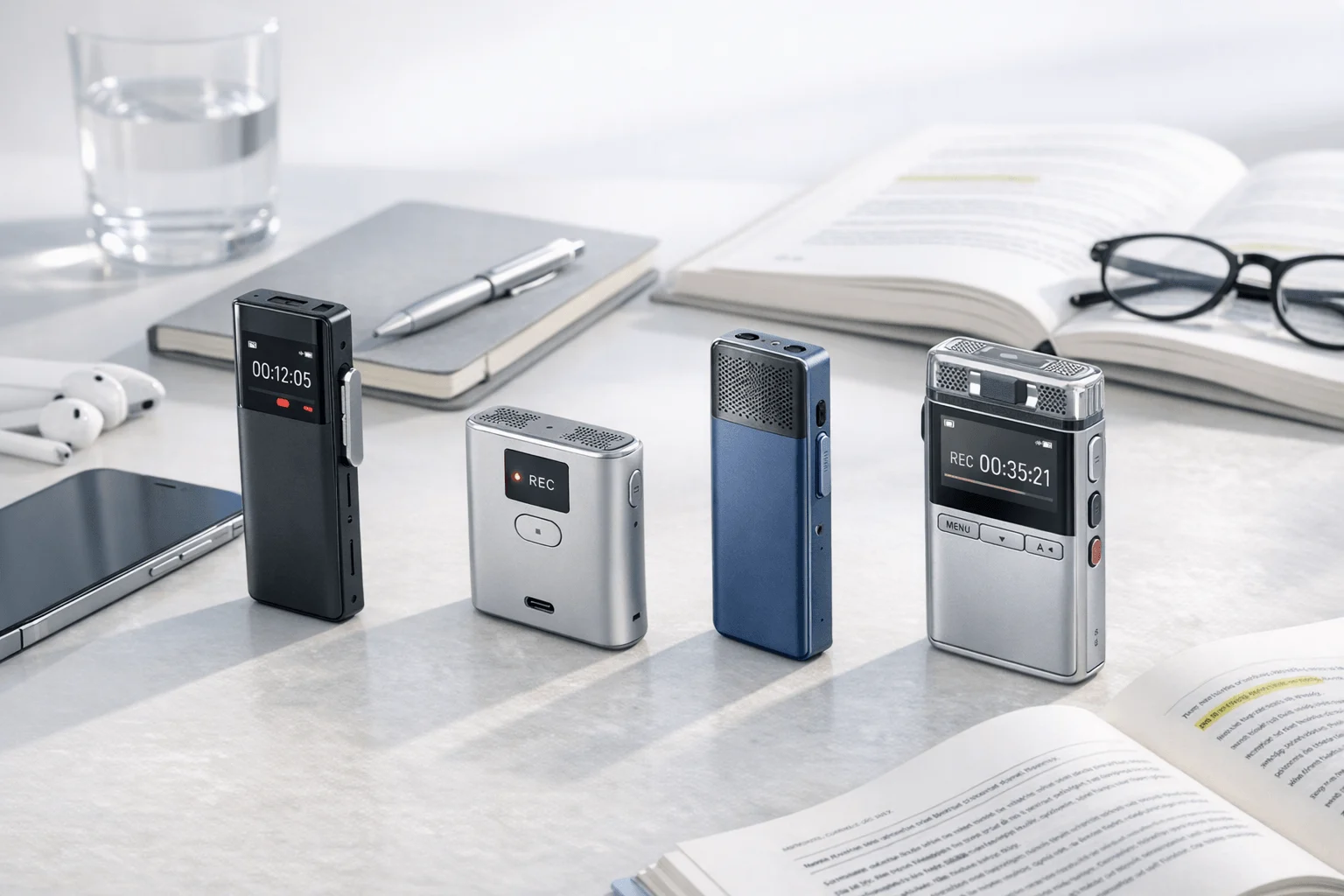
If you're comparing options, break down Plaud costs first: most people searching for a Plaud alternative are trying to solve one of three frictions—the hardware-plus-subscription cost, a workflow mismatch between phone calls and real-world conversations, or a feature gap like real-time summaries or bot-free meeting capture. Plaud still deserves credit for combining dedicated hardware, 112+ language support, speaker identification, templates, and automations in a polished package. But if your day happens across calls, in-person meetings, lectures, and online sessions, you need to know whether a different tool fits your workflow better than Plaud does.
The real tradeoffs are not abstract. You are comparing a card recorder vs wearable vs software-only workflow, free minutes vs ongoing plan cost, and private local-first handling vs cloud-heavy AI features. I will help you sort those tradeoffs quickly and match them to the products that fit how you actually record.
TL;DR
- What matters most: where do your important conversations happen? For phone calls with automatic capture, choose TicNote Pods 4G; for Bluetooth earphone calls and room recording, choose HiDock P1; for software-only online meetings, choose Otter; for low-cost card hardware, choose Pocket.
- If your goal is automatic call recording without manually activating a recorder, TicNote Pods 4G is the clearest fit because it automatically records when you take a call wearing the earbuds.
- The surprising part of this category is that the cheapest device is not always the lowest-cost workflow over time. Pocket uses a $129 device and says no subscription is required for basic use, which can matter more than headline hardware price. No subscription required.
What are Plaud alternatives?
A Plaud alternative is not just another card-shaped recorder. Plaud's core job is capturing spoken conversations and turning them into transcripts, summaries, and usable follow-up, so an alternative is any product that does that job in a way that better matches your workflow. If you're comparing AI recorders for meetings, this is the real lens to use.
- Hardware recorders: dedicated devices such as card recorders, wearables, or earbuds that capture calls, meetings, lectures, and field conversations, then sync audio into AI transcription and summaries.
- Software platforms: meeting-note tools like Otter and Fireflies.ai that skip dedicated hardware and focus on live online meetings, searchable transcripts, collaboration, and integrations.
The decision comes down to one question: do you need to capture conversations that happen away from your laptop and calendar, or do nearly all important conversations already happen inside software?
How we chose the right Plaud competitor options
This list is not a hunt for Plaud clones. It includes products that solve the same core problem in different ways: dedicated hardware for calls and in-person capture, hybrid devices for mixed workflows, and software-first tools for scheduled online meetings. To keep the comparison useful, I only included products with enough verified product data to compare form factor, pricing model, and likely fit.
- Capture context: whether the product is built for phone calls, in-person recording, Bluetooth earphone calls, online meetings, or some combination.
- Form factor: card recorder, wearable, earbuds, desk device, or software-only workflow.
- AI output: whether the product offers transcription, summaries, speaker identification, action items, templates, or live summary features.
- Pricing structure: device cost, included minutes, subscription requirements, and whether core use works without a paid plan.
- Privacy posture: public claims around local storage, encryption, cloud use, training-policy language, and compliance signals.
Plaud alternative comparison table
Here is the fast scan of the most decision-relevant options before the detailed breakdown.
| Tool | Best For | Form Factor | Starting Price |
| TicNote Pods 4G | Automatic call recording without a phone nearby | Earbuds + 4G charging case | $299.99 |
| TicNote Card Lite | Affordable dedicated hardware for meetings and lectures | Card recorder | $129.99 |
| Low-cost card hardware without required subscription | Small hardware device | $129 | |
| HiDock P1 | Bluetooth earphone calls plus room recording | Portable hardware recorder | $169 |
| Otter | Real-time notes for online meetings | Software-only | Free plan |
| Fireflies.ai | Team meeting intelligence and analytics | Software-only | $0 |
| viaim RecDot | Earbud-based recording with included monthly transcription | AI recording earbuds | $199.99 |
The top Plaud alternatives for meetings, calls, and lectures
If you're comparing a Plaud alternative, the fastest way to narrow the list is to separate true hardware replacements from software-only meeting tools. The seven options below cover both: dedicated recorders for calls, lectures, and in-person conversations, plus meeting apps that make more sense if you don't need a device at all.
1. TicNote Pods 4G
TicNote Pods 4G is built for users who need capture to happen while they are moving, especially across calls, online meetings, and field conversations. Compared with Plaud's card and wearable approach, this is a better match when you want the recorder to work through earbuds and a 4G-connected case instead of relying on a phone-adjacent card recorder.
Why it's a great alternative:
- Automatic call capture: it automatically records when you take a call wearing the earbuds.
- Phone-free workflow: the charging case has a built-in 4G eSIM, so it can upload audio to the cloud in real time without your phone nearby.
- During-meeting output: Live Summary runs while recording, and Quick Summary is pushed when recording ends.
- Long storage for heavy users: the case includes 32GB storage, listed as about 2150 hours.
- Included plan value: Plus plan is included with hardware and gives 600 minutes per month plus 1,500 monthly credits.
Pricing:
Pricing is hardware-first with an included Plus plan for device owners, then optional upgrades if you need more monthly minutes or credits. This structure suits users who want usable AI output immediately without paying for a separate starter subscription.
- Device + Plus: $299.99. Includes TicNote Pods 4G hardware and the Plus plan with 600 min/mo and 1,500 monthly credits.
- Pro with device: $79/yr. Includes 2,100 min/mo and 3,000 credits/mo.
- Business with device: $239/yr. Includes 6,800 min/mo and 8,000 credits/mo.
2. TicNote Card Lite
TicNote Card Lite is for buyers who want a simpler hardware note taker without paying more for a premium finish or extra accessories. Compared with Plaud, it keeps the dedicated recorder format but removes the mode-switch friction and comes in at a lower device price.
Why it's a great alternative:
- Lower upfront cost: the Card Lite is priced at $129.99.
- Simple recording flow: it is modeless, so there is no lever or mode switch before recording.
- Dedicated meeting hardware: it has a 3-mic array, 10m pickup, 25-hour battery, and 4GB storage listed as about 434 hours.
- Included monthly allowance: hardware includes the Plus plan with 600 min/mo and 1,500 monthly credits.
- Useful for lecture and meeting capture: it supports real-time transcription, speaker identification, summaries, action items, and offline recording with later sync.
Pricing:
Card Lite gives you a lower hardware entry point while keeping the same included Plus plan as other TicNote devices. It makes the most sense if you want dedicated hardware but do not need 4G or earbud-based call capture. If you're also comparing form factors, this wearable note-taking guide adds helpful context.
- Device + Plus: $129.99. Includes Card Lite hardware and Plus plan with 600 min/mo and 1,500 monthly credits.
- Pro with device: $79/yr. Includes 2,100 min/mo and 3,000 credits/mo.
- Business with device: $239/yr. Includes 6,800 min/mo and 8,000 credits/mo.
3. Pocket
Pocket is a strong option for buyers who want dedicated hardware in roughly the same buying zone as Plaud but care most about avoiding a required subscription for core use. Compared with Plaud, its appeal is less about ecosystem depth and more about keeping hardware cost and ongoing cost straightforward.
Pros:
- Lower hardware entry: Pocket is listed at $129.
- No required subscription for basics: Pocket says no subscription is required for basic use.
- Wide language support: it claims 120+ languages.
- Strong capture range: Pocket lists a 15m or 49ft range with 2 studio mics and 1 contact mic.
- Generous storage model: 64GB onboard plus unlimited cloud is listed in its comparison messaging.
Cons:
- Advanced AI locked to paid tier: Pocket Pro at $19.99/month is needed for advanced models, AI speaker labels, and custom workflows.
- Single-device ecosystem: the research surfaced one core device rather than a wider lineup of form factors.
- Less explicit compliance detail: Pocket highlights encryption and training-consent language, but the dataset does not show the same breadth of compliance claims some enterprise-oriented vendors publish.
Pricing:
Pocket's pricing is easy to understand: buy the device for core use, then add a Pro subscription only if you need more advanced AI features.
- Pocket device: $129. Basic use does not require a subscription.
- Pocket Pro: $19.99/month. Includes advanced models, AI speaker labels, and custom workflows.
4. HiDock P1
HiDock P1 is a better fit than Plaud when your daily workflow runs through Bluetooth earphones, online meetings, and room conversations from one portable device. It is still hardware, but it is less about a wallet-sized recorder and more about mixed audio capture without a meeting bot.
Pros:
- Bluetooth earphone recording: P1 supports bi-directional Bluetooth earphone recording.
- Multi-mode capture: it has Call, Room, and Whisper modes.
- Cross-platform use: it supports macOS, Windows, iPhone 15+, and OTG Android.
- Core transcription included: HiDock says transcription is unlimited and free.
- Room for advanced add-ons: Pro Membership adds speaker identification, 39+ templates, and live transcription.
Cons:
- Advanced pricing unclear: public Pro Membership pricing was not fully disclosed on the crawled pages.
- Language range is lower than some hardware rivals: HiDock lists 75+ transcription languages.
- Less pocketable than card devices: P1 is a portable recorder, not a thin card form factor.
Pricing:
HiDock keeps the hardware price simple and bundles free core transcription, but some advanced AI features sit behind a Pro Membership with incomplete public pricing visibility.
- HiDock P1: $169. Includes hardware and free unlimited transcription.
- Pro Membership: price not fully disclosed in the public pages used here. Adds advanced AI transcription, speaker identification, 39+ templates, and live transcription.
5. viaim RecDot
viaim RecDot is aimed at users who like an earbud workflow and want a monthly transcription allowance included from day one. Compared with Plaud, it shifts the decision from card recorder vs wearable pin to AI recording earbuds with app and web organization.
Pros:
- Earbud-first capture: RecDot is an AI recording earbud product with triple mics plus a bone-conduction mic.
- Included monthly transcription: it includes 600 minutes per month.
- Strong battery profile: it lists 36 hours total battery and 9 hours single-ear battery.
- Language support: viaim claims 78-language transcription.
- Compliance-oriented messaging: product claims cite ISO 27001, ISO 27701, SOC 2 Type II, HIPAA, and EN 18031.
Cons:
- Higher device cost than lower-cost card rivals: RecDot is priced at $199.99.
- Subscription details are incomplete: the full public plan breakdown was not fully visible in the crawled pages.
- Earbud format is not ideal for every buyer: users who want a wallet recorder or desktop workflow may prefer a different form factor.
Pricing:
viaim front-loads value by including a monthly transcription allowance with the device, then layers on subscriptions for users who need more advanced AI or more capacity.
- viaim RecDot: $199.99. Includes device and 600 minutes/month.
- Advanced subscription: public breakdown not fully visible in the crawled pages; advanced AI features and higher transcription capacity require subscription.
6. Otter
Otter is the cleanest Plaud alternative when you do not actually need hardware. Compared with Plaud, it trades away offline and off-calendar capture in exchange for real-time software notes, live captions, searchable transcripts, and collaboration around scheduled online meetings.
Pros:
- Software-only workflow: there is no hardware to buy.
- Real-time meeting support: Otter provides real-time recording and transcription plus live notes/captions.
- Speaker identification and organization: it supports speaker identification, search, edit, sharing, imports, and conversation history.
- Broad meeting use: it supports automatic note capture for Zoom, Teams, and Google Meet.
- Low-friction trial: a Free plan is available.
Cons:
- Language scope is narrower than hardware competitors here: the pricing page cites support for English, Spanish, French, German, Japanese, and Chinese.
- Not built for spontaneous in-person capture: Otter is researched here as a software competitor rather than dedicated hardware.
- Usage is plan-limited: lower tiers include monthly transcription limits such as 300 minutes and 1,200 minutes.
Pricing:
Otter's appeal is low upfront risk. You can start on a free plan, then move to paid plans if your monthly usage, collaboration needs, or meeting volume grows.
- Free: $0. Includes 300 monthly transcription minutes.
- Pro: annual and monthly variants are surfaced in search results; lower paid tiers include 1,200 monthly transcription minutes.
- Business: from $19.99/user/month in surfaced pricing results. Adds higher limits and admin features.
7. Fireflies.ai
Fireflies.ai is a stronger alternative than Plaud for teams that care more about searchable meeting intelligence and workflow automation than about carrying a separate recorder. It is not like-for-like hardware, but it is highly relevant for buyers deciding whether a software stack can replace a dedicated device.
Pros:
- Team-focused analytics: Fireflies emphasizes transcription, summaries, search, analytics, and workflow integrations.
- Language coverage: it claims 100+ languages.
- Plan clarity: pricing is public and tiered from free to enterprise.
- Admin and security depth: it supports GDPR, SOC 2 Type II, HIPAA in enterprise context, TLS, AES-256, SSO, and custom retention controls.
- Affordable team entry: Pro starts at $10/seat/month billed annually.
Cons:
- Software-only limitation: there is no dedicated hardware in this research scope.
- Best for calendar-driven conversations: it is less suitable for offline or spontaneous field capture than dedicated hardware.
- Per-seat pricing can add up for larger teams: Business is $19/seat/month billed annually and Enterprise is $39/seat/month billed annually.
Pricing:
Fireflies is straightforward for teams because each tier clearly expands storage, AI, analytics, and admin controls without requiring hardware.
- Free: $0.
- Pro: $10/seat/month billed annually.
- Business: $19/seat/month billed annually.
- Enterprise: $39/seat/month billed annually.
How to choose the right Plaud alternative for your workflow
The fastest way to choose is to ignore brand hype and match the product to where your conversations actually happen. That usually means deciding between hardware you carry everywhere, software that lives inside your meeting stack, and privacy features that matter once recordings start to scale.
- Do you need automatic call recording while moving? — If you take calls away from your desk and do not want to trigger recording manually, TicNote Pods 4G fits because it automatically records when you take a call wearing the earbuds and can upload through its 4G eSIM case; if your calls mainly happen through Bluetooth earphones and you also want room modes, HiDock P1 fits because it supports bi-directional Bluetooth earphone recording plus Call, Room, and Whisper modes.
- Do you want dedicated hardware at the lowest upfront price? — If you want a simple recorder with an included monthly allowance, TicNote Card Lite fits because it costs $129.99 and includes the Plus plan with 600 min/mo; if you want hardware without a required subscription for basic use, Pocket fits because the device is listed at $129 and basic use does not require a subscription. If you're comparing those trade-offs directly, this Pocket vs Plaud breakdown gives more context on hardware costs and privacy.
- Are your important conversations mostly online meetings? — If you want live captions and software-only notes across Zoom, Teams, and Google Meet, Otter fits because it offers real-time recording and transcription with a free plan; if you want team analytics and workflow automation, Fireflies.ai fits because it adds search, analytics, integrations, and public per-seat pricing from $10/seat/month billed annually.
- Do privacy and compliance signals matter more than novelty features? — If you want a software platform with public security depth, Fireflies.ai fits because it publishes GDPR, SOC 2 Type II, HIPAA enterprise context, TLS, AES-256, SSO, and retention controls; if you prefer a hardware product that emphasizes local device storage before sync, HiDock P1 fits because HiDock says recordings are stored locally and not automatically uploaded.
See which TicNote setup fits your workflow best.
Which Plaud AI alternative makes the most sense?
Plaud gets a lot right: dedicated hardware, broad language support, strong template depth, and a product line that covers both card and wearable capture. But the wider category is moving toward tighter workflow fit, where the right choice depends less on brand familiarity and more on whether your conversations happen on calls, in rooms, or inside calendar software.
If you need automatic call recording and phone-free upload, TicNote Pods 4G is the clearer fit. If you want lower-cost dedicated hardware for meetings or lectures, TicNote Card Lite or Pocket are easier to justify. If your work is centered on scheduled online meetings, Otter or Fireflies.ai may be a more practical switch than any dedicated recorder.
You can also explore connecting AI assistants to recordings if you're comparing workflow flexibility beyond hardware alone. Compare the devices, then buy the one that matches your workflow.


