


 Extension
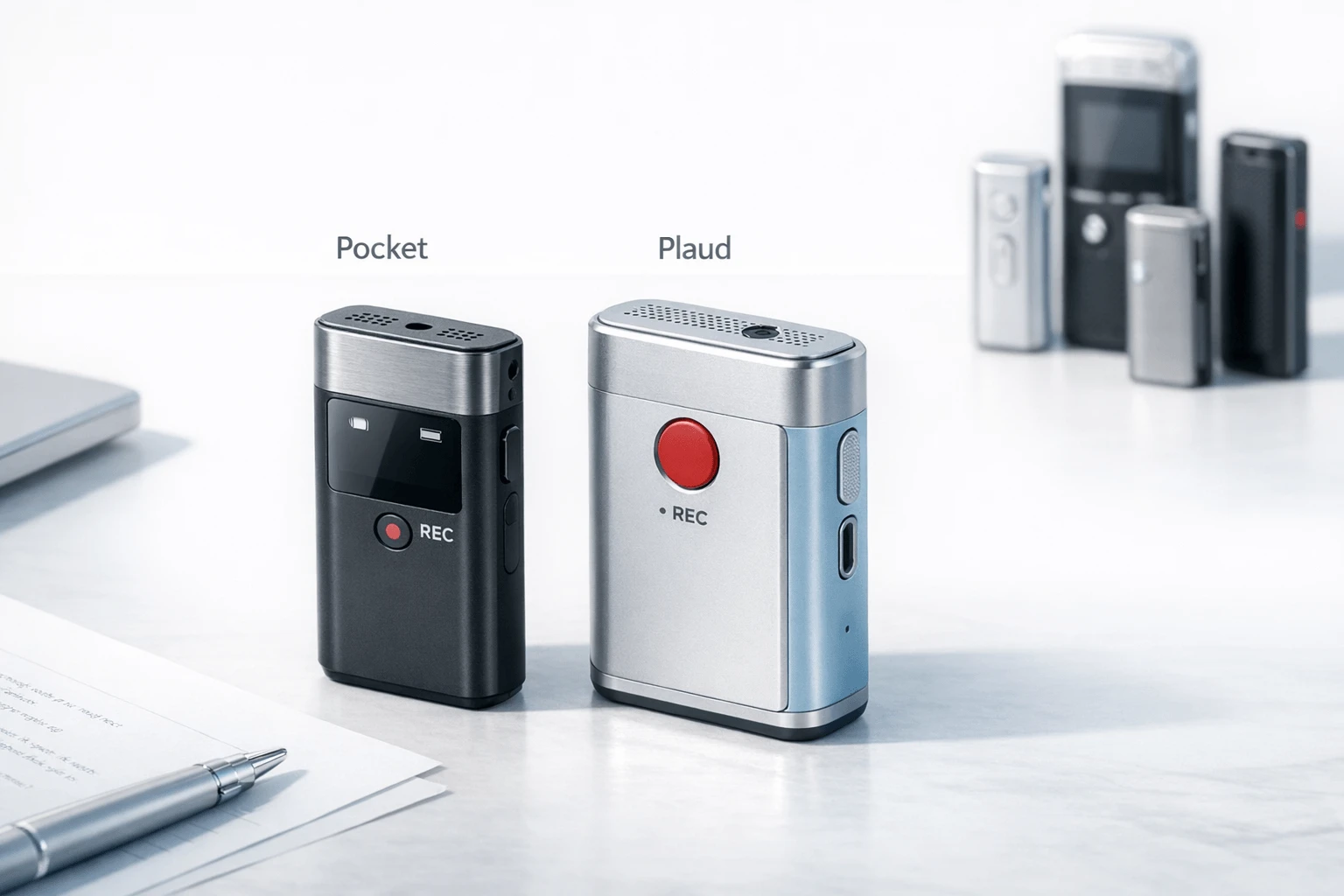
TL;DR: Voice Recorder verdict for fast buyers
If you need a quick answer, Pocket vs Plaud comes down to fit: Pocket is the better buy for some users because its lower entry price, compact carry, and lighter subscription story make it easier to live with day-to-day. Plaud is the stronger pick if you want a more established card-style recorder, better alignment with table meetings and call-capture habits, and a workflow that may feel more mature to cautious buyers.
Neither is the universal winner. The right choice depends on how you record calls, where you place the device in meetings, how much you rely on exports and AI post-processing, what privacy standards you expect, and what year-one cost actually looks like after software fees.
This review uses a dated comparison framework, clear testing criteria, and a final alternatives section for buyers who need something neither device fully solves.
Pocket vs Plaud: the core differences that matter
If you're comparing Pocket vs Plaud, the biggest gap isn't just price. It's how each device fits into daily work: where you carry it, how it handles calls, what happens after a meeting, and how much you may still pay over a year. Below is a normalized view built for buyers who want hardware-first clarity before they get pulled into AI feature lists.
Compare the hardware and workflow at a glance
Updated: July 2026. "Unlimited," compliance, and call-recording behavior should be vendor-verified before purchase, especially for regulated teams and regional phone laws.
| Category | Plaud | |
| Form factor | Single compact device | Card devices plus wearable NotePin models |
| Carry style | Pocket or MagSafe carry | Wallet/card carry or wearable daily carry |
| Recording modes | One-press capture | Dual-mode on card models; wearable in-person options |
| Phone-call capture | Positioned for calls, voice messages, and conversation capture | Strong call and meeting positioning, varies by device and setup |
| Battery framing | 4-day battery claim | 20h to 30h recording, up to 40-60 day standby depending on SKU |
| Storage | 64GB onboard + unlimited cloud claim | 64GB onboard on core SKUs |
| AI output | Notes, action items, search, mind maps, Ask Pocket | Summaries, templates, Ask Plaud, automations, mind map |
| Exports | Vendor messaging highlights notes and search workflow | 27+ export formats listed |
| Subscription dependence | Basic use positioned as no subscription required; Pro adds advanced features | Free tier exists, but higher usage often pushes buyers to paid plans |
| Platform/workflow depth | Simpler default experience | Broader app ecosystem with Calendar, Zapier, MCP, team tools |
| Known strength | Low-friction value proposition | More mature workflow and admin depth |
| Known limit | Fewer clearly surfaced power-user controls | Real-world cost can rise once minutes and features scale |
Match the device to the buyer
Choose Pocket if you want speed and lower setup friction. It fits founders, solo consultants, and operators who want one device, one press, and fast archive search after meetings.
Choose Plaud if you want more hardware choice and a deeper app stack. It fits sales teams, managers, and heavier documentation workflows that benefit from templates, exports, automation, and team controls.
A simple split helps:
- Consultants and founders: Pocket suits lighter carry and quick recall.
- Sales teams: Plaud often makes more sense for export-heavy follow-up.
- Educators: either can work, but Plaud has broader workflow tooling.
- Field operators: wearable carry can beat wallet carry when hands-free access matters.
- Users who care most about post-meeting retrieval: Pocket's search-first pitch is appealing.
If you want a broader market scan, this guide to AI recorders for meetings and calls helps place both devices in the wider category.
See the tradeoffs before you pick
Pocket looks stronger on convenience. Plaud looks stronger on workflow depth. But the less obvious tradeoffs matter more.
- Hardware convenience vs table stability: a tiny device is easy to carry, but card-style placement can be more predictable in room capture.
- App polish vs workflow flexibility: simpler apps reduce friction; deeper apps usually win for templates, exports, and automations.
- Free-tier perception vs annual cost: "no subscription required" sounds great, but advanced AI features can still shift real cost upward.
- Simple default use vs power-user control: Pocket appears easier to start; Plaud gives more knobs to turn.
So, Plaud vs Pocket isn't really one battle. It's a choice between fast everyday capture and a broader recording workflow system.
How were Pocket and Plaud evaluated?
To make this Pocket vs Plaud comparison useful for buyers, the testing method focused on repeatable hardware-first scenarios rather than marketing claims. Each device was judged in the same everyday situations, then scored with a weighted rubric that separates measurable results from opinion.
Use repeatable real-world scenarios
The test set covered six common jobs:
- one-on-one meetings at 1 to 2 meters
- small conference-room discussions with 3 to 5 speakers
- lecture-style capture from the back of a room
- quick mobile voice memos while walking
- normal phone calls
- field notes recorded on the move
Conditions were kept consistent where possible: quiet office, moderate HVAC or café-like background noise, and changing speaker distance. Devices were tested tabled, worn, attached to a phone, or carried in a Pocket when that matched the product design.
Score what buyers can verify
The scorecard weighted the factors most likely to affect purchase value:
- pickup consistency
- call capture reliability
- battery confidence
- storage practicality
- sync speed
- transcript usability
- export flexibility
- privacy and business readiness
Measurable checks included claimed battery versus observed session completion, storage limits, pickup range behavior, and export options. More subjective areas, such as app comfort or summary usefulness, were labeled clearly as reviewer judgment. Vendor claims around compliance, security, and enterprise readiness were treated as claims unless independently documented.
State the limits up front
This review did not test multi-month durability, every language pair, every subscription tier, or every integration. It also did not validate every regional call-recording rule or every team-admin workflow.
That matters because the alternatives section uses the same standardized criteria for fairness. TicNote, Omi, and Limitless are compared later through the same hardware-first lens, so readers can judge trade-offs on a like-for-like basis.
Hardware, call capture, and battery: where does each device win?
In any Pocket vs Plaud decision, hardware matters more than marketing copy. These devices live in your hand, on your shirt, on a desk, or against a phone for hours at a time, so comfort, placement, call behavior, and charging confidence shape the real experience as much as AI summaries do.
Compare carry comfort first
Pocket is built around quick access and wearable, clip-friendly use. That gives it an advantage for people who move between hallways, cars, client sites, and short voice-note moments. You can keep it closer to your body, which lowers the chance of leaving it on a conference table.
Plaud's card-style models fit a different habit. They slide into a Pocket, wallet area, bag, or sit flat on a desk during meetings. That can feel cleaner and more discreet in formal rooms, but it also means placement matters more. A card left in a tote bag or coat Pocket will usually capture worse audio than one placed openly near speakers.
Practical takeaway:
- Choose Pocket if you want faster grab-and-go capture during commutes and standing conversations.
- Choose Plaud if you prefer a flatter device that disappears into a desk setup or Pocket carry.
- For all-day use, forgetting the device is often a bigger risk than raw mic specs.
Test meeting pickup by room, not by headline specs
Mic range claims help, but room type changes everything. Quiet offices reward almost any modern recorder. Noisy cafes, classrooms, and four-to-eight-person tables expose the real limits: distance, overlap, and bad placement.
| Scenario | Plaud | |
| Quiet 1:1 meeting | Strong if clipped or placed near speakers | Strong if laid flat on table |
| Noisy cafe | Better when worn close to speaker | Better only with careful table placement |
| Classroom or lecture | Useful if near lecturer | Useful when front-row or desk placed |
| Multi-speaker table | Good reach, but overlap still reduces clarity | Good central-table use, but edge placement hurts |
Pocket's quoted range is longer on paper at 15m. Plaud Note Pro, however, pushes pickup range further than standard Plaud models. In practice, neither device beats physics: closer placement wins, and overlapping voices still reduce transcript quality.
Understand phone-call capture before you buy
This is where setup differences become more important. Plaud's card-style system is commonly used through magnetic phone attachment and contact-based recording behavior. That approach can work well for mobile calls, especially when the device is aligned correctly to the handset. Pocket is positioned more as a compact AI companion for calls and spoken notes, but buyers should still verify whether their normal call pattern is handset, speakerphone, VoIP, or earbuds.
A simple workflow looks like this:
- Pocket: start recording, place or wear the device near the source, then take the call in your usual way.
- Plaud: attach the card correctly for phone-call capture, confirm contact position, then begin the call.
- For both: speakerphone or stronger proximity often improves two-sided capture.
- Always get consent where required by law.
If your work depends on daily phone calls, cleaner two-sided capture usually comes from repeatable setup, not from brand claims alone.
Value predictability over spec-sheet wins
Battery and storage are where business users often think differently. Pocket lists 64GB onboard storage plus unlimited cloud and a four-day battery claim, which sounds built for low-maintenance use. Plaud's published numbers are more explicit on continuous recording: Plaud AI — Plaud NOTE says the Plaud NOTE offers up to 30 hours of continuous recording and 60 days of standby time.
That said, standby time is not the same as a heavy week of meetings. What matters more is whether the device gives clear status feedback, charges with a cable you already carry, and still has enough power after several stop-start sessions.
Neutral bottom line:
- Pocket looks stronger for buyers who want fewer worries about cloud capacity and recharge timing.
- Plaud looks stronger when you want published continuous-recording benchmarks and card-style predictability.
- Buyers who want a different hardware shape, like a slimmer card recorder or earbuds-based system, may want to review alternatives such as TicNote later in this guide.
What changes after recording: app workflow, exports, and AI features?
For many buyers, this is where the real Pocket vs Plaud decision gets made. Recording quality matters, but the bigger question is simple: how fast does a conversation turn into something you can search, fix, share, and act on without extra cleanup?
Judge transcripts separately from summaries
Pocket and Plaud both promise fast transcription, speaker labels, and AI output, but those are not the same thing. A usable transcript needs solid diarization (speaker separation), decent handling of overlap, and enough accuracy on jargon or accented speech that you trust it for follow-ups.
In practice, assess four things first:
- turnaround time from upload to readable transcript
- speaker separation during back-and-forth discussion
- how often cross-talk breaks sentence flow
- how easy it is to correct names, terms, and misheard phrases
That last point matters. A polished summary can hide a weak transcript underneath. For professional use, raw transcript quality is the base layer. If the source text is messy, action items and summaries become less reliable too.
Plaud has the more built-out post-processing stack on paper, with templates, Ask Plaud, mind maps, AutoFlow, and broad export support. Pocket appears simpler and more guided, with search, action items, mind maps, and Ask Pocket centered around quick retrieval rather than deeper workflow design.
Compare flexibility, not just feature count
The difference is less about who has "AI" and more about how configurable that AI feels.
Plaud is stronger if you want:
- reusable summary templates
- broader automation paths
- more export types
- team-oriented handoff options
Pocket is stronger if you want:
- faster everyday capture-to-summary flow
- less setup friction
- simpler search across past recordings
- fewer subscription decisions for basic use
That trade-off matters. Many buyers assume better hardware wins the category. Often it doesn't. The app that turns a 45-minute meeting into usable tasks in two minutes is usually the better business tool.
If integrations are part of your shortlist, it's worth seeing how Plaud works with external AI assistants before you decide how much workflow depth you actually need.
Watch onboarding, sync, and archive lock-in
Pocket's appeal is low friction: one device, one main workflow, and core use without a required subscription. Plaud offers more app depth, but that can also mean more setup choices, more feature surfaces, and more variation between individual and team use.
For rollout, check these buyer-facing friction points:
| Workflow factor | Plaud | |
| First-time setup | Simpler | More feature-rich, slightly heavier |
| Searchability after sync | Core strength | Strong, but tied to broader app flow |
| Team workflow depth | Lighter | Stronger |
| Export breadth | More limited by comparison | Wider format support |
| Lock-in risk | Moderate if search stays app-centric | Lower if exports are part of routine |
Archive usability is the last filter. Buyers should ask whether transcripts, audio, and summaries remain useful outside the vendor app six months later. That's why alternatives matter too: some ecosystems, including TicNote, put more weight on cross-project search, document generation, and retrieval across a larger knowledge base. It belongs in a separate alternatives section, because that is a different buying decision from choosing between Pocket and Plaud hardware today.
Privacy, compliance, and total cost: what should business buyers know?
For business buyers, the real Pocket vs Plaud decision often comes down to risk and operating cost, not just hardware specs. A recorder can look affordable at $$129 to$$189, then become much more expensive once you add transcription limits, team controls, and policy overhead. If you're comparing long-term spend, this quick Plaud plan cost breakdown helps frame how subscription tiers change the true purchase price.
Check the data path before you buy
Start with one question: where does the audio go? That matters more than marketing phrases like "private cloud" or "encrypted." Buyers should confirm:
- whether audio is stored on-device, in the cloud, or both
- whether transcripts or summaries are generated locally or server-side
- whether recordings are used for model training without consent
- whether admins can manage users, exports, and deletion requests
- whether the vendor offers retention controls and audit trails
Pocket says it offers encryption at rest and in transit, no sale of personal data, and no training on recordings without consent. Plaud states that user content is not used to train its own or third-party AI without explicit consent, and it lists ISO 27001, ISO 27701, SOC 2 Type II, HIPAA, GDPR, and EN 18031. Those are strong signals, but business buyers should still verify scope. For example, HIPAA-ready marketing is not the same as a signed agreement or approved internal workflow.
Map compliance claims to your actual use case
Agencies, consultants, educators, and sales teams don't all face the same controls. A freelance consultant may care most about deletion and export. A school or clinic may need tighter review of data residency, access logging, and role-based permissions.
Use this checklist:
| Checkpoint | Why it matters |
| Local vs cloud processing | Affects exposure and approval requirements |
| Encryption details | Confirms protection in transit and at rest |
| Training policy | Prevents content reuse without consent |
| Admin controls | Reduces team-level misuse and offboarding risk |
| Compliance evidence | Verifies whether claims match your industry |
Estimate year-one cost, not sticker price
A practical year-one model looks like this:
- Light use: device only, basic summaries, low monthly minutes
- Moderate use: device plus paid plan for better AI outputs and more minutes
- Heavy use: device plus top tier or team plan, with regular exports and automation
Pocket is simpler upfront: 129 device, with Pro at 19.99 per month for advanced models, AI speaker labels, and custom workflows. Plaud starts at 159 to 189 depending on hardware, with free 300 minutes, Pro at 8.33 per month annually, and Unlimited at 19.99 per month annually. In practice, a light user may stay near hardware cost, but a heavy user can easily spend 369 to 429 in year one.
Set recording rules before rollout
Consent law is not uniform. Reporters Committee for Freedom of the Press — Can We Tape? (2024) notes that under federal law, the Wiretap Act generally allows recording a conversation if one party to the conversation consents, unless state law requires all parties to consent. For teams, that means deployment needs a disclosure policy, not just a device policy.
Set norms for client calls, internal meetings, classrooms, and field work before anyone presses record. That's operational risk control, not legal advice.
Alternatives if neither Pocket nor Plaud is the right fit
If the core Pocket vs Plaud choice still feels narrow, that's usually because your needs sit outside the standard card-recorder workflow. Some buyers want more hardware options, some want a lighter wearable, and some want ambient memory support that behaves more like an always-available assistant than a meeting recorder.
Below is a simple way to evaluate three alternatives. If you want a broader look at this category, this guide to wearable note-taking devices is a useful next read.
TicNote
- What it is: A multi-device AI note-taking system that spans card-style recorders and earbud-style hardware.
- Best for: Buyers who want hardware choice instead of a single form factor.
- Standout options: The TicNote Card and Card Lite fit wallet-style carry. The Pods 4G and Pods Wi-Fi add earbud-based capture, with the 4G model supporting phone-free upload.
- Likely strengths: Offline recording with later sync, AI transcription, summaries, action items, speaker identification, and broader post-recording workflows such as document generation and project search. Pricing also covers a wider range, from 129.99 to 299.99.
- Likely caveats: The lineup is more complex than a one-device product. Buyers should confirm monthly transcription limits, cloud plan fit, and privacy requirements before standardizing across teams.
- Where it may fit better: TicNote can make more sense than Pocket or Plaud when you need both card and earbud options under one ecosystem, or when your workflow goes beyond summaries into reports, translations, and searchable project knowledge.
Omi
- What it is: A lightweight wearable note-taking option built around simpler, lower-friction capture.
- Best for: Users testing the category for the first time, or buyers who want a lower-commitment wearable for quick voice memory support.
- Likely advantages: Simplicity, lighter everyday wear, and a lower barrier to experimentation than premium business-focused hardware.
- Likely compromises: Usually fewer enterprise controls, less mature workflow depth, and more limited support expectations than established hardware ecosystems.
- Where it may fit better: Omi is often the better match when Pocket feels too app-and-workflow heavy, and Plaud feels too structured for casual or lightweight wearable capture.
Limitless
- What it is: A pendant-style or ambient-capture approach built around continuous memory support rather than classic press-to-record sessions.
- Best for: Users who want passive recall help across the day, not just formal meetings.
- Likely advantages: Better fit for always-on context capture, follow-up recall, and reducing the need to remember when to start recording.
- Likely compromises: Ambient capture changes the privacy equation fast. It can also be a weaker fit if you mainly want clean meeting files, predictable exports, or a traditional recorder workflow. Availability and hardware rollout timing may also matter more here than with mature recorder products.
- Where it may fit better: Limitless stands out when neither Plaud vs Pocket nor other button-first devices solve the real problem, which is remembering more of your day with less manual effort.
Quick decision tree
- Choose Pocket if you want a compact recorder with simple core use and no required subscription for basics.
- Choose Plaud if post-recording templates, exports, automations, and team features matter most.
- Choose TicNote if you want more hardware choice, including both card and earbud formats, plus stronger workflow breadth after recording.
- Choose Omi if your priority is lightweight wearable simplicity or budget-friendly experimentation.
- Choose Limitless if you want ambient memory support more than a conventional recorder.
The bottom line: stay with Pocket or Plaud if your needs are standard. Move to one of these alternatives only when you have a clear unmet need in form factor, workflow depth, or capture style.
Final thoughts
In the end, Pocket vs Plaud is less about brand buzz and more about fit. Pocket looks stronger if you want a lower entry price, long battery life measured in days, and basic use without an ongoing subscription. Plaud makes more sense if post-recording workflow matters most, especially for teams that need templates, automations, broader export options, and more formal compliance claims.
Use this simple checklist before you buy:
- Choose based on where conversations happen: room meetings, phone calls, walking notes, or mixed use
- Check what happens after capture: summaries, exports, search, workflows, and integrations
- Compare real annual cost, not just device price
- Review privacy, retention, and admin controls before business rollout
If you want a side-by-side recap, start with this Pocket vs Plaud comparison guide before making a final call. The comparison table, scorecard matrix, and decision tree will help you buy with fewer surprises.


