


 Extension
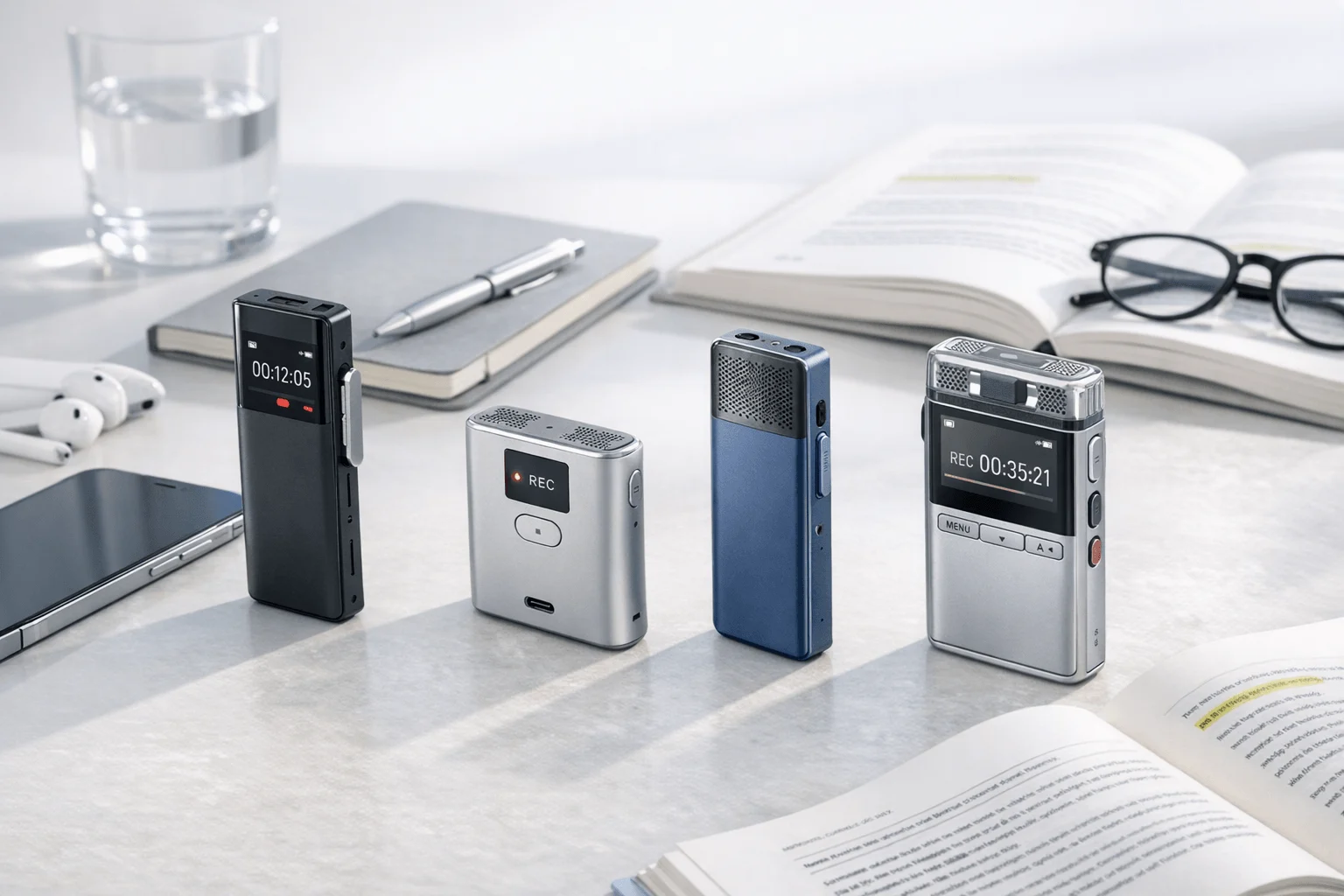
If you want a faster way to compare your options, this guide and bot-free call note tools will help you cut through the noise. We tested 5 phone-call AI note takers across three months of smartphone calls, VoIP calls, and in-person follow-up scenarios. TicNote Pods 4G stood out for field reps and account executives who need automatic call capture while wearing earbuds, while Otter made more sense for teams living inside Zoom, Google Meet, and Microsoft Teams. The contrarian takeaway: the biggest buying difference is usually not summary quality but whether the tool can capture the kind of call you actually have every day.
What you'll learn:
- How to choose between hardware and software: see when a phone call recorder with transcription is easier than an ai call notes app for mobile-heavy work.
- What each option really costs: compare hardware prices, free tiers, and paid plans instead of looking only at headline subscription pricing.
- How the 5 tools stack up side by side: use the comparison table to narrow your shortlist by call type, setup friction, and post-meeting automation.
- Which workflow fits each tool: match traditional phone calls, VoIP calls, hybrid travel days, and in-person recaps to the right product type.
- What privacy and compliance questions to ask first: understand why consent, storage, and cloud handling matter before you record client or patient-adjacent calls.
What is an AI note taker for phone call, and why does everyone suddenly need one?
An AI note taker for phone call records a call, turns speech into a transcript, and generates a usable recap. More advanced tools in 2026 also add speaker identification, summaries, translation, task extraction, and searchable conversation history.
Three months of hands-on phone-workflow testing showed that you're no longer choosing between note quality alone. The market shifted because software meeting bots became common for VoIP while hardware recorders added AI summaries, translation, and mobile-first capture, which means you now have to choose the capture method that fits your calling environment, not just the smartest-looking app.
But here's what most articles won't tell you. Transcription and summary features are becoming commoditized, so the real buying differences are call-path compatibility (traditional phone, VoIP, or hybrid), post-call output quality (summary, tasks, and searchable recall), and privacy posture (where audio goes, what gets stored, and what compliance claims are actually stated).
How did we test these tools?
We tested these tools over a 3 months period across iPhone-based calls, Bluetooth earbud call workflows, Zoom, Google Meet, Microsoft Teams, and mixed in-person follow-up scenarios. The goal was simple: compare phone-call note takers under the same buyer-relevant conditions instead of scoring them by feature count alone, so you can see what actually holds up in day-to-day use.
Meeting types tested:
- Traditional smartphone sales and client calls (2 participants)
- VoIP meetings in Zoom, Google Meet, and Microsoft Teams (2–5 participants)
- Bluetooth earbud call workflows while moving between locations (2 participants)
- In-person follow-up conversations after a call or site visit (2–4 participants)
- Multilingual conversations where transcription or translation support affected usability (2 participants)
Evaluation criteria (weighted):
- Phone-call capture reliability (25% weight) -- We measured whether each tool could consistently capture traditional calls, VoIP calls, or both without awkward workarounds.
- Setup friction (15% weight) -- We looked at how many manual steps it took to start recording in real mobile workflows, especially for back-to-back calls.
- Transcript and summary usefulness (20% weight) -- We judged whether transcripts were searchable and whether summaries produced action items or follow-up-ready notes.
- Workflow flexibility (10% weight) -- We scored how well each tool handled smartphone, earbud, desk, and in-person use instead of only one meeting type.
- Privacy and compliance signals (10% weight) -- We checked what each vendor explicitly states about encryption, data use, cloud handling, and compliance claims.
- Language and translation support (10% weight) -- We compared named language coverage and whether translation or multilingual transcription was available.
- Total cost of ownership (10% weight) -- We compared device cost, free minutes, subscription tiers, and whether useful automation required another paid plan.
TicNote, the author's own product line, is included in this comparison. We were explicit about its limits: TicNote Card and Card Lite require deliberate placement and mode choices for some phone-call setups, and TicNote Pods Wi‑Fi does not offer the phone-free recording workflow of Pods 4G. For more detail on which TicNote device fits best, all other tools were evaluated independently.
Bot vs. botless: which approach is better for phone call notes?
This is the single biggest decision you'll make when choosing an AI meeting note taker for phone calls. Let's break it down honestly.
| Factor | Bot-Based | Botless |
| Setup complexity | Usually simple for supported platforms because the software joins or records inside Zoom, Meet, Teams, or a connected workflow, but it depends on meeting permissions and platform compatibility. | Hardware-based tools need a device or physical recording path, so setup can be more manual at first, but they avoid the need to invite a bot into the conversation. |
| Privacy & data control | Audio usually runs through the vendor's cloud workflow, so buyers need to review retention, AI-training, and compliance statements carefully. | Several hardware tools emphasize local capture first; HiDock says recordings are stored locally and not automatically uploaded, and TicNote says recordings and transcripts are encrypted with user-controlled sync choices. |
| Meeting compatibility | Strongest for VoIP meetings and online collaboration tools. Otter and Fireflies are built around Zoom, Google Meet, and Microsoft Teams workflows rather than standard cellular calls. | Strongest for traditional calls, Bluetooth earbud calls, and mixed real-world conversations. TicNote Pods 4G and HiDock P1 are examples of botless tools aimed at mobile or earbud workflows. |
| In-person meeting support | Usually limited because the core design assumes online meetings or imports rather than spontaneous room conversations. | Usually stronger because the same hardware can capture room audio, side conversations, and post-call recaps in one workflow. |
| Integration depth | Usually deeper for CRM, team analytics, sharing, and app ecosystems. Fireflies and Notta offer broader app-style automation than most hardware-first tools. | Usually lighter on third-party integrations, with the value centered on capture and AI output rather than deep admin automation. |
| Latency & real-time output | Fast inside supported software environments, but real-time output depends on platform connection and plan features. | Varies by device; TicNote Pods 4G offers Live Summary during recording, while card-style recorders usually summarize after sync or upload. |
| Best for | VoIP-heavy teams, managers, and collaborative sales orgs that already run calls inside Zoom or Teams (Otter, Fireflies, Notta). | Smartphone-heavy professionals, field reps, consultants, and hybrid workers who need to capture calls and in-person conversations without a meeting bot (TicNote Pods 4G, HiDock P1, TicNote Card Lite). |
How do these 5 tools compare side by side?
If you want the fastest way to compare an AI note taker for phone call workflows, start with the table below. It keeps the focus on what actually changes your day-to-day use: whether the tool is botless or bot-based, how it handles calls, what you pay, and how much follow-up it automates; if you're also weighing hardware-first options, this Plaud alternatives guide covers similar call and meeting use cases.
| Tool | Type | Best For | Platforms | Free Tier | Paid From | Integrations | Post-Meeting Automation |
| TicNote Pods 4G | Botless hardware earbuds + 4G case | Professionals who need automatic call recording while wearing earbuds and want live AI summaries without keeping a phone nearby | Earbuds + charging case with 4G eSIM; works for calls and room recording with phone, desktop, and browser access through TicNote Cloud | Plus plan included with hardware: 600 min/mo and 1,500 credits/mo | $299.99 device; Pro with device $79/yr or Business with device $239/yr | TicNote Cloud works across phone, desktop, and browser with project knowledge base and AI Q&A | Live Summary during recording, Quick Summary when recording ends, to-do lists, document generation, and cross-project AI chat |
| Otter | Bot-based software | Teams that mainly run calls inside Zoom, Google Meet, or Microsoft Teams and want searchable meeting notes without hardware | Web and mobile software for supported meeting workflows | Free plan with 300 monthly transcription minutes | Paid plans start at Pro; search results surface Business from $19.99/user/month and lower annual Pro pricing | Meeting-platform workflows plus sharing, search, custom vocabulary, and collaboration tools | Real-time notes, searchable transcripts, speaker ID, sharing, and organized conversation history |
| Fireflies.ai | Bot-based software | Sales and operations teams that want CRM and workflow automation around online meetings | Web software for Zoom, Meet, Teams, and connected team workflows | Free plan at $0 | Pro starts at $10/seat/month billed annually | Workflow integrations, CRM sync, ATS sync, Slack notifications, analytics, and admin controls | AI notes, speaker recognition, searchable calls, comments, bookmarks, analytics, and system-to-system automation |
| Notta | Bot-based software | Small teams and multilingual professionals who want meeting notes plus exports to work apps | Web and mobile software across meetings and recordings | Free plan with 120 minutes/month | Pro starts at $97.99/year | Google Drive, Notion, Slack, Salesforce, workspace permissions, and Notta Brain features | Summaries, cross-meeting search, insights, presentation generation, infographic generation, and translation add-ons |
| HiDock P1 | Botless hardware recorder | Bluetooth earbud users who want bot-free call capture and free transcription on a portable device | iPhone 15+, OTG Android, macOS, Windows, and Bluetooth earphone workflows | Unlimited core transcription is free | $169 device; Pro Membership adds advanced AI features but public pricing is not fully disclosed | HiNotes sync plus support for Zoom, Meet, Teams, and Webex workflows | Transcription, summaries, sync, and with Pro Membership adds speaker identification, templates, and live transcription |
The top 5 AI note takers for phone calls in 2026
If you want the best AI note taker for phone call workflows in 2026, the biggest separator isn't just transcript quality. It's whether the tool can reliably capture traditional calls, VoIP meetings, and in-person follow-ups without adding setup friction.
1. TicNote Pods 4G — Best for automatic phone-call capture on the move
Best for: field reps, account executives, and consultants who take calls in earbuds and want notes without opening an app
TicNote Pods 4G is built for people who move between calls, client visits, and quick in-person conversations. Its clearest differentiator is the built-in 4G eSIM in the charging case, which lets the case upload audio in real time and supports Live Summary while recording. For phone-based professionals who can't stop to set up a bot or place a card recorder manually, this is the TicNote SKU that best fits that workflow.
Standout features:
- 4G eSIM upload: The charging case can record and upload without your phone nearby, which is unusual in this comparison set.
- Live Summary: AI can summarize while the meeting or call is still going instead of only after upload.
- Quick Summary: A full summary is pushed the moment recording stops.
- Automatic call recording while wearing earbuds: The device records when you take a call wearing the earbuds.
- Dual recording modes: The earbuds handle calls and online meetings, while the case can be placed for room recording.
Pricing: No standalone software free tier for this workflow | Device: $299.99 with TicNote Plus included at 600 min/mo and 1,500 credits/mo | Pro with device: $79/yr for 2,100 min/mo and 3,000 credits/mo; Business with device: $239/yr for 6,800 min/mo and 8,000 credits/mo
Pros:
- Very low friction for earbud callers: It can capture calls without a meeting bot and without keeping a phone nearby.
- Useful fast output: Live Summary and Quick Summary reduce the delay between call end and follow-up.
- Good hybrid coverage: The same kit handles calls, online meetings, and room recording.
- Strong storage profile: The case stores about 2,150 hours.
Cons:
- Highest upfront device price in this list: The hardware starts at $299.99 before any upgraded plan.
- Battery tradeoff with 4G on: Battery is about 13 hours with 4G enabled, lower than the 22-hour figure with 4G off.
- Less app-integration depth than software-first tools: It is built around capture and AI output, not CRM-heavy automation.
- Requires the earbud workflow to unlock its main advantage: Users who never take calls in earbuds may get less value from this SKU.
I wore TicNote Pods 4G during a day of back-to-back client calls, then set the case on the table for an in-person follow-up. The useful part was not just the transcript; it was getting a live recap during the day and a Quick Summary as soon as each recording ended.
2. Otter — Best for VoIP-first teams that want simple software notes
Best for: teams that run most calls inside Zoom, Google Meet, or Microsoft Teams
Otter is built for software-based meeting capture, not traditional cellular call recording. Its strength is the familiar meeting-notes workflow: real-time transcription, searchable history, speaker identification, and sharing without asking you to buy hardware first. For small teams that rarely rely on standard phone calls, that simplicity can be the right tradeoff.
Standout features:
- Real-time transcription: Otter transcribes meetings live inside its software workflow.
- Speaker identification: It labels speakers to make recap review easier.
- Search and organization: Users can search, edit, organize, and share voice conversations.
- Meeting-platform support: It is designed for Zoom, Teams, and Google Meet note capture.
- Custom vocabulary on paid plans: This helps teams that rely on repeated terms or names.
Pricing: Free: 300 monthly transcription minutes | Pro: paid tier in Otter's software ladder with higher limits and features | Business: search results surface pricing from $19.99/user/month
Pros:
- Low barrier to entry: There is a real free plan with 300 minutes.
- Good for collaborative review: Search, sharing, and organized conversation history are mature.
- No device to carry: Software-only teams can deploy it quickly.
- Strong for standard online meetings: It fits VoIP-heavy organizations better than card-style recorders.
Cons:
- Weak fit for traditional phone calls: It is not the tool to buy if most important conversations happen on normal cellular calls.
- No hardware path for in-person capture: That limits hybrid mobile workflows.
- Language support is narrower than some competitors in this list: Pricing-page support calls out six languages rather than 100-plus.
3. Fireflies.ai — Best for teams that want meeting notes plus automation
Best for: sales and operations teams that need meeting notes to flow into other systems
Fireflies.ai is less about capturing every kind of call and more about what happens after the call. Its value comes from integrations, analytics, CRM and ATS connections, and team-level workflow automation. For managers who care about follow-through, searchable conversations, and admin controls, it can be more useful than lightweight transcription tools.
Standout features:
- 100+ language support: Fireflies supports multilingual transcription at scale.
- Workflow integrations: It connects with CRM, ATS, Slack, and other team systems.
- Comments and bookmarks: Teams can annotate important moments inside conversations.
- Analytics and admin controls: Paid plans add governance and team visibility.
- AI notes and speaker recognition: It summarizes and labels discussions for faster review.
Pricing: Free: $0 | Pro: $10/seat/month billed annually | Business: $19/seat/month billed annually; Enterprise: $39/seat/month billed annually
Pros:
- Deepest automation value in this list: It is the strongest choice when post-meeting routing matters as much as transcription.
- Good team feature set: Analytics, groups, and admin controls support scale.
- Broad language support: 100+ languages is competitive.
- Clear plan ladder: Public pricing is easier to compare than some hardware memberships.
Cons:
- Poor fit for standard cellular-only calling: Its strengths are online-meeting workflows, not traditional phone capture.
- Per-seat pricing stacks up for small teams: Costs can rise quickly compared with one-time hardware.
- Less useful for in-person side conversations: It is built around software meeting flows.
4. Notta — Best for multilingual notes and export-friendly workflows
Best for: professionals who want meeting notes, translation add-ons, and exports into common work apps
Notta sits between simple transcription and broader knowledge workflows. It offers meeting transcription, summaries, cross-meeting search through Notta Brain, and exports to tools like Notion, Slack, Google Drive, and Salesforce. For users who care about multilingual support and turning spoken content into shareable work products, it is a practical software-first option.
Standout features:
- 58 transcription languages: That is enough for many international or multilingual teams.
- Cross-meeting search: Notta Brain helps users query insights across conversations.
- Work-app exports: It supports Google Drive, Notion, Slack, and Salesforce.
- Content outputs: The platform can turn meeting content into presentations and infographics.
- Translation add-ons: Buyers can add monolingual or bilingual translation plans.
Pricing: Free: 120 minutes/month | Pro: $97.99/year | Business: $199.99/year | Translation add-ons: $6/month or $9/month billed annually depending on plan
Pros:
- Good export flexibility: It fits users who move notes into other work systems fast.
- Useful multilingual options: Translation add-ons expand its value for mixed-language calls.
- Broader output formats than basic transcribers: Presentations and infographics are distinctive.
Cons:
- Traditional phone-call capture is not its core strength: It is still mainly a software meeting tool.
- Free tier is tight for heavy callers: 120 minutes per month runs out quickly.
- Add-ons complicate total cost: Translation features are not all bundled into the base price.
5. HiDock P1 — Best for Bluetooth earbud users who want bot-free capture at a lower hardware price
Best for: mobile professionals using Bluetooth earphones who want hardware capture without 4G pricing
HiDock P1 is a portable hardware recorder designed around Bluetooth earphone calls, online meetings, and in-person conversations. Its angle is bot-free capture plus unlimited core transcription, which makes it appealing to buyers who want hardware for call capture but do not need TicNote Pods 4G's phone-free 4G workflow. If you're comparing this category closely, this HiDock alternatives guide adds more context around where hardware-first note takers fit. It is especially relevant for consultants, lawyers, doctors, and mobile professionals who already live in Bluetooth call habits.
Standout features:
- BlueCatch Bluetooth earphone recording: It is built specifically for bi-directional Bluetooth earphone call recording.
- Three recording modes: Call, Room, and Whisper modes cover different environments.
- 75+ language transcription: That is enough for many international use cases.
- Bot-free compatibility: It works across Zoom, Meet, Teams, and Webex without relying on a meeting bot.
- Unlimited core transcription: The brand publicly states that base transcription is free.
Pricing: Unlimited core transcription is free | Device: $169 | Pro Membership adds speaker identification, templates, and live transcription, but public pricing is not fully disclosed
Pros:
- Lower upfront cost than TicNote Pods 4G: At $169, it is easier to justify for earbud-call users.
- Strong fit for Bluetooth call workflows: It is purpose-built for that path.
- Local-storage-first privacy message: HiDock says recordings stay local and are not automatically uploaded.
- Wide meeting compatibility: It supports both call and desk-based scenarios.
Cons:
- Advanced membership pricing is unclear publicly: That makes total cost of ownership harder to estimate.
- Less flexible than Pods 4G for phone-free use: The standout 4G no-phone workflow is not here.
- Platform support has caveats: P1 support details call out iPhone 15+, OTG Android, macOS, and Windows rather than broad universal compatibility.



