Extension
![[Free Credits] How to Use Claude Opus 4.7: Prompt Upgrades, Effort Settings, and a Safe Team Migration](https://cdn-digitalhuman-pb.weta365.com/voice-recorder-prd/static/backend/2026/05/09/2052953068046692353.webp)
TL;DR: Claude Opus 4.7 Is the Hot Model for Clearer AI Workflows
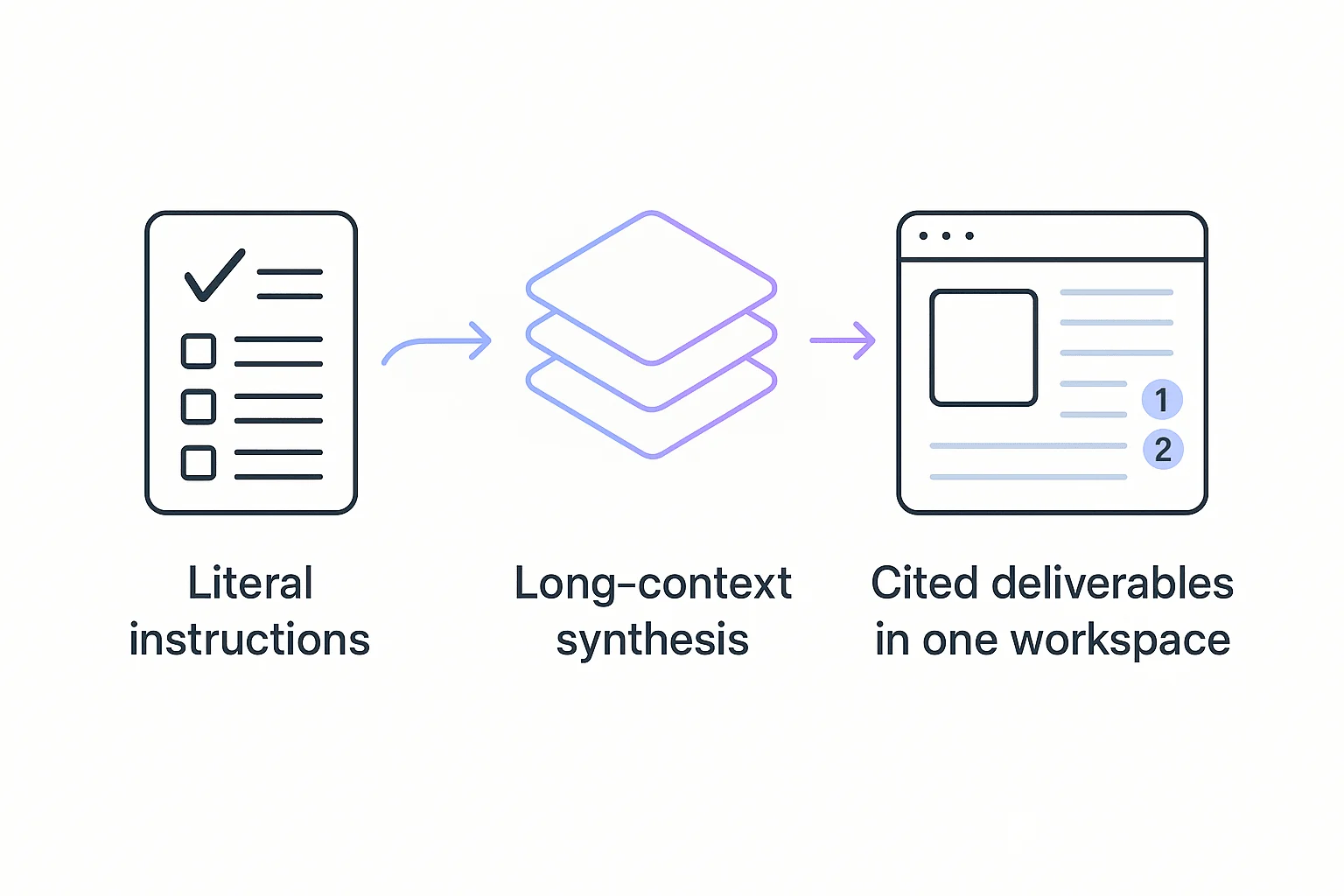
To learn how to use Claude Opus 4.7 on real work, you can test Claude Opus 4.7 Premium in TicNote Cloud for free with 30 requests per month. It's trending because it follows instructions more literally, so strong prompts become repeatable and vague prompts fail faster.
Teams often lose time moving meeting notes, source files, and AI answers between tools. That makes citations harder to check and deliverables easier to misread. TicNote Cloud keeps meetings, documents, cited Q&A, summaries, and reports in one Project workspace, so Opus 4.7 tests stay tied to evidence.
Use it first for meeting synthesis, document review, and draft-ready reports.
How to Use Claude Opus 4.7 Without Breaking Your Workflow
If you're learning How to use claude Opus 4.7, don't start by moving your hardest workflow. Start with one low-risk task you repeat every week: turn raw notes into action items, clean a messy brief, or outline a customer interview. Define "good" before you run it: required sections, target length, owner fields, and must-include facts. Then run the same prompt 3 times. Consistency matters more than one great answer.
Test the access path, not just the model
Use the surface that matches the job:
- Chat: drafting, rewriting, and quick review.
- Claude Code: repo-level code changes and longer agentic work.
- API: production routing with logs, guardrails, and cost controls.
- Cloud provider access: shared quotas, naming rules, and observability.
For a release-risk view, compare your results against a fast Claude 4.7 validation checklist before changing team defaults.
Make the prompt explicit
Lead with 4 items: goal, audience, constraints, and definition of done. Use positive examples instead of long "don't do this" lists. Add: "Ask one clarifying question only if a missing detail blocks correctness."
Keep stable context in TicNote Cloud
Store transcripts, decisions, and source docs in a TicNote Cloud Project. Shadow AI can answer across Project files with citations, so teams avoid re-pasting long context into every Claude session. Reviewers also keep the link between each deliverable and the original source.
What Changed From Opus 4.6 to Opus 4.7?
If you're learning how to use Claude Opus 4.7, the biggest change is behavioral: it follows the words on the page more strictly. That helps with repeatable team workflows, but it also exposes weak prompts. The model is less likely to guess the missing step you assumed.
Treat prompts like specs
Vague requests break more often. Words like "brief," "better," or "executive" mean different things to each reviewer. Replace them with success criteria, audience, and format rules.
| Weak prompt | Stronger Opus 4.7 prompt |
| "Summarize briefly." | "Write 5 bullets, max 18 words each, for a VP of Product." |
| "Make this more executive." | "Rewrite for a board update. Include revenue risk, decision needed, and next step. Omit technical detail." |
| "Improve this plan." | "Find 3 gaps, rank by risk, then output a 4-row action table." |
Use effort settings on purpose
Effort is a knob for depth, latency, and cost. Use normal or high for routine drafting. Use xhigh for hard coding, dense document synthesis, and longer agent runs when high is not enough and max is too slow.
The upside is stronger multi-step work, structured outputs, dense screenshots, small diagram text, and long-context meeting packs with fewer missed details. The tradeoff: more context means more tokens, and vague workflows may feel worse because the model stops filling gaps.
Before you run a prompt, check:
- Audience and business goal are named.
- Include and omit rules are explicit.
- Length, format, and stop conditions are clear.
The Claude Opus 4.7 Prompt Upgrade Playbook
If you're learning how to use Claude Opus 4.7 for real work, upgrade the prompt before you upgrade the workflow. The model responds best when the task includes success criteria, evidence rules, and a clear finish line.
Turn goals into success criteria
Use this template for repeatable prompts:
- Intent: What decision or deliverable do you need?
- Inputs: Paste transcript excerpts, notes, requirements, or source text.
- Constraints: Define audience, tone, scope, and exclusions.
- Output format: Name the exact structure.
- Quality bar: State what "good" means.
- Stop condition: Say when to ask questions or proceed.
For knowledge work, add one evidence rule: "Cite sources from the provided material, or write 'not in provided material.'" This prevents confident filler.
Use sharper Claude Opus 4.7 prompt examples
- Meeting before: "Recap this call."
- Meeting after: "Create a decision log, open risks, and next steps. Include owners, dates, and source quotes."
- Research before: "Write a report."
- Research after: "Answer this question, build a claim/evidence table, then add cited Q&A."
- Engineering before: "Fix this bug."
- Engineering after: "List reproduction steps, constraints, patch plan, and tests before coding."
Batch context in one message
Use a single message pack: agenda, transcript excerpt, doc links, and full task list. This cuts extra turns, lowers overhead, and reduces compounding misreads across 3–5 follow-ups.
Replace negative rules with examples
Bad rule: "Don't be verbose."
Better rule: "Use 140–180 words, 5 bullets max, no preamble."
Bad output: "Here is a comprehensive analysis..."
Good output: "Decision: Launch beta Friday. Risk: API quota. Owner: Maya."
Ask for exact formats teams already use: JSON schema, Markdown report, decision matrix, checklist, or PRD sections. Add: "If data is missing, ask up to 2 questions; otherwise proceed with labeled assumptions."
Effort, Cost, and Token Controls for Real Teams
When teams ask how to use Claude Opus 4.7, the real answer is not "use the strongest setting every time." Effort settings control how much reasoning the model spends before answering. Higher effort can improve hard work, but it also raises latency and cost.
Match effort to the job
| Setting | Best use | Team rule |
| low | quick rewrites, titles, cleanup | Use for disposable drafts |
| medium | summaries, simple extraction | Use when sources are clean |
| high | meeting synthesis, reports, specs | Default for knowledge work |
| xhigh | multi-source research, strict formats, audits | Use for complex deliverables |
| max | hardest coding or reasoning subproblems | Require approval |
A token is a billing unit made from text. If the tokenizer changes, the same prompt, transcript, or file can count as more tokens. So compare runs after each model update, not only before it.
Track cost per accepted deliverable: tokens + retries + human editing time + time to decision. A $$4 request that becomes an approved client summary can beat five$$1 retries.
Use budget rules for agent workflows
- Cap output tokens before the run starts.
- Require an intermediate plan for xhigh and max.
- Stop after 2 failed attempts and escalate to a human.
- Summarize progress every 5 steps.
- Route drafts to a smaller model; use Opus for final synthesis, cited answers, and strict reasoning.
Use Opus 4.7 when work is high-stakes, multi-source, or citation-sensitive. For TicNote Cloud Projects, that means spending premium tokens on cited Q&A, final reports, and cross-meeting decisions, not casual brainstorming.
Using Claude Opus 4.7 for Meeting-to-Deliverable Workflows
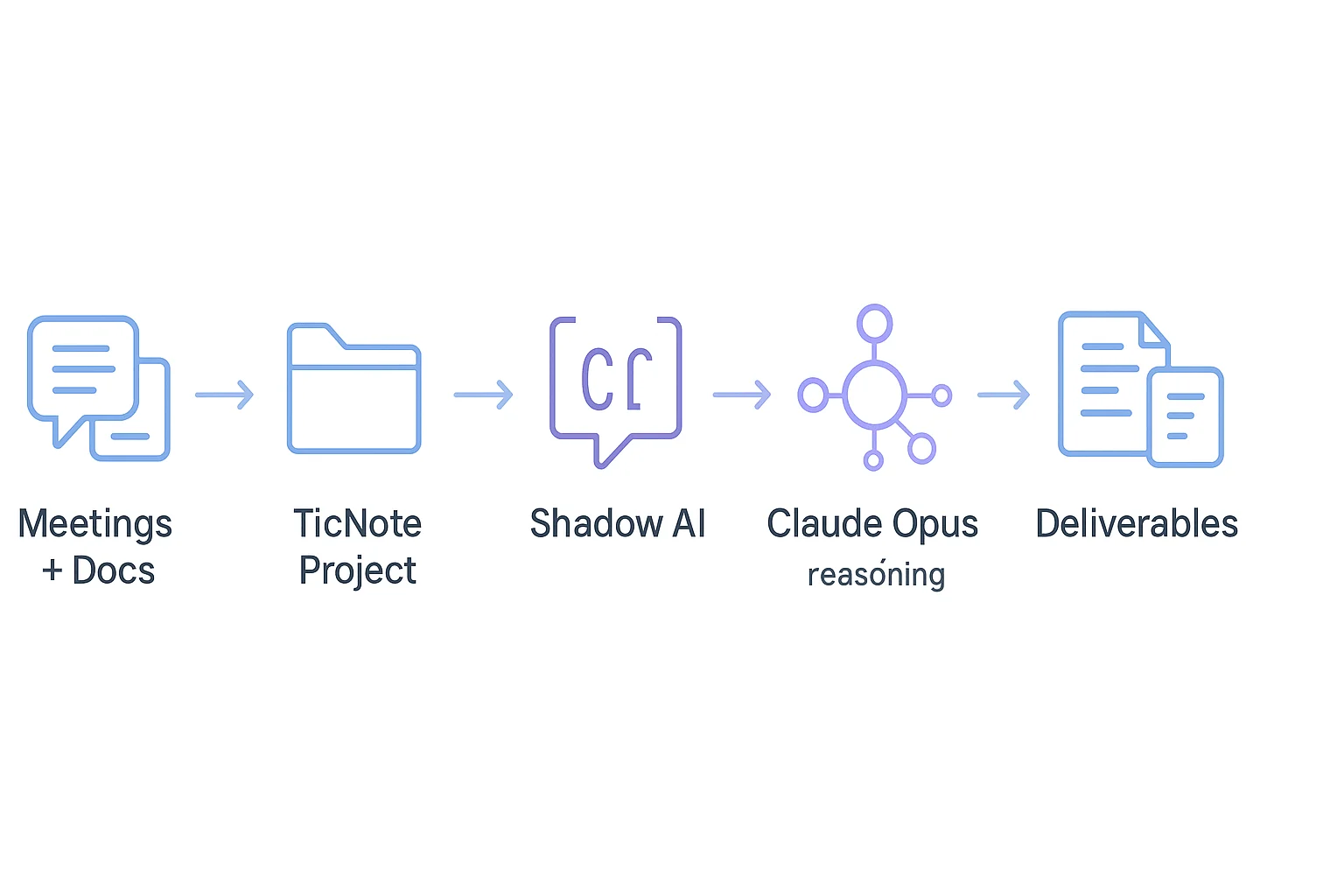
If you're learning how to use Claude Opus 4.7 for real work, start with a meeting-to-deliverable pipeline instead of isolated prompts. TicNote Cloud is a useful example because its Project workspace keeps transcripts, documents, and outputs tied to source context.
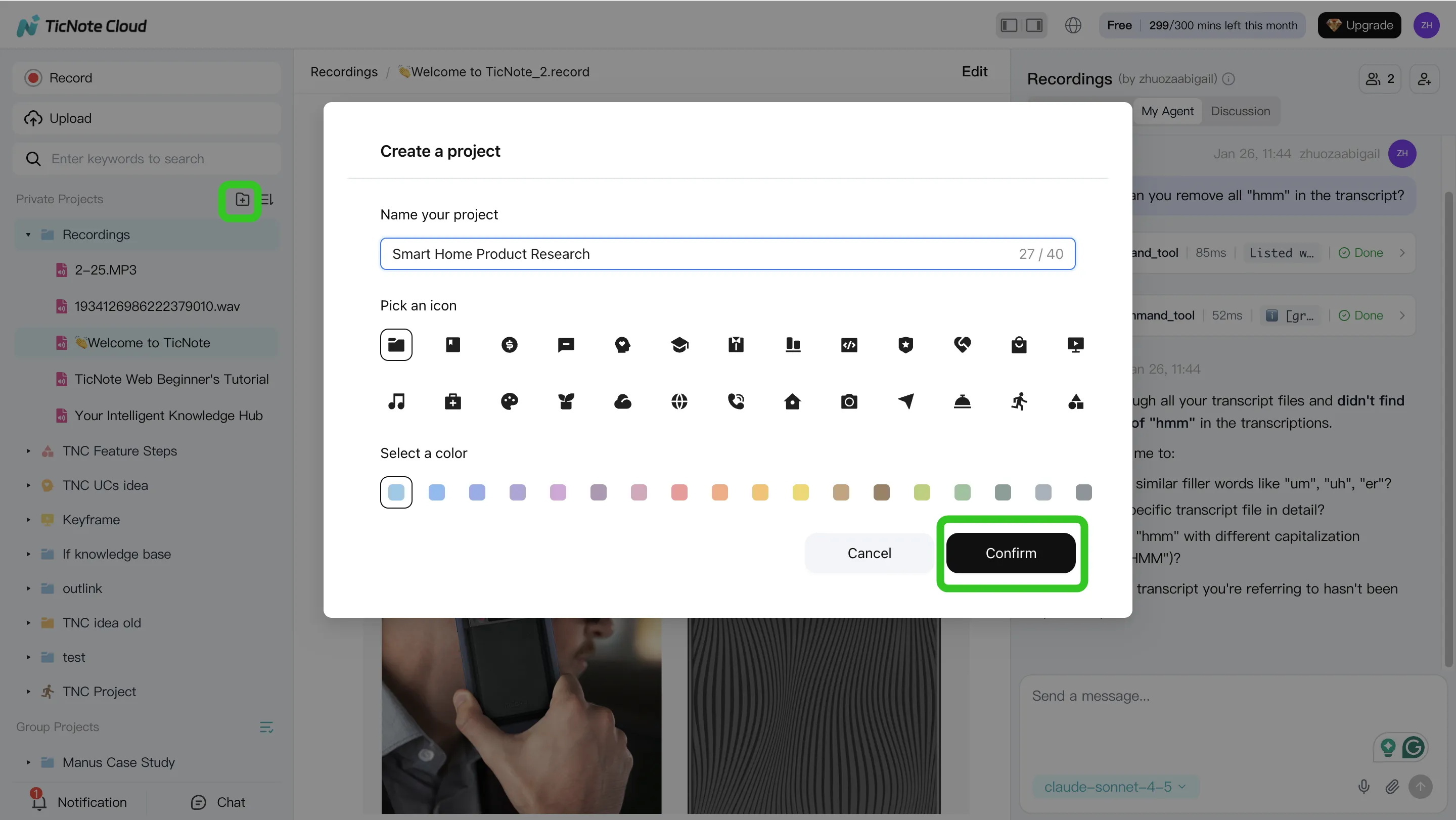
1. Build the Project context
Create or open a Project for a client, sprint, or research theme. Add audio, video, and documents through direct folder upload, or attach files in Shadow AI and ask it to save them to the right folder. Use names like "2026-02-12 onboarding interview" so later citations stay clean.
2. Search, analyze, and organize sources
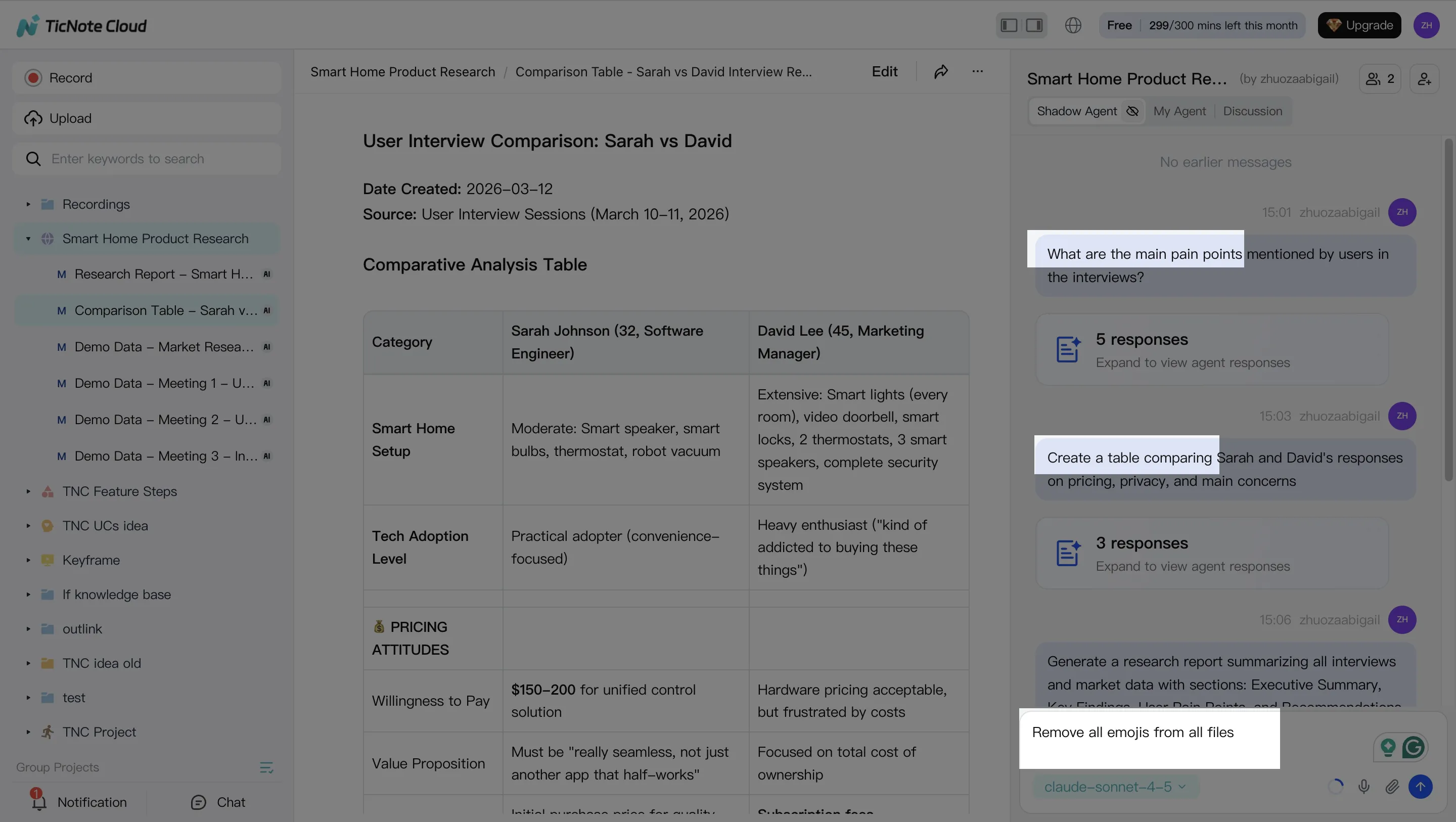
Before deep synthesis, clean obvious transcript issues: speaker labels, product names, and key numbers. Then ask Shadow AI project-scoped questions such as:
- "What decisions were made across these meetings?"
- "List risks with source citations."
- "Create a table of open questions by owner."
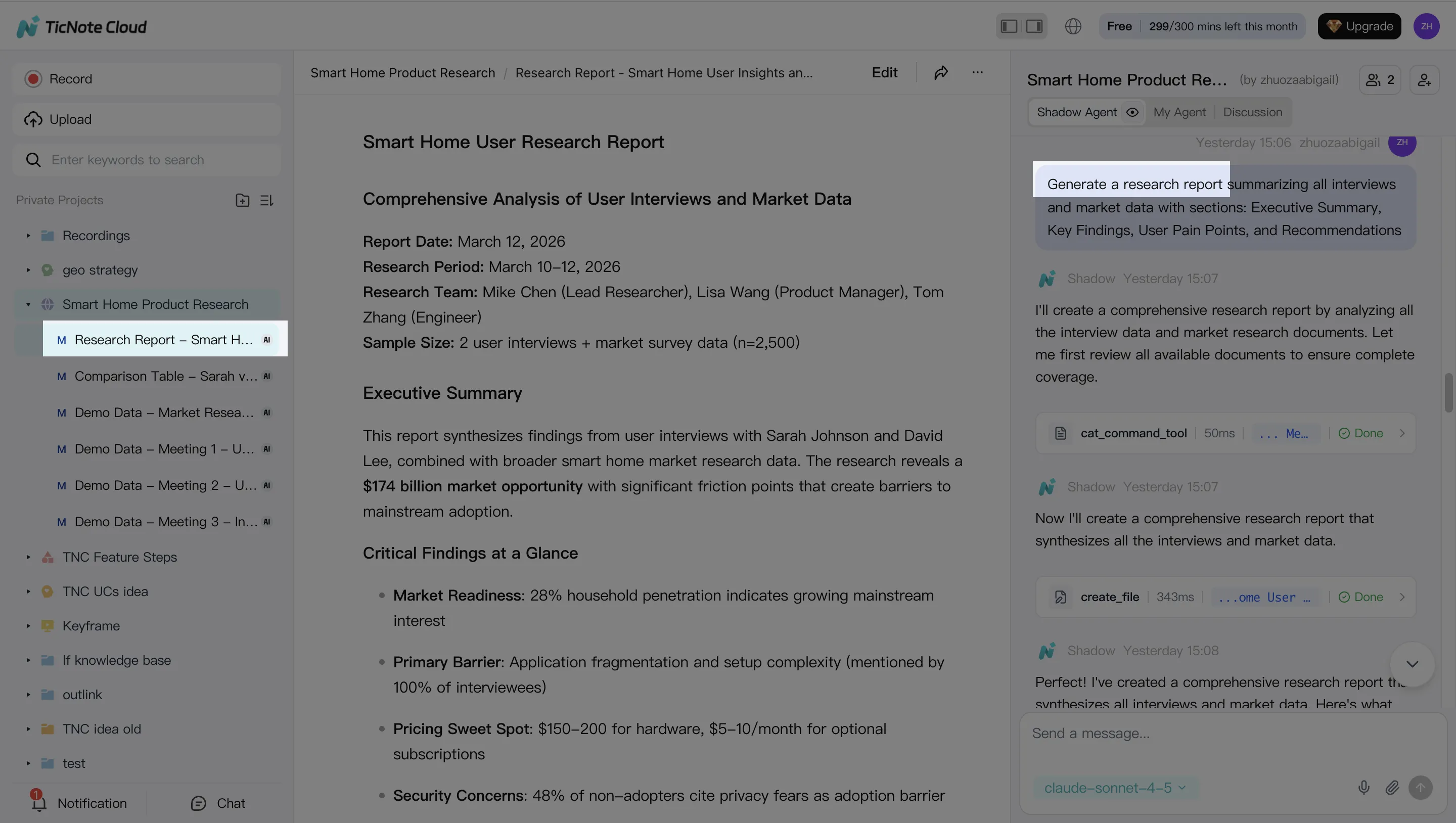
3. Generate the first deliverables
Use Shadow AI or the Generate button to create a research report draft, executive brief, HTML presentation outline, mind map, or follow-up email. Reserve Claude Opus 4.7 Premium for the 3 hardest synthesis jobs: resolving conflicts, weighing tradeoffs, and prioritizing the roadmap.
4. Review only what needs work
Check generated sections against clickable sources, assign owners to action items, and comment directly where the team needs changes. Re-run weak sections only, not the full report, to control cost and reduce review time.
On mobile, capture or upload audio, add it to the same Project, then run the same Shadow AI Q&A and deliverable steps from your shared workspace.
TicNote Cloud Features Claude Chat Alone Does Not Provide
If you're learning how to use Claude Opus 4.7 for team work, the model is only half the stack. Claude Chat can reason over pasted material, but TicNote Cloud keeps meeting and document context inside a Project, where Shadow AI can search, cite, edit, and generate deliverables.
Keep context at the project level
Project memory means one workspace per initiative, not 12 copied chat threads. Use a consistent taxonomy: interviews, decisions, risks, specs, and follow-ups. Reusable prompts then run against the same source set, which cuts omissions and token waste.
Review transcripts before you reason
Editable transcripts with speaker labels and timestamps let teams fix names, terms, and decisions before asking Claude for strategy or code analysis. Timestamps also create an audit trail for client follow-ups, research notes, and compliance review.
Capture meetings without adding friction
TicNote Cloud supports bot-free recording for Google Meet, Teams, Zoom, and Lark. That matters on client calls or sensitive interviews where inviting another meeting participant feels intrusive.
Use cited Q&A before final drafts
Shadow AI can answer from Project files with citations to the exact meeting moment or document section. For consultant-grade work, that means fewer unsupported claims and faster review.
Claude Chat vs Project workspace:
- Claude Chat: best for one-off reasoning and prompt experiments.
- TicNote Project: best for shared memory across meetings and docs.
- Claude Chat: requires manual copy-paste.
- Shadow AI: searches Project files, cites sources, and traces changes.
- Deliverables: generate reports, presentation outlines, podcasts, and mind maps, then edit the draft before shipping.
A Simple Claude 4.7 Migration Checklist for Teams
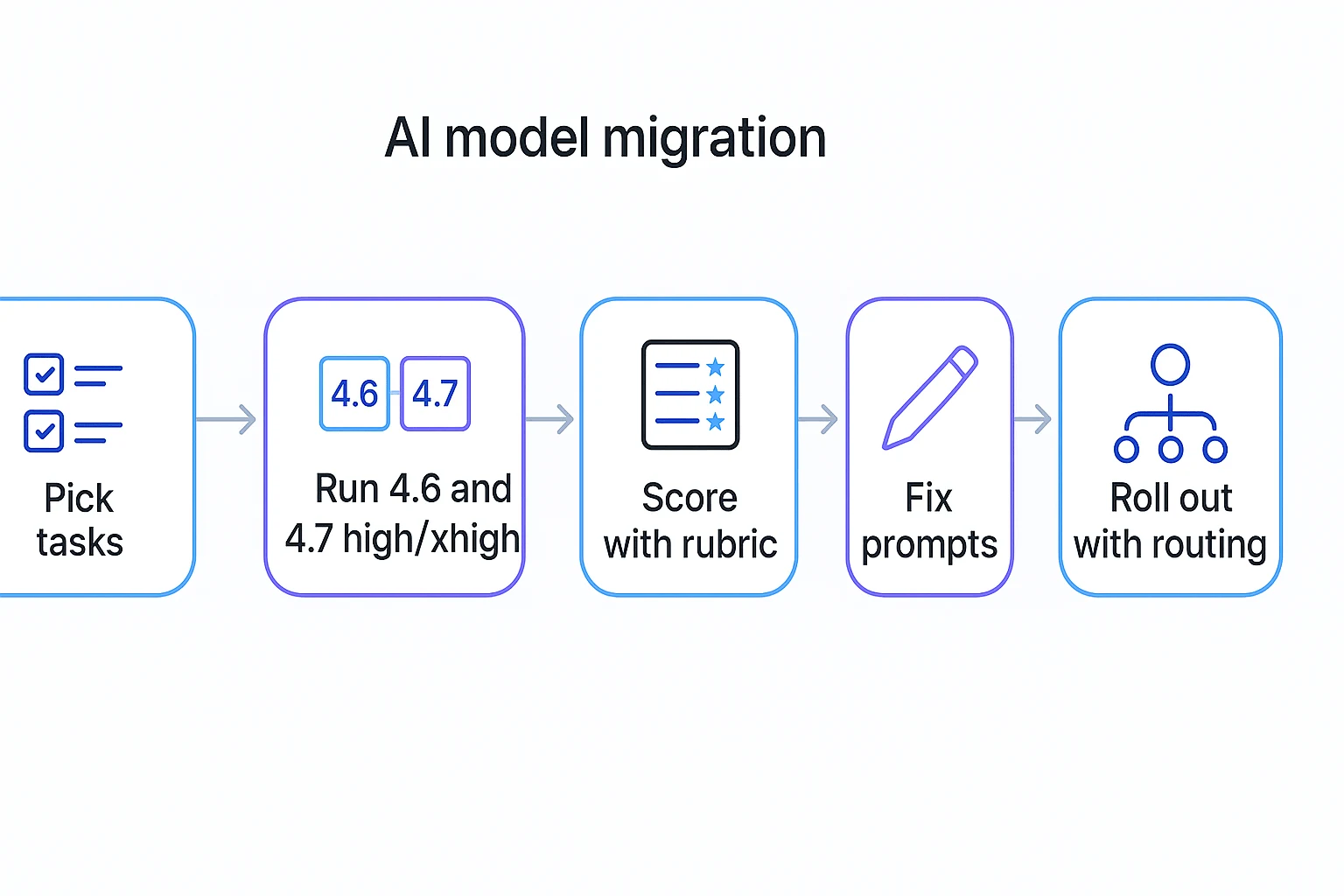
For teams asking how to use Claude Opus 4.7 safely, don't replace 4.6 everywhere. Replay 20 to 50 real tasks with identical inputs, then judge cost per accepted deliverable: usable output time, edit time, follow-up turns, and tokens.
Checklist
- Pick coding tickets, research summaries, meeting briefs.
- Run 4.6, 4.7 high, and 4.7 xhigh.
- Find prompts that relied on "helpful guessing."
- Add intent, format, short examples, and stop conditions.
- Save inputs, outputs, transcripts, docs, and citations in TicNote Cloud for review.
Decision matrix
| Route | Rollout rule |
| 4.6 | Keep when 4.7 adds cost without quality. |
| 4.7 high | Default when accepted output improves. |
| 4.7 xhigh | Use only when high fails the rubric. |
For coding agents, pair this with a cost-per-success routing checklist.
Final Thoughts: Use the New Model Where It Helps, Keep Context in TicNote Cloud
The best answer to how to use Claude Opus 4.7 is simple: spend it where precision matters. Use it for strict instructions, hard synthesis, structured documents, and agentic coding. Don't burn premium reasoning on low-stakes drafts.
For teams, the safer pattern is:
- Keep meeting evidence, transcripts, files, and decisions in TicNote Cloud.
- Use Shadow AI for cited Q&A, summaries, mind maps, and reports.
- Route the hard reasoning to Opus 4.7 when reliability matters.
Users now can use Claude Opus 4.7 Premium in TicNote Cloud for free (30 requests per month). If you want Claude Opus 4.7 without paying for multiple AI subscriptions, compare your AI cost trade-offs and start in one workspace.