


 Extension
TL;DR
A purchase order template gives every order a consistent, professional format: vendor details, line items, pricing, payment terms, and an authorization field, so nothing falls through the cracks. This article covers five ready-to-use PO templates written in full with realistic example values, plus a step-by-step guide to creating a purchase order from scratch.
Try TicNote Cloud for Free and generate a complete, auto-filled purchase order from any supplier quote in seconds, no manual entry needed.
Most small teams track purchase orders in a mix of emails and spreadsheets. A missed field means a delayed shipment or a disputed invoice, and by the time you notice, the supplier is already asking questions. A solid PO template fixes the format, but TicNote Cloud's Supplier Management skill goes further: upload a supplier quote and it generates a formatted, ready-to-send purchase order automatically.
What goes into a purchase order template?
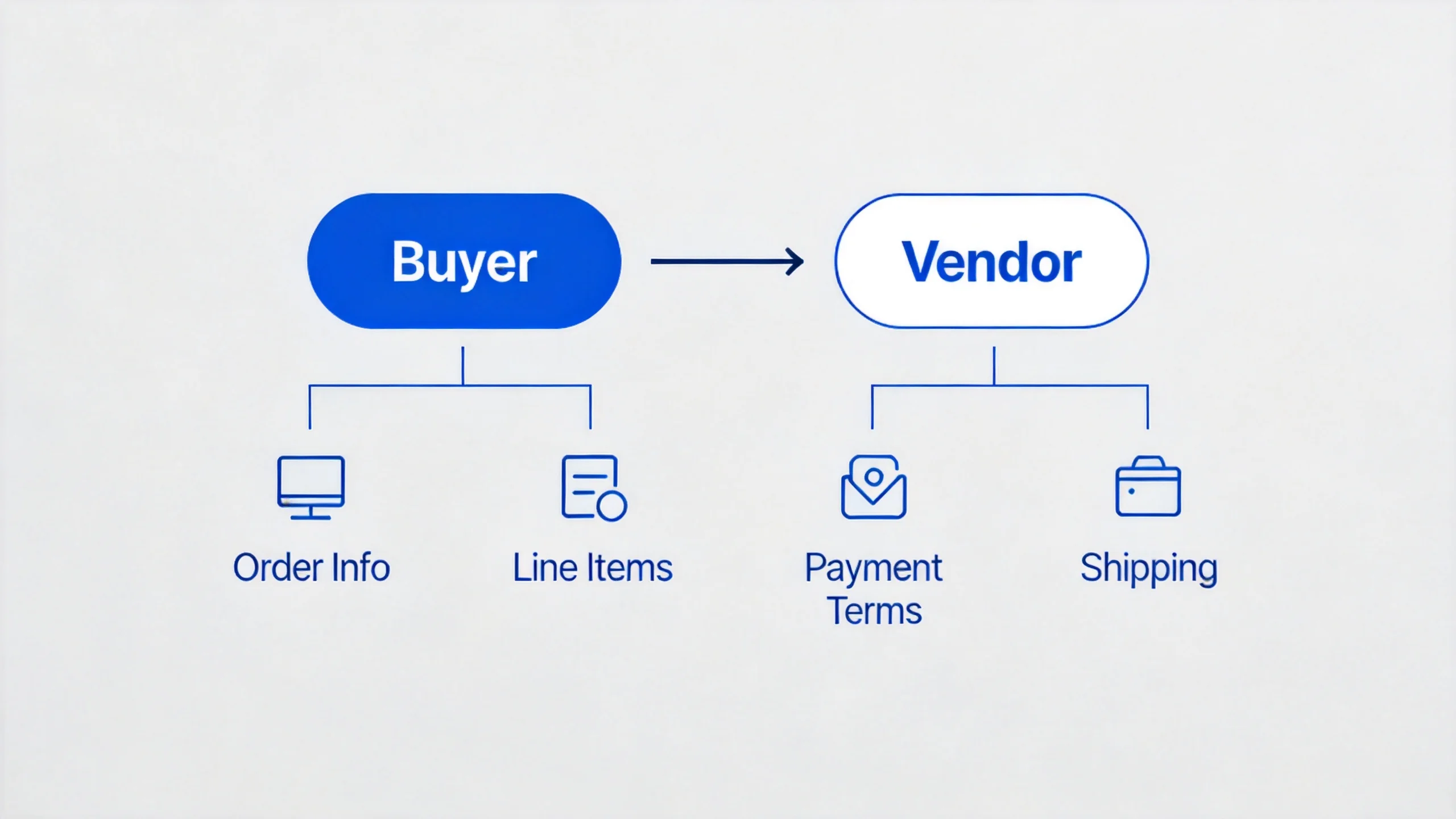
Before choosing a template, it helps to know which fields actually matter and why. A well-designed PO covers two categories: the fields every order needs and the optional fields that earn their place as your process matures.
Core fields every PO needs
- PO number: a unique identifier (e.g., PO-2024-0042) for tracking, reconciliation, and audit trails
- Issue date: when the PO was created
- Buyer info: company name, address, email, and phone
- Vendor info: supplier company name, primary contact, email, and address
- Line items table: item description, quantity, unit price, and line total for each product or service
- Shipping details: destination address, shipping method, and expected delivery date
- Payment terms: Net 30, Net 60, 50% deposit on order, or other agreed terms
- Subtotal, tax, shipping, and order total
- Authorized signature: name, signature, and date confirming internal approval
Optional fields worth including
As your vendor base grows, these fields prevent gaps:
- PO status badge: Draft / Issued / Fulfilled, so anyone who opens the document knows its current state
- Quote reference number: ties the PO back to the original supplier quote for traceability
- Bulk discount rows: separate line for volume-based price reductions, calculated automatically
- Internal cost center or department code: required for multi-department approval workflows
- Delivery instructions: special handling, dock access hours, or contact person on receipt
Free purchase order templates (with example values)
Five templates below, written in full with realistic example values. Copy the one that fits your situation, adapt the values, or use TicNote Cloud to generate a complete PO automatically from any supplier quote.
1. TicNote Cloud AI-Generated PO Template
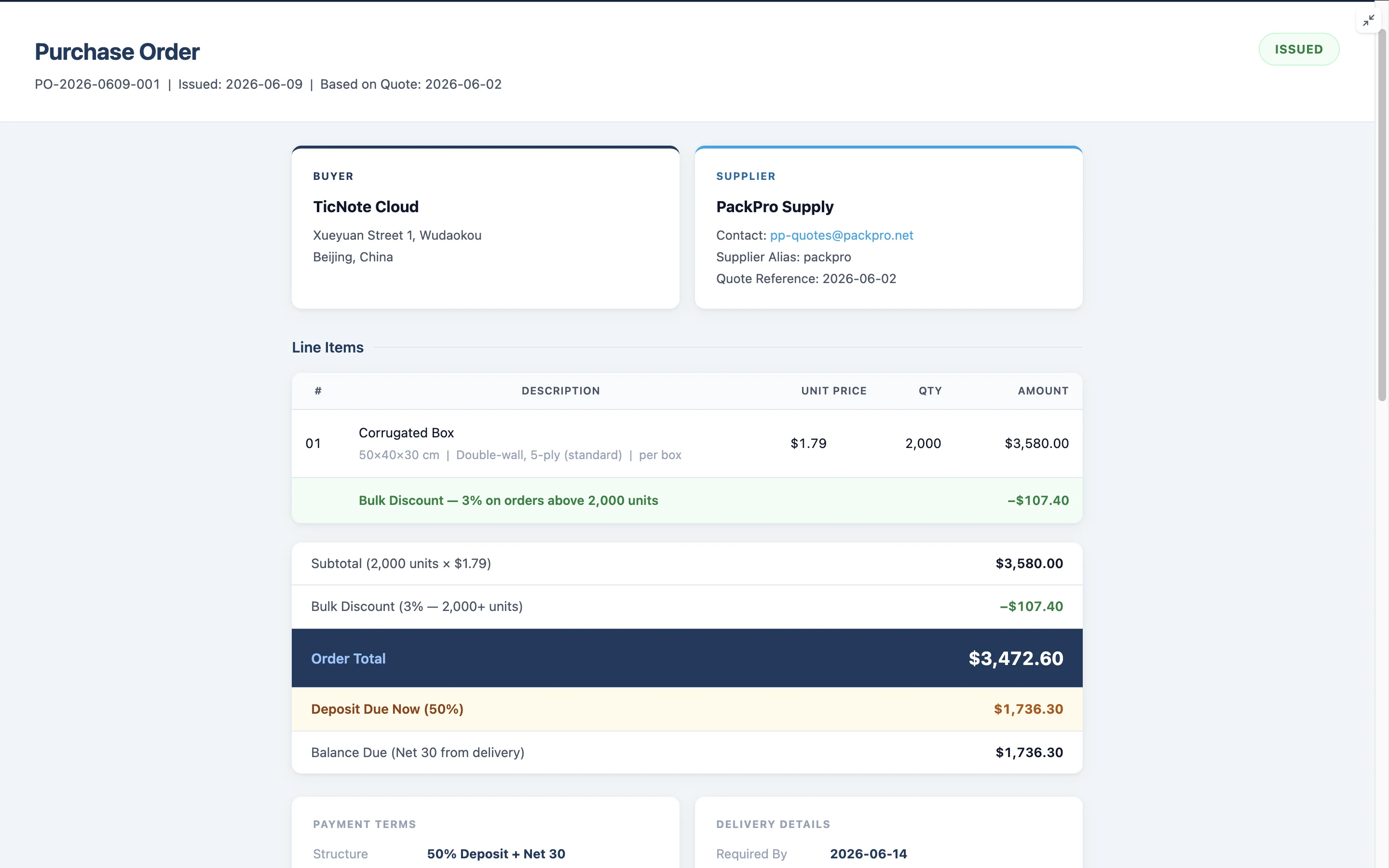
Upload a supplier quote to TicNote Cloud's Supplier Management skill and the AI parses every field: vendor name, contact, item description, unit price, MOQ, and lead time. If any detail is missing, such as your delivery address or payment terms, the AI asks before generating. The finished PO is formatted and ready to send, with no manual editing required.
Here is what the generated output looks like in full:
Purchase Order
PO Number: PO-2026-0609-001
Issue Date: 2026-06-09
Based on Quote: 2026-06-02
Status: ISSUED
Buyer: TicNote Cloud, 100 Innovation Drive, San Francisco CA 94105 Supplier: PackPro Supply, pp-quotes@packpro.net, Alias: PackPro
Line Items
| # | Description | Unit Price | Qty | Amount |
| 1 | Corrugated Box, 50×40×30cm, Double-wall, 5-ply | $1.79 | 2,000 | $3,580.00 |
| Bulk Discount: 3% on orders above 2,000 units | -$107.40 |
Subtotal: $3,580.00
Bulk Discount: -$107.40
Order Total: $3,472.60
Deposit Due Now (50%): $1,736.30
Balance Due: $1,736.30
Payment Terms: Net 30
Required Delivery: 2026-06-20
Delivery Address: 100 Innovation Drive, San Francisco CA 94105
Standard Purchase Order Template
The go-to format for one-time, straightforward transactions with any vendor.
Purchase Order
PO#: PO-2024-0042
Date: 2024-03-15
Requested By: J. Martinez
Buyer Acme Manufacturing Co. 123 Industrial Blvd, Chicago IL 60601 procurement@acme.com | (312) 555-0100
Vendor Steel Parts Ltd 456 Commerce Ave, Detroit MI 48201 sales@steelparts.com | (313) 555-0200
Line Items
| # | Item Description | Qty | Unit Price | Amount |
| 1 | 3/8" hex bolts, grade 5, zinc-plated | 500 | $0.45 | $225.00 |
| 2 | Stainless flat washers, 3/8" | 500 | $0.12 | $60.00 |
Subtotal: $285.00
Tax (8%): $22.80
Shipping: $15.00
Total: $322.80
Payment Terms: Net 30
Ship To: 123 Industrial Blvd, Chicago IL 60601
Expected Delivery: 2024-04-01
Authorized By: [Name] [Signature] [Date]
Blanket Purchase Order Template
Use a blanket PO when you order the same items from the same supplier repeatedly. It covers a full period with a not-to-exceed total, so you create one document instead of twelve.
Blanket Purchase Order
BPO#: BPO-2024-001
Period: January 1, 2024 through December 31, 2024
Requested By: R. Patel
Buyer
Acme Manufacturing Co.
123 Industrial Blvd, Chicago IL 60601
Vendor Office Direct Inc. 789 Supply St, Columbus OH 43215 orders@officedirect.com
Items Covered
Monthly office supply restocking (paper, toner, pens, folders)
Unit price per monthly delivery: approximately $350–$420
Estimated deliveries: 12
Not-to-exceed total: $5,000
Release Mechanism: Each delivery triggered by email confirmation from procurement team
Payment Terms: Net 30 per delivery
Authorized By: [Name] [Signature] [Date]
Service Purchase Order Template
When buying consulting, design, maintenance, or any other service rather than physical goods, replace line items with a scope description and fee structure.
For a deeper look at how contract review fits into a supplier sign-off process, see the linked guide.
Service Purchase Order
PO#: SPO-2024-018
Date: 2024-04-10
Buyer
Acme Manufacturing Co.
123 Industrial Blvd, Chicago IL 60601
Service Provider Web Studio Agency 22 Creative Blvd, Austin TX 78701 hello@webstudio.agency
Scope of Work
Service: Website redesign and development
Deliverables: Responsive redesign, 5 pages, mobile-first, with CMS integration
Timeline: Kickoff 2024-04-15, final delivery 2024-06-30
Fee Structure
| Milestone | Description | Amount |
| 1 | Kickoff and discovery | $2,250 |
| 2 | Final delivery and handoff | $2,250 |
| Total | $4,500 |
Payment Terms: 50% on kickoff, 50% on delivery
Authorized By: [Name] [Signature] [Date]
Emergency Purchase Order Template
For urgent, unplanned purchases that bypass the normal approval cycle. The justification field is required to document why standard process was skipped.
Emergency Purchase Order
EPO#: EPO-2024-003
Date: 2024-05-22
Priority: URGENT
Justification
Production line halted due to conveyor belt motor failure. Standard procurement lead time of 10 days is unacceptable. Pre-approved emergency supplier contacted.
Buyer
Acme Manufacturing Co.
123 Industrial Blvd, Chicago IL 60601
Vendor FastParts Inc (pre-approved emergency supplier) 101 Express Lane, Detroit MI 48202 emergency@fastparts.com | (313) 555-0911
Line Items
| # | Item | Qty | Unit Price | Amount |
| 1 | Conveyor belt drive motor, 5HP, 3-phase | 1 | $1,200.00 | $1,200.00 |
Total: $1,200.00
Required Delivery: Within 48 hours
Payment: Credit card on delivery
Authorized By: [Manager Name] [Signature] [Date]
How to create a purchase order step by step
Having a template is step one. Knowing how to fill it correctly every time is what keeps your records clean and your supplier relationships solid. For teams building out their first procurement process documentation, a consistent PO workflow belongs in your SOP library.
Step 1: Assign a PO number
Use a sequential format like PO-YYYY-NNNN (e.g., PO-2024-0042). A consistent numbering system lets you match POs to invoices without guessing, and it creates a clean audit trail for your accounting team.
Step 2: Fill in buyer and vendor details
Include company name, address, phone, and email for both sides. If you use TicNote Cloud, vendor info is pulled automatically from previously uploaded supplier documents, so you never retype the same contact twice.
Step 3: Add line items with quantities and prices
One row per item or service. For retail or manufacturing, include the SKU or product code. Double-check the unit of measure: ordering 500 "units" when your vendor sells in boxes of 12 creates a costly discrepancy.
Step 4: Set payment terms and shipping details
State your payment terms explicitly: Net 30 means payment is due 30 days after delivery, not 30 days after the invoice date unless otherwise agreed. Include the shipping method, destination address, and your required delivery date.
Step 5: Get authorized and send
Have the appropriate internal approver sign off. Save a copy to your records, send the PO to your supplier, and confirm receipt. Once the supplier accepts, the PO becomes a binding commitment on both sides.
Conclusion
A well-structured purchase order template prevents the three most common procurement headaches: missed fields, disputed invoices, and delayed shipments. The five templates above cover the most common order types. Copy the one that fits, or use TicNote Cloud to generate a complete, auto-filled PO from any supplier quote without manual entry.
Try TicNote Cloud free today and build your first purchase order in minutes.


