


 Extension
TL;DR
SOPs help early-stage founders document their processes so they can delegate confidently. This article includes ready-to-use SOP templates for employee onboarding, sales handoff, customer support, and content publishing - plus a practical guide to writing your first SOP in under 20 minutes.
Try TicNote Cloud for Free and generate your first company-specific SOP from a conversation.
Most early founders repeat the same instructions to every new hire because nothing is written down. Over time, that knowledge gap compounds: onboarding slows, mistakes recur, and the founder stays the bottleneck. TicNote Cloud's Startup COO skill turns a quick conversation about your company into a structured, ready-to-use SOP - no templates to fill in, no ops team required.
What Is an SOP and Why Does Your Startup Need One?
An SOP (Standard Operating Procedure) is a written description of how a task gets done, every time. It covers who does the task, what triggers it, what steps to follow, and what to do when something goes wrong. That's it. No certification required, no ISO methodology, no enterprise-grade documentation system.
What an SOP actually is
An SOP is simply a written answer to the question: "How does this get done when I'm not in the room?"
For a startup, it might be a one-page checklist for onboarding a new hire, a numbered list for responding to a support ticket, or a short paragraph describing how a blog post goes from draft to published. The format doesn't matter as much as the clarity.
Why startups skip SOPs (and why that backfires)
Most founders skip documentation in the early stages because it feels like overhead. You're moving fast, the team is small, and everyone is aligned. Until they're not.
- A new hire joins and needs the same three-hour orientation the last hire got
- A support agent handles a refund differently than the founder would have
- A critical process lives only in the founder's head, and the founder gets sick
According to Gallup - This Fixable Problem Costs U.S. Businesses $1 Trillion (2019), the cost of replacing an individual employee can range from one-half to two times their annual salary. When undocumented processes slow onboarding, that replacement cost compounds quickly.
The delegation readiness test
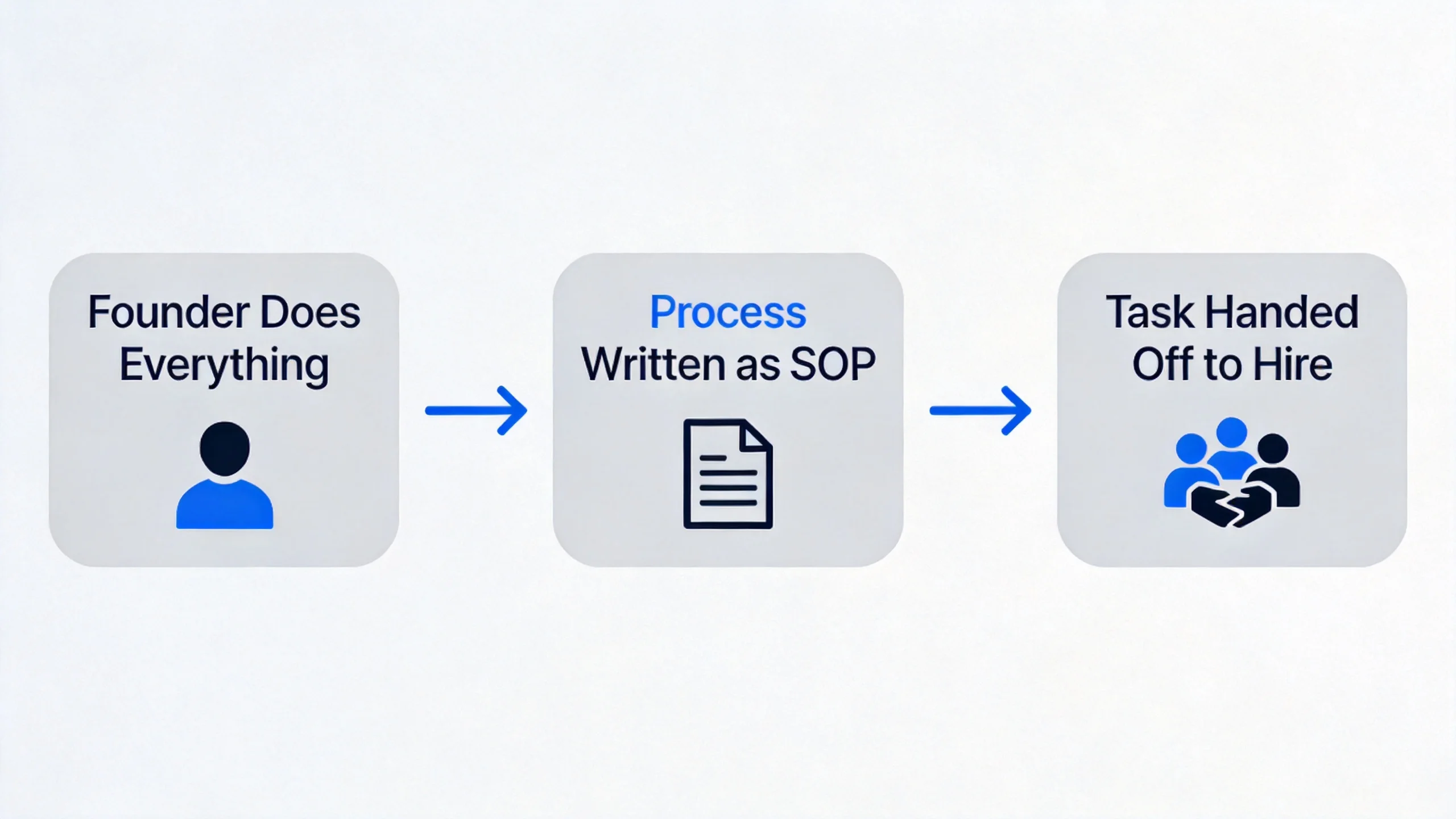
Here's a useful frame: if you can't hand off a process to someone else today, you need an SOP for it.
Write down the three tasks you've explained from scratch most often in the last 90 days. Those are your first three SOPs. They don't need to be polished - they need to be written down. The moment a process is documented, it can be delegated, automated, or improved.
SOP Template for Startups: Core Components
Before you fill out any template, you need to know which fields actually matter for a startup - and which ones to skip.
The 6 fields every startup SOP needs
A lean SOP for a small team only needs six things:
| FieldWhat to write | |
| Title | A short, specific name: "Customer Refund Request" not "Support Process" |
| Owner | Who is responsible for running this process (a role, not a name) |
| Trigger | What event or condition starts this process |
| Steps | Numbered, action-specific steps - verb-first |
| Exceptions | What to do when the normal steps don't apply |
| Last Updated | Date + who last changed it |
Here's a blank startup process documentation template you can copy immediately:
Title: [Process Name]
Owner: [Role]
Trigger: [What starts this process]

Steps:
1. [Action verb + specific task]
2. [Action verb + specific task]
3. [Action verb + specific task]
...

Exceptions:
- If [exception condition]: [what to do instead]

Last Updated: [YYYY-MM-DD] by [Role]
What to skip
Enterprise SOP frameworks are full of fields that add no value at your stage. Drop these:
- Purpose statements (a good title makes the purpose obvious)
- Revision history tables
- Compliance sign-off signatures
- Scope and applicability sections
Those exist to satisfy auditors. You don't have auditors yet.
One-page SOP format
For most early-stage processes, the entire SOP should fit on one page or one card. If it spills beyond a single screen, the process is probably too complex - break it into sub-SOPs.
Here's a compact card format that works in Notion, Google Docs, or pasted directly into a chat with TicNote Cloud's Startup COO skill:
---
Process: [Name]
Owner: [Role] | Trigger: [Event] | Updated: [Date]
---
1. [Step]
2. [Step]
3. [Step]
Exception: [Condition] → [Alternative action]
---
Keep it on one index card. If it doesn't fit, simplify the process first.
Ready-to-Use SOP Templates by Startup Function
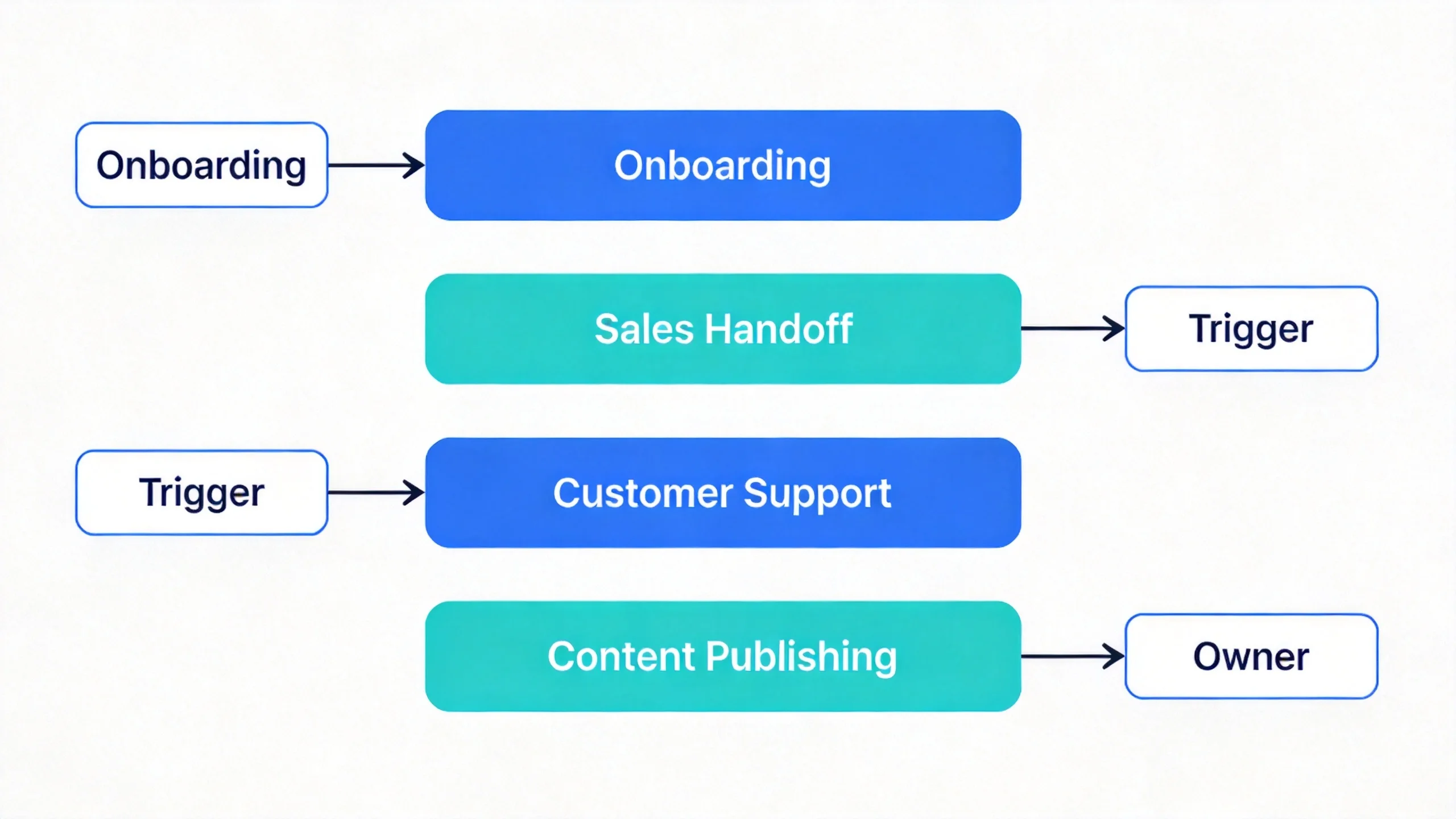
The templates below are designed for early teams of 1–10 people. Each is fully written and copy-ready - replace the bracketed placeholders with your company's specifics. No extra formatting, no enterprise diagrams.
For dealing with contracts and legal paperwork, a focused contract review workflow can complement these operational SOPs.
Employee Onboarding SOP
Title: New Employee Onboarding
Owner: Hiring Manager (or Founder)
Trigger: Offer accepted and start date confirmed

Steps:
1. Create accounts: email, Slack, Notion (or [Tool]), project management tool
2. Share access: internal wiki, password manager, shared drives
3. Send Day 1 agenda at least 48 hours before start date
4. Schedule 30-minute intro call with each team member in Week 1
5. Assign first task on Day 1  -  small, clearly scoped, achievable in 2–3 days
6. Check in at Day 7, Day 30, Day 60 (use a standard set of questions)
7. Request feedback on onboarding process at Day 30

Exceptions:
- Contractor (not full-time): skip step 3 and 6; provide project brief instead
- Remote hire: add a virtual office tour and async intro video in step 3

Last Updated: [YYYY-MM-DD] by [Role]
Sales Handoff SOP
Title: Lead Handoff from Demo to Closed
Owner: Account Executive (or Founder)
Trigger: Demo call completed; prospect requests proposal or pricing

Steps:
1. Log demo outcome in CRM: decision-maker name, pain points, next step
2. Send follow-up email within 24 hours  -  include 3-bullet summary of demo discussion
3. Share proposal or pricing doc via [link or tool]
4. Schedule a follow-up call within 5 business days if no response
5. On deal close: update CRM status to Closed-Won; log contract date and value
6. Trigger customer onboarding SOP (see: Customer Onboarding Process)

Exceptions:
- If prospect goes silent after 2 follow-ups: move to nurture sequence; do not continue active outreach
- If prospect requests legal review: loop in [Legal Contact or Tool] before signing

Last Updated: [YYYY-MM-DD] by [Role]
Customer Support Response SOP
Title: Inbound Support Request  -  Triage and Response
Owner: Support Lead (or Founder)
Trigger: Support ticket or email received

Steps:
1. Read request fully before responding  -  do not reply with a template until context is clear
2. Classify ticket: Bug / Feature Request / Billing / General Question
3. For bugs: log in issue tracker with steps to reproduce; acknowledge within 2 hours
4. For billing: check account history; escalate to founder if refund exceeds $[threshold]
5. For general questions: check internal FAQ first; respond within 4 business hours
6. Log resolution in CRM or support tool  -  tag issue type for trend tracking
7. If resolution took more than 24 hours: send proactive update to customer

Exceptions:
- Angry customer: do not use template language; acknowledge frustration first
- Enterprise account: escalate to [Account Owner] before any resolution

Last Updated: [YYYY-MM-DD] by [Role]
Content Publishing SOP
Title: Blog Post  -  Brief to Published
Owner: Content Lead (or Founder)
Trigger: Approved keyword or topic in content calendar

Steps:
- [ ] Write brief: target keyword, audience, 5–7 H2 outline
- [ ] First draft completed and submitted for review
- [ ] Editorial review: check facts, tone, SEO (title, meta, internal links)
- [ ] Final draft approved by [Role]
- [ ] Upload to CMS: format headings, add images, set meta title and description
- [ ] Schedule publish date and notify distribution channels (email, social)
- [ ] Publish: confirm URL, check for formatting issues on mobile
- [ ] Distribute: post to [Channels] within 24 hours of publication
- [ ] 30-day check: review organic traffic; update if performance is low

Exceptions:
- Time-sensitive post: skip editorial review; founder approves directly
- Guest post: require author bio and confirm rights before publishing

Last Updated: [YYYY-MM-DD] by [Role]
How to Write Your First SOP as a Startup Founder
The hardest part of writing an SOP isn't the writing. It's deciding where to start. Here's a practical method that works even when you have no ops support and no time to spare.
Start with the process you hate explaining
Think back over the last 30 days. Which task have you described from scratch more than twice? That's your first SOP.
Common candidates for first-time founders:
- How to onboard a new contractor
- How to respond to a refund request
- How to hand off a deal to a customer success workflow
- How to brief a freelancer
Pick one. Just one. Getting a single SOP written is infinitely better than planning a documentation system you never finish.
Record before you write
The fastest SOP is one you talk out while doing the task. Next time you run a recurring process, record yourself (voice memo or screen record) narrating each step as you go.
According to McKinsey - Rethinking Knowledge Work: A Strategic Approach, over a quarter of a typical knowledge worker's time is spent searching for information. That's time reclaimed the moment a process is written down and findable.
Once recorded, transcribe or summarize into the six-field template from the previous section. The whole exercise takes under 20 minutes.
For breaking complex tasks into manageable steps before documenting them, a structured task breakdown approach can help clarify the sequence before you write it as an SOP.
The 20-minute SOP rule
If writing an SOP takes more than 20 minutes, the process is too complex. Break it into sub-SOPs. A good startup SOP should fit on one page and take less time to write than the process itself takes to run once.
This rule also filters out processes that aren't ready to be documented yet. If you can't explain it in 20 minutes, you probably can't hand it off either.
Version control without overhead
Forget version numbers and changelog tables. For a small team, the only version control you need is:
[Process Name] - updated [YYYY-MM-DD] by [Role]
Include that line at the bottom of every SOP. When you update it, change the date. That's the entire system. It tells anyone reading it whether the document is current, and who to ask if they have questions.
How to Generate SOPs for Your Startup Using AI
Writing SOPs from scratch is slow, especially when you're also running the company. AI can compress that work from hours to minutes - but only if the output is grounded in your actual processes, not generic templates pulled from the internet.
TicNote Cloud's Startup COO skill works like an AI operational co-founder. You describe your company and what you need; it generates company-specific SOPs, execution documents, and operational templates anchored to your actual stage, team, and context. No form-filling, no blank-page problem.
Here's how to use it:
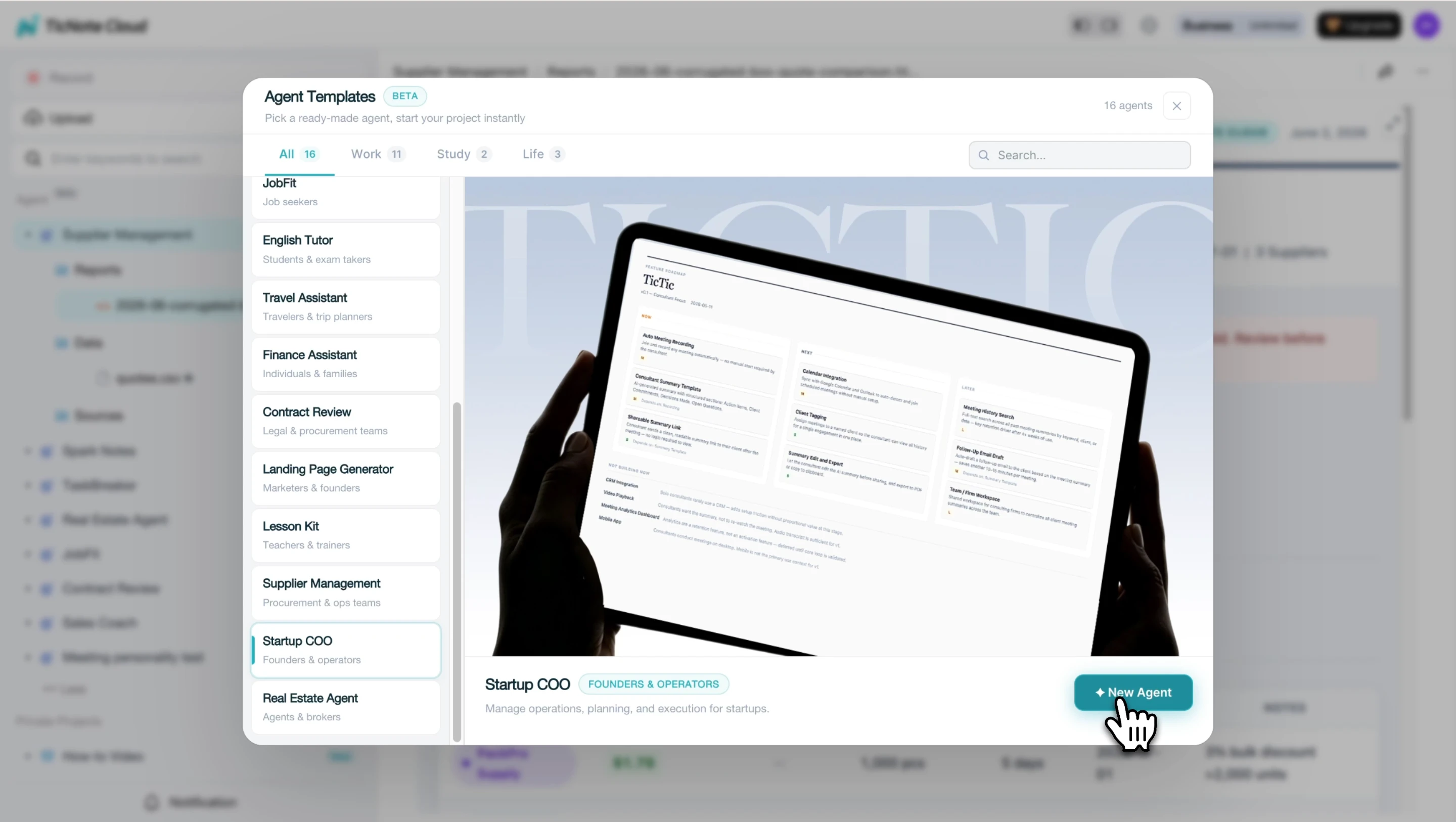
Step 1: Add the Startup COO skill agent in TicNote Cloud
In TicNote Cloud, click Add Agent and browse the Skill Agent library. Select the Startup COO skill to add it to your workspace. No configuration required - the skill is ready to use immediately.
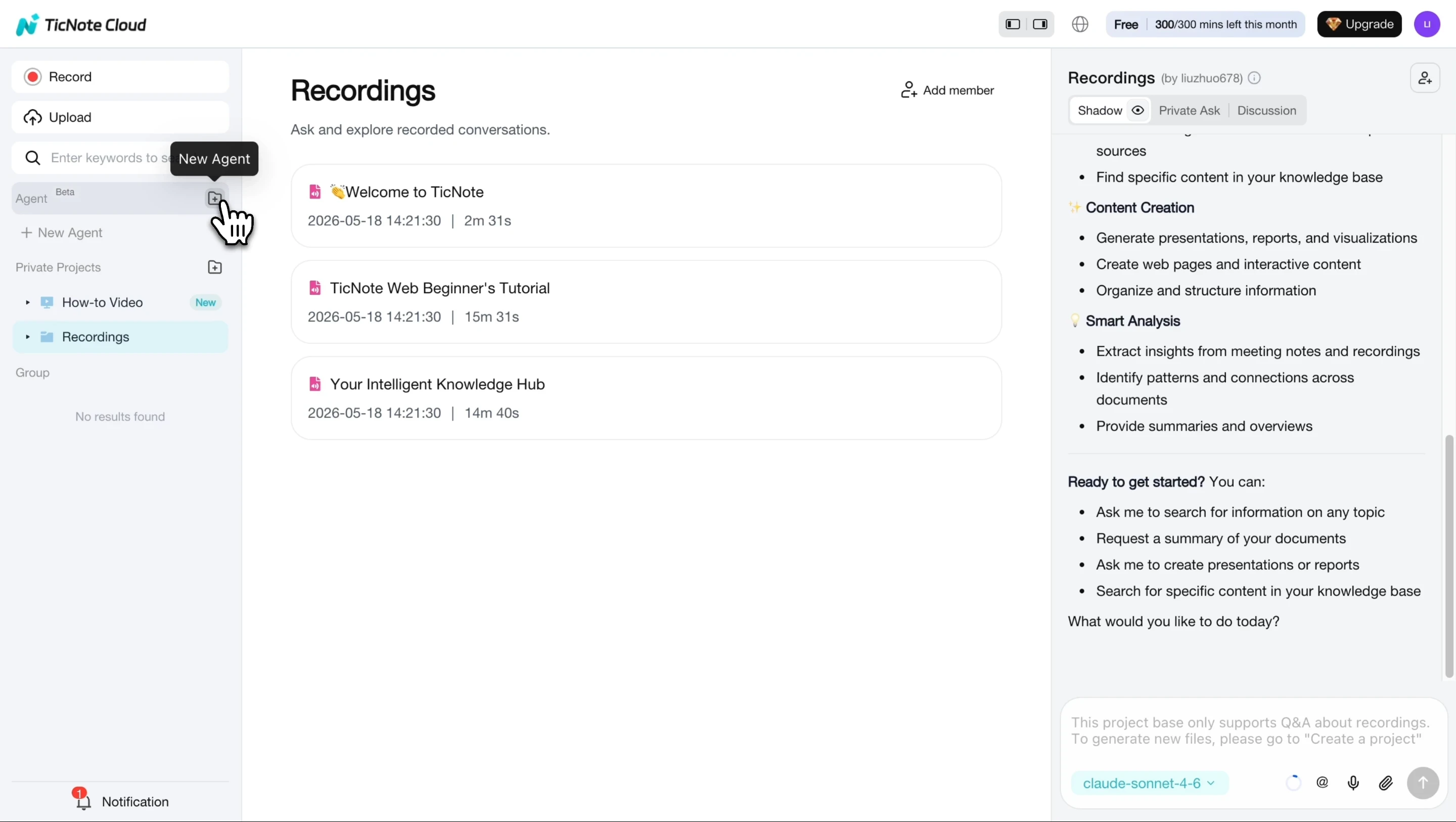
Once added, the Startup COO skill appears in your agent list alongside any other skills you've activated.
Step 2: Describe your company and the process you want documented
Tell the skill what your company does, who your customers are, and what you're trying to document. The skill saves this as a Company Profile that anchors all future outputs to your actual context. Then ask for what you need: "Write me an SOP for onboarding our first sales hire" or "Create a customer support response SOP for a 3-person team."
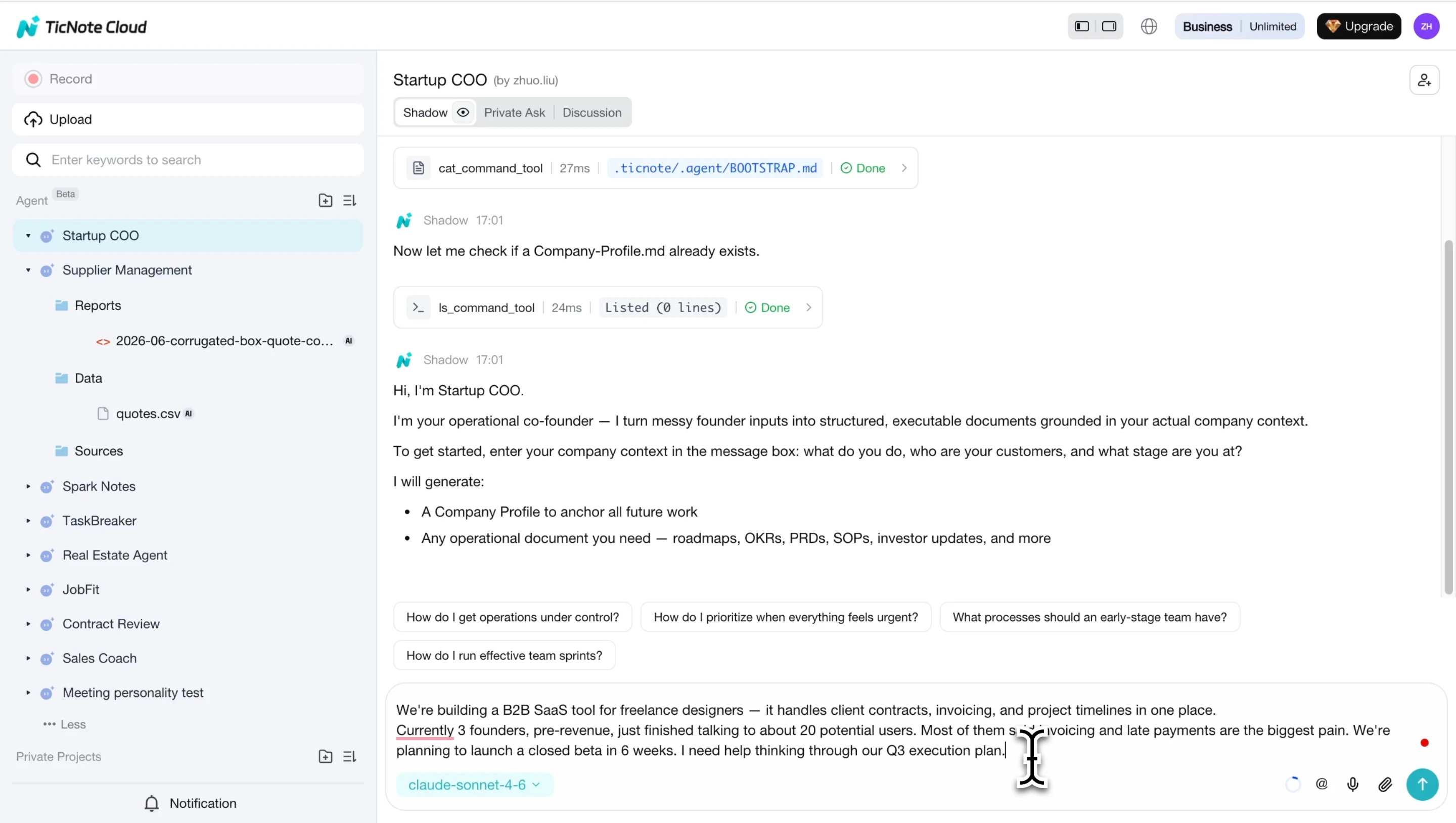
Step 3: Review the draft and refine with follow-up context
The skill generates an initial document and may ask clarifying questions: team size, escalation paths, tools used. Review the draft and answer those questions to get a more accurate, company-specific output.

Step 4: View the final SOP and save it to your workspace
Once you've provided full context, the skill generates the final document. SOPs and operational documents are saved inside the Startup COO workspace in TicNote Cloud - organized by type, ready to share with your team or iterate on as your process evolves.
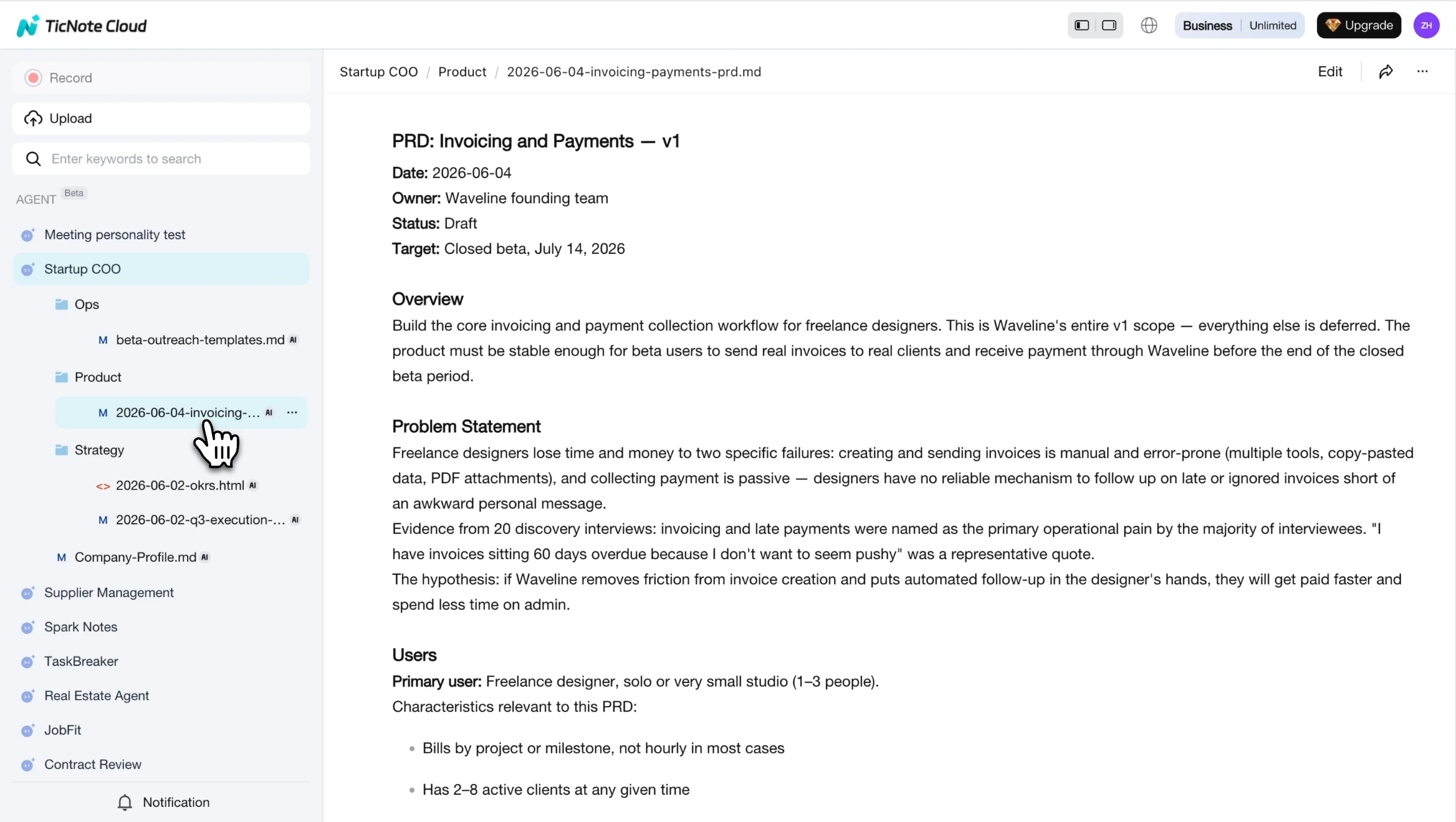
Every document generated by the skill ends with a concrete next action, not a summary. Risks and blockers are surfaced explicitly - which is exactly what a first-time founder writing their first SOP needs to see.
Conclusion
Written SOPs are how founders stop being the bottleneck. A rough one-page template - six fields, one page - beats a blank wiki every time. Start with the process you've explained most often, write it down in 20 minutes, and hand it off.
The templates in this article cover the four functions where most early-stage teams lose the most time: onboarding, sales handoff, customer support, and content publishing. Copy them, adapt the placeholders, and you have a working documentation system by end of day.
Try TicNote Cloud for Free and generate your first company-specific SOP from a conversation with the Startup COO skill.


