


 Extension
TL;DR: A Skill Agent Workflow for Faster Resume Tailoring
Use a job application skill agent to learn how to tailor resume to job description faster (we show the skill at the end of this article): scan the posting, map requirements to proof, update only high-value bullets, then keep formatting ATS-friendly with simple headings and clean keywords.
Online applications punish vague, one-size-fits-all resumes. The risk is over-editing: you waste time, stuff keywords, or claim skills you can't defend. A resume match report and tailored draft helps you spot gaps, generate an ATS-ready one-page version, and prepare interview answers you can fully stand behind.
How to Tailor Resume to Job Description Without Rewriting From Scratch
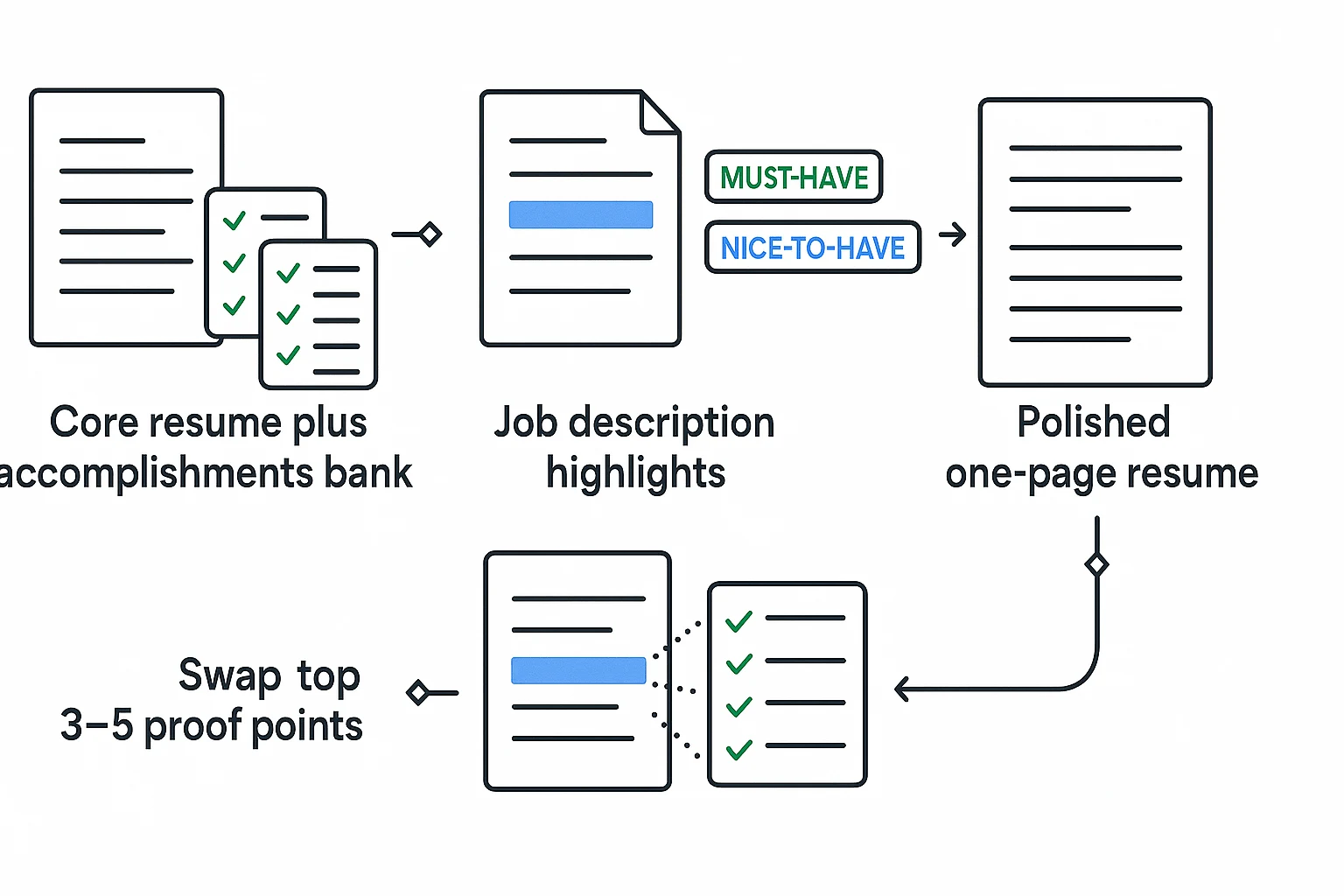
The fastest way to learn how to tailor resume to job description is to stop treating every application as a blank page. Build one strong core resume, then adjust the order, wording, and proof points for each role.
Start With a Core Resume
Your core resume is the foundational document. It should include your best work history, education, tools, projects, certifications, and measurable wins. Beside it, keep an accomplishments bank: short stories, metrics, project notes, and results you can pull from fast.
That turns tailoring into a 20–30 minute edit, not a full rewrite.
For length, use a simple rule:
- Students and early-career candidates: aim for one page.
- Career changers: one page is best unless you have deep, relevant work.
- Mid-career professionals: two pages can work when the field expects detail.
Sort Must-Haves Before Nice-to-Haves
Read the job description like a recruiter. Mark the items that decide whether you move forward.
Group the posting into four buckets:
- Hard skills and tools: Excel, SQL, Figma, Salesforce, Python.
- Core responsibilities: reporting, customer onboarding, campaign execution.
- Required years or credentials: degree, license, 3+ years, portfolio.
- Signals: startup pace, enterprise clients, regulated industry, cross-functional work.
Tailor must-haves first. These affect applicant tracking system (ATS) scans and the recruiter's 10-second skim. Add 1–2 nice-to-haves only when they're true.
Choose the 3–5 Strongest Proof Points
Pick achievements that prove the job's top outcomes: speed, revenue, quality, customer impact, cost reduction, or risk reduction.
Use this checklist before a bullet makes the final cut:
- Relevance: Does it match a top requirement?
- Recency: Is it from a recent role, class, or project?
- Measurability: Can you add a number, scope, or result?
- Uniqueness: Does it show something other candidates may not have?
Career changers can add a "Relevant Experience" section above older work history. Use it to surface aligned projects early, without hiding your actual timeline.
Build a Job-Description Evidence Map Before You Edit
Before you edit a single line, turn the posting into an evidence map. This is the fastest way to learn how to tailor resume to job description without guessing. You're not copying the employer's words. You're finding the skills, tools, outcomes, and stakeholder needs you can prove.
Highlight repeated keywords and outcomes
Read the job description twice. On the first pass, mark repeated nouns: CRM, Python, Excel, customer onboarding, compliance, product analytics. On the second pass, mark action verbs and outcomes: deliver, optimize, reduce, launch, automate, retain. Repeated language often signals ATS relevance and recruiter priority.
A simple rule works: if a term appears 2+ times, or appears in the top third of the posting, test whether your resume has honest evidence for it. USAJOBS — How to create a federal resume advises: "Customize your resume for the position — make sure it addresses the major duties and specialized experience required by the job announcement and includes specific examples and measurable results where possible."
Create a requirements-to-proof matrix
Build a 5-column table before writing bullets:
| Requirement | Your evidence | Metric/result | Resume location | Confidence |
| Salesforce reporting | Sales ops internship dashboard | Cut weekly manual updates by 3 hours | Experience bullet | Strong |
| Data visualization | Tableau class project | Built 4 dashboard views | Projects | Partial |
| Cross-functional communication | Student org launch team | Coordinated 6 volunteers | Summary/bullet | Strong |
For career changers, proof can come from freelance work, volunteering, coursework, certifications, or personal projects. For students, use capstones, labs, leadership roles, hackathons, and part-time jobs. The point is not job-title matching. It's evidence matching.
Handle partial matches honestly
Partial fit is normal. Label it clearly:
- Use "familiar with" or "exposure to" for tools you've used lightly.
- Use "owned," "led," or "managed" only when you were accountable.
- Show adjacent skills, such as HubSpot reporting if the role asks for Salesforce reporting.
- Add "currently learning" only for a requirement you're actively studying and can discuss.
What not to change: employment dates, employer names, degrees, inflated titles, revenue ownership, or tools you've never used. Recruiters check consistency. A tailored resume should sharpen the truth, not rewrite it.
Write ATS-Friendly Resume Sections That Prove Fit
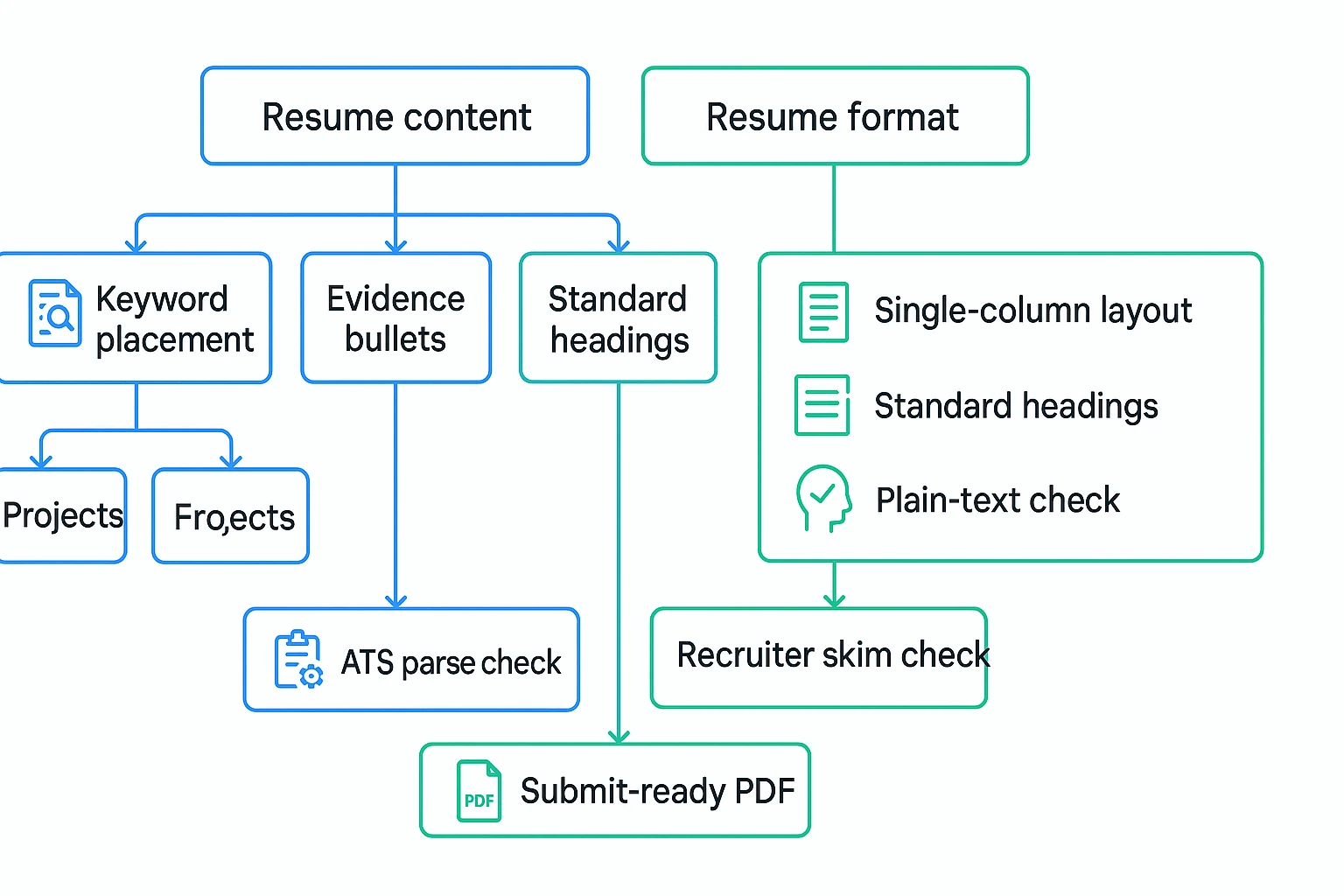
An ATS-friendly resume is a resume that applicant tracking systems (ATS) can read and sort correctly. If you're learning how to tailor resume to job description, don't start with design. Start with evidence, then place the right terms where software and recruiters expect them.
Put Keywords Where They Prove Fit
Use a clean section order:
- Headline/summary: Target role + niche + 1 proof point. Example: "Data analyst focused on SQL reporting and dashboard automation; reduced weekly reporting time by 30%."
- Skills: Group by type, such as Analytics, Tools, Methods, and Communication.
- Experience: Use bullets that show where you used the required skills.
- Projects: Add class, freelance, volunteer, or portfolio work if your job history is thin.
Mirror the job description only when it's accurate. Use exact tool names like "Tableau," "Salesforce," or "Python." Keep synonyms useful but limited: "customer success" and "account support" can both appear, but don't repeat every phrase three times.
Turn Duties Into Measurable Bullets
Use this formula: Action + Scope + Tool/Method + Result + Proof.
| Generic bullet | Tailored bullet |
| Helped with reports | Built weekly Excel and SQL reports for 4 managers, cutting manual update time by 25%. |
| Worked with customers | Resolved 35+ customer tickets per week in Zendesk while maintaining a 96% satisfaction score. |
| Assisted marketing team | Analyzed campaign data in Google Analytics and identified 3 high-converting channels for budget shifts. |
This is where job-description resume match terms belong. If the posting asks for "cross-functional collaboration," write a bullet that proves it: "Coordinated with sales, product, and support teams to launch a customer FAQ that reduced repeat tickets by 18%." One clear proof beats five stuffed keywords.
Keep Formatting Readable for ATS and Humans
For file rules, Resume (Upload file types and size) — USAJOBS Help says you can upload a resume to USAJOBS in .doc, .docx, .rtf, .pdf, or .txt format, and files must be 5 MB or smaller.
Use this ATS-safe checklist:
- Use one column.
- Use standard headings: Summary, Skills, Experience, Education, Projects.
- Avoid text boxes, layout tables, icons, and embedded charts.
- Keep fonts simple: Arial, Calibri, or Times New Roman.
- Use consistent dates, such as "Jan 2023–Mar 2024."
- Name the file clearly:
First-Last-Role-Resume.pdf.
Before applying, copy your resume into a plain-text editor. If headings, dates, and bullets still make sense, your format is likely parseable. If content jumps around, fix the layout before you submit.
Use Ethical Keyword and Title Alignment
Keyword alignment is not gaming the system. It is translating your real experience into the employer's language. When you learn how to tailor resume to job description, mirror exact terms only when they're true, then prove them with context: what you did, what tool you used, and what changed.
Mirror true keywords in context
Use the posting's wording when it matches your background. If the job says "SQL dashboards" and you built dashboards with SQL, say that. Don't hide the keyword under "data reporting."
Rule of thumb: readability first. A core skill can appear once in your summary and once or twice in relevant bullets. If the sentence sounds robotic, cut it.
Red flags for stuffing:
- Long skill lists with no proof
- Repeating the same tool in every bullet
- Hidden keywords in white text
- Claims that don't appear on LinkedIn or your portfolio
Align titles without misleading
Keep your official title, then add an equivalent only when duties match: "Client Success Associate (Customer Success Manager)." This helps recruiters and applicant tracking systems connect older, startup, or nonstandard titles to modern search terms.
Use the same proof-first thinking you'd apply to a risk-based review checklist: every claim needs support.
Before you apply, ask:
- Can I explain this in an interview?
- Would a reference confirm it?
- Do bullets show scope, scale, or results?
- Are tools and titles consistent across resume, LinkedIn, and portfolio?
Proof beats buzzwords every time.
Use a Job Application Skill Agent to Generate a Match Report, ATS Resume, and Interview Prep
A job application skill agent is an AI workflow that compares your resume with one target role and turns the gap into edits. If you want a faster way to learn how to tailor resume to job description inputs, TicNote Cloud's JobFit skill agent gives you a clear match report, a tailored resume, and interview prep from the same files.
Run the web workflow
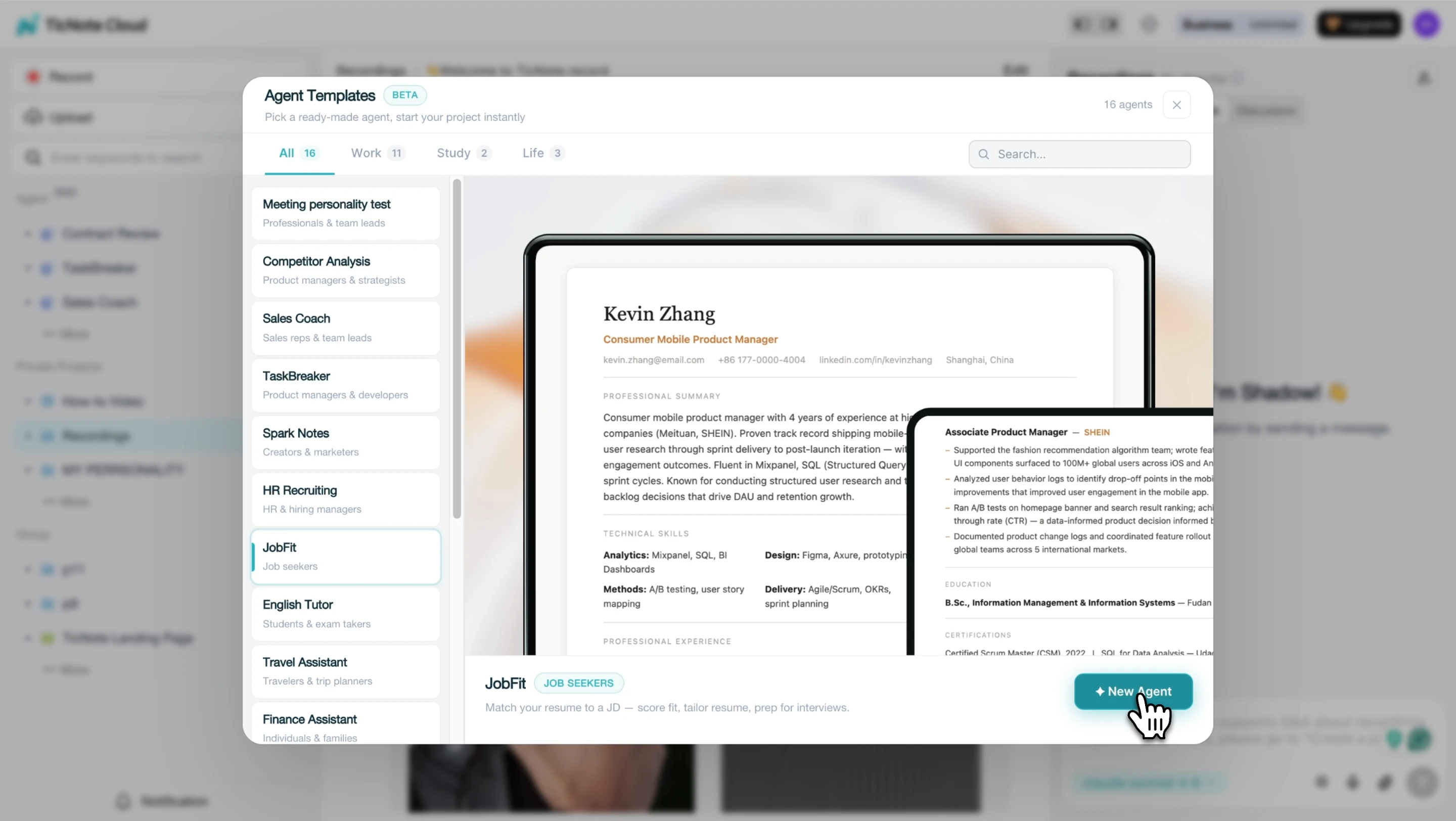
Start in TicNote Cloud by adding the JobFit skill agent from the Skill Agent library. Click Add Agent, choose JobFit, and add it to your workspace.
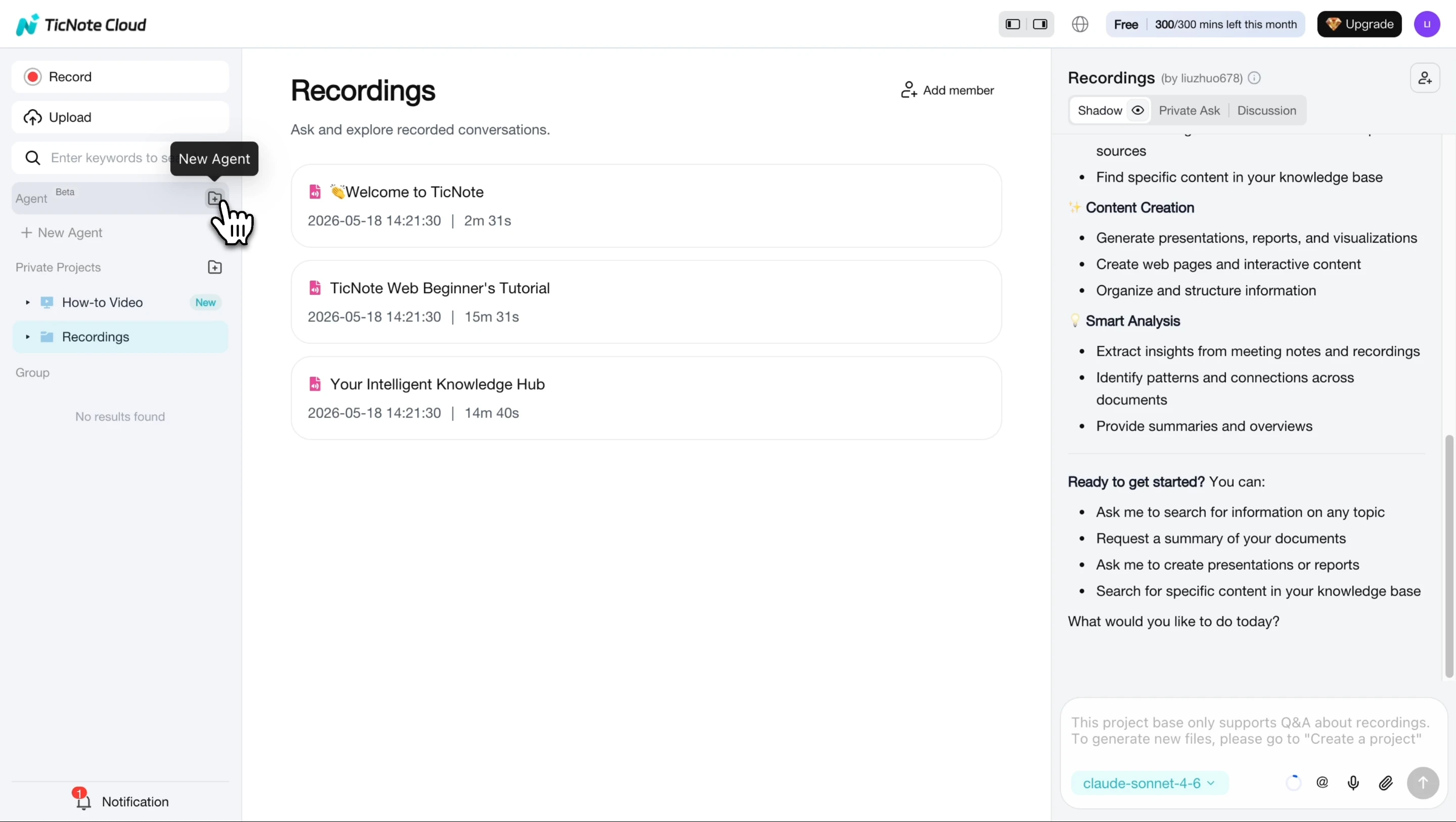
Once it appears in your agent list, you can use it right away.
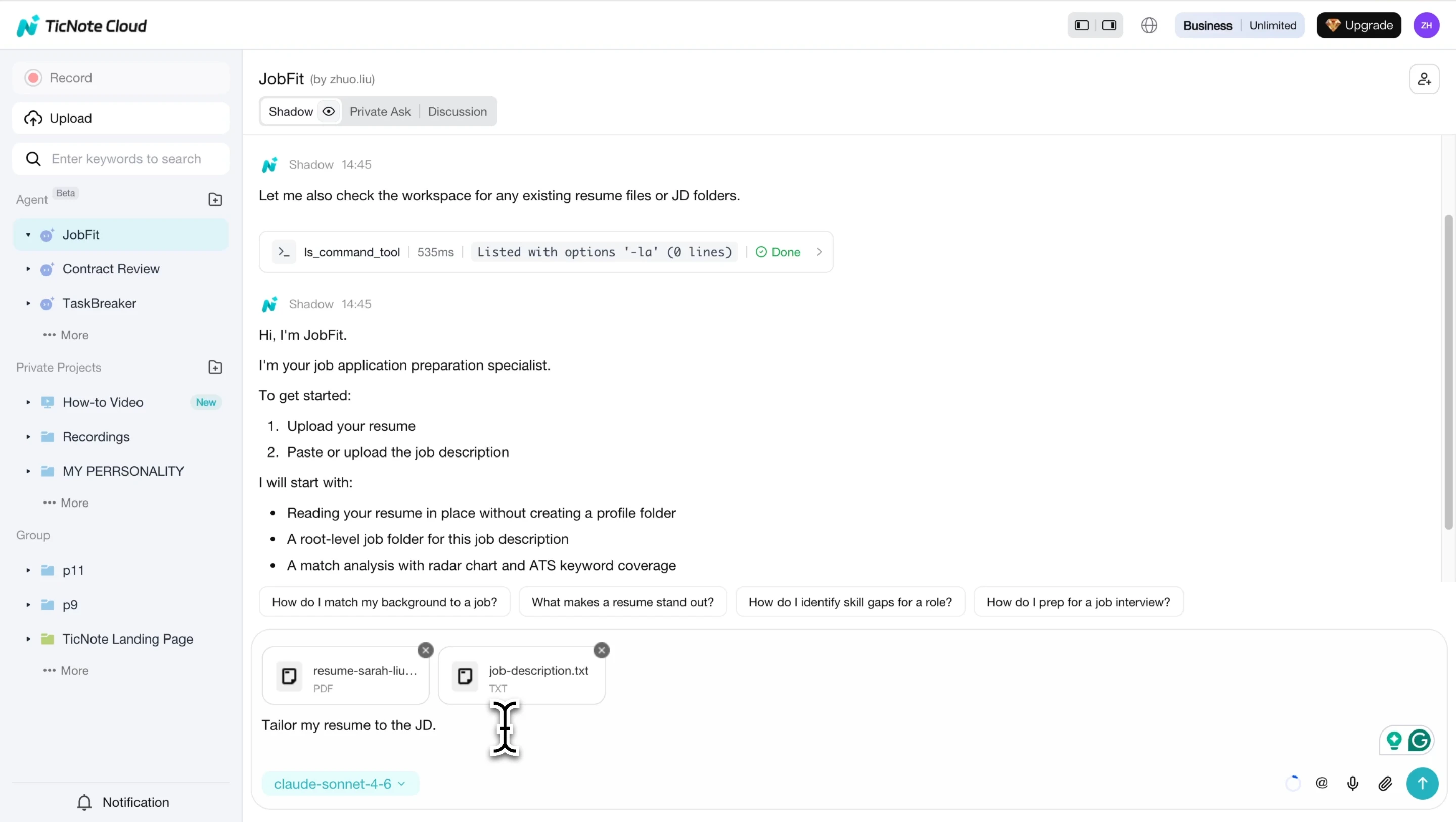
Next, upload your resume PDF and paste the job description into the chat. The agent parses both documents and builds the comparison.
Use the match report to decide what to edit
Review the 7-dimension score, which can include skills match, experience level, ATS keyword coverage, title alignment, measurable impact, education or certifications, and risk gaps. The radar chart shows weak areas fast: a short spoke means that part needs work. Then check the ATS keyword table for present, missing, and partial terms.
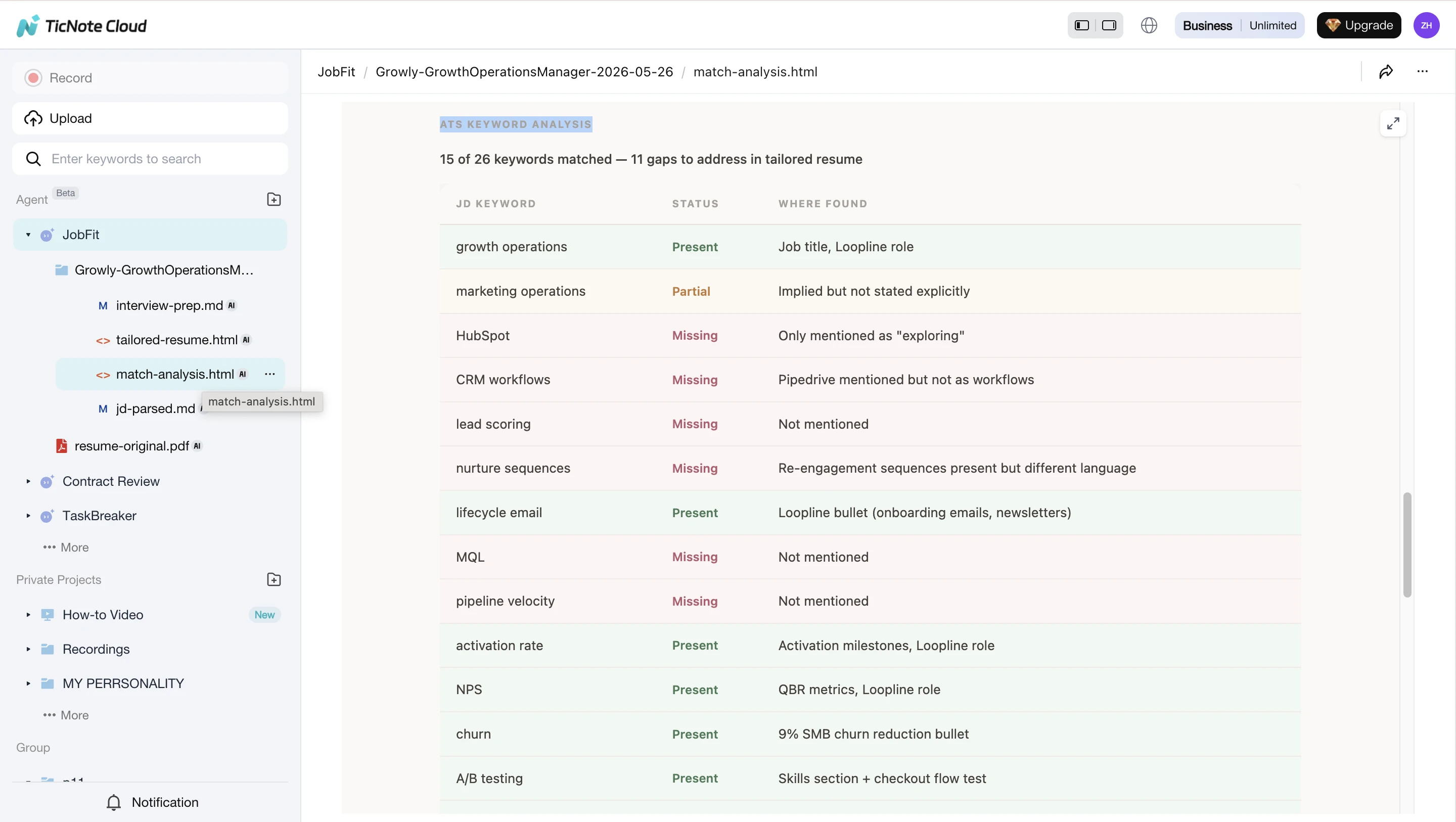
Edit first for must-haves and repeated terms. Don't stuff keywords. Add them only when your real experience supports the claim.
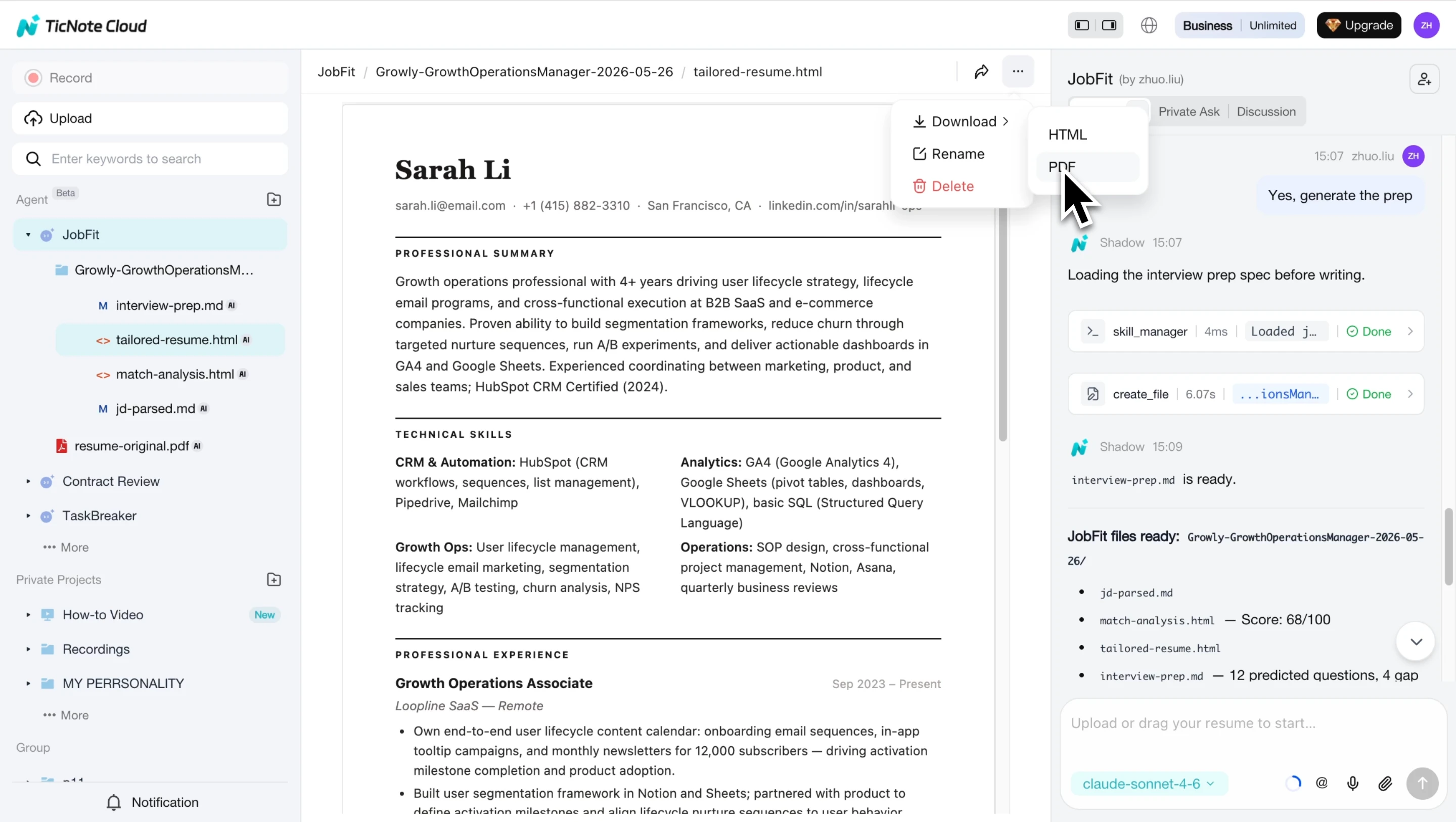
Download the resume and prep guide
Generate the one-page ATS-friendly resume and role-specific interview prep guide. Use the guide to prepare likely questions, proof stories, and honest gap mitigations.
Before applying, verify every bullet, title, date, metric, and tool. Adjust wording so it matches your actual work.
Create one application folder per role: save the JD, tailored resume, and interview notes together. This habit also helps if you track broader career systems, much like teams compare tools in a sales enablement stack. On mobile, use the shorter flow: open the workspace, upload the resume file, paste the JD, then download the tailored resume and interview guide. For a quick check, Try TicNote Cloud for Free and use the job application skill agent to compare your resume against a job posting before you apply.
Final Review Before You Apply
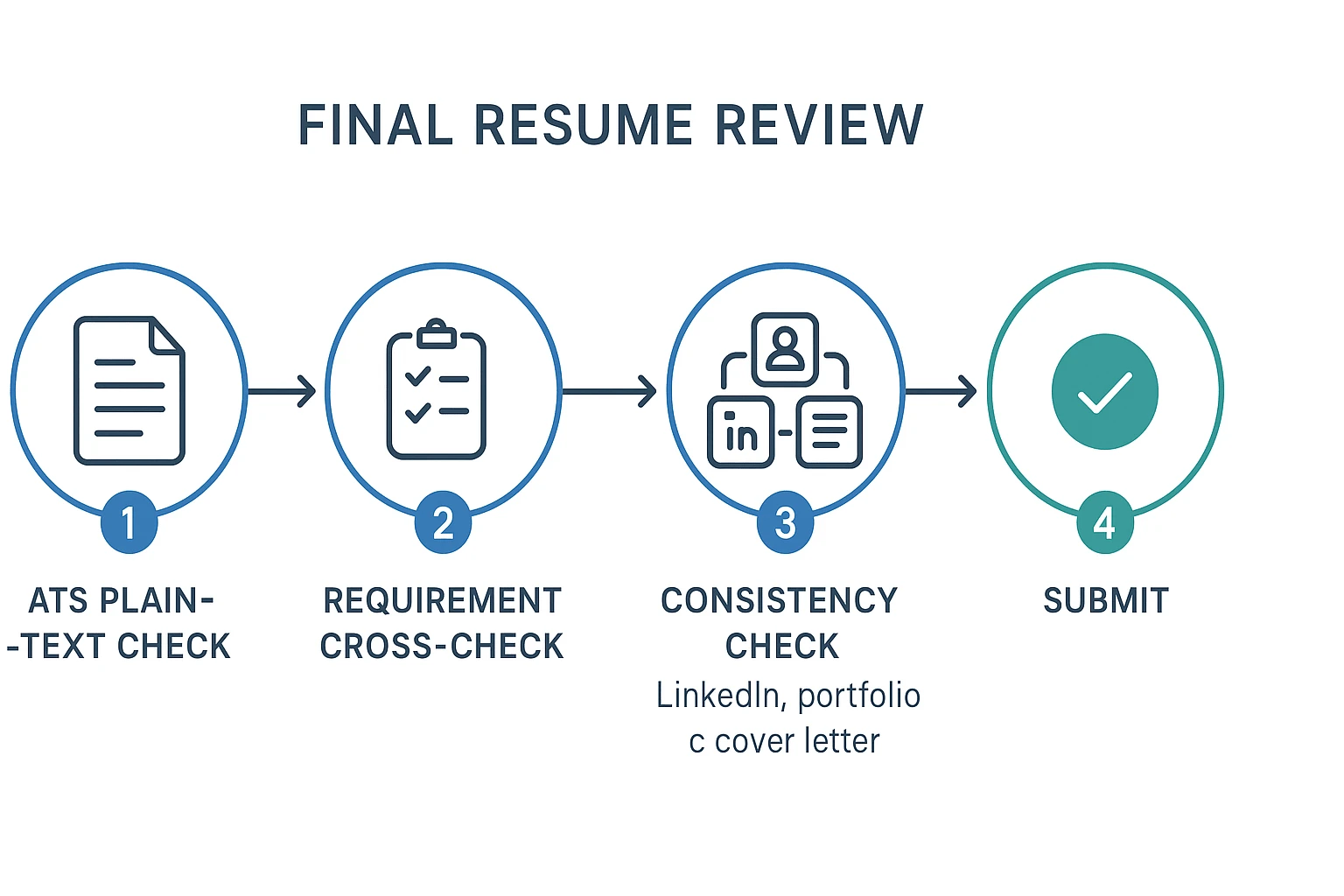
Before you submit, do one last quality check. This is the fastest way to catch formatting issues and prove you know how to tailor resume to job description without adding claims you can't defend.
Run a plain-text ATS check
Copy your resume into a plain-text editor. Then scan it like an applicant tracking system (ATS), which reads text before design. Confirm:
- Headings appear in the right order
- Bullets stay under the correct role
- Dates are clear and consistent
- Tools and must-have keywords are readable
- No key skill is trapped in a graphic, icon, header, or table
Save the final file in the format requested by the employer, usually PDF or DOCX. Use a clean name like FirstName-LastName-Role-Resume.pdf.
Compare each requirement one last time
Review the job posting line by line. Every must-have should have two proof points: the skill appears in your resume, and at least one bullet shows how you used it.
Use this recruiter-style rubric:
- Role fit is visible in the first third of the page.
- Impact is measurable where possible.
- Tools, methods, and industries are clear.
Check every public claim
Match your resume against your cover letter, LinkedIn, and portfolio. Titles, dates, metrics, and core stories should align. Finally, rehearse every tailored bullet using STAR: situation, task, action, result. If you can't explain it clearly, remove it.
Final Thoughts
The fastest way to learn how to tailor resume to job description is to map evidence before you edit. Match each requirement to a real project, metric, tool, or result. Then rewrite only the bullets that prove fit, keep formatting ATS-friendly (plain headings, standard dates, clean text), and align keywords honestly.
Use this order:
- Map requirements.
- Rewrite bullets with proof.
- Add exact terms only when true.
- Remove confusing or inflated claims.
Fewer, stronger applications beat 20 rushed submissions. If you use AI, treat it as a drafting and analysis assistant. Your credibility still comes from accurate details and proof.


