


 Extension
TL;DR
A vendor list template keeps all your supplier information, including names, contacts, payment terms, categories, and performance ratings, in one structured place. This article covers three ready-to-use templates written in full with realistic example values, plus practical guidance on organizing and maintaining your vendor database.
Try TicNote Cloud for Free and build your vendor database automatically from uploaded supplier documents, no copy-pasting required.
Most small procurement teams maintain vendor info in a shared spreadsheet that gets outdated the moment a contact changes. An organized vendor list template fixes the structure, but TicNote Cloud's Supplier Management skill takes it further: upload your contracts and quotes and it builds your live vendor database automatically, with price alerts included.
What should a vendor list template include?
A vendor list is only useful if it captures the right information consistently. Missing a contract expiry date or using an outdated contact email costs time and occasionally money.
Essential fields for every vendor record
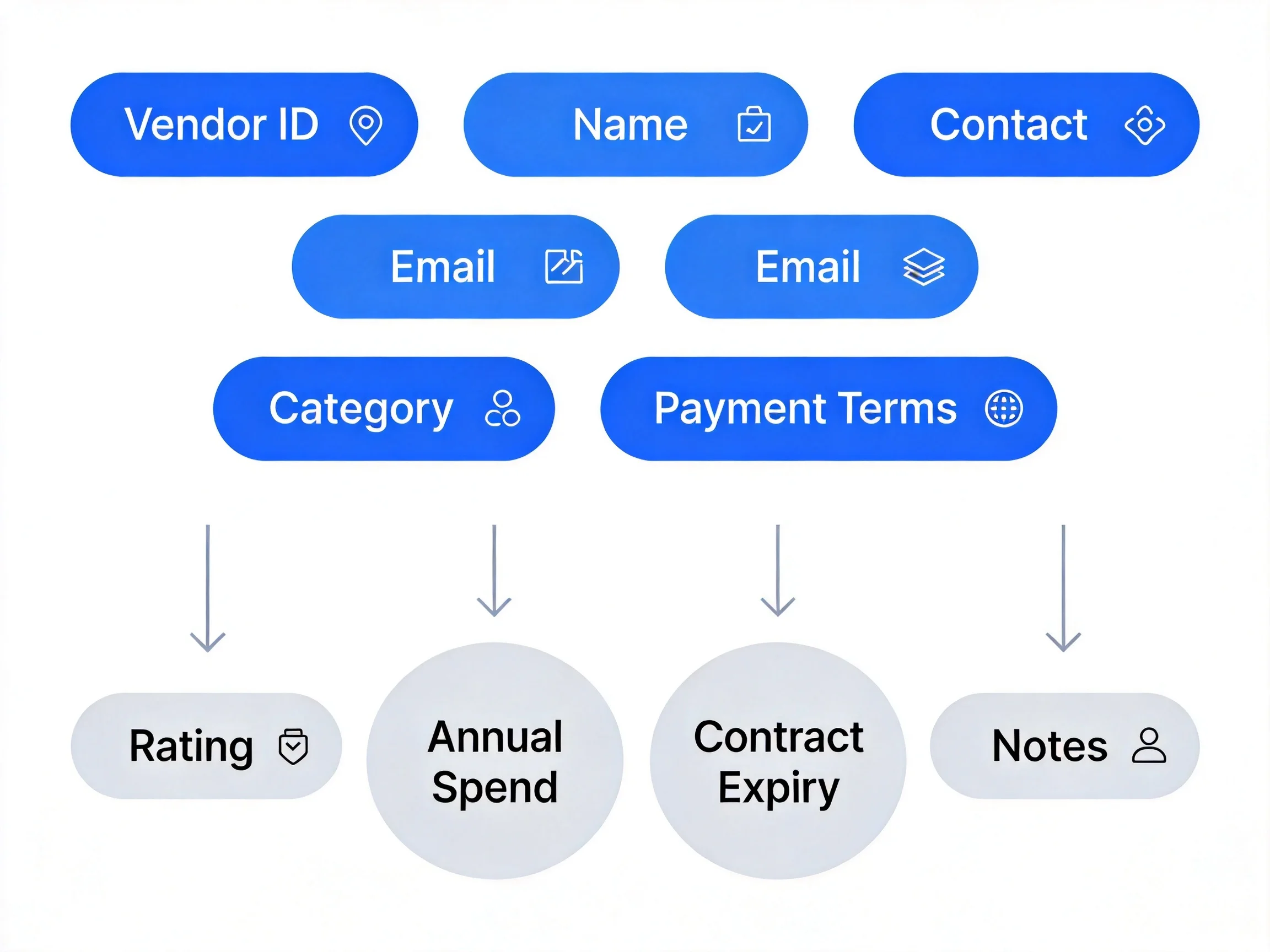
Every vendor entry should include these ten fields at minimum:
- Vendor ID: a unique identifier (e.g., V-001) used to reference the vendor in POs, invoices, and contracts
- Vendor/Company Name: the legal or trading name of the supplier
- Primary Contact Name: the person your team deals with directly
- Contact Email: the email used for orders, quotes, and issue escalation
- Phone Number: direct line or main office number
- Mailing Address: physical or postal address for shipping and legal correspondence
- Product or Service Category: what the vendor supplies (e.g., Packaging Materials, IT Hardware, Facilities)
- Payment Terms: the agreed settlement period (Net 30, Net 60, 50% deposit, etc.)
- Contract Start and End Date: when the current agreement begins and expires
- Approved Status: yes/no, indicates whether the vendor is cleared for open POs
Optional fields worth adding as you grow
Once you manage more than 10 active vendors, these fields help you make better sourcing decisions:
- Vendor Rating (1-5): a simple score based on delivery reliability, quality, and communication
- Notes/Last Interaction: brief log of the most recent issue or conversation
- Annual Spend: total value of orders placed with this vendor in the past 12 months; useful for identifying negotiation leverage
- Alternative Contact: backup contact in case the primary is unavailable
- Bank/Payment Details Reference: a cross-reference ID pointing to your finance system, not the account number itself
Free vendor list templates (with example values)
Three templates below, written in full with realistic example values. Copy the one that fits, adapt the fields, or use TicNote Cloud to have your vendor database built automatically from your actual supplier documents.
TicNote Cloud Auto-Built Vendor Database
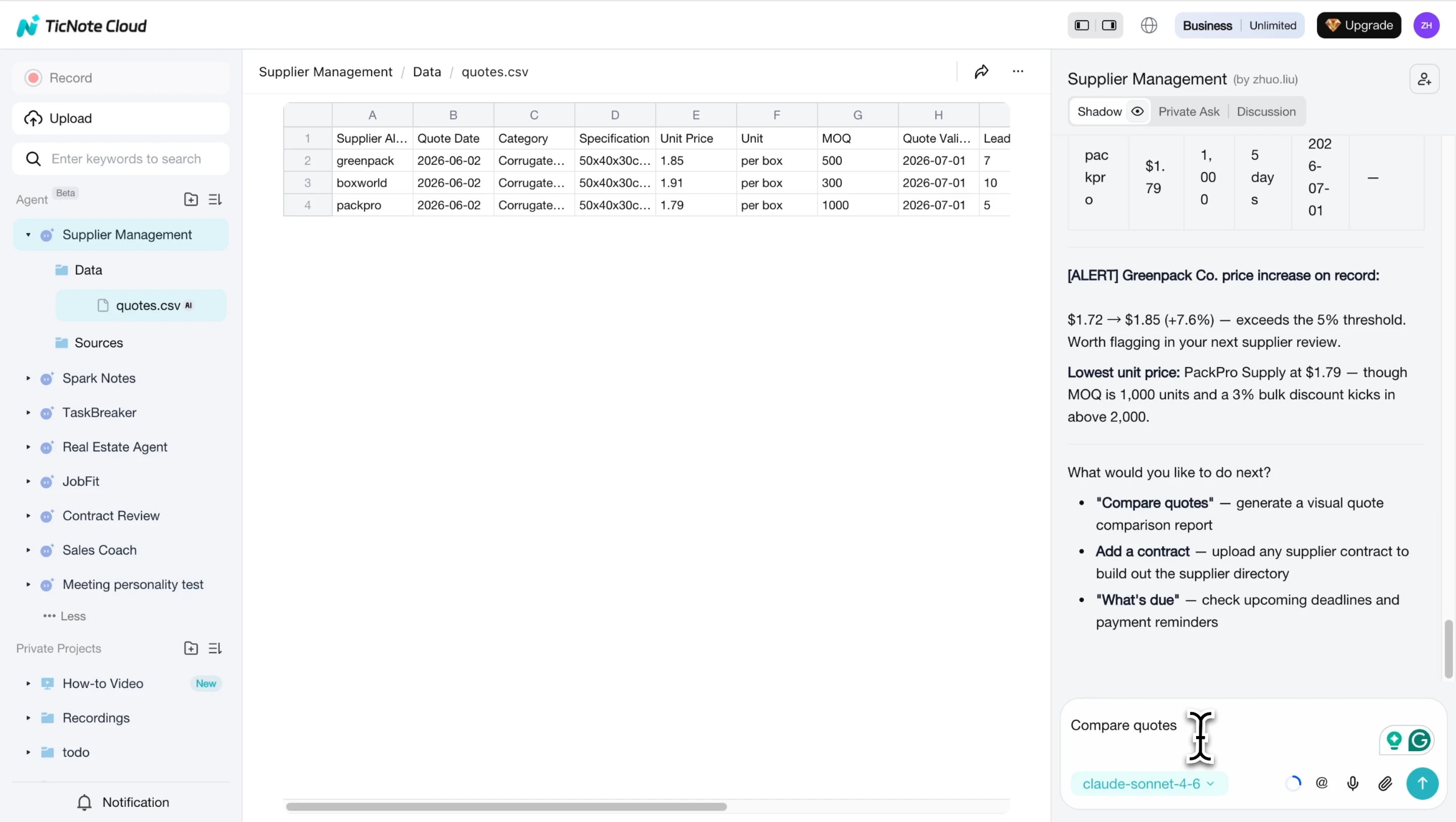
Upload supplier contracts, quotes, or delivery notes to TicNote Cloud's Supplier Management skill and the AI parses each document automatically: vendor name, contact, pricing, lead times, payment terms, and MOQ are extracted and added to your live vendor database. No copy-pasting, no manual entry. If a new quote shows a price change of more than 5% compared to the previous record, TicNote fires a price alert in chat before anything else.
Here is what the auto-built vendor database looks like in practice:
Vendor Database: Packaging Suppliers
Last updated: 2026-06-09
Price Alert: PackPro Supply quote received 2026-06-02 shows no change vs previous record.
Basic Vendor Contact List Template
The starting point for any team managing multiple suppliers. Focus is on contact information, category, and payment terms, so you can reach the right person and know how you pay them.
Vendor Contact List
Last reviewed: [Date]
Owner: [Procurement Manager Name]
| Vendor ID | Vendor Name | Contact Name | Phone | Address | Category | Payment Terms | Status | Payment Terms | Status | |
| V-001 | Apex Office Supplies | Sarah Chen | s.chen@apexoffice.com | 312-555-0101 | 200 N Michigan Ave, Chicago IL 60601 | Office Supplies | Net 30 | Active | Net 30 | Active |
| V-002 | CleanPro Services | Mike Torres | m.torres@cleanpro.com | 312-555-0188 | 45 W Wacker Dr, Chicago IL 60606 | Facilities/Cleaning | Net 15 | Active | Net 30 | Active |
| V-003 | TechParts Direct | Linda Wu | l.wu@techpartsdirect.com | 312-555-0244 | 875 N Michigan Ave, Chicago IL 60611 | IT Hardware | Net 45 | Under Review |
Approved Vendor List (AVL) Template
An approved vendor list is a curated directory of suppliers your organization has pre-vetted. Vendors on the AVL are cleared to receive purchase orders without an additional approval step. This is useful when multiple team members place orders, as it prevents unauthorized or unvetted suppliers from entering your supply chain.
For teams building contract sign-off workflows alongside their vendor list, a contract review checklist is a natural companion document.
Approved Vendor List
Maintained by: [Procurement Team]
Review cycle: Quarterly
Last reviewed: [Date]
| Vendor ID | Vendor Name | Category | Approval Date | Approved By | Contract Value | Contract Expiry | Rating (1-5) | Notes |
| V-001 | Apex Office Supplies | Office Supplies | 2024/1/15 | J. Martinez | $24,000/yr | 2025/1/14 | 4 | Reliable delivery; occasionally backordered on copy paper |
| V-002 | FastParts Inc | Industrial Equipment | 2023/9/1 | R. Patel | $60,000/yr | 2024/8/31 | 5 | Emergency supplier, 48hr delivery guaranteed |
| V-003 | Web Studio Agency | Design/IT Services | 2024/3/10 | J. Martinez | $18,000/yr | 2025/3/9 | 3 | Quality good; communication delays on revision rounds |
How to organize vendor information effectively
The templates above give you the structure. These four habits keep that structure useful over time.
Keep one master list, not multiple spreadsheets
Fragmented vendor files, one per department, one per year, create duplicate records and outdated contacts. When the Facilities team and the IT team each maintain their own vendor list, you end up with two different email addresses for the same supplier and no way to know which one is current. One master list, shared and version-controlled, is always the right call.
Assign unique vendor IDs from day one
Even if you have five vendors today, IDs like V-001 and V-002 make it easy to reference a supplier in POs, invoices, and contracts without typing the full company name. They also prevent confusion when two vendors have similar names.
Review and update on a set schedule
A vendor list that hasn't been reviewed in six months is already unreliable. Set a quarterly reminder to verify contact details, check for upcoming contract renewals, and update performance ratings based on recent orders. A standard operating procedure for your vendor review cycle takes the guesswork out of when and how to do it.
Flag contract expiry dates before they become urgent
TicNote Cloud's Supplier Management skill surfaces upcoming contract deadlines at every session start, categorized as URGENT, IMPORTANT, WATCH, or INFO. No separate calendar reminder needed: the system checks your archived contracts automatically and tells you what needs attention.
Conclusion
A vendor list template is the foundation of organized supplier management. It prevents lost contacts, missed contract renewals, and duplicate orders. The three templates above cover the most common setups: a basic contact list for everyday reference, an approved vendor list for teams with formal procurement controls, and a TicNote-generated database for teams that want their vendor records built automatically from uploaded documents.
Try TicNote Cloud free today and have your vendor database populated from your first supplier upload in minutes.


