


 Extension
TL;DR
A standard operating procedure (SOP) is a written document that tells your team exactly how to perform a task, the same way, every time. For small businesses, SOPs reduce errors, speed up onboarding, and make it easier to scale without being the bottleneck.
Try TicNote Cloud for Free and build your first SOP from meeting notes and team discussions using the Startup COO skill.
Most small business owners know they should document their processes. Almost none do it, because writing SOPs from scratch is slow and generic templates don't reflect how your business actually works. TicNote Cloud's Startup COO skill generates company-specific SOPs from your actual context, so you don't have to start from a blank page.
What Is a Standard Operating Procedure for Small Businesses?
A standard operating procedure for small business is a written document that tells someone how to complete a task correctly and consistently. As defined by EPA Guidance for Preparing Standard Operating Procedures (QA/G-6, 2007), "A Standard Operating Procedure (SOP) is a set of written instructions that document a routine or repetitive activity followed by an organization." For a small team, that means capturing the 'how' so the owner or resident expert doesn't have to explain it from scratch every time.
SOP definition in plain language
An SOP is a written document that tells someone how to complete a task correctly and consistently. It captures the 'how' so the owner or expert doesn't have to explain it every time. The document doesn't require specialized knowledge to write, just clarity about what the process involves and who does what.
Why SOPs matter more for small teams
In a five-person business, one key employee leaving can stall operations. SOPs prevent that. They create consistency across staff, speed up onboarding for new hires, and reduce the owner's dependency on tribal knowledge. When everyone works from the same written instructions, output stays predictable even as the team changes.
SOP vs. work instructions vs. policy
These three document types are often confused. Here's how they differ:
| Document Type | Covers | Format | Example |
| SOP | Who/what/how for a full process | Sequential steps | Customer onboarding SOP |
| Work Instruction | Step-level detail for one specific task | Single procedure | How to process a return in the POS system |
| Policy | Rules and guidelines, not a how-to | Statement of rules | Refund eligibility policy |
For SOP templates for startups including onboarding, sales, and operations formats, the linked guide has copy-ready versions for the most common use cases.
Why Every Small Business Needs SOPs
Documented processes aren't just for enterprise teams. For a small business, they're the infrastructure that lets you grow beyond yourself.
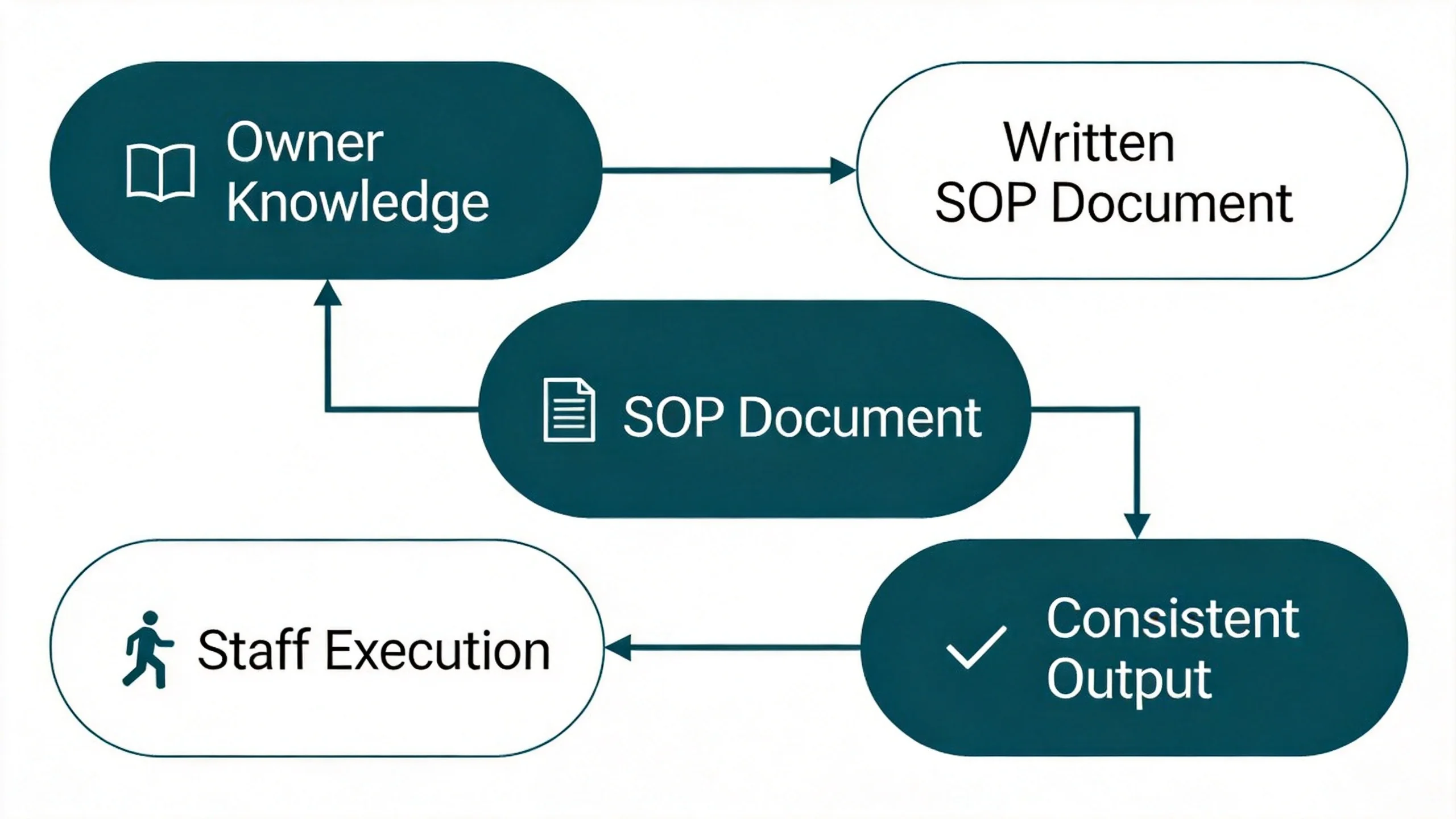
Consistent output without constant oversight
When staff have written instructions, every customer gets the same experience regardless of who's on shift. The owner doesn't have to micromanage. The process doesn't depend on memory or mood.
Faster employee onboarding
New hires learn faster from written SOPs than from shadowing or repeated verbal explanations. Instead of spending the first two weeks asking basic questions, they work through documented steps independently. That frees your experienced staff to do actual work.
Easier to scale and delegate
When you want to hire more people or open a second location, documented processes transfer without friction. Nothing is locked in someone's head. The SOP travels with the role, not the person.
Audit and compliance protection
For regulated industries -- food service, healthcare, financial services -- SOPs demonstrate that your operations meet compliance standards. Inspectors and auditors want to see written evidence that your team follows consistent procedures, not just assurances that they do.
4 Types of SOPs (and When to Use Each)
Not every process needs the same format. The right SOP type depends on how the process flows and how trained the person doing it already is.
| TypeBest ForFormatExample Use Case | |||
| Step-by-step | Linear tasks with no branching | Numbered list | Processing an online order, opening a retail store |
| Checklist | Routine tasks where staff are already trained | Checkbox list | Daily closing checklist, weekly inventory review |
| Flowchart | Tasks with conditional decisions | Decision tree | Customer complaint handling, refund approval workflow |
| Hierarchical | Complex multi-department processes | Nested sections | Employee onboarding at a 20+ person company |
Which type to start with
For most small businesses, step-by-step SOPs are the right first format. They're easy to write, easy to follow, and cover the majority of small-team processes. Start with your three to five most critical operations -- the ones where inconsistency costs you the most: money, time, or customers.
Use checklist SOPs for tasks your team already knows how to do but needs a structured reminder for. Reserve flowcharts for processes with real decision points (e.g., "if the customer asks for a refund, go to step 4B"). For a product requirements document template that complements your SOPs in product-facing operations, the linked guide covers a structured format for capturing feature specs alongside process docs.
How AI Helps You Write a Standard Operating Procedure for Small Business
The hardest part isn't knowing the process -- it's getting it out of your head and into a format your team will actually follow. AI handles that gap.
The steps below use the Startup COO skill on TicNote Cloud as an example, available on both Web and App platforms.
Step 1: Add the Startup COO skill agent
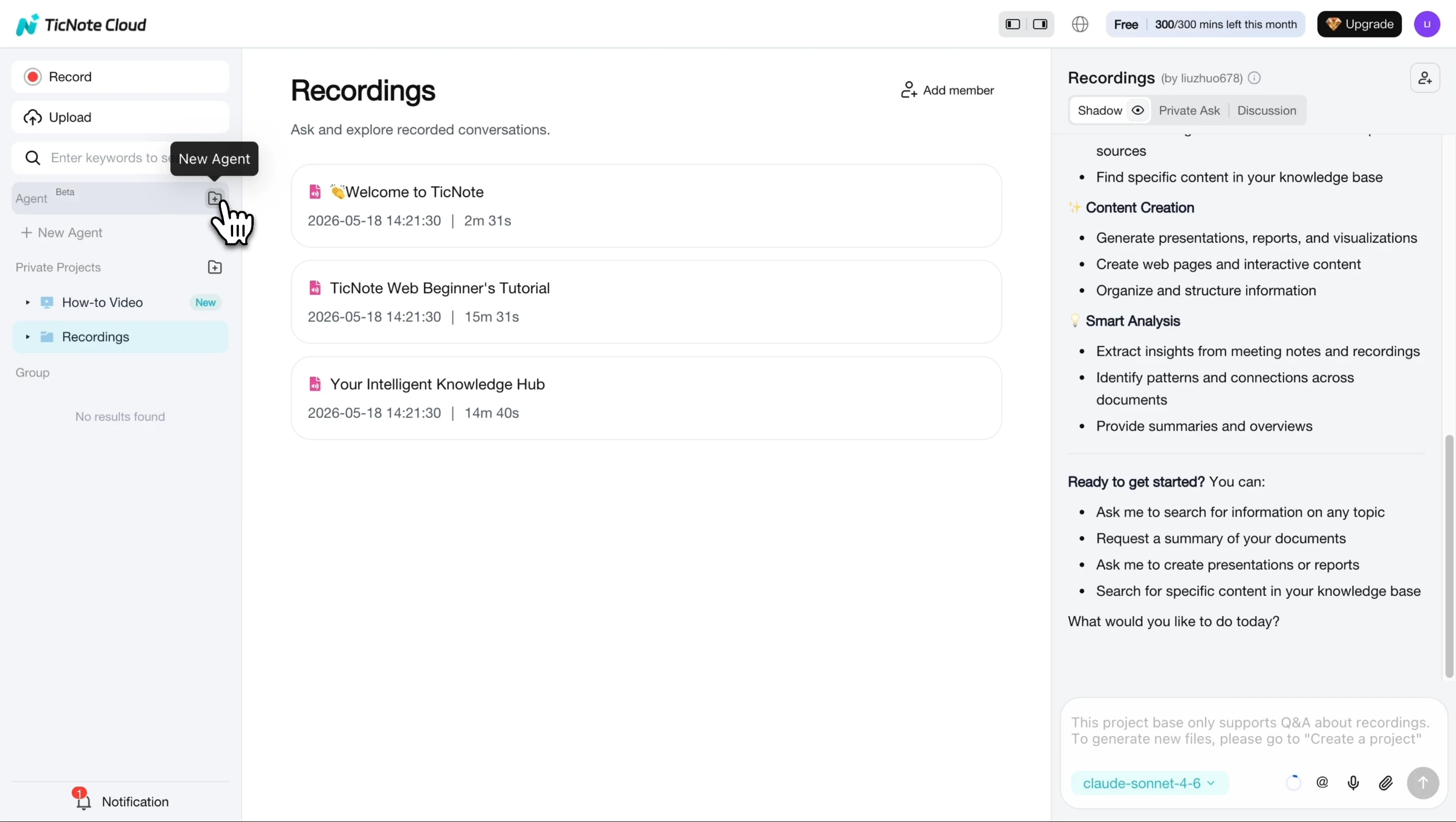
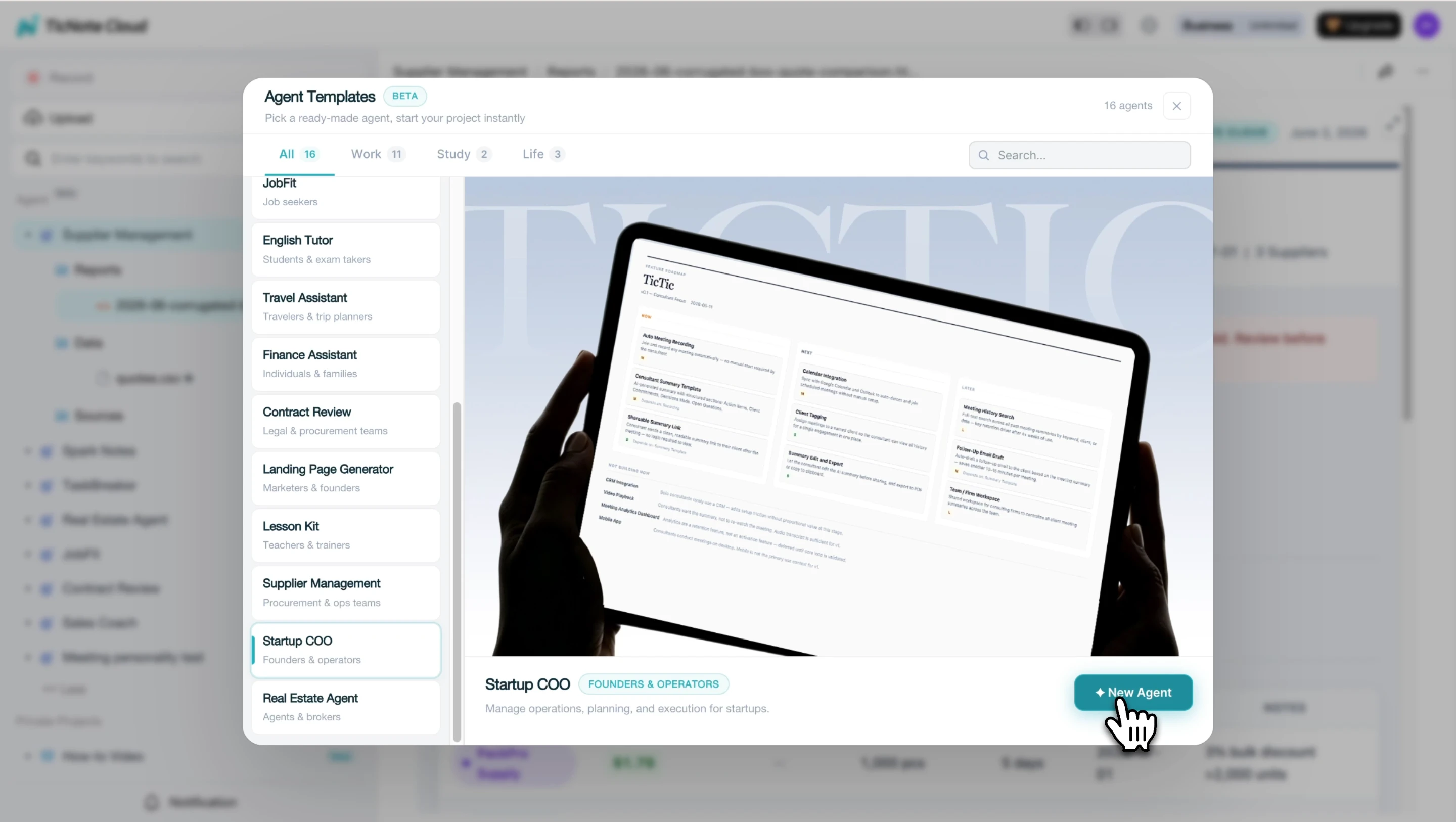
In TicNote Cloud, click Add Agent and browse the Skill Agent library. Select the Startup COO skill to add it to your workspace. No configuration is required.
Step 2: Choose which process to document first
Start with the process that causes the most errors or is hardest to explain verbally. Common first SOP candidates: customer onboarding, invoicing and payment collection, or order fulfillment. Pick the one that would hurt most if a new hire got it wrong.
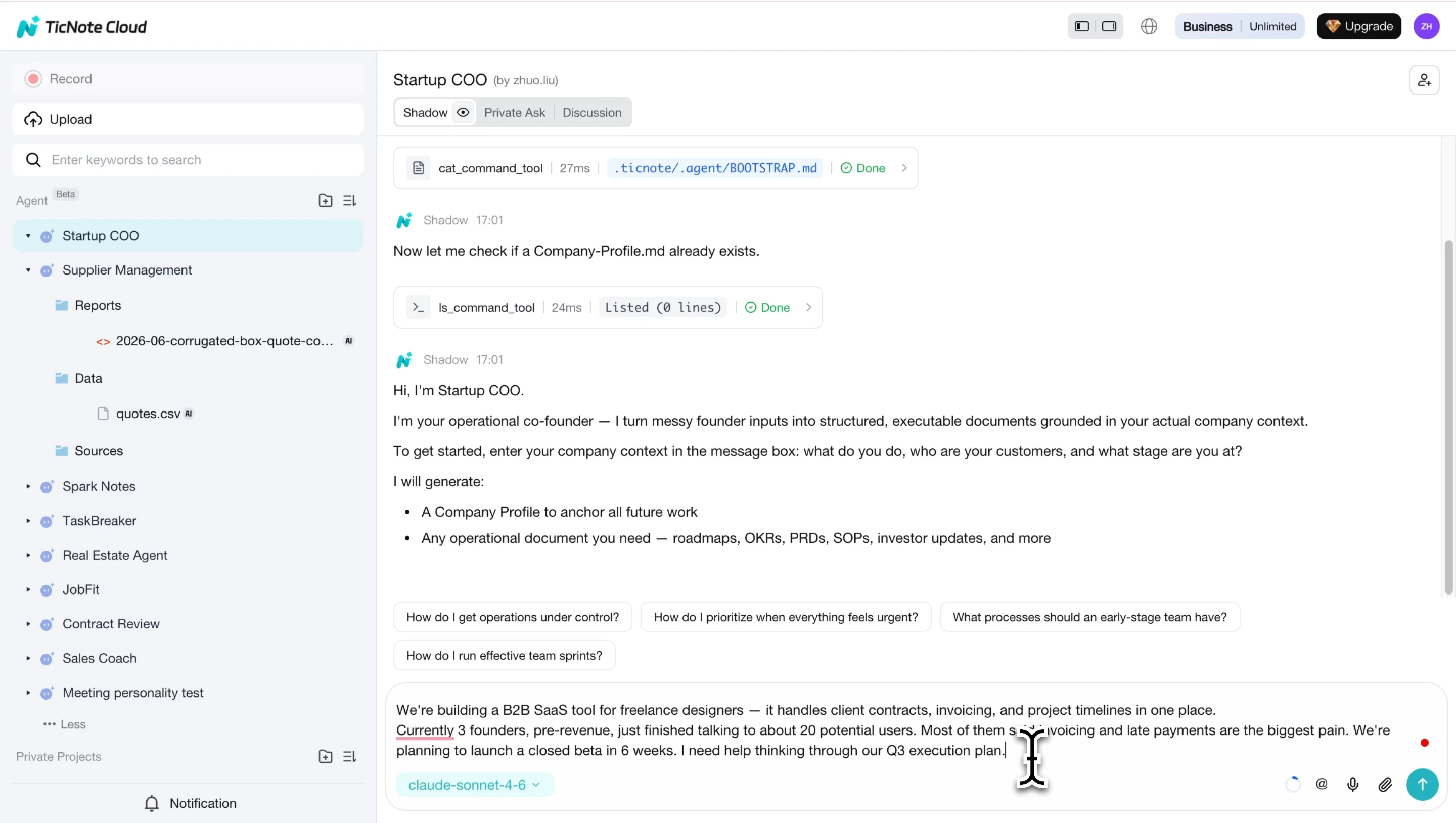
Step 3: Describe the process to the Startup COO agent
Tell the agent what your company does, then describe the process: who does it, when, what tools or systems are involved, and what a correct outcome looks like. The skill saves this as a Company Profile and uses it to generate a structured SOP specific to your business.
Step 4: Review the generated SOP draft
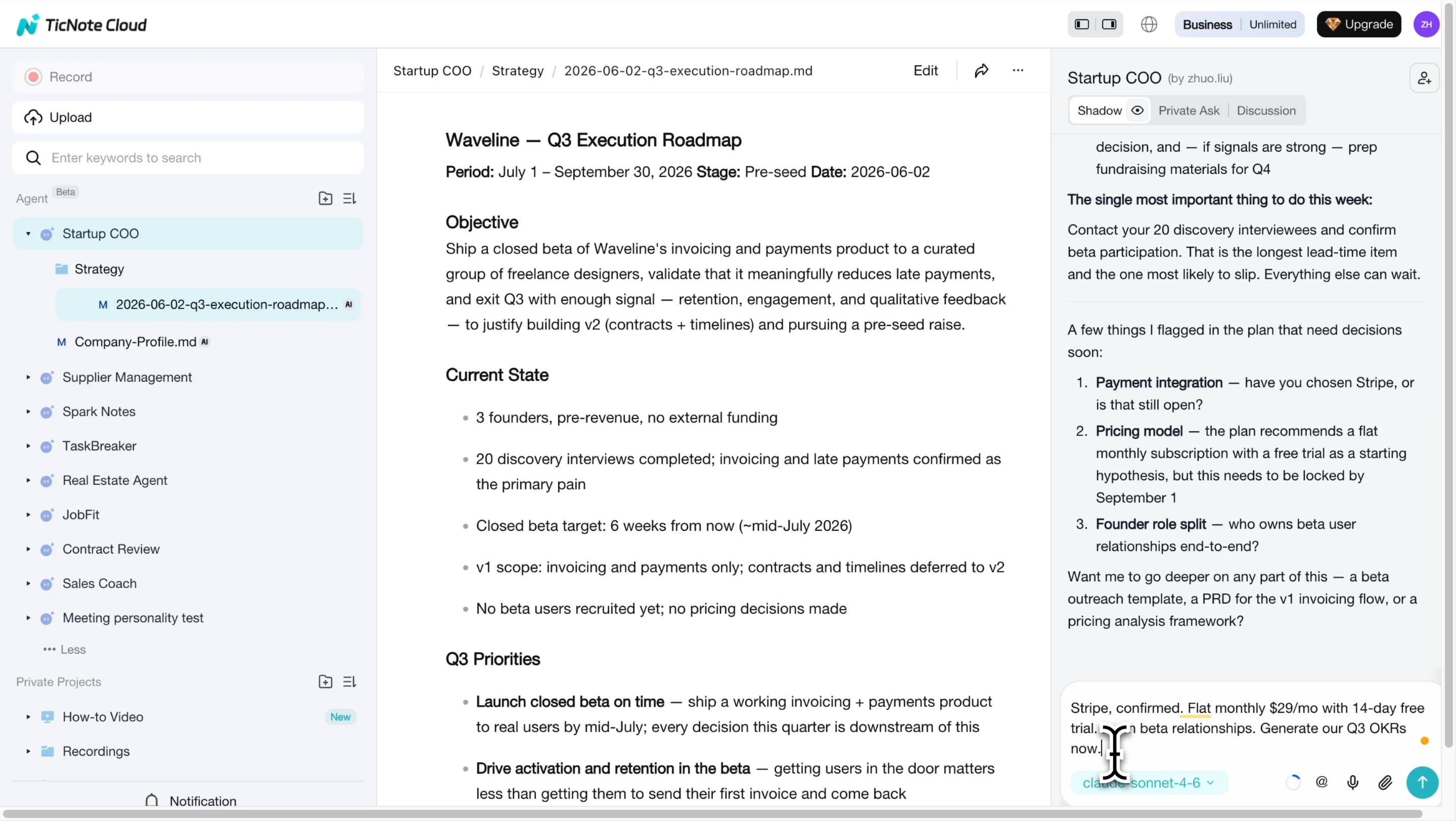
The Startup COO skill generates an initial SOP using the four-part structure: title and purpose, scope, step-by-step instructions, and quality check. Review the draft and answer any clarifying questions from the agent to sharpen the output.
Step 5: Get feedback from the person who does the task
Have the employee who normally runs this process review the draft for gaps or unclear steps. They'll catch edge cases and exceptions that you didn't mention in the initial description.
Step 6: Test, revise, and publish
Run a new employee through the SOP. Watch where they pause or ask questions. Revise those steps, then save the final version as the official document. The Startup COO skill renders the final SOP ready for sharing.
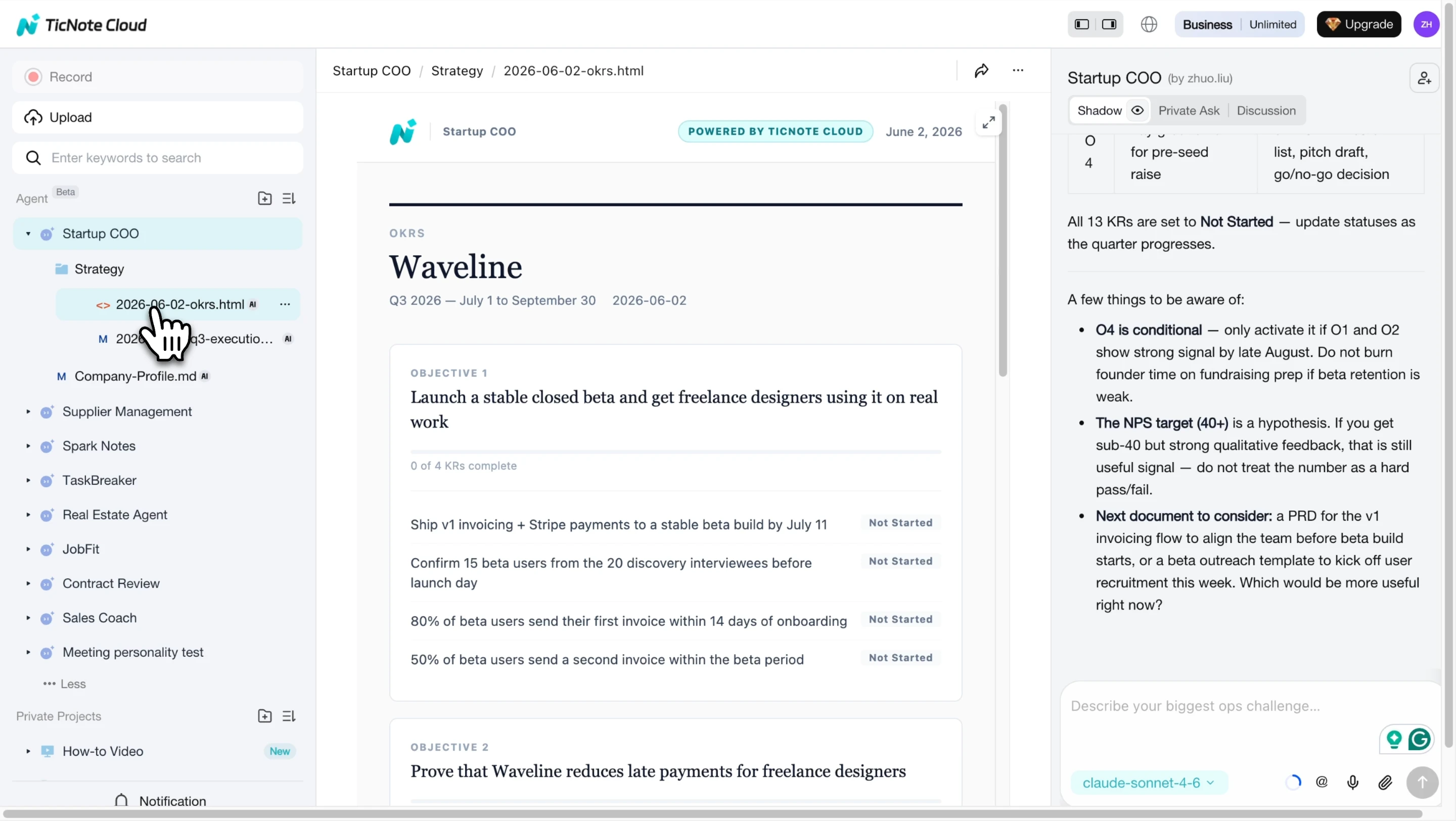
App workflow: The same process runs on iOS and Android. Launch the Startup COO skill agent from the app, describe the process in plain language, and receive a structured, company-specific SOP document.
Try TicNote Cloud for Free to generate your first SOP from your actual company context in minutes.
Small Business SOP Template (Copy-Ready)
Use this template for any process in your business. Fill in every section -- a half-complete SOP is harder to follow than no SOP at all.
Title: [Process Name]
Version: [1.0] | Date: [MM/DD/YYYY] | Owner: [Name or Role]
Purpose: [1-2 sentences explaining why this process exists and what outcome it achieves]
Scope: Applies to [roles or departments that use this process]
Prerequisites: [Tools, system access, or prior knowledge required before starting]
Procedure:
- [Step 1 action -- expected outcome]
- [Step 2 action -- expected outcome]
- [Step 3 action -- expected outcome]
- [Continue as needed]
Quality Check: [What does a correctly completed task look like? What should the output include?]
Related Documents: [Links or references to other SOPs, policies, or templates that apply]
Filled-in example: Customer onboarding SOP (Waveline)
Title: New Customer Onboarding
Version: 1.0 | Date: 04/15/2025 | Owner: Customer Success Lead
Purpose: To ensure every new Waveline customer is activated, trained, and generating value within 14 days of signing.
Scope: Applies to Customer Success and Sales teams for all new accounts.
Prerequisites: Access to CRM (Salesforce), onboarding email templates (Google Drive > CS > Templates), and customer's signed contract.
Procedure:
- Send welcome email within 24 hours of contract signing. Use Template A. CC account owner.
- Schedule kickoff call for Day 3-5. Confirm attendees (champion + technical lead from customer side).
- Run kickoff call: review goals, confirm data integration requirements, agree on success metrics.
- Send CRM integration guide and set up support Slack channel by end of Day 5.
- Complete first data sync check on Day 7. Flag any errors to engineering within 2 business hours.
- Send 14-day check-in survey on Day 14. Log responses in CRM.
- Schedule 30-day business review if customer score is 7 or above.
Quality Check: Customer has completed CRM integration, logged first pricing recommendation, and responded to Day 14 survey by end of Week 2.
Related Documents: Integration Troubleshooting SOP | Customer Success Playbook | Escalation Policy
For a broader set of startup roadmap planning resources that work alongside your SOPs, the linked guide covers how to structure quarterly priorities alongside your operational documentation.
Conclusion
SOPs are the foundation of a business that can grow without falling apart. You don't need a consulting firm or a complex tool -- you need to document your three most critical processes this week. Once those are written, the rest follows.
Try TicNote Cloud's Startup COO skill for free and generate company-specific SOPs from your actual meeting notes and context in minutes.


