


 Extension
TL;DR: Best AI agent picks for consulting workflows
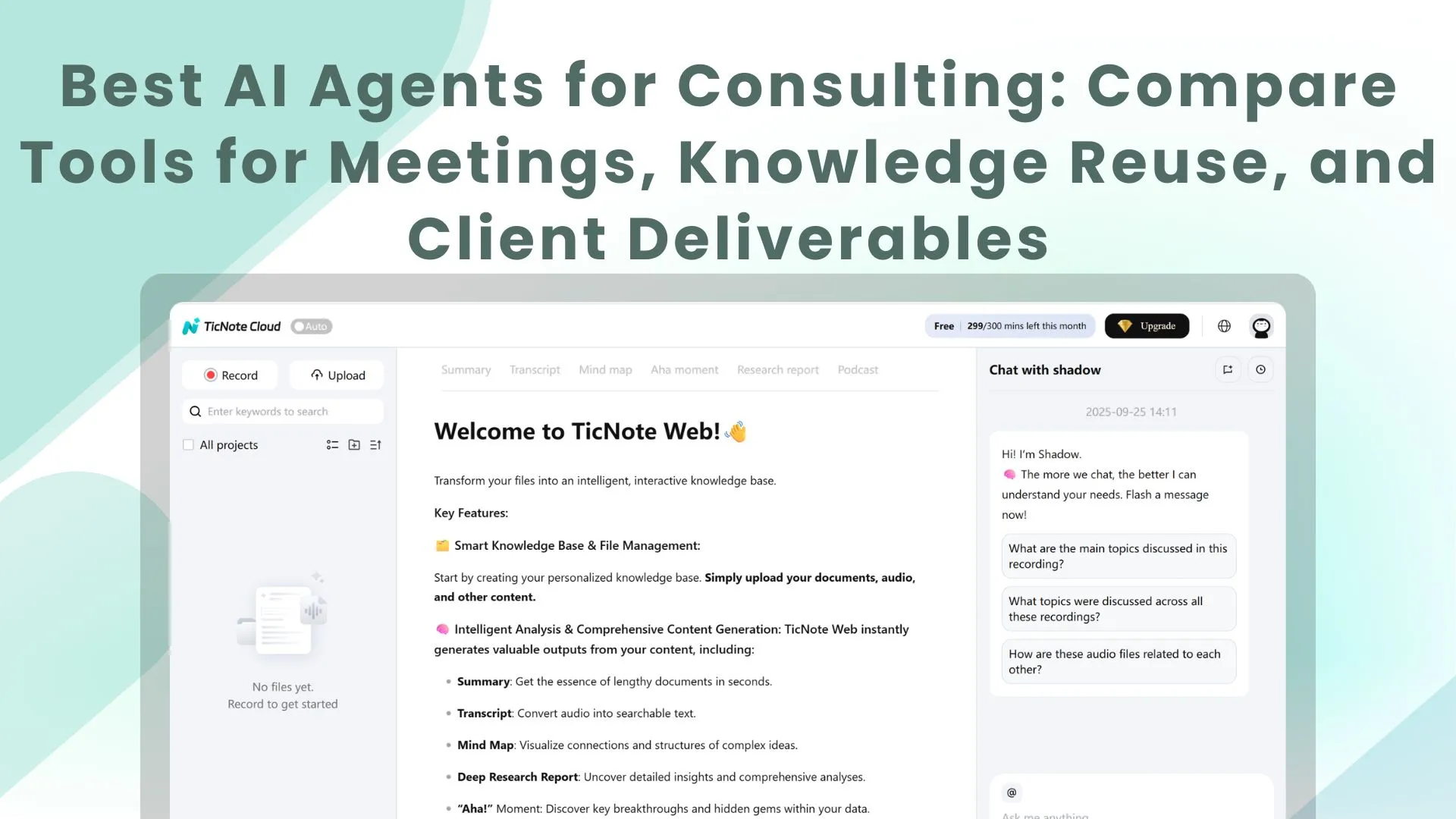
For a meeting-led AI agent for consulting, choose TicNote Cloud first: Try TicNote Cloud for Free. It captures interviews without a bot and turns them into editable transcripts, Project memory, cited Q&A, reports, and presentations.
The problem is scattered notes and source files. That slows synthesis and makes citations harder to verify. With TicNote Cloud, teams keep conversations, documents, and deliverable drafts in one reusable workspace.
Fast alternates: Fireflies.ai for sales-call intelligence; Otter.ai for shared notes; Fathom for quick summaries; Notion AI for docs; ChatGPT Enterprise for secure assistance; ClickUp Brain for tasks; Zapier Agents for automation.
What should an AI agent for consulting actually do?
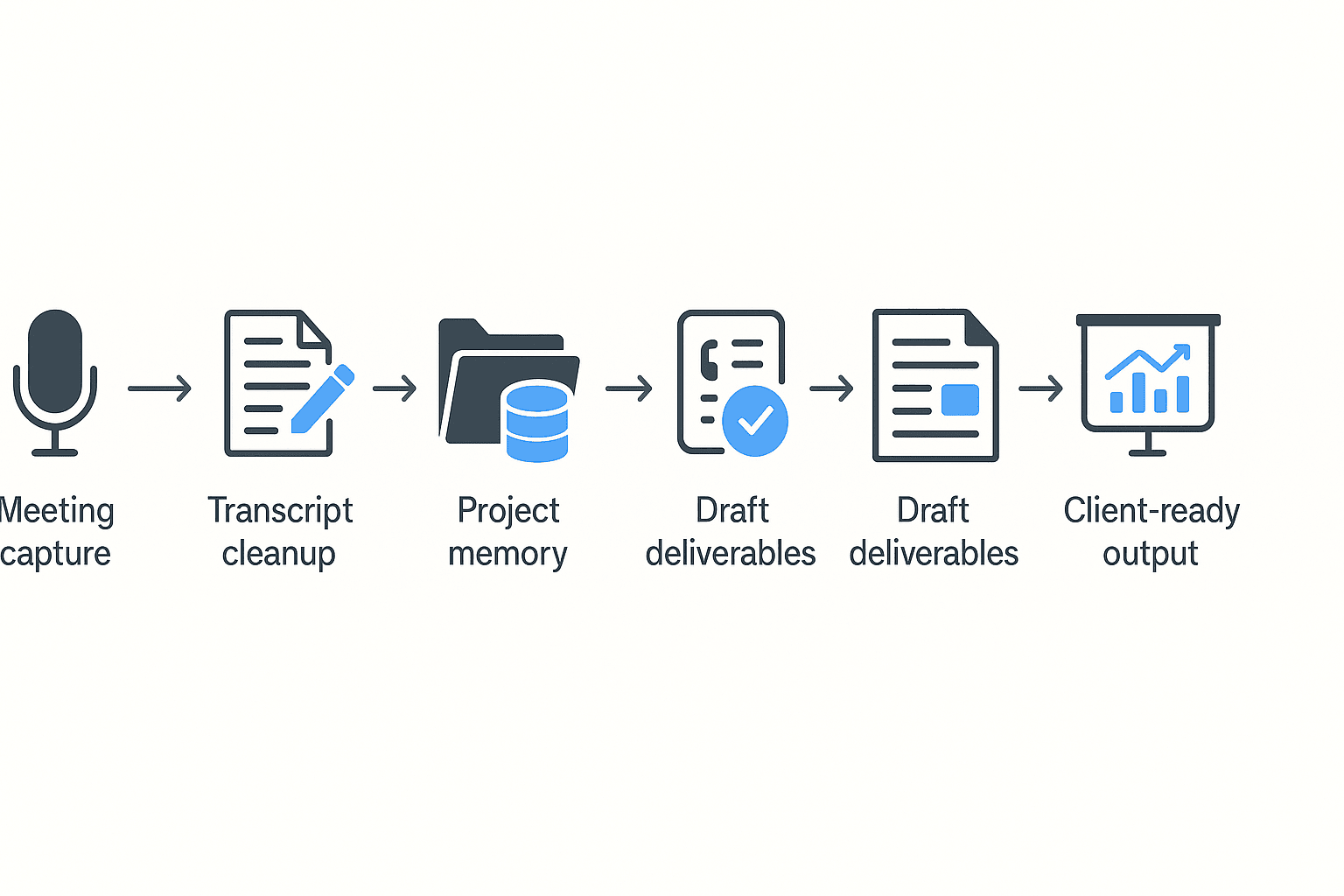
An AI agent for consulting should turn client conversations into verified work products. Consulting value starts in discovery calls, expert interviews, user research, steering committees, and workshops. The core chain is simple: capture → structure → synthesize → validate → publish. Generic assistants often break this chain because notes sit outside the project, context disappears after one chat, and claims lack traceable sources.
Preserve context from meeting to deliverable
The best AI agents for consultants keep the full workstream together: accurate meeting capture, editable transcript ownership, project folders, cross-file memory across calls and documents, cited Q&A, reusable templates, and output generation for reports, slide outlines, briefings, risk logs, and decision registers.
Workflow:
- Client interview captured
- Transcript cleaned for names and terms
- Notes and documents saved to project memory
- Consultant asks cited questions across files
- Agent drafts report sections
- Human reviews claims and recommendations
- Client-ready output is published
Use this mini rubric:
- Capture: records calls and imports files reliably
- Memory: connects interviews, docs, and prior decisions
- Citations: points answers to exact snippets
- Collaboration: supports comments, edits, and permissions
- Outputs: creates usable drafts, not just summaries
- Admin controls: protects access and audit trails
If you're comparing tools, start with the agent-versus-assistant difference before judging features.
Keep humans in the loop
Consultants should review consent, confidentiality, transcript accuracy, factual claims, interpretation, and final packaging. Don't delegate legal commitments, pricing promises, sensitive HR decisions, or final strategic judgment. The agent speeds the work; the consultant owns the advice.
Top AI agents for consulting: comparison table and fast picks
The best AI agent for consulting depends on where your work starts. If most value comes from client calls, interviews, workshops, and follow-ups, choose a meeting-centered workspace first. If your team already has clean docs, tasks, or automations, a docs-first or ops-first tool may fit better.
| Tool | Best use case | Meeting capture | Editable transcripts | Cross-file memory | Citations | Deliverable generation | Integrations/exports | Pricing approach | Key limitations |
| TicNote Cloud | Meeting-heavy consulting, research synthesis | Bot-free recording for Meet, Teams, Zoom, Lark | Yes | Project workspace | Cited cross-file Q&A with Shadow AI | Reports, presentations, podcasts, mind maps | Notion, Slack; DOCX, PDF, Markdown, HTML, Xmind | Free; Pro $$12.99/mo; Business$$29.99/mo; Enterprise | Needs setup discipline and governance |
| Fireflies.ai | Call library and sales-style follow-up | Meeting bot/recorder | Limited | Workspace search | Varies by setup | Summaries, action items | Broad CRM and app integrations | Free and paid tiers | Often export-and-rewrite for client deliverables |
| Otter.ai | Simple shared notes and live transcription | Live meeting notes | Basic | Limited | Limited | Summaries and notes | Common meeting exports | Free and paid tiers | Less depth for multi-meeting synthesis |
| Fathom | Fast summaries with low admin | Meeting recorder | Limited | Limited | Limited | Recaps and follow-ups | CRM and meeting tools | Free and paid tiers | Not built for reports or presentations |
| Notion AI | Docs-first consulting AI workspace | External tools needed | In docs only | Strong inside Notion pages | Page-based, not raw-call native | Drafts, rewrites, briefs | Notion ecosystem | Add-on or plan-based | Capture and evidence trails need process |
| ChatGPT Enterprise | Secure general assistant | External tools needed | No native transcript layer | Via uploaded files or connectors | Depends on setup | Strong drafting and reasoning | Enterprise connectors vary | Enterprise contract | Traceable project memory requires tooling |
| ClickUp Brain | Tasks, plans, proposals tied to delivery | External or limited | External | ClickUp workspace | Task/doc context | Briefs, plans, updates | ClickUp integrations | Plan-based | Evidence trail often lives elsewhere |
| Zapier Agents | Cross-app automation | No native focus | No | App workflow context | Depends on sources | Ops actions and drafts | Very broad app actions | Usage/plan-based | Needs tight guardrails |
Try TicNote Cloud for Free. Generate your first report from a meeting in minutes.
Fast picks by consulting workflow
- Best first choice for meeting-heavy consulting: TicNote Cloud. It records without adding a bot, lets teams edit transcripts, groups calls and files into Projects, and uses Shadow AI for cited cross-file Q&A. It can turn source material into reports, HTML presentations, podcasts, and mind maps. Use permissions and review steps for client-sensitive work.
- Best call library: Fireflies.ai. Good for searchable conversations, summaries, action items, and sales enablement-style handoffs. For polished consulting outputs, expect more export-and-rewrite work.
- Best lightweight notes: Otter.ai or Fathom. Pick these when speed matters more than deep knowledge reuse.
- Best docs-first workspace: Notion AI. Strong if your team already writes everything in Notion, but raw meeting capture depends on other tools.
- Best broad enterprise assistant: ChatGPT Enterprise. Strong for reasoning and drafting, but meeting capture, citations, and project memory need a defined process.
- Best execution layer: ClickUp Brain or Zapier Agents. Use them for task flow and automation, not as your primary AI meeting agent.
How to choose the right product
If you need an AI agent for consulting, start with the workflow, not the model. For most consulting teams, choose TicNote Cloud because it covers the full loop: capture, editable transcript, Project memory, cited Q&A, and client-ready deliverables without copy/paste.
Choose TicNote Cloud when meetings drive the work
TicNote Cloud is the best first choice when client conversations become the source of proposals, updates, reports, and workshop outputs. It fits high-context workflows such as:
- Discovery-to-proposal work
- Client interview synthesis
- Weekly client status updates
- Workshop notes and action plans
- Research-to-report engagements
The key difference is continuity. Bot-free recording captures the meeting without adding a visible meeting bot. Editable transcripts let consultants clean names, terms, and decisions. Projects group meetings, documents, videos, and research into one workspace. Shadow AI then searches across files, answers with citations, and generates one-click reports, presentations, and mind maps.
If your team is also setting rules for shared AI workspaces, this guide to AI agent collaboration governance can help you align permissions, adoption, and review habits.
Choose another tool when the center of gravity is different
- Fireflies.ai: Choose it if revenue support is the main need: lead qualification, pipeline review, sales coaching, and call intelligence. It's less ideal when the bottleneck is turning multi-meeting context into formal, cited deliverables.
- Otter.ai: Choose it for basic shared notes when "good enough" meeting capture is enough. Be careful if you need reusable knowledge, evidence trails, and polished client outputs.
- Fathom: Choose it if you're a solo consultant who wants fast call summaries. You'll still need another system for Project memory, transcript QA, and deliverable generation.
- Notion AI: Choose it when Notion is already your source of truth and meetings are secondary. For meeting evidence and citations, pair it with a capture-first tool.
- ChatGPT Enterprise: Choose it for broad secure AI assistance across drafting, analysis, and internal enablement. For client work, add an evidence layer tied to source files.
- ClickUp Brain: Choose it for ops-heavy engagements where tasks, timelines, and ownership drive value. Meeting capture and transcript control usually sit outside the workflow.
- Zapier Agents: Choose it for app-to-app automation, routing notes, creating tasks, and sending notifications. Don't automate client-facing outputs without human review.
Score each consulting AI agent before you buy
Use a 1–5 score for each area:
- Evidence traceability: Can answers link back to source material?
- Project memory: Does context compound across files and meetings?
- Transcript control: Can your team edit and verify transcripts?
- Deliverable formats: Can it create reports, presentations, and maps?
- Collaboration and permissions: Can clients and teammates get the right access?
- Integration cost: How much manual transfer remains?
- Admin and governance: Are actions, access, and AI use traceable?
Decision shortcut: if 90% of your consulting value starts in meetings, interviews, workshops, or client documents, default to TicNote Cloud. Use specialist tools only when your main problem is sales coaching, task management, broad internal AI, or automation.
What makes a meeting-centered consulting AI workspace exclusive?
A strong AI agent for consulting should not start with a blank chat box. It should start where consulting evidence starts: client calls, expert interviews, workshops, PDFs, notes, and follow-up decisions. A meeting-centered workspace is exclusive because it keeps those inputs connected from capture to client-ready output.
Capture without disrupting the room
Bot-free recording matters when clients are sensitive to third-party attendees. It reduces meeting friction, avoids many IT blocks, and keeps the call cleaner. Capture should work across Google Meet, Teams, Zoom, Lark, live web recording, and uploaded audio or video. Consent still comes first: confirm recording, state the purpose, and keep access limited.
Treat transcripts as working papers
Consultants need editable transcripts, not frozen notes. You should be able to fix names, acronyms, product terms, and industry language; add annotations; tag decisions, risks, and assumptions; and preserve a change trail. That turns a transcript into a source file you can defend later.
Build Project memory over weeks
AI knowledge management for consulting means grouping multiple calls, PDFs, research notes, and client documents into one Project. Context compounds as the engagement moves forward. Retrieval should work by theme or workstream, such as "pricing objections," "implementation risks," or "VOC themes." For a broader framework, see this guide to AI knowledge management tools.
Ask Shadow AI, then verify the sources
Cited cross-file Q&A is the control layer. Shadow AI should answer from Project files and show clickable snippets or timestamps, so consultants can verify claims before quoting them. Use prompt patterns like: "From all interviews in Project X, list top objections with supporting quotes."
Generate deliverables, then apply judgment
Useful AI deliverable generation covers client memos, weekly status updates, interview syntheses, insight briefs, slide outlines, risk registers, FAQs, and options analyses. The AI can draft structure fast, but consultants still own the argument, formatting QA, and client fit.
Collaborate with traceability
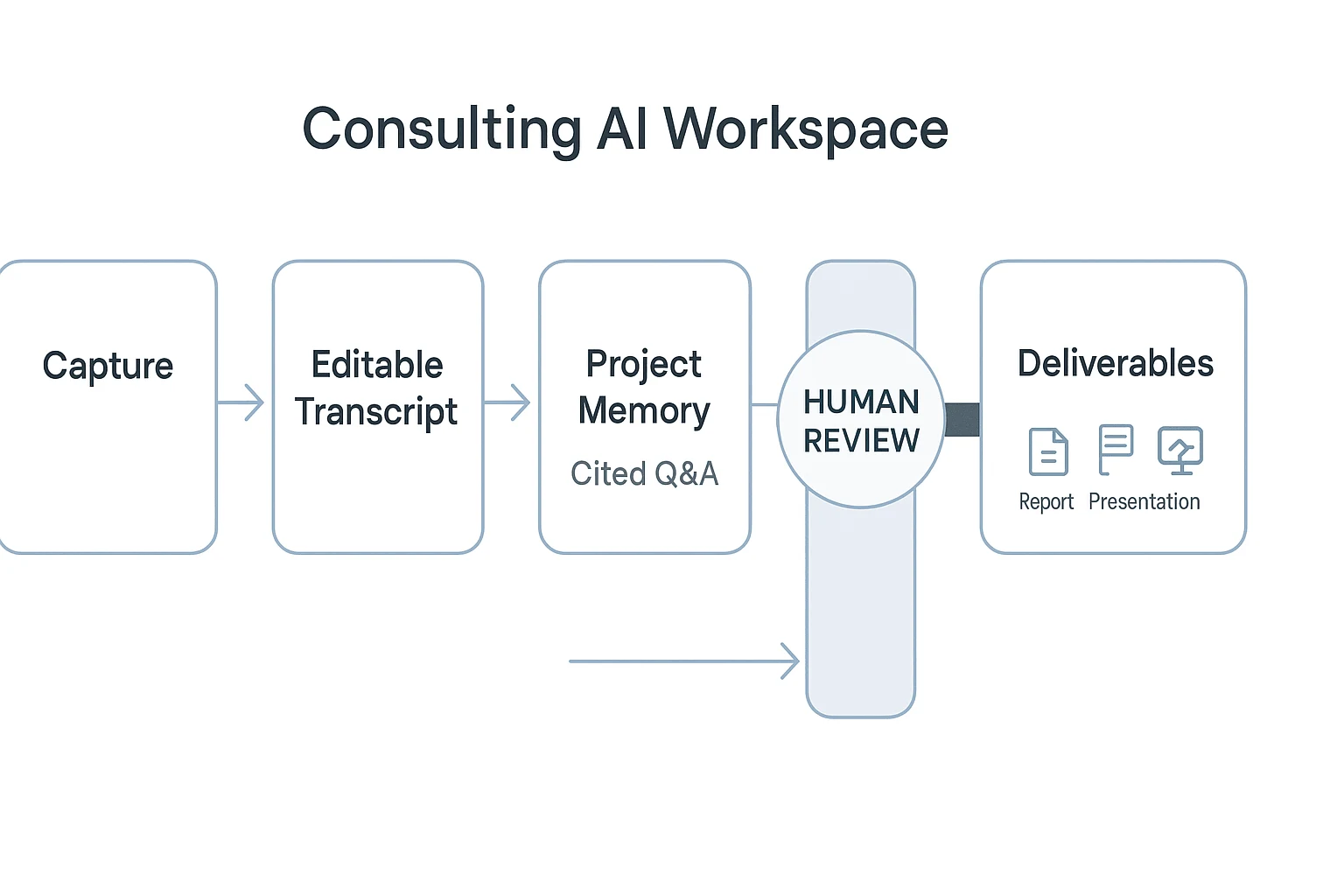
Consulting teams need Owner, Member, and Guest access; selective client sharing; traceable AI operations; and "what changed" review. In practice, that means every insight has a source, every edit has context, and every deliverable has a human review gate.
How can consultants implement AI agents without adding risk?
Implementing an AI agent for consulting should start with one repeatable workflow, not a firm-wide rollout. Pick a path your team already runs often: client interview → synthesis → report section draft. Define success in quality terms: fewer missed decisions, faster turnaround, clearer evidence trails, and less rework after partner review.
Start with clean project data
Create one Project per client, workstream, or research theme. In TicNote Cloud, that keeps meetings, documents, transcripts, and Shadow AI answers inside a clear context boundary.
Set the basics before anyone uploads files:
- Use a naming pattern:
Client_Workstream_Date_MeetingType. - Add a glossary for client acronyms, product names, and stakeholder roles.
- Decide which files can be uploaded and which must stay out.
- Apply least-privilege access: Owner, Member, or Guest only as needed.
- Document recording consent before interviews or workshops.
Add human approval checkpoints
AI can draft. Consultants still own the judgment.
Use these checkpoints for every client-facing output:
- Transcript QA: fix names, numbers, and unclear speaker labels.
- Sensitive-info redaction: remove personal, legal, or commercial details.
- Cited-answer verification: check source links before using claims.
- Deliverable review: test logic, tone, and client fit.
- Partner sign-off: approve the final version before sharing.
Hallucination containment is simple: require citations, ask the agent to extract evidence before summarizing, and flag uncertain claims instead of smoothing them over.
Track workflow KPIs
Measure the workflow, not abstract AI usage. Useful KPIs include cycle time from meeting to summary, rework rate, questions answered with citations, stakeholder satisfaction, and active Projects by team.
For governance, align your SOP with established risk ideas from NIST AI RMF, ISO/IEC 42001, and GDPR-style data handling: disclose AI use, define retention, keep access logs, require encryption, confirm data isn't used for model training, and create an escalation path when outputs are wrong.
Governance checklist: Intake: consent, scope, permissions. Processing: QA, redact, cite. Sharing: review, approve, limit access. Retention: archive, delete, or renew by policy.
Final thoughts: build a consulting workflow, not another note archive
The best AI agent for consulting is not the one that stores the most transcripts. It is the one that captures client context, keeps every claim tied to a source, and helps you ship approved work faster.
Use a meeting-led stack: capture → refine → Project memory → cited answers → deliverables → human approval. Start small. Create one client Project, add interviews and documents, then standardize one repeatable output, such as a findings memo, strategy brief, or client-ready presentation.
If you're comparing broader platforms, this guide to AI workspace options can help frame the trade-offs.


