


 Extension
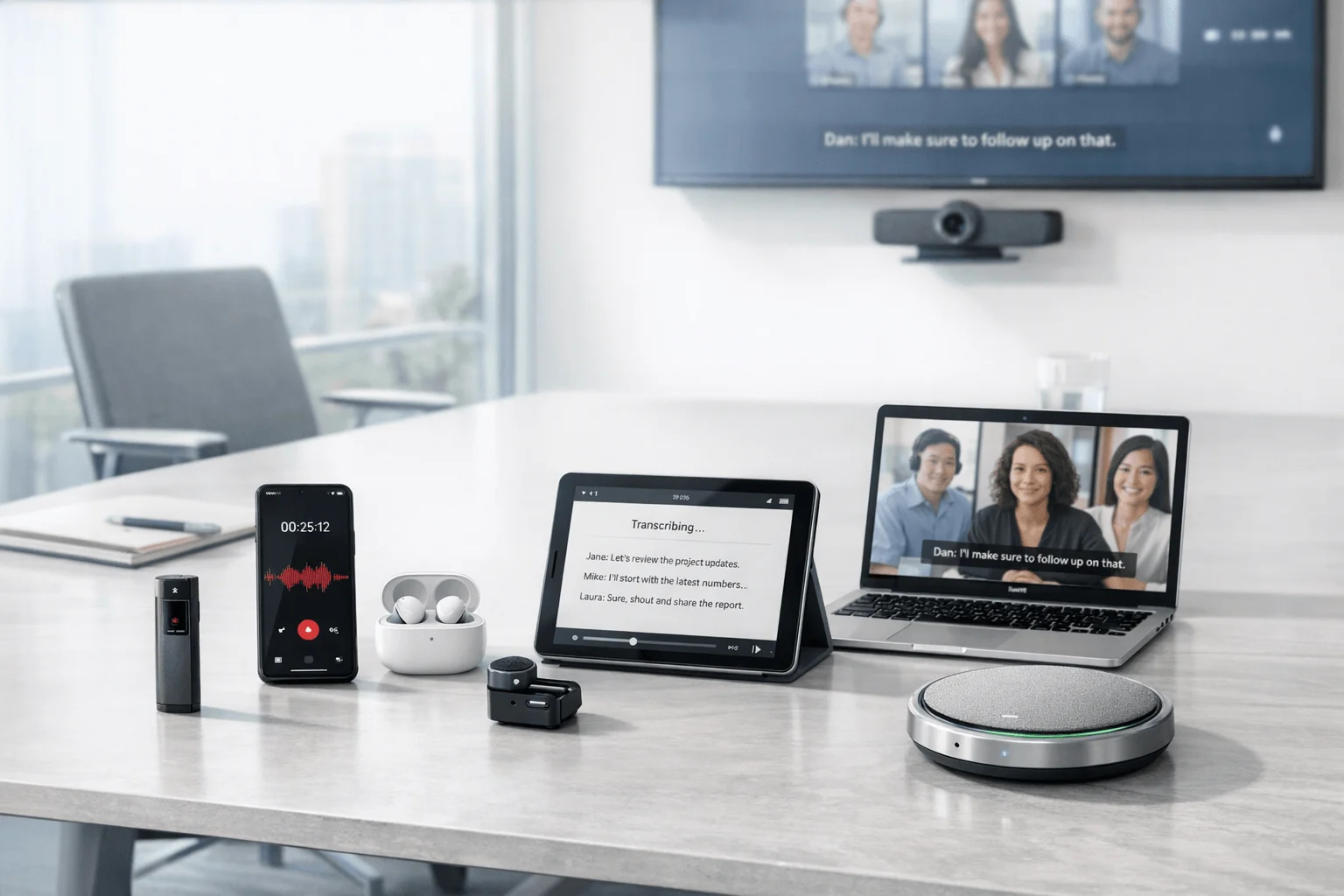
If you're comparing tools now, start with hardware vs software note takers before you compare summaries: we tested 7 AI note takers across two weeks of team workflows covering online meetings, hybrid room sessions, in-person standups, and phone follow-ups. For managers running mixed meeting days, Fireflies.ai is the stronger fit when CRM and workflow automation matter most; for consultants and field-heavy teams who need to capture calls or in-room conversations without relying on a meeting bot, TicNote Pods 4G is the clearer fit because it can record without a phone nearby and push live summaries while recording.
The contrarian takeaway is simple: the biggest buying mistake is comparing summary quality first instead of comparing capture method first.
What you'll learn:
- How to choose between hardware and software first: see which capture model actually fits team meetings that happen on Zoom, Teams, in person, and by phone.
- Which tools stay useful after the meeting ends: compare transcripts, summaries, action items, and post-meeting automation side by side.
- How pricing really changes by tool type: understand one-time hardware costs versus free-to-start software plans and monthly seat fees.
- Which products fit specific team workflows: find recommendations for managers, consultants, compliance-aware teams, and hybrid workers.
- When a bot-free AI note taker is the safer choice: learn where hardware or botless capture avoids the friction of blocked bots and meeting permissions.
What is an AI note taker for team meetings, and why does everyone suddenly need one?
An AI note taker for team meetings records conversation audio, turns it into a transcript, and generates summaries and action items. More advanced tools also add speaker identification, translation, searchable knowledge, AI chat, and workflow outputs such as reports or CRM-ready follow-up.
The current market now spans both hardware and software options across at least 7 distinct products in this comparison set. That shift matters because you no longer have to accept one default model of capture, especially when some meetings happen inside Zoom or Teams while others happen in conference rooms, on Bluetooth calls, or on the road. You now have to decide not just which app has better summaries, but which kind of recorder can actually capture your real workday.
But here's what most articles won't tell you. Transcription and summary features are becoming commoditized, so the real decision is less about who can summarize and more about who can capture, secure, and move the notes into the next workflow. Capture coverage (online, phone, in-person) | Privacy model (local-first vs full cloud pipeline) | Post-meeting utility (search, automation, outputs)
How did we test these tools for team meetings?
To keep this comparison practical, you need to know exactly how the tools were evaluated in real team settings. We tested them over a short but varied window, using the kinds of meetings where note quality, capture reliability, and post-meeting usefulness matter most; for a deeper look at hardware vs. bot-free meeting capture, this same logic applies across project-heavy workflows too.
Testing period: 2 weeks. Platforms and contexts tested: Microsoft Teams, Zoom, Google Meet, in-person room meetings, hallway follow-ups, and phone-based conversations where supported.
Meeting types tested:
- Weekly team standup (6 participants): tested speaker changes, recap usefulness, and fast action-item extraction.
- Project planning session (8 participants): tested long-form summaries, decision capture, and follow-up clarity.
- Hybrid client review (5 participants): tested room pickup quality versus direct platform capture.
- Manager 1:1 and follow-up call (2 participants): tested phone and lightweight conversation capture.
- Cross-functional status meeting (10 participants): tested noisy overlap, speaker labeling, and searchability after the meeting.
Evaluation criteria (weighted):
- Capture coverage (25% weight) -- measured whether the tool could reliably capture online, hybrid, in-person, and phone-based team meeting scenarios.
- Summary and action-item usefulness (20% weight) -- measured whether the output was clear enough for managers and project leads to share without heavy editing.
- Team workflow fit (15% weight) -- measured how well each tool supported team collaboration, exports, search, or downstream handoff after meetings.
- Ease of use (10% weight) -- measured how quickly a user could start recording, retrieve notes, and avoid setup friction.
- Privacy and consent controls (10% weight) -- measured whether the product emphasized local storage, encryption, compliance messaging, or bot-free capture.
- Pricing and total cost (10% weight) -- measured free tiers, seat pricing, and hardware one-time costs against expected team usage.
- Language and accessibility support (10% weight) -- measured supported transcription or translation breadth for multilingual teams.
TicNote, the author's own product, is included in this comparison. We were direct about its tradeoffs, including that hardware does not replace software-native collaboration or CRM automation and that some TicNote SKUs require a phone nearby for sync. All other tools were evaluated independently.
Hardware vs. software: which approach fits you better?
The first real decision is not which brand to buy, but whether your team meetings are better served by hardware capture or software capture.
| Factor | Hardware | Software |
| Phone call recording | ✅ Core feature | ❌ Not supported |
| Face-to-face meetings | ✅ Set on the table | ❌ Needs workarounds |
| Online meeting transcription | ⭐️ Depends on room audio | ⭐️⭐️⭐️ Direct platform feed |
| Speaker identification | ⭐️ Limited | ⭐️⭐️⭐️ Automatic |
| Hands-free start | ✅ Auto-records on answer | ❌ Open app every time |
| Privacy control | ✅ Local-first, encrypted | ❌ Full cloud pipeline |
| CRM / workflow automation | ❌ Not supported | ✅ Fireflies.ai, Notta |
| Team collaboration | ❌ Not supported | ✅ Comments, search, sharing |
| Upfront cost | ❌ $129.99–$299.99 device | ✅ Free to start |
| Long-run cost | ✅ One-time purchase | ⭐️ Monthly fees add up |
Hardware wins when team communication includes phone calls, in-person meetings, hallway decisions, or field work where no meeting bot can join. TicNote Pods 4G records and uploads without a phone nearby thanks to its built-in 4G eSIM charging case, while HiDock P1 is built around Bluetooth earphone call recording with Call, Room, and Whisper modes. Hardware also brings battery-backed recording and more local control because products such as HiDock store recordings locally on-device and TicNote describes encrypted recordings and on-device processing options.
Software wins when most meetings are scheduled online and the team needs searchable records, comments, integrations, and automated follow-up. Otter is stronger for live meeting notes, captions, and direct meeting capture across Zoom, Teams, and Meet, while Fireflies.ai is stronger for workflow automation with CRM, ATS, Slack, analytics, and collaboration features on paid plans.
The honest answer for mixed workdays is both. Software handles scheduled online meetings well, but hardware is the one category software cannot replace when team meetings spill into calls and in-person conversations.
How do these 7 tools compare side by side?
If you want the fastest way to narrow the field, compare these seven tools by capture method, platform coverage, pricing, and what happens after the meeting. The biggest split is simple: hardware tools are better when you move between in-person rooms, calls, and field work, while bot-based tools are stronger when your team lives inside Zoom, Teams, and Google Meet.
| Tool | Type | Best For | Platforms | Free Tier | Paid From | Integrations | Post-Meeting Automation |
| TicNote Pods 4G | Hardware | field teams and consultants who move between calls and room meetings | Hardware plus phone and cloud sync | Plus plan included with device: 600 min/mo and 1,500 credits | $299.99 device or Pro with device at $79/yr | Cross-platform phone desktop browser via TicNote Cloud | Live Summary during recording plus quick summary and AI chat |
| TicNote Card Lite | Hardware | budget-minded teams that need simple in-person capture | Hardware plus phone sync | Plus plan included with device: 600 min/mo and 1,500 credits | $129.99 device | TicNote Cloud across phone desktop browser | Post-sync transcript summary to-do list and document generation |
| HiDock P1 | Hardware | managers who need Bluetooth earphone call recording and desk-to-mobile flexibility | macOS Windows iPhone 15+ OTG Android | Unlimited free transcription | $169 device | Zoom Meet Teams Webex compatibility through HiNotes | Summaries with optional Pro features like templates and speaker ID |
| Otter | Bot | teams that want live captions and shared online meeting notes | Web plus Zoom Teams Google Meet | Free plan with 300 monthly transcription minutes | Paid plans start on Pro ladder with higher monthly limits | Meeting platform connections and collaboration features | Auto notes search edit share and meeting history |
| Fireflies.ai | Bot | revenue and operations teams that need workflow automation after meetings | Web plus major meeting platforms | Free at $0, Pro at $10/seat/month billed annually | Pro at $10/seat/month billed annually | CRM ATS Slack and broader workflow integrations | AI notes analytics comments channels and automated sync |
| Notta | Bot | teams that need transcripts plus visual outputs like presentations or infographics | Web and cross-device apps | Free with 120 minutes/month | Pro at $97.99/year | Google Drive Notion Slack Salesforce | Cross-meeting search with Notta Brain plus presentation and infographic outputs |
| PLAUD Note Pro | Hardware | professionals who want premium card-style hardware with templates and exports | Hardware plus app sync | Starter free with 300 min/month | $189 device and Pro from $8.33/month billed annually | Google Calendar Zapier MCP | Ask PLAUD templates exports and AutoFlow |
A few patterns stand out right away. TicNote gives you two hardware options for different budgets, and both focus on capture first, then summaries, action items, and follow-up workflows inside TicNote Cloud. If you're comparing device-first options with app-first platforms, this PLAUD vs Otter comparison is useful because it highlights the tradeoff between physical recording flexibility and meeting-bot convenience.
The practical takeaway: choose TicNote Pods 4G if you need the broadest coverage across room meetings, calls, and mobile work, choose TicNote Card Lite if cost matters most for in-person capture, and look at Otter, Fireflies.ai, or Notta if nearly all of your meetings already happen online.
The 7 best AI meeting note takers for teams in 2026
If you're comparing tools for team meetings, the real question isn't just transcription quality. It's how well each option captures the conversations you actually have: online calls, in-person rooms, phone calls, and everything in between. Below, you'll see where each tool fits best, what you get, and where the tradeoffs show up fastest.
1. TicNote Pods 4G — Best for team leads who move between calls, hybrid meetings, and field work
Best for: field-heavy managers and consultants who need capture beyond meeting bots
TicNote Pods 4G is built for users whose team meetings do not stay inside one meeting app. Its strongest differentiator is the built-in 4G eSIM in the charging case, which lets it upload audio and generate Live Summary while recording without needing the phone nearby. For team workflows, that makes it a fit for consultants, account managers, or project leads who bounce between room meetings, calls, and travel days where software bots cannot join.
Standout features:
- Built-in 4G eSIM in case for phone-free upload and recording workflow
- Live Summary during recording and Quick Summary pushed when recording stops
- Automatic call recording when taking a call while wearing the earbuds
- Dual recording modes: earbuds for calls and online meetings, case for room recording
- Transcription and translation support across 120+ languages, with real-time transcription in 16 languages
Pricing: Plus plan included with hardware: 600 min/mo and 1,500 credits | Device: $299.99 | Pro with device: $79/yr for 2,100 min/mo and 3,000 credits
Pros:
- Covers phone calls and in-person team meetings that software tools miss.
- Does not require the phone nearby for core recording and upload.
- Live Summary is faster than post-meeting-only workflows.
- TicNote Cloud adds AI chat, document generation, and project knowledge base tools.
Cons:
- It is the most expensive TicNote SKU upfront.
- It is not a software collaboration hub with CRM automation like Fireflies.ai.
- 4G-specific behavior makes it less universal than the Wi-Fi model for global travelers.
In our test workflow, a consultant used Pods 4G for a client site walk-through, then reviewed the Live Summary before getting back to the car so the next follow-up call started with actions already captured.
2. Fireflies.ai — Best for teams that need meeting notes to flow into systems
Best for: revenue, recruiting, and operations teams that want automation after the meeting
Fireflies.ai is less about capture flexibility and more about what happens once the call ends. It is built for teams that need notes, comments, analytics, and integrations across CRM, ATS, Slack, and other workflows. For team meetings, it fits best when most conversations already happen in scheduled online platforms and the main pain is losing follow-through after meetings.
Standout features:
- 100+ language support
- Comments, bookmarks, channels, and user groups for collaborative review
- Analytics and conversation intelligence features on higher plans
- Workflow integrations across CRM, ATS, Slack, and other systems
- Free plan plus clear Pro, Business, and Enterprise tiers
Pricing: Free: $0 | Pro: $10/seat/month billed annually | Business: $19/seat/month billed annually | Enterprise: $39/seat/month billed annually
Pros:
- Strong downstream automation for teams.
- Clear seat-based pricing structure.
- Good collaboration features compared with hardware devices.
- Broad language support helps distributed teams.
Cons:
- Does not solve phone call or in-person room capture by itself.
- Seat pricing can rise quickly for growing teams.
- Relies on a cloud software workflow rather than local-first recording.
3. Otter — Best for teams that want live online meeting notes and captions
Best for: remote and hybrid teams living inside Zoom, Teams, and Google Meet
Otter is built for software-first meeting capture with live notes, live captions, search, and sharing. It is designed for teams that want a familiar meeting assistant inside scheduled online calls rather than a separate hardware recorder. For team meetings, it fits best when collaboration and live visibility matter more than phone-call capture.
Standout features:
- Real-time recording and transcription
- Speaker identification and searchable conversation history
- Automatic note capture for Zoom, Teams, and Google Meet
- Custom vocabulary on paid plans
- Search, edit, organize, and share transcripts
Pricing: Free: 300 monthly transcription minutes | Pro: paid plan ladder with higher monthly limits including 1,200 minutes on lower paid tiers | Business: search results show from $19.99/user/month | Enterprise: custom
Pros:
- Good fit for scheduled online team meetings.
- Live captions and shared notes are useful for fast-moving meetings.
- Search and editing are stronger than on standalone hardware.
Cons:
- Not useful for phone calls the way hardware products are.
- Meeting-bot style capture can be intrusive for some teams.
- Language support is narrower in the surfaced pricing data than hardware-focused competitors.
4. PLAUD Note Pro — Best for premium card-style hardware recording
Best for: professionals who want a higher-spec card recorder with templates and exports
PLAUD Note Pro sits close to TicNote Card-style buying intent but leans more into premium hardware specs and software add-ons. Its differentiator is the stronger hardware package with 4 MEMS plus 1 VPU, up to 16.4 ft pickup, and a feature stack that includes templates, Ask PLAUD, Google Calendar, Zapier, and MCP. For team meetings, it fits professionals who want polished exports and broader software-style workflow options from a hardware device.
Standout features:
- 64GB storage with up to 30h or 50h recording depending on mode
- 112+ language support
- Google Calendar, Zapier, and MCP integrations
- 10,000+ templates and Ask PLAUD
- Private Cloud Sync and team management messaging
Pricing: Starter free: 300 min/month | Device: $189 | Pro: $8.33/month billed annually or $17.99 monthly | Unlimited: $19.99/month billed annually or $29.99 monthly
Pros:
- Strong hardware specifications for pickup range and storage.
- Better integration story than many hardware rivals.
- More mature export and template options than simple recorder devices.
Cons:
- Upfront device price plus subscription can stack over time.
- Still does not replace software-native collaboration tools for teams.
- Best value depends on using its paid software features regularly.
5. Notta — Best for teams that want transcripts turned into visual outputs
Best for: consultants, educators, and leaders who repurpose meetings into deliverables
Notta is built for teams that need more than a transcript. Its key position is turning meeting content into searchable knowledge and outputs such as presentations and infographics through Notta Brain. For team meetings, that makes it more useful for client-facing or reporting-heavy teams than for users who mainly need call and room capture.
Standout features:
- 58 transcription languages
- Notta Brain for cross-meeting search and insight generation
- Exports to Google Drive, Notion, Slack, and Salesforce
- Presentation and infographic generation
- Workspace permissions and custom vocabulary
Pricing: Free: 120 minutes/month | Pro: $97.99/year | Business: $199.99/year | Enterprise: custom
Pros:
- Strong post-meeting repurposing for deliverables.
- Useful export options for common team tools.
- Cross-meeting search helps recurring project work.
Cons:
- Does not help with offline call recording or in-person room capture.
- Free tier is smaller than some rivals.
- Translation and add-on costs can complicate total pricing.
6. HiDock P1 — Best for Bluetooth earphone calls and desk-to-mobile work
Best for: managers and professionals who need bot-free call recording with simple hardware
HiDock P1 is aimed at people whose important team conversations happen through Bluetooth earphones, online meetings, and ad hoc voice discussions. Its differentiator is BlueCatch Bluetooth earphone recording plus Call, Room, and Whisper modes in a small portable device. For team meetings, it fits users who care more about bot-free call capture than advanced collaboration features.
Standout features:
- BlueCatch Bluetooth earphone recording
- Call, Room, and Whisper modes
- 64GB storage
- 75+ language transcription
- Unlimited free transcription with optional Pro features in HiNotes
Pricing: Free transcription included | Device: $169 | Pro Membership: advanced features available, but public pricing was not fully disclosed on crawled pages
Pros:
- Useful for Bluetooth earphone call workflows.
- Hardware avoids meeting-bot friction.
- Core transcription does not require a paid plan to start.
Cons:
- Public Pro pricing is not clearly disclosed.
- Integration and collaboration depth trail software platforms.
- Less flexible than true phone-free hardware such as TicNote Pods 4G.
7. TicNote Card Lite — Best for budget-friendly bot-free room capture
Best for: smaller teams and solo managers who want low-friction in-person recording
TicNote Card Lite is the simpler, cheaper entry point in the TicNote lineup. It uses a credit-card form factor with one-button modeless recording, a 3-mic array, 10m pickup, and the same post-sync AI summary and action-item flow after upload. For team meetings, it is a fit when the real need is easy room capture at a lower hardware cost, not live cloud automation. If you're comparing the lineup, this quick guide to TicNote device options helps clarify where Card Lite, Card, and Pods fit.
Standout features:
- Modeless one-button recording with no lever or mode switch
- 64GB storage and 25-hour battery
- 3-mic array with 10m pickup
- Plus plan included with hardware
- AI summaries, action items, and document generation after sync
Pricing: Plus plan included with hardware: 600 min/mo and 1,500 credits | Device: $129.99 | Pro with device: $79/yr
Pros:
- Lower upfront cost than most hardware alternatives here.
- Simple enough for non-technical users.
- Useful for in-person team meetings and workshop capture.
Cons:
- Requires sync workflow rather than live direct software capture.
- Not built for CRM or meeting-platform automation.
- Less versatile than earbud-based hardware for phone calls.
Conclusion: how to decide
If phone calls or in-person meetings are part of your day, hardware is the category software still cannot structurally replace. TicNote Pods 4G stands out for teams that need phone-free upload, automatic call recording, and Live Summary during the workday, while HiDock P1 is the better fit when Bluetooth earphone call recording is the main job and a lighter hardware setup matters more than broad AI workflow depth. TicNote Card Lite is the lower-cost choice when the goal is simple room capture with summaries and action items after sync.
If most meetings are scheduled online, Otter and Fireflies.ai make more sense because they are stronger at direct meeting capture, searchable collaboration, and workflow automation. For heavy team users, the long-term answer is often both: software for online meetings, hardware for the conversations software will never hear, especially if you also need AI notes for phone calls.



