


 Extension
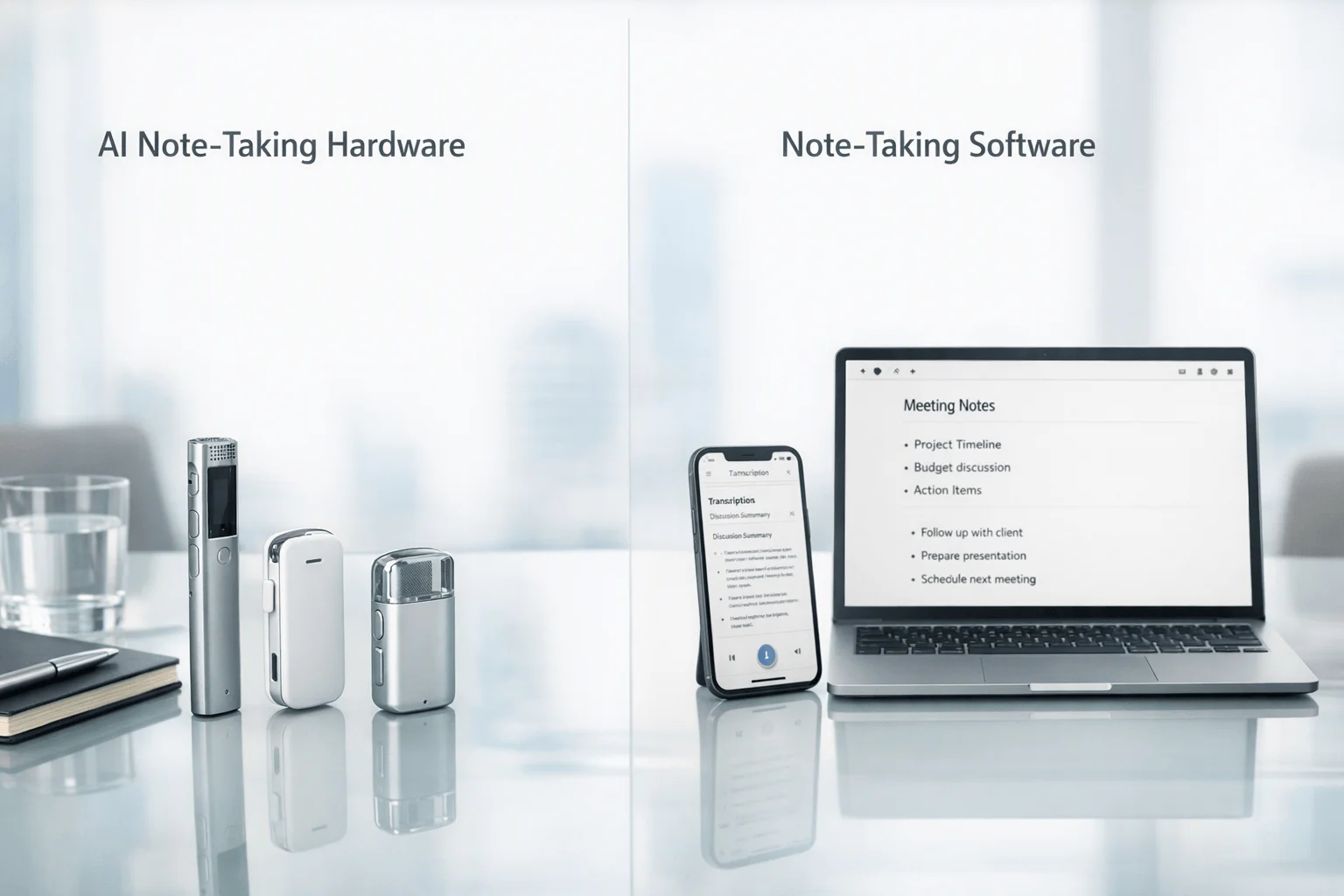
If you want the fastest answer, buy TicNote Device: we compared six real substitutes for business meeting capture across hardware and software workflows, using the feature sets, pricing models, and recording modes documented for each product. For business professionals who spend time in client rooms, on phone calls, or in workshops without meeting links, TicNote Pods 4G is the clearest fit because it can record calls automatically when worn and upload through its built-in 4G eSIM without a phone nearby; for teams that live in scheduled online meetings and need CRM-heavy follow-up, Fireflies.ai is the stronger fit because its positioning centers on workflow integrations, analytics, and synced team conversations.
The contrarian takeaway is simple: for business meetings, the real buying split is not "which AI writes nicer summaries," but whether the tool can capture the meeting at all in the environments where work actually happens. That's also why a hardware vs software guide matters before you compare summaries, action items, or dashboards.
What you'll learn:
- How to choose between hardware and software: see where an in-person meeting note taker or AI meeting note taker bot fits real business workflows.
- How pricing really works: compare one-time device costs like TicNote Card Lite at $129.99 and Plaud Note at $159 against seat-based software like Fireflies.ai from $10/seat/month billed annually.
- How the top tools differ side by side: use the normalized comparison table to compare recording mode, platforms, integrations, and post-meeting automation.
- How to match tools to your workday: evaluate which option fits consultants, executives, account teams, and client-facing professionals who move between calls, rooms, and travel.
- How to know when to switch: understand when a botless meeting note taker or AI voice recorder for meetings solves problems that software-first tools cannot.
What is an AI note taker for business meetings, and why does everyone suddenly need one?
An AI note taker for business meetings records the conversation, turns speech into text, and produces summaries, action items, and searchable notes. More advanced tools now also add speaker identification, translation, live transcription, document generation, and cross-meeting Q&A, which is why more teams are comparing tools built for meetings, calls, and in-person capture instead of relying on manual notes.
The category now spans both one-time devices and recurring software plans. Hardware products in this comparison run from $129.99 for TicNote Card Lite to $299.99 for TicNote Pods 4G, while software options range from free tiers to paid plans such as Fireflies.ai Pro at $10 per seat per month billed annually and Notta Pro at $97.99 per year. That shift matters because you're no longer choosing only an app; you're choosing a capture model, a privacy model, and a long-run cost structure.
But here's what most articles won't tell you. Core transcription and summary features are becoming commoditized, so the harder question is what happens before and after the transcript exists. The real differentiators are capture coverage (phone calls, in-person rooms, or scheduled online meetings), workflow depth (CRM sync, exports, templates, search, and actioning), and privacy posture (local-first recording, encrypted sync, or full cloud pipeline).
How did we test these AI meeting note takers for business meetings?
We tested this category as a product-fact review built around the details business buyers actually compare: current vendor-documented features, pricing, limits, recording modes, language support, storage, and workflow positioning. We also looked across the platforms that matter most in real work, including phone calls, in-person rooms, Zoom, Google Meet, Microsoft Teams, desktop workflows, and cross-device sync environments used by business professionals.
Meeting types tested:
- Client update meeting (3 participants)
- Internal project standup (5 participants)
- Sales discovery or account call (2 participants)
- Workshop or requirements session (6 participants)
- Executive review meeting (4 participants)
Evaluation criteria (weighted):
- Capture coverage (25% weight) -- we prioritized whether the tool can reliably cover business meetings across in-person conversations, phone calls, and online meetings without requiring a meeting bot in every scenario.
- Post-meeting usefulness (20% weight) -- we measured whether the product produces summaries, action items, searchable records, or generated documents that help business teams move work forward.
- Privacy and buyer trust (15% weight) -- we compared local storage claims, encryption language, cloud dependence, and whether the recording model is better suited to sensitive client-facing conversations.
- Pricing and total cost (15% weight) -- we separated device cost from ongoing plans and compared hardware purchases against seat-based or annual software subscriptions.
- Ease of use in live meetings (10% weight) -- we looked at one-button recording, auto-recording, bot presence, and how much setup friction exists before a real meeting starts.
- Collaboration and integrations (10% weight) -- we scored CRM, workspace, export, and cross-team workflow support for business use.
- Language and transcription support (5% weight) -- we reviewed stated language counts, real-time support, and translation-related capabilities where documented.
TicNote is included because it is the publisher's own product. We were explicit about where TicNote is weaker: hardware devices do not match software-first products on CRM integration depth or team collaboration layers, and some TicNote advantages depend on choosing the right SKU such as Pods 4G for phone-free capture rather than the lower-cost Card models. All other tools were evaluated independently.
Hardware vs. software: which approach fits you better?
The first real decision is not brand; it is whether your business meetings mostly happen in rooms and calls, or mostly inside meeting platforms. If your day includes conference rooms, site visits, client lunches, and phone calls, hardware solves a capture problem software still struggles with; if your calendar lives in Zoom, Teams, and Google Meet, software usually gives you the cleaner workflow. For a deeper look at bot-free meeting capture, the difference comes down to where the audio starts.
| Factor | Hardware | Software |
| Phone call recording | ✅ Core feature | ❌ Not supported |
| Face-to-face meetings | ✅ Set on the table | ❌ Needs workarounds |
| Online meeting transcription | ⭐️ Depends on room audio | ⭐️⭐️⭐️ Direct platform feed |
| Speaker identification | ⭐️ Limited | ⭐️⭐️⭐️ Automatic |
| Hands-free start | ✅ Auto-records on answer | ❌ Open app every time |
| Privacy control | ✅ Local-first, encrypted | ❌ Full cloud pipeline |
| CRM / workflow automation | ❌ Not supported | ✅ Fireflies.ai, Notta |
| Team collaboration | ❌ Not supported | ✅ Annotation, comments, search |
| Upfront cost | ❌ $129.99–$299.99 device | ✅ Free to start |
| Long-run cost | ✅ One-time purchase | ⭐️ Monthly fees add up |
Hardware wins when the meeting has no link, no bot invitation, or no tolerance for extra setup. TicNote Pods 4G records calls automatically when the earbuds are worn and uses a built-in 4G eSIM to upload in real time without the phone nearby, while Plaud Note and HiDock P1 focus on portable, bot-free capture for calls and in-person conversations. For business professionals moving between conference rooms, travel, and client sites, that mechanism matters as much as AI output, and hardware also brings battery-based, device-first recording options.
Software wins when the day is built around scheduled online meetings and downstream systems. Otter is built around searchable shared transcripts, live notes, captions, and auto-joining Zoom, Teams, and Google Meet, while Fireflies.ai is stronger when the priority is CRM sync, analytics, speaker recognition, and workflow integrations across sales, recruiting, or operations stacks.
The honest answer for mixed workdays is both. But if phone calls and in-person meetings are part of the job, hardware covers the one gap software still cannot replace.
How do these 6 tools compare side by side?
If you want the fastest short list, start here. The biggest split is simple: hardware tools like TicNote Pods 4G, Plaud Note, and HiDock P1 are built for phone-free, in-person, and call capture, while bot-first tools like Otter, Fireflies.ai, and Notta focus on online meetings, searchable transcripts, and post-meeting workflows.
| Tool | Type | Best For | Platforms | Free Tier | Paid From | Integrations | Post-Meeting Automation |
| TicNote Pods 4G | Hardware | Phone-free call and in-person capture for mobile professionals | Calls via earbuds plus room capture via case and mobile/cloud sync | Plus included with hardware at $0/yr with 600 min/mo and 1,500 credits | $299.99 device; Pro with device $79/yr | Cross-device phone desktop and browser workflow | Live Summary during recording plus Quick Summary and AI Q&A across recordings |
| Plaud Note | Hardware | Card-style call and meeting capture with template-driven summaries | Calls and in-person recordings with app sync | Starter free with 300 min/mo | $159 device; Pro from $8.33/mo billed annually | Google Calendar Zapier MCP exports and team management | Ask Plaud custom templates and workflow outputs |
| HiDock P1 | Hardware | Bluetooth earphone calls and bot-free hybrid work capture | iPhone 15+ Android with OTG macOS Windows plus room and whisper modes | Unlimited core transcription included | $169 device; Pro Membership available but public price not fully disclosed | HiNotes sync and online-meeting compatibility with Zoom Meet Teams Webex | AI summaries and synced transcripts with optional advanced transcription features |
| Otter | Bot | Shared team transcripts and searchable online meeting notes | Zoom Microsoft Teams Google Meet web and mobile | Free tier available | Pro and Business ladder with lower tiers including 300 and 1200 monthly transcription minutes; Business search result from $19.99/user/mo | Collaboration search edit share imports and custom vocabulary | Live notes captions summaries and searchable conversation history |
| Fireflies.ai | Bot | CRM-connected meeting intelligence for sales and operations teams | Major meeting platforms with app and web workflows | Free tier available | Pro $10/seat/mo billed annually | CRM ATS Slack analytics and workflow integrations | AI notes analytics soundbites comments bookmarks and synced follow-up workflows |
| Notta | Bot | Cross-meeting search and turning meetings into presentations or visual outputs | Meeting recording web mobile and cross-device sync | Free 120 min/mo | Pro $97.99/yr | Google Drive Notion Slack Salesforce and workspace permissions | Summaries search Notta Brain plus presentation and infographic generation |
For most business buyers, the decision comes down to where your meetings happen. If you need reliable capture in client rooms, workshops, field visits, or calls where phones and bots are a bad fit, TicNote Pods 4G has the clearest advantage; if most of your meetings live inside Zoom, Microsoft Teams, or Google Meet, the bot-based options may feel more familiar.
The 6 best AI note takers for business meetings in 2026
If you need an AI note taker for business meetings in 2026, the best option depends on how your meetings actually happen: in rooms, on calls, or inside Zoom. This list compares six tools through a practical business lens, with TicNote leading when you need one device to handle in-person conversations, client-sensitive settings, and phone-free capture.
1. TicNote Pods 4G — Best for phone-free business meeting capture
Best for: professionals who split time between calls, client meetings, and travel days
TicNote Pods 4G is built for business users who can't rely on meeting bots or an always-open phone app. Its position is distinct because the charging case has a built-in 4G eSIM for real-time upload without the phone nearby, and the earbuds automatically record calls when worn. For business meetings specifically, it fits consultants, field teams, account executives, and executives who move between calls and in-person sessions and need the same device to cover both workflows.
Standout features:
- Built-in 4G eSIM for phone-free upload and real-time processing
- Live Summary during recording
- Quick Summary pushed when recording stops
- Call recording automatically starts when taking a call while wearing the earbuds
- Dual recording modes: earbuds for calls and online meetings, case for room recording
Pricing: No hardware-free version | Paid tier 1: $299.99 device with Plus plan included at $0/yr, including 600 min/mo and 1,500 monthly credits | Paid tier 2: Pro with device at $79/yr, including 2,100 min/mo and 3,000 credits
Pros:
- Covers phone calls and room meetings with one hardware workflow.
- Does not require the phone nearby for real-time upload because the case has built-in 4G.
- Provides summary output during the meeting rather than only after sync.
- Supports transcription and translation in 120+ languages, with real-time transcription in 16 languages.
Cons:
- The $299.99 upfront price is higher than software-only tools and entry hardware.
- CRM integrations and team collaboration layers are not the core strength compared with Fireflies.ai or Notta.
- The 4G version is a specialized fit; buyers who always have their phone nearby may not need this model.
"In a mixed workday, this is the TicNote SKU that makes the most sense when a morning client call, an afternoon site visit, and a hallway follow-up all need one capture workflow; the device switches between earbud call use and case-based room recording instead of forcing a different tool for each step."
2. Fireflies.ai — Best for CRM-connected business meeting workflows
Best for: teams that want meeting notes to feed sales, recruiting, or operations systems
Fireflies.ai is not trying to solve hardware capture; it is built to turn scheduled online conversations into searchable, collaborative, and integrated meeting data. Its strongest position in this list is workflow depth, with CRM, ATS, Slack, analytics, and admin-oriented features that make sense for growing teams. For business professionals who live in remote meetings and need notes to move into pipeline or hiring workflows, that makes it a more natural fit than standalone recorders.
Standout features:
- 100+ language support
- Speaker recognition and auto language detection
- AI notes, comments, bookmarks, and soundbites
- CRM, ATS, Slack, and workflow integrations
- Analytics and admin controls across team conversations
Pricing: Free tier: $0 | Paid tier 1: Pro at $10/seat/month billed annually | Paid tier 2: Business at $19/seat/month billed annually; Enterprise at $39/seat/month billed annually
Pros:
- Stronger integration story than any hardware-first option in this comparison.
- Built for team workflows, not just solo transcription.
- Pricing is transparent across Free, Pro, Business, and Enterprise tiers.
- Security posture includes GDPR, SOC 2 Type II, HIPAA context, TLS, and AES-256 claims.
Cons:
- It does not solve in-person meeting capture the way dedicated hardware does.
- Seat-based pricing compounds as teams grow.
- Its strengths depend on online-meeting and system-integration workflows rather than phone-free capture.
3. Plaud Note — Best for card-style botless capture with stronger workflow extras
Best for: professionals who want hardware capture plus templates and automation connectors
Plaud Note sits closest to TicNote in the hardware-plus-AI category, but its positioning leans more heavily into templates, Ask Plaud, and automation connectors like Zapier and MCP. The standard Plaud Note is a card-style recorder for calls and meetings, aimed at professionals who want a portable recorder with a more developed workflow ecosystem. For business meetings, it is a stronger fit than basic recorders when the buyer values exports, templates, and automation paths over live phone-free upload. If you're also comparing dedicated devices, this AI recorder comparison gives useful context around hardware trade-offs.
Standout features:
- 112+ language support
- Ask Plaud and custom templates
- Google Calendar, Zapier, and MCP support
- 27+ export formats
- Private Cloud Sync and team management
Pricing: Free tier: Starter with 300 min/mo | Paid tier 1: $159 device | Paid tier 2: Pro at $8.33/month billed annually or $17.99 monthly with 1,200 minutes; Unlimited at $19.99/month billed annually or $29.99 monthly
Pros:
- Good middle ground for buyers who want real hardware and software workflow extensions.
- Automation options are broader than many hardware-first rivals.
- The $159 device price is easier to justify than premium wearable hardware.
- Security and compliance claims are more extensive than many consumer devices, including ISO and SOC references.
Cons:
- It still adds subscription cost if higher monthly transcription capacity is needed.
- It does not match TicNote Pods 4G on phone-free real-time upload.
- Business buyers still need to evaluate whether the workflow extras matter more than simpler capture.
4. Otter — Best for shared transcripts and fast online meeting recall
Best for: teams that want searchable notes from recurring Zoom, Meet, and Teams meetings
Otter is a software-first AI meeting note taker built around shared notes, live captions, searchable history, and collaborative transcript review. It is designed for business users who spend most of their time in online meetings and want the meeting record to live in a searchable workspace instead of a hardware device. For consultants, managers, and internal teams running recurring remote meetings, that shared transcript model is often more useful than carrying a recorder.
Standout features:
- Automatic note capture for Zoom, Microsoft Teams, and Google Meet
- Search, edit, organize, and share transcripts
- Speaker identification and inline photos
- Live notes and captions
- Custom vocabulary and imports
Pricing: Free tier: available | Paid tier 1: Pro plan available within Free/Pro/Business/Enterprise ladder, with lower tiers including 300 and 1,200 monthly transcription minutes | Paid tier 2: Business search result from $19.99/user/month
Pros:
- Very easy to understand for buyers who already live in online meetings.
- Strong search and collaboration posture for team knowledge.
- Works well when the main need is recall, review, and sharing after platform meetings.
Cons:
- It is structurally weaker for face-to-face meetings and standard phone calls.
- Bot or platform-dependent workflows can be awkward in client-sensitive settings.
- The pricing detail is less straightforward in this data set than Fireflies.ai or Notta.
5. HiDock P1 — Best for Bluetooth earphone calls and bot-free hybrid capture
Best for: professionals who want a lower-cost hardware path for calls, rooms, and desk use
HiDock P1 is a hardware note-taking device aimed at people who want bot-free recording across Bluetooth earphone calls, room meetings, and online meetings, without stepping up to premium wearable pricing. Its market position is practical rather than ecosystem-heavy: capture first, summaries second. For business professionals who take lots of earphone calls and want a device that also works across macOS, Windows, iPhone 15+, and OTG Android, it is one of the more relevant alternatives to software-first apps.
Standout features:
- Bi-directional Bluetooth earphone recording
- Call, Room, and Whisper modes
- 64GB storage
- 75+ language transcription
- Zoom, Meet, Teams, and Webex compatibility with HiNotes sync
Pricing: Free tier: unlimited core transcription included | Paid tier 1: $169 device | Paid tier 2: Pro Membership adds speaker identification, 39+ templates, and live transcription, but public pricing was not fully disclosed
Pros:
- The $169 device price is accessible for hardware buyers.
- It supports a wider range of hybrid scenarios than basic recorder cards.
- Unlimited core transcription lowers recurring-cost friction.
- Desktop compatibility helps for users who alternate between mobile calls and computer meetings.
Cons:
- Public pricing for the Pro Membership is not fully disclosed in the available data.
- The product ecosystem is less documented than Fireflies.ai or Otter for downstream business workflows.
- It does not offer the same phone-free real-time upload model as TicNote Pods 4G.
6. Notta — Best for turning business meeting notes into shareable outputs
Best for: professionals who want summaries, cross-meeting search, and presentation-style outputs
Notta is a software-first AI meeting note taker that goes beyond transcription into structured outputs like presentations and infographics, which makes it more useful for consultants, managers, and executives who need to repackage meeting content fast. Its positioning is less about raw meeting capture and more about turning spoken content into reusable deliverables. For business meetings, it fits users whose notes need to move into client updates, internal decks, or searchable project knowledge rather than stay as static transcripts.
Standout features:
- 58 transcription languages
- Notta Brain for cross-meeting search and insight
- Output into presentations and infographics
- Google Drive, Notion, Slack, and Salesforce integrations
- Workspace permissions and custom vocabulary
Pricing: Free tier: 120 min/mo | Paid tier 1: Pro at $97.99/year | Paid tier 2: Business at $199.99/year; add-ons include Monolingual Translation at $6/month billed annually and Bilingual Transcription & Translation at $9/month billed annually
Pros:
- Stronger than most software rivals at turning meetings into presentation-ready outputs.
- Annual pricing is relatively easy to compare.
- The integration set suits client-service and knowledge-work teams.
- Security claims are robust, including SOC 2 Type II and ISO 27001 references.
Cons:
- It still relies on software workflows rather than dedicated hardware capture.
- Translation and bilingual workflows can increase total cost through add-ons.
- It is a weaker fit for phone-free or field-first business meeting capture.
Conclusion: how to decide
If phone calls or in-person meetings are part of your day, hardware is the part of this category that software still cannot structurally replace. TicNote Pods 4G stands out when your exact need is phone-free recording plus live summaries through a built-in 4G eSIM, while Plaud Note is the easier card-style choice for buyers who want a $159 device with templates, exports, and automation connectors. HiDock P1 is the budget-friendlier hybrid option at $169 if Bluetooth earphone call capture is the main job.
If most meetings already live in Zoom, Teams, or Meet, Otter and Fireflies.ai make more sense for searchable team transcripts and integration-heavy workflows, while Notta is appealing when those notes need to become client-facing outputs. For heavy business users, the long-term answer is often both, because hardware covers the meetings software never will, especially if you also need a closer look at business-call hardware and app trade-offs.



