


 Extension
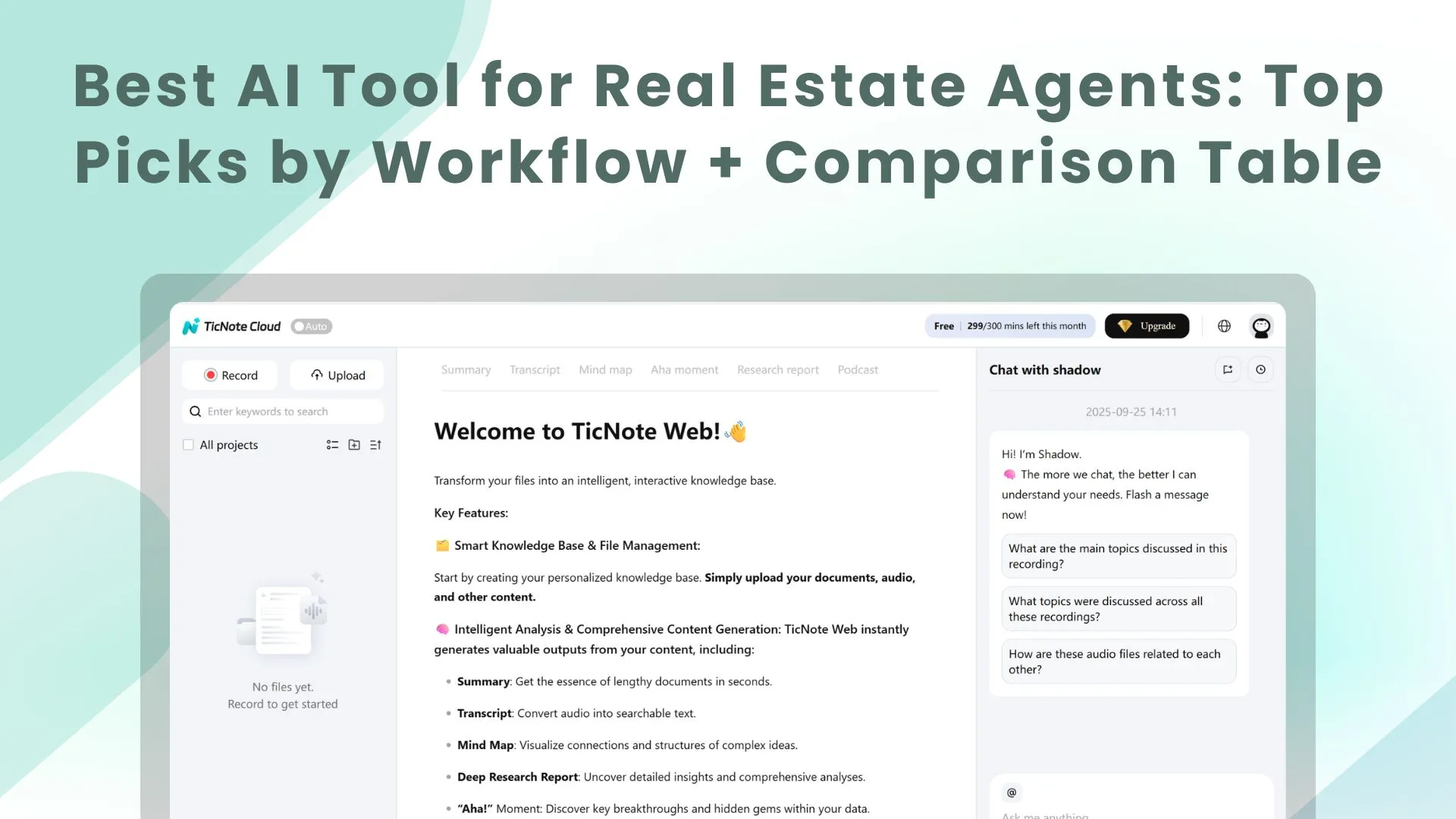
TL;DR: Skill agent picks for real estate teams
The best first test for most real estate teams is a meeting-centered AI workspace that captures calls, listing files, notes, and follow-ups, then makes that client context searchable.
Client details are scattered across inboxes, PDFs, texts, and meeting notes. That slows listing prep and buyer matching, and it raises the risk of missing a promise. Use searchable project context to turn conversations and files into cited answers, editable transcripts, dashboards, and reports.
Compare alternatives by job: CRM nurturing, geo-farming, staging visuals, branded marketing assets, valuation reports, and calendar/email productivity. Then use the decision guide to build a lean stack without buying overlapping tools.
What is the best AI tool for real estate agents right now?
For most agents comparing the best AI tool for real estate agents, TicNote Cloud is the first product to test. It works best when your real problem is scattered context: listing files, buyer notes, seller calls, meeting history, and follow-up details living in too many places.
Quick answer: TicNote Cloud is the first tool to test
TicNote Cloud is a meeting-centered AI workspace that turns conversations and files into searchable Projects. Shadow AI can search across those Project files, cite sources, and help generate buyer-property matching reports, seller updates, summaries, and follow-up content without copy-pasting notes into a generic chatbot.
That matters commercially for four reasons: faster follow-up, fewer missed details, reusable memory per client or deal, and easier handoffs when a listing coordinator or teammate steps in. If you're already planning a broader sales stack, compare it with your CRM and automation needs using this sales enablement stack guide.
Best alternatives by workflow
- If you mainly need CRM automation, pick Lofty. It replaces manual lead routing and nurture steps, but it won't manage deep file-level deal context.
- If you need classic real estate CRM follow-up, pick Top Producer. It replaces spreadsheets and reminder systems, but content creation is not its core strength.
- If you need virtual staging, pick REimagineHome. It replaces basic photo-editing workflows, but it doesn't run your pipeline.
- If you need quick listing graphics, pick Canva. It replaces design outsourcing for simple assets, but it won't understand client history.
- If valuation support is the priority, pick HouseCanary. It replaces manual market analysis, but outputs still need agent judgment.
- If you want inbox and task assistance, pick Sidekick. It helps with admin work, but not full client-file memory.
Fast decision guidance by agent type
Solo agents should default to TicNote Cloud because it creates one searchable place for calls, notes, files, and follow-ups. Listing agents benefit from listing intake, seller updates, and repeatable outputs. Buyer agents gain from matching notes to properties and producing cleaner follow-ups. Teams get shared Project memory, consistent handoffs, and traceable AI answers.
Avoid overbuying: start with one core context system, then add one specialist tool only when a workflow clearly needs it.
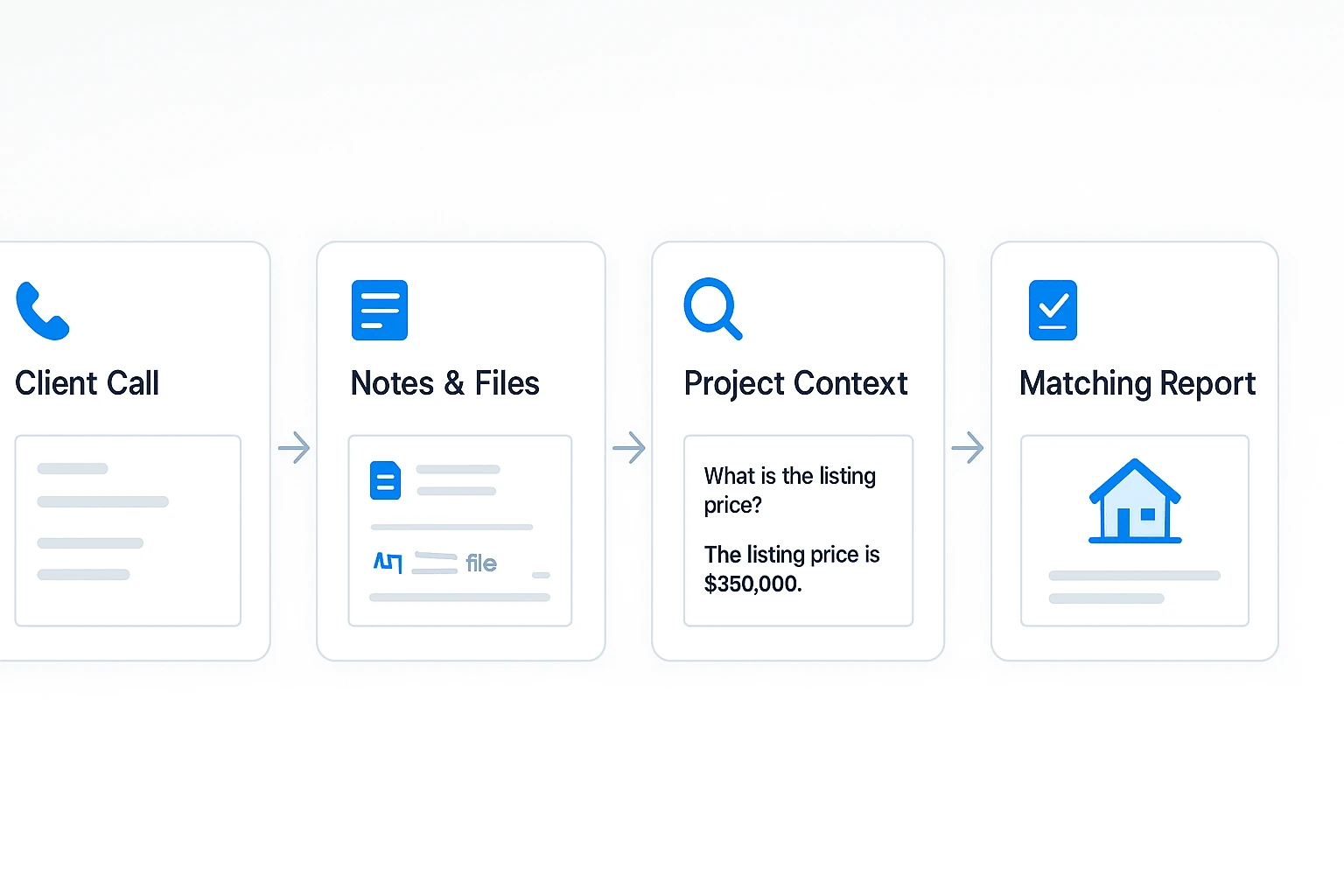
Which AI tools should agents compare by workflow?
The best AI tool for real estate agents depends on where work gets stuck: client calls, lead routing, seller targeting, listing visuals, marketing assets, valuation, or daily admin. Compare tools by workflow first, not by the longest feature list.
That lens matters because AI value usually comes from saved time and better decisions. PwC reports in Sizing the prize: What's the real value of AI for your business? (2017) that AI could contribute up to 15.7 trillion to the global economy in 2030, of which 6.6 trillion is from increased productivity and $9.1 trillion from consumption-side effects (PwC, 2017).
Use the same product card fields for every tool: best for, core AI use case, what data it needs, setup time, pricing entry point, and main limitation. This keeps the comparison practical.
| Tool | Best for | Core AI use case | Data + setup | Pricing entry | Main limitation |
| TicNote Cloud | Meeting notes for real estate, listing prep, buyer matching, and client memory | Searchable Projects, editable transcripts, Shadow AI answers with citations across listing docs and call transcripts | Upload calls, PDFs, listing files, videos, and notes; setup is fast for solo agents | Free plan; Professional from $12.99/month | It is the context hub, not a full CRM replacement |
| Lofty | Lead routing and automated CRM follow-up | AI real estate CRM workflows inside pipeline interactions | Requires clean CRM data and routing rules | Check current vendor pricing | May not unify scattered listing files and external docs |
| Top Producer | Geographic farming and seller targeting | Predictive targeting plus campaign automation | Needs territory, contact, and homeowner data | Check current vendor pricing | Not built for deep meeting or file knowledge |
| REimagineHome | Staging and visual listing readiness | Before/after room visuals for marketing | Needs listing photos and brand direction | Check current vendor pricing | Enhanced imagery may need disclosure under brokerage or MLS rules |
| Canva | Fast branded flyers, posts, and templates | Good-enough marketing output AI | Needs brand kit, photos, and copy prompts | Free and paid plans vary | Doesn't solve follow-up, matching, or pricing |
| HouseCanary | Valuation reports and market analytics | Property value and market data analysis | Needs address, comps, and market inputs | Check current vendor pricing | It's a data tool, not a client memory system |
| Sidekick | Calendar, email, and MLS productivity | Assistant-style task support | Depends on integrations and clean inputs | Check current vendor pricing | May overlap with general LLM writing tools |
Pick the system of record first
Start with one place that holds client and listing context. For most agents, that should be TicNote Cloud because real estate work begins in conversations: buyer calls, seller intake, pricing discussions, showing feedback, inspection notes, and negotiation updates.
Projects let you group those files by listing, client, or pipeline stage. Shadow AI then lets you ask questions like, "Which buyers mentioned a fenced yard?" or "What did the seller approve in our last call?" and get cited answers from the source files.
After that, add one specialist tool. Choose Lofty if lead routing is the bottleneck. Choose REimagineHome if visuals slow listings. Choose HouseCanary if valuation confidence is the gap. Don't overbuy. Build around searchable context first, then fill the biggest workflow hole.
How to set up a searchable listings dashboard and buyer matching (step-by-step)
A strong real estate AI setup starts with one shared place for listing facts, client notes, and next actions. If you're comparing the best ai tool for real estate agents, this workflow shows why searchable context matters more than another disconnected note app.
Step 1: Add the real estate skill agent
In TicNote Cloud, open your workspace, choose Add Agent, and browse the Skill Agent library. Select the Real Estate Agent skill agent so it can work with property files, client details, and matching requests inside one Project.
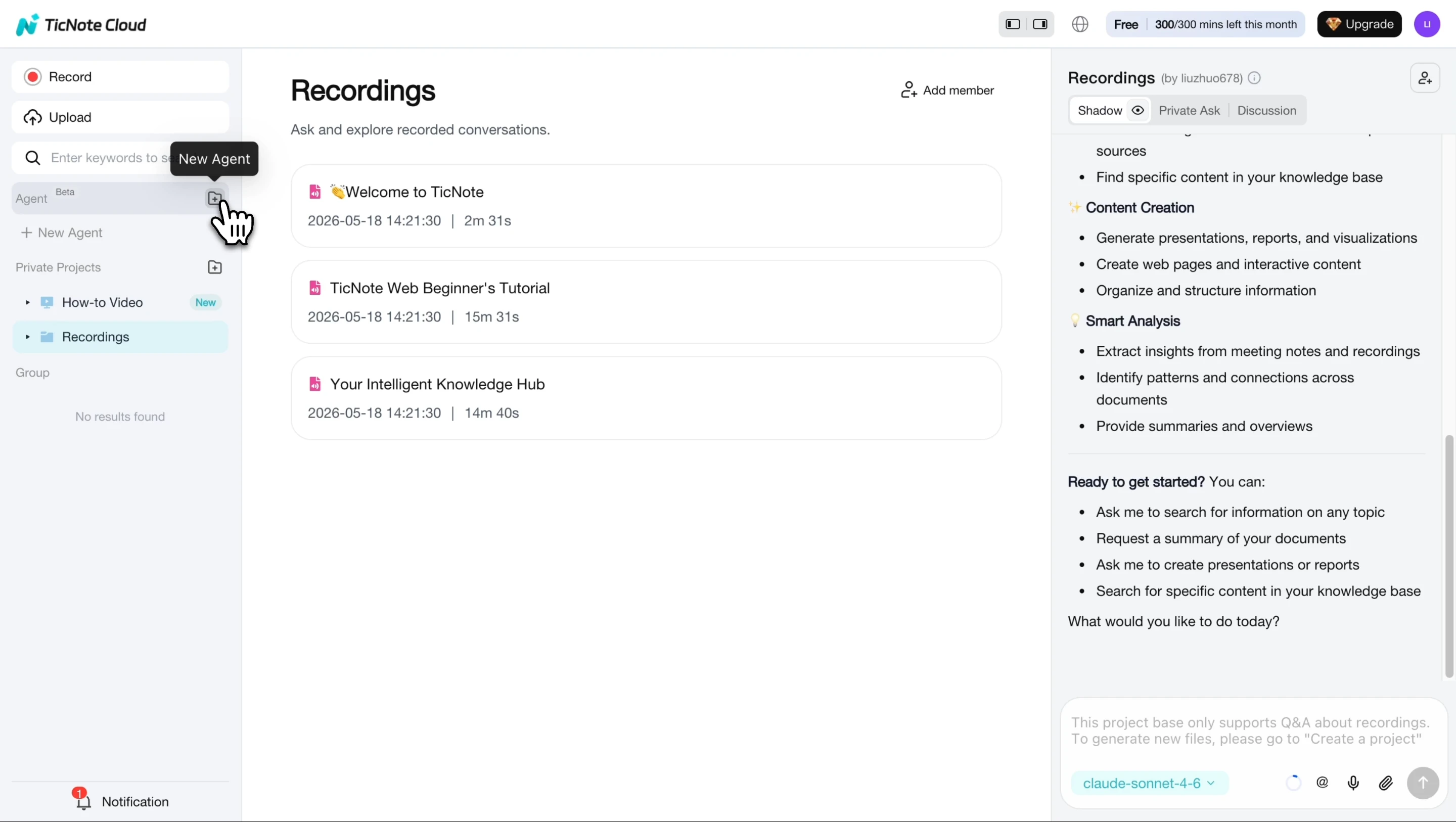
After you add it, the agent appears in your list and is ready to use. You don't need a custom setup before adding listing data.
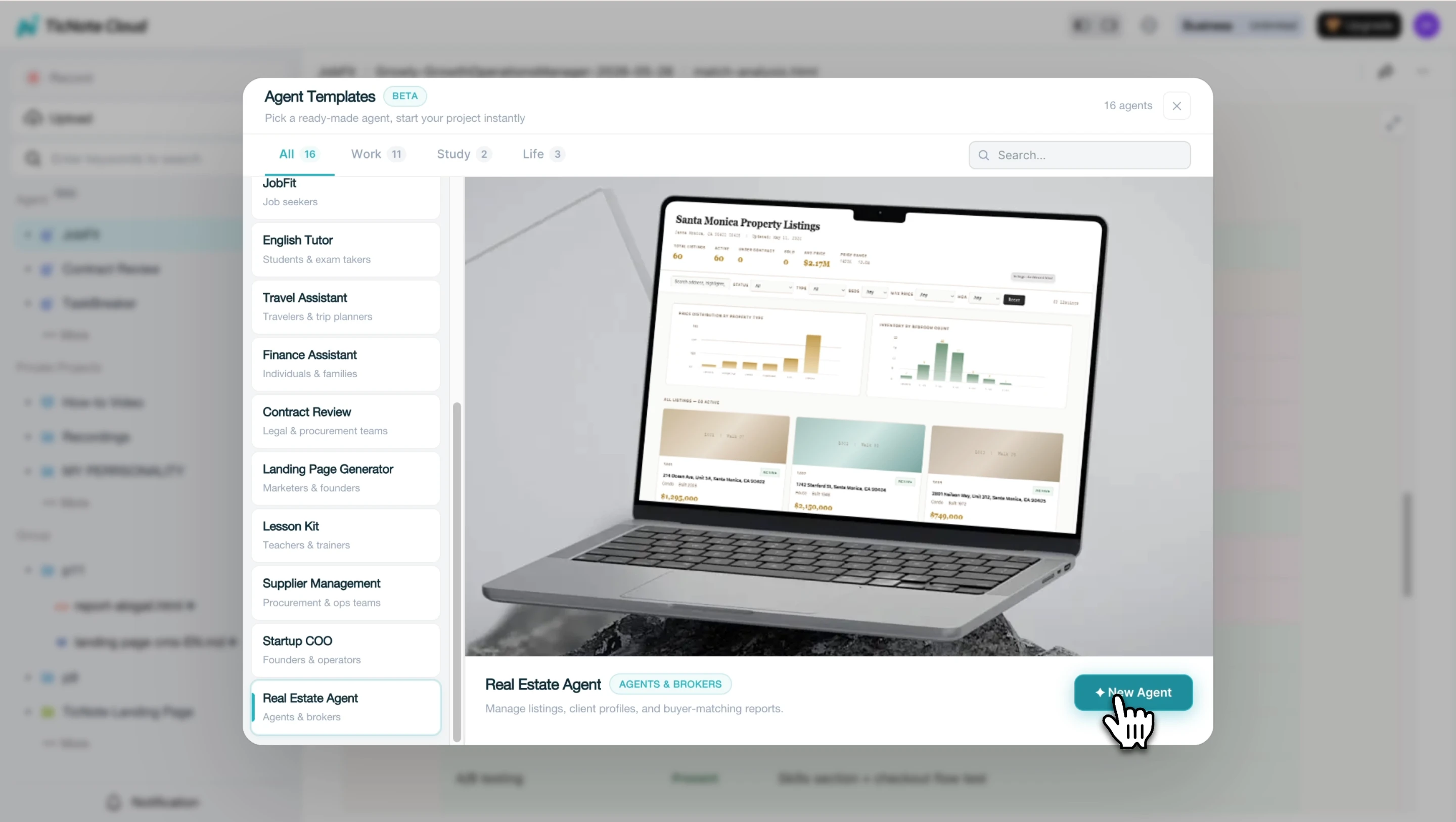
Step 2: Upload listings and add a buyer or seller
Create a Project for a neighborhood, one listing, or a segment like "Active Buyers — Q2." Then paste listing details or upload files such as PDFs, exported notes, showing instructions, and seller updates.
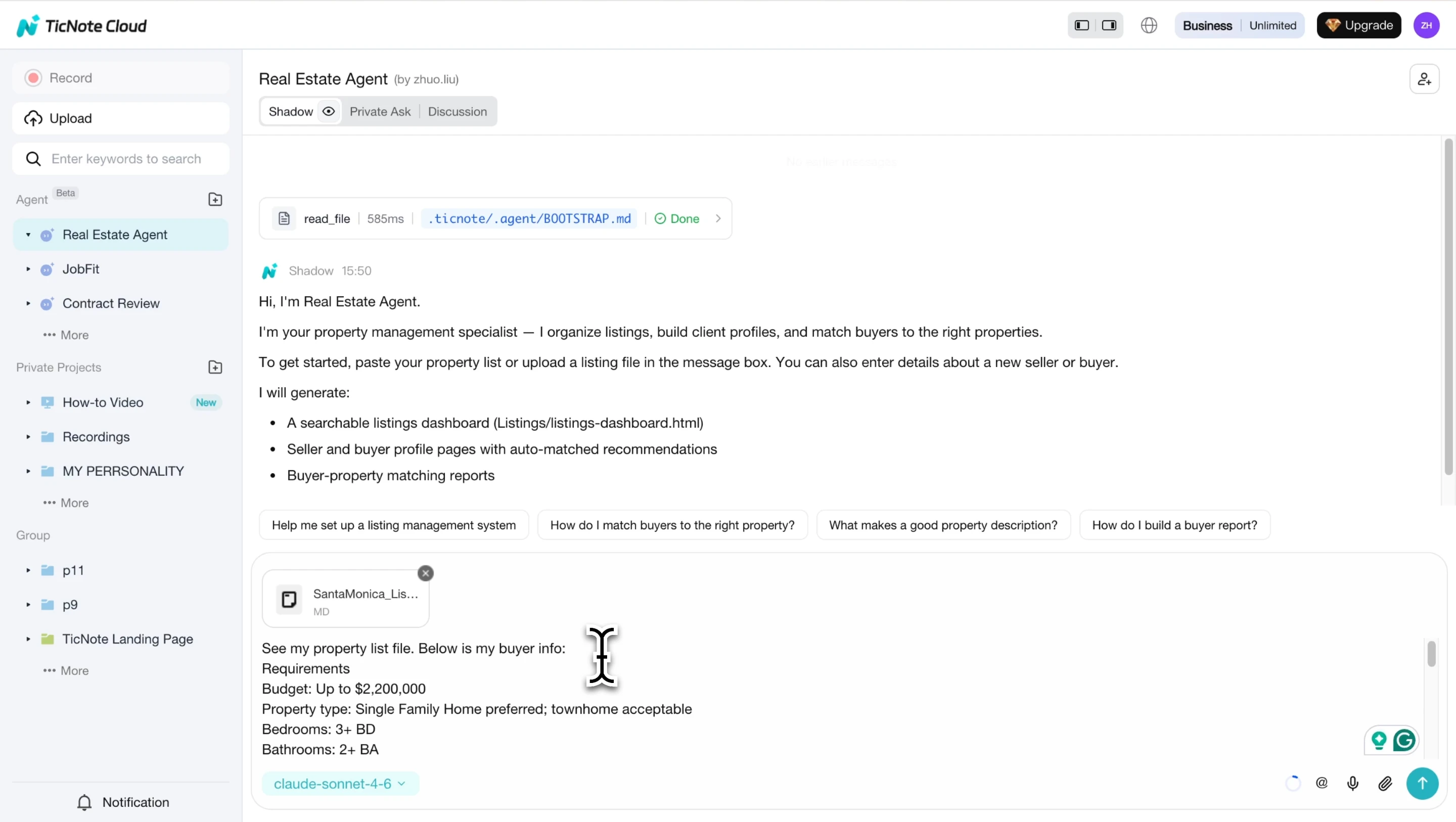
Next, add a buyer or seller in plain language. Include budget, target areas, must-haves, dealbreakers, timeline, financing limits, HOA concerns, commute needs, and school preferences. The agent turns that into a structured profile and flags missing fields.
Step 3: Review the dashboard and matching report
The agent generates a searchable HTML listings dashboard with status, price, and key property details. Use tags or sections for Active, Under Contract, Sold, price changes, open house notes, inspection items, and follow-up status.
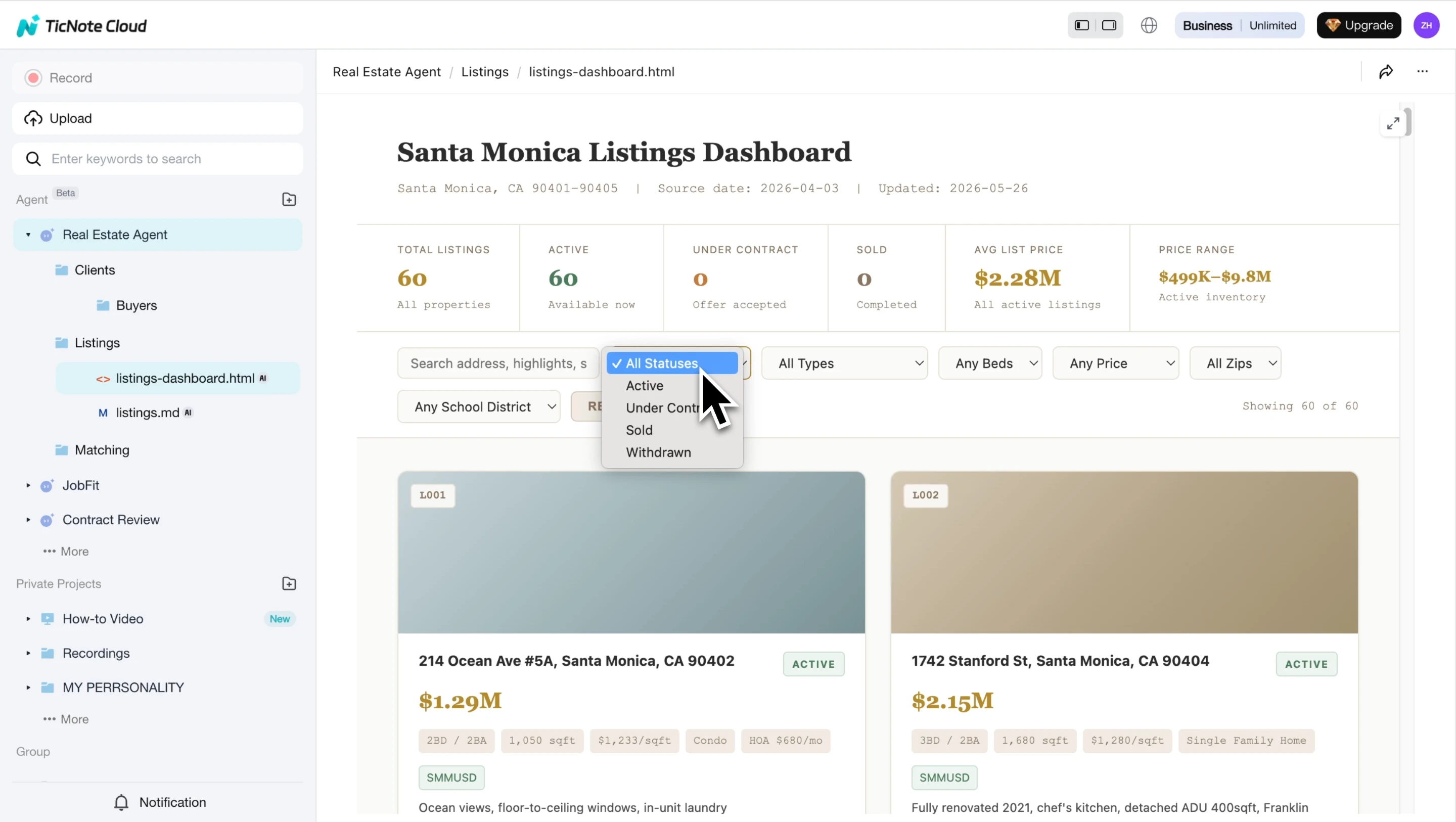
When you add a buyer, request a buyer-property matching report. Review the ranked recommendations, then correct weak inputs if the order looks wrong.
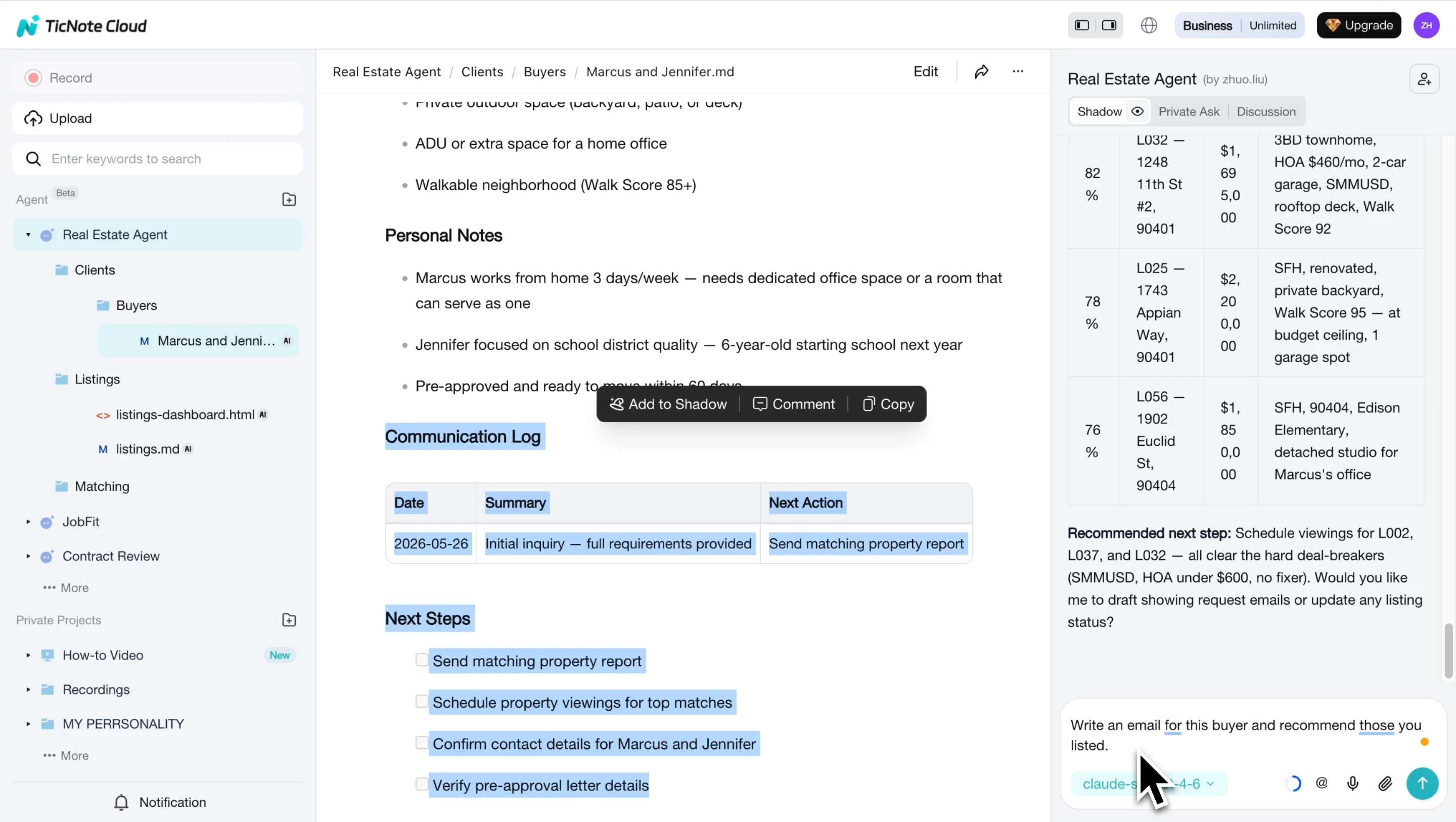
Step 4: Ask what's due this week
Ask, "What's due this week?" to pull follow-ups, showing tasks, document requests, and deadline reminders across client files. Turn the output into a checklist for yourself or a listing coordinator.
On mobile, open the same Project, paste or upload new listing info, add buyer details in chat, and request the report between showings.
Quality control: keep confidential data minimal, verify market claims, and treat every matching report as decision support—not a final recommendation. Next, compare alternatives in the tool table.
Comparison table: top AI real estate tools at a glance
To compare the best AI tool for real estate agents, we need to strip out vendor wording and score tools by actual weekly work. In this table, "context" means searchable CRM records, listing files, call notes, documents, or project folders. "Meeting support" means the tool can capture, transcribe, summarize, or turn conversations into next steps. "Buyer-property matching" means it can rank a buyer's needs against available listings, not just run a keyword search.
Use the symbols this way: ✅ means the feature is built for that workflow. ❌ means it's not a practical fit. Partial means it works, but needs manual setup, exports, or prompts. — means the category doesn't really apply. If you compare tools often, this same normalized approach also helps with small-team software comparison projects.
| product | best for | core AI use case | CRM or file context | buyer-property matching | meeting support | pricing entry point | main limitation |
| TicNote Cloud | Client meetings, listing files, searchable deal context | Transcripts, Projects, cited answers, reports, dashboards | ✅ | ✅ | ✅ | Free; Pro from $12.99/mo | Not a full CRM |
| Follow Up Boss | Lead follow-up and pipeline work | CRM automation and nurturing | ✅ | Partial | Partial | Paid plans | Less file-based context |
| Lofty | Team CRM and lead conversion | AI follow-up, lead routing, campaigns | ✅ | Partial | Partial | Paid plans | Can be heavy for solo agents |
| ChatGPT | Drafting and ad hoc analysis | Copy, checklists, scripts, summaries | Partial | Partial | ❌ | Free; paid plans | Context must be pasted in |
| Canva AI | Listing marketing | Flyers, social posts, listing visuals | ❌ | — | ❌ | Free; paid plans | Not client-aware |
| Virtual Staging AI | Property presentation | Staged room images | ❌ | — | ❌ | Paid image/plan options | Narrow workflow |
| Restb.ai | Listing photo intelligence | Image tagging and property insights | Partial | — | ❌ | Quote-based | Best for MLS/brokerage use |
| HouseCanary | Valuation and market analysis | AVM and property data | Partial | Partial | ❌ | Quote-based | Not a meeting workspace |
Read the table from the workflow you repeat every week: follow-up, listing prep, matching, marketing, or valuation. Pick the product that removes the most context-switching first.
For most agents, the highest-leverage first purchase is the system that centralizes meeting notes plus listing and client files. That's why TicNote Cloud often comes before specialist tools: it gives agents searchable context, editable transcripts, listing dashboards, buyer-property matching reports, and cited AI answers in one workspace. Add staging, valuation, or CRM automation only when that bottleneck is real.
How to choose the right product
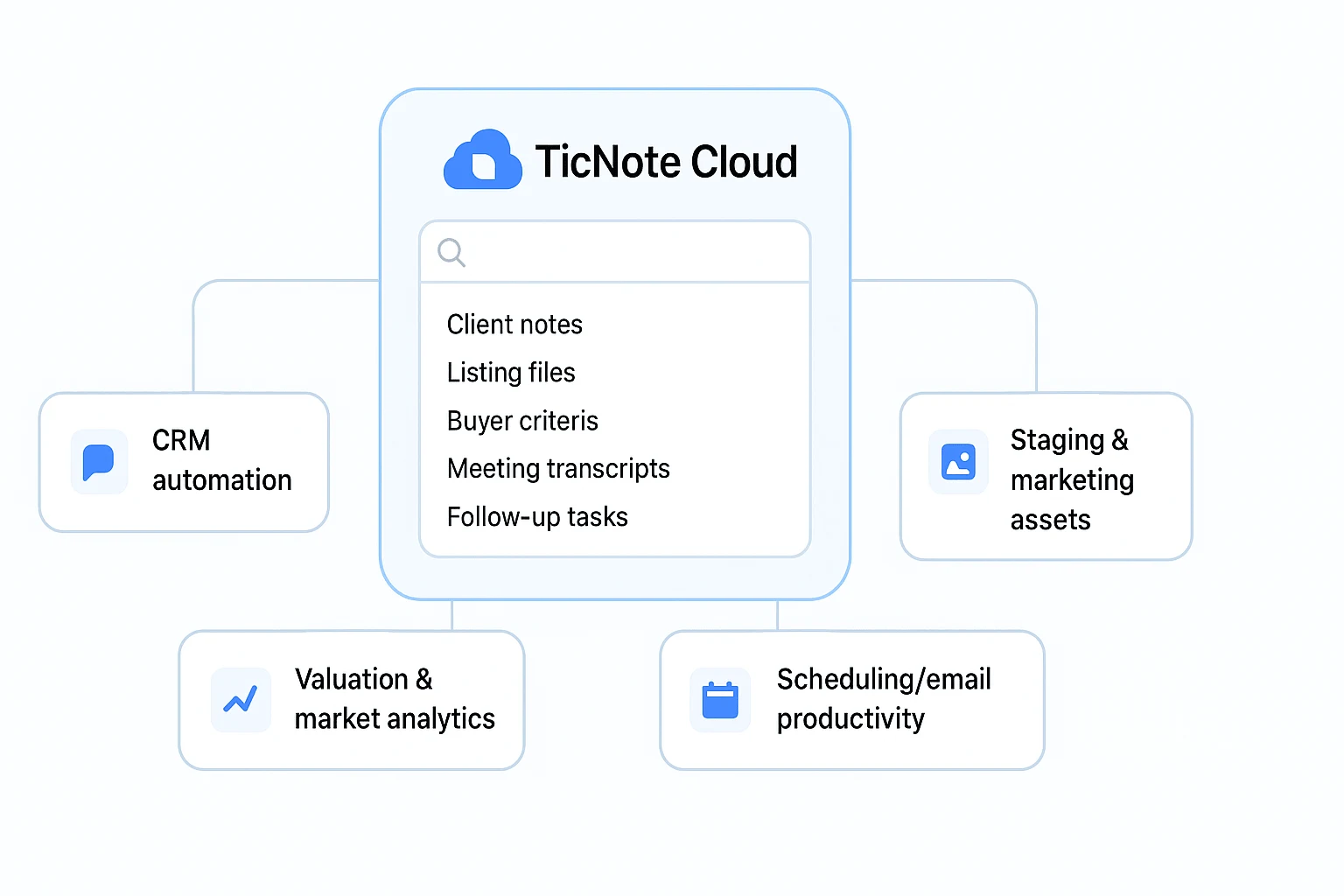
The best AI tool for real estate agents depends on the workflow that costs you the most time. Start with your context hub first: client calls, listing files, buyer criteria, vendor notes, offer details, and follow-ups. If that information is scattered, every other AI tool works with partial inputs.
Choose TicNote Cloud when context is scattered
Pick TicNote Cloud first when your team is juggling listing docs, call notes, buyer wish lists, inspection updates, and inbox threads. It gives you one searchable place for the raw material behind each client and property. Projects keep related files together, while Shadow AI can search across them and return cited answers, editable summaries, listing prep notes, and buyer-property matching outputs.
That matters because real estate work compounds. A 10-minute seller call can become a prep checklist. Three buyer conversations can become a cleaner matching report. A vendor update can become the next follow-up task.
For a repeatable evaluation model, borrow the same logic from a scorecard-based research workflow: define the job, score the tool, then remove anything that doesn't improve the next client action.
Choose the specialist tool only when it owns the bottleneck
Use this short decision guide:
- Lofty: Choose it when CRM automation is the core need: lead routing, drip sequences, pipeline nudges, and agent accountability. Pair it with TicNote Cloud if your team also needs searchable meeting and file context outside the CRM.
- Top Producer: Choose it when geographic farming and seller targeting drive your business. It is worth the spend for agents running predictable campaigns across specific ZIP codes; it is overkill if you only need basic contacts and reminders.
- REimagineHome: Choose it when listing photos are losing clicks because rooms look dated, empty, or cluttered. Check brokerage rules, MLS standards, and disclosure language before publishing AI-staged images.
- Canva: Choose it when you already have lead flow and need fast, branded assets: flyers, social posts, listing decks, and open-house graphics. It is a creative layer, not a client intelligence system.
- HouseCanary: Choose it when valuation reports and market analytics are central to seller conversations. It helps agents support pricing narratives with stronger market context.
- Sidekick: Choose it when calendar, email, and MLS productivity are the daily drag. Its value depends on integrations and clean inputs; messy data creates weak drafts.
Start lean: one hub plus one specialist
Don't buy five tools at once. Build the smallest stack that removes the biggest bottleneck.
- Solo agent: TicNote Cloud + Canva for searchable client context and quick listing marketing.
- Small team: TicNote Cloud + Lofty for shared meeting memory plus CRM follow-up automation.
- Brokerage: TicNote Cloud + HouseCanary for searchable deal context plus stronger valuation conversations.
This stack keeps AI close to the work agents already do: listen, compare, follow up, and advise. Add the next specialist only after the first two tools are used weekly.
Safety, privacy, and compliance checks before using AI in real estate
Even the best AI tool for real estate agents needs clear guardrails. Your goal is simple: protect client data, follow local rules, and review every AI output before it reaches a buyer or seller.
Protect client confidentiality
Use a least-data rule. Don't upload Social Security numbers, bank details, IDs, or full contract packets unless the task truly requires them. Keep personal client notes separate from deal files, and give assistants or coordinators only the access they need.
Confirm MLS, brokerage, and CRM rules
Before using AI in production, check three policies:
- MLS rules for listing text, photos, sold data, and IDX use
- Brokerage rules for client files, ads, and recordkeeping
- CRM terms for third-party processing and data export
For advertising and client-facing claims, 15 U.S.C. § 45 — Federal Trade Commission Act makes "unfair or deceptive acts or practices in or affecting commerce" unlawful, so treat AI copy as a draft, not proof.
Control image and market-claim risk
If photos are AI-staged, enhanced, or materially changed, disclose it when required. When in doubt, disclose. Archive original photos for your records.
Also verify every market claim against authoritative sources. Cross-check comps, days on market, school boundaries, tax records, HOA details, and neighborhood claims before sending.
Review vendor data controls
Ask vendors about retention periods, model training, encryption, access logs, export rights, and deletion controls. The safest stack centralizes client context, limits permissions, logs activity, and keeps humans responsible for final review.
Final thoughts: Build an AI stack around searchable client context
The best AI tool for real estate agents is the one that prevents missed details by keeping searchable client and listing context in one place. TicNote Cloud should be your first layer because it captures client calls, seller meetings, listing notes, and files inside Projects, then lets Shadow AI return cited answers when details matter.
Roll it out in 3 simple steps:
- Spend weeks 1–2 capturing meetings and uploading listing and client files.
- Use searchable transcripts, listing dashboards, and buyer-property matching reports before adding more apps.
- After week 3, add one specialist only if a bottleneck is clear: CRM automation, staging, valuation, or scheduling.
If you're auditing budget, use the same lean approach you'd use for free competitor research tools: test need before buying. Try TicNote Cloud for Free, or jump back to the comparison table.


