


 Extension
TL;DR: A fast paragraph summarizer workflow (without losing meaning)
To summarize a paragraph fast, paste it into a notes tool, pull a draft summary, then run a 10-second check to keep only the main idea and 1 to 2 key details. This keeps meaning intact while cutting fluff.
Problem: paragraph summaries get slow when you reread and rewrite. Agitate: under time pressure, you either copy too much or miss the point. Solution: use a simple notes plus summary flow inside Try TicNote Cloud for Free, then edit the output with the quick tests below.
- The 10-second test: Write the main idea in one line, then add only 1 to 2 must-keep details (a key reason, result, or limit). If you can't name the main idea, reread because you don't have it yet.
- Target length rules: A 3 to 5 sentence paragraph usually becomes 1 sentence. If it's dense (definition plus evidence), use 2 to 3 sentences. Keep a neutral tone and add no new claims.
- Quick self-check: Accurate (same meaning), neutral (no opinion words), original (new wording and new sentence structure, not word swaps).
What does "how to summarize a paragraph" mean (and what it doesn't)?
To learn how to summarize a paragraph, you're learning to shrink it while keeping the main point true. A good summary keeps the author's meaning, but drops most details. It's not a rewrite of every line.
A summary also isn't "making it sound smarter." And it isn't swapping a few words (that's patchwriting). Your goal is simple: same message, fewer words.
Summary vs paraphrase vs quote (side-by-side mini example)
- Summary: a shorter overview of the main idea.
- Paraphrase: the same ideas in new wording, often close to the same length.
- Quote: the author's exact words inside quotation marks.
Here's a quick decision table you can use.
| Choose this | Best for | Typical length | Copying risk |
| Quote | A perfect phrase, a definition, or evidence you must keep exact | Short snippet | High if overused |
| Paraphrase | Keeping the same point, but matching your voice or audience | Similar to source | Medium |
| Summary | Giving the gist fast (notes, blurbs, previews) | Much shorter | Low if truly rewritten |
Mini example (source is 2 sentences):
Source: "Remote work can boost productivity by cutting commute time. But it can also blur work life boundaries and increase burnout if teams don't set clear norms."
- Quote snippet: "blur work life boundaries and increase burnout"
- Paraphrase: Remote work may help people get more done because they don't commute, but it can also make it harder to unplug and lead to burnout without clear team rules.
- 1-sentence summary: Remote work can improve output, but needs clear norms to prevent burnout.
When a paragraph summary is useful (school, email, meeting notes)
- Students: Show you understand the point without copying the wording.
- Educators: Leave fast feedback like "main claim" and "missing support."
- Professionals: Turn long emails, meeting notes, and report sections into quick takeaways.
What to keep: claim, reason, result, or takeaway
A simple frame that works for most paragraphs is:
- Claim + (why / so what)
Keep the core claim and the key reason or result. Cut the extras: vivid adjectives, extra examples, minor names, and repeated points. If a detail doesn't change the takeaway, it usually goes.
How long should a paragraph summary be?
A good paragraph summary is short enough to scan, but long enough to keep the point. In most cases, aim to keep the main idea and 1–2 key supports. If your summary feels "thin," it's usually missing the why, so add one key detail.
Rule of thumb by paragraph length (3–5 sentences → 1 sentence)
Use the paragraph's sentence count as your first guide. Then adjust for how dense the paragraph is.
- 2–3 sentence paragraph: 1 sentence summary (about 15–25 words)
- 3–5 sentence paragraph: 1 sentence summary (about 18–30 words)
- 6–8 sentence paragraph: 2 sentences summary (about 30–55 words)
- 9–12 sentence paragraph: 2–3 sentences summary (about 55–85 words)
Shorter isn't always better. If cutting one more sentence drops the cause, result, or key limit, your summary stops being accurate.
Compression ratios for common needs (notes vs report)
Think in "compression ratio" (how much shorter the summary is than the original). It's a guide, not a rule. The real goal is: main idea first, then only the details that make it true.
| Use case | Target length | Rough compression ratio |
| Class notes (study later) | 2–3 sentences | 35–55% |
| Email update (busy reader) | 1–2 sentences | 15–30% |
| Report or brief (needs precision) | 3–5 sentences | 45–70% |
When to add one line of context (and when not to)
Add a short context clause when the paragraph won't stand alone. This happens a lot when it uses pronouns like "this," "they," or "it," or when it assumes the topic from earlier.
Don't add context if it introduces new facts or your opinion. Quick tip: if someone could read your summary and ask "Wait, what is this about?", add one short context clause at the start (like "In the team's Q4 plan,") and then state the main idea.
Step-by-step: How do you find the main idea and supporting details?
To summarize a paragraph well, you need a fast way to separate what the author is saying from how they prove it. This marking method works for school readings, reports, emails, and meeting recaps. You'll end with one clear main idea plus 1 to 2 details that change the meaning.
Mark the topic sentence (or write your own if it's implied)
Start by hunting for the sentence that could stand alone. In many paragraphs, it's:
- The first sentence (sets the point)
- The last sentence (wraps up the point)
- The sentence with the strongest claim (what the author most wants you to believe)
If no sentence states the main idea, it's implied. In that case, write a one-line "topic sentence draft" in your own words before you summarize. Keep it plain:
- Who or what is this paragraph about?
- What changed, matters, or is being argued?
That draft becomes the spine of your summary.
Label support types: evidence, examples, definitions, consequences
Next, turn each remaining sentence into a simple role label. You're not rewriting yet. You're sorting.
- Claim (main point)
- Reason (why the claim makes sense)
- Evidence (data, study result, measurement)
- Example (a specific case that illustrates the point)
- Definition (what a term means in this context)
- Result (what happens because of the claim)
Then choose "must-keep" vs "nice-to-have." Must-keep details are the ones that change meaning if removed, such as a condition, a limit, or a key term. Nice-to-have details are extra color.
Cut rules: repeats, adjectives, side examples, extra names
Now trim with clear rules.
Cut these:
- Repeats (same idea twice)
- Extra adjectives and intensifiers (very, major, incredibly)
- Side examples and long lists
- Quotes that add flavor but not meaning
- Background the reader doesn't need to understand the point
Keep these:
- Limits and conditions (when, where, for whom)
- Key terms (the paragraph's "special vocabulary")
- One representative data point if it's central to the claim
Here's the workflow you can reuse:
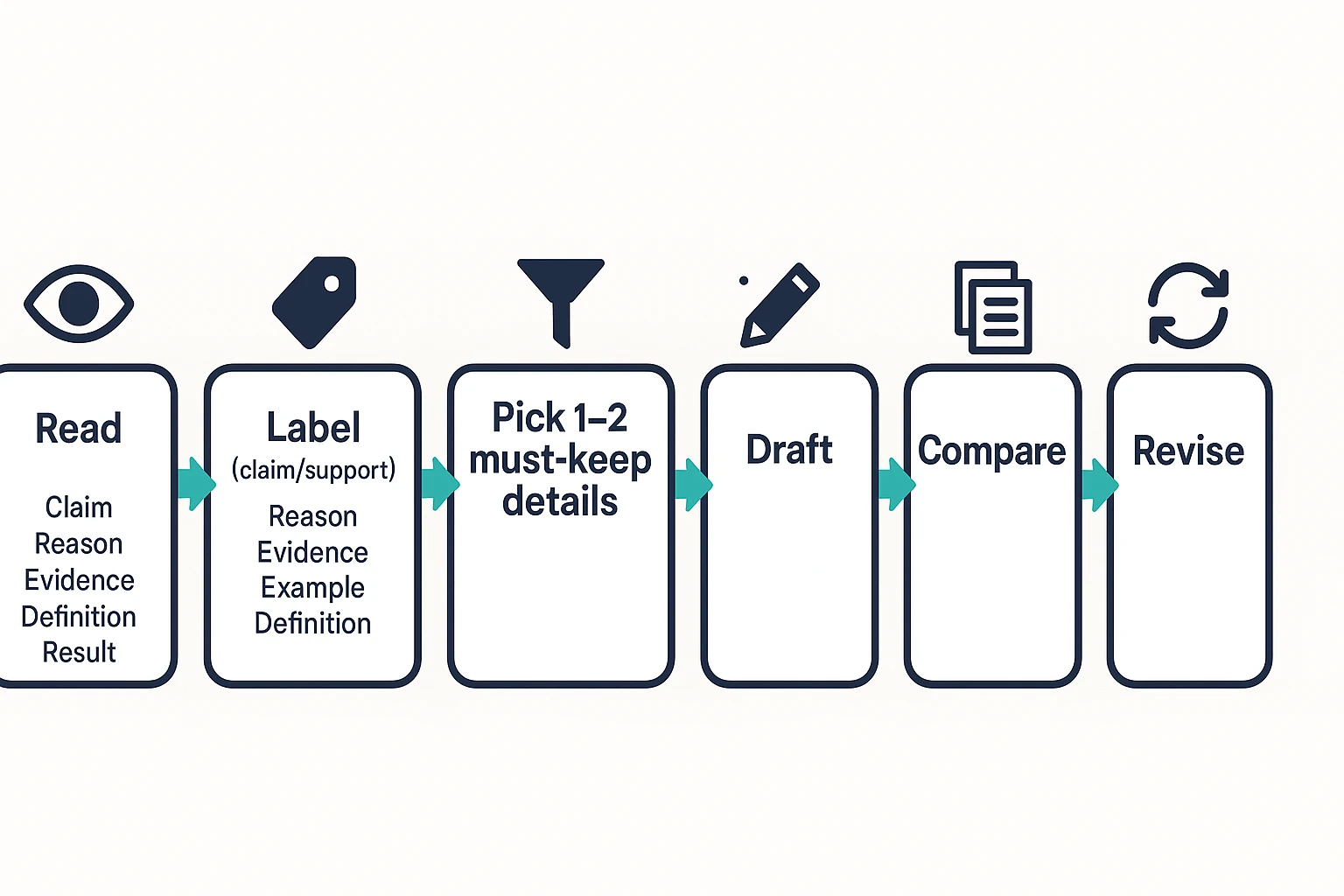
Read → Label → Pick 1–2 supports → Draft → Check → Tighten
In "Check," compare your draft to the original. Ask: Did I keep the point and the most important support, without the fluff?
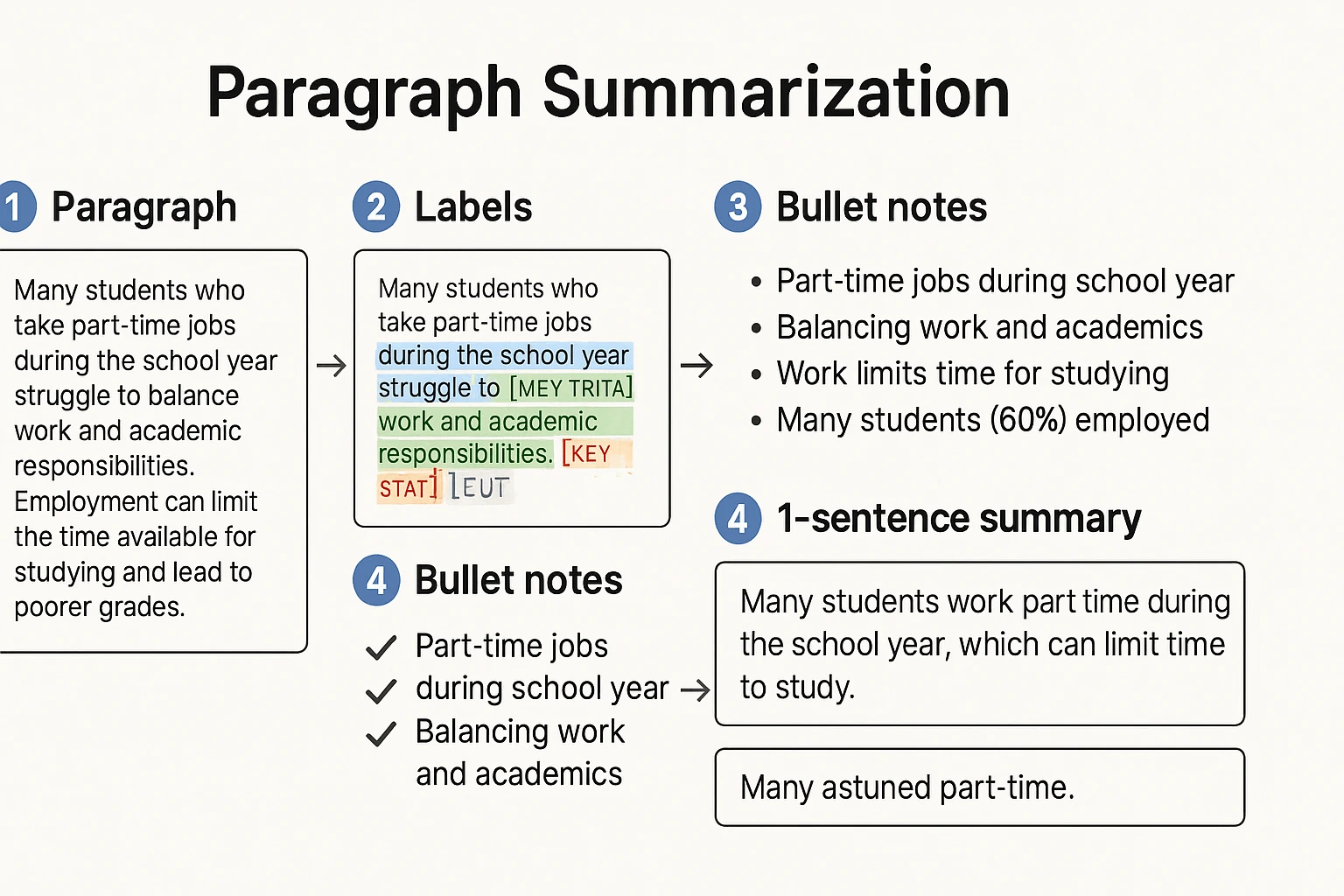
Worked example: Turn one paragraph into a 1-sentence and a 3-sentence summary
Here's the payoff: one paragraph, marked up like a highlighter exercise, then turned into clean notes and two summaries. Use this when you're learning how to summarize a paragraph without copying lines or losing the point.
Original paragraph (with labels for main idea, supports, "nice-to-have")
[MAIN IDEA] Updating your project status every Friday in one short note keeps teams moving faster, because it removes guesswork and repeats less work. [KEY TERMS] A good update names the goal, the blocker, and the next step in plain words. [SUPPORT] For example, one marketing team cut follow-up messages by [KEY STAT] 40% after they switched from long email threads to a 5-bullet weekly update. [CUT CANDIDATE] They also used color labels and emojis to make the notes feel friendlier. [CUT CANDIDATE] In my experience, this works best when the note is sent before lunch.
Notes → key points list
Now turn the labels into a short list you can draft from:
- Weekly Friday status notes speed up team progress by reducing guesswork.
- Include three key terms: goal, blocker, next step.
- Example proof: a marketing team reduced follow-up messages by 40%.
- Extra details to drop: emojis, color labels, "before lunch" timing.
Why these supports made the cut:
- I kept the 40% number because it's specific proof. It also signals scale.
- I kept the three-part structure (goal, blocker, next step) because it's the usable rule.
- I cut emojis and timing because they're preferences, not meaning.
If you want a broader method you can reuse, see this 5-step summarizing method and templates and plug this example into it.
Draft 1 (one sentence) and Draft 2 (2–3 sentences) with brief edits explained
Draft 1 (one sentence):
Weekly Friday status updates help teams move faster by reducing guesswork, especially when they clearly state the goal, blocker, and next step.
Draft 2 (2–3 sentences):
Weekly Friday status notes help teams move faster because they reduce guesswork and prevent repeated work. The best updates use a simple structure: goal, blocker, and next step. One marketing team cut follow-up messages by 40% after switching from long email threads to 5-bullet weekly updates.
Quick edit notes (what changed and why):
- Put the claim first: I started with "Weekly Friday status updates help teams" so the point is clear.
- Remove hedges: I cut soft phrases like "kind of" or "maybe" (none needed here).
- Swap structure, not just words: I moved from "because X, therefore Y" to "claim → rule → proof," which reads faster.
Want to draft faster? Try TicNote Cloud for Free to turn your marked-up notes into a first summary draft, then double-check the meaning before you submit or send it.
How do you handle quotes, statistics, and key terms in a summary?
These details can make or break a summary. The goal is to keep the meaning while cutting the noise. So you'll treat quotes, numbers, and key terms like "must-save" items, not filler.
Keep exact words only for irreplaceable terms or short phrases
Use exact wording when you can't swap it out safely. Think official names, a definition, or a short phrase people recognize.
- Keep quotes only for:
- Proper nouns (program names, laws, standards)
- Definitions that must stay exact
- A short, high-impact phrase (usually under 6 to 10 words)
- Don't build the whole summary out of quotes. If you find yourself stacking quotes, you're probably copying, not summarizing.
Quick example:
- Source: The policy calls this an "opt-out consent model."
- Summary: The policy uses an "opt-out consent model" for users.
Numbers: round, keep, or compare (rules and examples)
Numbers are tricky because they feel "objective," but they can also distract. Use one of these moves.
- Keep exact numbers when precision is the point.
- Example: "The defect rate must stay below 0.5%."
- Round when the pattern matters more than the exact count.
- Example: "The survey included about 1,000 people."
- Compare when it helps the reader understand scale.
- Example: "Group A scored about double Group B."
One rule: don't invent comparisons. If the paragraph doesn't support "twice as much," don't guess.
Attribution basics (who says it) without over-citing
Add "who + says what" when the source matters. This is common in school writing, research, and business reports.
Keep it short so it doesn't crowd out the main idea:
- Good: "The CDC reports that…"
- Good: "The author argues that…"
- Too much: naming every study detail, date, and page in a one-paragraph summary
If you're learning how to summarize a paragraph for class, this one clause can also protect you from accidental misrepresentation.
How can you avoid plagiarism and patchwriting when summarizing?
To avoid plagiarism when you summarize a paragraph, change both the wording and the structure, and then verify you kept the meaning. The goal is simple: write a shorter version that's faithful, but clearly in your voice. That also helps you avoid patchwriting (a too-close rewrite that still follows the original line by line).
The "close the tab" method: write from memory, then verify
This habit fixes most "accidental copying" fast.
- Read the paragraph once or twice.
- Close it or look away.
- Write the main idea in one sentence.
- Add 1 to 2 key details you still remember.
- Reopen the original only to check facts and fix gaps.
If you need to look back while drafting, you're more likely to keep the same phrasing.
Swap structure, not just words
Synonyms alone don't make a summary original. Instead, rebuild the idea.
- Change the order: lead with the result, then give the "why."
- Combine or split: turn two source sentences into one, or one into two.
- Use new grammar: "because," "so," "while," or "to" clauses.
Quick test: if your summary matches the source sentence-by-sentence, rewrite.
A quick originality scan checklist
Before you submit or send it, scan your draft:
- Did I copy any 3 to 5 word strings?
- Did I keep the same sentence skeleton (same clause order)?
- Did I keep the meaning but change wording and structure?
- Does it pass the rubric: accuracy, coverage, neutrality, originality, clarity?
How does your approach change for narrative, argumentative, and descriptive paragraphs?
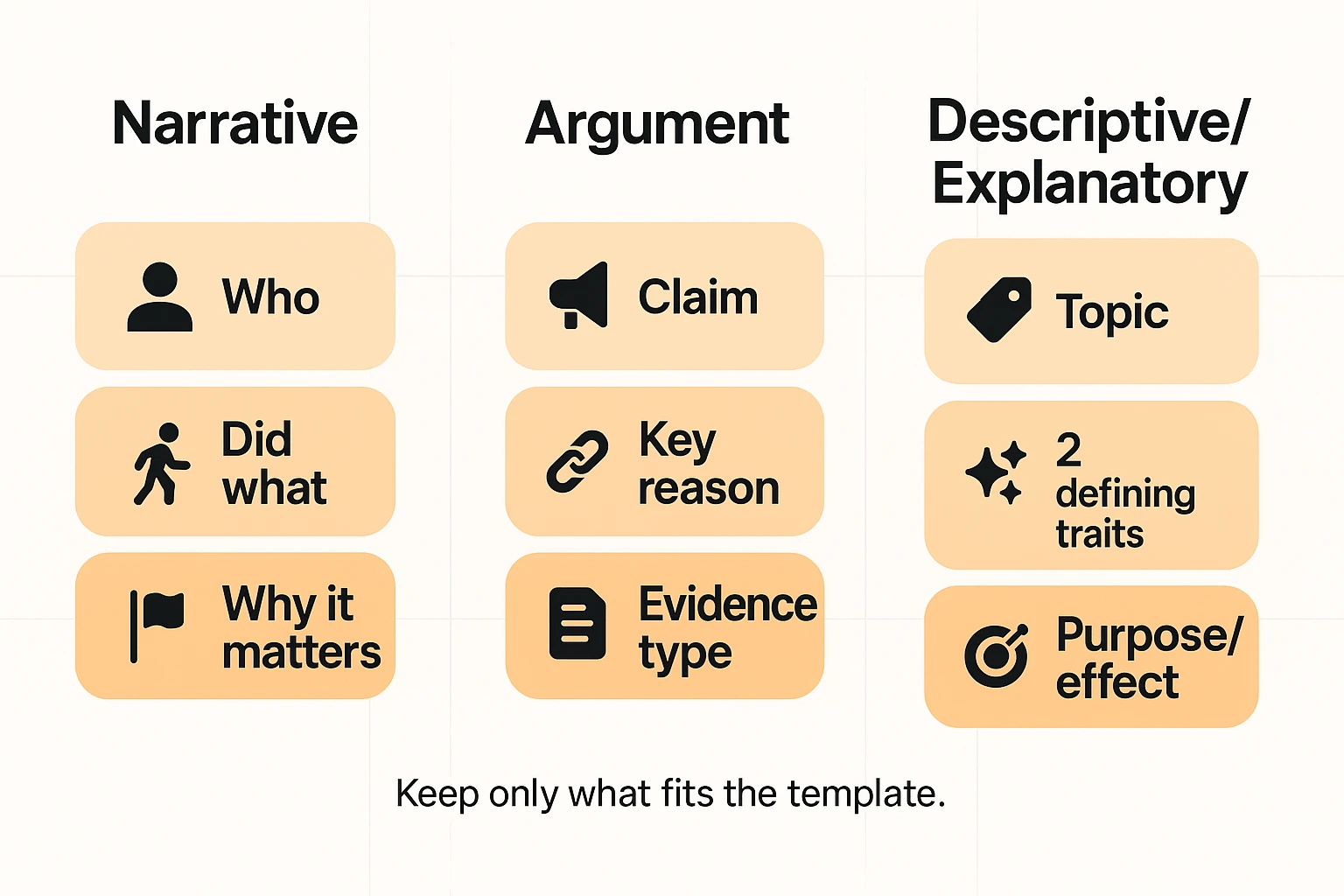
The same core method works for any paragraph. But the summary template changes by paragraph type. Pick the right frame first, then pull only what fits.
Narrative: who/does what/why it matters
Narrative paragraphs are about a change over time. Your job is to name the main event, then show what shifted.
Use this quick template:
- Who (main actor)
- Did what (main event)
- Why it matters (outcome or stakes in a short clause)
Keep the key actor, the turning point, and the result. Cut scene details, extra characters, and setting, unless they change the outcome.
Argument: claim + key reason + evidence type
Argument paragraphs try to prove something. So your summary should sound like a clean map of the logic.
Use this quick template:
- Claim (what the writer says is true)
- Best reason (the strongest support)
- Evidence type (example, study, expert, data)
Name the evidence type rather than listing every detail. Watch for loaded words like "obviously" or "disaster". Keep the tone neutral.
Descriptive/explanatory: topic + defining traits + purpose
Descriptive paragraphs explain what something is. Summaries work best when they choose a few representative traits.
Use this quick template:
- Topic (what it is)
- 2 defining traits (what makes it distinct)
- Purpose or effect (what it's for, or what it causes)
Avoid feature dumps. Pick two traits that carry the most meaning, then state the purpose in plain words.
If you also summarize longer pieces, this same "pick the right frame" move scales well in an article summarizing workflow.
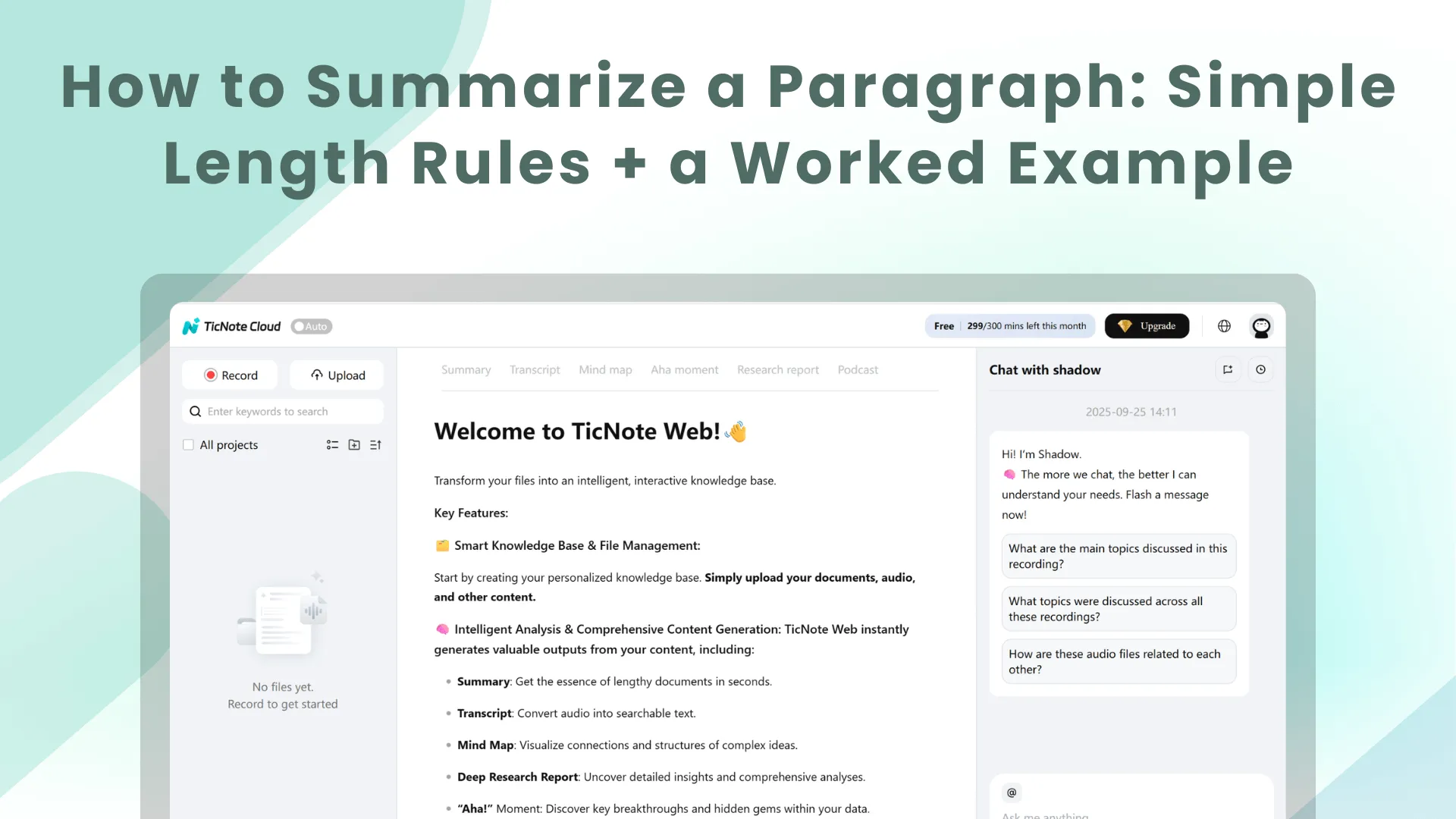
How to summarize a paragraph faster with a notes and summarizer workflow (screenshots)
If you want to summarize a paragraph faster, TicNote Cloud can help you draft a clean first version, then you tighten it to your length rule. The flow is simple: upload the file, generate a summary, then edit it into either 1 sentence or 2 to 3 sentences. You're still responsible for accuracy, tone, and plagiarism checks.
Web Studio: Upload, generate, then tighten
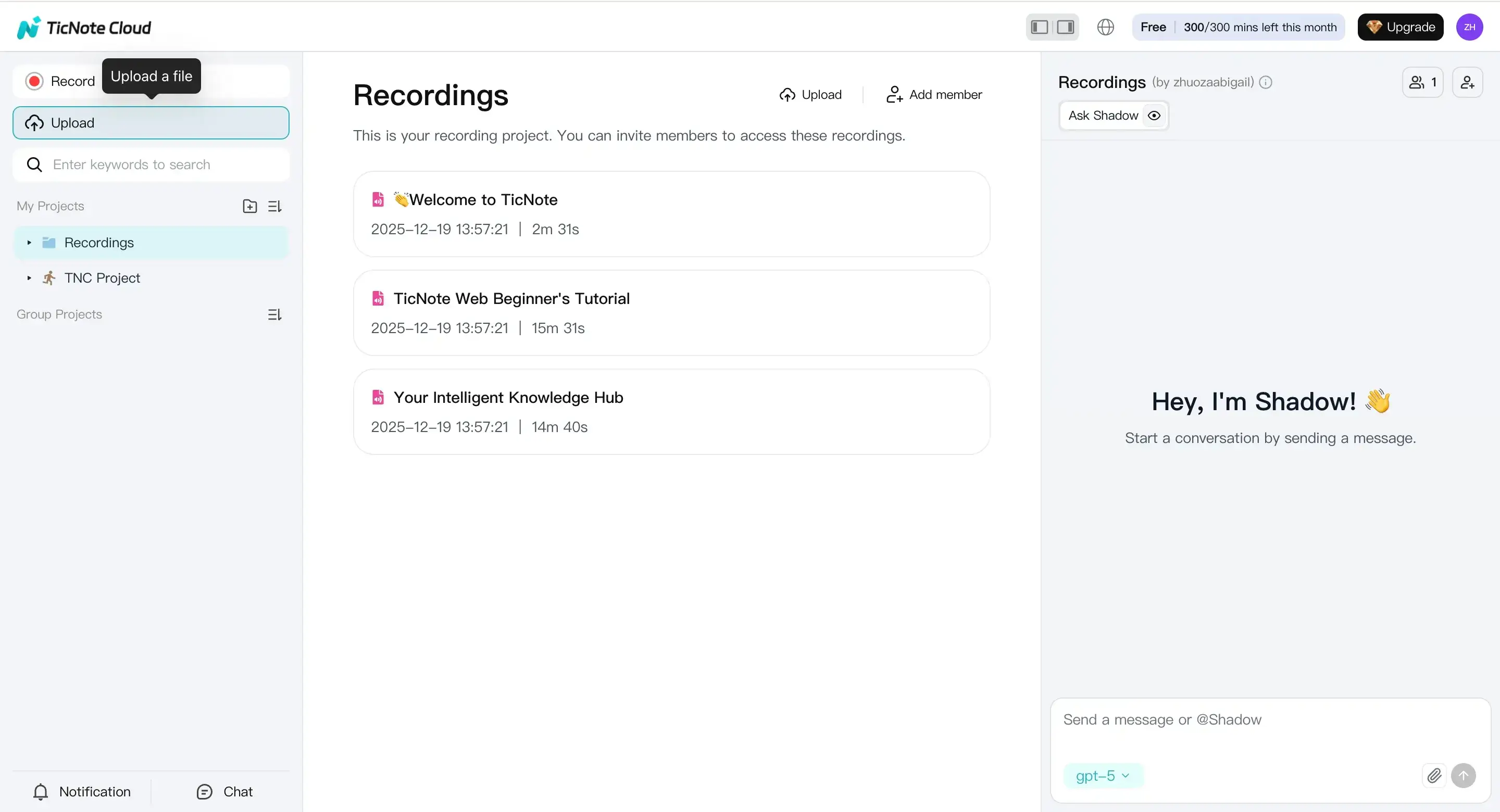
- Upload the paragraph source (doc or transcript). In TicNote Cloud Web Studio, start by creating a project, then click Upload to add your source. This can be a PDF, Word doc, or a text file. If your "paragraph" comes from a meeting or interview, upload audio or video and use the transcript as your source text.
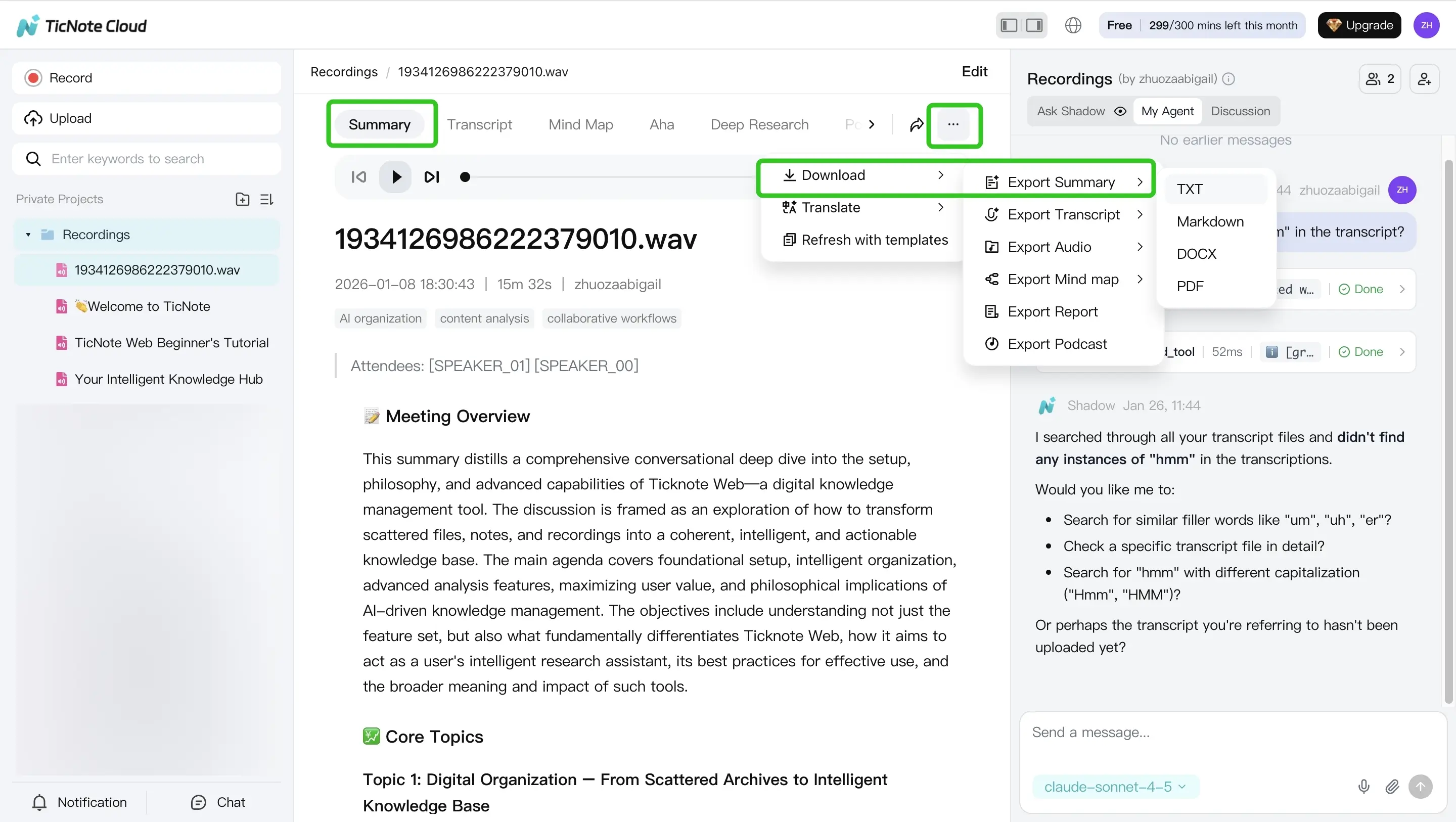
- Generate the summary, then revise to your target length. Open the Summary tab to see the draft summary. Next, rewrite it into your chosen format:
- 1-sentence summary: keep only the main claim plus the "why it matters."
- 2 to 3 sentences: add one key reason, result, or constraint.
As you edit, run two quick checks:
- Meaning check: Did you keep the same point and stance?
- Originality check: Is the wording clearly yours (not lightly rephrased)?
When it's ready, use the three-dots menu to export and drop the summary into your doc or email.
Tip: If you want more control, use a quick guide to trusting AI summarizer output so you know what to verify before you paste.
Mobile app: Same workflow, faster capture
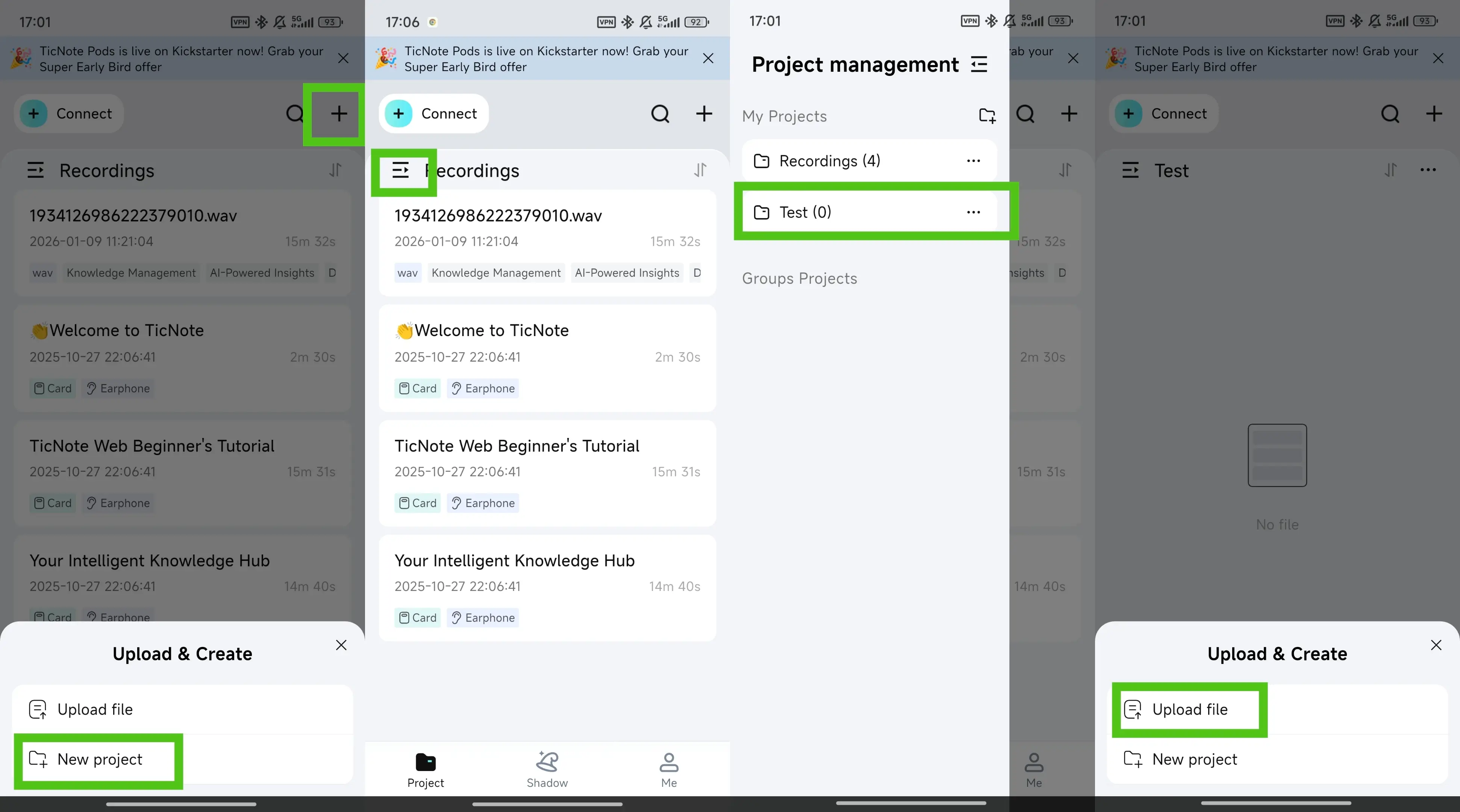
On the TicNote app, tap the add button to upload your file into a project. Then open Summary, edit it down to your sentence target, and export in the format you need.
Use Shadow prompts to cut harder (without losing meaning)
Once you have a draft, ask Shadow AI chat focused questions like:
- "What's the single main claim in this paragraph?"
- "What can be cut without changing meaning?"
- "Which terms must stay for accuracy?"
Then export your final version as Markdown, DOCX, or PDF so it's ready to submit or share.


