


 Extension
TL;DR: A skill-agent view of implementation planning
Build your execution-ready plan by using an implementation plan template as the bridge between strategy and action: objectives, phases, task IDs, owners, dates, dependencies, risks, KPIs, approvals, and notes.
Plans stall when decisions live in meeting notes, docs, and chat threads. That gap creates missed owners and late handoffs. A meeting-centered AI workspace can pull those inputs into one project, then turn them into structured planning fields.
Treat the template as a living system. Update it before software rollouts, process changes, client delivery, or cross-functional work begins—and again after every review.
Use this implementation plan template before execution starts
An implementation plan template works best before work begins, while scope, owners, dates, and approvals can still change cheaply. Use the field set below as a simple plan, a project implementation plan template, or a software implementation plan template in Sheets, Docs, Notion, or your project tool.
Copy-ready implementation plan fields
| Phase | Task ID | Task name | Objective | Owner | RACI role | Priority | Status | Start date | End date | Duration | Dependency | Resource | Risk | KPI | Approval | Notes |
Fill each field without making the plan heavy
Use verb-led task names: "Confirm rollout scope," not "Scope meeting." Give every task one accountable owner, even when several people support it. Keep dependencies specific: "Legal review complete" beats "Legal." Connect each task to one measurable outcome, such as signed approval, migrated users, defect rate, or training attendance. Save Notes for decisions, blockers, and context that changes the work.
Use these statuses consistently:
- Not started: planned, no work opened.
- In progress: active work is underway.
- Blocked: waiting on a named dependency.
- In review: complete enough for feedback.
- Approved: accepted by the approval owner.
- Done: approved and closed.
For smaller goal planning, pair this table with a goal-to-task action plan so strategic goals don't sit outside execution.
Keep the plan usable
Before kickoff, run a 10-minute quality check:
- No orphan tasks without a phase, owner, or dependency check.
- No vague owners like "team" or "business."
- No missing start or end dates on critical tasks.
- No risk without a mitigation path in Notes.
- No KPI that can't be measured within the project timeline.
Mini filled-row example
| Phase | Task ID | Task name | Objective | Owner | RACI role | Priority | Status | Start date | End date | Duration | Dependency | Resource | Risk | KPI | Approval | Notes |
| Kickoff | K-01 | Confirm rollout scope and success metrics | Align scope, success measures, and launch boundaries | Maya Chen, PM | Accountable | High | Not started | 2026-02-03 | 2026-02-04 | 2 days | Stakeholder availability | Sponsor, product lead, IT lead | Unclear scope delays downstream tasks | Signed scope approval | Executive sponsor | Revise after kickoff decisions are captured. Add blockers and final metrics here. |
This row is intentionally small. After kickoff, update the owner, dates, risks, and KPI if decisions change.
Which implementation plan format fits your project?
The right implementation plan template depends on project size, risk, and who needs to act on it. A 2-week internal cleanup does not need the same structure as a CRM launch with data migration, integrations, training, and executive reporting.
Pick the lightest format that still controls risk
| Project condition | Best format | Why it fits |
| Small team, under 30 days, low risk | Simple implementation plan | Keeps tasks, owners, and dates visible without extra process |
| Multiple owners, budget, dependencies, or stage gates | Project implementation plan template | Adds governance, RACI, risks, milestones, and reporting cadence |
| Software rollout or platform migration | Software implementation plan template | Covers modules, data, integrations, testing, support, and adoption |
| Policy, SOP, or workflow change | Process rollout plan | Maps current state, role changes, training, feedback, and compliance |
| Executive update or steering committee | Stakeholder one-pager or presentation plan | Summarizes scope, decisions, risks, KPIs, and next asks |
Match the format to the work type
Software projects need technical checkpoints. Include configuration, data migration, integration testing, user acceptance testing (UAT), training, support readiness, and adoption metrics.
Process rollouts need behavior checkpoints. Include current-state mapping, new role responsibilities, SOP updates, training sessions, feedback loops, and compliance checks.
Hybrid projects need both. For example, CRM adoption needs a software plan for setup and data, plus a process plan for pipeline rules, sales handoffs, and manager reviews. If planning includes market inputs, use ready-to-use competitor research tools before locking scope.
Choose the stakeholder-facing view
Use a strategy implementation format when leaders need to see objectives, initiatives, KPIs, and ownership. Use a Gantt-style timeline when dates and dependencies drive the work. Use a WBS (work breakdown structure) when teams need task-level clarity. Use burndown signals for agile delivery, and an executive summary when the reader only needs progress, risks, and decisions.
What should every project implementation plan include?
A strong implementation plan template turns strategy into fields your team can execute and audit. At minimum, your project implementation plan should define the objective, scope, assumptions, constraints, stakeholders, success criteria, work breakdown, owners, dependencies, risks, communications, resources, and KPIs. If a field can change the launch date, budget, or adoption rate, put it in the plan.
Define objectives, scope, and success criteria
Write objectives as outcome statements, not tasks. Example: "Roll out the new CRM to the sales team with clean account data, trained users, and weekly adoption reporting." Then separate:
- In scope: teams, locations, systems, data, deliverables.
- Out of scope: work you won't fund or manage now.
- Assumptions: conditions believed true, such as vendor access by week 2.
- Constraints: fixed limits, such as budget, policy, or launch date.
- Success criteria: 3–7 measurable outcomes, reviewed on a set cadence.
Break work into owners and RACI roles
Use a work breakdown structure (WBS) to move from outcomes to action: phase → deliverable → work package → task ID. Keep each work package small enough for one owner to track.
| Field | What to capture |
| Stakeholder | Name, team, role |
| Authority | Decision rights and approval scope |
| Communication | Channel, cadence, escalation path |
| RACI | Responsible does the work; Accountable owns the result; Consulted gives input; Informed gets updates |
Map dependencies, gates, and launch risk
Flag finish-to-start dependencies, external approvals, vendor inputs, data readiness, and security reviews. The GAO Schedule Assessment Guide: Best Practices for Project Schedules (GAO-16-89, 2015) states, "The critical path is the sequence of activities that determines the earliest completion date for the project; any delay in critical path activities will delay project completion." Use stage gates to stop bad handoffs: scope approved, design approved, pilot complete, launch ready, adoption review.
Track risks, resources, and KPIs
Use one risk register for the whole project.
| Risk | Likelihood | Impact | Owner | Mitigation | Trigger | Status |
| Dirty CRM data delays migration | Medium | High | Data lead | Run 2 cleansing cycles | Error rate above 5% | Open |
Also list resources: people, budget, tools, data, vendor support, training time, and leadership attention. Track KPIs such as completion rate, defect count, adoption rate, cycle time, support tickets, stakeholder satisfaction, and KPI review cadence.
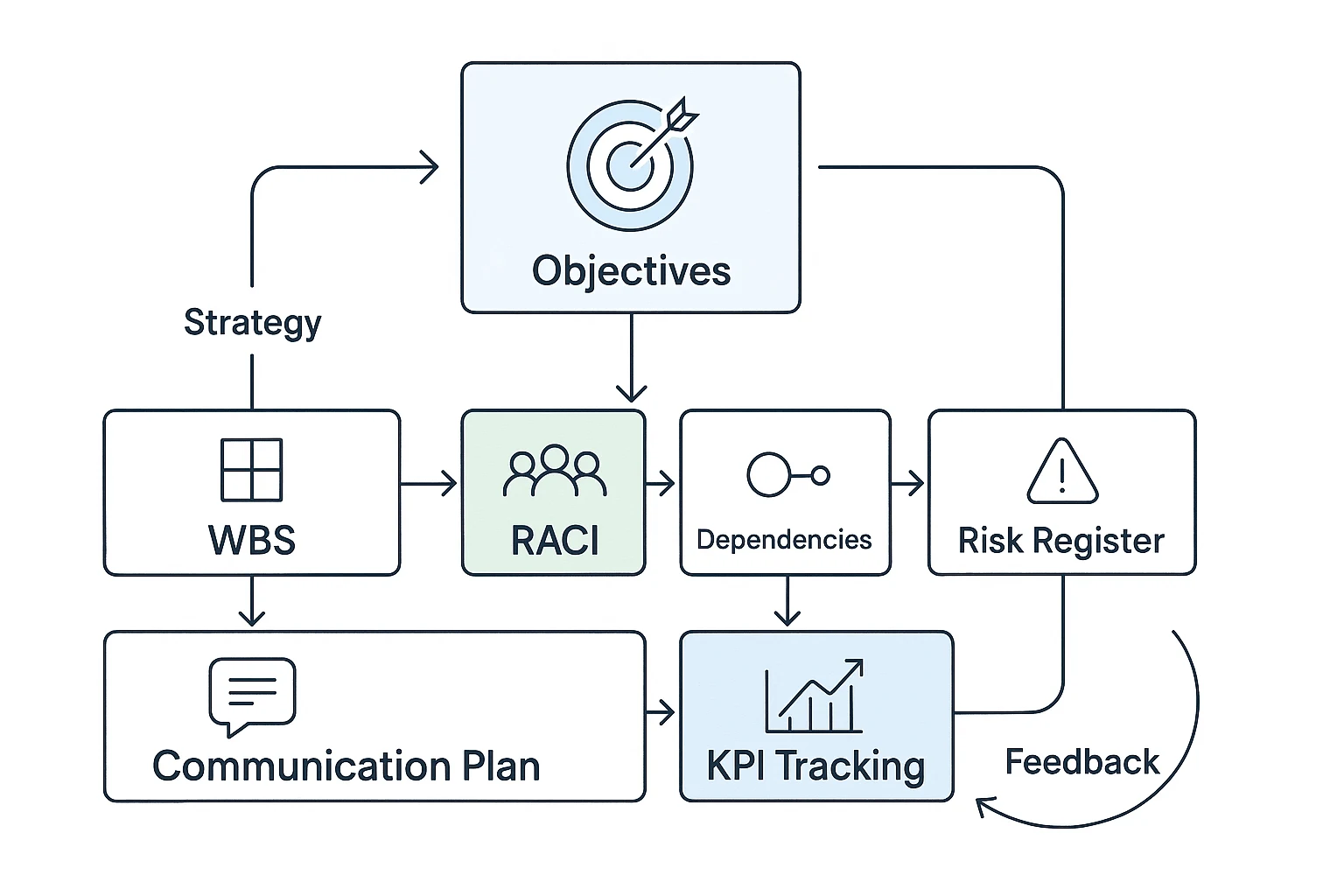
How do you turn strategy into an execution-ready plan?
An implementation plan template becomes useful when it converts strategy into named work, owners, dates, risks, and proof of completion. Start by gathering kickoff notes, strategy decks, PRDs, SOPs, client inputs, and leadership decisions in one place. Teams can use TicNote Cloud Projects to keep transcripts and documents together, then ask Shadow AI to extract plan inputs before task breakdown begins.
Capture inputs and constraints first
Before you build the schedule, find the limits. Budget, staffing, data access, vendor timing, legal review, and technical dependencies can change the plan by weeks.
Use these copy-ready prompts on meeting notes and documents:
- "Extract all decisions, unresolved questions, risks, owners, dependencies, and success metrics from these notes."
- "Create task rows with owners and dates."
- "List blockers and mitigations."
- "Identify decisions that need approval."
Break work into phases and milestones
Use a simple phase model: discovery, design, build or configure, test, train, launch, stabilize, and optimize. Then connect each milestone to the WBS (work breakdown structure), so the project implementation plan is more than a calendar.
Every milestone should include:
- Owner
- Target date
- Acceptance criteria
- Dependency review
- Evidence of completion
Set governance and change control
Governance defines who decides, who reviews, and when issues move up the chain. Use a shared process vocabulary: ISO 21500:2012 — Guidance on project management provides guidance on concepts and processes of project management.
For change control, keep the form light:
- Change request
- Reason for change
- Impact on scope, date, budget, and risk
- Decision owner
- Approval status
- Communication note
Escalate when a change affects a launch date, adds unplanned cost, creates a compliance risk, or changes executive commitments. This protects the plan from quiet scope creep.
Pilot, launch, monitor, and adjust
Run a pilot with 5–10% of the target users or one controlled workflow. Collect feedback, update the risk register, confirm launch readiness, and track KPIs after release. The plan should keep moving, but every change needs a record.
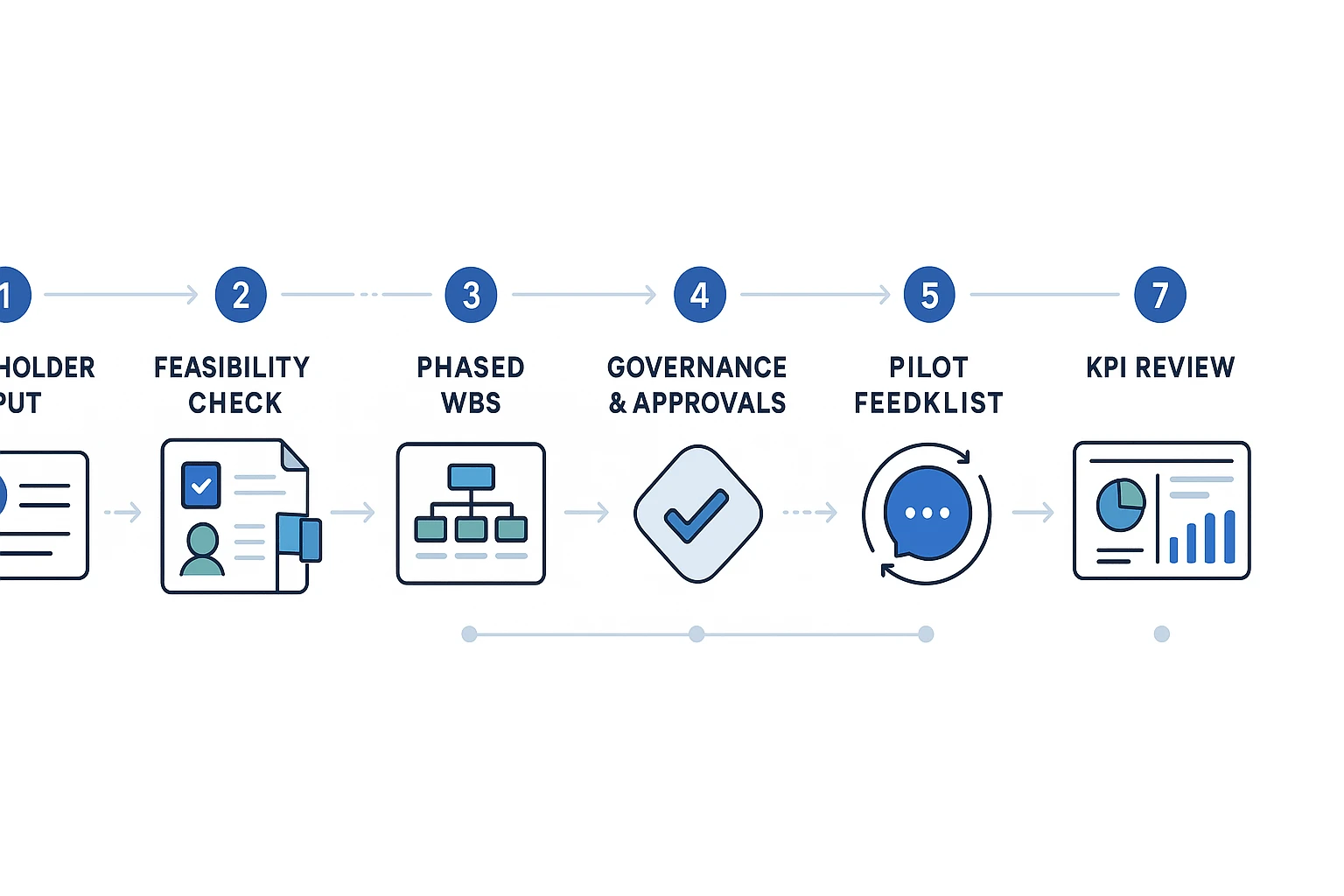
Worked implementation plan example: software rollout from kickoff to adoption
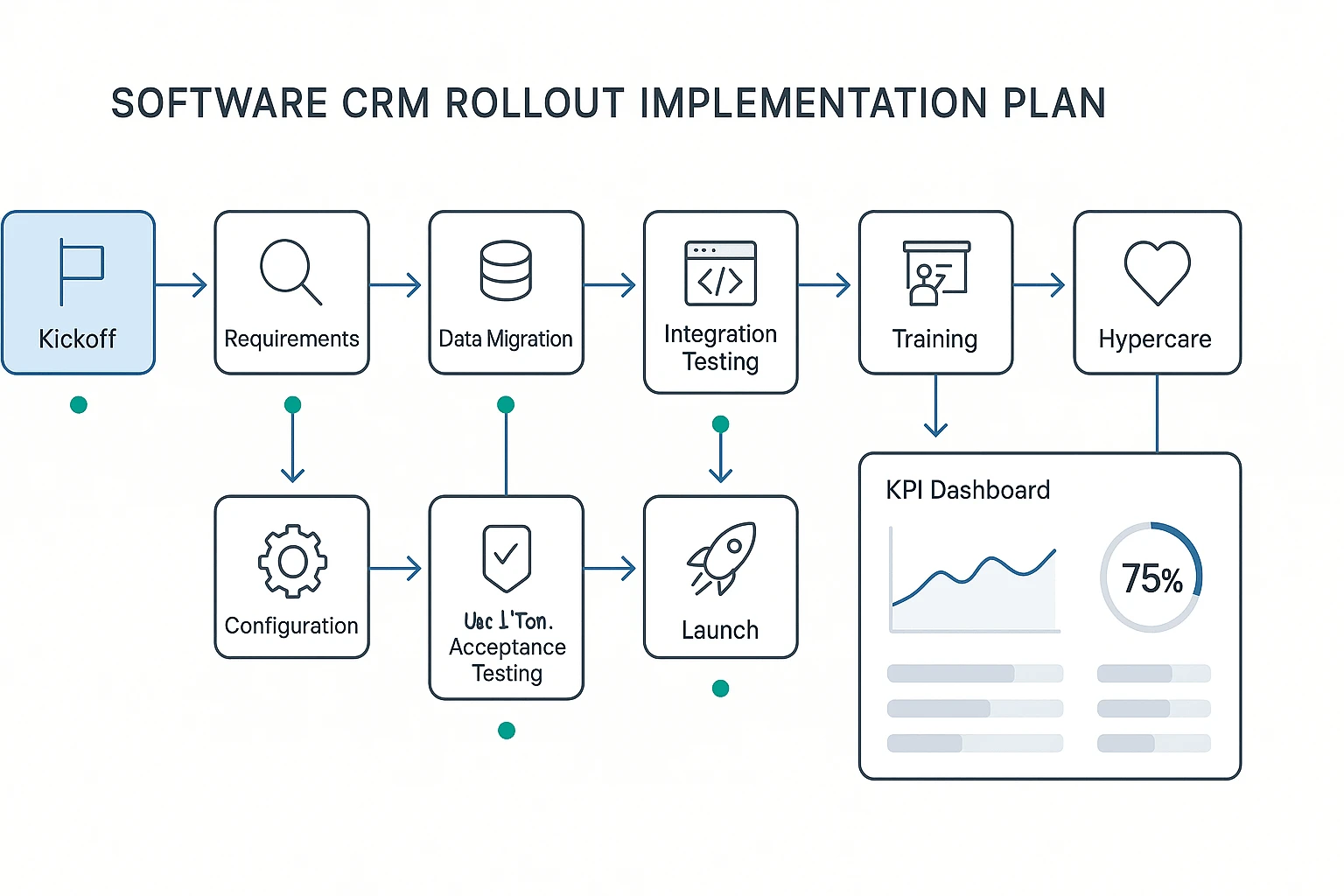
Here's a practical implementation plan template for a CRM rollout across a 40-person go-to-market team. Assumptions: customer data needs cleanup, sales and support need role-based training, integrations must be tested, and leadership wants adoption reporting after launch.
Start with a phase-based WBS
A work breakdown structure (WBS) splits the rollout into trackable tasks. Use task IDs so dependencies stay clear.
| Task ID | Phase | Owner | Start | End | Dependency | Priority | Status |
| 1.1 | Kickoff | PM | Mar 3 | Mar 3 | None | High | Done |
| 2.1 | Requirements | RevOps | Mar 4 | Mar 7 | 1.1 | High | Done |
| 3.1 | Configuration | CRM Admin | Mar 10 | Mar 18 | 2.1 | High | In progress |
| 4.1 | Data migration | Data Lead | Mar 12 | Mar 21 | 2.1 | High | At risk |
| 5.1 | Integration testing | IT Lead | Mar 19 | Mar 25 | 3.1 | High | Not started |
| 6.1 | UAT | Sales Ops | Mar 26 | Mar 29 | 5.1 | High | Not started |
| 7.1 | Training | Enablement | Mar 24 | Apr 2 | 3.1 | Medium | Planned |
| 8.1 | Launch | PM | Apr 4 | Apr 4 | 6.1, 7.1 | High | Planned |
| 9.1 | Hypercare | Support Lead | Apr 7 | Apr 18 | 8.1 | High | Planned |
| 10.1 | Adoption review | RevOps | Apr 25 | Apr 25 | 9.1 | Medium | Planned |
Read this like a lightweight Gantt chart: dates show sequence, dependencies show what can block launch. For burndown-style status, compare planned tasks against completed work each week.
Track risks and adoption KPIs
| Risk | Trigger | Mitigation |
| Dirty data | Error rate above 3% | Run sample migration and owner review |
| Low adoption | Active usage below 70% | Add manager coaching and office hours |
| Integration failure | API errors in testing | Create rollback and vendor escalation path |
| Delayed approvals | Sign-off missed by 2 days | Pre-book decision meeting |
| Training gaps | Completion below 90% | Assign make-up sessions |
| KPI | Target | Owner |
| Migration accuracy | 97%+ | Data Lead |
| Weekly active usage | 80%+ | RevOps |
| Training completion | 95% | Enablement |
| Launch ticket volume | Under 25 week one | Support Lead |
| Sales cycle-time reduction | 10% by month three | Sales Ops |
| Stakeholder confidence | 4/5 average | PM |
Separate activity from progress
A project implementation plan should not reward "busy" work. Ten completed training decks mean little if reps still avoid the CRM. Watch blocked critical-path tasks first, then compare adoption KPIs with task status.
Step-by-step workflow for building an implementation plan with a skill agent
A skill agent is an AI assistant that turns project inputs into structured work. For an implementation plan template, that means moving from scattered notes to owners, phases, dependencies, acceptance criteria, and tracker-ready tasks.
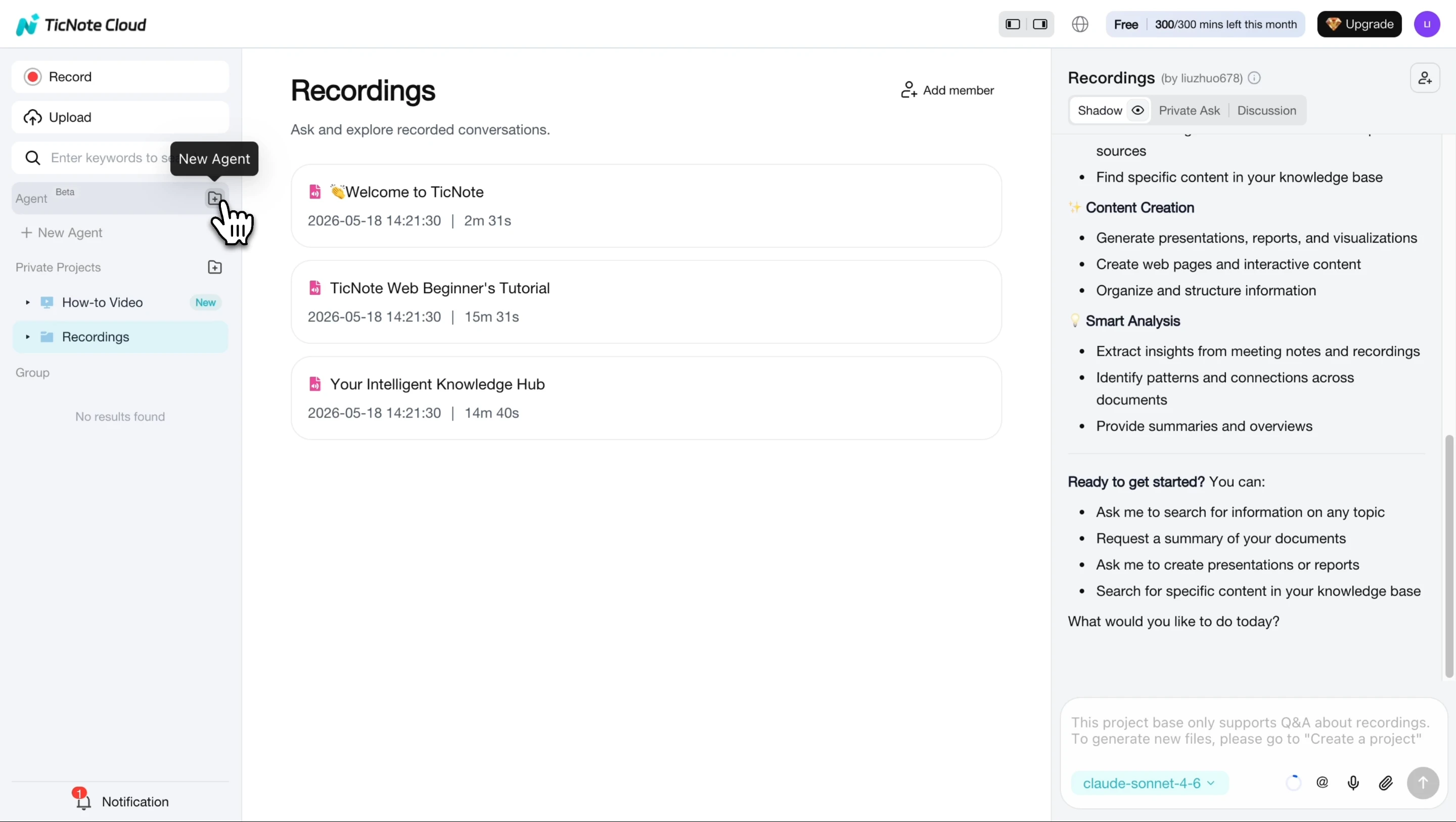
1. Start from the task breakdown skill
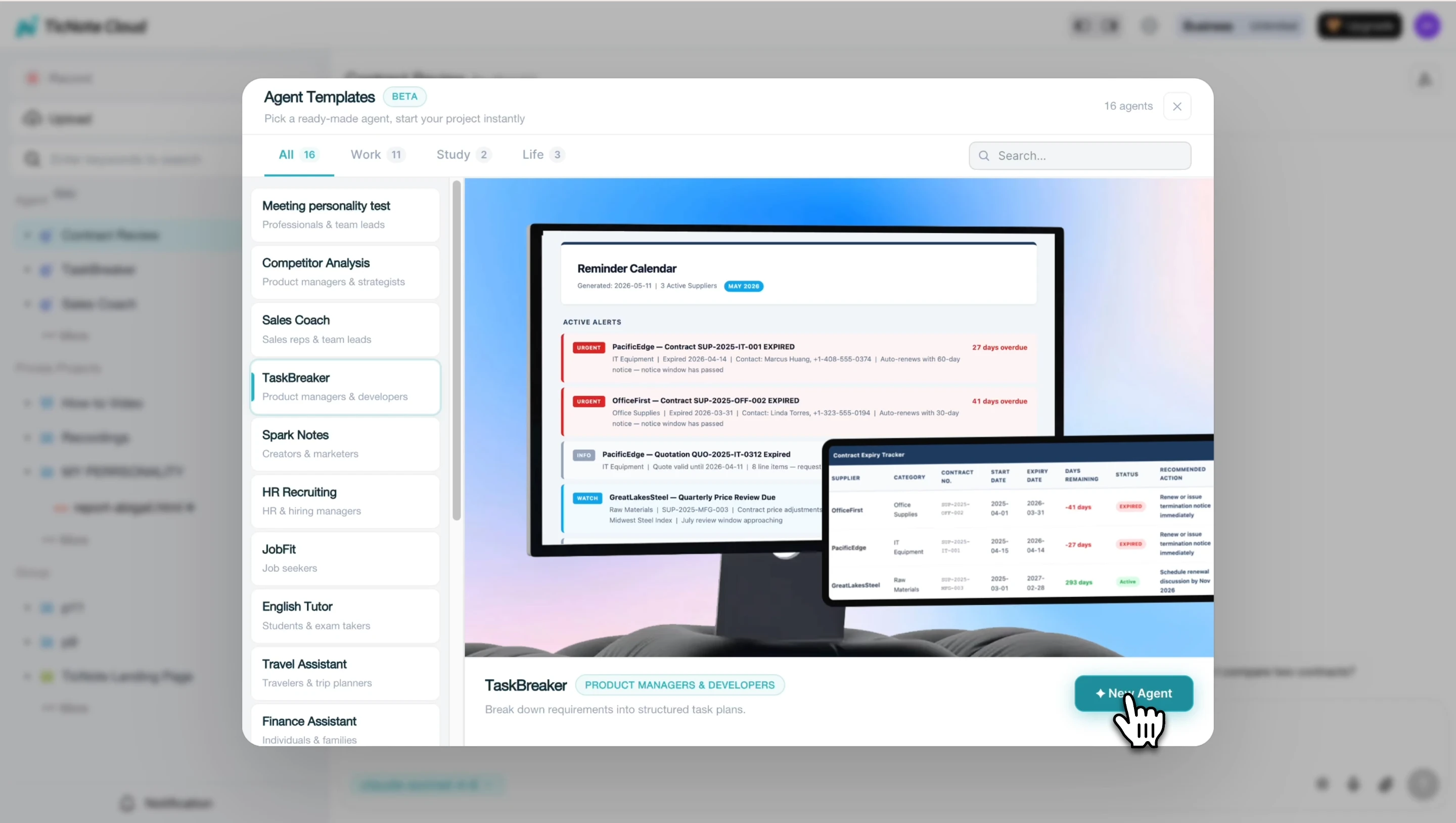
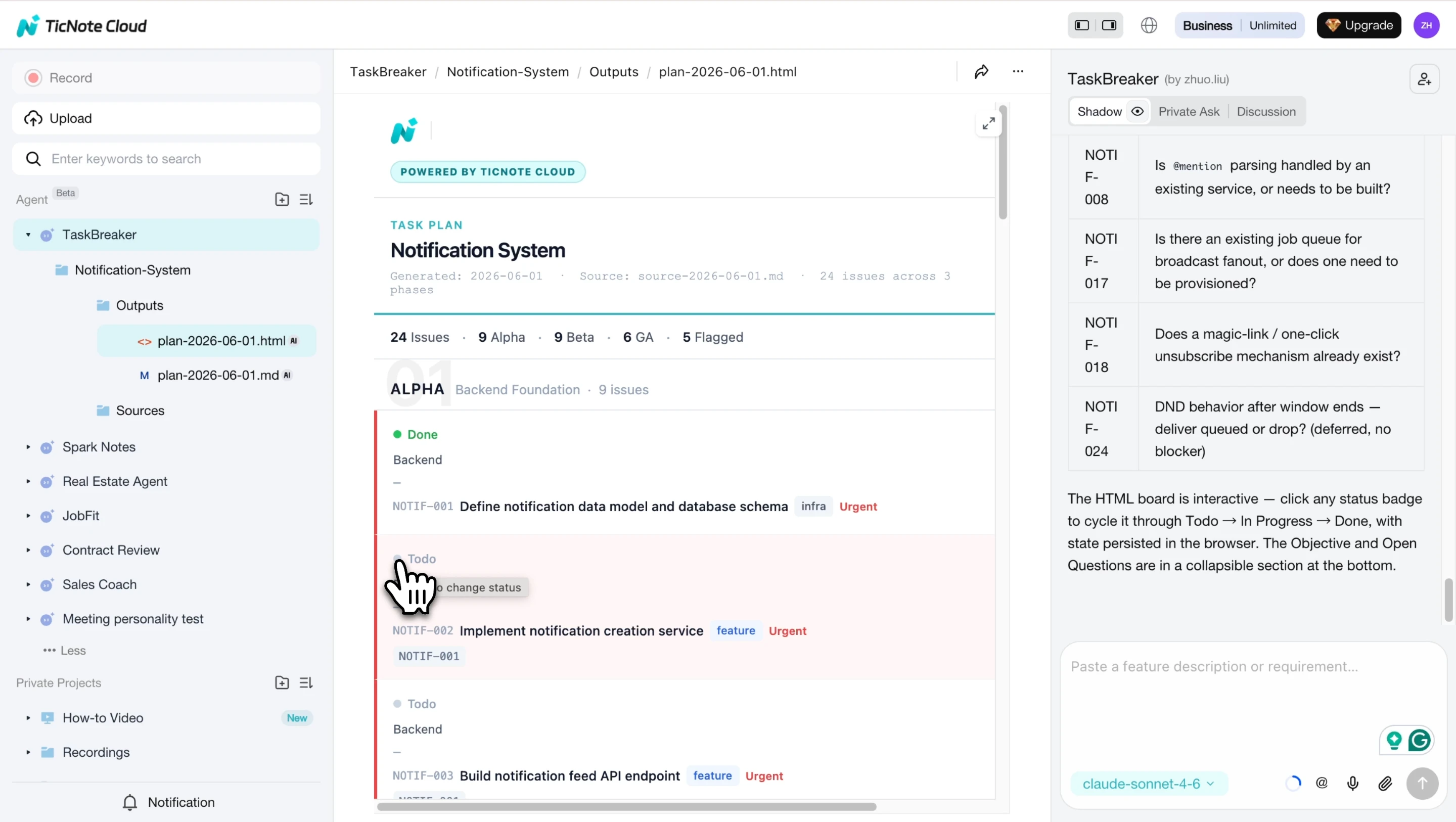
In the TicNote Cloud Web workspace, click Add Agent and open the Skill Agent library. Choose TaskBreaker, the built-in task breakdown skill for converting product documents and meeting notes into a project implementation plan.
Once added, TaskBreaker appears in your agent list and is ready to use. Its implementation plan fields can be adapted for a software rollout, client delivery plan, process change, or internal project.
This is especially useful if your team already uses a meeting workflow system to capture decisions before planning starts.
2. Add the source material
Paste or upload the inputs that define the work: a PRD, feature spec, strategy document, meeting transcript, project notes, or audio recording.
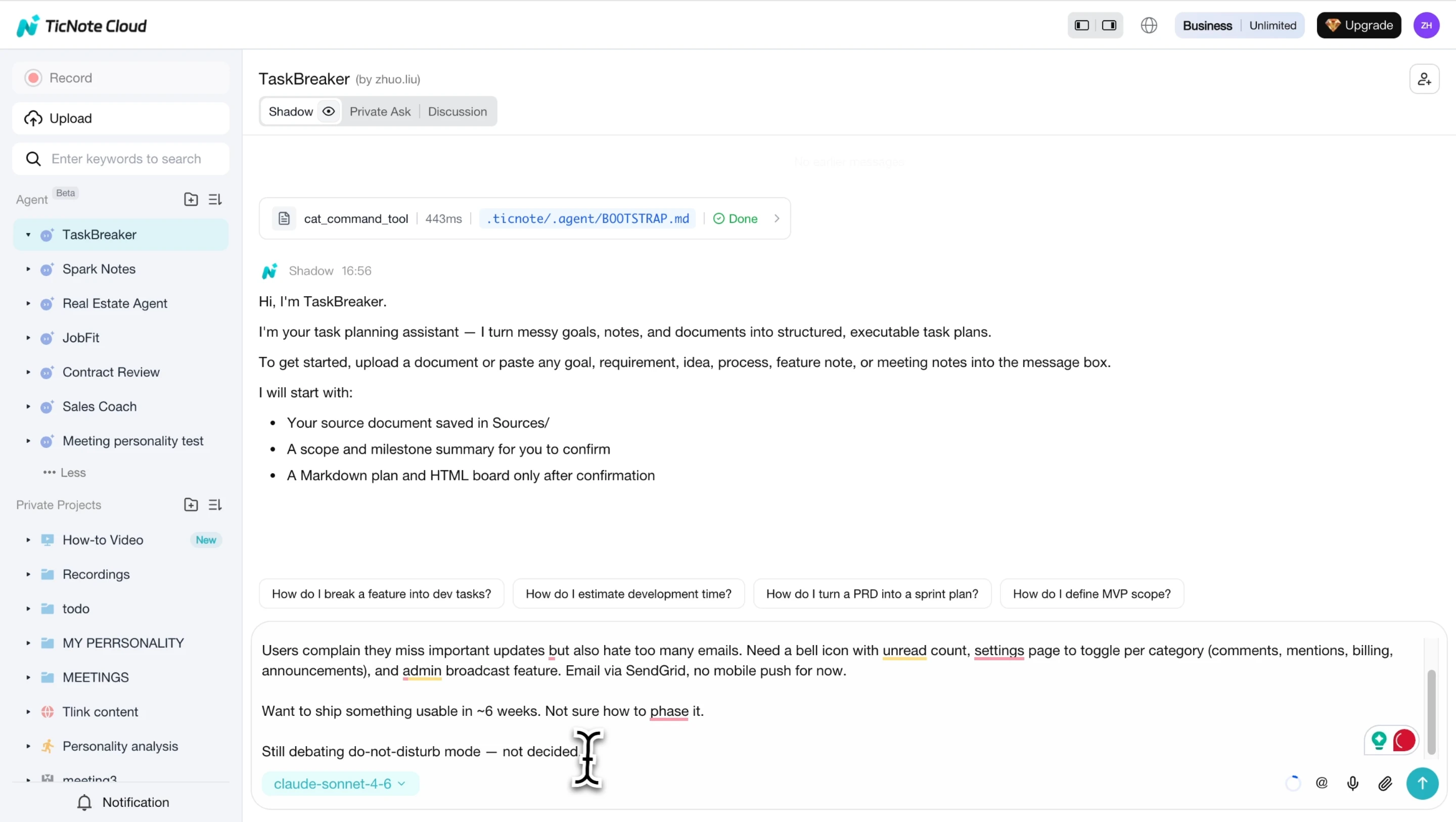
Before it generates issues, the agent summarizes the objective, scope in and out, team roles, milestones, and open questions. This review step matters because unclear scope becomes rework later.
3. Review questions and generate the plan
Read the summary, then answer any open questions in the chat. Confirm unclear owners, milestones, dependencies, acceptance criteria, labels, priorities, and phases before the plan is created.
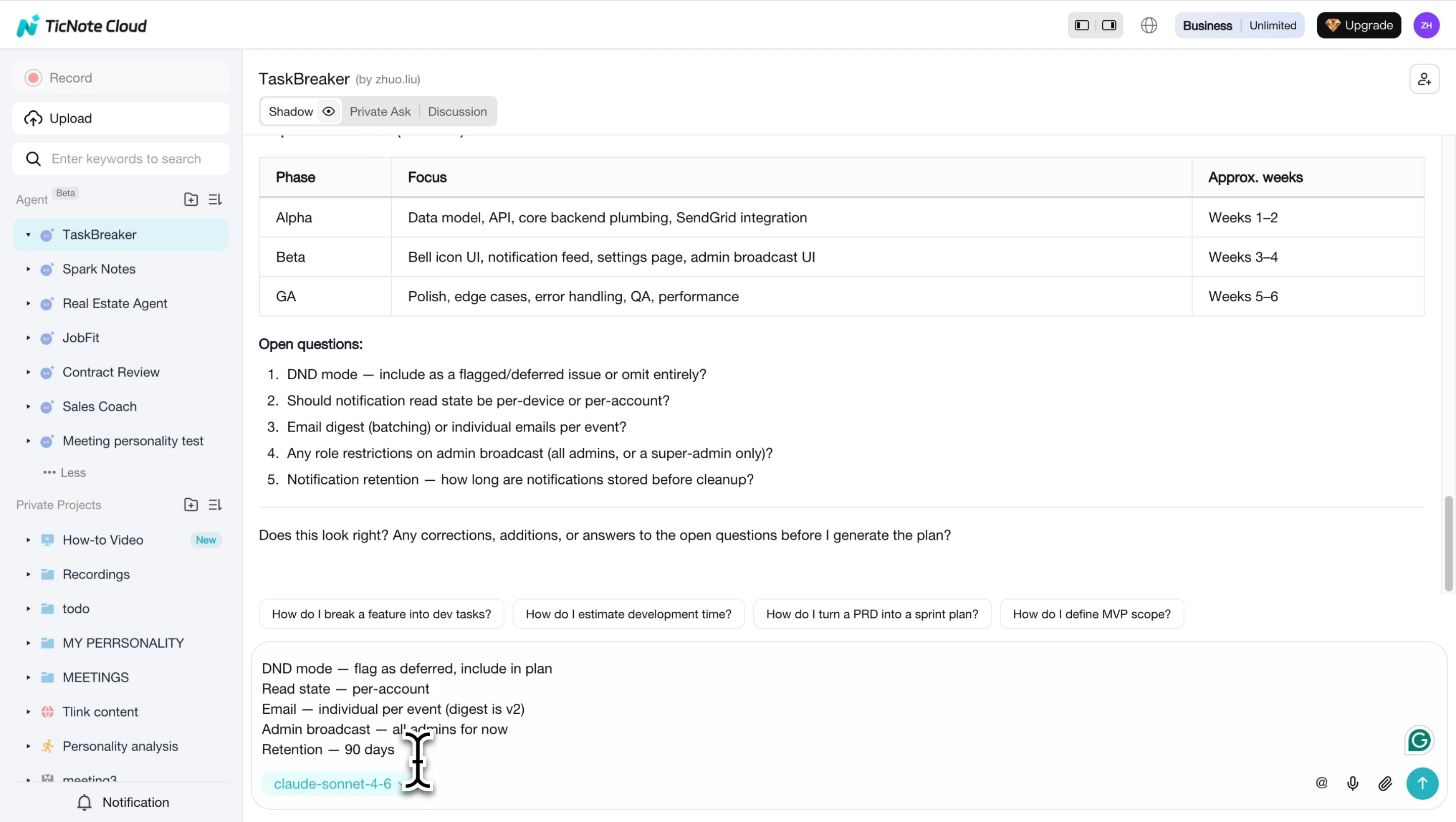
The output is a Markdown implementation plan plus a CSV ready to import into Jira, Linear, GitHub Issues, or another issue tracker. Each requirement becomes a discrete, sprint-sized issue with testable acceptance criteria and dependency mapping.
4. Use the App when planning starts away from the desk
If planning begins in a hallway conversation, client call, or workshop, use the TicNote Cloud App to capture or upload the input and add it to the relevant project. Return to the Web workspace when the team needs deeper review, CSV export, or stakeholder-ready formatting.
The key result: ambiguities are flagged with [NEEDS CLARIFICATION] before execution starts, and every requirement becomes a well-defined issue.
Start from TicNote Cloud's task breakdown skill.
Final thoughts: Plan the work, then capture what changes
An implementation plan template only works when it stays alive. Review owners, risks, dependencies, approvals, and KPIs on a fixed cadence, such as weekly during delivery and after every major stakeholder meeting.
When scope or priorities change, don't let decisions live in chat threads. Capture the decision, update the task row, and link the evidence back to the source note or document. The same habit improves strategy work; this repeatable scorecard workflow shows how structured inputs become clear actions.
Next, use the FAQ to tighten your plan before execution starts.


