


 Extension
TL;DR: The best Otter alternatives in 2026 (quick picks by use case)
If you want the fastest switch, start with TicNote Cloud as the best overall otter alternative for turning meetings into usable assets: bot-free capture, editable transcripts, Project knowledge that builds over time, and one-click deliverables (reports, presentations, podcasts, mind maps).
You've probably got transcripts scattered across tools. That makes follow-ups slow and decisions hard to find later. A practical fix is to use TicNote Cloud to keep meetings, files, and outputs in one Project, so you can edit the transcript and generate what you need without copy-paste.
- Best free option for basic notes: choose a tool with a truly usable free tier (recording + transcript + summary). Great for solo users and light follow-ups; weak for admin controls, team governance, and polished deliverables.
- Best for sales coaching + CRM logging: pick a conversation-intelligence platform built for CRM sync, coaching metrics, and call libraries. Tradeoff: many require a meeting bot to join calls.
- Best for creators editing audio/video: use a transcript-based editor that lets you cut by deleting words. It's ideal for content edits, not for team meeting knowledge reuse.
- Best for privacy-first/offline workflows: choose a bot-free, offline-capable transcriber. Note: "offline" is often post-meeting transcription, with fewer live features and integrations.
Next, this guide walks you through the testing rubric, the comparison table, ranked picks, a decision guide, a security checklist, and FAQs.
Why are people searching for an otter alternative now?
Otter.ai is a common default for meeting notes. But most switchers aren't leaving because "accuracy is bad." They're reacting to workflow gaps and governance needs that show up once meetings become a system.
The common breaking points: limits, languages, and accuracy
First: usage limits. If you're in 4–6 hours of calls a week, tight minutes caps and per-meeting limits start to feel like friction.
Second: global work. Teams often outgrow tools that don't handle mixed languages well. That includes meetings with bilingual speakers, fast switches, and non‑US accents.
Third: what people call "accuracy" is really cleanup time. It's not just word error rate. It's:
- Punctuation that changes meaning (questions vs statements)
- Speaker labels (diarization) that drift during crosstalk
- Missed names, acronyms, and product jargon
- Timestamps that don't line up when you review a claim
If you spend 10–20 minutes fixing every hour, the tool is costing you time.
When "transcript + summary" isn't enough for teams
For consultants, product/ops, and SMB teams, the real pain is what happens after the call. Decisions and context get split across meetings. Follow‑ups still take hours. And the transcript doesn't become reusable knowledge.
Common buyer complaints look like this:
- Exports lose context, so claims can't be traced back fast
- Collaboration is limited, so edits live in side docs
- The workflow breaks at "meeting → deliverable," so reports and decks stay manual
What an "alternative" should solve (capture, reuse, act)
A practical otter alternative should cover three jobs:
- Capture: live or upload, plus bot-free options when you can't invite a recorder.
- Reuse: a Project-style knowledge base that lets you search across meetings.
- Act: turn insights into action items and outputs like reports, presentations, podcasts, and mind maps.
Next, we'll score tools with a repeatable 1–5 rubric and a normalized pricing model, so you can compare apples-to-apples.
How did we test and score each Otter alternative? (method + rubric)
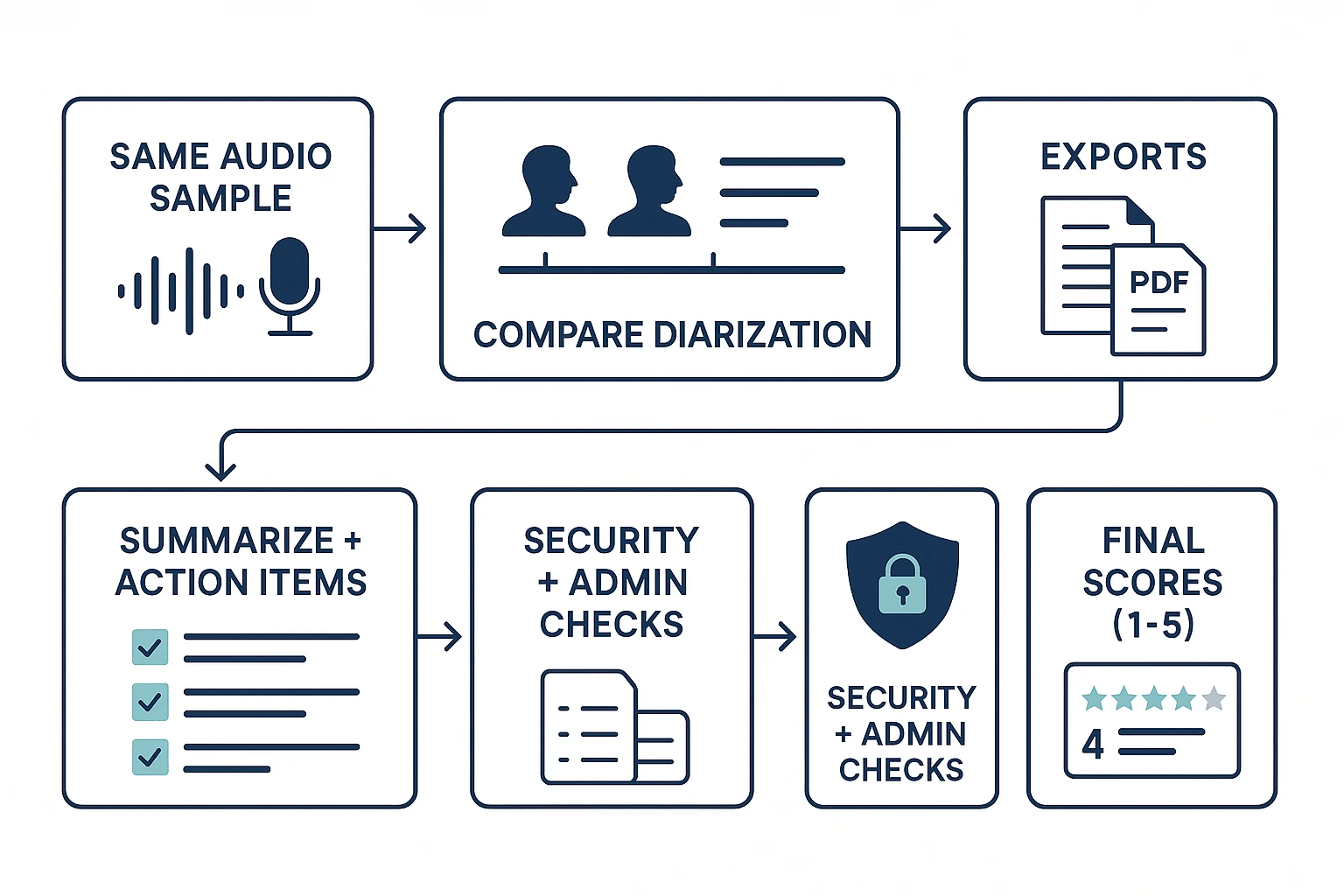
To rank each otter alternative fairly, we used the same audio set, the same checks, and the same 1–5 scoring rubric. We also separate what we tested hands-on from what vendors state, so you can re-run the same process in your own stack and avoid surprises after you switch.
Test setup: four audio types that stress real meetings
We built a small but high-signal test set that reflects how people actually talk at work:
- Clean 1:1 interview (10–12 min): one speaker at a time, clear pacing.
- Fast multi-speaker meeting (12–15 min): 4 voices, frequent interruptions.
- Jargon-heavy product discussion (10–12 min): acronyms, feature names, metrics, and proper nouns.
- Noisy call (8–10 min): keyboard noise, HVAC hiss, and light echo.
To make the results less "lab perfect," we added variability:
- Mic mix: laptop mic vs a basic USB mic.
- Overlap/crosstalk: at least 10 moments with two speakers talking.
- Accent coverage: at least one non-native English speaker in the fast meeting.
We sanity-checked each tool on two paths where possible:
- Uploaded file transcription (same WAV/MP3 for everyone)
- One live capture method the product supports (for example, a meeting join bot, a desktop/app capture, or an extension-based capture).
The scoring rubric (1–5) and what a "5" looks like
Every tool gets a 1–5 score in each category below. A "3" means usable but needs cleanup. A "5" means you can ship work with minimal edits.
- Transcription accuracy: 5 = clean text with correct names, numbers, and jargon; few "???" moments.
- Speaker labels / diarization (who spoke when): 5 = stable speaker IDs, handles overlap well, and keeps labels consistent.
- Summaries + action items: 5 = decisions, owners, and due dates are captured; action items aren't invented.
- Language coverage: 5 = strong results in at least two non-English tests (not just "supported" on a pricing page).
- Recording method (botless vs bot): 5 = reliable capture without disrupting the call; clear controls and consent cues.
- Integrations / exports: 5 = exports preserve timestamps and speaker names; common formats (DOCX/PDF/Markdown) work cleanly.
- Admin / security: 5 = SSO, audit logs, retention controls, and clear data-use policy.
- Collaboration / editing: 5 = transcripts are truly editable in-product, with comments and change tracking or version history.
- Deliverables: 5 = generates usable outputs (report, presentation, podcast, mind map) and lets you trace claims back to sources.
What we verified vs what vendors claim (and how to double-check)
Verified (hands-on): we compared a short, identical transcript snippet across tools, checked diarization on overlapping speech, and tested whether edits happen inside the product (not "export to edit"). We also checked whether AI outputs are traceable—for example, do "key takeaways" link back to the exact moment in the recording or transcript?
Claimed (vendor-stated): language counts, compliance badges, and uptime/SLAs. These often vary by plan, region, or contract, so treat them as inputs to confirm—not final proof.
Quick buyer checklist (10 minutes, repeatable):
- Run a pilot on your hardest meeting (noise + overlap + jargon).
- Time the cleanup: edits, speaker fixes, and summary corrections.
- Confirm data policy: training use, retention, and deletion controls.
- If you're a team, validate SSO and audit logs before rollout.
This guide is written for commercial investigation: faster shortlisting, fewer post-switch surprises, and clearer trade-offs between "good transcription" and "meeting outputs you can actually deliver."
Comparison table: TicNote Cloud vs top Otter alternatives
This table is the fastest way to narrow your shortlist to 2–3 tools. It focuses on the features that change daily workflow, not just "does it transcribe." Read across each row, then use the gotchas line to catch the stuff that bites later (like a meeting bot, or edits that only work after export).
What the table includes (and how to read it)
Each feature column uses the same symbols:
- ✅ = native, built-in support
- Partial = limited, add-on, or workaround needed
- ❌ = not supported
Columns on the page:
- Bot-free recording (no bot joins the call)
- Editable transcript (edit in-app, not only after export)
- Projects/knowledge (a shared workspace that compounds across meetings)
- Citations (answers link back to exact moments/files)
- Deliverables (one-click outputs like reports, presentations, podcasts, mind maps)
- Languages (coverage for transcription + translation)
- Integrations/exports (key connectors and export formats)
- Security/admin (SSO, audit logs, retention controls, role permissions)
The table is designed to surface TicNote Cloud's big workflow wins at a glance: bot-free capture, truly editable transcripts, a Project workspace that builds reusable meeting knowledge, Shadow AI answers with citations, and one-click deliverables.
"Gotchas" we'll add under each tool row
Under every product row, we'll include a one-line note like:
- "Bot joins meetings" (may trigger IT review or attendee confusion)
- "Post-meeting only" (no live capture)
- "Edits only in exports" (transcript is effectively read-only in-app)
- "Limits by minutes or recording length" (caps matter more than logos)
Normalized pricing snapshots (solo, 5 seats, 20 seats)
Below the feature grid, we'll show pricing in one consistent unit: estimated monthly spend for three personas:
- Solo (1 user)
- Small team (5 users)
- Growing team (20 users)
Normalization rules we'll follow:
- Use the closest comparable paid tier (meeting capture + transcription + summaries).
- If pricing is per-seat, we multiply by seats.
- If pricing is per-workspace or includes pooled minutes, we assume one workspace and call out included minutes and caps.
- We'll list what's included next to the estimate (minutes, max recording length, key feature gates like exports or admin controls).
Pricing changes often. Use this model for relative comparison, then confirm on vendor pricing pages before you switch.
Top Otter alternatives (ranked)
These rankings come from our 1–5 rubric, weighted for teams that need reliable capture, shared knowledge, and faster follow-ups (not just a transcript). In practice, that means we scored "capture reliability + editing + reuse + deliverables" higher than nice-to-have extras. We also include a consistent "same-audio transcript snippet" callout for each tool, so you can compare punctuation, speaker labels (diarization), and jargon handling side by side.
1) TicNote Cloud — best for bot-free capture + reusable Project knowledge
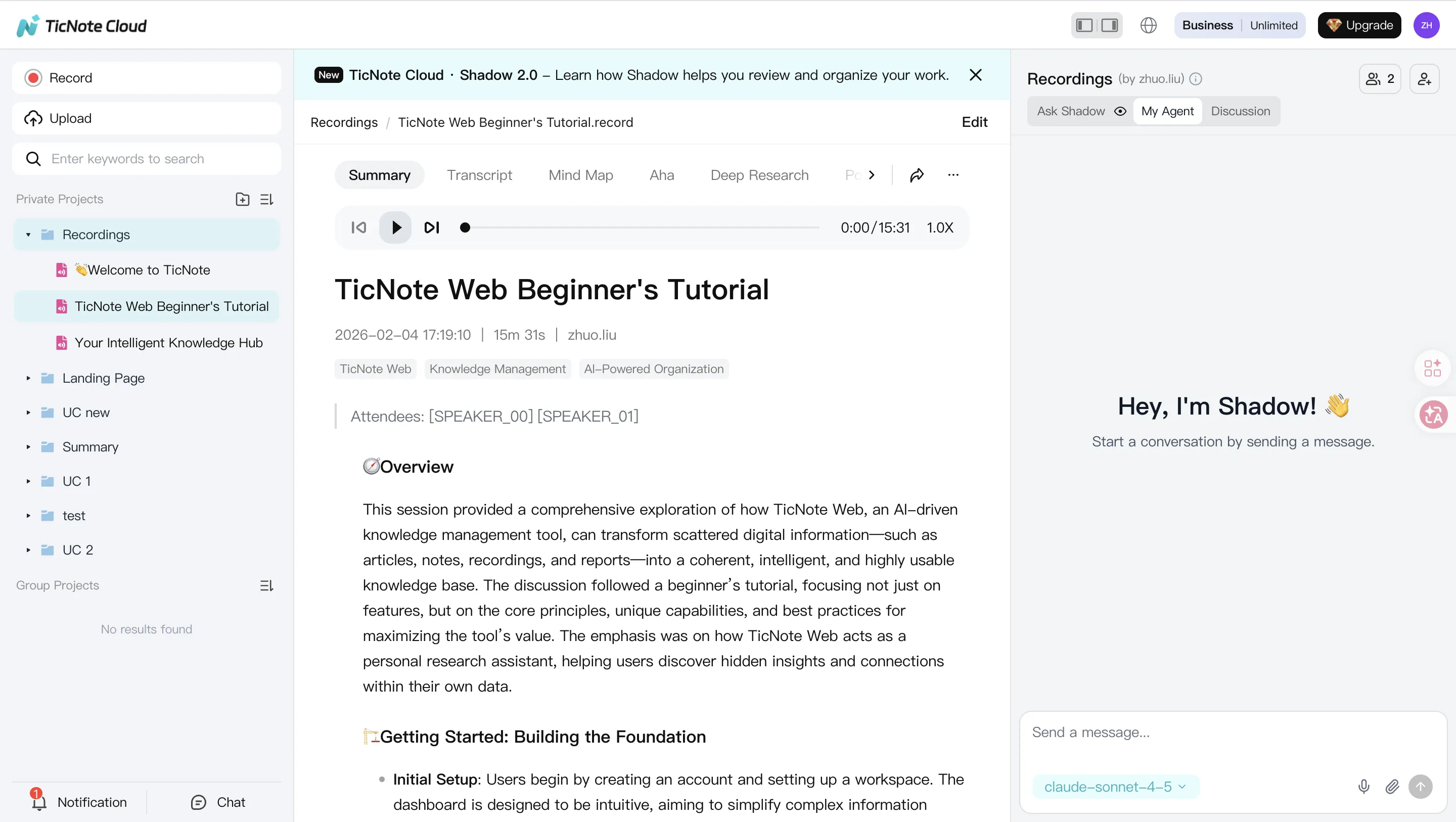
Best for: consultants, researchers, and team leads who want meeting capture without a bot, plus a place where knowledge builds over time.
Why it ranked #1 (tested + vendor-stated):
- Bot-free recording options (tested): capture without inviting a meeting bot (helpful when guests hate bots, or calls are sensitive).
- Editable transcripts (tested): you can fix speaker names, terms, and punctuation directly in the transcript, with collaboration.
- Projects that compound value (tested): group meetings, docs, and media into a single Project so context stays together.
- Shadow AI with citations (tested): ask questions across Project sources and get answers that point back to the underlying clips/sections.
- One-click deliverables (vendor-stated + tested in output flow): generate a research report, web presentation, podcast assets, or a mind map from the same meeting set.
Tradeoffs to validate:
- Integrations: confirm it connects to the tools you rely on (calendar, CRM, ticketing, data warehouses).
- Enterprise compliance: if you require SOC 2/HIPAA, formal DPA terms, audit logs, or custom retention, confirm what's available on your plan.
Transcript snippet callout (same audio across tools): TicNote Cloud typically kept punctuation readable, handled domain terms better after quick edits, and produced clearer speaker turns once diarization was corrected.
In other words, it's not just a replacement recorder. It's a "meeting → Project knowledge → deliverables" workflow that reduces repeat work.
2) Fireflies.ai — best for CRM logging + conversation analytics
Best for: sales and CS teams that want automatic call capture, CRM updates, and talk-track analytics.
Strengths (mostly vendor-stated; validated in common workflows):
- Strong ecosystem for revenue teams (CRM and sales tooling).
- Good for searching a large call library and measuring coaching metrics.
Tradeoffs to expect:
- Meeting bot presence: many orgs must notify guests, update policies, or avoid bot-joined calls.
- Analytics complexity: powerful, but can feel heavy if you only need clean notes.
- Governance: larger rollouts often require admin review of retention, access controls, and data handling.
Transcript snippet callout: often solid on speaker turns, but jargon and acronyms can vary by setup; punctuation can require cleanup for publishing-ready notes.
If you're comparing this category closely, see our deeper breakdown of Fireflies alternatives and scoring before you commit.
3) Fathom — best for generous free use
Best for: individuals and small teams who want quick summaries and lightweight workflows.
Strengths:
- Fast "get value in one call" experience.
- Strong for simple recaps and sharing notes.
Tradeoffs:
- Knowledge reuse depth: great for single meetings, weaker for building long-lived project memory.
- Admin controls: can be limited for IT-managed environments.
- Advanced outputs: fewer options for turning meetings into polished deliverables.
Transcript snippet callout: summaries can look good, but fine-grain transcript cleanup (speaker naming, terminology) may take manual effort.
4) Notta — best for multilingual transcription across devices
Best for: teams that work across languages and need recording on web + mobile.
Strengths:
- Broad language support and flexible device capture.
- Useful for interviews and field notes.
Tradeoffs:
- Free plan constraints: minutes, export, and feature limits can push upgrades quickly.
- Team workflow fit: permissions, review flows, and collaboration vary by plan.
Transcript snippet callout: strong on multilingual capture; technical jargon accuracy depends heavily on audio quality and speaker clarity.
5) tl;dv — best for highlight sharing + searchable meeting libraries
Best for: teams that share clips, highlights, and moments across a lot of internal meetings.
Strengths:
- Easy to share key moments without forwarding full recordings.
- Good "library feel" for meeting rewatch and search.
Tradeoffs:
- Summary depth on free tiers: you may need paid tiers for better summaries and workflows.
- Admin/security: confirm SSO, retention, and audit needs if rolling out broadly.
Transcript snippet callout: highlight workflows are the star; transcript formatting may still need edits for client-facing reuse.
6) Fellow — best for structured meeting management
Best for: orgs that want better agendas, decision tracking, and action item ownership.
Strengths:
- Strong structure for recurring meetings and accountability.
- Helpful governance patterns for teams (templates, consistency).
Tradeoffs:
- More "meeting operations" than "content-to-deliverables."
- If your main goal is repurposing meetings into reports or decks, you may need extra tools.
Transcript snippet callout: depends on how transcription is integrated; the standout is workflow discipline, not transcript editing.
7) Jamie — best for privacy-first, bot-free notes
Best for: people who prioritize privacy and want notes without a bot joining calls.
Strengths:
- Bot-free posture is a fit for sensitive calls.
- Can work well for post-meeting summaries.
Tradeoffs:
- Real-time needs: may be less focused on live, collaborative transcript editing.
- Integrations: confirm exports, automations, and team workflows.
Transcript snippet callout: often good for concise notes; diarization and dense jargon can be inconsistent depending on the capture method.
8) Descript — best for creators editing audio/video by transcript
Best for: podcasters and video creators who want transcript-based editing.
Strengths:
- Strong editing workflow for content production.
- Useful when "the deliverable is the media."
Tradeoffs:
- Not optimized for team meeting follow-ups, action tracking, or cross-meeting knowledge reuse.
- Collaboration is geared toward editing projects, not shared meeting operations.
Transcript snippet callout: editing tools are strong; meeting-style diarization and action-item extraction aren't the core focus.
Transcript snippet promise (what you'll see later in this guide): we'll show one identical excerpt across tools and score it on (1) punctuation readability, (2) speaker labeling, and (3) handling of names and jargon. That's the fastest way to see "good enough" vs "ready to reuse."
What can a Project-based meeting workspace do that most Otter alternatives can't?
Most transcription tools stop at "a transcript + a summary." A Project-based meeting workspace goes further: it treats meetings as raw material for work that keeps building over time. That category shift is why many people looking for an otter alternative now also ask, "Where does all this meeting knowledge live after the call?"
Keep editable transcripts as the single source of truth
Editable transcripts change the whole workflow. You can fix names, product terms, and numbers while the context is fresh. You can also correct action items, add inline comments, and tag owners.
With export-only editing, you edit in Google Docs or Notion after the fact. That breaks traceability. The "final" version drifts from the original audio, and review turns into guesswork.
Build Projects that compound knowledge across meetings + files
A Project is a shared workspace that groups meetings, interviews, and files by theme. Think: one client, one product area, or one research topic. Each new call doesn't just create another note. It adds to the same knowledge base.
Examples by persona:
- Consultant: combine stakeholder calls, workshop notes, and PDFs in one client Project, then reuse the same context across weeks.
- Product/ops team: track decisions across sprint planning, retros, and customer feedback calls without losing history.
- Journalist/researcher: collect interviews plus background docs, then pull themes across sources when drafting.
If you're comparing tools in this "workspace + sources" category, this is also where NotebookLM-style knowledge workflows for meetings and PDFs start to matter.
Use Shadow AI with citations across your Project
"Citations" means the AI doesn't just answer. It points to the exact moment in a meeting or the exact source file that supports the claim. Operationally, that makes review fast.
Buyer value is simple:
- Lower hallucination risk (you can verify every key line)
- Easier stakeholder approval (they can click to the source)
- Safer sharing (you can show evidence, not just text)
TicNote Cloud is a clear example of this approach because Shadow AI works inside a Project and keeps outputs tied to sources.
Generate one-click deliverables (not just notes)
Once the transcript is editable and the knowledge is organized in Projects, deliverables become a normal output—not a side task:
- Report: send a clean follow-up after customer calls in minutes.
- Web presentation: share an internal alignment deck without reformatting.
- Podcast: turn creator recordings into a publishable cut with show notes.
- Mind map: synthesize research themes into a visual structure.
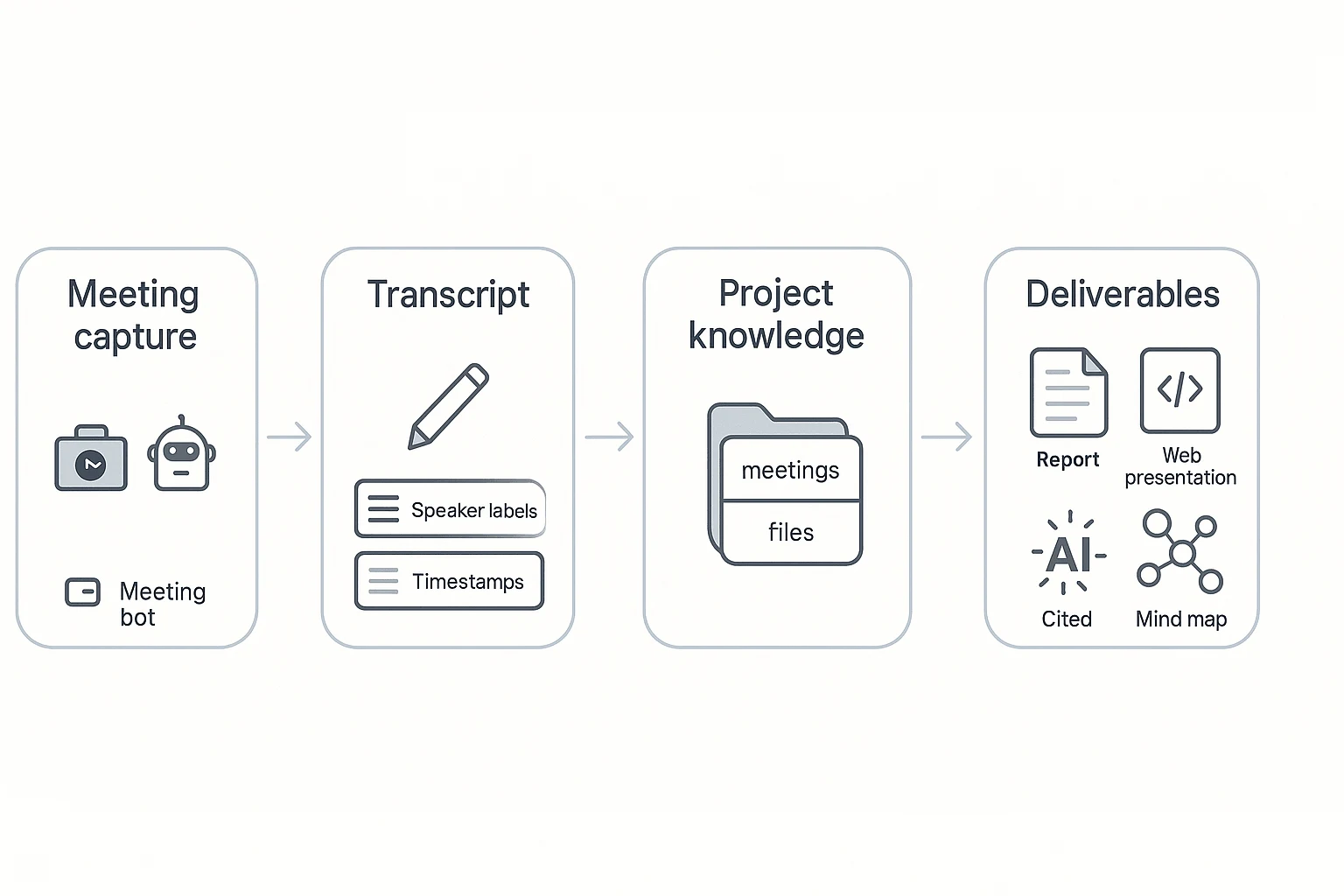
Workflow diagram (text form): meeting → Project knowledge → cited outputs → deliverables
If you want "meeting → reusable work," shortlist tools that combine three things: Projects, cited generation, and an editable source transcript.
How to choose the right product (quick decision guide)
If you're switching from Otter, pick the tool that matches what you do after the meeting: ship deliverables, log to CRM, edit media, or build a shared knowledge base. Use the matches below and accept the tradeoff on purpose.
When to choose TicNote Cloud (best default for most switchers)
Choose TicNote Cloud if you want meetings to become reusable work—without a bot joining calls.
You should pick it if you:
- Turn calls into client-ready outputs. You run interviews, workshops, or discovery, and need reports, decks, podcasts, or mind maps fast.
- Need knowledge to compound across meetings. Product and ops teams that revisit the same topics benefit from Project-level memory and cited answers.
- Do research synthesis. Journalists and researchers who want editable transcripts and structured summaries they can verify.
- Run SMB follow-ups. Sales, CS, and support teams that need searchable notes plus clean handoffs, not just a transcript export.
Tradeoffs to accept: it's built as a Project workspace, so it can feel "more than a note app" if you only want bare transcripts.
Create a Project and generate your first meeting report: Create a Project and generate your first meeting report
If you're also comparing bot-free note tools, this bot-free meeting notes and deliverables comparison can help you sanity-check your shortlist.
When to choose Fireflies.ai
Pick Fireflies.ai when CRM logging and coaching analytics are the job. It fits sales and CS orgs that live in call libraries, scorecards, and pipeline workflows.
Tradeoff: it's typically bot-first (a bot joins meetings), and the product is optimized for analytics and logging more than end-to-end deliverable creation.
When to choose Fathom
Pick Fathom if you're budget-first and mainly need meeting transcription plus basic summaries for yourself.
Tradeoff: less depth in "knowledge compounding" across many meetings, and fewer built-in deliverable formats.
When to choose Notta
Pick Notta for multilingual workflows and mobile-first capture. It's a strong choice when you record on the go and need quick language coverage.
Tradeoff: plan limits can bite at team scale, and governance (permissions, admin controls, org workflows) may differ from workspace-first tools.
When to choose tl;dv
Pick tl;dv if your team's main outcome is clipping and sharing video moments. It's great for internal highlight reels, async review, and keeping "best bits" organized.
Tradeoff: deliverable generation can be narrower than a Project workspace that turns many meetings into full reports or presentations.
When to choose Fellow
Pick Fellow when you want structured meeting management: shared agendas, action tracking, and consistent meeting hygiene across a team.
Tradeoff: you may still need to pair it with a content workspace if your goal is to produce long-form deliverables from calls.
When to choose Jamie
Pick Jamie if you're privacy-first and prefer minimal meeting disruption, with notes created after the fact.
Tradeoff: it's not built for real-time capture, and integrations can be lighter than bot-based meeting suites.
When to choose Descript
Pick Descript if you're a creator who needs transcript-based audio/video editing and production workflows.
Tradeoff: it's not designed as an org-wide meeting knowledge system (Projects, team memory, and follow-up ops aren't the core).
Fast path: a 1-week pilot (don't overthink it)
Run a 1-week pilot before migrating your whole archive:
- Pick one recurring meeting type (e.g., sales demo, sprint planning, user interview).
- Score the outputs: transcript edits needed, speaker labels, summary usefulness, and how fast follow-ups get done.
- Test one real deliverable (email follow-up, report, deck outline) and time it.
- Confirm security basics: data used for model training, retention controls, SSO, audit logs, and any required compliance.
Make the winner prove it in your exact workflow—then switch with confidence.
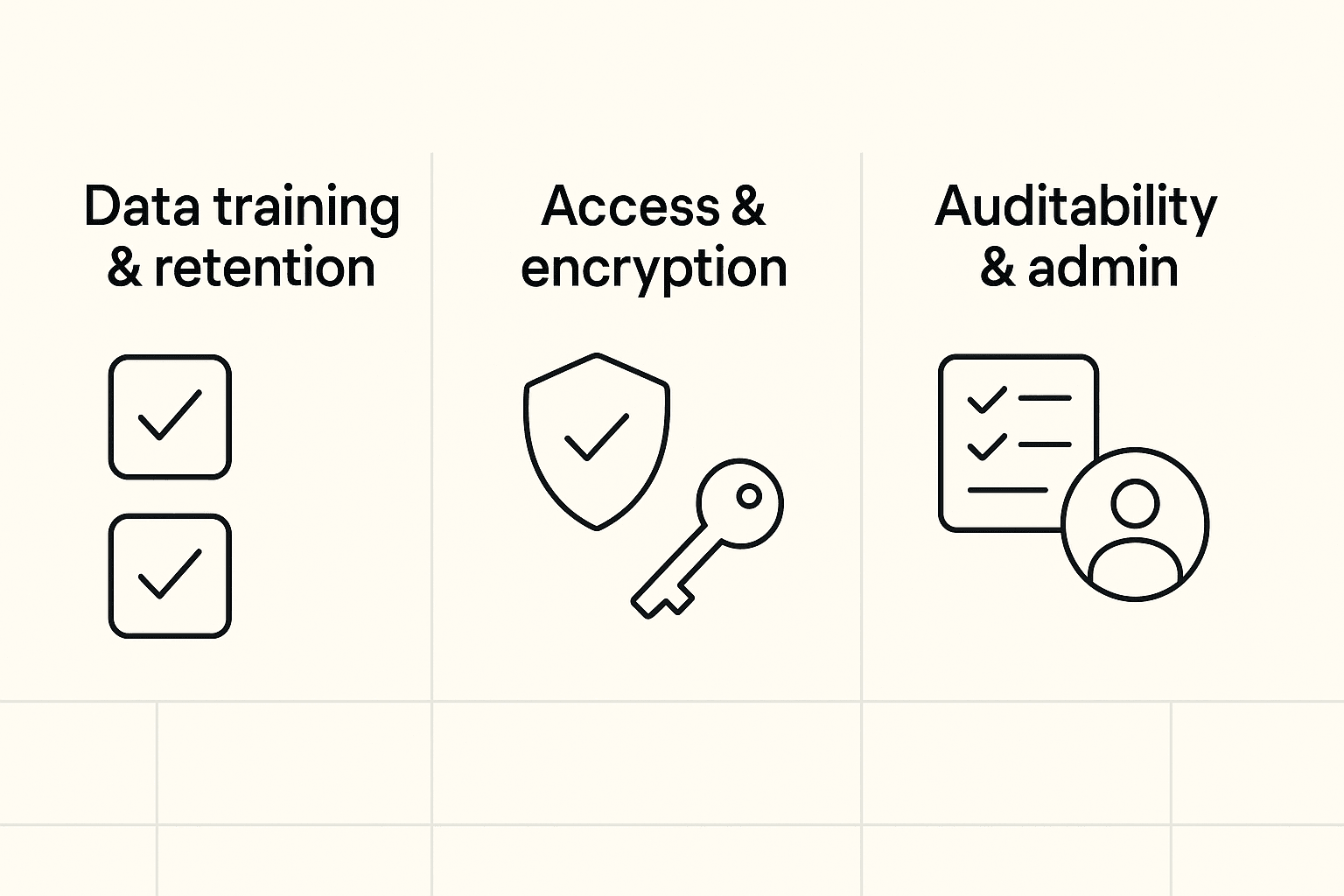
Security, privacy, and compliance: what to ask before you switch
For many teams, privacy and admin controls matter more than the "best transcript." That's extra true for IT and security reviewers. If you're moving off Otter, treat any otter alternative like a system of record for calls, customers, and internal plans.
Check data training policy and retention first
Start with what happens to your audio, transcripts, and meeting notes.
- Model training default: Is your data used to train models by default? If "no," is it written clearly in policy and your contract?
- Opt-out language: If there's an opt-out, is it self-serve, or does it require support? Ask for exact contract wording.
- Retention periods: Can you set retention for audio, transcripts, and AI outputs? Look for separate controls.
- Deletion workflow: Can admins delete a user, meeting, and Project data fully? Ask what "delete" means (soft vs hard delete).
- Export/portability: Can you export raw audio, transcript text, and metadata (timestamps, speakers)? Avoid lock-in.
Verification steps that catch issues fast:
- Find explicit policy language (not blog posts).
- Request a signed DPA (data processing addendum).
- Run a deletion test in a pilot workspace, then confirm it's gone.
Confirm encryption, access controls, and auditability
A secure tool should protect data and prove who did what.
- Encryption: Ask for encryption in transit and at rest. Also ask if keys are vendor-managed or customer-managed (if offered).
- Access controls: Look for role-based access (admin/editor/viewer) plus folder or workspace permissions.
- Audit logs: You want logs for logins, exports, sharing changes, and admin actions.
- Traceability: For AI features, ask if AI actions are logged and if outputs link back to sources (so reviewers can verify claims).
Match team needs: roles, SSO, and support
Set a minimum bar based on your org size.
- SMB minimum bar (5–50 seats): Basic roles, team permissions, easy user offboarding, and exports.
- Enterprise minimum bar (50+ seats): SSO (SAML/OIDC), SCIM provisioning, admin roles, domain controls, and support SLAs.
- Region and legal needs: Validate data region options and GDPR alignment during the security review.
If two tools are close on features, pick the one that's clearer, more written-down, and more contractual about data handling.
Final thoughts: picking an Otter alternative that saves work (not just time)
The best Otter alternative isn't the one with the prettiest transcript. It's the one that cuts follow-up work and makes meeting knowledge reusable next week.
Use the 3 outcomes that actually matter
When you compare tools, score them on outcomes, not features:
- Capture: Reliable recording and strong diarization (speaker labels). If bots are blocked or awkward, prioritize bot-free capture.
- Reuse: Project-level organization so notes, clips, and decisions stay tied to the work. Search should work across many meetings, not one file.
- Act: Cited generation (answers that point back to exact lines) plus deliverables you can ship: follow-ups, reports, slides, podcasts, and mind maps.
Shortlist, then run a real pilot
Use the rubric and the normalized cost model to pick 2–3 finalists. Then test one real meeting end-to-end: record, fix the transcript, pull action items, and generate the output you'd normally build by hand. (If you also want adjacent options beyond meeting tools, this guide to [work-focused ChatGPT alternatives] (https://ticnote.com/en/blog/chatgpt-alternative-tools) can help.)
For most teams that want bot-free capture, editable transcripts, and one-click deliverables in one place, TicNote Cloud is the most complete starting point.


