


 Extension
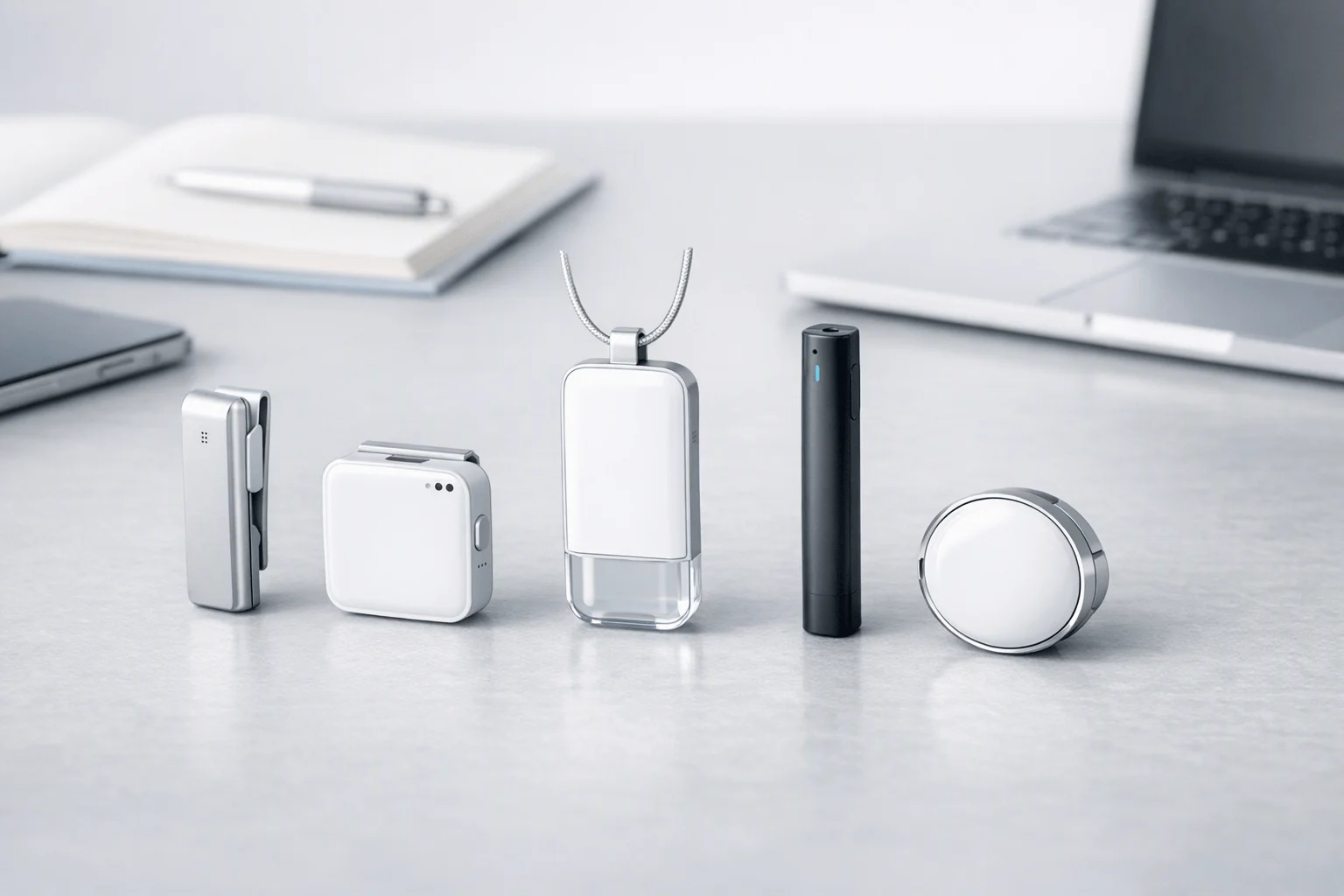
TL;DR: Wearable Tech picks for Plaud alternatives
If you want the fastest shortlist, compare TicNote device options first: in Plaud alternatives AI note-taker wearables, the best pick depends on the recording job, not the brand. TicNote stands out as the strongest all-round option because it covers both card-style and earbuds-based use, supports real-time transcription on supported workflows, and gives buyers more flexibility across meetings, calls, and mobile capture.
- Choose HiDock P1 if your main need is Bluetooth-earbud phone-call recording.
- Choose Otter.ai or Fireflies.ai if you want software-first meeting capture, not dedicated hardware.
- Choose Omi if you want a more open or experimental wearable setup.
- Choose a pocket card recorder if you mainly want a Plaud-like form factor for simple in-person capture.
Before you buy, verify the recording path, app workflow, plan limits, and local consent rules.
Which plaud alternatives ai note taker wearables actually fit your workflow?
Most buyers compare specs as if every device solves the same job. It doesn't. The real question behind plaud alternatives ai note taker wearables is simpler: what are you trying to capture most often: phone calls, room conversations, or online meetings? If you need a deeper primer on categories and trade-offs, this wearable tech guide breaks down the risks, use cases, and fit.
Match the device to the capture path
Phone-attached recorders, wearable room recorders, earbuds, and meeting bots are not interchangeable.
- Phone calls: Best for sales reps, consultants, and journalists who need a clean record of live calls.
- Room recording: Better for students, healthcare staff, and field workers capturing in-person discussions, lectures, or site walk-throughs.
- Online meetings: Often best handled by desktop devices or software-first tools when most work happens on Zoom, Meet, or Teams.
- Wearable capture: Strongest when conversations start unpredictably and you need the device on you already.
A consultant may prioritize call capture during client follow-ups. A student usually cares more about long lectures and easy recap. A journalist may want discreet in-person capture plus fast search later. A healthcare user may value quick summaries, but should also review consent, privacy rules, and data handling before recording. A field worker often needs hands-free capture and battery that lasts through a shift.
Compare form factor before features
The form factor shapes daily use more than one headline spec.
| Form factor | Best for | Main strength | Main trade-off |
| Card recorder | Planned meetings, lectures, interviews | Thin, simple, long battery | Less useful for live calls |
| Clip-on wearable | Mobile in-person capture | Always ready, discreet | Usually narrower use case |
| Earbuds | Calls, hybrid work, mobile users | Handles calls and spoken notes well | More charging and fit management |
Card recorders still make sense for intentional capture. Wearables are stronger for mobile workflows. Earbuds help most when calls and in-person conversations both matter. TicNote is notable because it spans both a credit-card recorder and AI note taker earbuds, so mixed-workflow buyers don't have to force one format into every job.
Judge the app and plan over two years
Hardware gets attention, but the app often decides whether the device saves time. Fast upload, searchable transcripts, AI summaries, exports, and AI Q&A matter every week, not just on day one.
Use this matrix when comparing options:
- Capture path: calls, room audio, or online meetings
- Form factor: card, wearable, earbuds, or desktop
- App workflow: upload speed, search, summaries, exports, project organization
- Total cost: device price plus monthly or annual plan needs over 24 months
That last point matters. A cheaper device with a weak app or costly plan can end up costing more over two years than better hardware with stronger bundled value.
Compare TicNote models to see which form factor fits your workflow best
The best Plaud alternatives at a glance
If you're comparing plaud alternatives ai note taker wearables, the fastest way to narrow the field is by workflow, not by brand. Some devices are best for in-person meetings, some for Bluetooth call capture, and some are really software tools with no true wearable or off-phone recording at all.
TicNote
TicNote is the broadest Plaud alternative in this group because it covers four distinct hardware formats: Card, Card Lite, Pods 4G, and Pods Wi-Fi. That matters in real life. A wallet-sized recorder works well for meetings and lectures, while earbuds make more sense for calls, online meetings, and mobile work.
Best fits include:
- Meetings and lectures: TicNote Card or Card Lite
- Phone calls and hybrid work: TicNote Pods 4G or Pods Wi-Fi
- Field notes and work on the move: TicNote Pods 4G
- Buyers who want AI note taker earbuds: TicNote Pods models
- Users who want real-time transcription on wearable hardware: TicNote Card and Pods range
Its biggest edge is range across use cases. TicNote also claims features that many alternatives still don't match in the same device family, including real-time transcription, AI Q&A across recordings, photo-to-transcript sync, and live summaries on select models. Pricing starts at $129.99 for Card Lite, $159.99 for Card, $249.99 for Pods Wi-Fi, and $299.99 for Pods 4G. Language support, privacy claims, and security posture should still be verified on current official pages before you buy.
HiDock P1
HiDock P1 is a narrower but still useful option. It's strongest for buyers who care most about Bluetooth-earphone calls and portable call capture, not general wearable recording. That makes it a better fit for phone-heavy users than for students, journalists, or field teams who want one device for every recording job.
Check three things before buying:
- Your exact call route compatibility
- Whether free vs paid transcription terms meet your needs
- Whether you need a mobile device or a desk-first setup
Otter.ai
Otter is the best software-only path for people who mainly record online meetings, upload files, and search notes later. It has no dedicated hardware in this comparison, so it's simpler if you don't want another device to carry.
But there is a trade-off. It is less useful for field capture, off-phone recording, and wearable workflows. For pricing context, Otter Pricing says its Business plan is priced at $20 per user/month, billed monthly, and includes 6,000 monthly transcription minutes with a maximum of 4 hours per conversation.
Fireflies.ai
Fireflies is also software-first. It's a strong fit for teams that want summaries, analytics, and integrations across large volumes of conversations. If your company lives in CRM, ATS, or team collaboration tools, Fireflies can make more sense than standalone hardware.
The downside is workflow fit. Bot-based capture is useful for scheduled meetings, but it's not the same as a truly wearable recorder you can use in hallways, site visits, interviews, or spontaneous calls.
Omi
Omi is the most experimental option here. It appeals to technical users who want an open-source-oriented wearable ecosystem and more control over how the system works.
Still, open does not mean easy. It also does not automatically mean more private or cheaper over time. For non-technical buyers, setup complexity and product maturity may outweigh the lower entry price.
Pocket-style card recorders
Card-style recorders remain popular because they feel familiar and low-friction. If you like the credit-card AI recorder concept, this category is worth a close look.
But similar hardware shapes can hide big differences in app quality, transcript accuracy, AI outputs, export options, and long-term support.
| Option | Best for | Form factor | Standout strength | Verify before buying |
| TicNote | Meetings, calls, lectures, field notes | Card or earbuds | Broadest workflow coverage | Language, privacy, plan limits |
| HiDock P1 | Bluetooth-earphone calls | Portable call device | Strong call capture focus | Device compatibility, transcription terms |
| Otter.ai | Online meetings and imports | Software only | Searchable meeting notes | No wearable hardware |
| Fireflies.ai | Teams and integrations | Software only | Analytics and workflow automation | Bot fit, admin needs |
| Omi | Technical users and experimentation | Wearable/open ecosystem | Open-source flexibility | Complexity, privacy model |
What makes TicNote different from other Plaud alternatives?
Most Plaud alternatives AI note taker wearables do one job well, then force you to adapt your workflow around that device. TicNote stands out because it covers four distinct hardware paths: two card recorders and two earbud-based models. That matters if your week includes client calls, desk meetings, site visits, lectures, and quick hallway conversations. If you want a wider category view first, this guide to AI wearables worth considering adds useful context.
Match the hardware to the work
TicNote's lineup is broader than most rivals in this category:
- TicNote Card: best for professionals who want a thin, wallet-friendly recorder with premium build and mode switching for different recording setups.
- TicNote Card Lite: best for budget-conscious users who want one-button simplicity and post-sync AI notes without extra complexity.
- TicNote Pods 4G: best for consultants, field teams, and road warriors who need wearable call capture and phone-free upload.
- TicNote Pods Wi-Fi: best for users who like the earbud form factor but usually keep a phone nearby and want global use without 4G restrictions.
In practical terms, Card and Card Lite are strongest for in-person capture. The Pods models are stronger when calls, mobility, and hands-free use matter more.
Get real-time transcription in supported workflows
A major TicNote differentiator is real-time transcription, plus real-time translation with bilingual subtitles, across supported workflows. For buyers, that changes the job from "record now, sort it out later" to "see the conversation while it happens." That can help in interviews, lectures, multilingual meetings, and fast-moving client sessions.
TicNote also claims support for 120+ transcription and translation languages, with real-time transcription available in 16 languages. Those are brand claims, so buyers should verify current language support, device compatibility, and which workflows are truly live versus sync-based before purchasing.
Use Pods 4G when speed matters most
The most unusual model here is Pods 4G. Unlike many alternatives, it's an earbud-based AI note taker with a phone-free option. TicNote says the case can upload audio in real time over 4G, deliver Live Summary during the meeting, push a Quick Summary when recording ends, and automatically capture calls when you're wearing the earbuds.
That's a meaningful workflow advantage for:
- consultants moving between client sites
- sales teams taking back-to-back calls
- field staff documenting work away from a desk
- managers who need action items before the next meeting starts
The trade-off is simple: Pods 4G is the most specialized and the most expensive model at $299.99.
Go beyond transcripts with TicNote Cloud
TicNote's value isn't just capture. The wider system includes project-based organization, AI Q&A across recordings, auto summaries, to-do lists, document generation, slide creation, and photo-to-transcript sync. In plain English, you can turn one recording into searchable notes, a report draft, and follow-up tasks without starting from scratch.
For buyers comparing Plaud alternatives, that's the real question: do you only need a recorder, or do you need a workflow system? TicNote's official claims are strong, but smart buyers should still verify privacy terms, storage rules, and plan limits for their use case.
Buy the TicNote device that fits your workflow
Compare TicNote device options before you decide
How should buyers compare cost, privacy, and recording limits?
When comparing plaud alternatives ai note taker wearables, don't stop at device price. The real cost shows up over 24 months: hardware, included transcription minutes, upgrade plans, exports, and how much manual cleanup you still do. A cheaper recorder can end up costing more if you burn through minutes fast or need paid features just to make notes usable.
Model the 2-year cost, not the sticker price
Use a simple framework:
- Light use: 300-600 minutes/month
- Medium use: 600-1,500 minutes/month
- Heavy use: 1,500+ minutes/month
For example, TicNote hardware currently includes its Plus plan, which lists 600 minutes per month at no added annual cost for device owners. Device owners also currently get lower annual Pro pricing: $79/year versus $199/year without hardware. Over two years, that gap alone is $240. Those are current offer details, so verify them before buying.
A simple way to think about it:
| User type | What to check first | Cost risk |
| Light | Included monthly minutes | Paying for a plan you don't need |
| Medium | Upgrade price with hardware | Hitting caps and buying add-ons |
| Heavy | Minute packs, exports, workflow tools | Low device price but high recurring fees |
Also separate local recording from AI access. Some devices store audio locally but charge extra for transcription, summaries, or speaker labeling. Others tie better value to hardware ownership. That's why total cost of ownership matters more than list price.
Check privacy claims like a buyer, not a fan
Use this short checklist:
- Recording consent rules in your state or country
- Employer, client, and platform recording policy
- Retention controls and deletion options
- Encryption in transit and at rest
- Whether vendor data trains AI models
- Regulated-use support for healthcare, legal, finance, HR, or public sector work
For consent, Regulation (EU) 2016/679 (General Data Protection Regulation), Article 4 defines "consent" as "any freely given, specific, informed and unambiguous indication of the data subject's wishes" by which they signify agreement to the processing of personal data.
TicNote describes itself as private by default, encrypted, and GDPR-aligned, with claims including encrypted recordings and transcripts and no AI training on user content. Treat those as review points, not final proof. Ask for current security documents, retention details, and compliance scope before using any recorder in sensitive workflows.
Important: In medical, legal, financial, HR, and safety-critical work, always review key transcripts against the source audio before sharing, filing, or acting on them.
Who should choose TicNote, and who should choose something else?
If you're comparing plaud alternatives ai note taker wearables, the best pick depends less on brand and more on where your conversations happen. TicNote stands out when you want hardware flexibility plus structured AI outputs: transcripts, summaries, action items, and searchable project knowledge from the same device family. If you also want a broader category view, this wearable device comparison guide adds more context.
Choose by workflow, not specs
- Consultants and sales teams: Choose TicNote Pods 4G if you move between calls, client visits, and quick debriefs. Live summaries during recording and phone-free upload are the big advantage.
- Professors and students: Choose TicNote Card for premium everyday carry. It's slim, simple, and strong for lectures, office hours, and long-form capture.
- Budget-focused users: Choose TicNote Card Lite if you want core recording and AI notes at a lower entry price of $129.99.
- Field teams and global travelers: Choose TicNote Pods Wi-Fi if your phone is usually nearby and you want a no-region-lock option for international use.
- Legal and healthcare users: Choose TicNote Card or Pods 4G when accuracy, searchable transcripts, and fast post-meeting outputs matter more than novelty.
When software-only is the better move
Pick Otter or Fireflies.ai when nearly every important conversation happens in Zoom, Google Meet, Microsoft Teams, or imported audio files. If you don't need dedicated hardware, software can be cheaper, simpler, and easier to deploy across teams.
When Plaud or HiDock may fit better
Choose Plaud if you specifically want its phone-attached card workflow and app ecosystem. Choose HiDock P1 if your main job is Bluetooth-earbud call recording and you want a specialist tool built around that use case.
| Buyer type | Best fit |
| Premium everyday carry | TicNote Card |
| Lowest-cost hardware entry | TicNote Card Lite |
| Mobile pros needing live AI | TicNote Pods 4G |
| Global, phone-nearby workflow | TicNote Pods Wi-Fi |
| Mostly online meetings, no hardware | Otter or Fireflies.ai |
| Phone-attached card workflow | Plaud |
| Bluetooth earbud call specialist | HiDock P1 |
Final thoughts
There is no single winner in plaud alternatives ai note taker wearables because the right device depends on the job you need done most often. Start with workflow first: calls, in-person meetings, online meetings, or mobile field capture. Then validate the app experience, 2-year cost, recording limits, and privacy fit before you switch.
Match the device to the work
- Choose card-style recorders for simple in-person capture
- Choose earbuds if calls and wearable use matter most
- Choose software-first tools if you rarely need dedicated hardware
- Choose privacy-led options if local storage or tighter control is a hard requirement
TicNote stands out because it covers more of those jobs than most alternatives. Its lineup spans card and earbud form factors, supports real-time transcription across devices, adds live summaries on supported models, and includes device-linked plan value that can lower total ownership cost over time. The practical next step is simple: compare TicNote devices, then test the exact scenario you care about most before switching.



