Extension
TL;DR: How to transcribe conference calls (and keep multilingual notes usable)
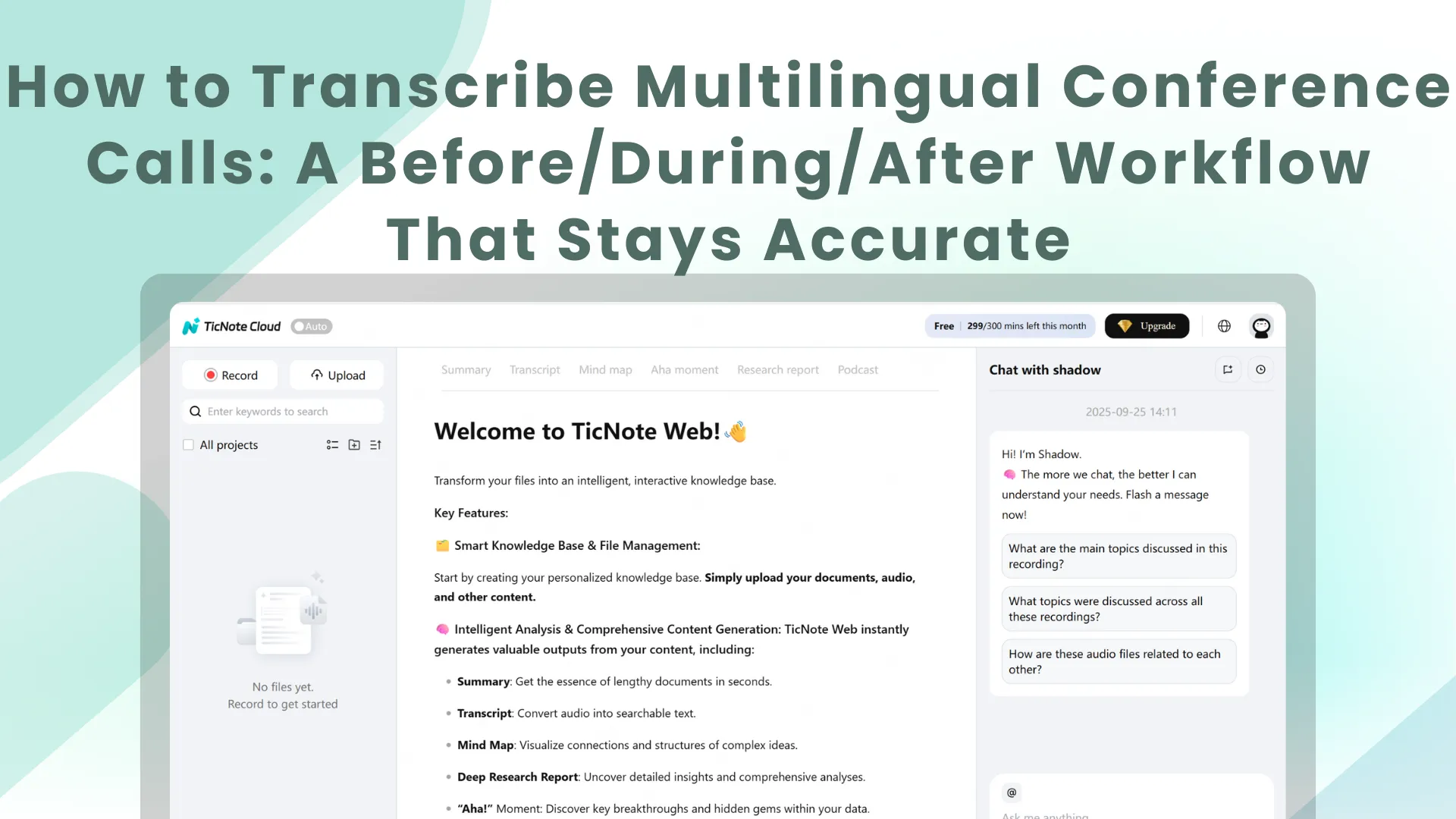
To transcribe multilingual conference calls fast and accurately, use a simple plan → capture → transcribe → translate → QA → share flow, and (if you can) run it in a no-bot workflow like TicNote Cloud so you can record, transcribe, and export without adding a meeting attendee.
Problem: multilingual calls get messy when audio is weak and speakers overlap. Agitate: then names, decisions, and action items get lost, and the transcript becomes hard to trust. Solution: use TicNote Cloud to capture clean audio, generate the transcript, translate only when needed, and export a share-ready file.
- The 60-second workflow: define goal and languages; capture clean audio and save it; transcribe; translate only for readers who need another language; QA names, terms, speakers, and timestamps; share in the right format with the right access.
- The two biggest failure points: bad audio (echo, distance, noise) and overlap (interruptions, cross-talk, fast turns across languages).
- What "good" looks like: readable paragraphs with clear language tags for code-switching; speaker labels that are accurate enough for follow-ups; timestamps at key moments with an easy path back to audio; decisions, owners, and due dates that are easy to pull into a recap.
How to transcribe multilingual conference calls: a step-by-step workflow
If you want clean, shareable records, treat multilingual calls like a workflow, not a single "transcribe" button. The goal is simple: capture what was said, keep meaning intact across languages, and ship notes people can trust.
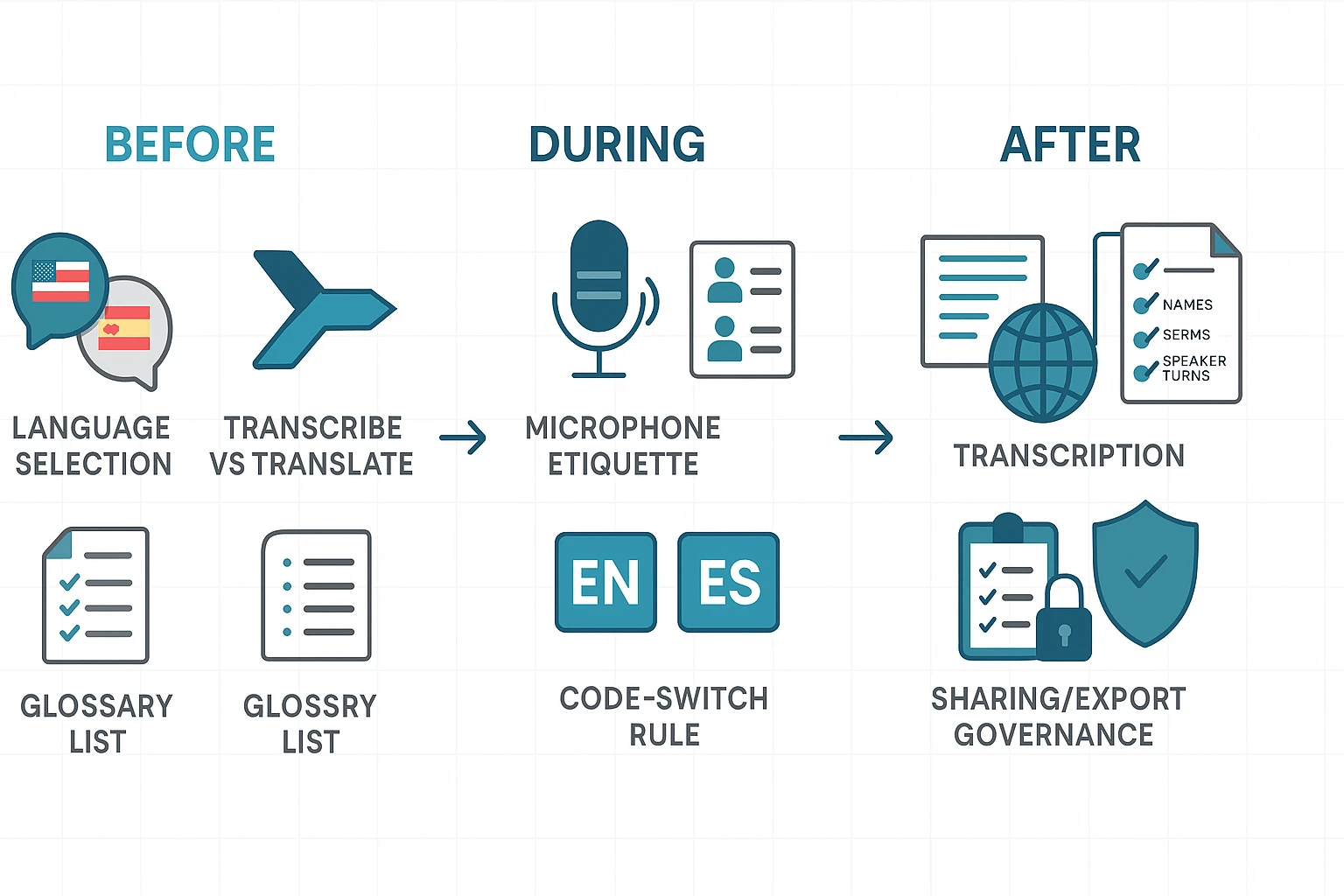
Before the call: lock languages, scope, and a glossary
Start by listing two sets of languages:
- Spoken languages (what people will say on the call)
- Reader languages (what the team needs to read afterward)
Then decide the record type:
- Transcript only (same language): Best when everyone reads the spoken language.
- Transcript plus translation: Best when leadership, clients, or global teams need a second language.
Next, build a lightweight glossary. Keep it to one page so people will use it:
- Product and feature names
- Acronyms and internal terms
- People names (and preferred spelling)
- Locations, customer names, legal terms
- "Must not miss" phrases (pricing, dates, commitments)
Finally, pick an output style now, not later:
- One transcript with language tags like
[EN]and[ES]for code-switching - Separate deliverables per language when teams need clean, monolingual docs
If you want more baseline mechanics, use this as a companion: a reliable meeting-transcription workflow for clean records and add the multilingual rules below.
During the call: enforce audio rules and speaker labels
At the start, confirm the recording plan and announce consent in plain language. Then run simple mic rules that reduce errors fast:
- One speaker at a time
- Pause for one beat between turns
- No side-talk while someone answers
- Speak numbers and names slowly once
For speaker labeling (diarization, meaning "who said what"), make it easy for the transcript to stay usable:
- Ask each person to say their name once: "I'm Priya, product."
- Keep a roster in your notes (Name, role, language)
- If someone joins late, repeat the name prompt
If code-switching is common, set one rule: the speaker signals it out loud.
Example: "Switching to Spanish for a minute." Then the note-taker adds [ES] until they switch back.
After the call: transcribe first, then translate, then QA
Do transcription first. Do translation second. Translating messy text compounds errors.
Run a quick cleanup pass before you translate:
- Fix obvious punctuation and paragraph breaks
- Normalize acronyms (one spelling)
- Correct known names using your glossary
Now do a focused QA check with measurable targets:
- Key names are correct (execs, customers, vendors)
- Glossary terms are consistent (no "two spellings" problem)
- Speaker turns are mostly right (enough to follow decisions)
- Timestamps exist at decision points (decisions, risks, action items)
Add a short handoff note at the top so readers trust the file:
- Meeting title, date, timezone
- Spoken and reader languages
- What was not captured (off-record parts, chat-only items)
Last, publish with governance. Don't treat audio, transcript, and summary as the same risk level. Set separate permissions, then set retention rules so old recordings don't linger.
"The fastest way to create risk is to share the raw recording widely. Share the transcript and summary by default, and lock audio to a small group."
Try TicNote Cloud for free to transcribe and translate multilingual calls into shareable notes.
What's the difference between transcription, translation, and interpretation (and which do you need)?
If you're figuring out how to transcribe multilingual conference calls, it helps to separate three jobs: transcription (speech to text), translation (text to new language), and interpretation (speech to speech). They sound similar, but they create different records and need different QA.
Transcription: same-language text
Transcription turns what was said into text in the same language. It's best for capturing exact wording, speaker turns (when diarization works), and timestamps you can search later.
It can struggle with heavy accents, jargon, names, cross-talk, and code-switching (people mixing languages mid-sentence). That's why a quick cleanup pass matters before you reuse the transcript.
Translation: new-language text from the transcript
Translation converts that cleaned transcript into another language. In most workflows, translating after cleanup beats translating raw output, because you fix the terms, names, and speaker labels first.
Be careful with meaning shifts. Idioms, acronyms, and product terms can drift. A simple glossary and "approved terms" list keeps translations consistent across teams.
Interpretation: live spoken rendering (and how it affects the record)
Interpretation is real-time spoken rendering into another language. It helps people follow the call, but it creates a recording decision: you may have the original floor audio plus one or more interpreted audio tracks.
If you need compliance or official minutes, decide upfront what counts as the record:
- Original-language transcript only
- Interpreted-language transcript only
- Both, with one marked "official"
Where AI-translated transcripts fit
AI-translated transcripts sit in the middle. They're fast, searchable, and good for sharing context across regions. But they still need review when stakes are high.
| Approach | Turnaround time | Typical error types | Review effort |
| AI-only | Minutes | Names, jargon, idioms, speaker mix-ups | Light spot checks |
| Hybrid (AI + human QA) | Hours to 1 day | Fewer meaning errors; terminology gets standardized | Named reviewer + sign-off |
| Human-only | 1 to several days | Fewer "meaning" errors; still possible typos | Highest cost and coordination |
Rule of thumb: if the call includes approvals, contract terms, safety topics, or public statements, use hybrid review with a named reviewer and explicit sign-off.
What setup choices improve accuracy for multilingual calls?
Accuracy starts before anyone says hello. If you want to transcribe multilingual conference calls cleanly, your biggest wins come from audio capture, clear speaker rules, and a short glossary for "hard words" like names and acronyms.
Choose the right audio capture: single track vs separate tracks
A single mixed track is the simplest option. But it's also the hardest to fix later when people talk over each other.
Separate tracks (per speaker, room, or channel) take more setup. Still, they usually give you better speaker labels and cleaner edits.
Quick audio checklist:
- Record in one format end to end (same sample rate and file type).
- Use wired headphones, not speakerphone.
- Avoid echo rooms. Soft surfaces help.
- Keep internet stable, or record locally as a backup.
If you need more help here, use this guide on how to transcribe audio step by step to sanity-check your inputs.
Handle accents, jargon, and names with a custom vocabulary
Multilingual calls fail on the same stuff: names, product terms, places, and legal words.
Before the call, prep a one-page glossary:
- People's names with spelling and preferred capitalization
- Company and product names
- Locations
- Acronyms (spell out once, then use the short form)
- Anything "weird": SKUs, ticket IDs, contract terms
Keep it open during the call so the note-taker can correct fast.
Set simple talk rules to reduce cross-talk
You don't need strict moderation. You need predictable turns.
Use this short script:
- "Say your name the first time you speak."
- "Pause one beat before replying."
- "One person at a time. If you jump in, say 'interrupting'."
For Q&A, use a moderator queue or hand-raise to cut overlap.
Decide: separate language channels or one mixed feed
Separate language channels work best for webinars, interpretation setups, or big regional events. They keep each language cleaner.
A single mixed-language feed is fine for small team calls with light code-switching. If you do this, set a clear transcript rule like [EN] and [ES] tags, and write the choice at the top so readers know what they're seeing.
How do you handle multiple speakers and overlapping speech (diarization) in conference calls?
Speaker diarization is just "who spoke when" labeling. It's the part that turns a wall of text into minutes people can trust. But diarization gets harder fast when people talk over each other, voices sound alike, or a room mic adds echo. So set expectations early: you can get "good enough for meeting notes," but a verbatim legal record often needs human review.
Reduce cross-talk before it happens (simple moderation)
A few meeting moves can raise accuracy more than any setting:
- Use a moderator and set one rule: one speaker at a time.
- Do structured rounds for hot topics (each person gets 30 to 60 seconds).
- Make handoffs explicit: "Maria, then Ken."
- Pause after questions. Silence helps models separate turns.
If you're running multilingual calls, this also helps keep language switches clear.
Clean up the audio source (so the model can separate voices)
Diarization hates messy inputs. These basics make a big difference:
- Ask remote people to use headsets, not laptop speakers.
- In a conference room, keep one active mic. Mute extra devices.
- Avoid placing the mic near HVAC vents or table tapping.
Use a speaker naming and language-tag rule (and stick to it)
Consistency beats perfection. Use a simple convention that works across teams:
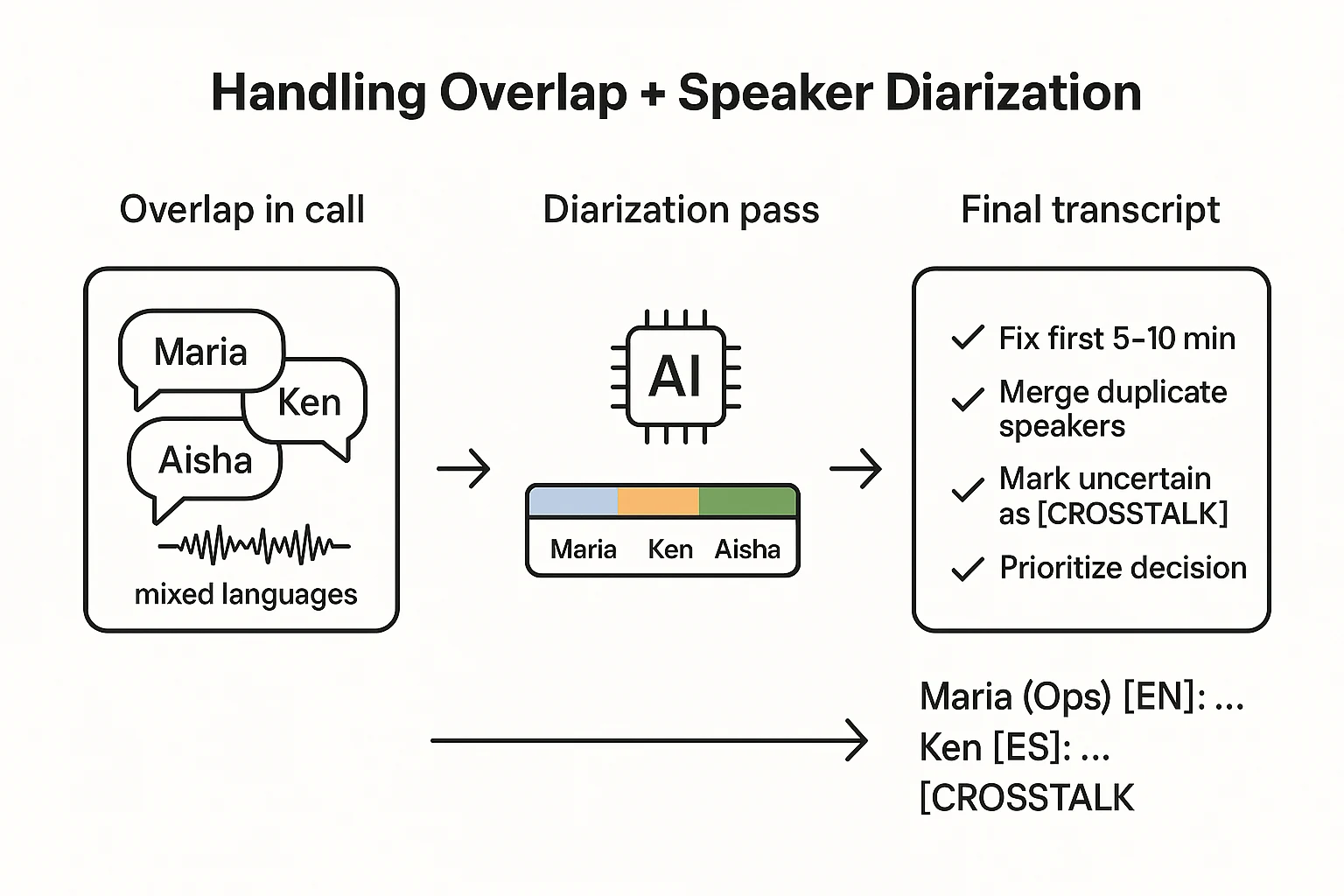
- First mention:
Name (Team/Role): … - After that:
Name: … - External guests:
Client - Name: …orVendor - Name: … - Code-switching per line:
Name [EN]: …andName [ES]: …
When the transcript gets messy, this one rule keeps it readable.
When the tool gets speakers wrong, do the fastest fixes first
Don't try to perfect everything. Fix what changes meaning:
- Correct the first 5 to 10 minutes carefully. It becomes your reference.
- Merge obvious duplicates (for example, "Speaker 1" and "Speaker 3" are the same person).
- Focus on decisions, commitments, and action items.
- Add a micro QA check: verify speaker labels for the 10 key moments (agenda shifts, decisions, objections).
If you're building a repeatable process, borrow the same cleanup logic you'd use for accurate interview transcripts.
How should you format and export multilingual transcripts (TXT vs DOCX/PDF vs VTT)?
Your transcript format decides how usable your notes stay after the call. For multilingual meetings, choose both a layout (how languages appear on the page) and a file type (how people will read, search, or caption it). Make that call early so your team doesn't rewrite everything later.
Pick a layout: separate-by-language vs interleaved bilingual
Use separate-by-language when each audience reads one language. It's cleaner and faster to scan. Use interleaved bilingual when reviewers must compare meaning line by line.
A simple rule:
- If translation is for FYI, go separate-by-language.
- If translation is for approval or QA, go interleaved.
Use one labeling convention for code-switching
Mixed-language calls get messy fast. Keep each line consistent so it's searchable and easy to QA.
Minimal line format:
00:12:34 Name [EN]: …
Rules that work well:
- Always include timestamp + speaker + language tag.
- If language is unclear, use
[UNK]and flag it for review. - Keep tags consistent across the whole project (for example,
[EN],[ES],[FR]).
Choose the export format based on how it'll be used
| Format | Best for | What to watch |
| TXT | Fast search, knowledge bases, AI Q&A, quick sharing | Limited formatting for formal minutes |
| DOCX | Editable minutes with headings, bullets, and action tables | Version control can get messy |
| "Final" minutes and controlled distribution | Harder to copy, edit, or reuse | |
| VTT | Captions, accessibility, timestamped playback | Needs caption QC (line length, timing, readability) |
If you're publishing captions, align with WebVTT: The Web Video Text Tracks Format (W3C Recommendation, 2023) which notes that a WebVTT file "consists of a set of cues, which are used to display captions, subtitles, video descriptions, chapter titles, or metadata."
Turn caption-style chunks into minutes and action items
VTT is great for playback, but not great as meeting minutes. Convert it into a clean doc that people can act on.
A lightweight minutes template:
- Summary
- Decisions (each with a timestamp link back to the transcript)
- Action items (owner, due date, timestamp)
- Risks
- Open questions
Many teams keep three artifacts on purpose:
- Raw transcript (for audit and search)
- Cleaned minutes (for decisions and actions)
- Translated summary (for broad sharing)
What privacy, consent, and retention rules should you set for recorded conference calls?
Multilingual calls can include names, contracts, and HR details. So you need clear rules before you hit record. Set three things: consent wording, who can access each file type, and how long you keep it.
Consent basics (what to say, when to say it)
Use the same message in two places: the calendar invite and the first 10 seconds of the call.
Keep it plain:
- "This call will be recorded for notes and a transcript."
- "We may create a translated version and a short summary."
- "Only approved people will have access."
If someone objects, don't debate it. Offer options:
- Switch to "no-record" mode and take manual notes.
- Pause recording for a sensitive section.
- Agree to share a summary only (no audio).
Access control: who can view audio vs transcript vs summary
Don't treat access as all or nothing. Split it by sensitivity:
- Summary: widest share (most people only need decisions and actions).
- Transcript: smaller group (useful for exact wording).
- Audio: smallest group (highest risk and most personal data).
Use role-based access (Owner, editor, viewer) and keep a request trail for exceptions. For external sharing, remove personal data first, and consider sending a translated summary instead of the full transcript.
Retention: how long to keep files and why
Set retention by call type, not by habit:
- Routine team sync: short retention.
- Customer calls: keep long enough for support, disputes, and renewals.
- HR or legal: follow your formal policy and legal hold rules.
When you can, keep audio for less time than text. Keep "final minutes" (decisions, owners, due dates) longer than raw drafts. Also name an owner for deletion and corrections.
Regional considerations (GDPR/CCPA-style thinking)
Without giving legal advice, design for data minimization (collect less), purpose limitation (use it only for stated goals), and secure storage. If teams share files across borders, do a vendor review and confirm local recording rules (one-party vs all-party consent) with counsel.
How to transcribe, translate, summarize, and share a conference call (step-by-step)
If you need to transcribe multilingual conference calls and share clean notes fast, a simple upload, transcribe, QA, and export workflow beats scrambling in 5 tools. Below is one practical example using TicNote Cloud (no meeting bot), but you can copy the same before and after flow with any tool.
Web Studio workflow (detailed)
1) Upload a file or record a talk to transcribe
Start in TicNote's web studio by creating a project for the call (use a consistent name like Client-QBR_2026-02-05_APAC). Then upload your best source file, ideally the host recording (it's usually cleaner than a screen capture).
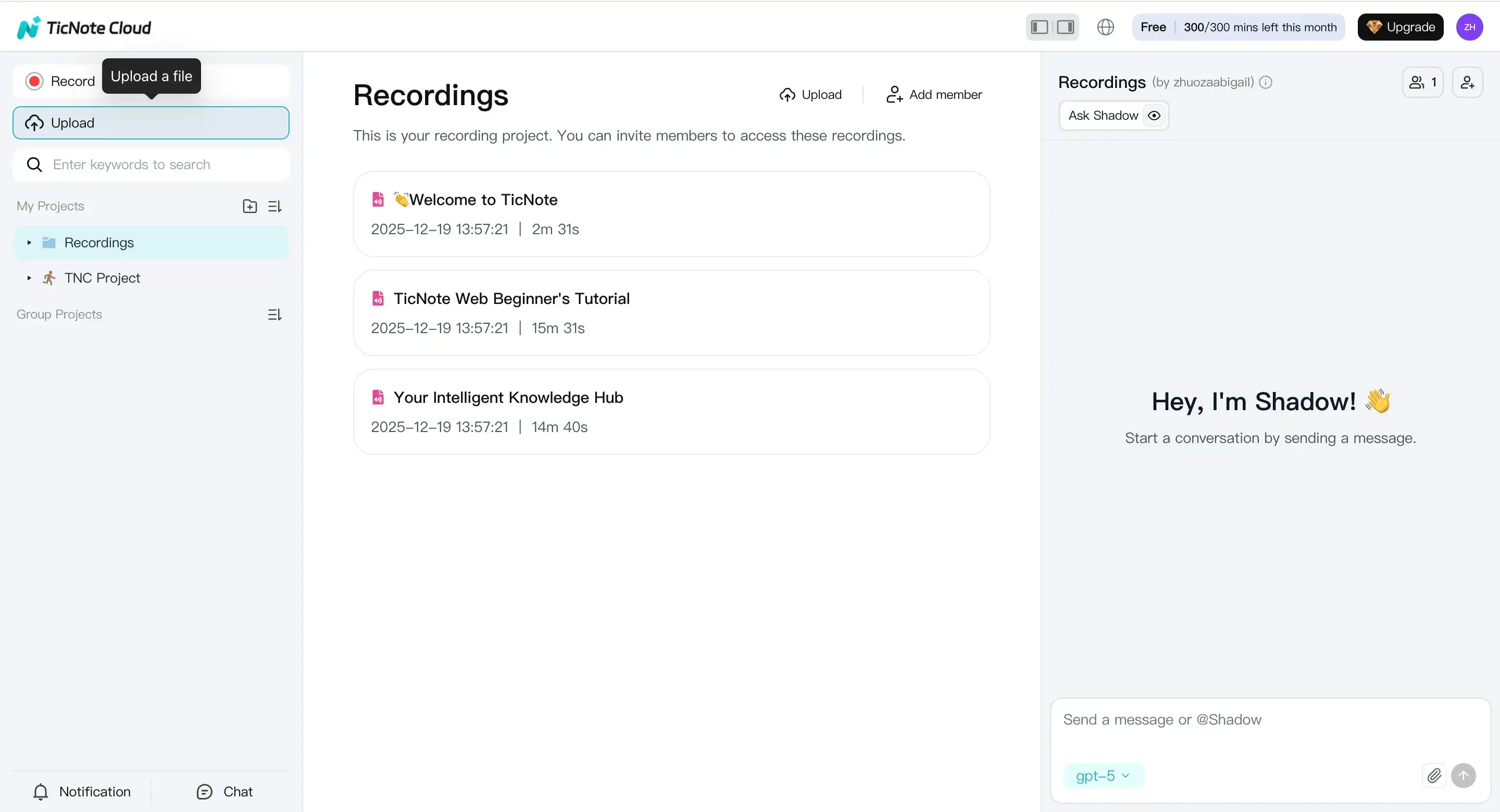
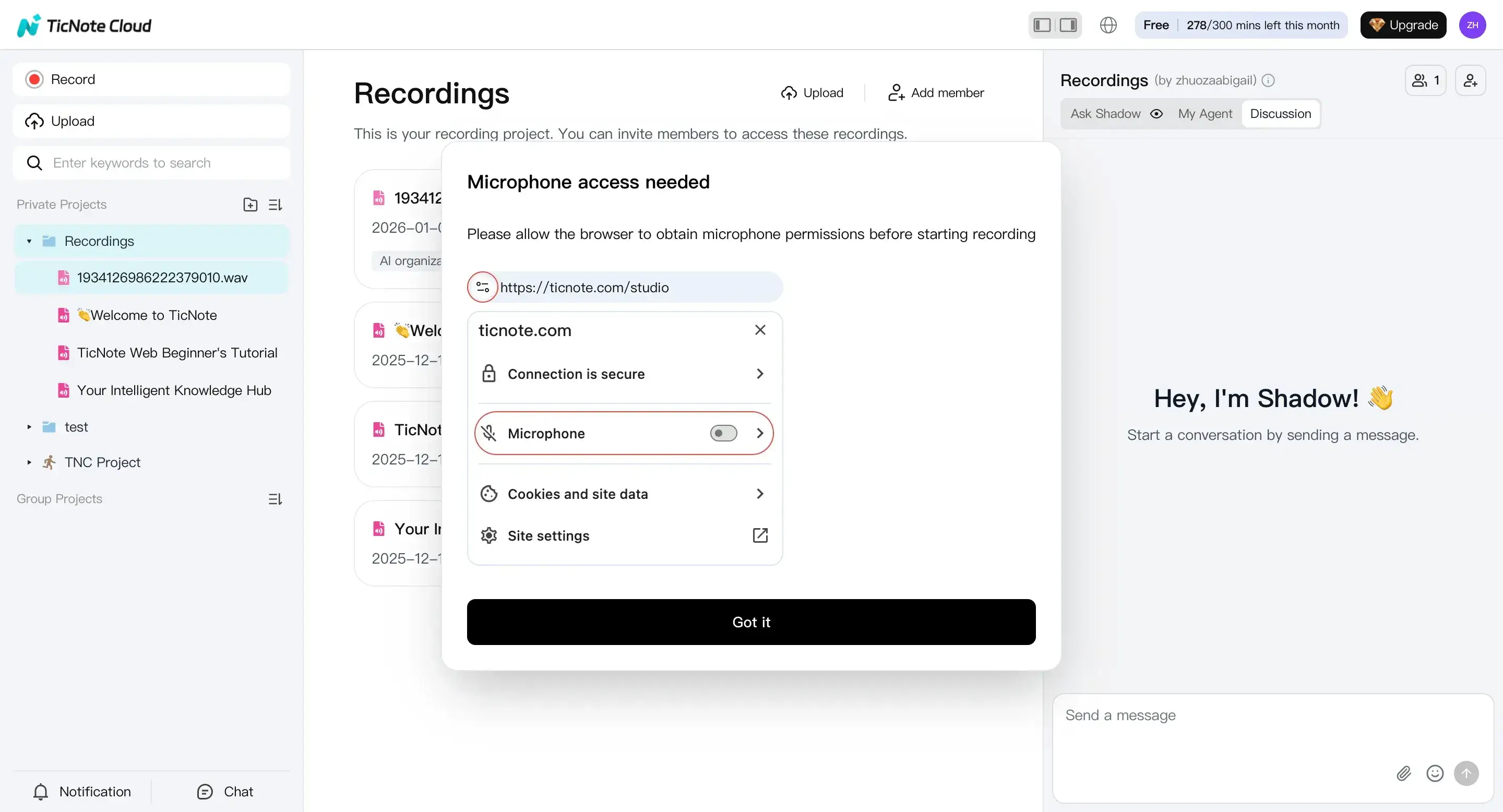
If you don't have a file yet, you can record audio right in the web studio. Check mic access first so you don't lose the first minute.
2) Prepare to transcribe (set languages + model)
Open the file from the left panel, go to the Transcript tab, and generate the transcript.
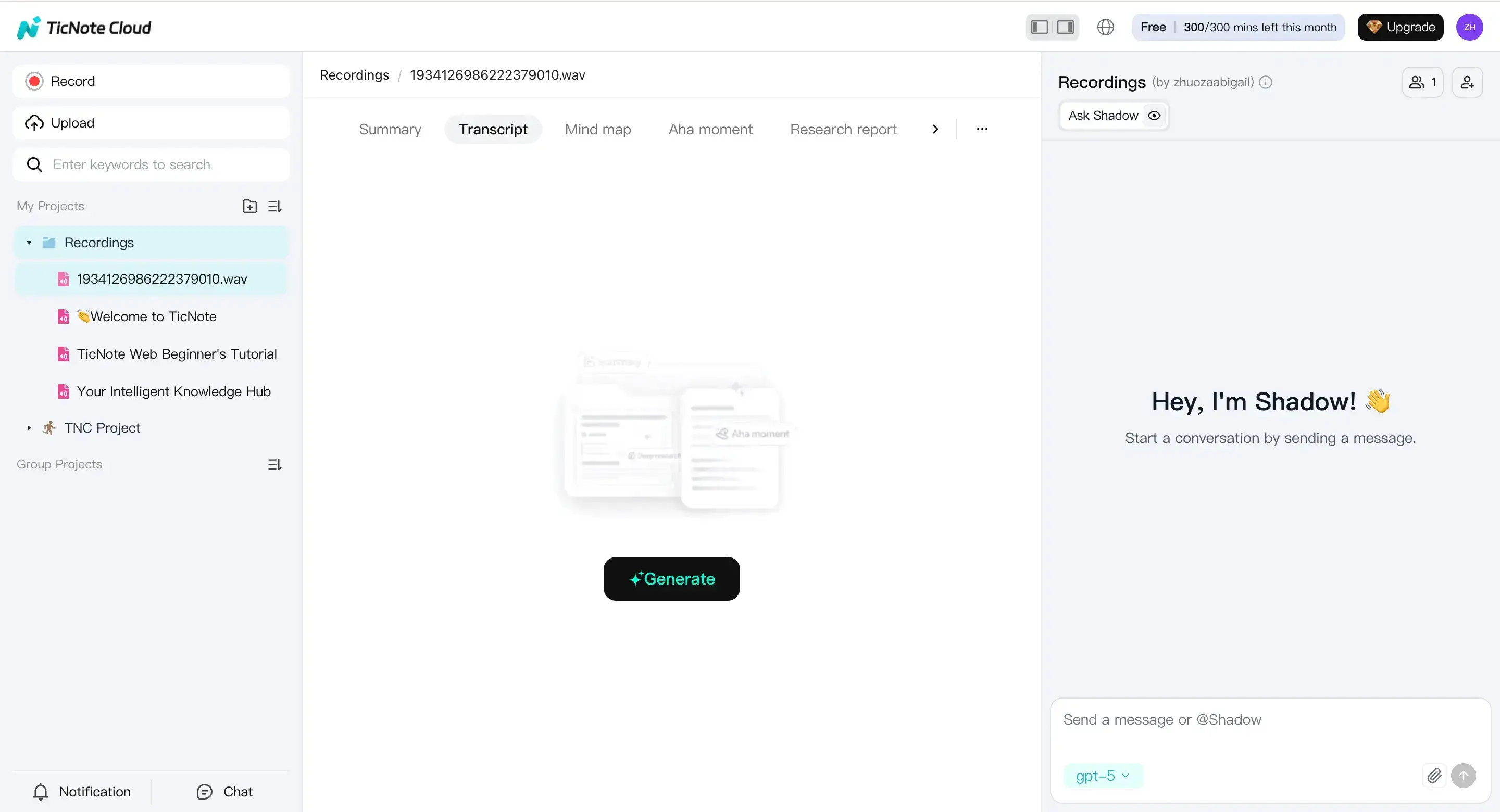
In the settings window, pick the language and the AI model before you start. For mixed-language calls, set the primary language, then note expected secondary languages for review later (for example, code-switching during Q and A).
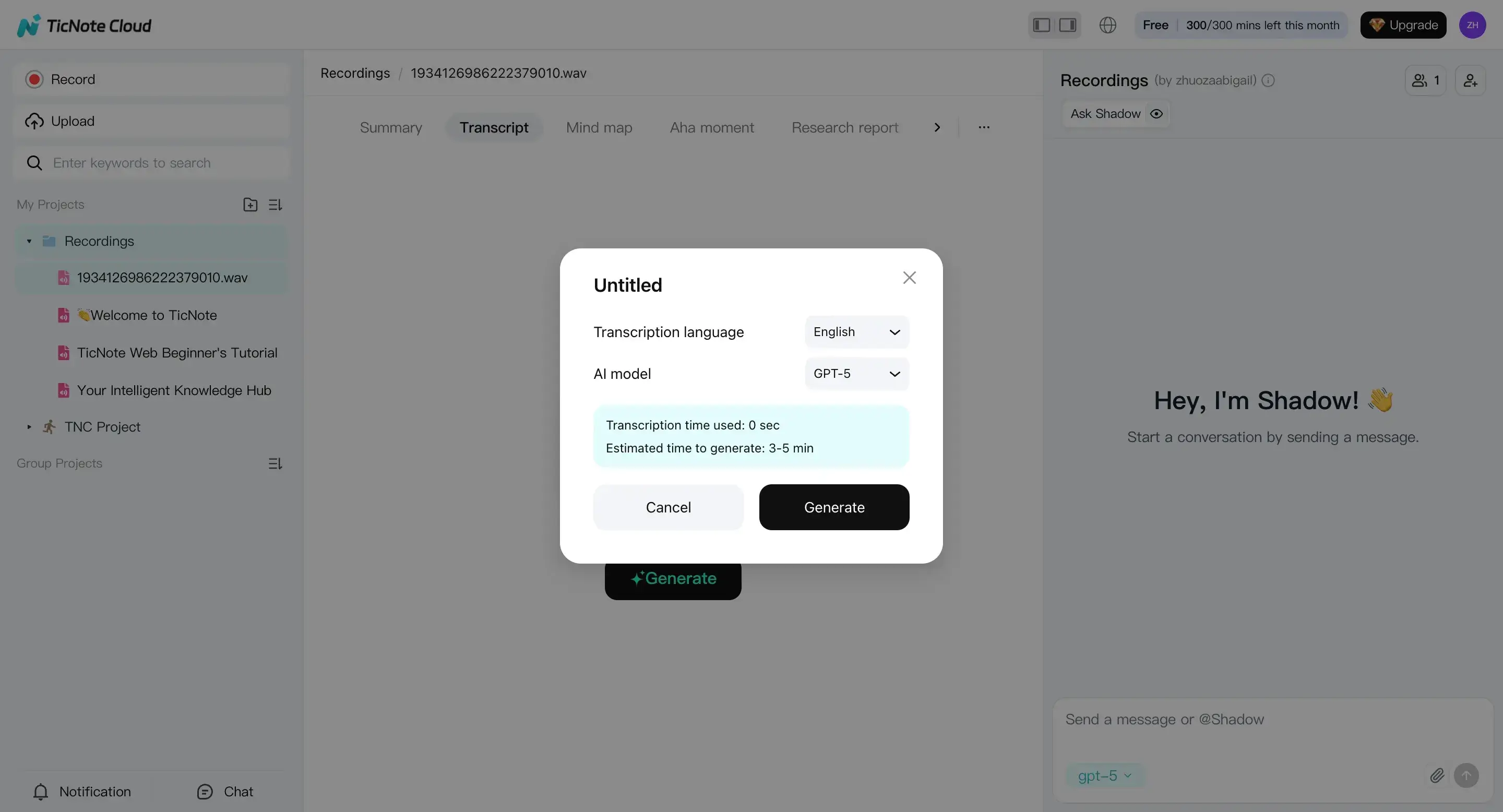
3) Review the transcription, summary, and mind map (edit + QA)
Once it's done, do a fast first pass in the editor. Fix speaker names, company names, acronyms, numbers, and any "near miss" terms that change meaning.
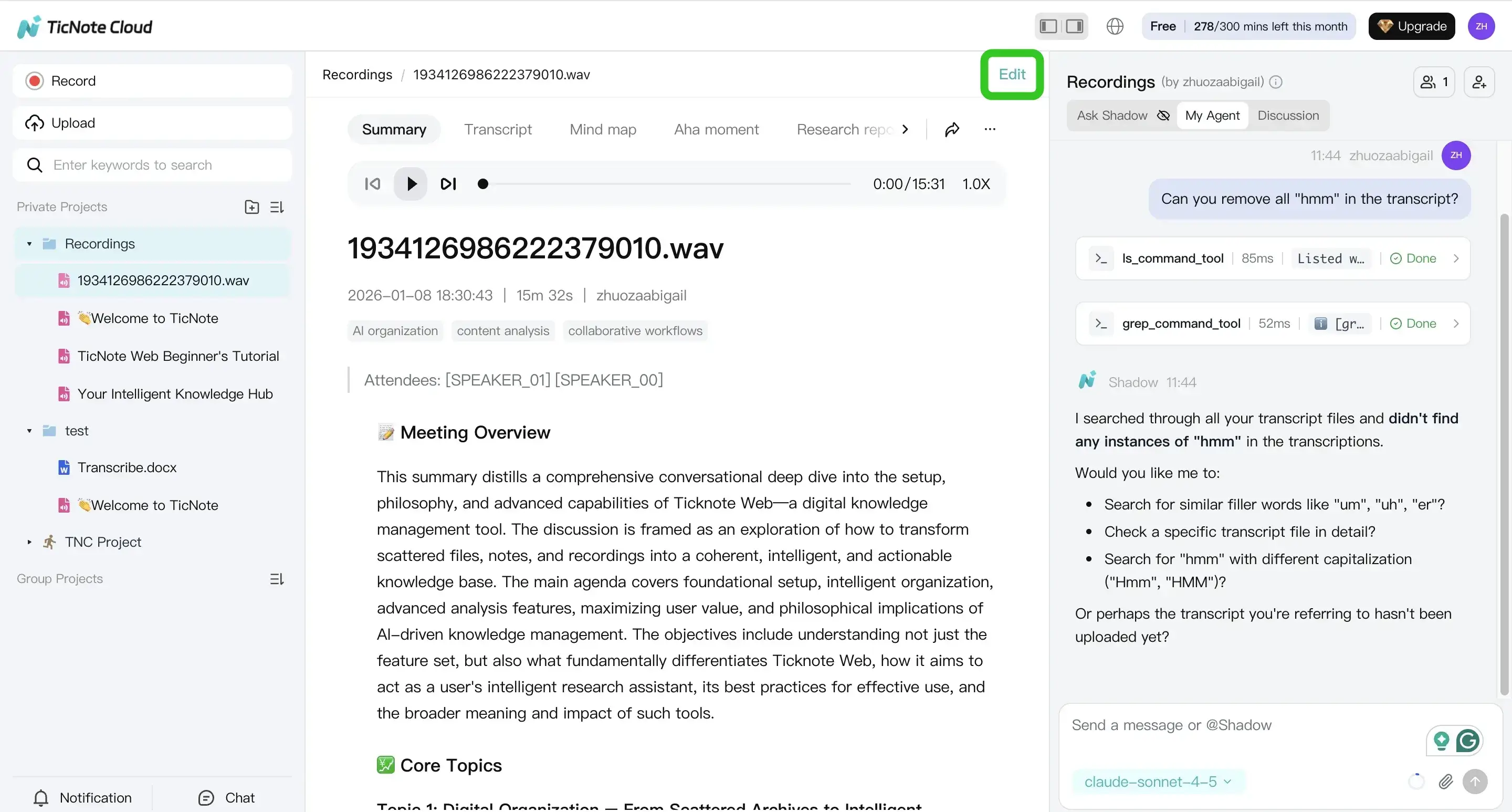
Next, create a shareable summary: decisions, action items, and open questions. Keep the raw transcript and any translated version side by side, so readers can verify intent when wording is sensitive.
4) Export in the right format (then share with control)
Export the raw transcript as TXT for search and archiving. Export stakeholder notes as Markdown or DOCX/PDF when you need a clean, printable record.
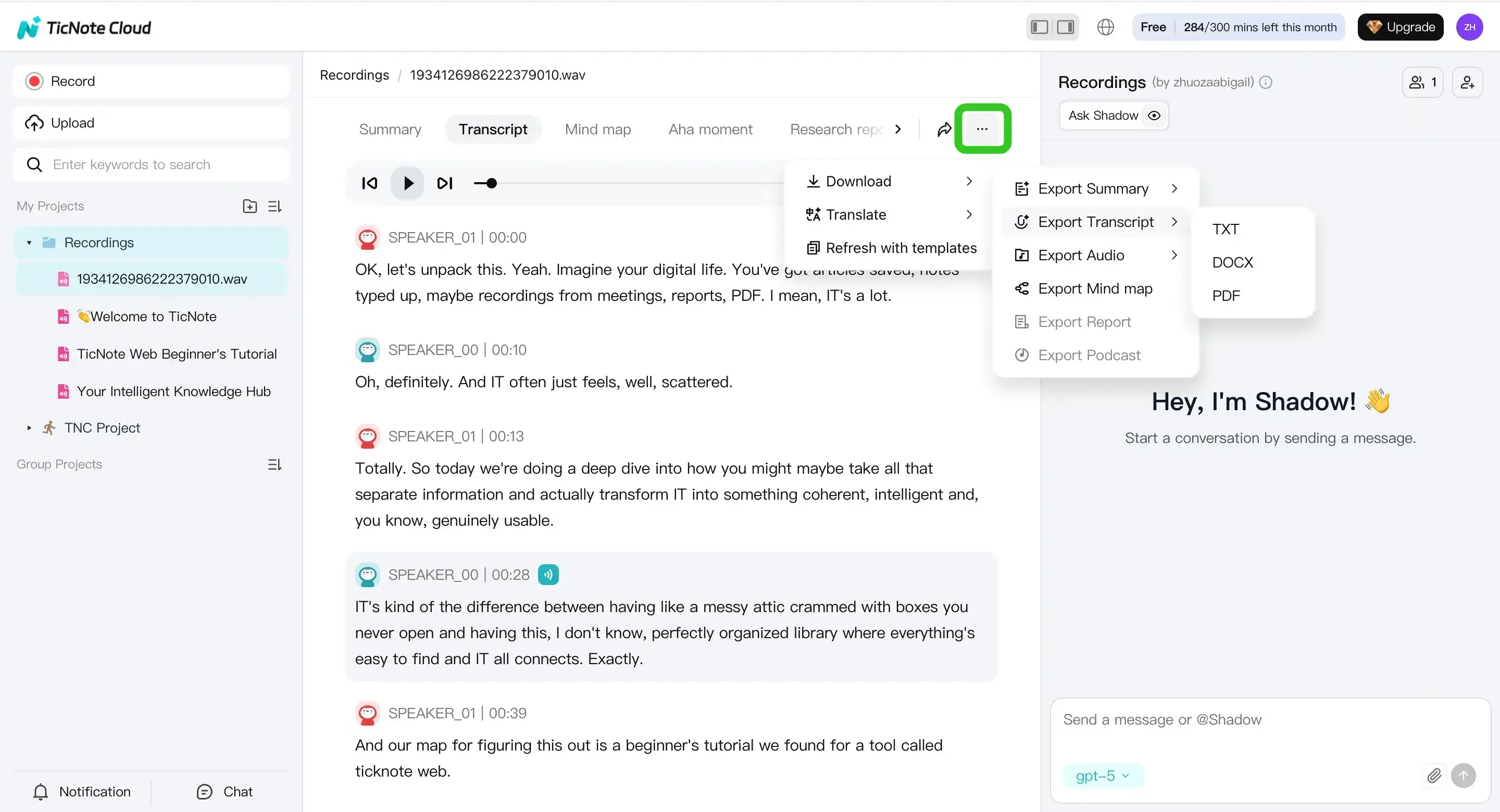
Before you send anything out, confirm who should see what. Share the summary broadly, and keep full transcripts limited to the people who need exact wording.
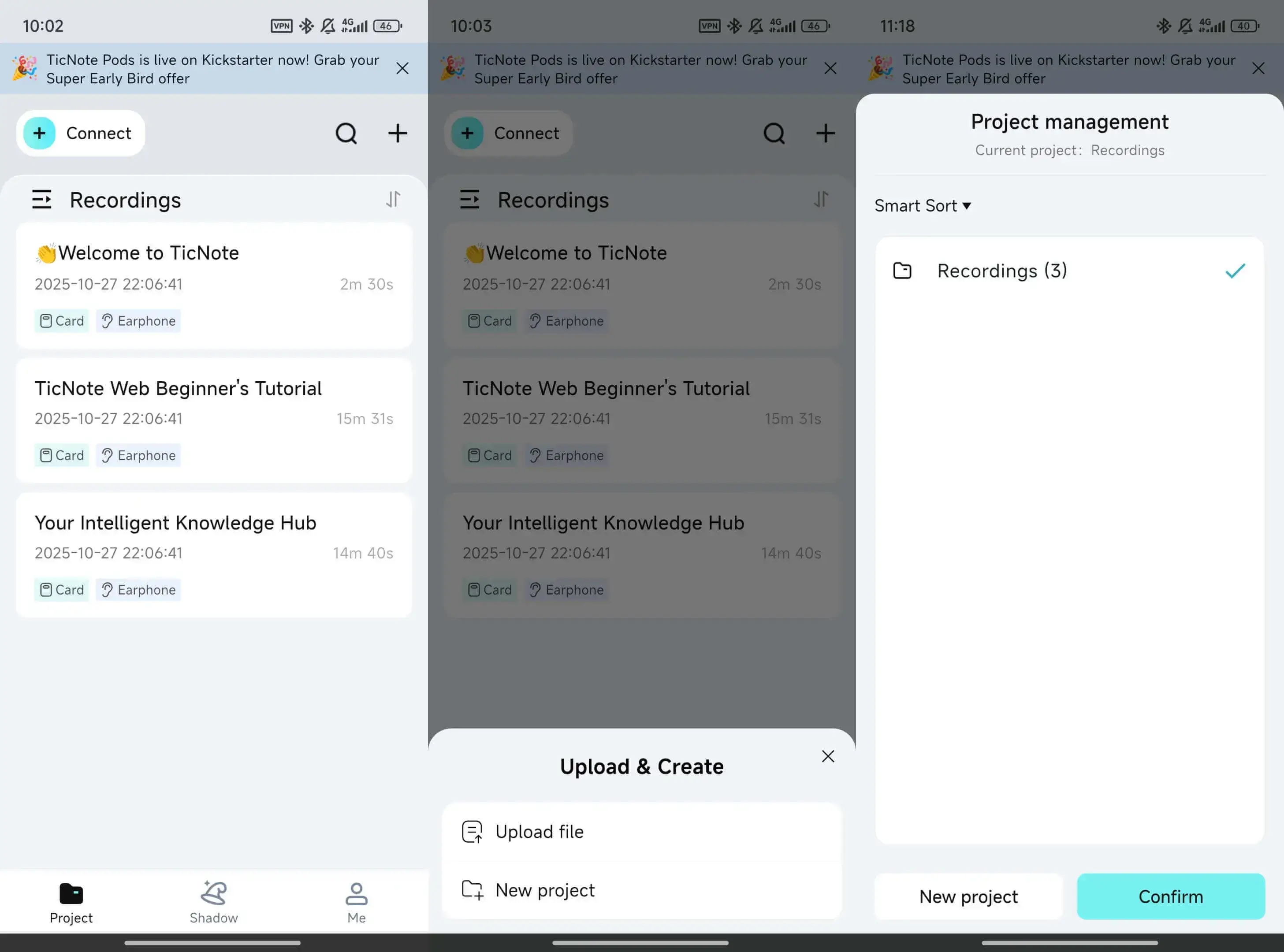
App workflow (mobile, quick follow-ups)
On mobile, the goal is speed. Upload or record the audio, generate the transcript, do a quick cleanup, and export so you can send follow-ups from anywhere.
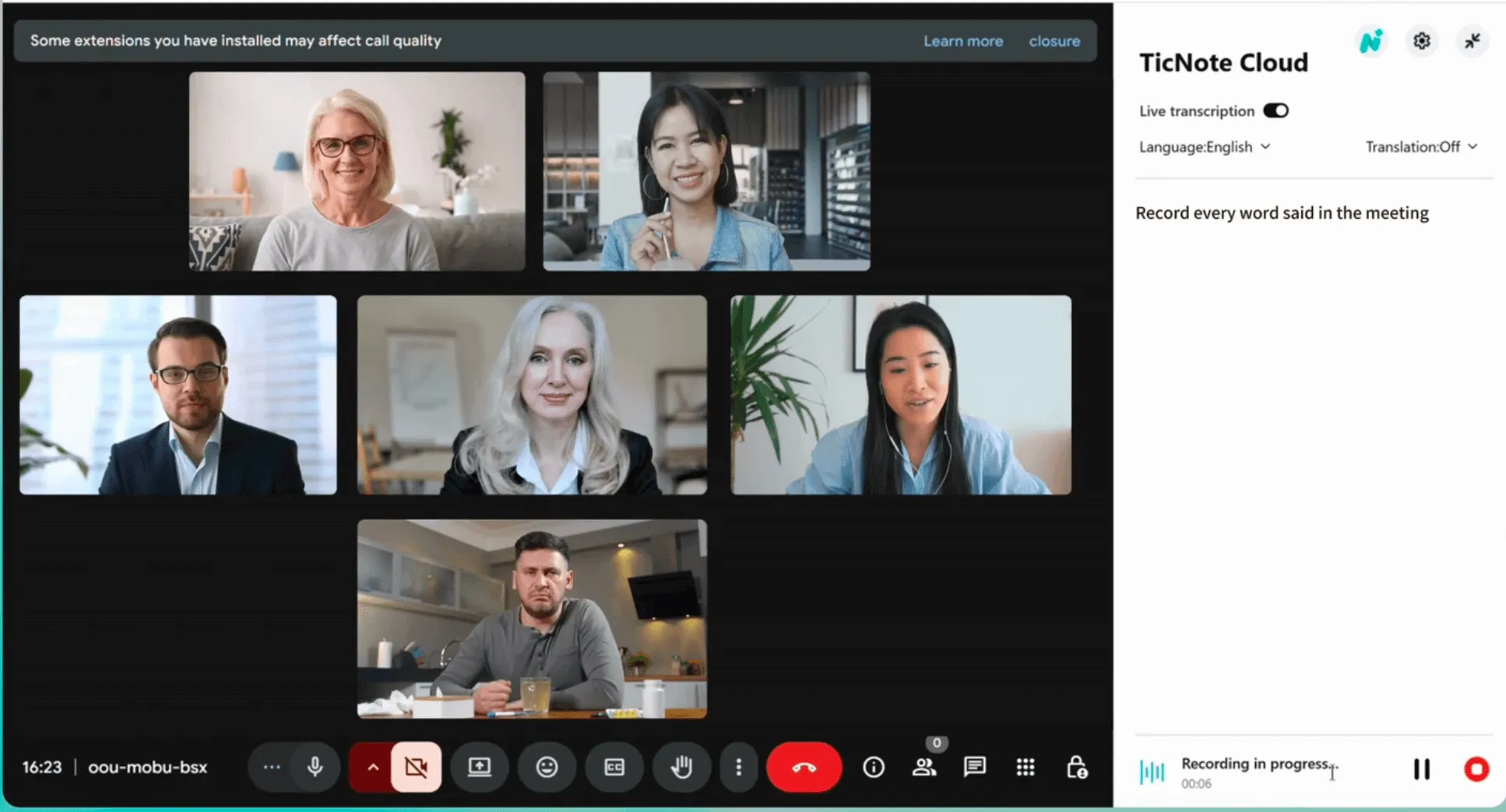
Optional: record Google Meet, Zoom, or Teams without a meeting bot (Chrome extension)
If you can't invite bots due to policy, install the TicNote Cloud Chrome extension. Join your meeting, start recording from the extension, then review and export later in the web studio.
Generate your first AI summary in minutes.
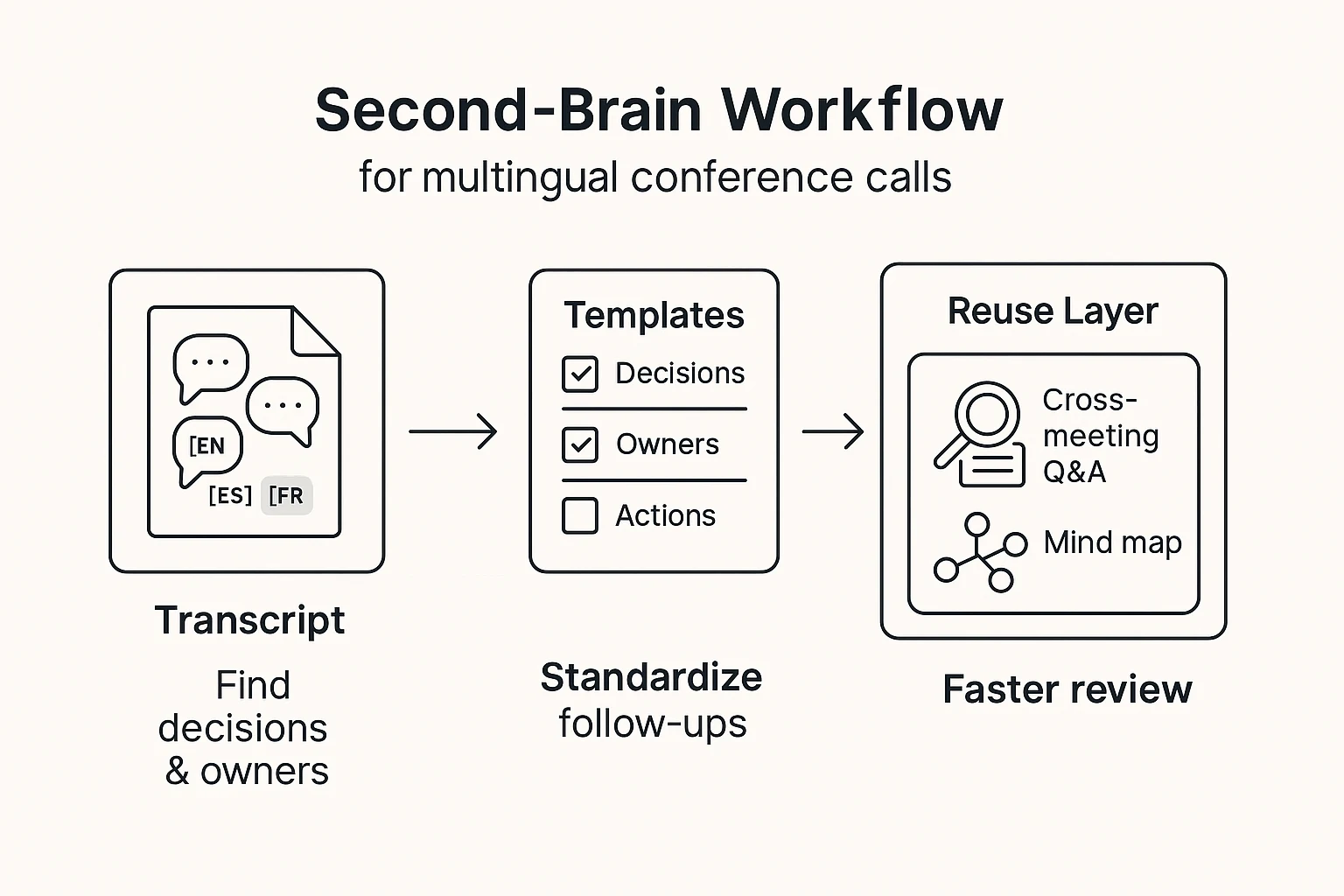
What can TicNote Cloud do that many transcription tools can't? (second-brain workflow)
Most tools stop at a transcript. TicNote Cloud treats each call as a project asset you can search, reuse, and govern. That matters when you're trying to keep multilingual meeting records consistent across regions, time zones, and long timelines.
Find decisions fast with cross-meeting Q&A
When a program spans weeks, "the answer" is rarely in one call. With TicNote Cloud, you can ask questions across files in a project and pull up the exact meeting that contains the decision, owner, and context.
Example questions teams run after a few multilingual calls:
- "What did we decide about the rollout plan?"
- "Who owns vendor onboarding?"
- "Which risks did legal flag, and when?"
This is also where policy-friendly capture helps. If you're in a no-bot environment, you can still build a searchable workspace from recordings and uploads.
Turn transcripts into repeatable outputs with templates
A transcript is raw material. The win is turning it into the same set of files every time, even when speakers switch languages.
A simple, repeatable flow:
- Transcript
- Minutes template (decisions, owners, dates, open questions)
- Follow-up email draft
- Task list for your tracker
Using the same sections each call keeps follow-ups readable for global teams. It also makes review easier when you need to compare "this week vs last week." If you're weighing tools, this pairs well with a reality check on what ChatGPT can and can't do for audio transcription.
Review long calls in minutes with a mind map
Mind maps are great for scanning a two-hour call. You see topic shifts at a glance, then jump back to the right transcript moments.
A simple review ritual:
- Skim the mind map for the main branches
- Jump to key timestamps in the transcript
- Confirm decisions and owners, then finalize the brief
Go beyond minutes with deep research reports
Sometimes you need more than notes. Deep research reports help when you're doing policy reviews, procurement write-ups, program planning, or education and public sector reporting. Keep it grounded by linking each claim back to meeting evidence and any uploaded documents.
"Perfect word-for-word transcripts are nice, but governance and reuse are what save you in audits. Clear owners, decision trails, and controlled access prevent disputes later." Ops and compliance lead