


 Extension
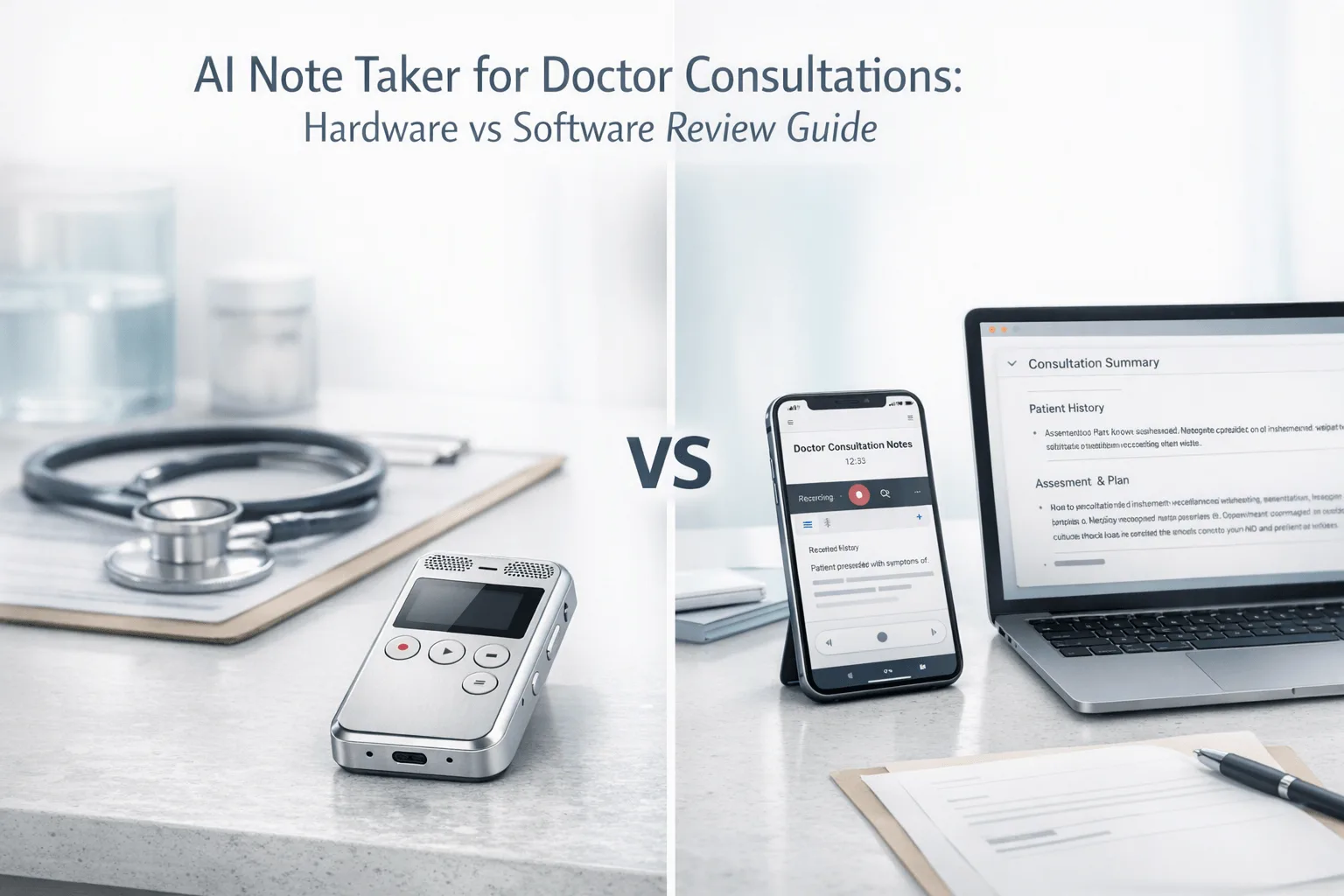
If you want the fastest answer, compare top AI recorder devices first: we tested 7 AI note takers across in-clinic conversations, follow-up phone calls, telehealth sessions, hallway consults, and multilingual patient discussions using a structured comparison process built around real doctor workflows. The clearest takeaway is simple: TicNote Pods 4G is the best fit for clinicians who need automatic phone-call capture without pulling out a phone, while Fireflies.ai makes more sense for teams centered on scheduled virtual visits and downstream workflow automation. The real split, though, isn't brand vs brand. For doctor consultations, it's hardware vs software, because software still can't cover many phone and in-person moments cleanly.
What you'll learn:
- How to choose between hardware and software: see which approach fits patient visits, telehealth, and informal clinical conversations better.
- Which products match specific clinician workflows: compare device-based recorders and software meeting tools by setup, pricing, portability, and note output.
- How the side-by-side table changes the decision: scan form factor, free tier, integrations, and post-meeting automation before reading full product cards.
- How to match the tool to the visit type: use practical guidance for in-clinic visits, hallway consults, telehealth follow-ups, and doctor-to-doctor calls.
- How to narrow the right TicNote device if hardware is the better fit: compare Card, Card Lite, Pods 4G, and Pods Wi-Fi by phone-call capture, portability, and summary workflow.
What is an AI note taker for doctor consultations, and why does everyone suddenly need one?
An AI note taker for doctor consultations records spoken conversations, turns them into transcripts, and generates structured summaries; more advanced tools now add speaker identification, translation, searchable Q&A, and document generation from the recorded visit.
Kaiser Permanente reported 7,260 physicians used an AI scribe across about 2.5 million patient encounters from October 2023 to December 2024, with nearly 16,000 documentation hours saved over 15 months. As ambient documentation tools move from pilot programs into daily care workflows, you now need to compare capture method, review burden, privacy posture, and workflow fit rather than just asking whether AI can transcribe.
But here's what most articles won't tell you. Basic transcription is becoming a commodity, so the tools separate on only a few factors that actually change whether you keep using them: capture coverage (phone, in-person, telehealth, hallway) | workflow friction (setup, manual steps, app dependence) | data handling (consent, encryption, storage, and review control).
How did we test these tools for doctor consultations?
We used a current-market comparison based on live vendor product and pricing pages available at research time. To keep this relevant to how you actually work, we tested hardware recorders, wearable earbuds, and software meeting note tools across doctor-consultation scenarios that included in-person, phone, and telehealth workflows. That also let us compare these tools against similar use cases covered in our guide to AI note takers for team meetings.
Meeting types tested:
- In-clinic patient consultation (2 participants)
- Follow-up doctor-to-patient phone call (2 participants)
- Telehealth video follow-up (2 participants)
- Hallway or curbside clinician consult (2 participants)
- Multilingual patient conversation with translation needs (2 participants)
Evaluation criteria (weighted):
- Privacy and compliance posture (25% weight) -- We measured encryption claims, data-handling statements, HIPAA or healthcare-readiness language, and how much control you keep over recording and sync.
- Workflow fit for doctor consultations (20% weight) -- We measured whether the tool actually fits in-clinic visits, phone calls, telehealth, and unscheduled consults without adding extra steps.
- Note quality and post-visit usefulness (15% weight) -- We measured transcript-to-summary workflow, speaker labeling, structured outputs, and whether the product can turn recordings into usable clinical follow-up notes or documents.
- Setup burden (10% weight) -- We measured how many steps it takes to start capture, whether a meeting bot is needed, and whether you must keep a phone or laptop nearby.
- Portability and form factor (10% weight) -- We measured how easily the tool moves between exam room, phone consult, hallway, and home-office telehealth context.
- Pricing and ongoing cost (10% weight) -- We measured hardware purchase price, free tier value, and recurring plan costs visible from vendor pricing pages.
- Automation and integrations (10% weight) -- We measured whether the tool connects to CRM, Slack, calendar, or broader automation layers after the consultation.
TicNote, the author's own product line, is included in this comparison. We were explicit about where TicNote devices are weaker, including limited native CRM collaboration versus software-first tools and the fact that some summaries are delivered only after sync on certain SKUs. All other tools were evaluated independently.
Hardware vs. software: which approach fits doctor consultations better?
The first real decision is not which brand to buy, but whether your consultations are better served by hardware capture or software capture. For most clinicians, that choice comes down to where the conversation happens: on a phone call, across an exam room table, or inside a virtual meeting. If you want a deeper look at device-first workflows, this guide to bot-free note takers is a useful companion.
| Factor | Hardware | Software |
| Phone call recording | ✅ Core feature | ❌ Not supported |
| Face-to-face meetings | ✅ Set on the table | ❌ Needs workarounds |
| Online meeting transcription | ⭐️ Depends on room audio | ⭐️⭐️⭐️ Direct platform feed |
| Speaker identification | ⭐️ Limited | ⭐️⭐️⭐️ Automatic |
| Hands-free start | ✅ Auto-records on answer | ❌ Open app every time |
| Privacy control | ✅ Local-first, encrypted | ❌ Full cloud pipeline |
| CRM / workflow automation | ❌ Not supported | ✅ Fireflies, Notta |
| Team collaboration | ❌ Not supported | ✅ Comments, search, share |
| Upfront cost | ❌ $119–$300 device | ✅ Free to start |
| Long-run cost | ✅ One-time purchase | ⭐️ Monthly fees add up |
Hardware wins when the consultation happens on a phone call, across an exam room table, or in a quick clinician-to-clinician discussion with no meeting link. TicNote Pods 4G can automatically record calls when the earbuds are worn and uploads through its built-in 4G eSIM without a phone nearby, while HiDock P1 is built around Bluetooth earphone call recording with dedicated Call, Room, and Whisper modes. Hardware also gives you a more contained capture path because several devices store recordings locally first and sync later, which can reduce dependence on always-open apps.
Software wins when most consults are scheduled virtual visits and the workflow value comes after the conversation. Otter can auto-capture Zoom, Teams, and Google Meet meetings and adds search, edit, and custom vocabulary, while Fireflies.ai is stronger for teams that want integrations, analytics, and post-meeting automation into other systems.
The honest answer for many clinicians is both. If a workday includes meaningful phone or in-person consultation time, hardware remains the one layer software still cannot replace.
How do these 7 tools compare side by side?
If you want the short version, the split is simple: hardware tools are better when you need portable, on-demand capture in exam rooms, hallway consults, or phone calls, while bot-based software tools fit scheduled telehealth visits and team workflows better. The table below makes those tradeoffs easy to scan, especially if you're also weighing a HiDock alternative for calls and notes against card recorders, meeting bots, and earbud-based options.
| Tool | Type | Best For | Platforms | Free Tier | Paid From | Integrations | Post-Meeting Automation |
| TicNote Pods 4G | Hardware | Doctor phone consults without a phone nearby | Earbuds + charging case + mobile app | Plus included with hardware: 600 min/mo and 1,500 credits | $299.99 device; Pro with device $79/yr | Cross-platform phone desktop browser via TicNote Cloud | Live Summary during recording plus Quick Summary when recording stops |
| TicNote Card | Hardware | Exam-room visits and table-based consult capture | Card recorder + mobile app | Plus included with hardware: 600 min/mo and 1,500 credits | $159.99 device; Pro with device $79/yr | TicNote Cloud cross-platform workspace | Transcript summary to-do list Ask AI and document generation after sync |
| HiDock P1 | Hardware | Bluetooth earbud call recording for mobile clinicians | Device + macOS Windows iPhone 15+ OTG Android | Unlimited core transcription free | $169 device | Zoom Meet Teams Webex compatibility | AI summaries in HiNotes with optional Pro features |
| PLAUD Note | Hardware | Card-style recording for clinic sessions and phone consults | Card recorder + app | Starter free 300 min/mo | $159 device; Pro $8.33/mo annual | Google Calendar Zapier MCP | Summaries templates Ask Plaud and exports |
| Otter | Bot | Scheduled telehealth visits on major meeting platforms | Web iOS Android Zoom Teams Google Meet | Free tier with 300 monthly transcription minutes | Paid plans from Pro tier; pricing page lists Pro and Business ladders | Zoom Teams Google Meet plus collaboration features | Auto meeting notes searchable transcripts and shared conversation history |
| Fireflies.ai | Bot | Team telehealth workflows needing integrations and analytics | Web with meeting platform connections | Free plan at $0 | Pro $10/seat/month annual | CRM ATS Slack and broad workflow integrations | AI notes comments bookmarks analytics and downstream workflow actions |
| Notta | Bot | Clinicians who want transcripts turned into visual outputs and searchable knowledge | Web iOS Android meeting recorder | Free 120 min/month | Pro $97.99/yr | Google Drive Notion Slack Salesforce | Summaries cross-meeting search presentations infographics and insight outputs |
The biggest differences come down to setup burden, portability, and how notes are created after the consultation ends. TicNote Pods 4G and TicNote Card lead when you want clinician-controlled capture plus immediate outputs such as Live Summary during recording, Quick Summary when recording stops, or transcript summary to-do list Ask AI and document generation after sync, while Otter, Fireflies.ai, and Notta are stronger when your workflow already lives inside Zoom, Teams, Google Meet, CRM, ATS, Slack, Google Drive, Notion, or Salesforce.
The 7 best AI note takers for doctor consultations in 2026
If you want the shortest answer first, TicNote leads this list because it covers more real consultation scenarios than software-only tools do: in-person visits, phone follow-ups, online meetings, translation, summaries, and document generation. The key difference is simple: hardware can capture what meeting bots miss, while software tools usually win on integrations and team analytics.
1. TicNote Pods 4G — Best for phone-based doctor consultations and mobile clinicians
Best for: clinicians who need automatic call capture and live summaries without relying on a nearby phone
TicNote Pods 4G is built for professionals who move between calls, in-person conversations, and on-the-go work without wanting to open an app every time. Its key difference is the charging case with built-in 4G eSIM, which uploads audio in real time and can push Live Summary during recording plus Quick Summary right after the session ends. For doctor consultations, it fits clinicians who do a meaningful share of follow-up calls or telehealth-related phone work and want a device layer that software bots cannot cover.
Standout features:
- Built-in 4G eSIM in the case for phone-free recording and upload
- Call recording automatically starts when you take a call wearing the earbuds
- Live Summary during recording and Quick Summary when recording stops
- Dual recording modes: earbuds for calls and online meetings, case for room recording
- Real-time translation and conversation translation workflows
Pricing: No-device Free plan: $0 with 300 min/mo | Device includes Plus plan at $0/yr with 600 min/mo and 1,500 credits | Pro with device: $79/yr with 2,100 min/mo and 3,000 credits
Pros:
- Handles phone consultations in a way software meeting bots do not.
- Works without the phone nearby because the case has its own 4G connection.
- Gives summaries faster than sync-only devices because it supports live and immediate post-call output.
- Can switch between call capture and room capture in the same hardware family.
Cons:
- Highest upfront price in the TicNote lineup at $299.99.
- 4G battery life drops to about 13 hours with cellular on.
- Regional behavior is less flexible than the Wi-Fi version, which is the model explicitly marketed as global.
- Native CRM-style automation is weaker than software-first tools like Fireflies.ai.
In our own workflow, Pods 4G is the TicNote SKU that makes sense when a clinician takes follow-up calls between rooms and wants the call captured automatically through the earbuds instead of manually starting a phone app each time.
2. TicNote Card — Best for exam-room consultations and table-based in-person visits
Best for: clinicians who want a slim recorder they can place on a table and sync to AI notes after the visit
TicNote Card is a credit card-sized recorder with a 3 mm aluminum body, 64 GB storage, a 3-mic array, and up to 25 hours of battery life. The differentiator is its card form factor plus lever switch between Earphone mode and Speaker mode, which makes it better suited to deliberate session-based capture than always-on wearable use. For doctor consultations, it fits private-practice or clinic users who mainly need in-room visit capture and value portability more than live collaboration features. If you're comparing form factors, this quick device-fit breakdown helps clarify when a card recorder makes more sense than earbuds.
Standout features:
- 3 mm thin card-style recorder with wallet-friendly form factor
- 64 GB storage rated at about 434 hours
- 25-hour battery life and up to 10 m pickup
- Real-time transcription and translation on phone via Bluetooth or Wi-Fi
- Ask AI, document generation, highlights, annotations, and photo-to-transcript sync
Pricing: No-device Free plan: $0 with 300 min/mo | Device includes Plus plan at $0/yr with 600 min/mo and 1,500 credits | Pro with device: $79/yr with 2,100 min/mo and 3,000 credits
Pros:
- Slim enough to carry routinely without adding much setup burden.
- Cheaper than many premium wearable or desktop hardware alternatives.
- Works offline for recording and syncs later.
- Can turn recordings into summaries, to-do lists, and generated documents after sync.
Cons:
- Requires manual placement and start, so it is less hands-free than earbud-based devices.
- No live summary during recording like Pods 4G.
- Less suited to automatic phone-call capture than TicNote Pods 4G.
- Does not offer software-style team collaboration layers.
3. HiDock P1 — Best for Bluetooth earbud calls and bot-free hybrid use
Best for: mobile users who take consultations through Bluetooth earphones and want free core transcription
HiDock P1 is a hardware-first device designed around bi-directional Bluetooth earphone recording, not just room capture. Its market position is clear: a portable, bot-free recorder for calls, online meetings, and in-person conversations with unlimited free core transcription and optional Pro features in HiNotes. For doctor consultations, it is relevant when phone or headset-based conversation capture matters more than downstream document generation.
Standout features:
- BlueCatch Bluetooth earphone recording
- Call Room and Whisper modes
- 64 GB storage in a 72 g portable device
- Works with Zoom Meet Teams and Webex
- 75+ language transcription and AI summaries
Pricing: Core transcription: unlimited and free | Device price: $169 | Pro Membership available for advanced AI transcription, speaker identification, templates, and live transcription
Pros:
- Strong fit for Bluetooth earphone call workflows.
- Unlimited core transcription lowers ongoing cost pressure.
- Covers both online and in-person use without relying on meeting bots.
- Lower device price than premium earbud systems.
Cons:
- Public pricing for Pro Membership is not fully disclosed in the researched pages.
- Less clinician-specific workflow tooling than medical or document-generation-oriented products.
- Not a lightweight card form factor for table placement.
- EHR or advanced automation support is limited.
4. PLAUD Note — Best for card-style hardware with stronger automation add-ons
Best for: users who want a card recorder plus broader template and automation options
PLAUD Note is a standard card-style AI recorder with dual-mode recording, 64 GB storage, and positioning that leans toward summaries, templates, Ask Plaud, exports, and automation through Zapier and MCP. It is built for professionals who want hardware capture but also care about broader post-meeting workflow options. For doctor consultations, it can fit clinic sessions and phone consults, but the article should note that its public positioning is not doctor-specific and some buyers may still prefer more explicit privacy review before clinical use.
Standout features:
- Dual-mode recording in a card form factor
- 64 GB storage and up to 30 hours of recording
- 112+ languages and speaker identification
- 10,000+ templates plus Ask Plaud
- Google Calendar Zapier and MCP support
Pricing: Starter free: 300 min/month | Pro: $8.33/month billed annually or $17.99 monthly with 1,200 minutes | Unlimited: $19.99/month billed annually or $29.99 monthly
Pros:
- Combines hardware recording with broader automation than many device-only rivals.
- Template depth is unusually large.
- Card form factor is familiar and easy to carry.
- Published compliance list is broader than many consumer recorder brands.
Cons:
- Recurring subscription can raise total ownership cost over time.
- Phone-call and in-person workflow still require the user to manage placement and capture mode.
- Not as hands-free for calls as earbud systems.
- Clinical workflow fit is less explicit than enterprise medical-scribe software.
5. Fireflies.ai — Best for telehealth teams that need integrations and analytics
Best for: clinics and admins who want virtual-consultation notes tied into other systems
Fireflies.ai is not a hardware recorder at all; it is a software-first meeting intelligence platform focused on team use, integrations, analytics, and searchable records. Its strongest differentiator is what happens after the consultation: comments, bookmarks, channels, analytics, and workflow connectivity into CRM, ATS, Slack, and other systems. For doctor consultations, it fits telehealth-heavy teams and admin-led workflows better than clinicians who spend most of the day in exam rooms or on regular phone calls.
Standout features:
- Free plan plus Pro Business and Enterprise tiers
- 100+ languages and speaker recognition
- Comments bookmarks channels and analytics
- Broad workflow integrations including CRM and Slack
- HIPAA support noted in Business/Enterprise context with security controls
Pricing: Free: $0 | Pro: $10/seat/month billed annually | Business: $19/seat/month billed annually | Enterprise: $39/seat/month billed annually
Pros:
- Much stronger post-meeting automation than hardware-first products.
- Good fit for team search collaboration and shared knowledge.
- Clear public plan ladder for scaling from individual to enterprise use.
- Security and retention controls are more explicit than many consumer hardware brands.
Cons:
- Does not solve ordinary phone-call recording.
- In-person consult capture is structurally weaker than dedicated hardware.
- Monthly seat pricing compounds for teams.
- Needs software adoption across the workflow to deliver full value.
6. Otter — Best for straightforward telehealth transcription on mainstream meeting platforms
Best for: clinicians who mostly live inside Zoom Teams or Google Meet and want simple searchable notes
Otter is one of the most familiar software note-taking tools because it focuses on recording, transcribing, searching, editing, and sharing voice conversations across mainstream platforms. Its differentiator is simplicity: supported meeting-platform capture, collaboration basics, custom vocabulary, and searchable conversation history. For doctor consultations, it works best when the visit already happens on Zoom, Teams, or Google Meet rather than by phone or in-person in the clinic.
Standout features:
- Automatic note capture for Zoom Teams and Google Meet
- Search edit organize and share transcripts
- Speaker identification and inline photos
- Custom vocabulary support
- Conversation history across web and mobile
Pricing: Free tier: 300 monthly transcription minutes | Paid plans available across Pro Business and Enterprise ladders | Pricing page cites higher limits and collaboration/admin features on paid tiers
Pros:
- Easy fit for scheduled video visits on supported platforms.
- Search and edit workflow is simple for solo clinicians.
- Custom vocabulary can help with repeated terminology.
- Lower friction than hardware if everything already happens online.
Cons:
- Does not address standard phone consultations.
- Weak fit for hallway, exam-room, or ad hoc in-person interactions.
- Less automation depth than Fireflies.ai.
- Ongoing plan limits matter once usage volume rises.
7. Notta — Best for turning consultation transcripts into structured outputs
Best for: users who want searchable notes plus presentations, infographics, or broader output formats
Notta is a software-first AI note taker that extends beyond transcription into cross-meeting search and output generation such as presentations and infographics. That makes it a different buying choice from pure meeting-bot tools: the value is not just capture but reusing the material afterward. For doctor consultations, it suits clinicians or practice managers who want software notes from virtual sessions and need those notes to feed broader reporting or communication tasks.
Standout features:
- 58 transcription languages
- Notta Brain for cross-meeting search and insight
- Exports and integrations with Google Drive Notion Slack and Salesforce
- Presentation and infographic generation
- Security page cites SOC 2 Type II ISO 27001 GDPR CCPA and HIPAA
Pricing: Free: 120 minutes/month | Pro: $97.99/year | Business: $199.99/year | Enterprise: custom pricing
Pros:
- Strong output flexibility after the consultation.
- Clear annual pricing for Pro and Business tiers.
- Useful integrations for teams already using common work apps.
- Security and compliance posture is publicly documented.
Cons:
- Still a software-first tool, so it does not solve ordinary phone or in-person capture.
- Free tier is smaller than several alternatives.
- Value depends on needing post-meeting content generation, not just transcripts.
- Can feel heavier than simpler transcription tools for solo use.
Conclusion: how to decide
If phone calls or in-person meetings are part of your clinical day, hardware is the category software still can't structurally replace. TicNote Pods 4G is the strongest fit when automatic earbud call capture and live summaries matter, while TicNote Card makes more sense for exam-room table capture at $159.99, and HiDock P1 is worth a look at $169 if Bluetooth earphone call recording and free core transcription are the main priorities. The right hardware choice depends less on brand loyalty than on whether you need calls, room capture, or both, and if you want a deeper breakdown of call-focused options, this guide on AI note takers for calls is the most relevant next read.
For telehealth-heavy workflows, Fireflies.ai is stronger for integrations and analytics, while Otter is simpler for mainstream virtual meeting notes. For heavy consultation users, the practical long-term answer is often both, but hardware should come first when your workflow includes conversations software will never hear.



