Extension
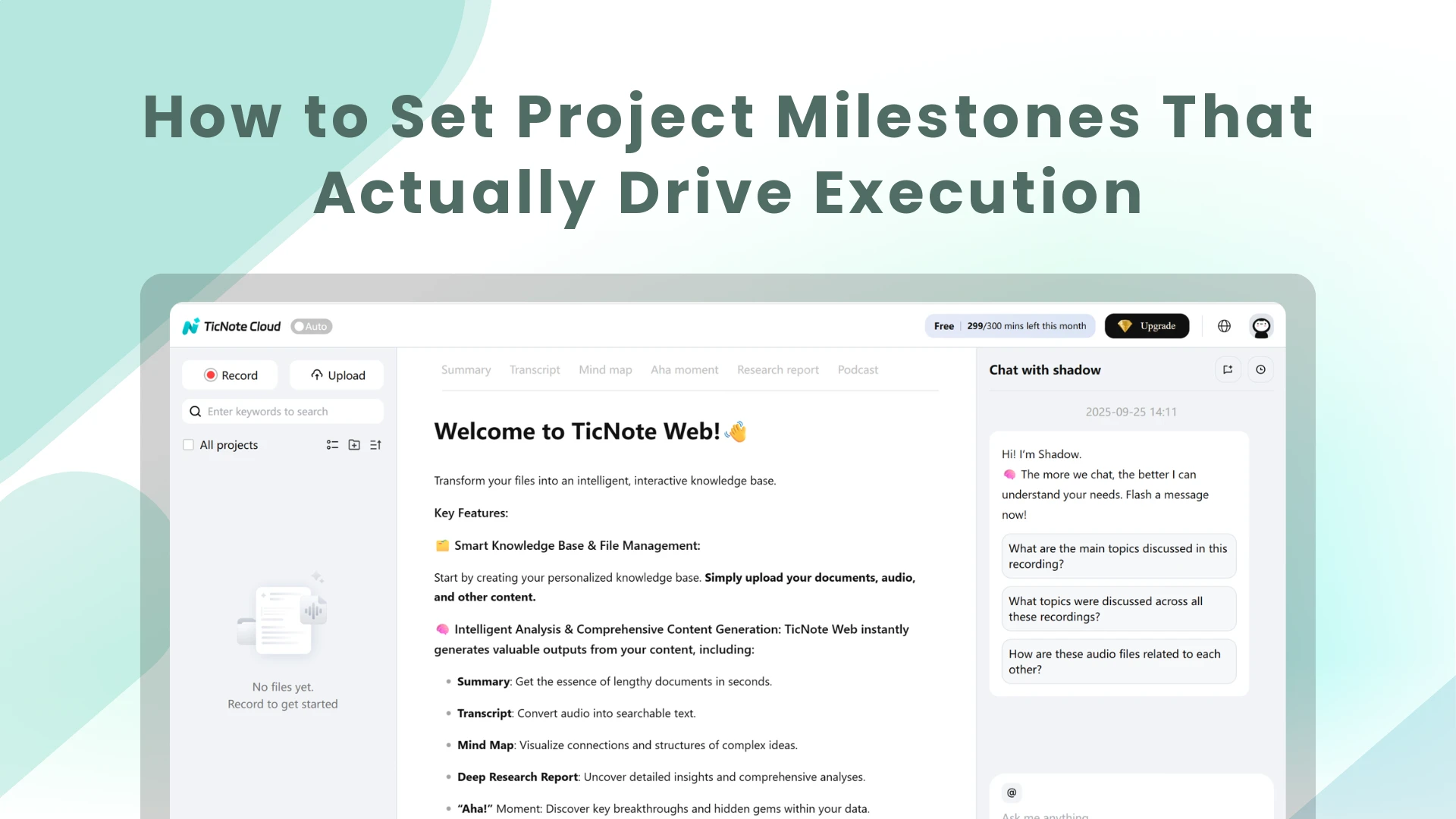
TL;DR: Skill agents turn project milestones into execution signals
Use a meeting-centered AI workspace to turn project milestones into execution signals: zero-duration checkpoints that prove a completed state, not extra tasks.
Planning breaks when decisions sit in notes, owners stay vague, and teams report dates without evidence. That gap compounds after every meeting. Teams can turn transcripts, files, and decisions into searchable context that supports milestone plans, acceptance criteria, follow-ups, and cited stakeholder updates.
Strong milestones connect five things: deliverable, owner, approval rule, dependency, and reporting evidence.
What are project milestones, and when do they drive execution?
Project milestones are zero-duration checkpoints that mark a significant project event. They don't describe the work itself. They show that something important has been approved, finished, accepted, or unlocked.
Milestones vs. tasks, deadlines, goals, and deliverables
Use milestones to show progress at key control points, not to replace the work plan.
| Term | What it does | Simple example |
| Milestone | Marks progress | Design approved |
| Task | Creates progress | Review 12 wireframes |
| Deadline | Sets a time limit | Submit by Friday |
| Goal | Defines the outcome | Reduce onboarding time by 20% |
| Deliverable | Produces an output | Final onboarding flow spec |
The link between project milestones and deliverables is simple: the deliverable is the thing produced; the milestone is the moment that thing is completed or accepted.
Why execution-focused milestones matter
Strong milestones stop the "busy but nothing finished" problem. They give teams shared alignment, make stakeholder updates easier, and expose dependencies before they block work.
They also support motivation and control. A milestone can trigger funding, approval, a launch decision, or a simple red-amber-green status report. The best ones make hidden decisions visible.
When a milestone is worth adding
Add a milestone when missing it would change the plan. Good milestone points include:
- Phase completion
- Key approvals
- Go/no-go decisions
- Major deliverables
- Launch dates
- Risk-sensitive dates
- Handoffs where another team gets blocked if work is late
How do you write project milestones that link decisions, owners, and deliverables?
Strong project milestones describe a business state, not a work activity. They connect the decision, the accountable person, the output, and the proof that the work is finished. That makes them useful for execution, not just status slides.
Start with the outcome, not the activity
Write each milestone as something that has happened. If it sounds like ongoing work, it's probably a task.
| Weak milestone | Strong milestone |
| Work on beta | Beta release approved for external testers |
| Review client strategy | Client recommendations delivered and accepted |
| Prepare migration | Data migration plan signed off by IT and operations |
This is the simplest rule for how to write project milestones: use completion language. "Approved," "launched," "signed off," "delivered," and "accepted" all create clearer execution signals.
Add an owner and decision maker
Each milestone needs one accountable owner. This person coordinates the work, tracks blockers, and confirms the next step.
Don't confuse that role with contributors, reviewers, or approvers:
- Owner: one person accountable for coordination
- Contributors: people who complete parts of the work
- Reviewers: people who provide feedback
- Approver: the person or group that accepts the result
In TicNote Cloud, teams can keep meeting decisions, transcript notes, and approval comments in one project workspace, so the owner can trace why a milestone exists and who accepted it.
Define the deliverable and acceptance criteria
A milestone without acceptance criteria becomes a debate. Add a definition-of-done checklist before work starts:
- Required artifact: report, release, plan, dataset, contract, or presentation
- Quality checks: testing, QA review, legal review, or data validation
- Review evidence: comments resolved, risks logged, or changes tracked
- Sign-off: named approver and approval channel
- Completion proof: link, file, ticket, or decision log entry
This turns project milestones and deliverables into stakeholder-ready reporting. Instead of saying "mostly done," the owner can show what was delivered and what still blocks acceptance.
Map dependencies before setting dates
Dates should come after logic. Map upstream blockers, critical-path work, external approvals, resource limits, and handoffs between teams first. The Schedule Assessment Guide: Best Practices for Project Schedules (GAO-16-89) states that the critical path "identifies the longest sequence of activities that must be completed on time for the project to be completed on schedule."
Date-first milestones often become wishful reporting. Dependency-first planning shows which missed handoff will move the whole schedule.
Use a simple milestone naming formula
Use this project milestones template for naming:
[deliverable/phase] + [approval/completion state] + [date/owner]
Examples:
- Product: Beta release approved by April 12 — Owner: Priya
- Client: Recommendations delivered and accepted by May 3 — Owner: Marcus
- Operations: Warehouse cutover completed by June 18 — Owner: Elena
A clear name should answer three questions in 10 seconds: what changed, who owns it, and how the team knows it's done.
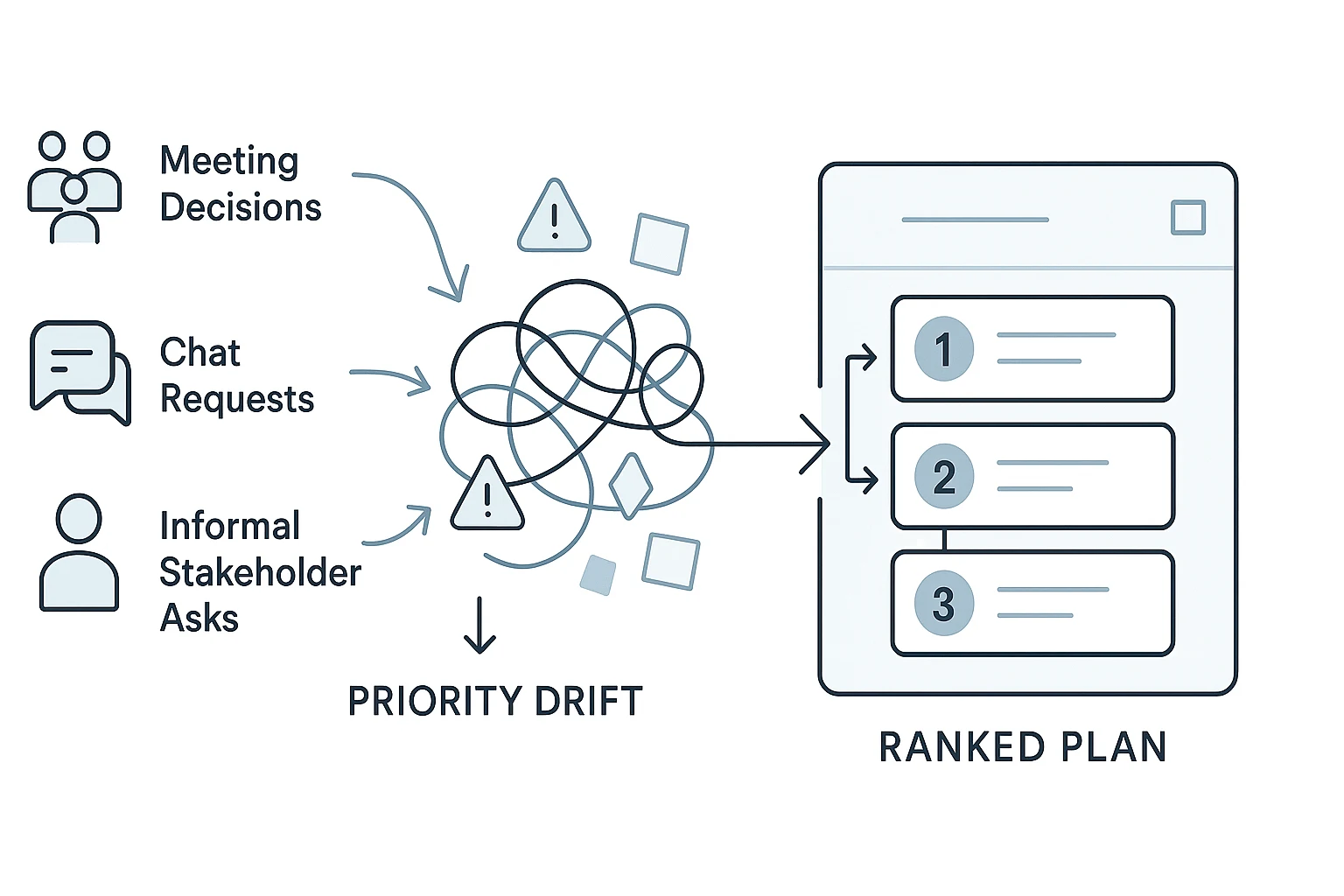
Milestone-to-task workflow: from meeting notes to an actionable plan
Project milestones become useful only when they survive the planning meeting. If decisions stay buried in calls, chat threads, or private notes, the milestone looks clear on a slide but fails in execution.
Capture the planning discussion before details get lost
Use meeting notes and transcripts as the source of truth for who agreed to what. In TicNote Cloud, a project workspace can keep transcripts, docs, and decisions searchable, so teams don't rebuild context from memory. If the meeting process itself needs structure, start with a before-during-after meeting system before you define the plan.
Extract decisions, risks, and open questions
After the meeting, turn raw discussion into a decision log. Capture six fields: decision, owner, date, constraint, dependency, and unanswered question.
Mini-case: a product launch team says, "Launch content approved." That is not a milestone yet. It becomes one only when the approver is named, the content package is defined, and the review rule is clear. For example: "CMO approves launch content package by May 10 if legal comments are resolved and final product messaging is attached."
That sentence creates a checkpoint the team can execute against.
Convert each milestone into linked tasks
A milestone marks a state. Tasks create that state. Keep the milestone short, then attach the work beneath it.
| Milestone | Task | Owner | Due date | Dependency | Deliverable | Evidence | Status |
| Launch content approved | Draft landing page copy | PMM | May 3 | Messaging brief | Copy doc | Link to approved draft | Green |
| Launch content approved | Review legal claims | Legal | May 7 | Draft copy | Commented doc | Resolved comments | Amber |
| Beta feedback closed | Summarize top issues | Product | May 12 | Beta survey | Findings summary | Cited transcript notes | Red |
This layout shows progress without turning the milestone into a task list title.
Create a milestone chart without overloading the plan
Stakeholders need the 5–10 major checkpoints, not every subtask. Build a simple timeline or milestone chart that shows dates, owners, and RAG status (red, amber, green). Keep task-level detail in the project plan, where owners can manage dependencies, evidence, and daily progress.
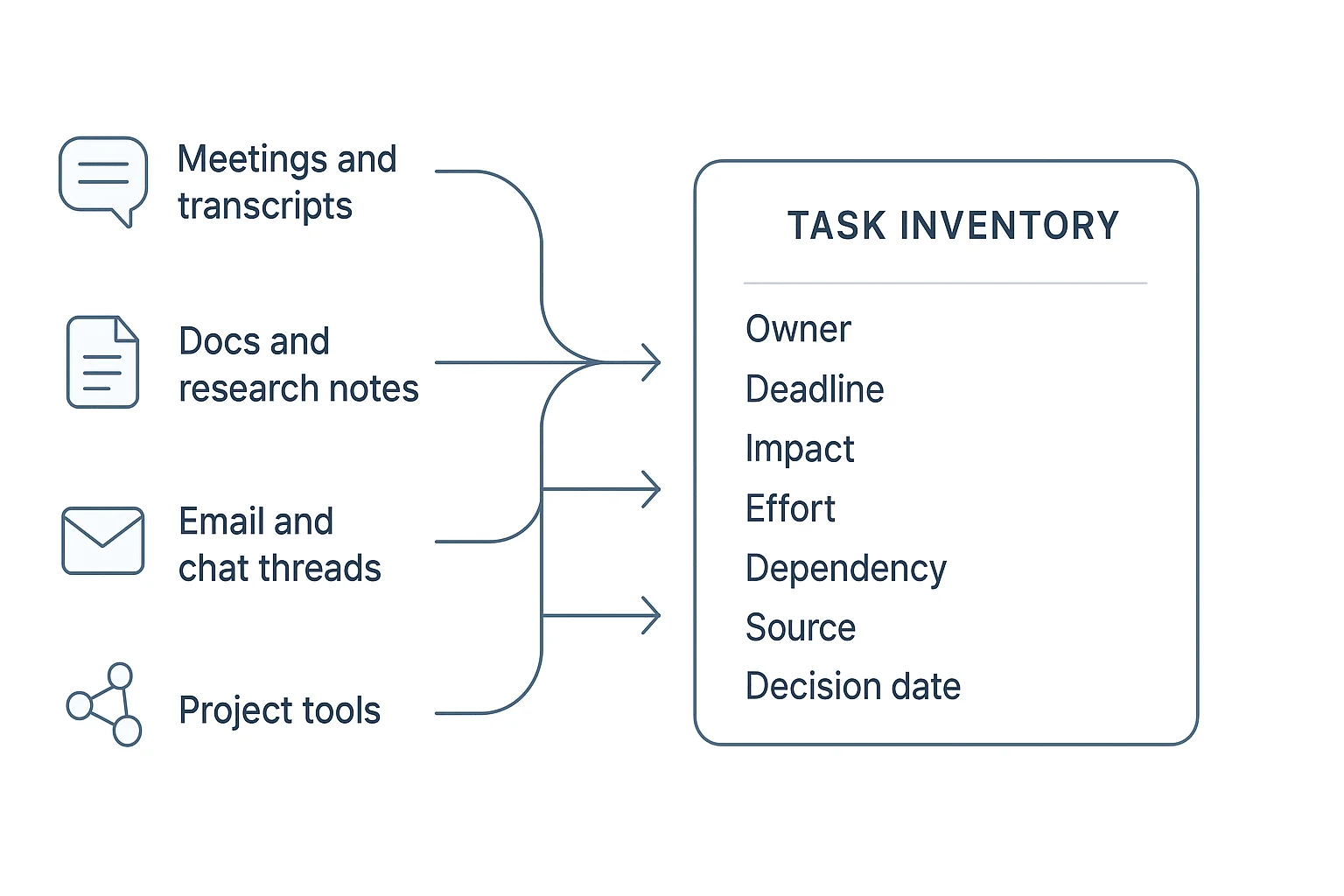
Project milestones examples and a reusable template structure
Good project milestones make commitments visible. Each checkpoint should connect a decision, a deliverable, an owner, and proof that the work is done. Use these project milestones examples as patterns, then adapt the fields to your team's workflow.
Example 1: Product launch milestone plan
For a product launch, milestones should protect the release path. They show when work can move from planning to build, testing, launch, and learning.
| Milestone | Linked deliverable | Owner | Approver | Acceptance evidence |
| Requirements approved | PRD and scope notes | Product manager | Product lead | Signed PRD; open questions closed |
| Beta ready | Beta build and test plan | Engineering lead | Product + QA | Feature checklist passes; beta users confirmed |
| QA signed off | QA report | QA lead | Engineering manager | Critical bugs resolved; regression tests complete |
| Launch content approved | Website, email, sales notes | Marketing lead | Growth lead | Final copy approved; links verified |
| Release live | Production release | Release manager | Engineering lead | Deployment log; rollback plan ready |
| Post-launch review complete | Metrics review and action list | Product manager | Stakeholders | KPI summary; next actions assigned |
If launch scope depends on market inputs, connect those inputs early. For example, competitor analysis tools can help teams validate positioning before launch content approval.
Example 2: Client research project milestone plan
Consultants and cross-functional operators need meeting decisions to become visible commitments. A client research plan might use kickoff completed, interview synthesis approved, insights report drafted, stakeholder review complete, and final recommendations delivered. Each milestone should point to a clear artifact: kickoff notes, synthesis matrix, draft report, review decision log, or final presentation. The owner drives the work. The approver confirms the decision. The evidence prevents "almost done" from hiding risk.
A practical project milestones template
A useful project milestones template is a structure, not a downloadable resource. Build a table with these columns:
| Field | Purpose |
| Milestone, target date, baseline date | Shows the goal and original plan |
| Owner, decision maker | Separates execution from approval |
| Linked deliverable, dependencies | Connects outputs and blockers |
| Definition of done, RAG status | Makes completion and risk clear |
| Slip reason, next action | Turns delays into action |
Agile, traditional, and hybrid variations
Agile teams can map milestones to releases, increments, sprint reviews, or customer validation points. Traditional projects often use phase gates, such as discovery approved or implementation complete. Hybrid teams can keep milestone checkpoints without forcing every group into one method. The rule stays the same: every checkpoint needs a deliverable, decision owner, and acceptance evidence.
Step-by-step skill-agent workflow for milestone execution
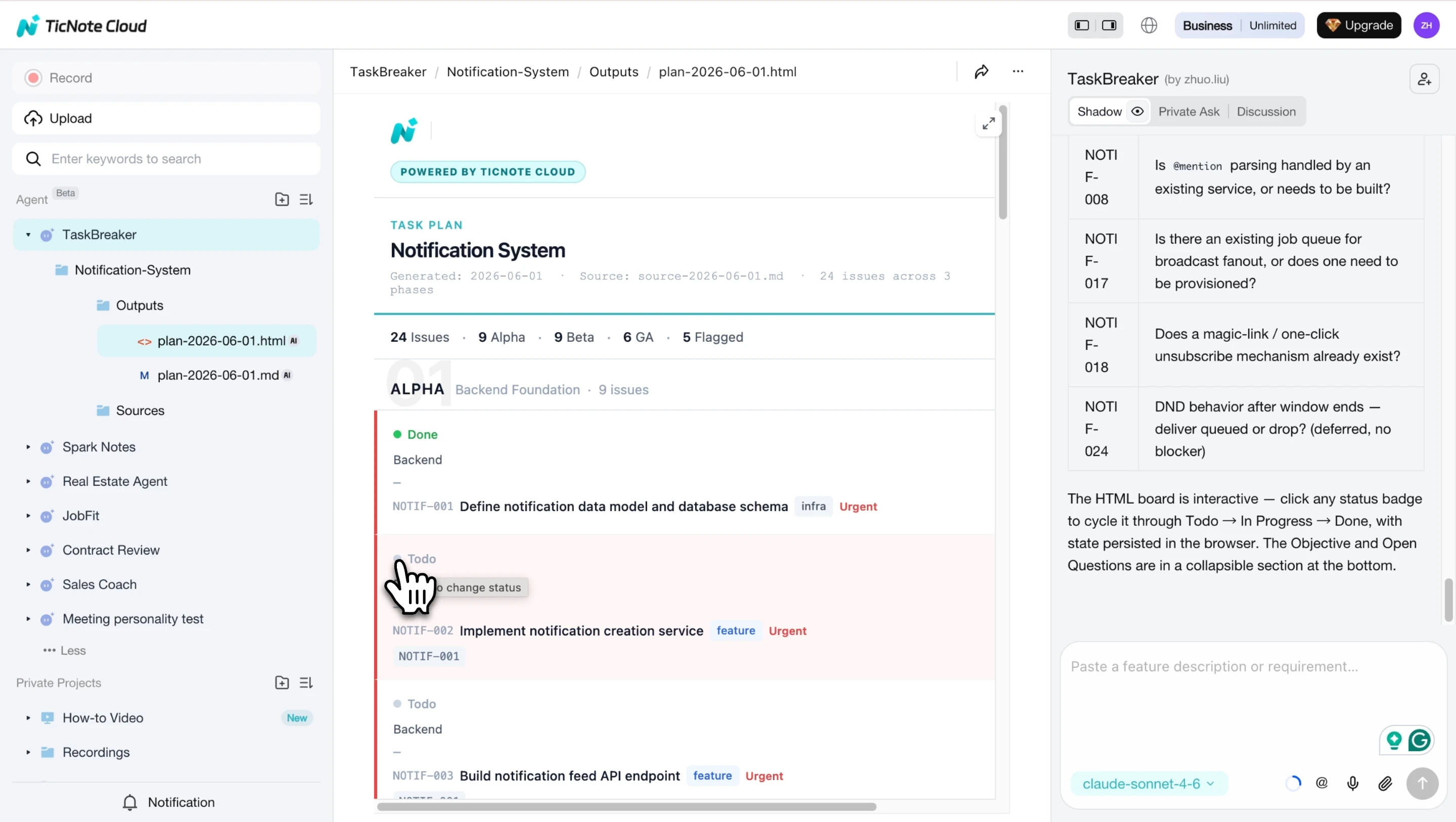
A skill agent turns project milestones into execution-ready work by reading the source material, finding gaps, and producing structured tasks. In TicNote Cloud, a meeting-centered AI workspace, TaskBreaker can use project documents, specs, meeting recordings, or transcripts to create a plan your team can review before work starts.
Add the TaskBreaker skill agent
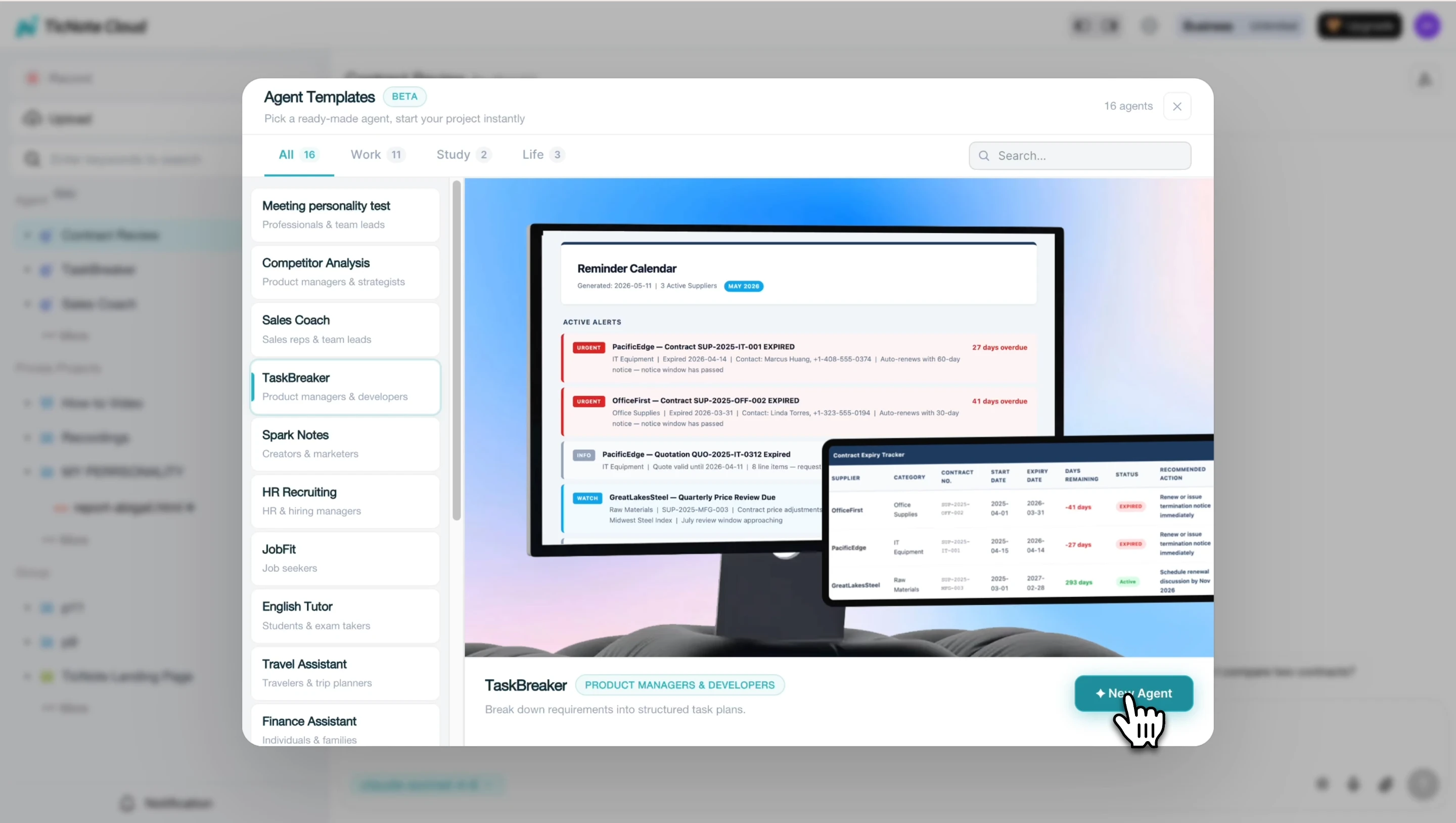
Open TicNote Cloud on Web, choose Add Agent, and browse the Skill Agent library. Select TaskBreaker to add it to your workspace.
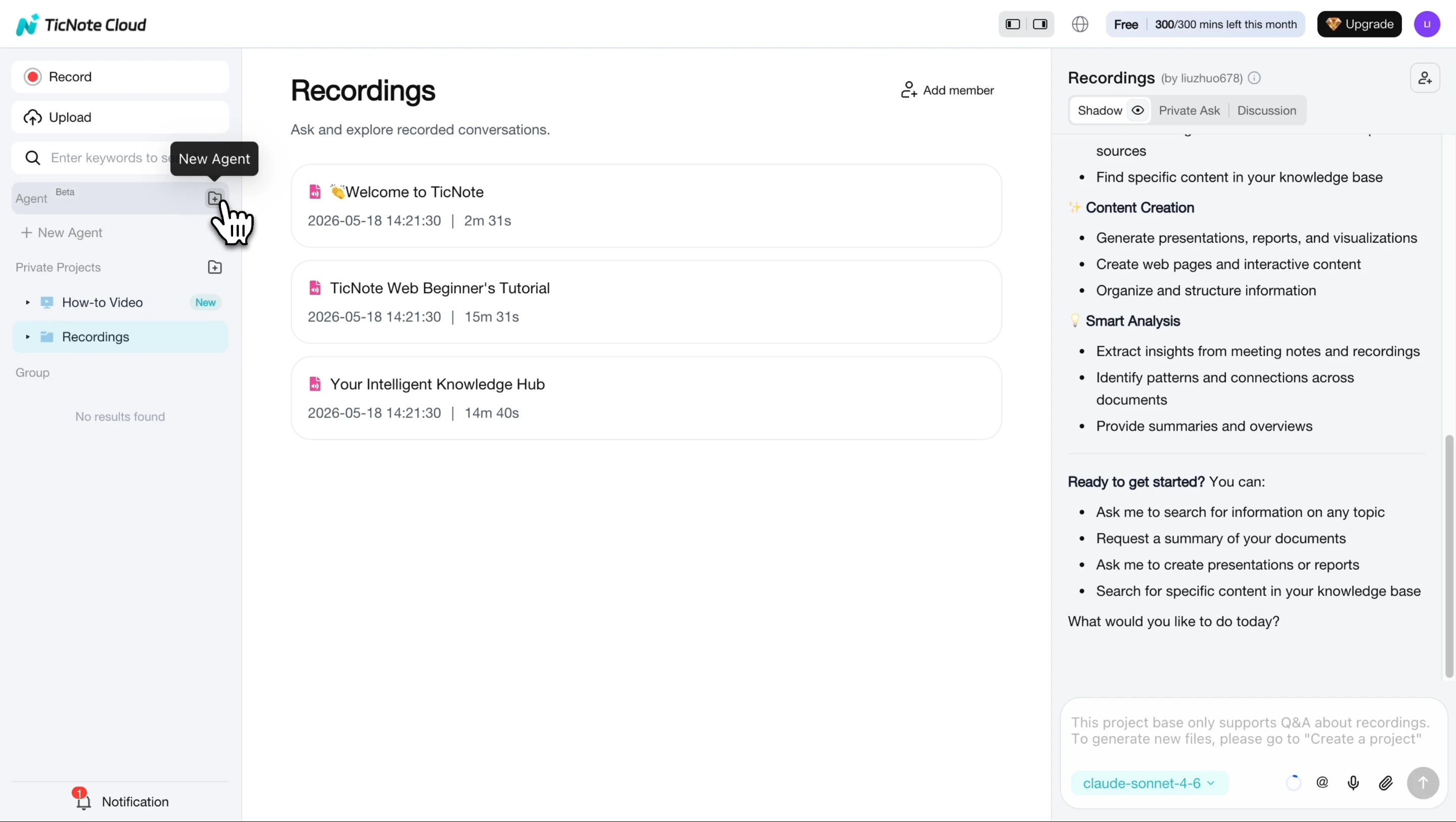
This flow fits product managers and engineering leads who need sprint-ready issues from a PRD, feature spec, or planning transcript. It also helps meeting owners connect decisions to follow-up work; if that meeting process needs tightening, use a repeatable facilitation workflow before the planning session.
Paste or upload your project source
Next, paste or upload the source material: a PRD, feature spec, strategy doc, meeting transcript, or related planning notes. TaskBreaker reads the content and returns a summary of the objective, scope in and out, team roles, proposed milestones, and open questions.
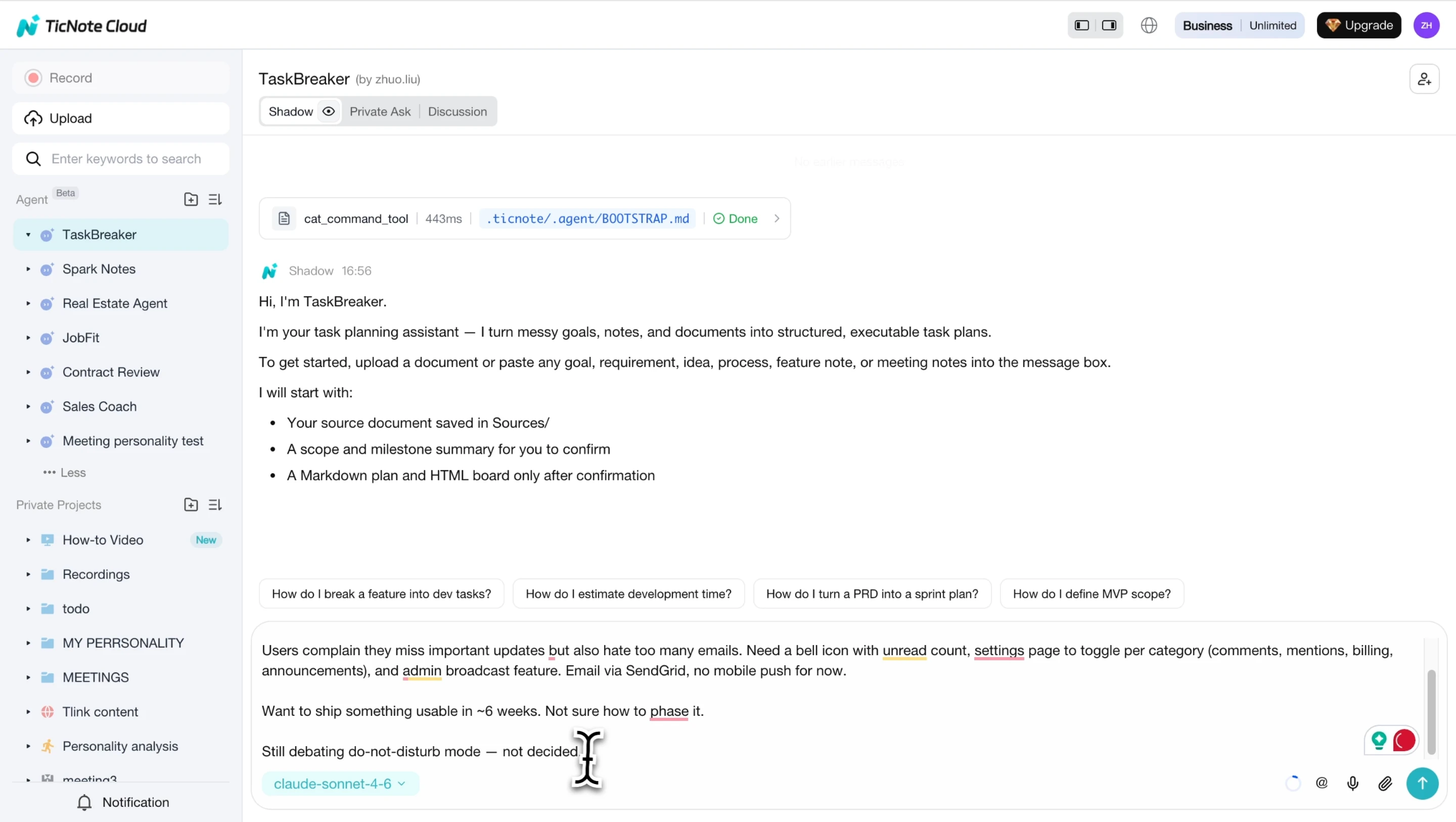
Do not skip this review. The agent should confirm scope and milestone assumptions before it generates issues, so unclear decisions don't become hidden execution risks.
Review and import the project plan
Answer the open questions in chat, then confirm the summary. TaskBreaker flags unclear items with [NEEDS CLARIFICATION] and then produces two useful outputs: a Markdown project plan and a CSV-ready issue structure.
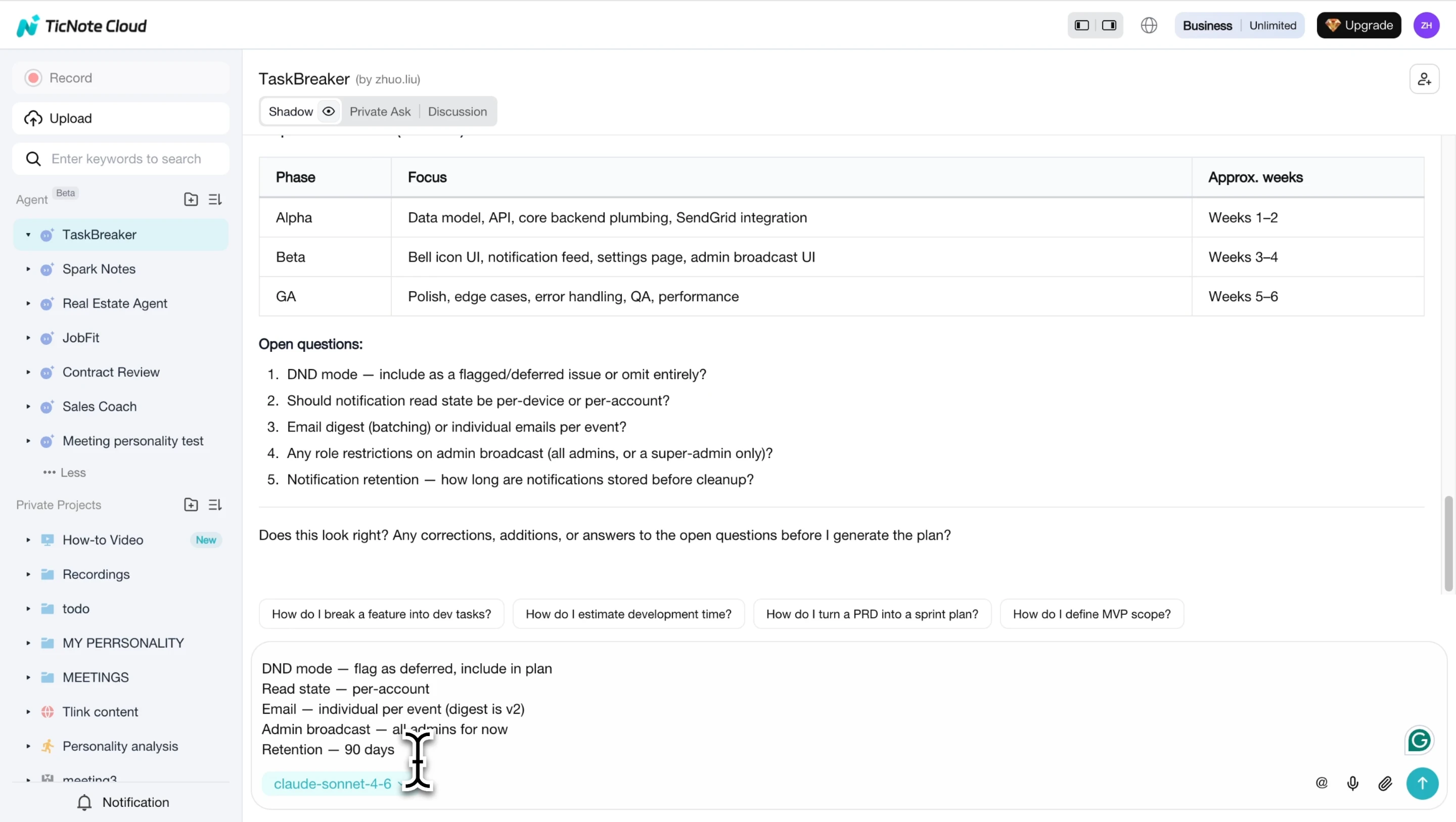
Each issue includes a title, description, testable acceptance criteria, label, priority, phase, milestone, and dependency mapping. The result is a structured plan where every requirement becomes a well-defined issue.
Use the App workflow when planning starts away from your desk
If planning starts away from your desk, use the App to capture or add project context first. Then continue the fuller review, clarification, and import workflow on Web.
Try TicNote Cloud for Free — Generate your first milestone report from meeting notes in minutes.
Tracking, reporting, and fixing milestone slippage
Milestone tracking should expose variance, not hide it. For project milestones, keep the original target, current forecast, owner, and blocker in one view so every update leads to a decision.
Track baseline vs. actual dates
PMI's A Guide to the Project Management Body of Knowledge (PMBOK® Guide) — Sixth Edition (2017) glossary says "Baseline — an approved version of a work product that can be changed only through formal change control procedures and is used as a basis for comparison." Use that rule in a simple table:
| Milestone | Baseline date | Revised date | Actual date | Variance | Owner |
| Design sign-off | May 10 | May 14 | — | +4 days | Product |
Keeping the baseline visible prevents false-green reporting, where a slipped date looks healthy because the old target disappeared.
Use RAG status for stakeholders
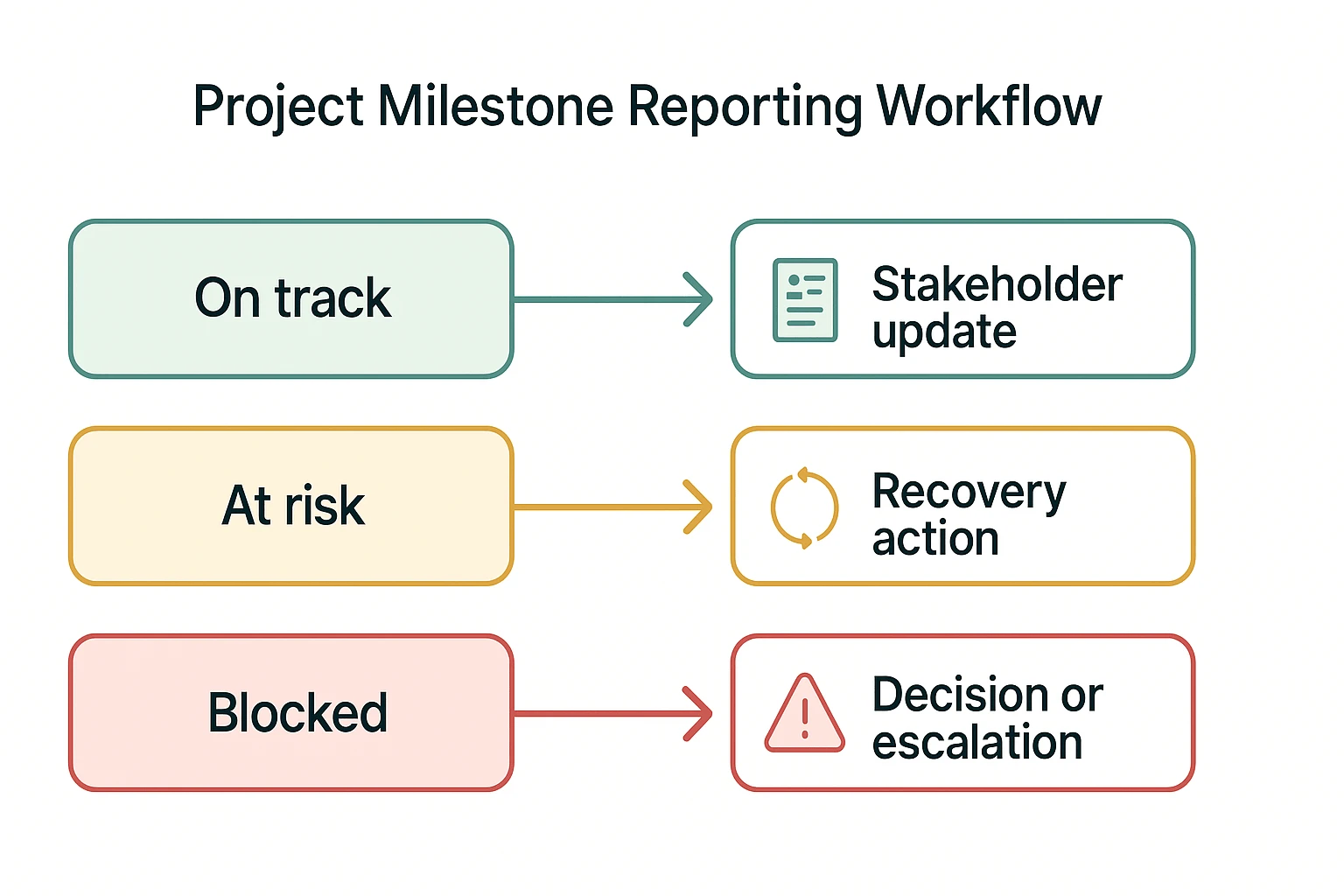
Use three plain labels: green means on track with no material blocker; amber means risk is visible and recovery is still possible; red means a decision or escalation is needed.
Document slip reasons and recovery actions
Pair every slip with one next move:
| Slip reason | Next action |
| Scope change | Confirm trade-off or add time. |
| Dependency delay | Name the blocker owner. |
| Resource constraint | Reassign work or reduce scope. |
| Unclear approval | Set approver and deadline. |
| Quality failure | Rework against acceptance criteria. |
| Late stakeholder feedback | Lock the review window. |
Rebaseline only after a decision
Rebaseline after approved scope, resource, or priority changes. Don't rebaseline just to make a dashboard look better. Until a decision is made, missed targets stay visible as unresolved risks.
Celebrate real completion, not partial progress
Mark a milestone complete only when its definition of done is met: deliverable accepted, approval recorded, quality checks passed, and evidence linked. TicNote Cloud can keep those cited decisions beside the milestone, so completion is based on proof, not optimism.
Final thoughts: Make milestones useful after the planning meeting
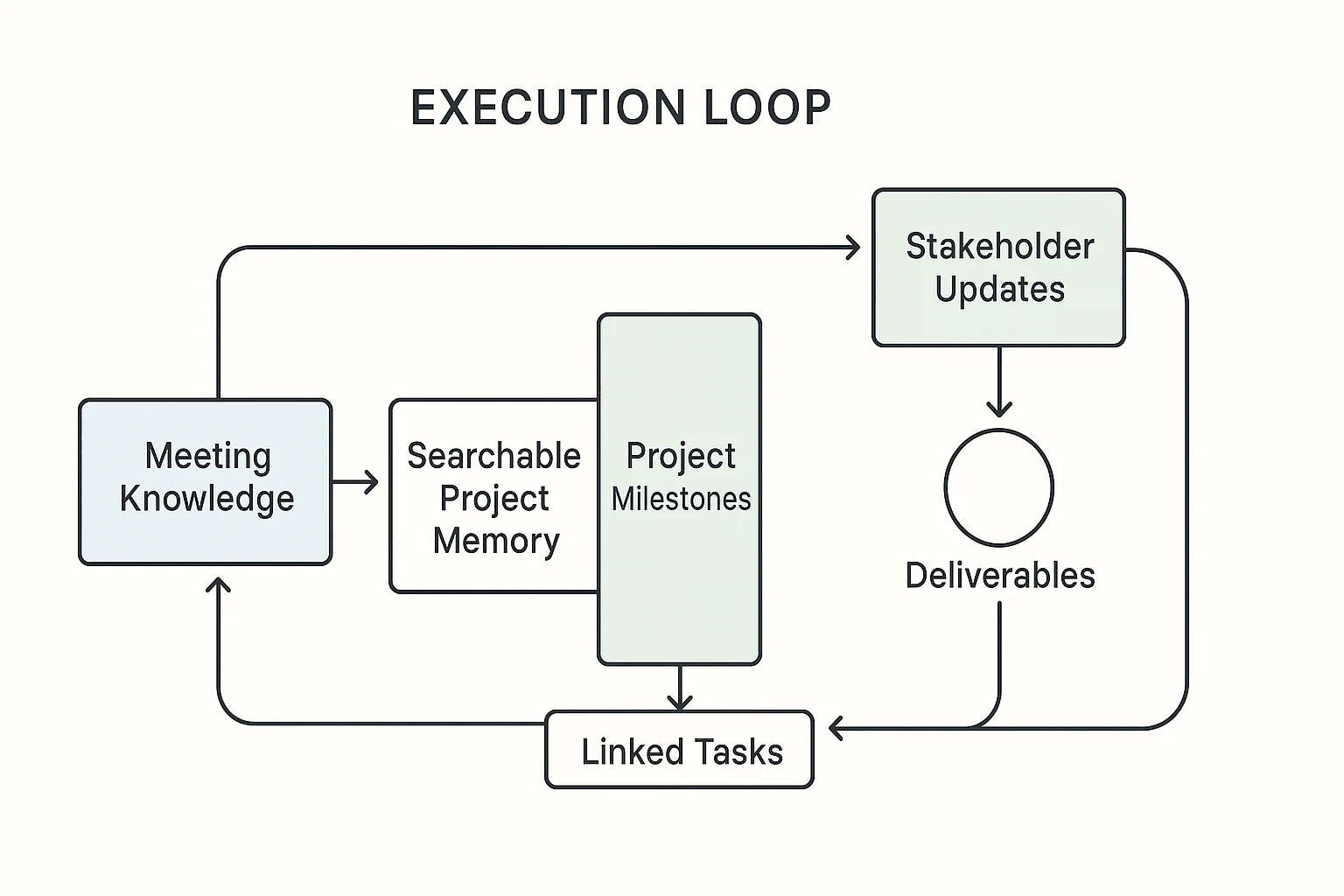
Project milestones drive execution only when they stay connected to tasks, deliverables, owners, decisions, dependencies, and evidence. If a milestone lives only in a slide, it reports progress after the fact. If it sits inside your meeting knowledge, it operates the project.
Use meeting notes and transcripts as the source of truth. Keep updates visible, compare baseline against actuals, and review slippage without blame. When scope needs structure, pair milestones with a clear work breakdown so every deliverable has a path to completion.
TicNote Cloud helps preserve decision history before it fragments across chats, docs, and memory.
Try TicNote Cloud for Free Generate your first milestone report from meeting notes in minutes.