


 Extension
TL;DR: Use a Skill Agent Workflow to Build a WBS Faster
Use a free AI project workspace to build a work breakdown structure faster: define the done outcome, capture scope boundaries, then decompose deliverables into work packages instead of writing a task list.
Scattered notes hide decisions. That creates rework when scope changes. A connected skill-agent workflow keeps transcripts, files, assumptions, owners, and dependencies in one searchable project space.
Check the WBS with the 100% rule: all child items must equal the full parent scope, with no gaps and no overlap. Add IDs, owners, assumptions, and dependencies so the WBS can feed estimates, schedules, and team ownership.
What Is a Work Breakdown Structure in Project Planning?
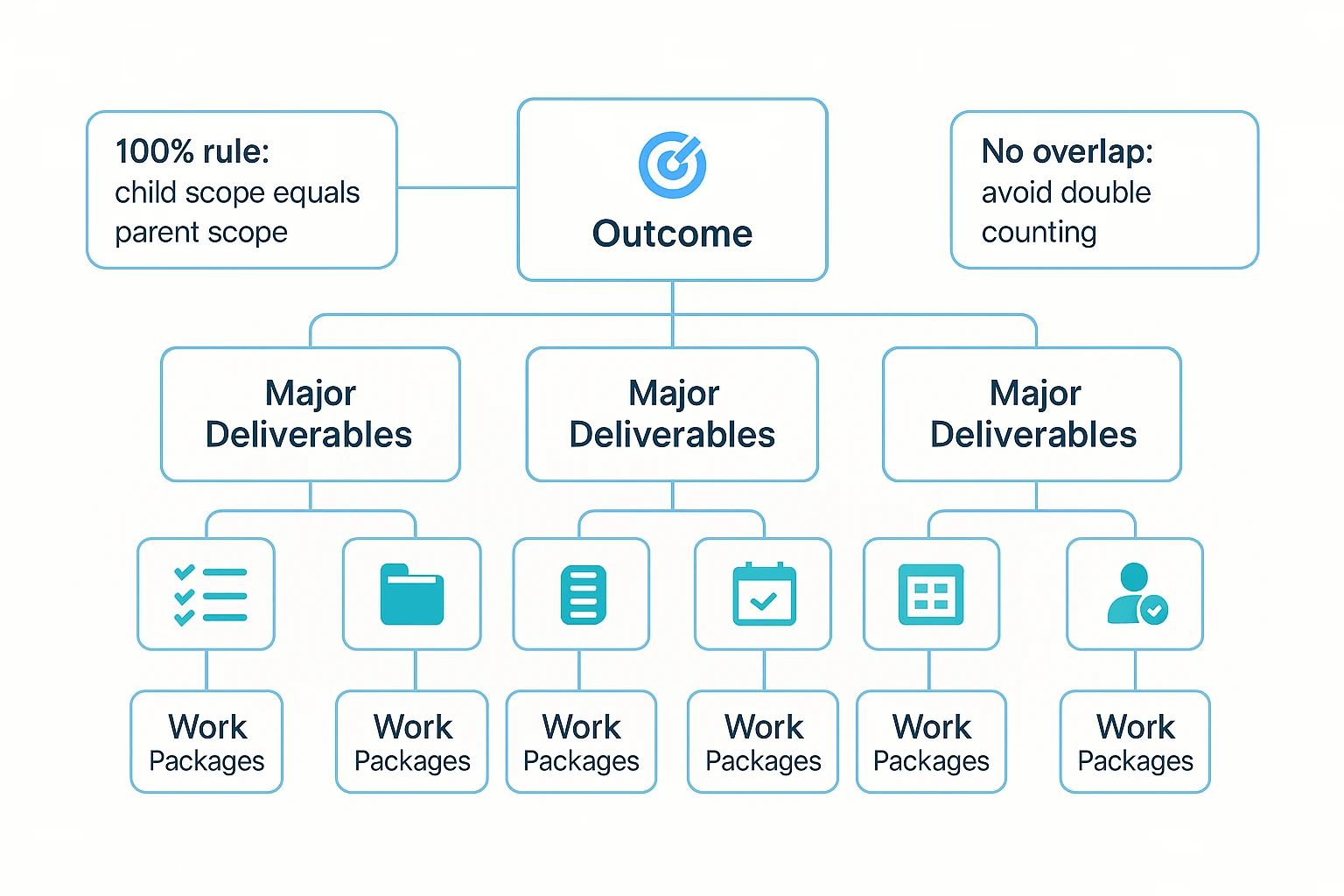
A work breakdown structure is a hierarchical map of the full project scope. It starts with the project outcome, then breaks that scope into major deliverables, sub-deliverables, and finally work packages—the smallest pieces a team can plan, estimate, assign, and track.
Separate outcomes, deliverables, and tasks
Use this simple distinction:
- Outcomes are the value or impact the project should create, such as "increase qualified demo requests by 20%."
- Deliverables are tangible outputs, such as a redesigned homepage, migration plan, or training guide.
- Tasks or activities are the actions used to create those outputs, such as "write copy" or "test form logic."
In WBS project management, the structure should be deliverable-first whenever possible. Tasks belong later in the schedule, not as the main WBS logic.
Know the core WBS elements
Most teams use these building blocks:
- Levels: L1 is the outcome, L2 is major deliverables, and L3/L4 are sub-deliverables or work packages.
- Work package: the smallest manageable scope unit.
- Planning package: a placeholder for future scope that isn't fully defined yet.
- Control account: a control point for cost, schedule, and ownership.
- WBS dictionary: the definition of done, assumptions, owner, estimate, and acceptance details.
- Milestones: checkpoints, not always WBS nodes.
- Dependencies, owners, estimates: metadata that makes the WBS usable.
The 100% rule is the quality bar: child elements must add up to 100% of the parent scope. They also must not overlap, or the team risks double counting work, budget, and responsibility.
Inputs to Collect Before You Decompose the Project
A strong work breakdown structure starts before decomposition. If you build from memory, you'll miss decisions, duplicate tasks, and create rework when stakeholders correct the scope later. Gather the smallest complete "scope kit" first, then break the project down once.
Build a minimum scope kit
Collect these inputs before you open a work breakdown structure template:
- Scope statement or charter: defines the goal, boundaries, and success criteria.
- Stakeholder goals and constraints: captures limits around time, budget, compliance, technology, and approvals.
- Assumptions and risks: marks what may change the scope if it proves false.
- Requirements and acceptance criteria: states what must be true before each deliverable is "done."
- Prior decisions, meeting notes, and open questions: separates agreed scope from pending items.
- Reference artifacts: reuses past WBS examples, retrospectives, vendor SOWs, and estimates.
Create one source of truth first
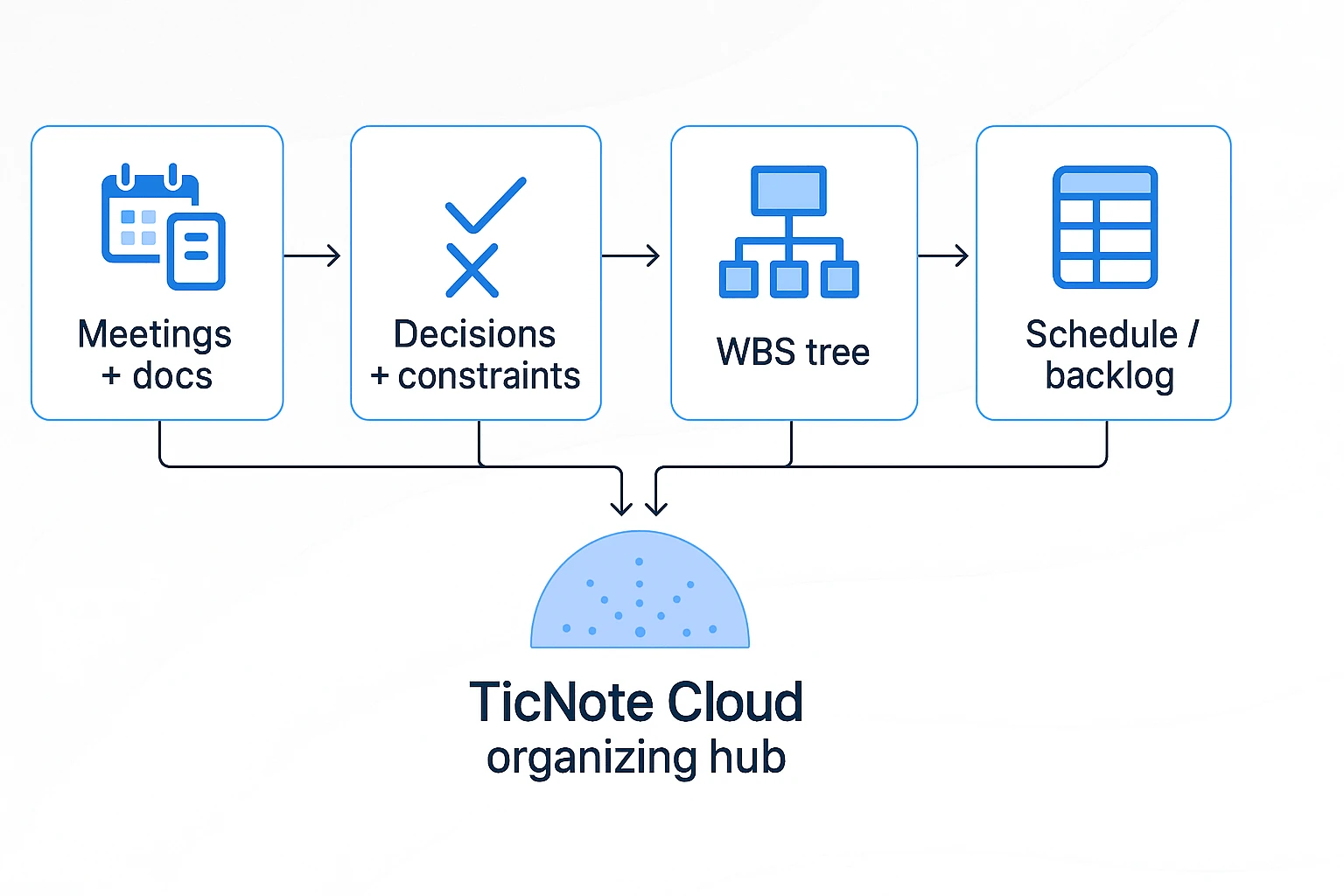
Use a simple rule: collect, verify, then decompose. For teams with many calls and documents, a better meeting system keeps planning evidence easy to find. TicNote Cloud Projects can store meetings, documents, and research together. Before drafting, Shadow AI can answer cited questions such as, "What constraints did Legal mention?" That reduces scope drift because the WBS reflects the record, not someone's memory.
How to Create a Work Breakdown Structure from Scratch
A strong work breakdown structure starts before anyone lists tasks. First, define what the project must produce, what it will not produce, and how the team will know the outcome is accepted. This is the core process for how to create a work breakdown structure that your team can actually execute.
Define the outcome before the branches
Write one sentence that names the final outcome. Then add 3–5 measurable success criteria.
For a website redesign, that might look like this:
- Outcome: Launch a redesigned marketing website for the U.S. product line.
- Success criteria: 20 approved pages, Core Web Vitals pass, CMS training completed, analytics verified, and launch completed by June 30.
Next, separate scope into three buckets:
- In scope: page redesign, migration, SEO redirects, QA, launch support.
- Out of scope: brand strategy, new product photography, CRM replacement.
- Constraints and assumptions: deadline, budget ceiling, tech stack, staffing, vendor access, and compliance needs.
If stakeholders disagree, record it as an open scope decision. Don't hide conflict inside a WBS node. That creates false certainty and weak estimates.
Choose the right WBS format
Use a deliverable-based structure when outputs are clear. It's usually the best choice because it supports the 100% rule: the child items must cover 100% of the parent scope, with no gaps or overlap.
Use a phase-based structure when the project has formal gates, such as discovery, design, build, validation, and launch. Regulated projects often need this lifecycle view.
Use a hybrid structure when both views matter. A common pattern is phase at Level 2 and deliverables at Level 3.
Keep names consistent. Use nouns for deliverables, such as "QA plan" or "migration checklist," not verbs like "test" or "migrate." Verbs belong later in the schedule.
Break deliverables into 2–4 levels
Start with 5–9 Level 2 nodes. More than that becomes hard to review in one meeting. For each node, ask: "What must exist for this deliverable to be accepted?"
Decompose until each branch becomes specific enough to manage. If a future area is unclear, use a planning package (a placeholder for later detail) and mark the assumption. This supports rolling-wave planning, where near-term work is detailed first and later work is refined as facts improve.
Also check sibling items. They should sit at a similar level of detail. "Homepage wireframe," "Blog templates," and "Entire backend system" do not belong side by side.
Stop when work packages are assignable
A work package is the lowest useful WBS item. Stop decomposing when it meets these rules:
- One clear owner or team can take it.
- Acceptance criteria are clear.
- The effort is reasonably estimable, even as a range.
- Handoffs are low risk.
- A new team member can understand it without another meeting.
If a package still needs a long explanation, it's probably too vague.
Add operational detail as you go
Apply a numbering scheme like 1.0, 1.1, and 1.1.1 so teams can reference scope without confusion. Then add lightweight metadata: owner, estimate range, dependencies, assumptions, and risks.
Build the first WBS dictionary while you decompose. Don't postpone it. The dictionary turns each item into a mini scope statement with a description, acceptance criteria, owner, and estimate notes.
Run this quick review checklist before you approve the draft:
- Does every parent follow the 100% rule?
- Are any deliverables duplicated?
- Are non-feature items included, such as QA, training, reporting, procurement, and launch support?
- Are open decisions visible?
- Are owners and dependencies clear?
For complex workshops, a repeatable meeting facilitation system helps keep scope debates structured and prevents decisions from disappearing into scattered notes.
Worked WBS Example: Website Redesign from Goal to Work Packages
Use this work breakdown structure example as a copy-ready model. It starts with the website redesign outcome, then breaks scope into deliverables, not loose tasks. Level 4 appears only where the team can estimate, assign ownership, and define "done."
Numbered WBS tree
- 1.0 Website Redesign Project (Outcome)
- 1.1 Discovery & Strategy
- 1.1.1 Stakeholder interviews
- 1.1.2 Analytics review
- 1.1.3 Requirements sign-off
- 1.2 UX & IA
- 1.2.1 Sitemap
- 1.2.2 User flows
- 1.2.3 Wireframes
- 1.2.3.1 Homepage wireframe
- 1.2.3.2 Product page wireframe
- 1.2.4 Usability review
- 1.3 Visual Design System
- 1.3.1 UI kit
- 1.3.2 Page templates
- 1.3.3 Responsive states
- 1.4 Content
- 1.4.1 Content audit
- 1.4.2 Copy updates
- 1.4.3 SEO metadata
- 1.4.4 Migration mapping
- 1.5 Development
- 1.5.1 Frontend build
- 1.5.2 CMS setup
- 1.5.3 Analytics integration
- 1.5.4 CRM integration planning package
- 1.6 QA & Accessibility
- 1.7 Launch & Handoff
- 1.8 Project Management
- 1.1 Discovery & Strategy
Level 4 is "just enough" when one person can own it and the result can be accepted or rejected. Here, 1.5.4 stays a planning package because the CRM API scope is still unknown.
Lightweight WBS dictionary
This table works as a compact work breakdown structure template. Copy it, then replace each row with your project's real owners, ranges, and acceptance criteria.
| WBS ID | Work package | Owner | Estimate (range) | Acceptance criteria | Notes/assumptions |
| 1.1.1 | Stakeholder interviews | PM | 3–5 days | 8 interviews completed; themes summarized | Interview list approved |
| 1.2.3.1 | Homepage wireframe | UX lead | 2–4 days | Desktop and mobile wireframes reviewed | Uses approved sitemap |
| 1.4.3 | SEO metadata | SEO lead | 2–3 days | Titles and descriptions mapped for priority pages | 50 URLs in scope |
| 1.5.4 | CRM integration planning | Tech lead | 1–2 weeks | API risks, options, and estimate documented | Final build estimate pending |
Turn messy notes into scope
Messy note: "Legal needs privacy review. Launch can't move. Blog migration depends on redirects."
Structured WBS output:
- Privacy review becomes an acceptance criterion under 1.6 QA & Accessibility.
- Fixed launch date becomes an assumption under 1.7 Launch & Handoff.
- Redirect mapping becomes a dependency between 1.4 Content and 1.5 Development.
In TicNote Cloud, teams can group meeting transcripts, briefs, and decisions inside one Project. Shadow AI can then search those files with citations and help convert scattered planning notes into WBS entries, dictionary rows, and backlog-ready work packages.
WBS Quality Checks and Mistakes to Avoid
A work breakdown structure is only useful if it covers the full scope without double-counting work. Before you estimate or assign owners, run these checks as a 30-minute review with product, delivery, design, engineering, QA, and any approver who controls acceptance.
Test the 100% rule
Check each parent node: do its child deliverables equal 100% of that parent's scope? Then scan for three risks:
- Overlap: the same deliverable appears in two branches.
- Hidden work: needed work appears in no branch.
- Weak sign-off: the right reviewer has not approved the scope.
Use a cross-functional walkthrough and record decisions. If approvals often slow delivery, a risk-first sign-off checklist can help teams make review criteria clear before work starts.
Keep nodes deliverable-based
Use nouns, not verbs: 'Accessibility report' is clearer than 'Review accessibility.' Noun-based nodes make acceptance criteria easier to test. A practical exception is an activity output, such as 'Stakeholder sign-off,' where the approved state is the deliverable.
Stop at the right level
Avoid under-decomposition: a work package that is too large cannot be estimated or owned well. Avoid over-decomposition too. Splitting work into tiny fragments creates overhead and false precision.
Use this stopping test:
- One accountable owner can take it.
- Acceptance criteria are clear.
- The team can estimate it within a useful range.
- Key dependencies and assumptions are known.
Add the missing non-feature work
Schedules often slip because teams omit QA, accessibility, security review, documentation, approvals, procurement, data migration, training, handoff, analytics tagging, and project management.
If a work package still feels vague, repair it with WBS dictionary fields: acceptance criteria, owner, estimate range, dependencies, and assumptions. If it remains unclear, mark it as a planning package and log open questions.
From WBS to Schedule, Budget, and Team Ownership
A work breakdown structure becomes useful when each work package turns into something the team can estimate, own, and execute. Use this order: define scope in the WBS, estimate effort and cost, assign ownership, then move the work into a schedule or backlog.
Estimate with real uncertainty
Start at the work-package level. For each item, record optimistic, likely, and pessimistic estimates, plus a confidence score such as 50%, 70%, or 90%. Then roll those numbers up into control accounts (summary buckets used for cost and progress tracking) or phase budgets. For later or unclear scope, use rolling-wave planning: estimate near-term work in detail and keep future work at a higher level.
"The WBS provides the basis for planning, scheduling, estimating, and controlling project work, including the development of cost and schedule baselines," according to Practice Standard for Work Breakdown Structures — Second Edition (2019).
Assign ownership before timing
Each work package needs one accountable owner. Add contributors and approvers in the WBS dictionary when reviews, handoffs, or compliance checks matter.
Keep dependencies out of the tree
Capture dependencies as metadata, not as extra WBS branches. The WBS defines scope; the schedule defines timing.
Next, create:
- Gantt chart for timelines and milestones
- Kanban board or sprint backlog for execution
- Budget baseline for cost control
- Risk register tied to specific WBS nodes
Where a Skill-Agent Workflow Adds a Proprietary Layer
A skill-agent workflow adds structure on top of the normal work breakdown structure process. Instead of copying notes into a blank template, you turn PRDs, specs, transcripts, and stakeholder decisions into WBS-ready planning assets inside one Project.
Add TaskBreaker to your project workspace
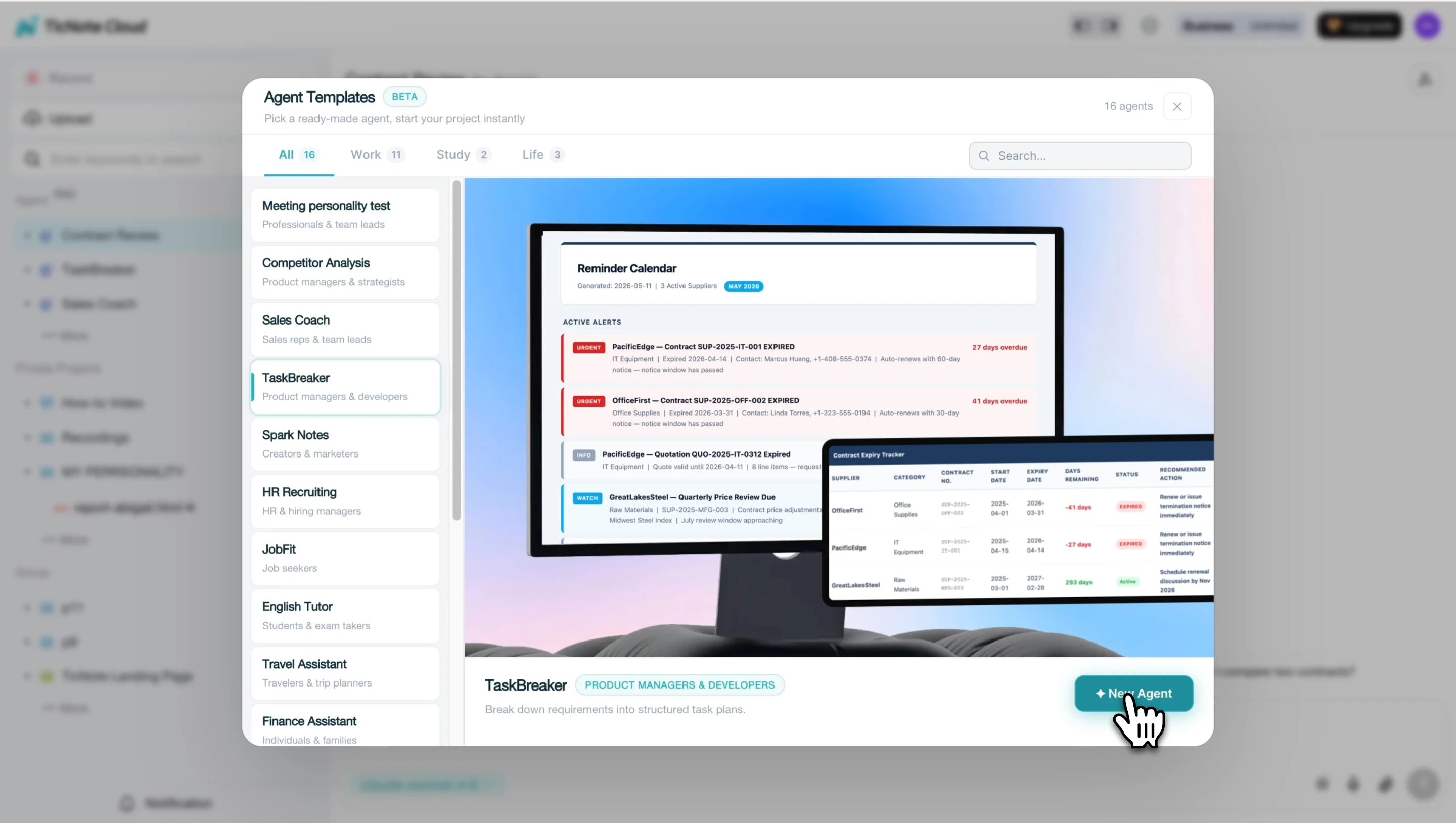
In TicNote Cloud, open the Project for your initiative, then click Add Agent. From the Skill Agent library, choose TaskBreaker. This agent is built to convert product documents and meeting notes into structured planning outputs you can review, edit, and import.
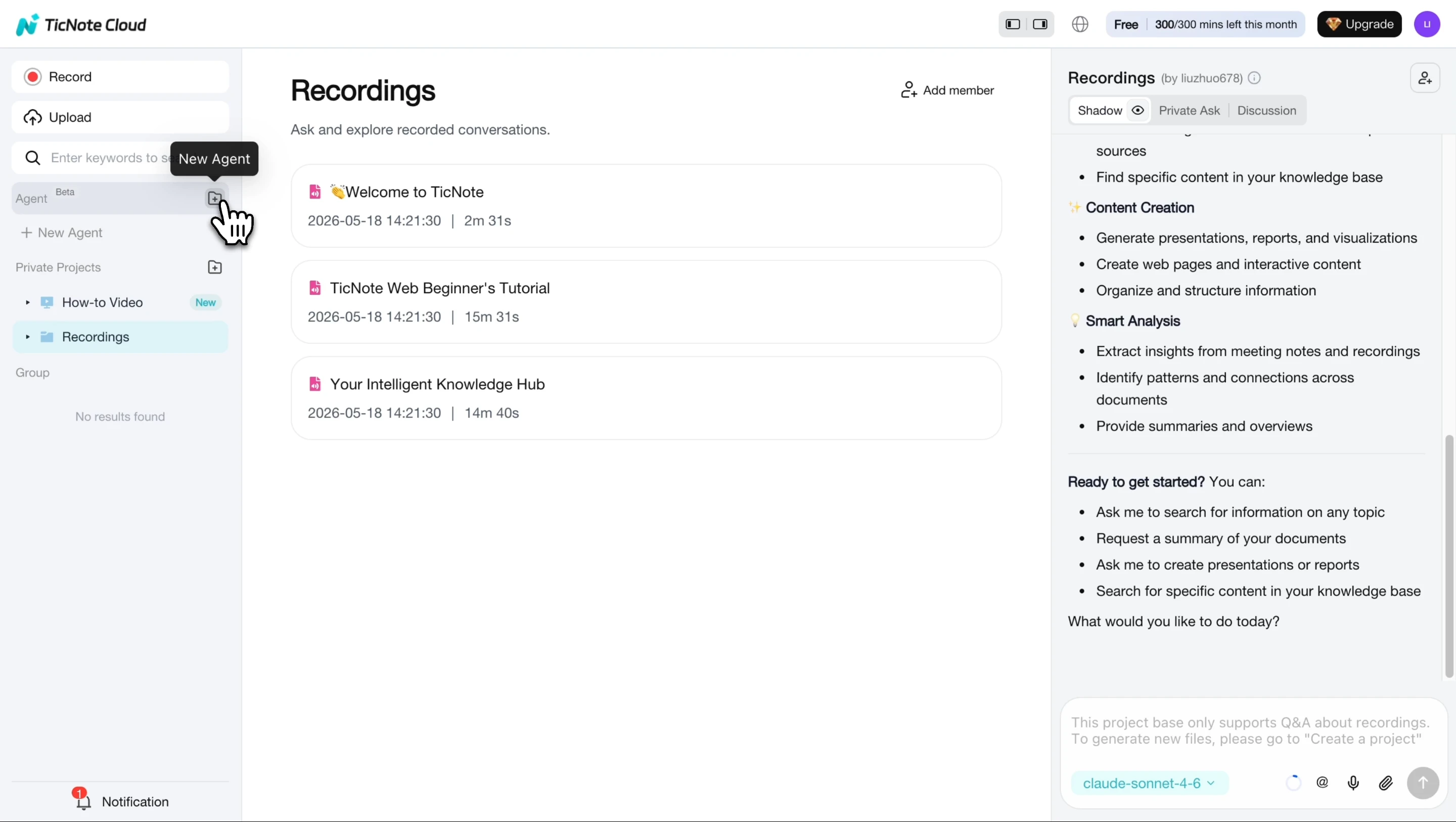
After you add it, TaskBreaker appears in your agent list and is ready to use. No setup is required.
Upload your source material
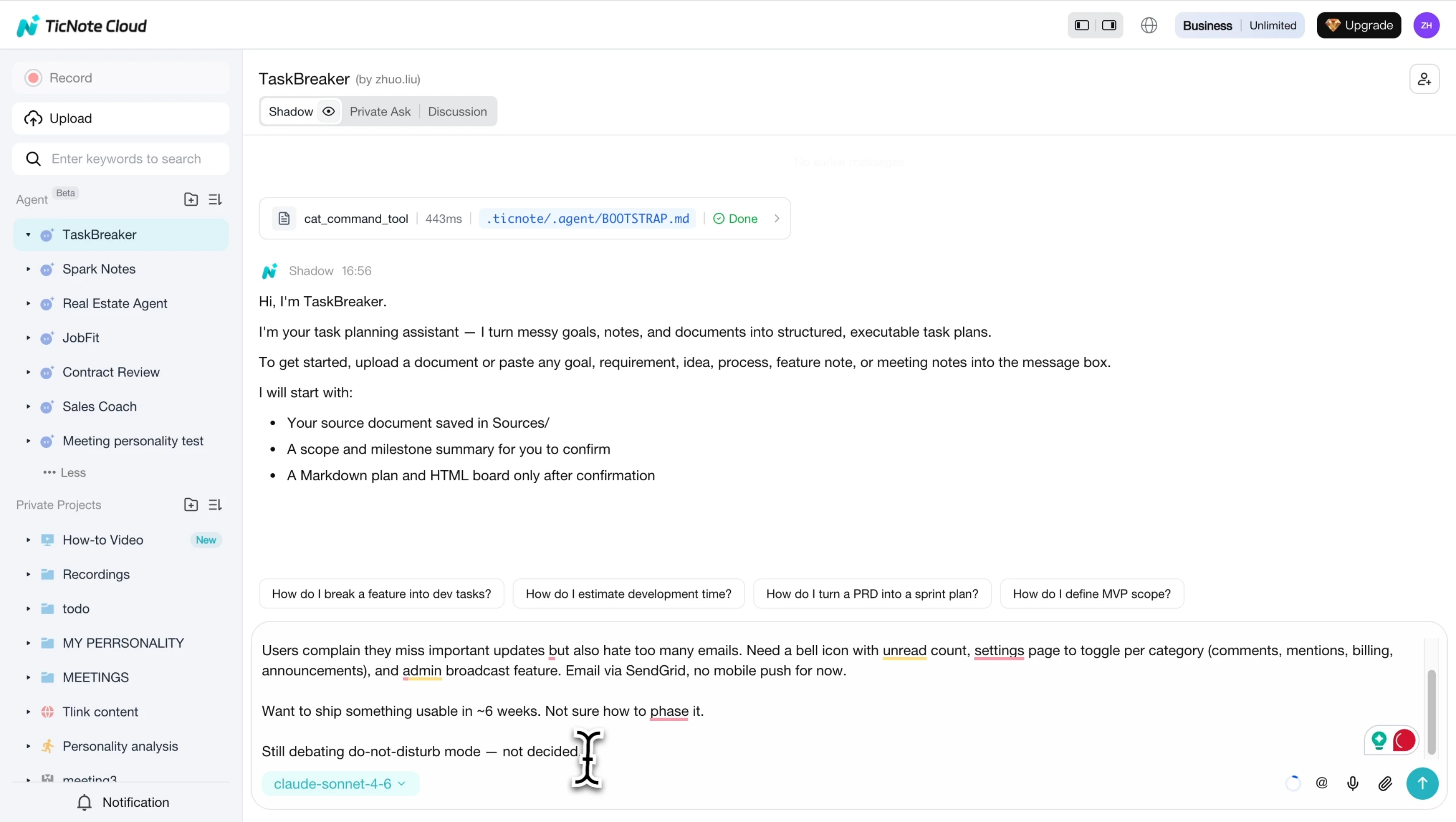
Paste or upload a PRD, feature spec, strategy doc, meeting transcript, or audio recording. There's no required format. The agent reads the material and returns a project summary with the objective, scope in and out, team roles, milestones, and open questions.
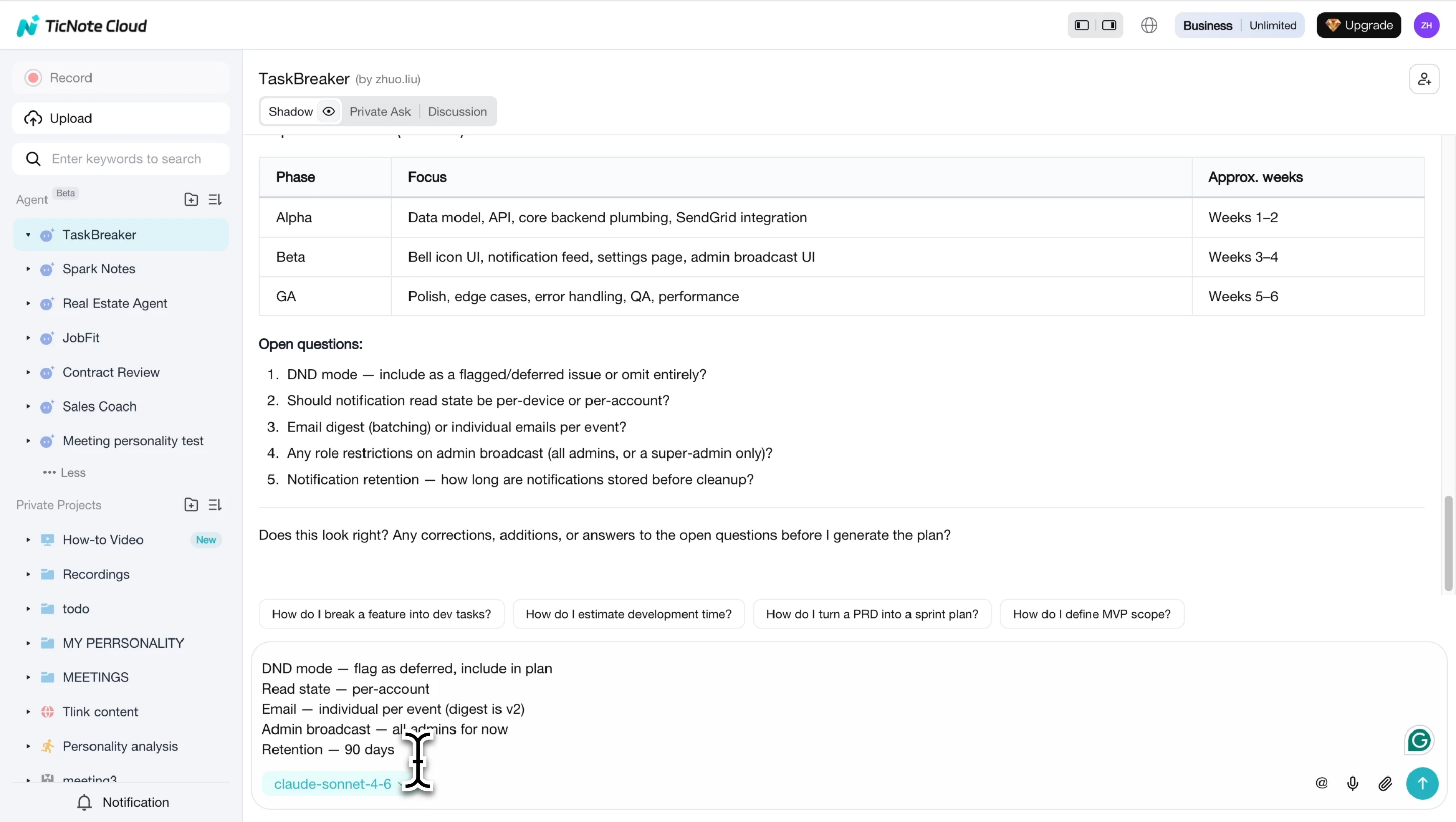
This clarification loop is the useful part. TaskBreaker flags unclear items with [NEEDS CLARIFICATION] before they become vague tasks. Add acceptance criteria, constraints, and milestone rules so the final output supports 100% rule completeness.
Review, export, and map to execution
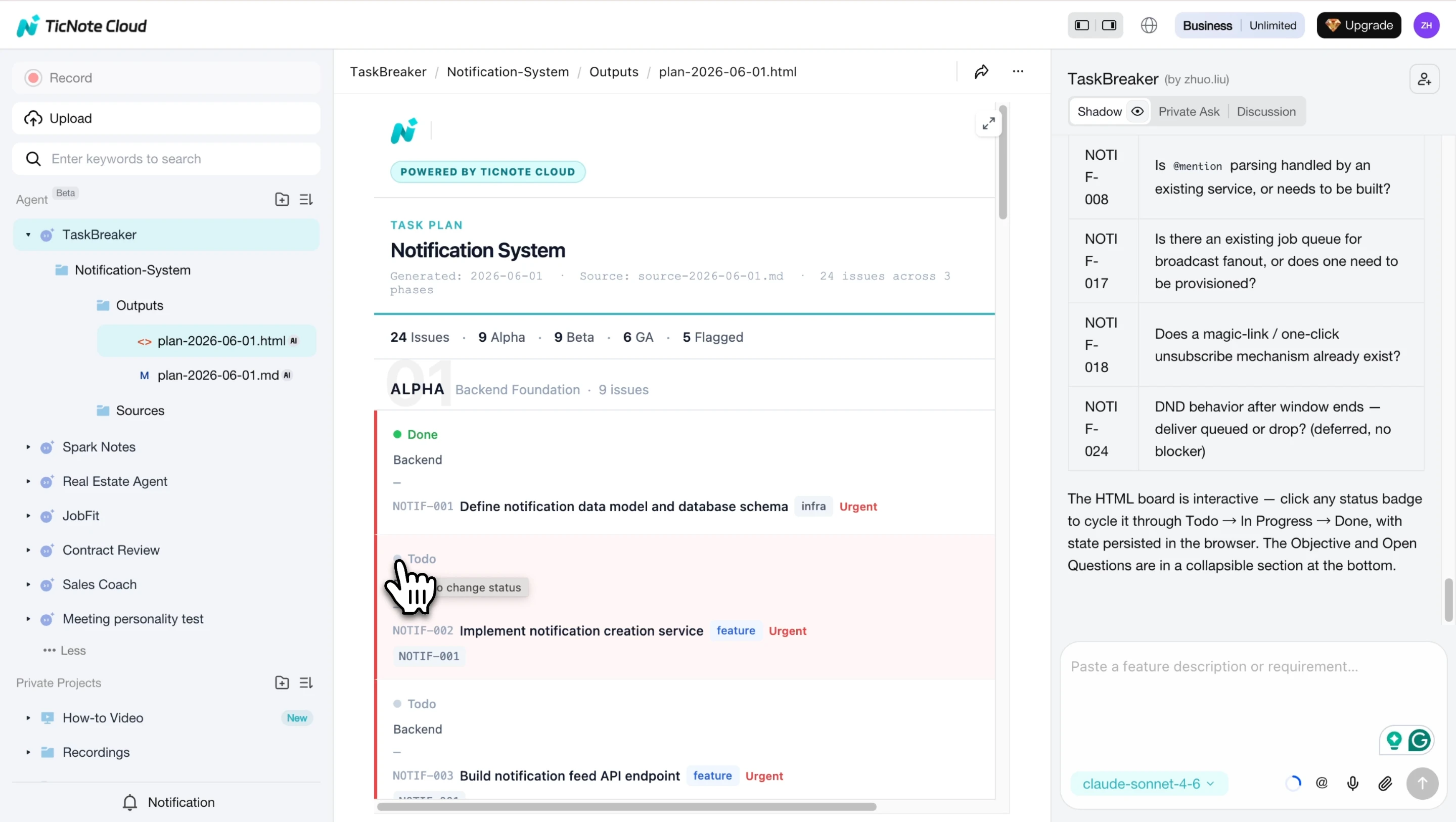
Once you confirm the summary, review the generated phases and issues. Edit names to match your team's taxonomy, then export a Markdown plan and CSV for Jira, Linear, GitHub Issues, or another tracker. Map each issue back to WBS dictionary fields: owner, description, acceptance criteria, dependencies, priority, and phase.
The HTML board gives teams a quick way to track work across status columns.
For mobile planning, capture a stakeholder interview on iOS or Android, attach the transcript to the same Project, and rerun TaskBreaker to update the plan. The same pattern also works when you turn research into action items after discovery work.
Final Thoughts: Make the WBS a Living Knowledge Asset
A work breakdown structure is not a one-time chart. Treat it, and the WBS dictionary, as a living scope baseline: the approved view of what the project must deliver. When scope changes, record three facts: what changed, why it changed, and who approved it.
Then rerun the 100% rule. Every new deliverable must fit inside the full project scope, with no missing work and no hidden extras. This keeps estimates, owners, and dependencies honest.
Store planning notes, decisions, and source files in a TicNote Cloud Project so Shadow AI can answer scope questions with citations. For discovery inputs, pair it with free competitor research tools.
Try TicNote Cloud for Free and start a Project workspace for your next planning meeting.


