


 Extension
TL;DR: A skill agent-ready project plan you can use today
Use this project plan template to turn meeting context into a living plan you can copy into Word, Excel, a project schedule template, a project timeline template, or a meeting-centered workspace.
Plans fail when decisions live in calls, docs, and chats. As details scatter, owners miss updates; a connected workspace keeps notes, files, and decisions tied to the plan.
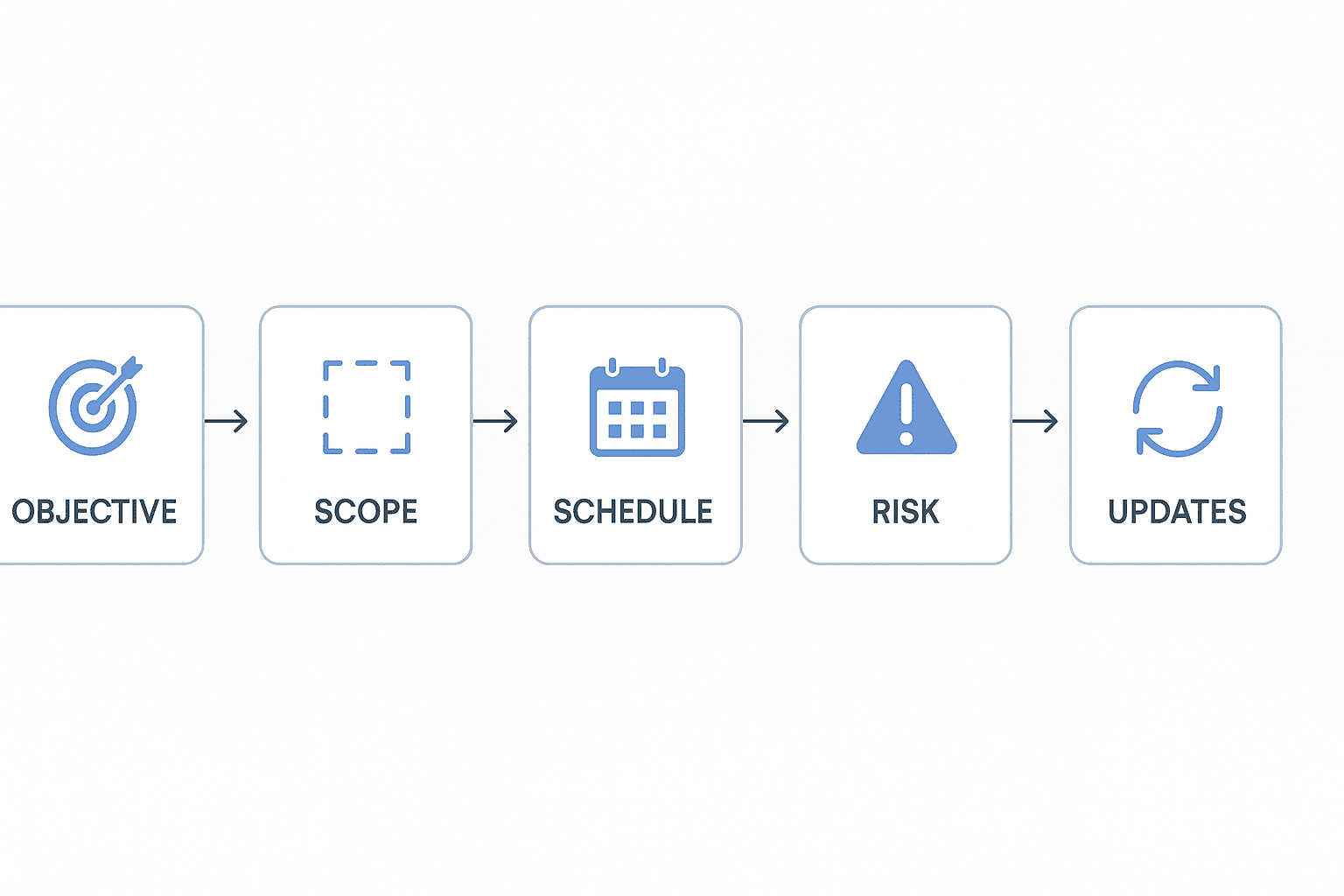
- Define the objective, outcomes, scope, and non-goals.
- Map milestones, owners, dates, and dependencies.
- Track risks, change requests, status, and decisions.
- Review metrics weekly so the plan stays current.
What should a project plan template include?
A project plan template is a reusable planning document that turns a goal into accountable work. A complete template covers three areas: people, work, and controls. If one area is missing, the plan becomes a static kickoff note instead of a live reference the team can trust.
Core fields: project name, objective, owner, approver, contributors, stakeholders, status, due date
Start with the fields that make ownership clear. These fields answer: What are we doing, who is responsible, and when does it need attention?
| Field | What it does |
| Project name | Gives the work a clear, searchable label. |
| Objective | States the business outcome in 1–2 sentences. |
| Owner | Drives progress and removes blockers. |
| Approver | Signs off on scope, budget, and final delivery. |
| Contributors | Do the work or provide specialist input. |
| Stakeholders | Stay informed and give feedback when needed. |
| Status | Shows whether the project is on track, at risk, or blocked. |
| Due date | Creates a visible target for delivery. |
The owner and approver should not be vague groups. Use named people. Status and due date matter because they help the plan stay useful after kickoff, especially when priorities shift.
Scope and deliverables: must-have, optional, and out-of-scope work
Scope is where many templates are too thin. Split work into three buckets:
- Must-have: required deliverables for launch or completion.
- Optional: useful work that can move if time or budget changes.
- Out of scope: work the team agrees not to do in this project.
Add acceptance criteria for each major deliverable. Acceptance criteria define what "done" means, such as "approved by legal," "tested on mobile," or "published to the customer help center." This reduces rework and prevents hidden expectations.
Schedule fields: milestones, task owners, start dates, due dates, dependencies, and status
Your schedule section should include task owner, start date, due date, dependencies, milestone, status, and notes. These same fields can power a project schedule template in Excel or a project timeline template in a visual roadmap tool.
Dependencies are critical. If design must finish before engineering starts, the plan should show that link. Otherwise, a green task list can hide a blocked project.
Control fields: risks, assumptions, issues, decisions, change requests, budget/resources, success metrics, and communication cadence
Control fields keep the plan honest. Track risks before they become issues. Record assumptions so the team knows what must be verified. Log decisions and change requests so approvals don't disappear into chat threads.
Also include budget, people, tools, and success metrics. Metrics should be specific: adoption rate, launch date, cycle time, cost, quality score, or revenue impact. Finally, define the communication cadence: who gets updates, how often, and in what format. These fields prevent vague updates, unmanaged scope creep, and missed approvals.
Copy-ready project plan format for Word, Excel, and timelines
Use this project plan template as your source format, then adapt it to Word, Excel, a project schedule template, or a project timeline template. Keep one version as the source of truth so tasks, owners, dates, and risks don't drift.
Blank project plan table to place in the article body, not as a file
| Section | Copy-ready fields |
| Project overview | Project name, sponsor, manager, team, start date, target end date |
| Objective | Business goal, user problem, expected outcome |
| Success metrics | KPI, baseline, target, measurement owner, review date |
| Scope | In scope, out of scope, constraints |
| Deliverables | Deliverable, owner, due date, acceptance criteria |
| RACI | Responsible, Accountable, Consulted, Informed |
| Milestones | Milestone, date, owner, approval needed |
| Task tracker | Task ID, task, owner, start, due, status |
| Dependencies | Dependency, linked task, owner, impact, due date |
| Risk register | Risk, likelihood, impact, mitigation, owner |
| Assumptions | Assumption, validation method, review date |
| Issue log | Issue, severity, owner, next action, deadline |
| Decision log | Decision, date, decision maker, reason, source |
| Change log | Change request, impact, approval, date, status |
| Budget/resources | Budget line, estimate, actual, resource, variance |
| Communication cadence | Meeting, audience, frequency, channel, owner |
| Approval sign-off | Approver, role, date, comments |
Word-style narrative layout for executive summary, scope, governance, risks, and approvals
A project plan template Word layout works best when leaders need context, not rows. Use short sections for the executive summary, business context, scope statement, governance model, risk approach, communication rules, and approval signatures. Keep each section under 150 words so reviewers can approve fast.
Excel-style tracker layout with task ID, owner, date, dependency, priority, budget, and status columns
A project plan template Excel layout is best for daily control. Use these columns: Task ID, task, owner, start date, due date, dependency, priority, estimated effort, budget, status, next update, and notes. Add filters for owner, priority, and status so standups stay focused.
Timeline and schedule view showing milestones, dependencies, critical dates, and a simple Gantt-style table
A schedule view turns the plan into sequence. Use this lightweight Gantt-style table before building a detailed project schedule template.
| Phase | Milestone | Start | End | Dependency | Critical date |
| Discovery | Brief approved | Week 1 | Week 1 | Sponsor input | Friday W1 |
| Planning | Tasks assigned | Week 2 | Week 2 | Brief approved | Wednesday W2 |
| Execution | First draft live | Week 3 | Week 5 | Tasks assigned | Friday W5 |
| Launch | Final approval | Week 6 | Week 6 | QA complete | Thursday W6 |
Mini project plan example for a marketing campaign or product launch
Project plan example: launch a new feature campaign in six weeks.
- Objective: generate 500 qualified signups from product-led content.
- Scope: landing page, email sequence, webinar, sales enablement, and launch report.
- Owners: PM owns positioning; marketing owns assets; sales owns follow-up.
- Milestones: brief approved, assets drafted, QA complete, campaign live.
- Risks: delayed approvals, weak messaging, missing analytics tags.
- Metrics: signups, demo requests, email clicks, webinar attendance, pipeline sourced.
- Cadence: 30-minute weekly launch review, daily Slack updates during launch week.
If the campaign needs market inputs, add findings from free competitor research tools before finalizing positioning. In TicNote Cloud, you can store kickoff calls and docs in one Project, then ask Shadow AI to turn the meeting context into the same structured plan with cited sources.
How do you turn meeting notes into an accurate project plan?
An accurate project plan template starts before anyone opens the blank file. Meeting notes capture context, but plans based on memory lose decisions, owners, and trade-offs within days. Treat each meeting as evidence: collect the facts, extract the work, then verify every task against the source.
Before the kickoff: prepare agenda prompts for goals, constraints, stakeholders, risks, and definition of done
Use kickoff prompts that force clear answers:
- What outcome must be true at launch?
- What is not in scope?
- Who approves scope changes?
- Which stakeholders must be informed or consulted?
- What constraints affect budget, timing, tools, or staffing?
- What would make this project fail?
- What does "done" mean for the final deliverable?
If your team runs many planning calls, connect these prompts to a repeatable before-during-after meeting system so the same questions show up every time.
During the meeting: capture decisions, assumptions, blockers, owners, and deadlines
Don't capture only highlights. Capture the planning inputs that become the schedule:
- Decisions made
- Assumptions to validate
- Blockers and unresolved risks
- Owners and backup owners
- Deadlines, dependencies, and handoffs
- Open questions with a named follow-up owner
This matters because a remembered plan is usually a biased plan. People recall the tasks they own, not the constraints someone else raised.
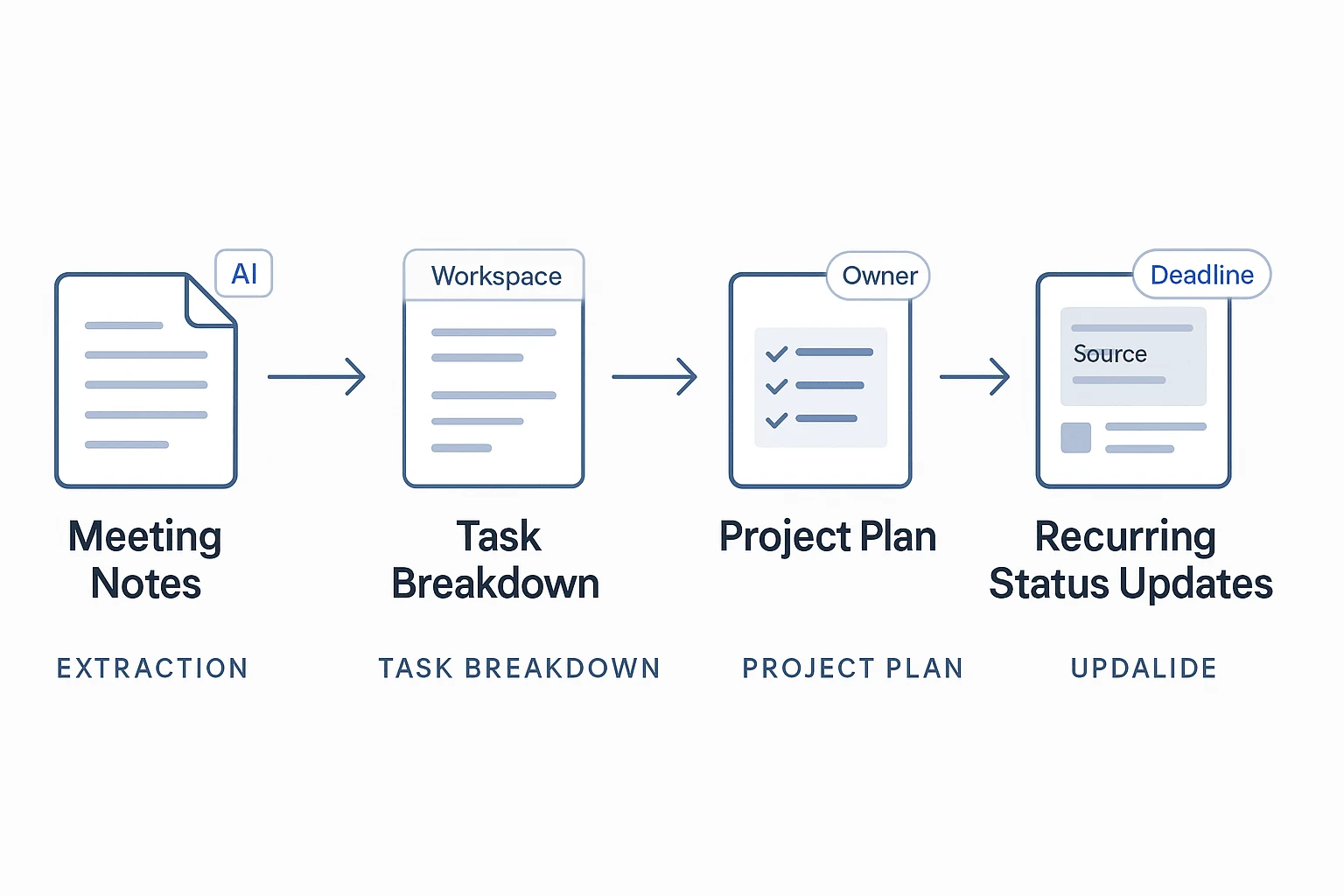
After the meeting: convert notes into a first draft plan with action items and cited source references
Turn the notes into a first draft within 24 hours. Start with milestones, then group tasks under each milestone. Add owners, due dates, dependencies, and acceptance criteria, which define how the team confirms work is complete. Then verify each action item against the meeting source before sharing it.
TicNote Cloud can aggregate kickoff calls, stakeholder interviews, uploaded documents, and transcripts into one Project. Shadow AI can then answer project-scoped questions with citations, so you can trace "who agreed to this?" back to the source instead of guessing.
Skill-agent prompt examples: ask TicNote Cloud to extract milestones, build a task breakdown, identify missing owners, and list open questions
Use prompts like:
- "Extract all milestones and owners from this project."
- "Turn this transcript into a task breakdown with phases, tasks, dependencies, and deadlines."
- "Find missing deadlines, missing owners, and unclear acceptance criteria."
- "List unresolved risks and open questions from the latest meeting."
- "Create a status update from the latest meeting, grouped by completed, blocked, and next."
Scope, risks, dependencies, and change control without bloat
A good project plan template doesn't need a 40-page governance pack. It needs clear guardrails, visible risks, named owners, and a simple way to handle change. These controls keep the plan useful without slowing the team down.
Scope guardrails: must-have, nice-to-have, not-in-scope, and acceptance criteria
Scope guardrails are the boundaries that tell the team what to build, what to defer, and what to reject. Use four fields for each major deliverable:
- Must-have: required for launch or handoff.
- Nice-to-have: valuable, but not required for success.
- Not-in-scope: explicitly excluded work.
- Acceptance criteria: testable proof that the deliverable is done.
Example: "Reporting dashboard is done when it shows weekly active users, export works in CSV, and finance approves the metric definition." That turns "done" into evidence, not opinion.
Dependency map: finish-to-start, start-to-start, external vendor, approval, and resource dependencies
A dependency is a task relationship where one item affects another. Finish-to-start means Task B starts after Task A ends. Start-to-start means two tasks begin together. External vendor, approval, and resource dependencies rely on people or teams outside the task owner's control.
| Dependency | Type | Upstream owner | Downstream task | Risk level | Required date | Fallback |
| API spec | Finish-to-start | Engineering | QA test cases | Medium | May 10 | Mock data |
| Legal review | Approval | Legal | Launch page | High | May 15 | Soft launch |
Lightweight risk register: risk, probability, impact, owner, mitigation, contingency, review date
ISO 31000:2018 — Risk management — Guidelines provides principles and guidelines on risk management. Keep your register short, but review it weekly during active delivery.
| Risk | Probability | Impact | Owner | Mitigation | Contingency | Review date |
| Vendor delay | 40% | High | PM | Confirm SLA | Use backup vendor | Weekly |
| Scope creep | 30% | Medium | Sponsor | Enforce change log | Move items to phase 2 | Weekly |
Assumptions and issue log: what is believed true, what is blocking progress, and who resolves it
Separate assumptions from issues. An assumption is "we believe this is true." An issue is "this blocks work now."
- Assumption: Customer data will be ready by May 8. Owner: Data lead. Check date: May 6.
- Issue: Design approval is late. Owner: Design manager. Due date: Friday.
This split prevents soft risks from hiding inside meeting notes.
Change control workflow: request, impact check, approval owner, decision, and update log
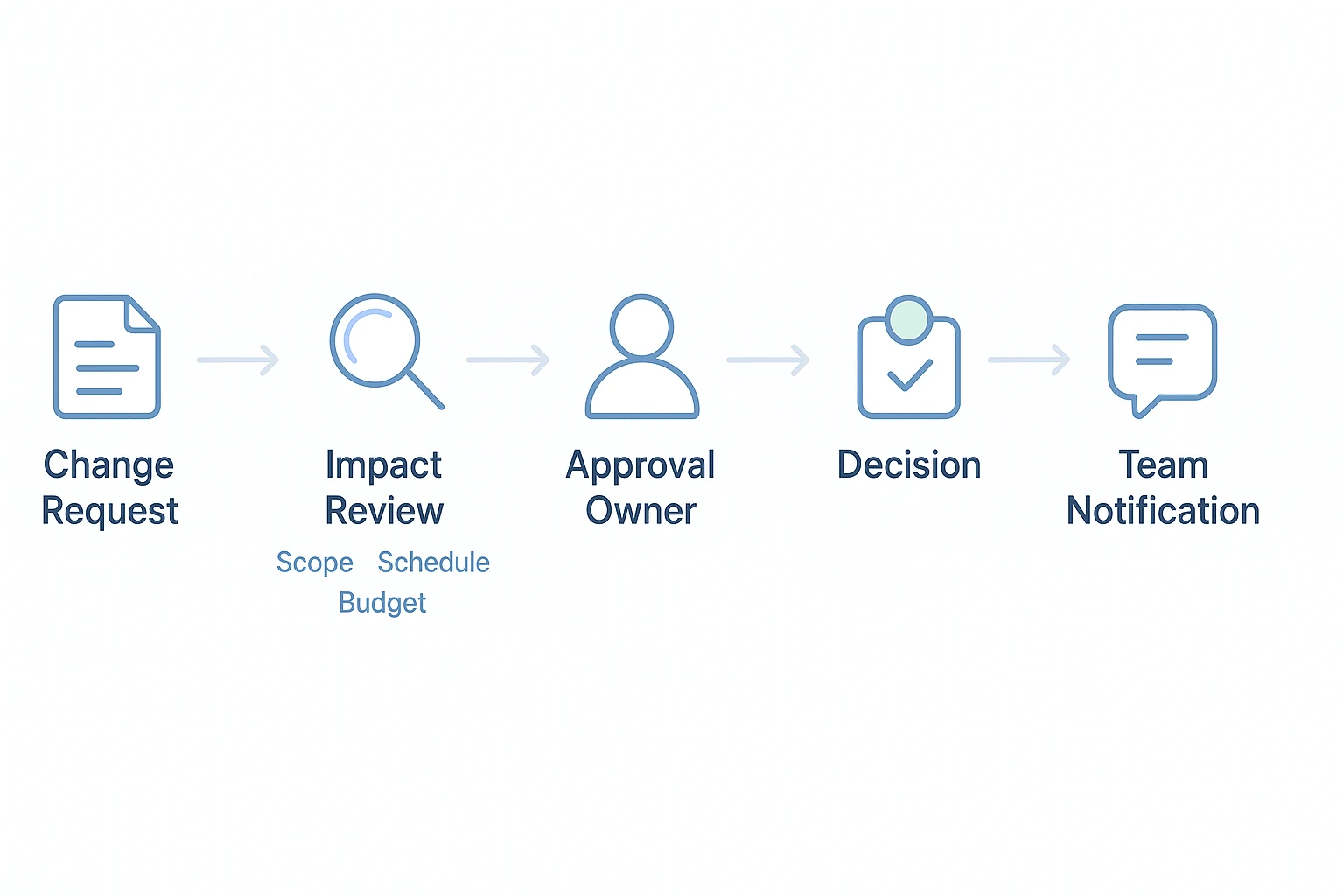
Use a five-step workflow: submit the request, check impact, route it to the approval owner, record the decision, then update the plan.
| Date | Request | Impact on scope/schedule/budget | Approver | Decision | Plan update |
| May 12 | Add admin export | +2 days, no budget change | Sponsor | Approved | Added to milestone 2 |
| May 14 | Add mobile view | Scope increase, +1 week | Product lead | Deferred | Moved to backlog |
Using a task breakdown skill for living project plans
The steps in this section use TicNote Cloud as the example because it includes a customizable built-in project plan template inside the TaskBreaker skill. Instead of treating a project plan template as a static file, TaskBreaker turns meeting notes, product context, and documents into structured planning assets your team can keep updating.
Add the TaskBreaker skill
In TicNote Cloud, click Add Agent and open the Skill Agent library. Choose TaskBreaker to add it to your workspace.
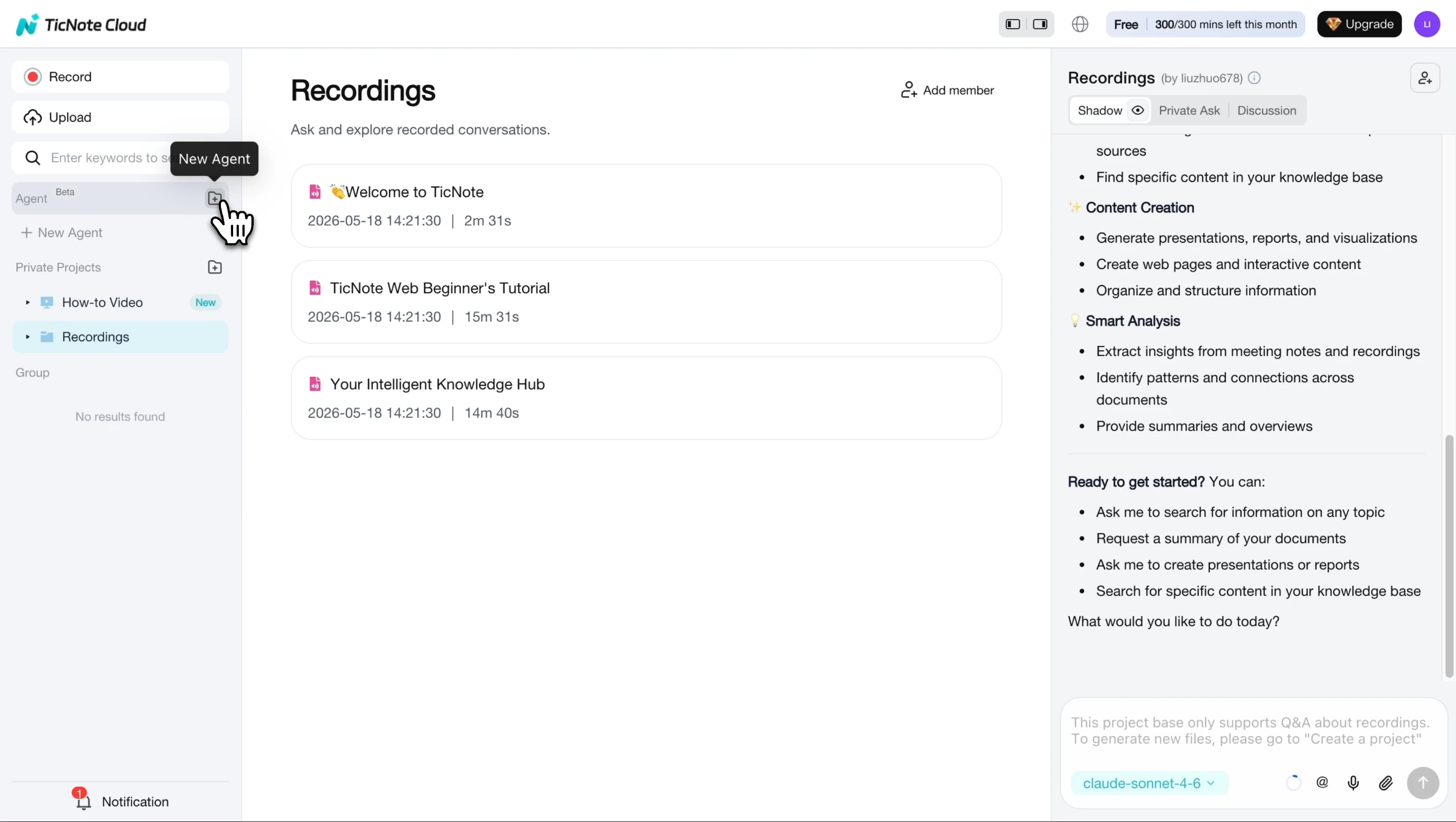
TaskBreaker works like an AI project planning assistant for product managers, engineering leads, and founders. Its job is simple: convert product documents and meeting records into sprint-ready issues.
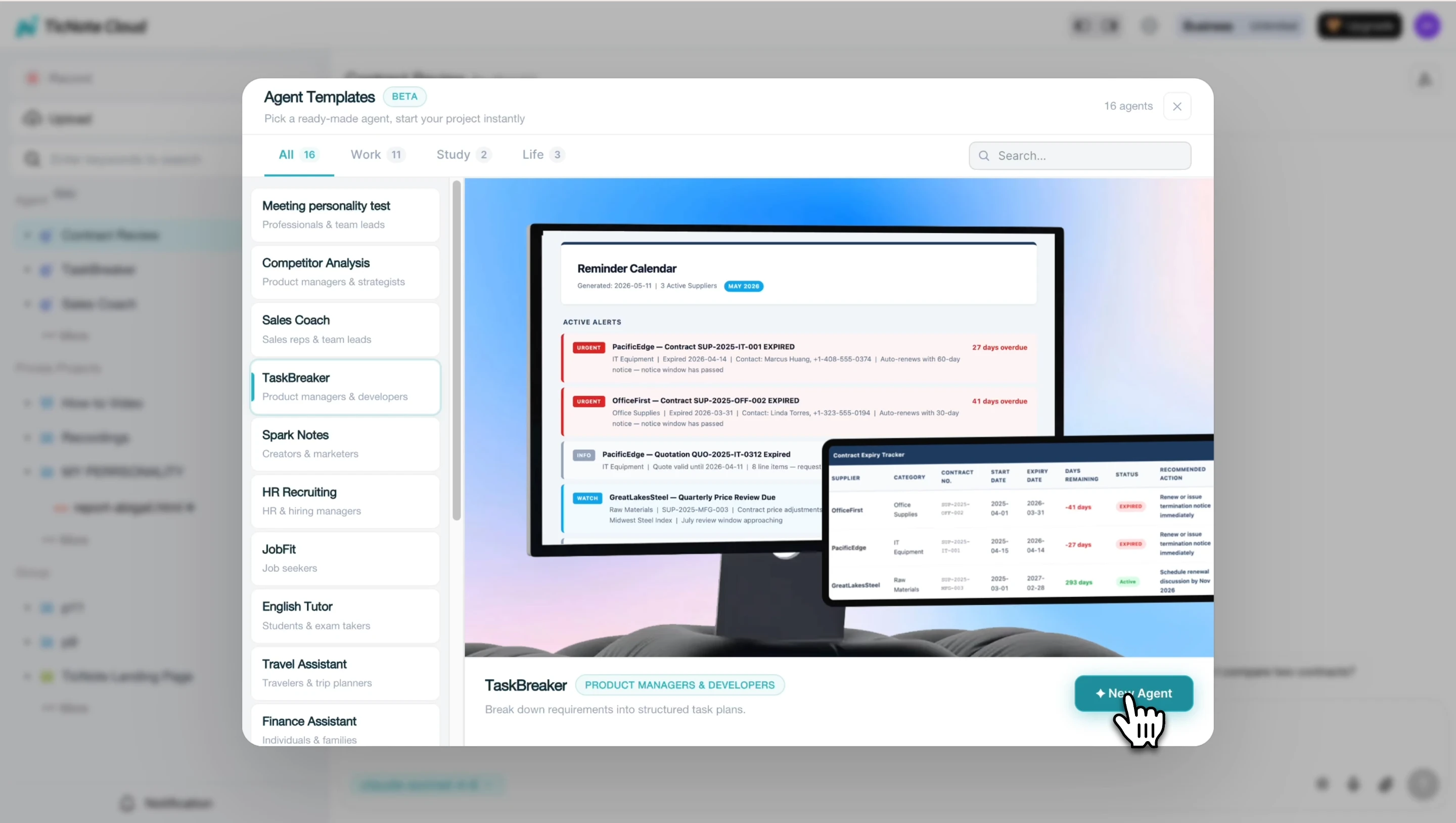
Upload the planning source
Next, paste or upload the source material. This can be a PRD, feature spec, strategy doc, meeting recording, or transcript. The agent reads the context and returns a structured summary before it creates the plan.
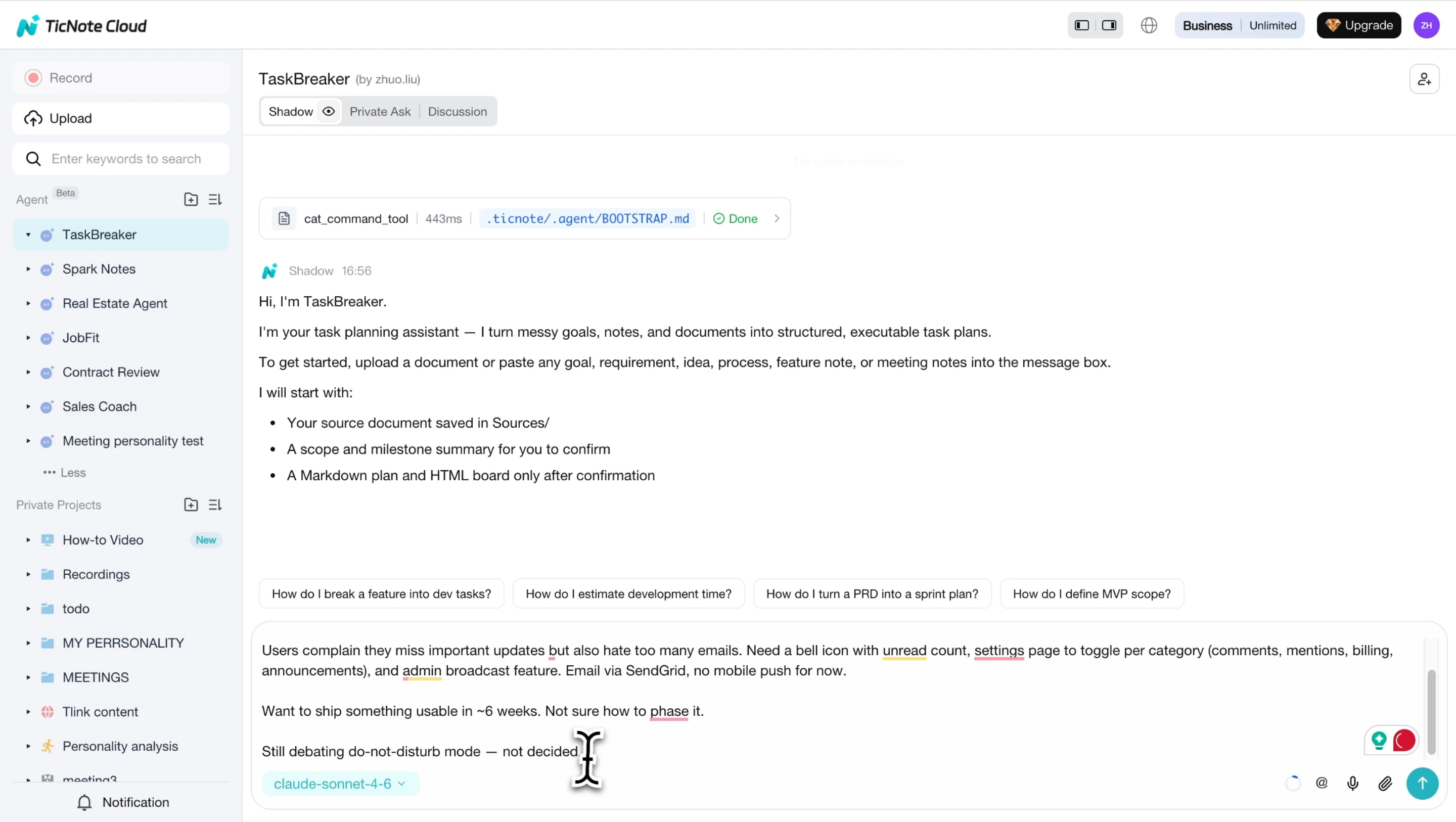
That confirmation step matters. It gives you a chance to check the objective, scope in/out, team roles, milestones, and open questions before ambiguous work becomes engineering debt. If your team also needs a deeper hierarchy, pair this with a work breakdown structure guide before issue creation.
Confirm questions, then generate the plan
Review the generated summary and answer any open questions in the chat. TaskBreaker flags unclear items inline with [NEEDS CLARIFICATION], so decisions get resolved before the CSV reaches Jira, Linear, GitHub Issues, or another tracker.
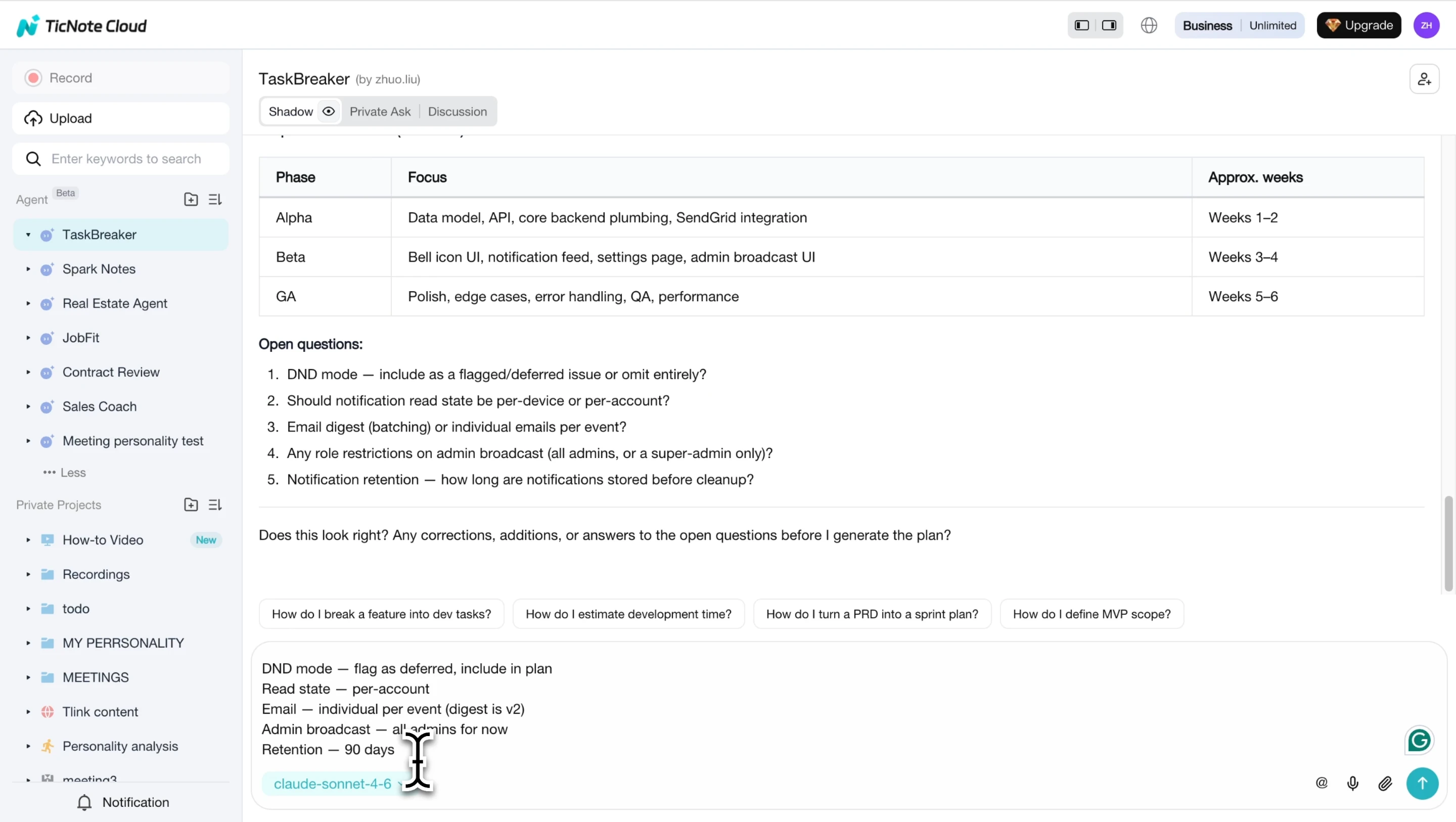
The final output should include 2 practical assets: a structured Markdown project plan and an import-ready CSV. Each requirement should become issue-sized work with 7 core fields: title, description, acceptance criteria, label, priority, phase, and dependency mapping.
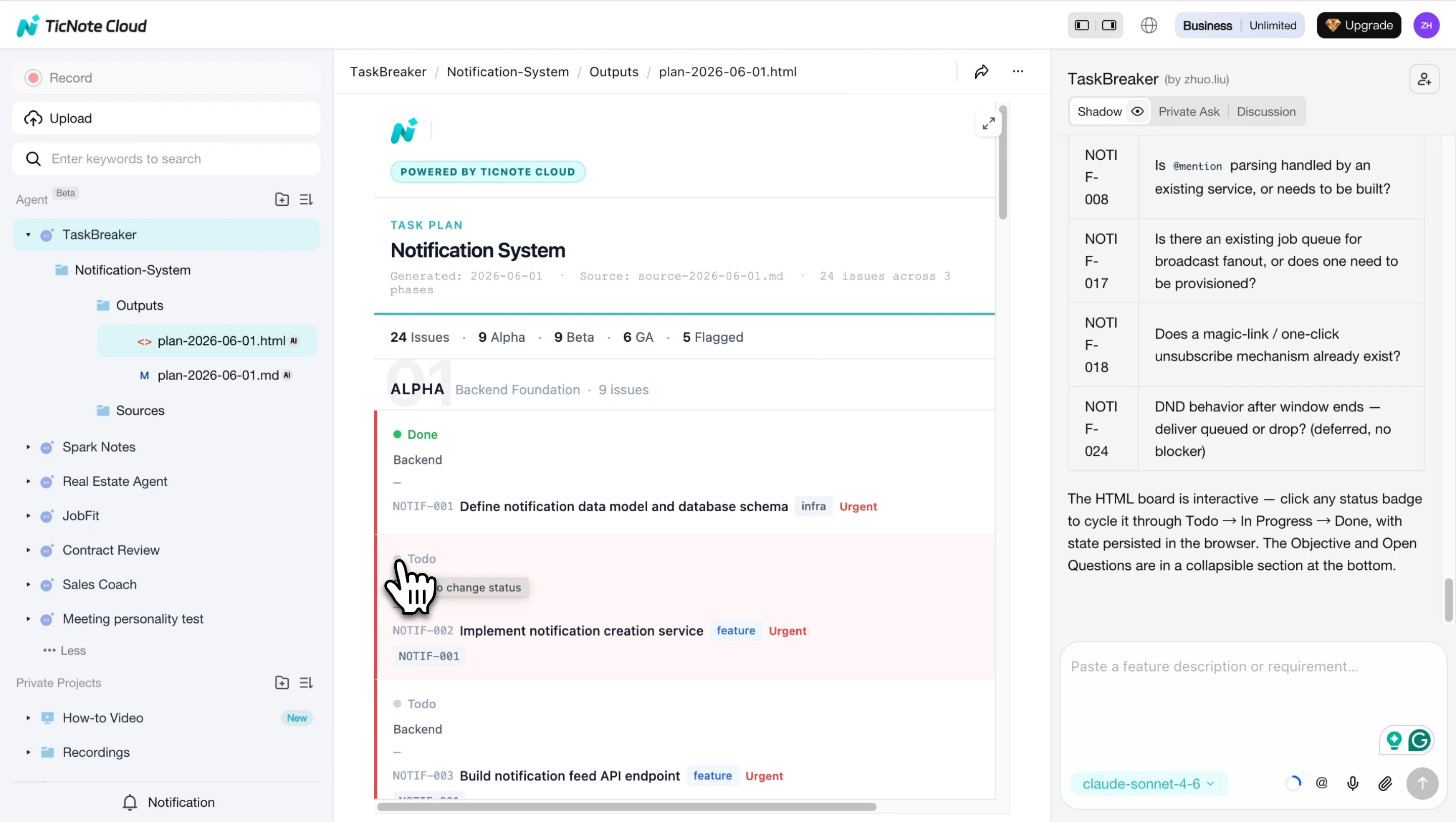
TicNote Cloud can also generate an interactive HTML board, so the plan doesn't stop at kickoff. Teams can track work by phase and move items as progress changes.
Continue the workflow from mobile
On mobile, capture or import planning material from a discussion, interview, or review session. Keep the transcript or document inside the related Project, then use that context in the same TaskBreaker workflow on the web. The key benefit is continuity: conversations, transcripts, files, decisions, and the final plan stay connected instead of living in separate static docs.
Keeping the plan useful after kickoff
A project plan template stops helping when it becomes an archive. After kickoff, treat it as the control center for facts: work status, decisions, risks, changes, and success measures. The goal is simple: make updates small enough that people will actually do them.
Update cadence: weekly for active projects, milestone-based for slower projects, and immediate updates for major changes
Use a weekly review for fast-moving projects. For slower work, review the plan at each milestone. Approved scope, budget, timeline, or owner changes should be logged the same day, not at the next meeting.
Owner rules: who updates tasks, risks, issues, decisions, and success metrics
Define ownership before the plan goes live:
- Task owners update status and due dates.
- The project lead owns the risk register.
- Workstream leads close issues.
- The facilitator records decisions.
- The sponsor or PM reports metrics.
This keeps the plan from becoming "everyone's job," which usually means nobody's job.
Stakeholder communication routine: status summary, decision log, next steps, risks, and asks
Send one recurring status note after each review. Use the same format every time: progress, decisions, next steps, risks, blockers, and asks. If your team needs cleaner meeting habits, connect this section to a guide on running better project meetings.
Metrics review: choose 3-5 KPIs such as deadline variance, budget variance, scope changes, quality acceptance, customer outcome, or stakeholder satisfaction
Pick only 3–5 KPIs. Strong options include deadline variance, budget variance, scope changes, quality acceptance, customer outcome, and stakeholder satisfaction. Too many metrics slow review meetings and hide the few signals that matter.
Internal linking opportunities: connect to skill agent, AI meeting notes, meeting summary, project knowledge base, and task breakdown pages
This section should naturally point readers to deeper resources on skill agents, AI meeting notes, meeting summaries, task breakdown workflows, and project knowledge bases. Those links help readers move from a static file to a living, meeting-aware plan.
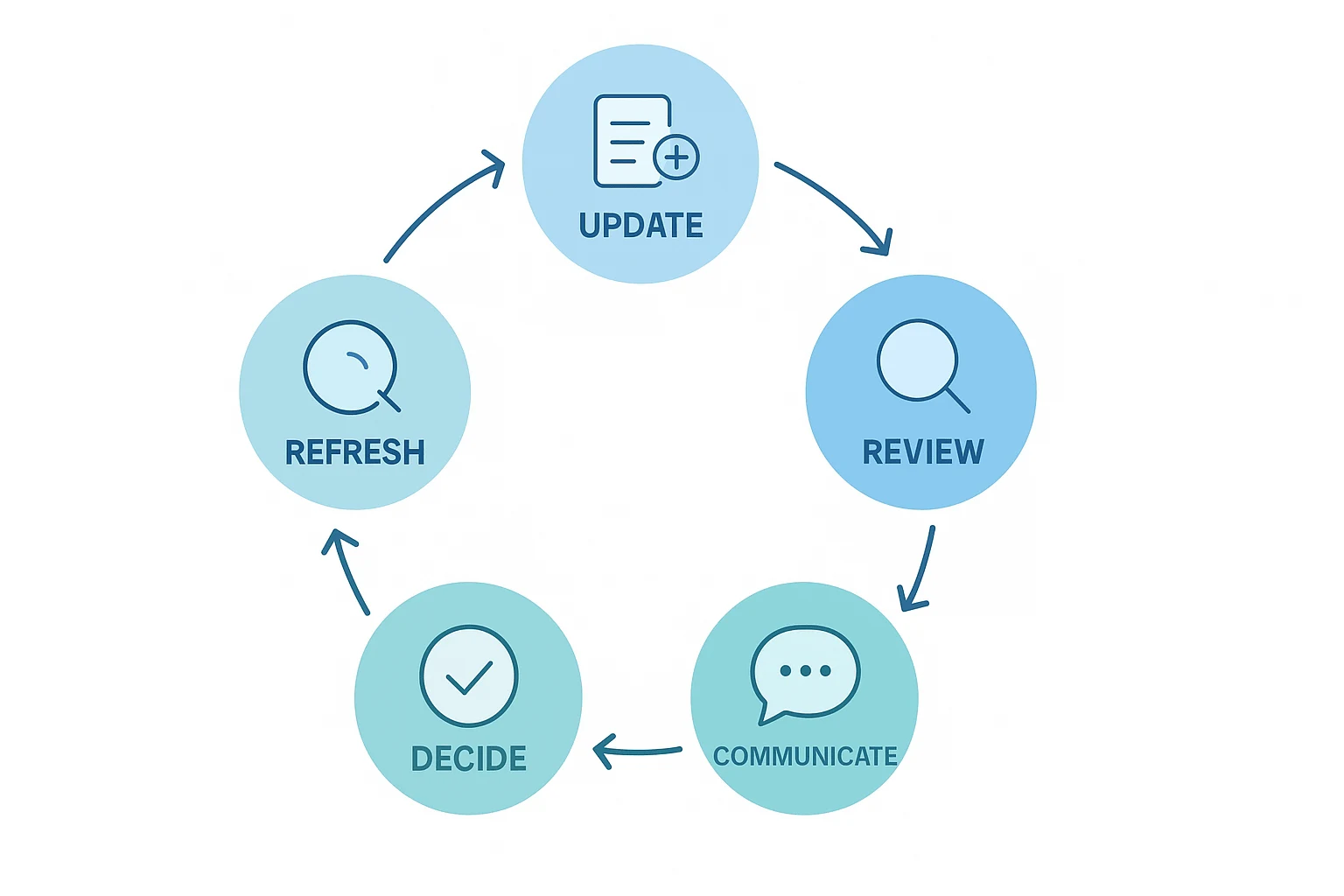
Final thoughts: Start simple, then make the plan learn from work
A strong project plan template doesn't need to be large. It needs to be clear enough to use today and complete enough to manage scope, schedule, risk, ownership, communication, and change. Start with the fields your team can maintain every week.
Word and Excel are useful starting points. They help you draft the plan, share a baseline, and build a project schedule template or timeline view. But static files get stale fast when decisions live in meetings. The better system captures those decisions, checks them against the plan, and updates the work as facts change.



