


 Extension
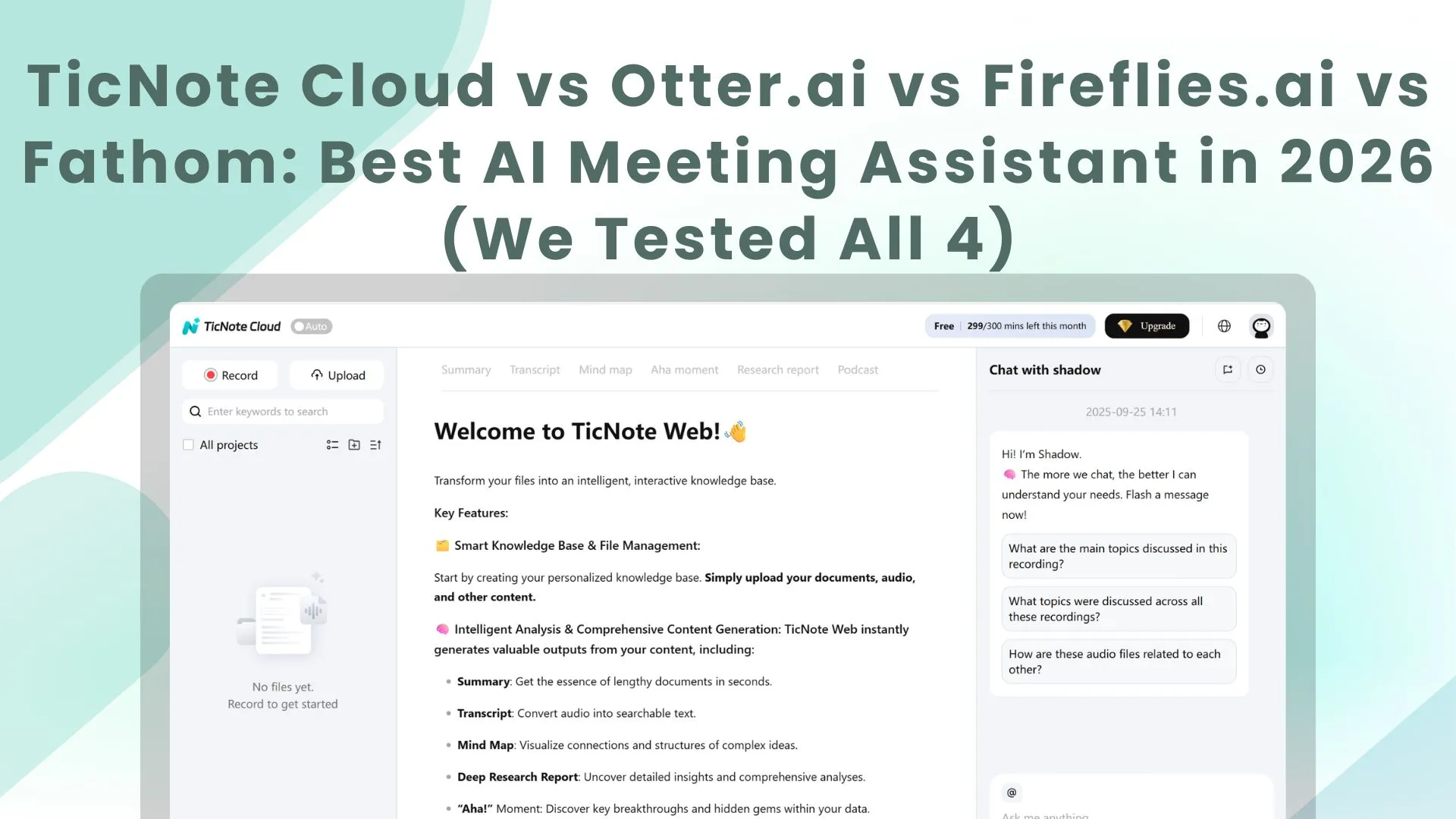
AI notetakers are having a moment. Across industries, teams are rushing to use AI to capture meetings, preserve details people forget, and cut the drag of manual follow-up. But the new race is not just about recording everything. It is about deciding what matters, what still requires human judgment, and which tool can turn a conversation into useful action instead of another block of text. That is why the best meeting transcription tools in 2026 are no longer judged only by transcript quality. They are judged by how well they help teams remember better, prioritize faster, and still keep the critical decisions where they belong: with humans.
In this guide, we compare TicNote Cloud, Otter.ai, Fireflies.ai, and Fathom across the factors that matter most: pricing, transcription workflow, integrations, collaboration, and overall fit.
Quick Verdict: Which Meeting Transcription Tool Should You Pick?
The short version:
TicNote Cloud is the best choice for teams that need more than a transcript, especially multilingual teams and workflows that turn meetings into reports, content, research outputs, and reusable project knowledge.
Fathom is still the strongest free option for individuals who want a simple AI meeting notetaker with excellent summaries.
Fireflies.ai is the best fit for teams that care most about CRM automation, integrations, and post-meeting workflow execution.
Otter.ai remains the strongest option for live transcription and real-time note collaboration during meetings.
Comparison Table
| Feature | TicNote Cloud | Otter.ai | Fireflies.ai | Fathom |
| Best For | Multilingual teams, research, content, deliverable-driven workflows | Live collaboration, real-time notes | Team workflows, CRM automation | Individuals, sales reps |
| Free Tier | 300 transcription mins/month; Plus unlocks 600 mins/month after buying TicNote Device | 300 min/month, 30-min cap | 800 min total (lifetime) | Unlimited recordings, 5 AI summaries/month |
| Paid Starting Price | $9.92/month billed annually | $8.33/user/mo (annual) | $10/user/mo (annual) | ~$15/user/mo (annual) |
| Transcription Accuracy | Strong multilingual capture | ~90% | ~92% | ~95% |
| CRM Integration | Workflow-oriented, not CRM-first | Basic (Salesforce) | Full (Salesforce, HubSpot, Zoho+) | Strong (Salesforce, HubSpot) |
| Platform Support | Web recording, file import, live transcription, project workspace | Zoom, Meet, Teams | Zoom, Meet, Teams, Webex, more | Zoom, Meet, Teams |
| Real-time Transcription | ✅ Yes | ✅ Excellent | ❌ Post-meeting only | ❌ Post-meeting only |
| AI Chat / Ask Questions | ✅ Yes | ✅ Yes | ✅ Yes | ✅ Yes |
| Bot-Free Capture | ✅ Yes | ❌ No | ❌ No | ❌ No |
| Our Rating | 9.1/10 | 8.0/10 | 8.5/10 | 8.5/10 |
TicNote Cloud: The Best Tool for Turning Meetings Into Deliverables
Overview
TicNote Cloud is not built around the idea that a transcript is the final product. It is built around the idea that a meeting should lead somewhere.
That sounds simple, but it changes the whole experience. Instead of treating each meeting as a standalone recording, TicNote Cloud connects transcription, summarization, organization, translation, and content generation inside a broader project workflow. The result is a tool that feels less like a passive recorder and more like a working environment for meeting intelligence.
That makes it especially well suited to teams doing research, consulting, content creation, multilingual collaboration, or any workflow where the transcript is only the first step.
Key Features
- Real-time transcription
- Bot-free capture
- AI summarization
- AI mind map
- AI translation
- AI chat
- File import and document processing
- Project-based organization
- Templates for structured output
- Long-form output workflows for research, content, and team collaboration
Transcription Workflow
TicNote Cloud works best when meetings are part of a larger workflow rather than isolated events. It captures conversations, helps teams summarize and search them, and makes it easier to turn those conversations into something useful afterward.
That is especially valuable for teams that work across languages, run repeated interviews, build reports from calls, or need to connect meetings with uploaded documents and ongoing project context. Instead of letting transcripts pile up in separate folders like digital driftwood, TicNote Cloud keeps them inside a system that is actually designed to be reused.
Workflow Fit
This is where TicNote Cloud separates itself from the rest of the field.
Otter is stronger for live note visibility. Fireflies is stronger for CRM automation. Fathom is simpler for individuals. TicNote Cloud is strongest when the meeting is only one part of a broader knowledge and production workflow.
If your team regularly turns calls into reports, briefs, decks, translated content, or research assets, TicNote Cloud is solving a larger and more useful problem than simple meeting capture.
Pricing (2026)
| Plan | Price | Transcription Minutes | Key Limits and Features |
| Free | $0/month | 300 mins/month | Max 30 mins per web recording, import 10 documents/month, 10 AI chats/day, basic templates, live transcription, AI summarization, AI mind map, AI translation |
| Plus | $0/month after buying TicNote Device | 600 mins/month | Max 30 mins per web recording, import 15 documents/month, 10 AI chats/day, basic templates, live transcription, AI summarization, AI mind map, AI translation |
| Professional | $9.92/month billed annually | Up to 2,100 mins/month | $119 billed annually, max 3 hours per web recording, import 30 documents/month, unlimited AI chat, advanced and customized templates |
| Business | $24.92/month billed annually | Up to 6,600 mins/month | $299 billed annually, max 8 hours per web recording, import 100 documents/month, everything in Professional plus much higher usage ceilings |
TicNote Cloud's pricing structure is not a simple apples-to-apples SaaS ladder, and that is worth stating clearly. The Plus plan is not a normal standalone software subscription. It is the software tier available after buying a TicNote Device, and the software fee itself is $0/month.
For users comparing pure cloud subscriptions, Professional at $9.92/month billed annually is the real paid software entry point. That plan gives TicNote Cloud a stronger value story than before, especially because it raises monthly transcription capacity sharply, unlocks unlimited AI chat, and expands both recording and import limits. Business at $24.92/month billed annually is positioned for heavier team workflows with longer sessions and much higher monthly volume.
One especially strong aspect of the pricing model is that the free layer is actually usable. It is not a hollow demo tier. Free users still get live transcription, summarization, mind maps, translation, templates, and daily AI chat access. That makes TicNote Cloud more practical at the low end than many tools that technically have a free plan but hide most of the good stuff behind glass like a museum exhibit.
TicNote Cloud Pros and Cons
Pros:
- Best option for turning meetings into usable deliverables
- Bot-free capture is a meaningful differentiator
- Strong fit for multilingual workflows
- Free tier is more usable than many competitors
- Professional pricing is now more competitive on an annual basis
- Better suited to research, content, consulting, and project-based work than most traditional AI meeting bots
Cons:
- Not the most CRM-centric option in the category
- Broader workflow focus may feel heavier than necessary for users who only want lightweight meeting notes
- Plus can be misunderstood unless it is clearly explained that it requires buying a TicNote Device first
- Pricing structure is less instantly familiar than pure per-seat SaaS tools
Otter.ai: The Best Option for Live Transcription
Overview
Otter.ai still owns a very specific strength in this market, and that strength is live transcription. If your team wants to see the conversation unfold in text while the meeting is happening, Otter remains one of the clearest choices available.
Its value is not that it tries to be everything at once. It is that it makes real-time note-taking feel genuinely useful, especially for teams that care about visibility during the call rather than only after it ends.
Key Features
- Live transcription with speaker identification during meetings
- OtterPilot auto-joins Zoom, Google Meet, and Teams calls
- AI-generated summaries and action items
- Otter AI Chat for searching meeting history
- Collaborative note editing during calls
- Slide capture from screen shares
- Keyword and topic extraction
Transcription Quality
Otter performs well in clean audio conditions and handles everyday business conversations reliably, but it is not usually the strongest on raw transcript accuracy. Its real edge is speed and immediacy.
That tradeoff is often worth it. For many teams, watching the conversation appear live is more valuable than squeezing out a few extra points of transcript polish afterward.
Integrations
Otter covers the main meeting stack well, including Zoom, Google Meet, Microsoft Teams, Google Calendar, Outlook, and basic Salesforce logging.
That is enough for many users, but it remains narrower than Fireflies for automation-heavy teams and narrower than TicNote Cloud for teams that want broader project-based reuse.
Pricing (2026)
| Plan | Price | Minutes | Key Limits |
| Free | $0 | 300 min/month | 30-min meeting cap, 3 lifetime uploads |
| Pro | $8.33/user/mo (annual) | 1,200 min/month | 90-min meeting cap |
| Business | $20/user/mo (annual) | 6,000 min/month | 4-hour meeting cap, admin controls |
| Enterprise | Custom | Custom | SSO, SCIM, dedicated support |
The free plan is useful for testing, but the 30-minute cap makes it feel cramped pretty quickly. Pro remains the cheapest conventional paid starting point in this comparison, which is one reason Otter keeps showing up on so many shortlists.
Otter.ai Pros and Cons
Pros:
- Best live transcription experience
- Real-time collaborative note editing
- Affordable paid entry point
- Strong option for accessibility and in-meeting visibility
- Familiar, easy-to-understand workflow
Cons:
- Lower raw transcription accuracy than the strongest alternatives
- Limited CRM integration depth
- Minute caps can become frustrating for active teams
- Post-meeting workflows are not as rich as Fireflies or TicNote Cloud
Fireflies.ai: The Best Tool for CRM Automation and Workflow Integrations
Overview
Fireflies.ai is built for teams that want meetings to trigger action elsewhere. It is less focused on being the most elegant note-taking experience and more focused on moving data into the systems your team already depends on.
That makes it especially attractive for sales teams, RevOps, customer-facing teams, and managers who care about what the meeting updates inside the CRM, not just what the transcript looks like afterward.
Key Features
- Automatic meeting recording and transcription across major platforms
- AI-powered summaries with action items, decisions, and topics
- AskFred AI assistant for querying meeting history
- Conversation intelligence such as talk ratios, sentiment, and topic tracking
- Automated CRM field population across major CRM platforms
- Task creation via voice commands
- Channels for sharing clips and transcripts with teams
- Video recording on higher plans
- API access for custom integrations
Transcription Quality
Fireflies sits in a solid middle position. It generally outperforms Otter on post-meeting transcript quality, especially in multi-speaker conversations, but it does not always feel as polished as Fathom when it comes to summary clarity and cleanup.
Its biggest strength is not elegance. It is operational usefulness. For teams that want a meeting to immediately feed downstream systems, Fireflies is very efficient.
Integrations
This is still Fireflies' headline advantage.
Its integration ecosystem is broader and deeper than what most competitors offer, especially across CRM, project management, communication, and automation tools. These are not decorative add-ons. Fireflies is built to move meeting data into actual workflows.
Pricing (2026)
| Plan | Monthly Price | Annual Price | Key Features |
| Free | $0 | $0 | 800 min total (lifetime), audio only |
| Pro | $18/user/mo | $10/user/mo | Unlimited transcription*, 8,000 min storage |
| Business | $29/user/mo | $19/user/mo | Unlimited storage, video recording, full CRM |
| Enterprise | Custom | $39/user/mo | Custom integrations, SSO, dedicated support |
Fireflies' "unlimited" transcription on paid plans comes with fair-use policies.
Fireflies has the weakest free tier in this comparison. Because the 800-minute limit is lifetime rather than monthly, it behaves more like a long trial than a real free plan. Its paid tiers become much more compelling once a team starts taking advantage of the automation and CRM depth.
Fireflies.ai Pros and Cons
Pros:
- Deepest integration ecosystem in the comparison
- Best CRM automation fit
- Strong conversation analytics
- Fast post-meeting processing
- Broad conferencing platform support
Cons:
- No real-time transcription
- Free plan is very limited
- More setup complexity than lighter tools
- Can feel feature-heavy for smaller teams
Fathom: The Best Free AI Meeting Notetaker for Individuals
Overview
Fathom wins people over by being refreshingly straightforward. It does not try to become a giant work platform. It focuses on being a practical AI meeting assistant that produces useful notes quickly and without a lot of setup fuss.
That simplicity is not a weakness. It is exactly why the product works so well for individuals and small teams.
Key Features
- Automatic meeting recording and transcription
- AI summaries in multiple formats
- Highlights and clips during or after calls
- CRM integration with Salesforce and HubSpot
- AI-generated follow-up emails
- AI search across past meetings
- Custom vocabulary for specialized terms
- Playlists and organization tools for meetings
Transcription Quality
Fathom continues to have one of the strongest reputations for transcript accuracy and summary usefulness. It handles complex speech well and tends to surface decisions and action items in a cleaner, more immediately usable format than many lightweight competitors.
It is fast enough to feel responsive, but its real win is that the output usually needs less cleanup afterward.
Integrations
Fathom's integration strategy is focused rather than expansive. It covers the meeting platforms most people actually use, supports important CRM workflows, and adds enough automation to make the product feel complete without turning it into a sprawling labyrinth of toggles and settings.
It is not trying to beat Fireflies on breadth, and it is not trying to match TicNote Cloud on project depth. It is trying to be useful with minimal friction, and that is exactly why people keep recommending it.
Pricing (2026)
| Plan | Price | Key Features |
| Free | $0 | Unlimited recordings and transcripts, 5 AI summaries/month |
| Premium | ~$15/user/mo (annual) or $19/mo monthly | Unlimited AI summaries, CRM integration |
| Team | ~$29/user/mo (annual) | Team management, analytics, shared playlists |
| Enterprise | Custom | SSO, custom integrations, dedicated support |
Fathom still offers the most generous free tier for individual users. Unlimited recordings and transcripts make it viable for real ongoing use, not just light testing. The catch is the AI summary cap, which will push frequent users toward a paid plan sooner than they may expect.
Fathom Pros and Cons
Pros:
- Best free plan for many individuals
- Strong transcription quality
- Clean, intuitive interface
- Excellent AI summaries
- Fast setup and fast processing
Cons:
- No real-time transcription
- Narrower integration ecosystem than Fireflies
- Less collaborative and project-oriented depth than TicNote Cloud
- Visible bot joins can feel awkward in some client-facing meetings
Head-to-Head Comparison
Best Overall for Teams That Need More Than a Transcript
Winner: TicNote Cloud
Most tools in this category stop at transcript, summary, or follow-up email. TicNote Cloud goes further by helping teams turn meetings into structured outputs and reusable project knowledge.
Best for Live Transcription
Winner: Otter.ai
If you need text on screen during the meeting and want teammates collaborating on notes in real time, Otter still leads this category.
Best for CRM Automation
Winner: Fireflies.ai
Fireflies remains the best fit for teams that want meeting data to flow directly into CRMs, tasks, and downstream workflows.
Best Free Plan
Winner: Fathom
For individuals, Fathom still has the most usable free plan over the long run. Unlimited recordings and transcripts make a real difference.
Best for Multilingual and Deliverable-Driven Work
Winner: TicNote Cloud
This is where TicNote Cloud becomes especially compelling. If your team works across languages or needs meetings to become reports, briefs, or content assets, it offers a broader and more useful workflow than traditional AI meeting bots.
Best for Team Knowledge Reuse
Winner: TicNote Cloud
TicNote Cloud is better positioned for teams that revisit, connect, and build on meeting knowledge over time rather than treating each call as an isolated event.
Decision Framework: Which One Should You Pick?
Pick TicNote Cloud if…
- You need more than notes and summaries
- Your team works across multiple languages
- You want bot-free capture
- Meetings regularly turn into reports, content, research outputs, or project artifacts
- You want a more capable free tier than most competitors offer
- You are comfortable with the fact that Plus is tied to buying a TicNote Device, while Professional is the real paid cloud entry point
Pick Otter.ai if…
- Live transcription is essential
- Your team wants to see and edit notes during meetings
- Accessibility and in-meeting visibility matter more than post-meeting automation
- You want the cheapest conventional paid starting point
Pick Fireflies.ai if…
- Your team needs CRM automation first
- You want the broadest integration ecosystem
- Conversation analytics matter to your workflow
- Sales, RevOps, or customer-facing operations are the main use cases
Pick Fathom if…
- You are an individual or very small team
- You want a simple tool with almost no setup friction
- You care about a strong free plan
- Your workflow is mostly transcript + summary + follow-up
Final Thoughts
The market is already moving beyond the old promise of "AI can take notes for you." The real winners will be the tools that help teams think better without encouraging them to think less. In that world, the best meeting transcription platform is not the one that produces the most words. It is the one that catches what humans miss, removes the tedious work humans should not be doing, and still leaves the final judgment to people. That is why TicNote Cloud feels especially timely right now: it gives teams a stronger second brain without pretending to replace the first one.


