


 Extension
TL;DR: Best AI agent starting points for beginners
For an ai agent for beginners, you can try TicNote Cloud for free if your work starts with meetings or interviews and ends with summaries, reports, decks, or follow-ups.
Meeting notes scatter fast. That creates missed decisions and repeated work. TicNote Cloud turns conversations into searchable Project memory, then Shadow AI helps create cited deliverables without copy-paste.
Other good starting points:
- ChatGPT GPTs: simple personal assistants
- Microsoft Copilot Studio: Microsoft 365 teams
- Zapier Agents: app automation
- Lindy: lightweight ops workflows
- Relevance AI: repeatable team agent systems
What is an AI agent for beginners?
An AI agent for beginners is software that works toward a goal, not just a reply. You define what "done" looks like, give it context, and review the result before it takes real action.
Agent vs chatbot vs workflow automation
- AI agent: you give a goal; it can plan steps, use tools, and use memory. Example: "Turn 3 interviews into a cited research summary and action list."
- Chatbot or assistant: it mostly answers one prompt at a time. Example: "Explain OKRs."
- Workflow automation: it follows fixed triggers and rules. Example: "When a form is submitted, create a ticket and send an email."
Here's the simple test: use agents when the steps are fuzzy and the outcome needs judgment. If the task is fixed, use automation. For a deeper split, see this agent versus chatbot decision guide.
Core AI agent flow
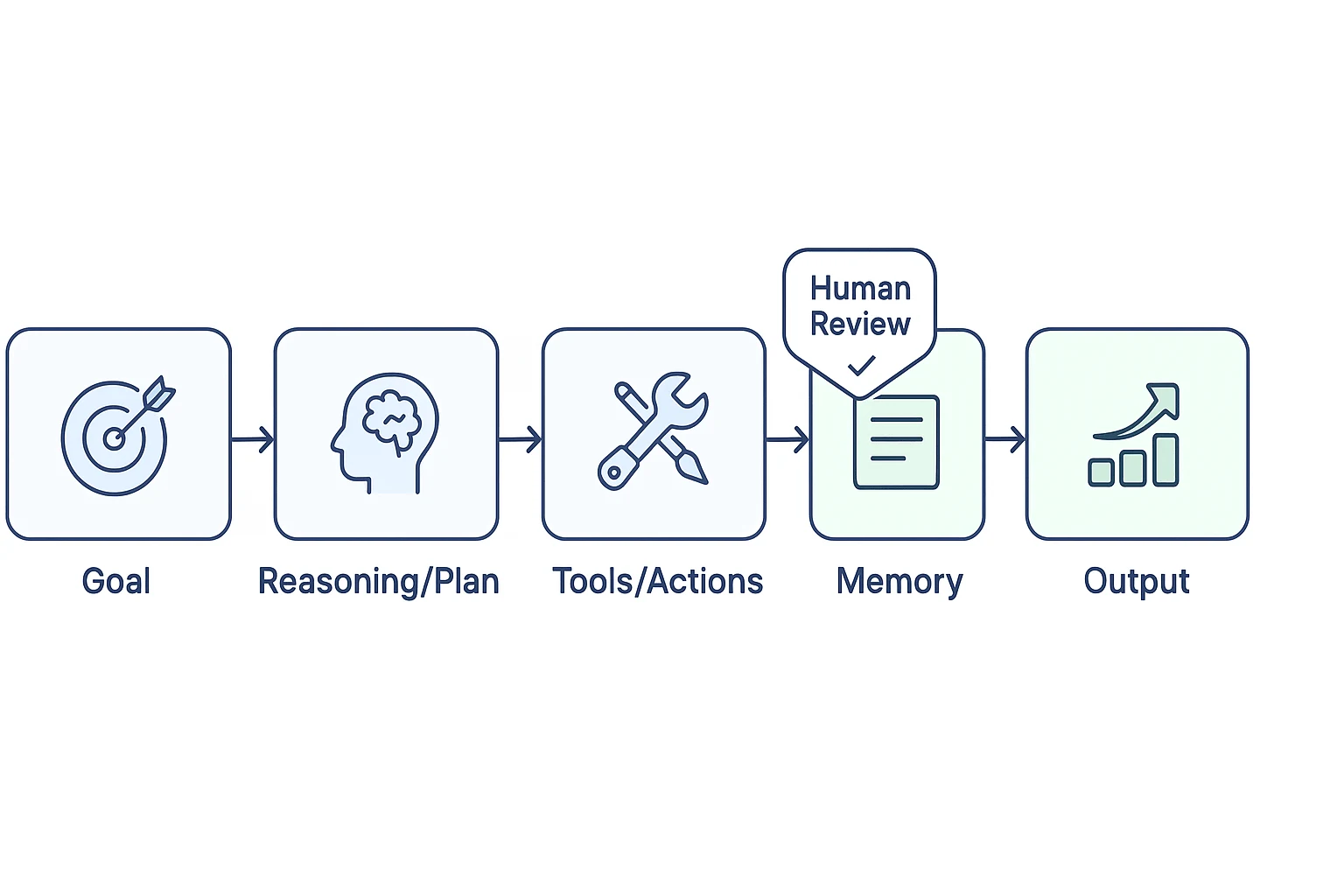
A beginner-friendly AI agent architecture has 5 parts:
- User goal: the result, limits, and quality bar.
- LLM reasoning/planning: the model breaks work into steps.
- Tools/actions: it searches files, drafts content, calls apps, or schedules tasks.
- Memory/context: it uses project notes, transcripts, and documents.
- Response/output: it returns an answer plus an artifact, such as a report or task list.
Common AI agent examples include a research agent that compares sources, a sales agent that drafts follow-ups, and a meeting AI agent that turns a conversation into decisions, owners, and next steps.
When not to use an AI agent
Avoid agents for single-step Q&A, simple rewriting, pure CRUD tasks with fixed rules, high-risk actions without review, and compliance-heavy work that must follow a deterministic process.
Takeaway: start with a supervised, read-only agent that works from your own sources before you let it take actions.
Top AI agent tools for beginners: quick comparison
A good ai agent for beginners should have five traits: little setup, a clear job, safe defaults, no-code use, and visible sources or logs. The real test is simple: can you trust the output and check where it came from?
Compare beginner-friendly AI agent tools
- TicNote Cloud — Best for: meeting-centered teams and knowledge work. Website: ticnote.com. Pricing: Free plan; paid plans from $12.99/month annually. Key features: bot-free recording, editable transcripts, Shadow AI, Project workspace memory, cited cross-file Q&A, reports, mind maps, presentations, and podcasts. Limitations: strongest when work starts from meetings or files; some enterprise controls require Enterprise. Why it stands out: it turns real meetings into durable project memory and cited deliverables in one workspace.
- ChatGPT GPTs — Best for: personal prompt-based assistants. Website: chatgpt.com. Pricing: free and paid plans. Key features: custom instructions, files, tools, and actions. Limitations: source grounding depends on setup. Why it stands out: fast personal prototyping.
- Microsoft Copilot Studio — Best for: Microsoft 365 and governed internal copilots. Website: microsoft.com. Pricing: paid plans. Key features: connectors, governance, workflows, and Teams support. Limitations: setup can feel heavy. Why it stands out: enterprise control.
- Zapier Agents — Best for: simple SaaS automations. Website: zapier.com. Pricing: free and paid plans. Key features: app actions, triggers, and task automation. Limitations: quality depends on app data. Why it stands out: wide app coverage.
- Lindy — Best for: operations assistants. Website: lindy.ai. Pricing: paid plans. Key features: inbox, calendar, CRM, and admin workflows. Limitations: less suited to deep research memory. Why it stands out: ready-made ops use cases.
- Relevance AI — Best for: repeatable agent systems. Website: relevanceai.com. Pricing: free and paid plans. Key features: agent teams, workflows, and knowledge tools. Limitations: more design work. Why it stands out: role-based AI workforces.
For deeper vendor analysis, use this AI agent knowledge management comparison alongside the quick view below.
| Tool | Best use case | Beginner ease | Memory/context | Tool actions | Citations from your files? | Pricing starting point |
| TicNote Cloud | Meetings and project knowledge | High | Project-based files and transcripts | Generate reports, slides, podcasts | Yes | Free; paid from $12.99/month annually |
| ChatGPT GPTs | Personal assistants | High | Chat and uploaded files | Depends on GPT setup | Sometimes | Free/paid |
| Microsoft Copilot Studio | Internal copilots | Medium | Microsoft 365 data | Strong workflow actions | Often, in Microsoft context | Paid |
| Zapier Agents | SaaS automation | High | App-based context | Strong app actions | Limited | Free/paid |
| Lindy | Ops workflows | High | Workflow and app context | Strong admin actions | Limited | Paid |
| Relevance AI | Agent systems | Medium | Knowledge and workflow context | Strong agent actions | Depends on setup | Free/paid |
Three things matter most. First, context quality beats clever prompts. Second, traceability reduces bad decisions because users can verify sources. Third, speed matters: beginners need a usable output in minutes, not a system to maintain.
For most knowledge-work beginners, TicNote Cloud is the best starting point. It begins with real inputs, keeps context inside Projects, and produces reviewable outputs with citations.
How to choose the right product
Choosing an ai agent for beginners is less about finding the "smartest" tool. It's about matching the agent to your real input, review process, and weekly output. Start with one question: what raw material do you already create every day?
Direct picks by beginner situation
- If your work is meetings → decisions → deliverables, pick TicNote Cloud. Its Project workspace keeps meetings, docs, and videos together, while Shadow AI searches across files with citations and generates reports, presentations, podcasts, and mind maps.
- If you want a flexible personal assistant for brainstorming, outlines, and first drafts, pick ChatGPT GPTs. It's fast, broad, and easy to customize for solo work.
- If you live in Microsoft 365 and need governed internal copilots, pick Microsoft Copilot Studio. It fits teams that need admin controls, identity management, and Microsoft data access.
- If your main goal is moving data between apps with light AI in the loop, pick Zapier Agents. It's strongest when the job is "when this happens, do that."
- If you need a lightweight operations helper for scheduling, inbox, or admin workflows, pick Lindy. It suits repeatable personal productivity tasks.
- If your team needs repeatable multi-step agents across standard processes, pick Relevance AI. It's better for structured workflows that need role-based agent teams.
For PM-heavy use cases, this AI agent project management comparison can help you pressure-test the same decision against team workflows.
Run these fit checks first
Before you commit, answer five questions:
- What is the primary input: meetings, documents, email, CRM, or tickets?
- Do you need project-scoped memory across many files?
- Do you need cited answers and source traceability?
- Should the agent take external actions, or mainly produce assets?
- Who must review outputs: you, a team lead, or compliance?
Practical recommendation
Start with TicNote Cloud unless your job is mainly app-to-app automation or you're locked into Microsoft governance. For most beginners, meeting content is the highest-leverage first dataset because it already contains decisions, customer language, objections, tasks, and context. Turning that into reusable memory is the simplest path to a useful agentic workflow.
What TicNote Cloud offers that generic AI agents do not
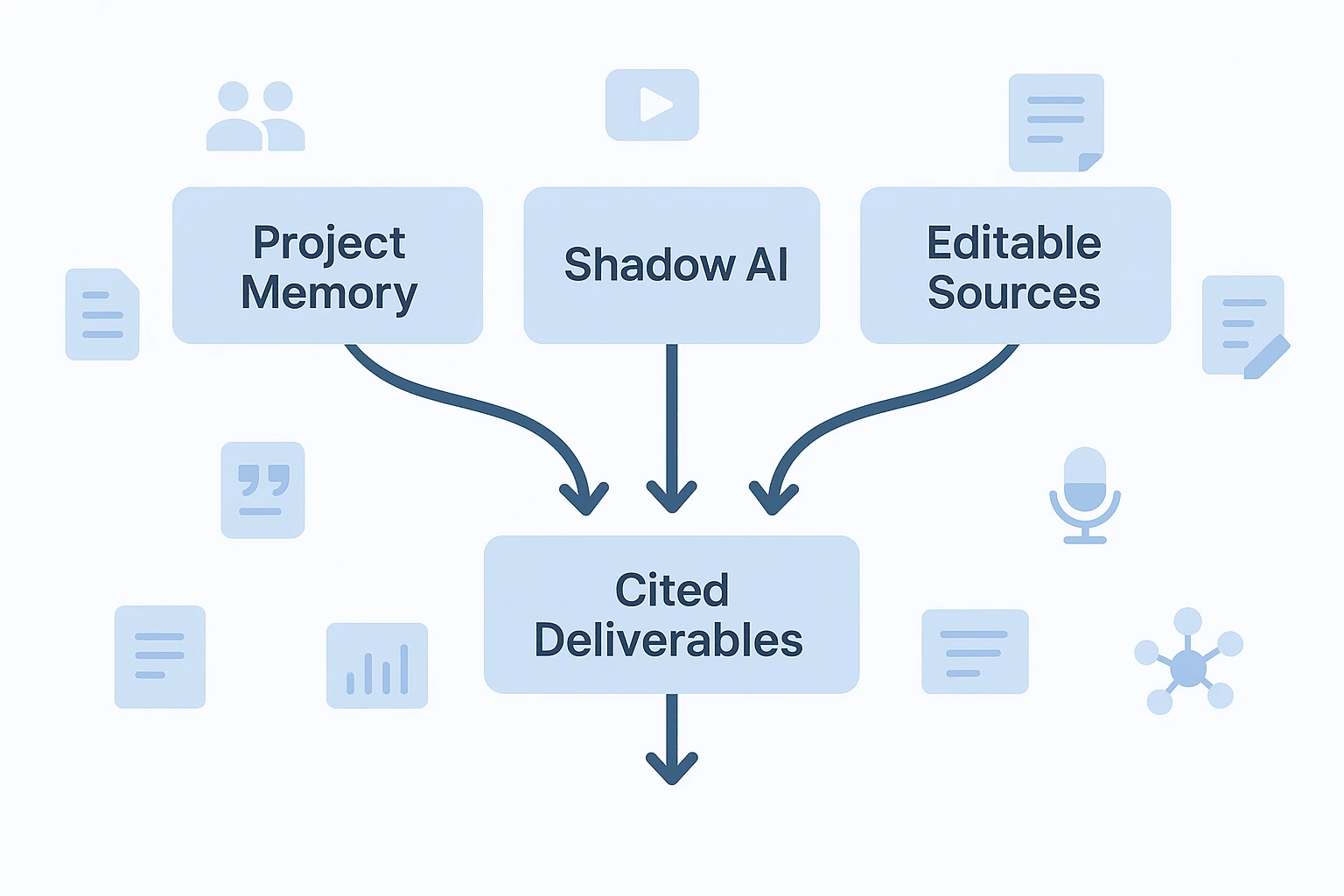
A generic ai agent for beginners can answer prompts, but it often starts with an empty room. Your context sits in Drive folders, Slack threads, meeting notes, and someone's memory. TicNote Cloud changes the starting point: meetings, documents, videos, and research files live inside a Project workspace, so the agent can work from the same knowledge base over time.
Keep memory inside one Project
Project-scoped memory matters because beginners don't need a complex agent stack. They need one reliable place where context accumulates.
For example, a product manager can add 5 user interviews, a roadmap doc, and a sprint review to one Project. Shadow AI can then compare themes across all files instead of treating each meeting as a one-off chat.
Move from answers to execution
Inside the Project, Shadow AI can:
- Search across meetings, uploads, and documents
- Answer questions with citations to transcript moments or source files
- Rewrite messy notes into briefs, action lists, or decision logs
- Generate deliverables without copying text between tools
That makes TicNote Cloud useful for teams that want practical agent workflows, not just chat. For broader rollout patterns, see this guide to AI agents for team collaboration.
Fix the source, improve the output
The editable source layer is the trust advantage. Transcripts are WYSIWYG editable, not locked exports. Teams can correct names, add comments, check speaker timestamps, and review traceable Shadow operations. Fix the source once, and every later summary, report, or answer gets stronger.
Create the outputs people actually use
TicNote Cloud can turn Project knowledge into:
- Reports for stakeholders
- HTML presentations for updates
- Podcasts with show notes for async review
- Mind maps for planning
- Interactive pages for living documentation
Privacy stays practical: data is private by default and, as described, not used to train AI models. Before sharing externally, build one habit: open 2–3 citations and confirm the answer matches the source.
Beginner build path: from meeting input to agent output
The easiest way to understand an ai agent for beginners is to run one narrow workflow: feed it real meeting content, ask for a cited result, then refine the output. In TicNote Cloud, that workflow starts inside a Project, where meeting files, documents, and Shadow AI work in the same web workspace. If you're comparing broader options, this guide to AI workspace tools gives useful context.
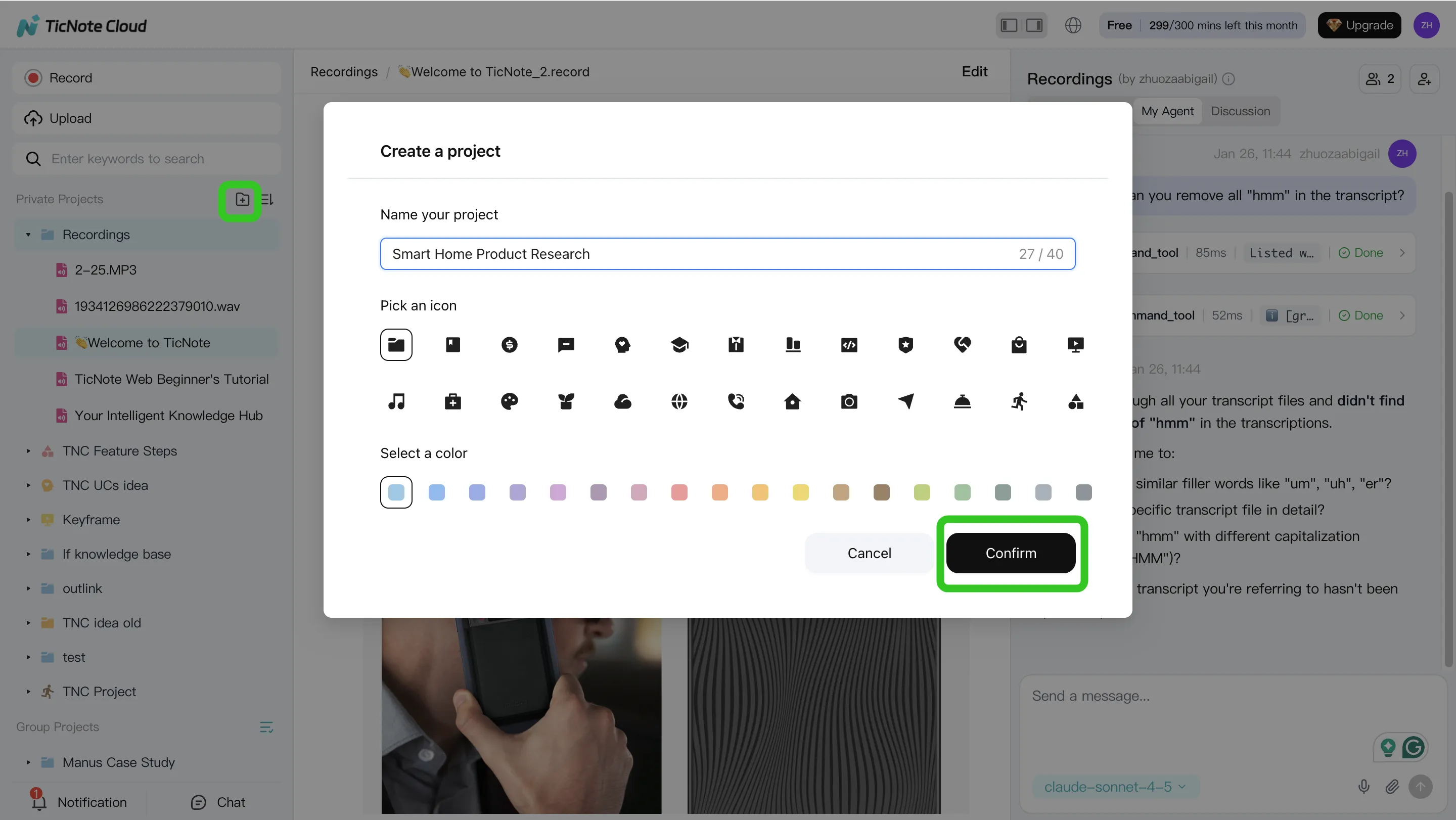
Step 1: Create or open a Project and add content
Create a Project for one use case, such as "Customer interviews – Q2." Add audio, video, or documents directly to the Project. You can also attach existing files in the Shadow AI panel and ask Shadow to save them to the right folder.
Keep the Project clean:
- Use clear names:
2026-04-12_customer-a_interview - Store one meeting per file
- Add quick tags like
pricing,onboarding, orrenewal-risk
Step 2: Use Shadow AI to search, analyze, edit, and organize
Ask goal-based prompts with limits: "Compare these 3 interviews for a product team. Return 5 themes, cited quotes, and a 30-day action plan." Shadow AI can search across Project files, pull patterns, and organize results into findings, evidence, and recommendations. Edit transcripts when speaker names or key terms are wrong, because better sources create better outputs.
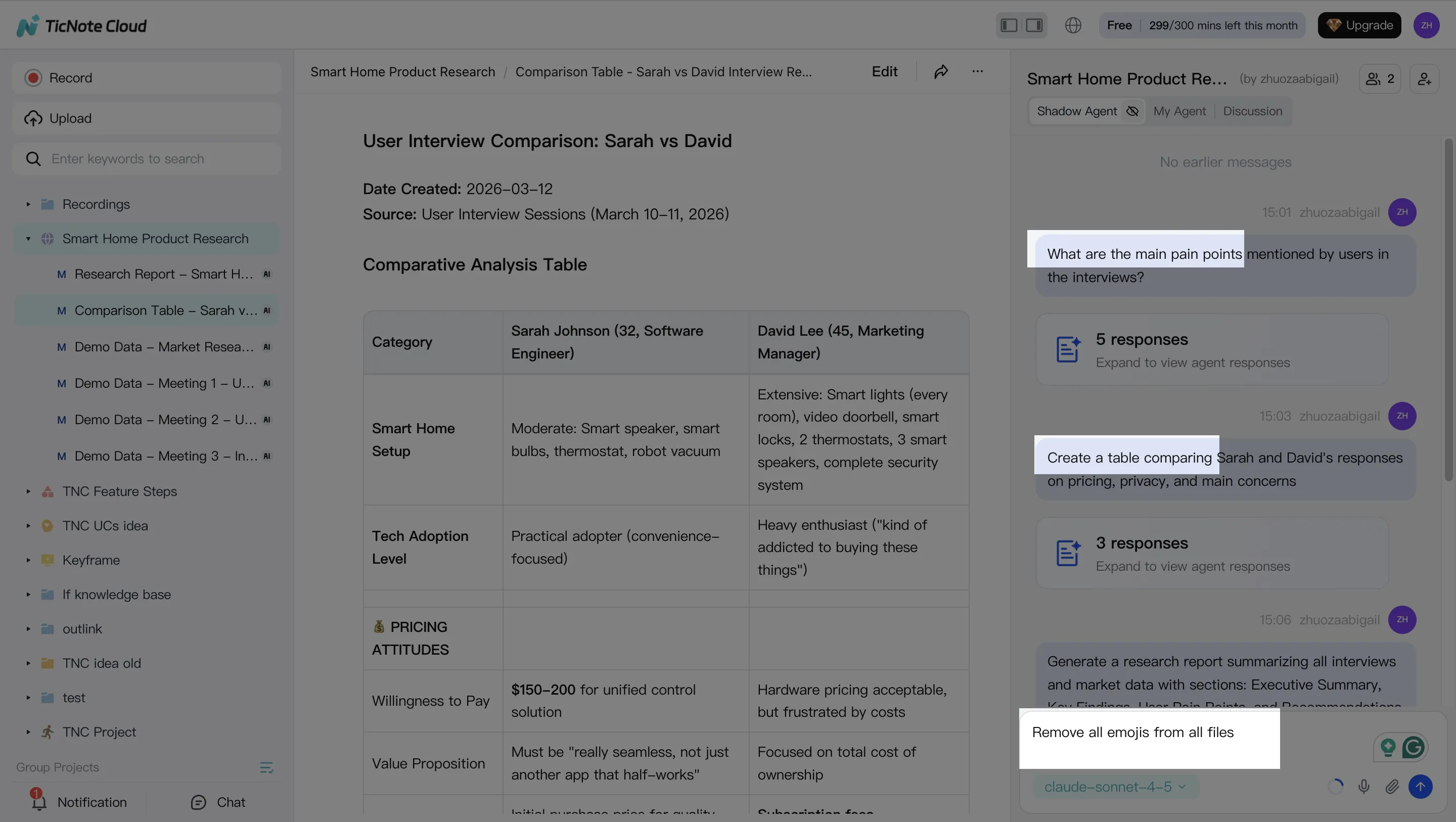
Step 3: Generate deliverables
Start with a report. It's the fastest stakeholder-ready format. Then create an HTML presentation for executives or a mind map for planning.
Pseudo-flow:
- Input: 3 transcripts + 2 PDFs
- Prompt: "Create a 1-page summary with cited quotes and 5 next steps."
- Output: cited summary + task list
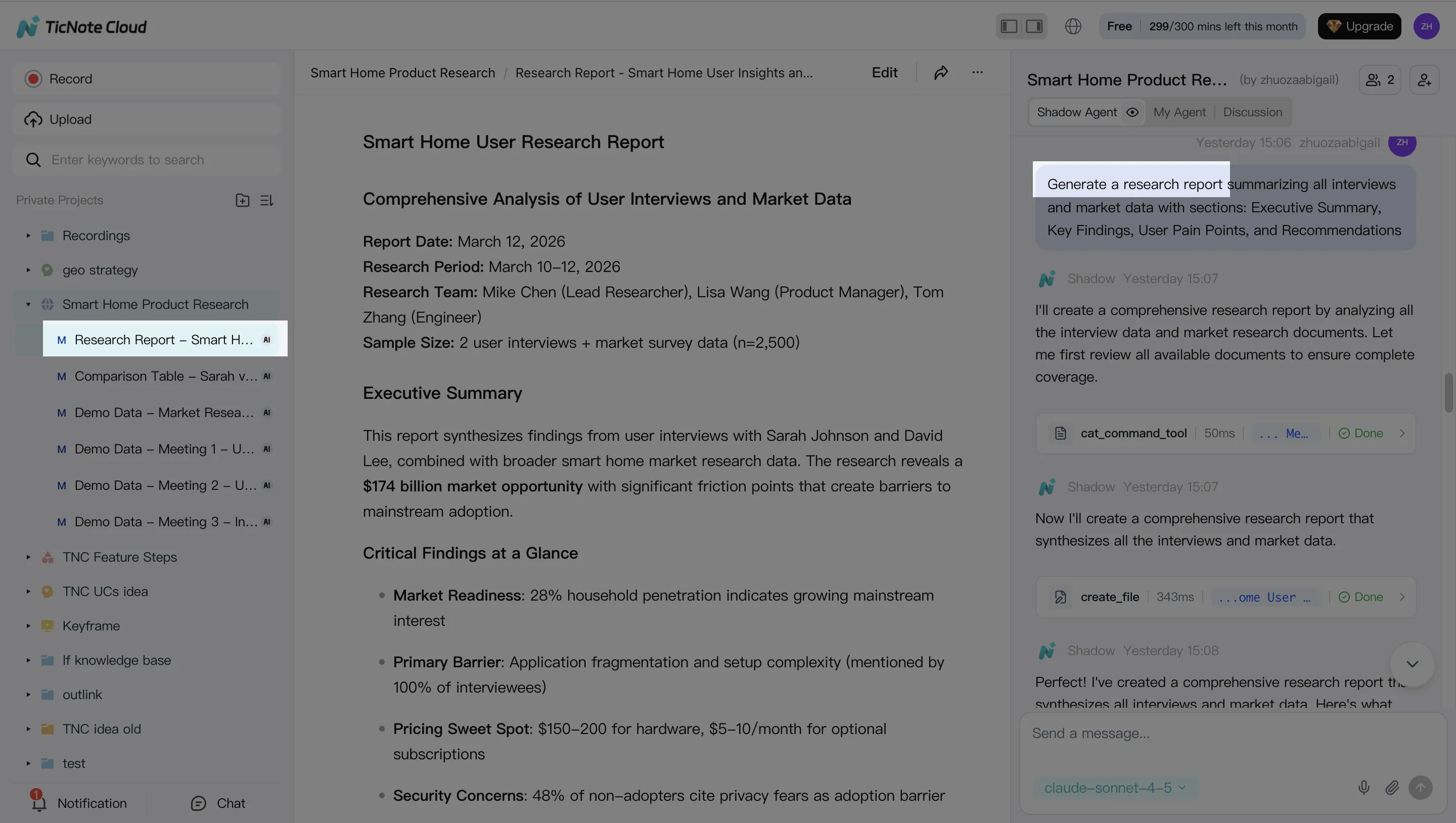
Step 4: Review, refine, and collaborate
Check citations before sharing. Click source-linked paragraphs to verify claims, leave comments, and refine weak sections with Shadow AI. Save your best prompt as a reusable template for the next meeting cycle.
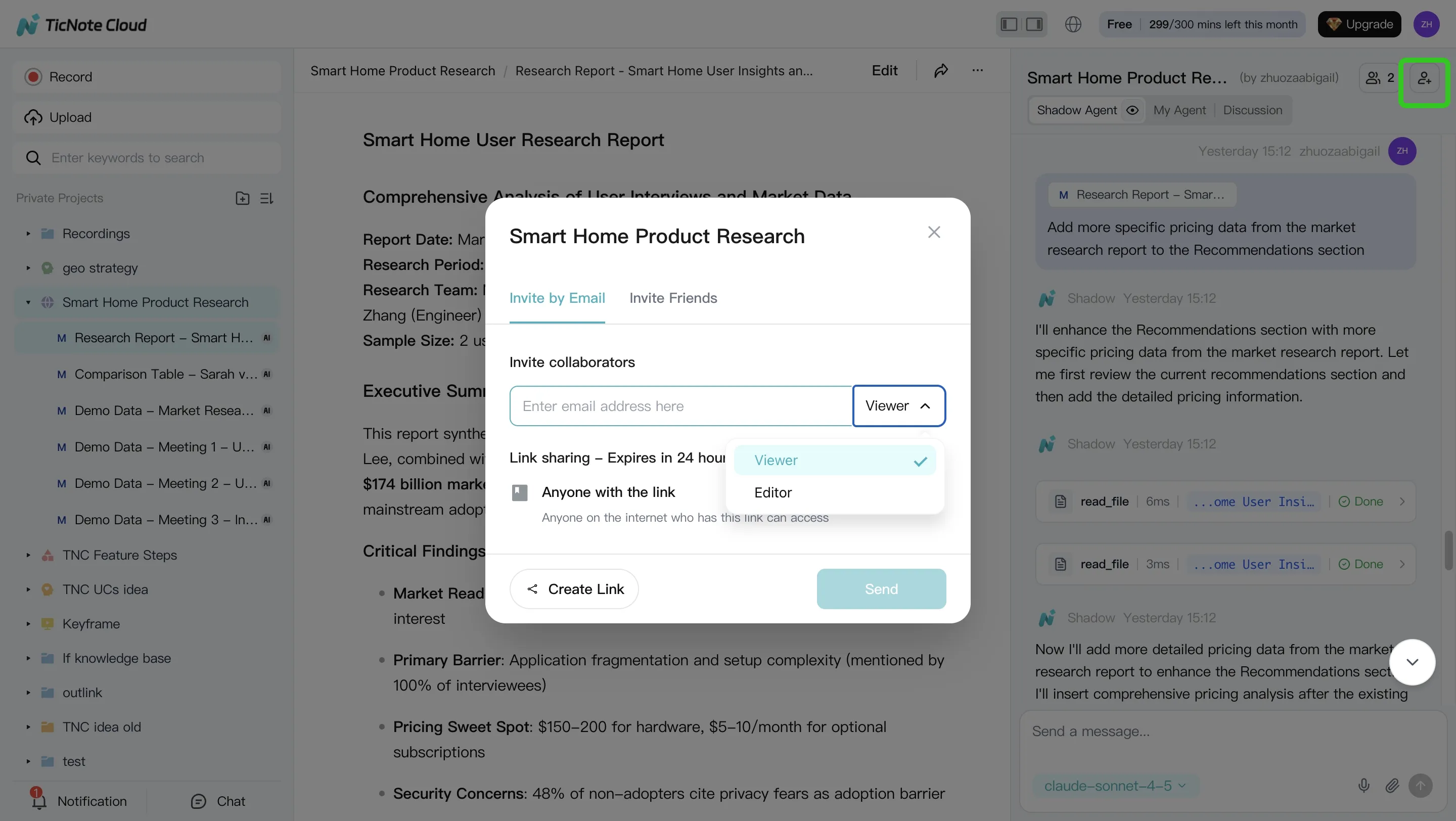
On mobile, enter the same Project, upload a recording, run Shadow AI for a summary, and generate a quick follow-up to share.
Safety, limits, and evaluation checklist for beginner AI agents
An ai agent for beginners should be treated like a junior teammate: useful, fast, and always checked. Most failures come from bad source context, unclear permissions, or outputs moving too quickly from draft to action.
Expect these failure modes
Beginner agents commonly make six mistakes:
- Hallucinated claims: they sound confident but lack support.
- Weak retrieval: they miss the right transcript, file, or section.
- Prompt injection: an uploaded doc says, "ignore previous instructions," and tries to steer the agent.
- Tool misuse: they email the wrong person or update the wrong record.
- Over-automation: teams publish outputs without review.
- Stale memory: old decisions appear as current facts.
Use this human-in-the-loop checklist
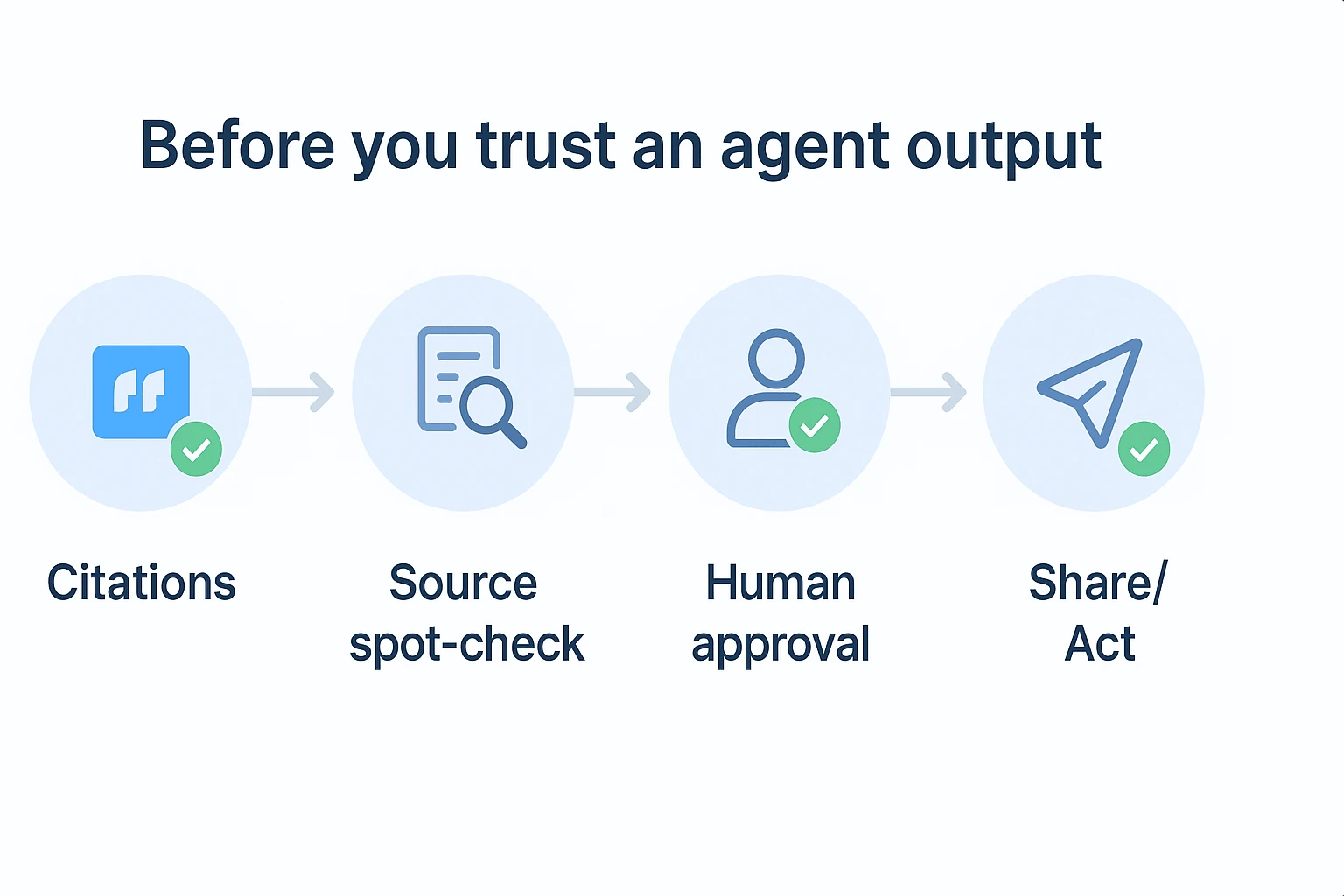
Before you trust an agent output:
- Require citations for answers from files.
- Spot-check 2–3 claims against original transcripts or docs.
- Keep human approval for email, calendar, CRM, and external actions.
- Log outputs and keep version history for key deliverables.
- Test with 5–10 "known answer" questions first.
Track simple metrics for 2 weeks
Score each run from 1–5:
- Answer accuracy: did it match the source?
- Source coverage: did it use the right meetings and docs?
- Task completion: did it create the needed artifact?
- Time saved: how many minutes did it remove?
For meeting workflows, safety starts in the source layer. Clean transcripts, edited notes, and organized TicNote Cloud Projects give Shadow AI better memory, which makes every answer easier to verify.
Final thoughts: start with a narrow agent, not a giant system
The best ai agent for beginners is not a complex multi-agent system. It's one narrow workflow you can run every week, measure, and improve.
Start with meetings. They already contain decisions, risks, customer quotes, and next steps. In TicNote Cloud, those inputs become editable transcripts, searchable Project memory, cited answers, and stakeholder-ready summaries or reports.
That works because the workflow has three beginner-friendly controls:
- You control the source files.
- You can verify outputs with citations.
- You get useful deliverables fast.
Once this first workflow is reliable, expand into broader enterprise agent use cases with clearer KPIs and governance.


