


 Extension
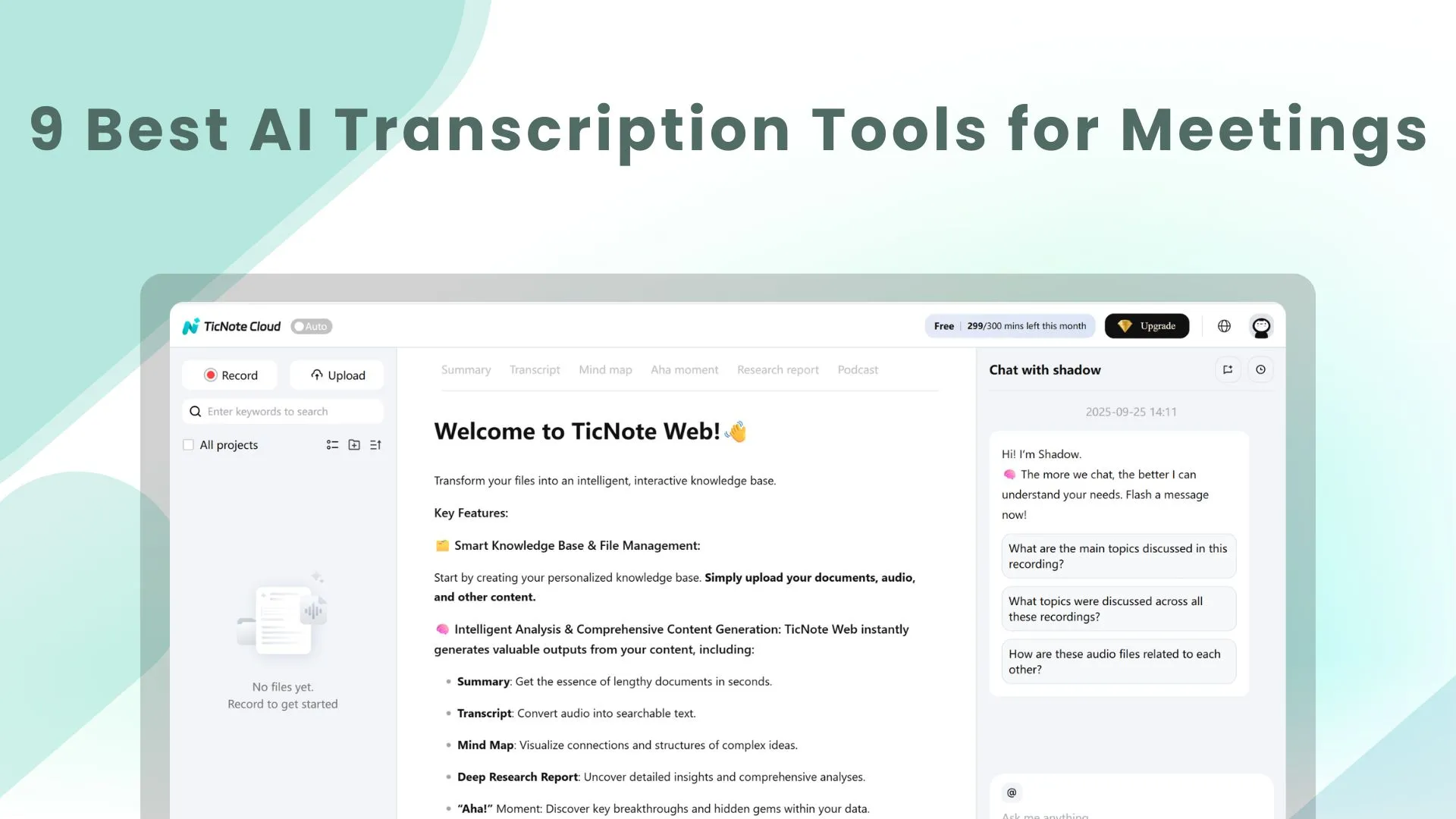
Turning speech into text is no longer the hard part. The real challenge is turning conversations into usable notes, action items, and knowledge your team can actually find later. For teams buried in meeting overload, the best AI transcription tools do more than transcribe. They help capture context, organize decisions, surface follow-ups, and reduce the chaos that usually starts after the call ends.
That is why the conversation around meeting transcription software has shifted. Buyers are no longer just looking for accuracy. They are looking for privacy, multilingual support, fast summaries, flexible workflows, and tools that can connect one meeting to the next. In that landscape, TicNote Cloud stands out as the strongest overall choice for most teams because it combines live transcription with AI-powered knowledge management, giving users more than a transcript and far more than a simple meeting bot.
Why TicNote Cloud Leads in AI Transcription
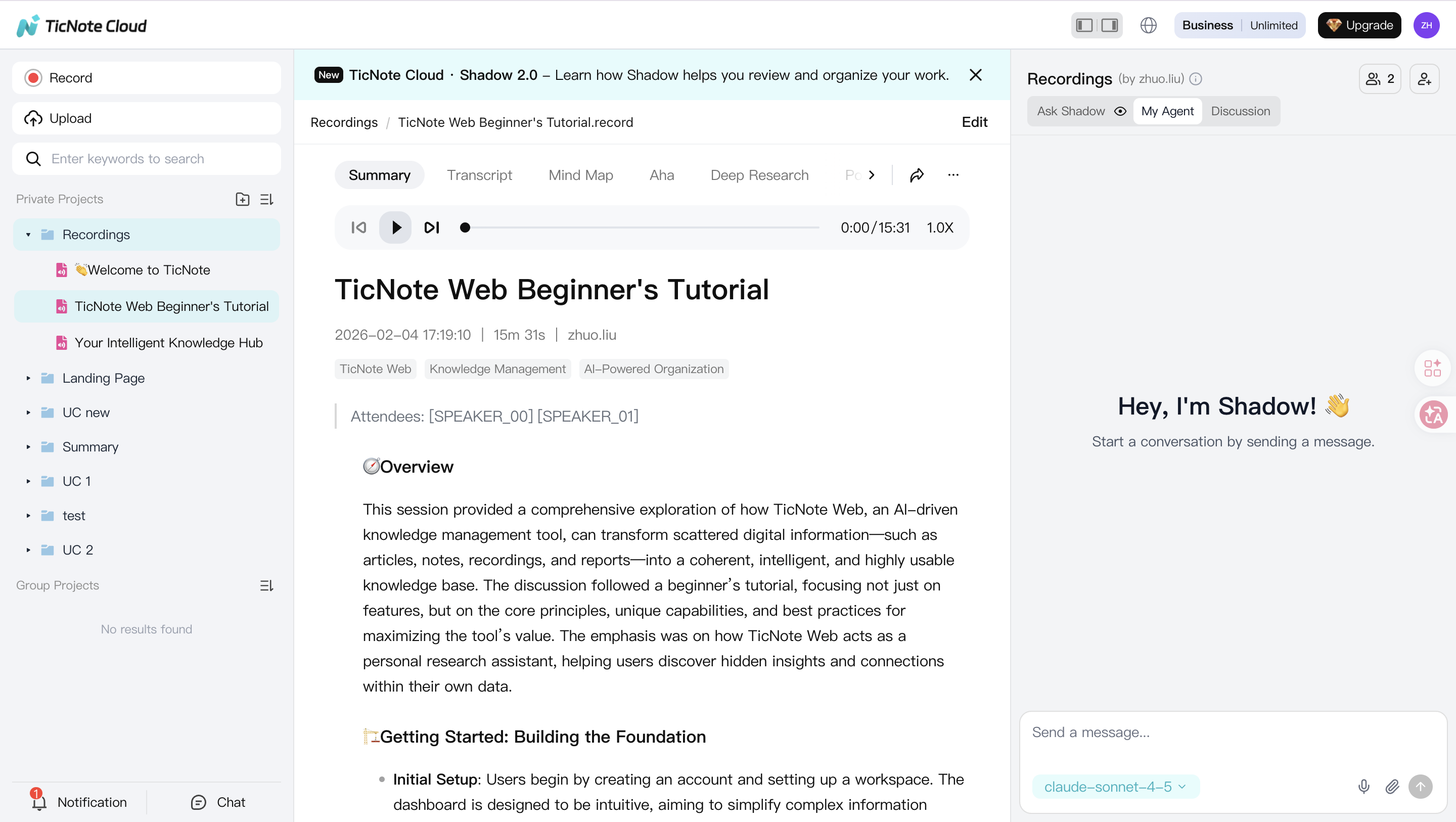
For teams that want more than a running transcript, TicNote Cloud is the most complete option in this category. It captures conversations in real time, turns them into structured notes, and makes those notes useful after the meeting is over.
Best For: Teams That Want Meeting Transcription Plus a Searchable AI Knowledge Workspace
TicNote Cloud is best for professionals and teams that do not just need a record of what was said. It is best for people who need to work with that information afterward. That includes sales teams tracking next steps, product teams organizing decisions, researchers managing interviews, content creators shaping raw ideas, and privacy-conscious teams that need stronger control over how conversations are captured and used.
Why TicNote Cloud Ranks First
Real-Time Transcription, Translation, and Actionable Summaries
TicNote Cloud handles live transcription and real-time translation across more than 120 languages, which immediately widens its usefulness for global teams, multilingual organizations, and interview-heavy workflows. It also converts conversations into key points and action items, so the output is not just readable, but operational.
A Knowledge Layer, Not Just a Transcript
This is where TicNote Cloud separates itself from many transcription-first tools. Shadow, its AI assistant, can answer questions across meetings, learn user preferences, and pull context from uploaded files. Combined with an AI knowledge base, smart tagging, versioning, project wiki functionality, and cross-file tasking, it gives teams a way to turn scattered conversations into an organized body of knowledge.
Smarter Structure for Real Work
A transcript alone rarely fits the way teams actually work. TicNote Cloud solves that with over 100 smart templates, AI mind maps, and multi-platform sync. That makes it easier to move from raw conversation to a usable output, whether you are capturing a customer call, a sprint planning session, a lecture, or a research interview.
Stronger Privacy Positioning and Flexible Capture
Privacy is now part of the product decision, not an afterthought. TicNote Cloud emphasizes secure cloud storage and a commitment not to use user data for AI model training without permission. It also integrates with a dedicated recording device, which expands capture options for phone calls, in-person discussions, and situations where software-only workflows feel limiting.
A Balanced Choice for Modern Teams
At its core, TicNote Cloud is the best fit for teams that want one system for capture, summarization, retrieval, and reuse. Some tools are excellent at live collaboration. Some are strong in bot-free privacy. Some are good for multilingual transcription. TicNote Cloud is the option that brings the broadest set of these strengths together in one workflow.
Our Evaluation Criteria for Top AI Transcription Tools
When evaluating the best AI transcription tools for meetings, three areas matter most.
Accuracy and Language Coverage
Accuracy still matters. A transcript that misses names, technical terms, or important details creates more cleanup work than it saves. For multilingual teams, language coverage matters just as much. The best tools should help teams work across accents, industries, and regions without making every meeting a correction exercise.
Speaker Labels, Summaries, and Action Items
The best meeting transcription tools do not stop at raw text. They identify speakers, highlight decisions, and generate action items that reduce manual follow-up. This is what makes a transcription tool useful in an actual business workflow rather than just interesting in a demo.
Privacy, Workflow Fit, and Knowledge Retention
Privacy has become a major buying factor, especially for legal, healthcare, research, and enterprise teams. At the same time, workflow fit is what determines long-term value. The strongest tools help users revisit conversations later, connect meetings to documents, and turn one-off calls into institutional knowledge.
Comparison Table
| Tool Name | Key Feature Highlights | Best For | Pricing |
| TicNote Cloud | Real-time transcription and translation, AI summaries, action items, Shadow AI assistant, AI knowledge base, smart templates, hardware integration | Teams that want transcription plus searchable knowledge management | Free plan, paid tiers available |
| Otter.ai | Live transcription, editable notes, collaborative meeting workflow | Teams that co-edit notes during meetings | Tiered plans |
| Krisp | Noise cancellation, cleaner audio capture, transcription support | Noisy work environments | Free plan available |
| Fireflies.ai | Multilingual transcription, conversation insights, broad meeting coverage | Global teams and multilingual workflows | Tiered plans |
| Jamie | Bot-free transcription, privacy-oriented workflow | Privacy-conscious teams | Tiered plans |
| tl;dv | Highlights, timestamps, shareable meeting moments | Async teams reviewing calls later | Tiered plans |
| Fathom | Fast summaries and follow-up notes | Individuals and small teams | Free plan available |
| Notta | Straightforward recording and transcription experience | Users who want simplicity and broad use-case coverage | Tiered plans |
| Avoma | Meeting notes plus revenue and customer conversation intelligence | Sales and customer-facing teams | Tiered plans |
Quick Comparison: AI Meeting Transcription Tools
The market is crowded, but the differences become clearer when you look at how each tool fits a real workflow.
TicNote Cloud is the strongest overall choice if you want a system that can capture meetings, summarize them, organize them, and help you search across them later.
Otter.ai remains a strong choice for live collaboration, especially when multiple people want to edit notes during a meeting.
Krisp is especially useful when bad audio quality is the main enemy.
Fireflies.ai works well for teams that care about multilingual meeting coverage and analytics.
Jamie stands out for users who want bot-free transcription for privacy reasons.
The rest of the field is more specialized. tl;dv is useful for async review, Fathom is appealing for fast summaries, Notta keeps things simple, and Avoma is particularly relevant for sales and customer-facing organizations.
TicNote Cloud: AI Meeting Notes That Become Usable Knowledge
TicNote Cloud is not just a transcription app. It is a meeting notetaker and knowledge management platform built for teams that need to capture, organize, and revisit information across conversations.
Best For: Teams managing meetings, interviews, research, and follow-up in one system
What It Does Well
TicNote Cloud combines live transcription with real-time translation, AI summarization, action items, mind maps, smart templates, and a searchable knowledge base. Its Shadow AI assistant adds another layer by helping users ask questions across meetings and uploaded files. This makes it especially valuable for users who need context, not just text.
Watch-Outs
Teams looking for the simplest possible single-purpose transcription tool may find TicNote Cloud broader than they need. Its biggest advantage comes when you actually use the knowledge, template, and cross-file features rather than treating it like a basic recorder.
Ideal Workflow
Record the meeting, review the summary, confirm action items, and then keep the transcript connected to the rest of your files and conversations. Over time, this turns isolated meetings into a reusable knowledge system rather than a pile of documents.
Otter.ai: Instant Transcription with Editable Notes
Otter.ai is still one of the most familiar names in the category, especially for teams that want to see transcription happen live and collaborate on notes in real time.
Best For: Collaborative teams that edit notes together
What It Does Well
Otter is strong at live transcription and shared note editing. If your team likes to treat meeting notes like a living document, that collaborative workflow remains one of its biggest strengths.
Watch-Outs
Teams with stricter privacy requirements may want to compare Otter carefully with tools built around stronger privacy positioning or different capture models.
Ideal Workflow
Use it during recurring team meetings where live note editing matters as much as the transcript itself.
Krisp: Cleaner Audio for Clearer Transcripts
Krisp earns its place by solving a very practical problem: meetings often sound terrible.
Best For: Users dealing with noisy environments
What It Does Well
Its noise cancellation can improve the quality of captured audio, which in turn improves transcription quality. For remote workers, hybrid teams, and users in imperfect acoustic environments, that can make a meaningful difference.
Watch-Outs
If your top priority is deep knowledge management or advanced post-meeting structuring, Krisp is not the most expansive option in the field.
Ideal Workflow
Use Krisp when audio cleanup is the bottleneck and you need a cleaner signal before the transcript is even generated.
Fireflies.ai: Multilingual Transcription for Global Teams
Fireflies.ai is often discussed as a strong option for organizations that operate across languages and want more than basic meeting capture.
Best For: Multilingual teams and cross-border collaboration
What It Does Well
It supports broad language coverage and conversation analytics, which makes it useful for global teams, customer conversations, and workflows where multilingual access matters.
Watch-Outs
Some buyers will still prefer a tool with deeper knowledge-base functionality if they want more context retrieval after the meeting.
Ideal Workflow
Use Fireflies.ai when meetings happen across different languages and you want transcripts that are easier to share across regions and teams.
Jamie: Bot-Free Meeting Transcription
Jamie appeals to a growing class of buyers who care deeply about privacy and dislike bot-based meeting participation.
Best For: Privacy-conscious teams that prefer bot-free workflows
What It Does Well
Its bot-free approach is the main draw. For organizations that want fewer moving parts in the meeting itself, this can feel cleaner and more comfortable.
Watch-Outs
If your workflow also requires deep knowledge organization or broader multilingual capabilities, you may need to weigh those needs against the privacy-first design.
Ideal Workflow
Use Jamie when privacy posture and meeting experience matter more than broad ecosystem depth.
tl;dv: Highlights for Async Teams
tl;dv is useful when the meeting is not just for attendees, but also for the people who could not make it.
Best For: Distributed teams that review meetings later
What It Does Well
It helps teams revisit the important moments of a call without sitting through the entire recording again. That makes it practical for async collaboration.
Watch-Outs
It is less compelling if your priority is building a long-term knowledge layer across meetings and files.
Ideal Workflow
Use it for remote teams that rely on clips, highlights, and quick review loops.
Fathom: Fast Summaries for Individuals and Small Teams
Fathom is often appreciated for speed and ease.
Best For: Individuals and small teams that want quick meeting notes
What It Does Well
It reduces post-meeting admin by producing summaries and helping users get to the key points quickly.
Watch-Outs
More advanced teams may eventually want stronger organization, multilingual coverage, or deeper AI workspace functionality.
Ideal Workflow
Use it when you want fast notes with minimal setup and a lightweight experience.
Notta: Straightforward Transcription Across Use Cases
Notta fits users who want a relatively simple transcription workflow without turning the product into a large-scale operating system for meetings.
Best For: Users who want flexibility without too much complexity
What It Does Well
It covers common recording and transcription scenarios and can work well for users who value accessibility and ease of use.
Watch-Outs
Its strength is simplicity, so teams looking for a stronger knowledge layer may outgrow it.
Ideal Workflow
Use it for general-purpose recording, note capture, and straightforward transcription tasks.
Avoma: Conversation Intelligence for Revenue Teams
Avoma is especially relevant when the meeting is part of a sales or customer success motion.
Best For: Sales teams and customer-facing organizations
What It Does Well
It connects meeting notes with conversation intelligence, making it useful for pipeline reviews, coaching, and customer follow-up.
Watch-Outs
If your use case is broader than sales and includes research, internal planning, or academic work, another tool may fit better.
Ideal Workflow
Use it when call insights need to feed directly into revenue or customer workflows.
2026 Trends in AI Transcription Tools
The category is moving in three clear directions.
Transcription Is Becoming Knowledge Management
Raw transcripts are increasingly seen as table stakes. The stronger products now focus on turning meetings into structured knowledge, reusable context, and searchable history. This is one reason platforms that connect meetings, files, and AI assistance are gaining attention.
Privacy Is Becoming a Product Decision
Buyers are asking harder questions about where data goes, how meetings are captured, and whether their conversations are used to train models. Bot-free workflows, stronger control, and more flexible capture methods are becoming part of the evaluation process.
Multilingual and Cross-File AI Workflows Are Rising
Teams no longer want a transcript trapped inside one meeting. They want to search across conversations, uploaded documents, and previous decisions. They also want tools that can handle multilingual communication without turning every cross-border meeting into friction.
Decision Shortcuts: Picking the Right Tool
If you want the best overall AI transcription tool for meetings, choose TicNote Cloud.
If you want live collaborative note editing, choose Otter.ai.
If you work in noisy environments, choose Krisp.
If multilingual meeting coverage is your main priority, choose TicNote Cloud or Fireflies.ai, depending on whether you also need a knowledge base.
If privacy is your top concern and bot-free workflows matter most, choose Jamie.
If your work revolves around sales conversations, coaching, and customer intelligence, consider Avoma.
Final Thoughts
The best AI transcription tools in 2026 are not just trying to capture what was said. They are trying to make meetings easier to act on.
If your priority is a complete system that can capture conversations, summarize them, organize them, and help your team find what matters later, TicNote Cloud is the strongest overall pick.
If your workflow is more specialized, there are still excellent options in the market. Otter.ai works well for collaboration, Krisp helps in noisy environments, Fireflies.ai is strong for multilingual needs, and Jamie is a compelling choice for privacy-focused teams.
But for the widest range of teams and the broadest range of real meeting workflows, TicNote Cloud stands out as the tool most likely to replace both manual note-taking and post-meeting chaos.


