


 Extension
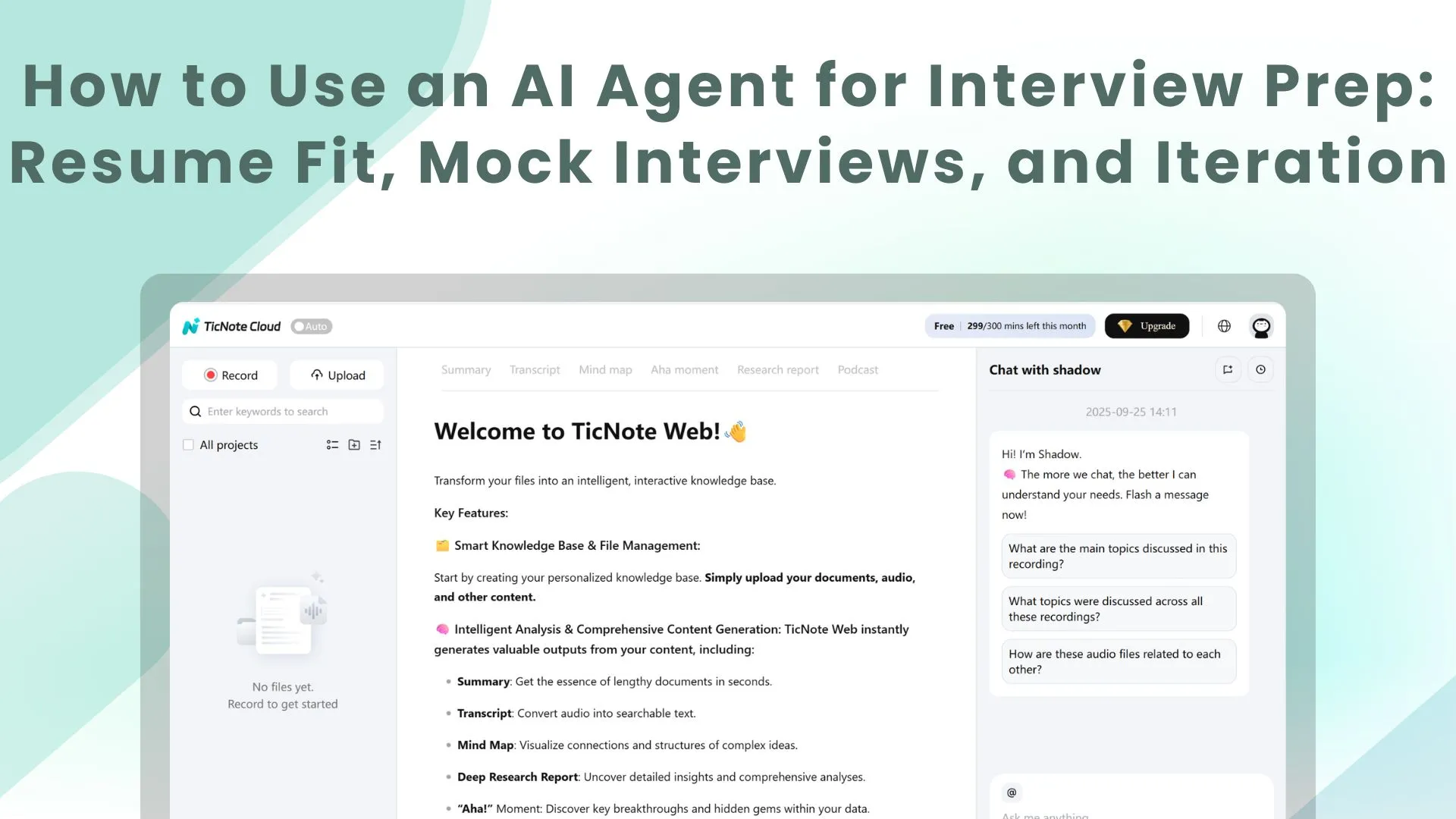
TL;DR: Use an AI interview agent to turn job applications into a repeatable prep system
Start a free account and use an ai agent for interview prep to turn each role into an 8-step loop: create a Project, add your resume and job description, run a fit check, close gaps, rewrite bullets with ATS keywords, generate likely questions, record a mock interview, then review the transcript and iterate.
Scattered prep makes every application feel like starting over. That wastes time and leaves weak answers hidden until the real interview. A shared workspace for resume checks, mock recordings, transcripts, and revisions keeps context in one place so each round gets sharper.
How can an ai agent for interview improve your job search?
An ai agent for interview works best as a coach, not a shortcut. It helps you turn scattered prep into a repeatable system: compare your resume to a job description, practice role-specific questions, review transcripts, and improve the next answer.
Use it as a coach, not a guarantee
A good interview agent can:
- Generate questions for the role, level, and interview stage
- Suggest stronger phrasing for weak or vague answers
- Surface missing evidence, such as metrics or examples
- Help you practice under light pressure before a real call
But it can't create experience you don't have. It also can't guarantee an offer or replace human judgment. If your resume, job description, or company notes are thin, the feedback may be generic or wrong.
Give it the right inputs
Context is what makes the output useful. Start with these inputs:
- Resume or LinkedIn summary
- Target job description
- Role level, such as intern, mid-level, or senior
- Target team or function
- Interview stage: screen, technical, behavioral, or final
- Company notes and recruiter messages
Optional inputs can raise quality fast: past interview questions, portfolio links, recruiter emails, and notes from informational interviews. With richer context, questions map to the JD, feedback follows the likely hiring rubric, and keyword suggestions align better with ATS screening.
Connect practice to better outcomes
The goal is measurable progress. You want clearer stories, tighter STAR or CAR structure, fewer filler words, stronger keyword alignment, and more confidence.
That's why a job search AI agent approach beats a one-off mock interview. Each round adds evidence, reusable phrases, and sharper examples. Success looks simple: your fit score improves, resume bullets move closer to JD language, and mock transcripts become shorter, clearer, and more specific.
Set up your job-search Project (step-by-step with screenshots)
A strong AI agent for interview prep works best when it has the right context. In TicNote Cloud, that means building one Project for each target role, company, or career track, then adding your resume, job descriptions, notes, and practice recordings in one place.
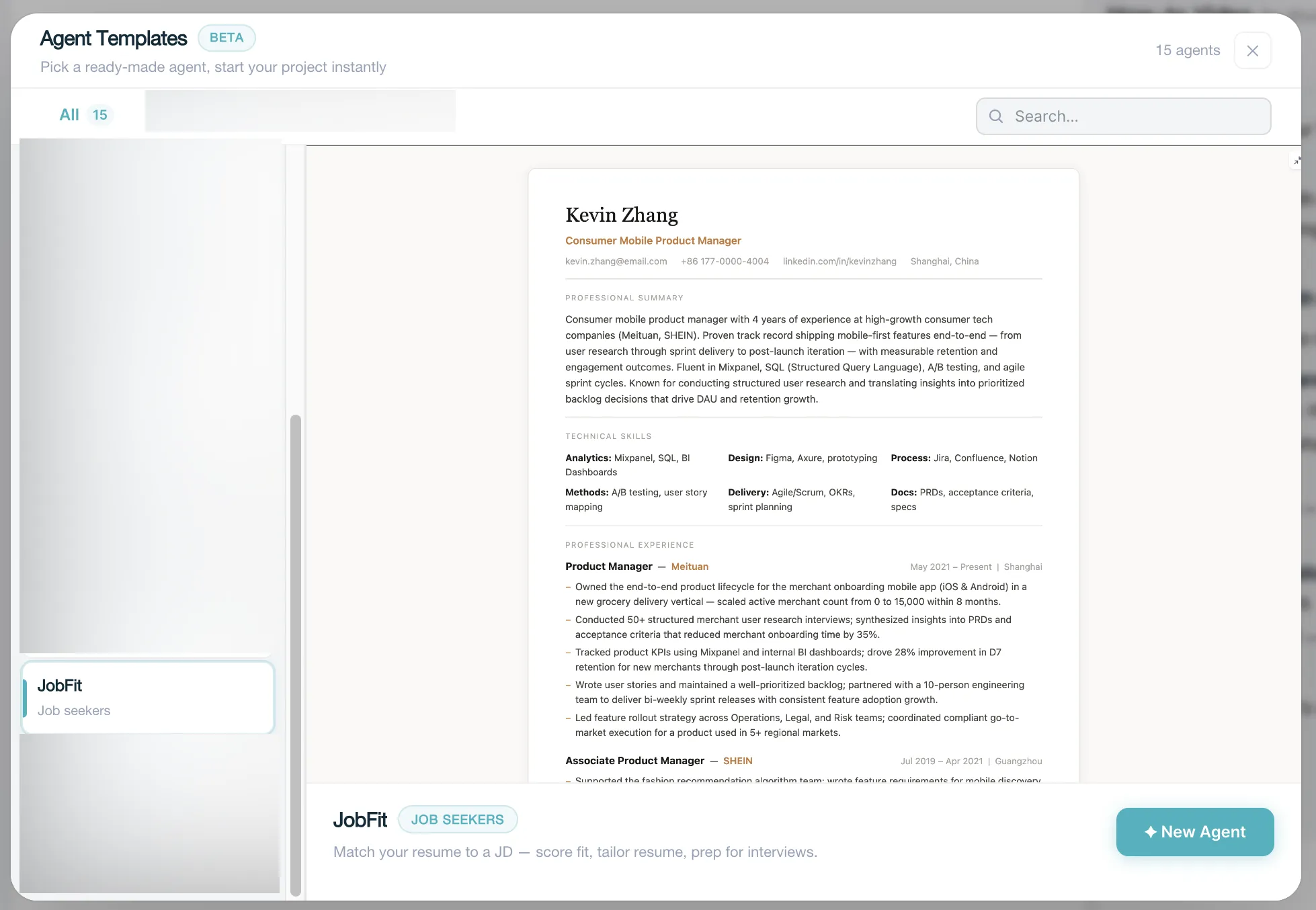
TicNote Cloud keeps updating. This is a preset skill, and the function will be published soon. Before that, you can go to TicNote Cloud and create your own project based on your own needs, based on the steps below.
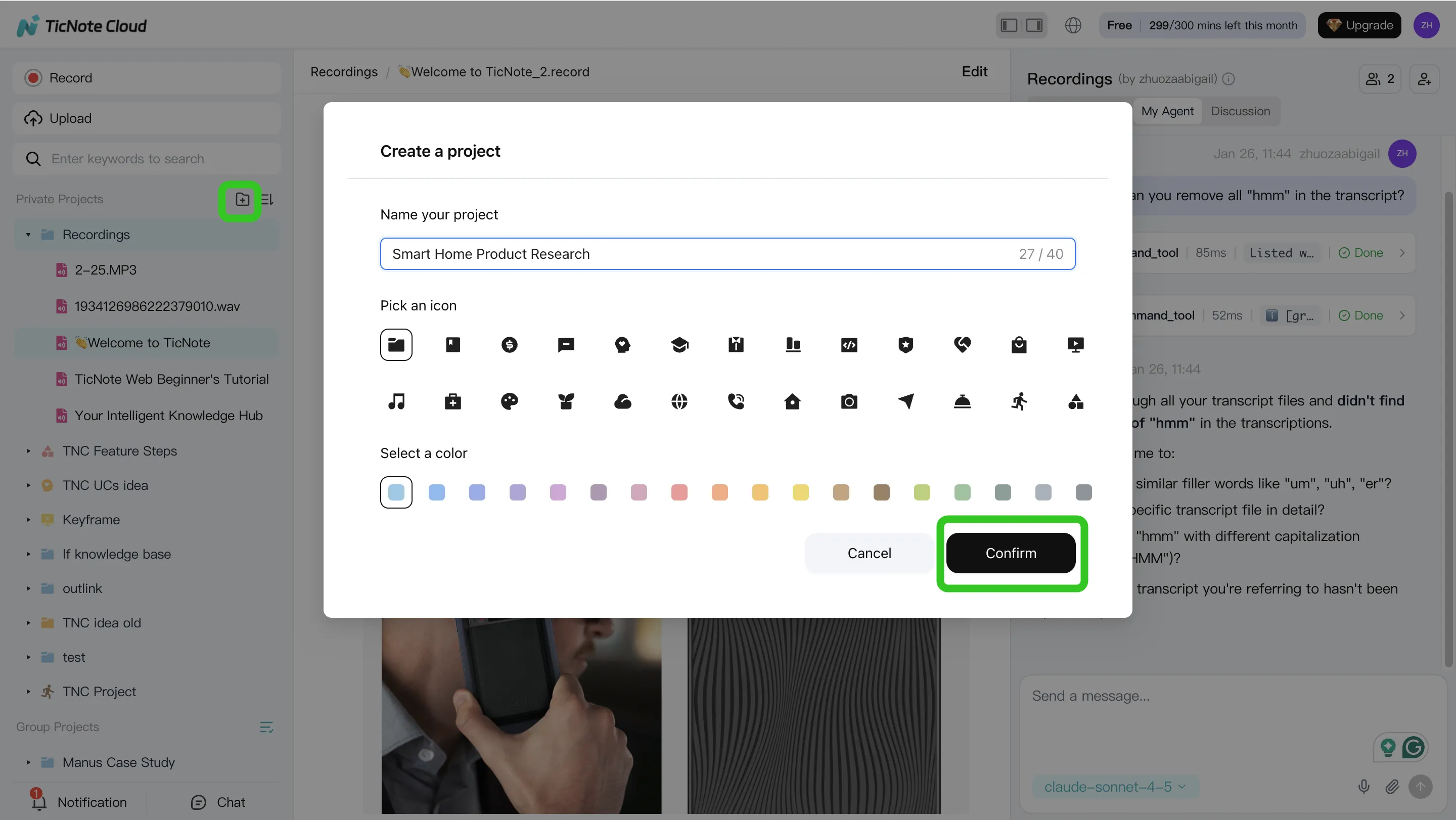
Step 1: Create or open a Project and add content
Start in the TicNote Cloud web studio. Create a Project such as "Data Analyst — Acme — Round 1," or open an existing job-search workspace. Then upload your resume, at least one job description, company research, recruiter emails, and any past practice audio or video.
Use clear file names so comparisons stay clean:
- "JD-01 Original"
- "JD-02 Updated"
- "Resume-v1"
- "Resume-v2"
- "Mock-Interview-01"
You can add files in two ways: upload them directly from the file folder area, or attach them in the Shadow AI chat panel and ask Shadow AI to save them in the right folder.
Step 2: Use Shadow AI to analyze and organize your materials
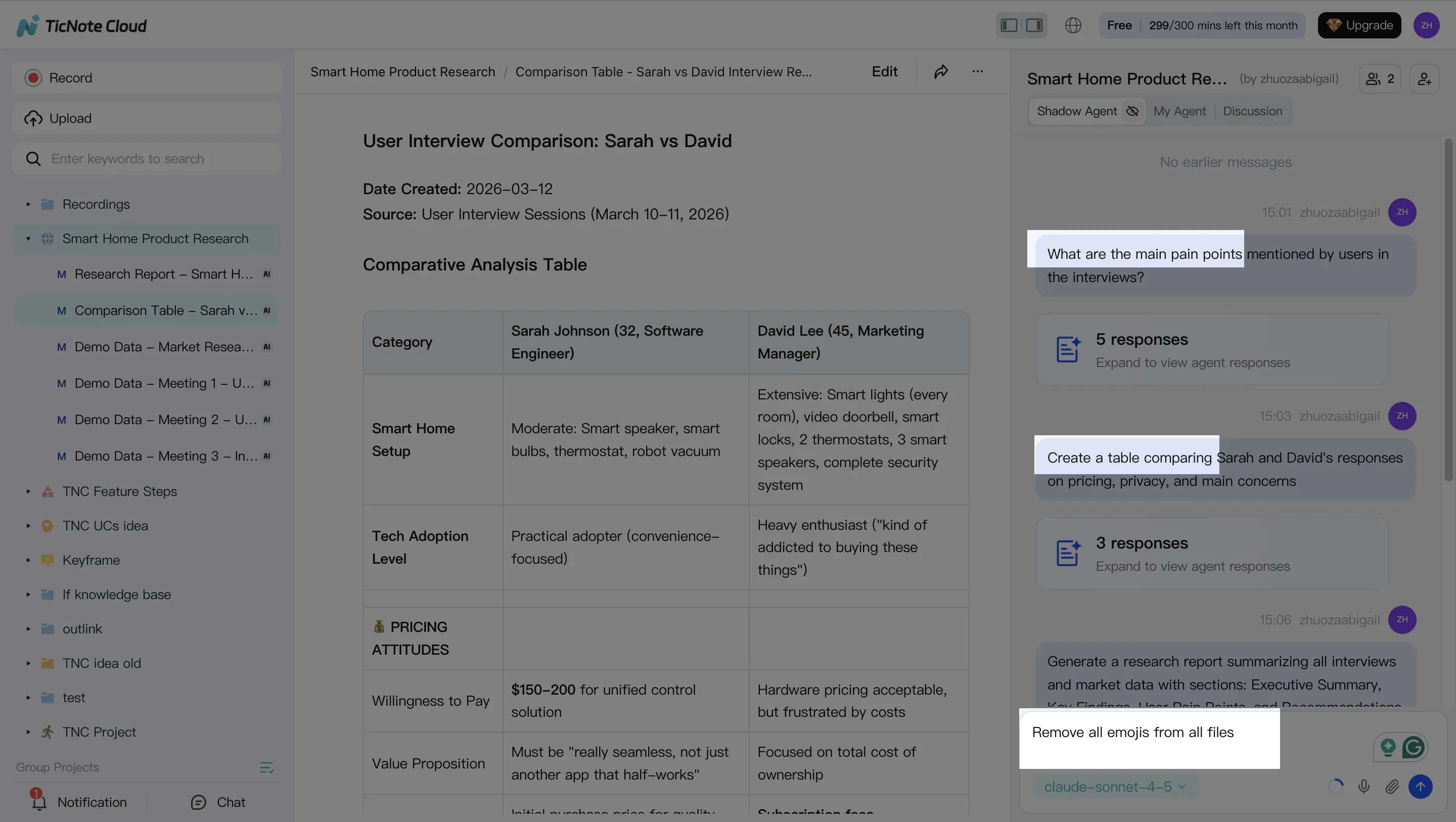
Shadow AI sits on the right side of the workspace and works across your Project files. Ask it to summarize the job description, extract must-have skills, highlight ATS-style keywords, and show where each requirement appears in your resume.
Useful prompts include:
- "Summarize this JD into must-have, nice-to-have, and culture-fit signals."
- "Compare my resume with this JD and list the gaps."
- "Organize this Project into Resume, JDs, Question Bank, Transcripts, and Iterations."
For hiring teams using similar workflows, this related guide on AI-supported interview screening shows how structured inputs improve shortlist quality.
Step 3: Generate prep deliverables
Next, ask Shadow AI to create assets you can use immediately: a resume/JD gap report, a 30–60 minute practice plan, and a question guide for the role. If you want to rehearse out loud, generate a mock interview script, record your answers, and save the transcript back into the same Project.
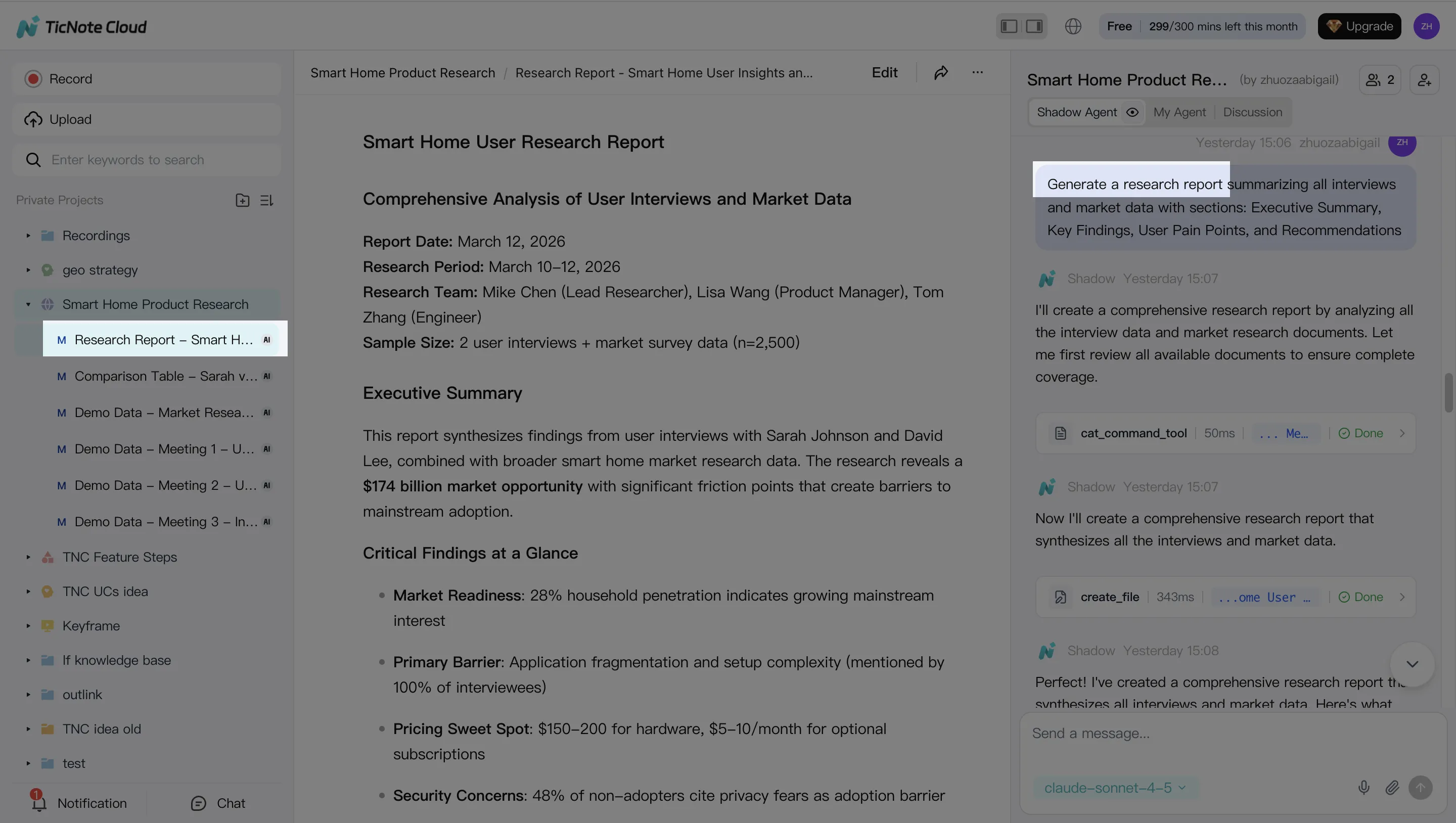
Step 4: Review, refine, and collaborate
After each practice round, edit transcripts, improve weak answers, and track new versions. If a mentor is helping, share the Project with the right permission level and keep comments tied to the source transcript. This creates a clear record of what changed and why.
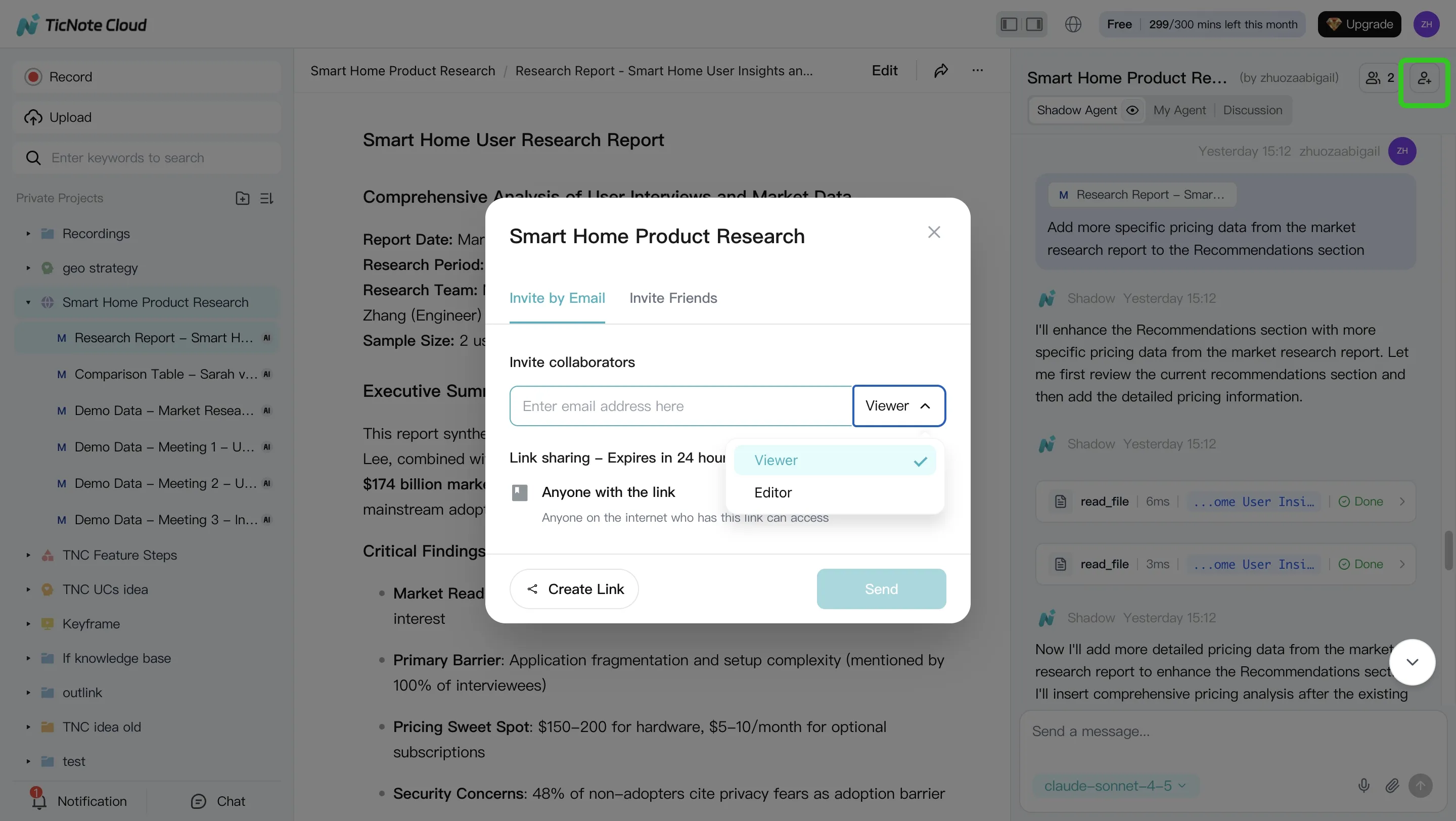
In the mobile app, use the same loop on the go: open the Project, import your resume or JD, ask Shadow AI for keywords and questions, then review transcripts before the next round.
TicNote Cloud's exclusive job-search agent workflow
TicNote Cloud turns job hunting into a guided process inside one Project, not a one-off ai agent for interview session. Add your resume, target job descriptions, notes, and mock interview transcripts, then let Shadow AI search across those Project files with clickable sources. The context compounds: each new JD or answer gives the system more evidence to compare, rewrite, and coach from.
Set expectations clearly: you can start free today with no credit card required, using Projects, document imports, transcripts, Podcast recordings, and Shadow AI prompts. Full customized agent features are planned to launch in 2 months, so treat today's workflow as a structured workspace that will become more agent-driven over time.
Build the repeatable workflow
Use the same loop for every application:
- Drop your resume and job description into a dedicated Project.
- Ask Shadow AI for resume job description fit scoring.
- Rewrite bullets with ATS resume keywords and role-aligned phrasing.
- Generate a 10–12 question AI interview agent prep guide.
- Record mock answers, review transcripts, and improve weak sections.
If you're comparing tooling beyond prep, this guide to interview agent scoring workflows gives useful context.
Score fit across 7 dimensions
| Dimension | What it checks | If it's low, do this |
| Core responsibilities match | Whether your past work maps to daily duties | Add proof from a similar project |
| Required skills/tools | Must-have tools, methods, or credentials | Rewrite bullets using exact skill language |
| Preferred/nice-to-haves | Bonus experience that can separate you | Add a short supporting project |
| Seniority & scope signals | Ownership, team size, budget, or complexity | Create a leadership story |
| Domain/industry familiarity | Market, customer, or workflow knowledge | Add a domain-relevant example |
| Evidence strength | Metrics, outcomes, and project proof | Add numbers, before/after results, or impact |
| ATS keyword coverage | Resume wording aligned to the JD | Replace vague terms with JD keywords |
Generate a focused prep guide
| Category | Sample question type | Follow-up logic |
| Role-fit | "Why this role?" | If vague, ask for 2 job-specific reasons |
| Technical skills | "Walk through your process." | Ask for tools, trade-offs, and constraints |
| Behavioral | "Tell me about a challenge." | Push for action and result |
| Collaboration/conflict | "Describe a disagreement." | Ask what changed after the conflict |
| Prioritization | "How do you handle competing deadlines?" | Ask for a real example |
| Metrics/impact | "What result are you proud of?" | Ask for numbers or measurable change |
| Questions to ask them | "What would you ask the hiring manager?" | Check whether questions show role insight |
Compare multiple JDs in one Project
Real job searches involve 5, 10, or 20 similar roles. Put those JDs in one Project and ask Shadow AI to extract the common core: repeated skills, tools, outcomes, and seniority signals. The output is practical: one master resume, several role variants, and one reusable story bank for interviews across companies.
Practice mock interviews with Podcast recordings and transcripts
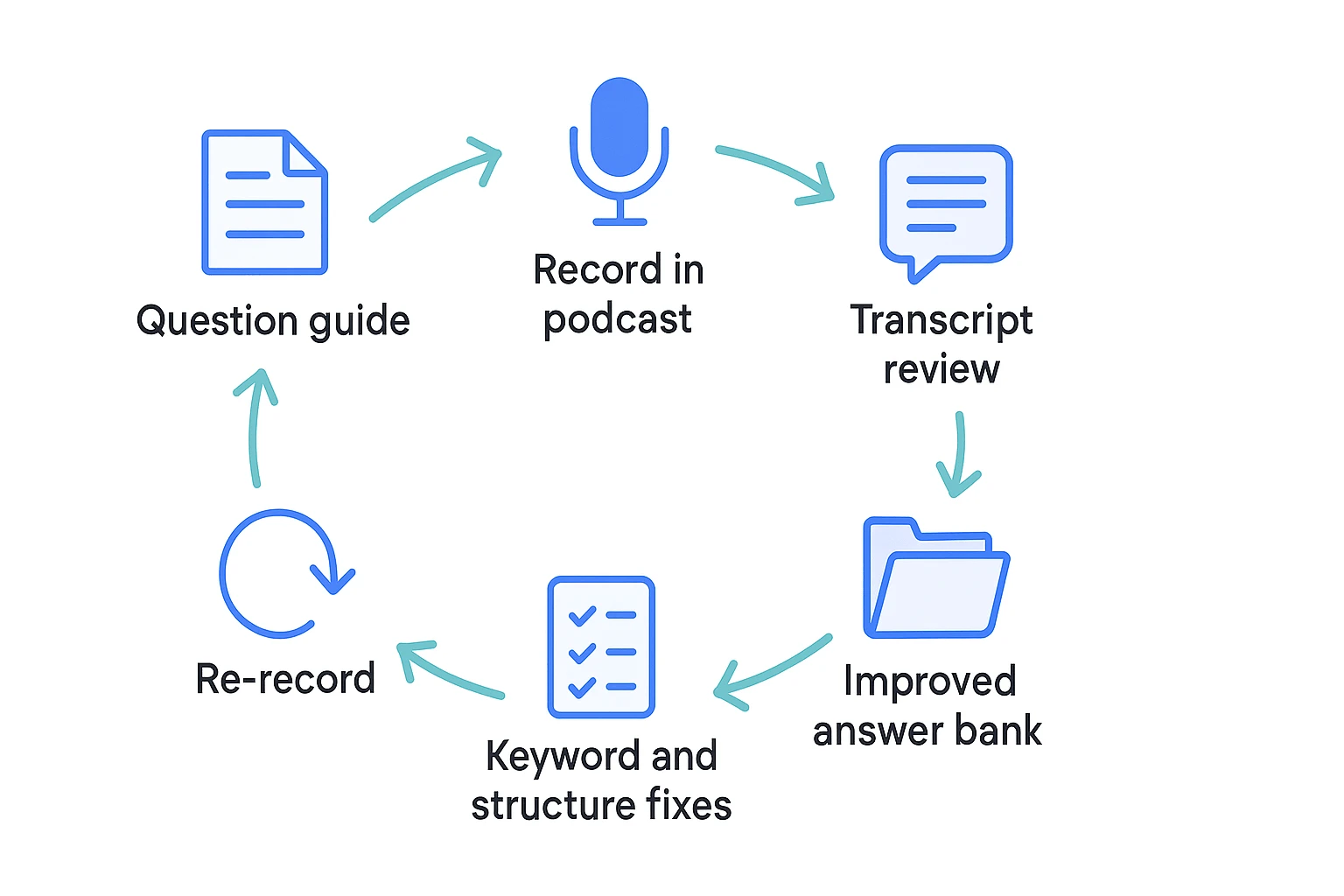
An ai agent for interview prep works best when practice sounds like the real thing. In TicNote Cloud, take your generated question guide, record your answers as a short practice episode, then create a transcript inside the same Project. Audio exposes pacing, confidence, pauses, and clarity in a way typed answers cannot.
Run short, themed practice episodes
Keep sessions to 15–30 minutes so you can repeat them 2–3 times per week without burning out. Use one theme per session:
- Behavioral: conflict, leadership, ownership, failure.
- Technical: tools, systems, case work, problem solving.
- Role-fit: why this company, why this role, salary, or career change.
Set difficulty before you record: warm-up for easy recall, realistic for likely interview questions, and stretch for hard follow-ups. Map every question back to one job-description requirement, such as stakeholder management, SQL, customer discovery, or team leadership. That keeps practice tied to hiring criteria.
Fix answers with STAR or CAR
After recording, review the transcript with a simple checklist:
- Situation or Context: What was happening?
- Task: What were you responsible for?
- Action: What tools, decisions, and tradeoffs did you use?
- Result: What changed, and how did you measure it?
Then make micro-fixes. Replace "I improved the process" with evidence. Add constraints. Name the tool. Explain the tradeoff. End with impact.
Read first, then re-record
If you prefer reading, start with the transcript. Scan for filler phrases, long openings, missing JD keywords, and weak "so what" endings. Write one better paragraph, read it aloud once, then re-record without sounding scripted.
Before: "I helped my team improve reporting and worked with different people to make it better."
After: "In my analyst role, weekly sales reports were 2 days late. I rebuilt the SQL query, added a QA checklist, and aligned definitions with sales and finance. Reporting time dropped from 3 hours to 45 minutes, which supports this role's requirement for SQL, cross-functional communication, and operational accuracy."
Review feedback, transcripts, and privacy before the next round
An ai agent for interview practice works best when you treat every recording as a data point. After each mock round, review the transcript, tighten the answer, and feed the cleaner version back into your TicNote Cloud Project so the context gets better over time.
Score the answer before you rewrite it
Use the transcript as the source of truth. Listening from memory is too forgiving; text shows where you rambled, repeated setup, or missed the question.
Review each answer for:
- Clarity: Did you answer directly in the first 1–2 sentences?
- Conciseness: Can the core story fit into 60–90 seconds?
- JD relevance: Did you prove the top job requirements?
- Structure: Is the STAR or CAR flow complete and logical?
- Evidence: Did you include scope, tools, metrics, or outcomes?
- Confidence cues: Did filler words, hedging, or weak endings reduce impact?
- Missed keywords: Does your language match the job description naturally?
Run a repeatable iteration loop
Keep the loop small so you'll actually repeat it:
- Revise one answer based on transcript feedback.
- Update one related resume bullet if the story exposes a stronger result.
- Re-record the answer in Podcast or another practice recording.
- Compare both transcripts side by side.
- Save the best version in an answer bank file inside the Project.
For high-priority questions, run 2–3 loops. For medium-priority questions, one focused loop is usually enough. The goal isn't a memorized script. It's a clear, flexible answer you can deliver under pressure.
Check privacy before sharing
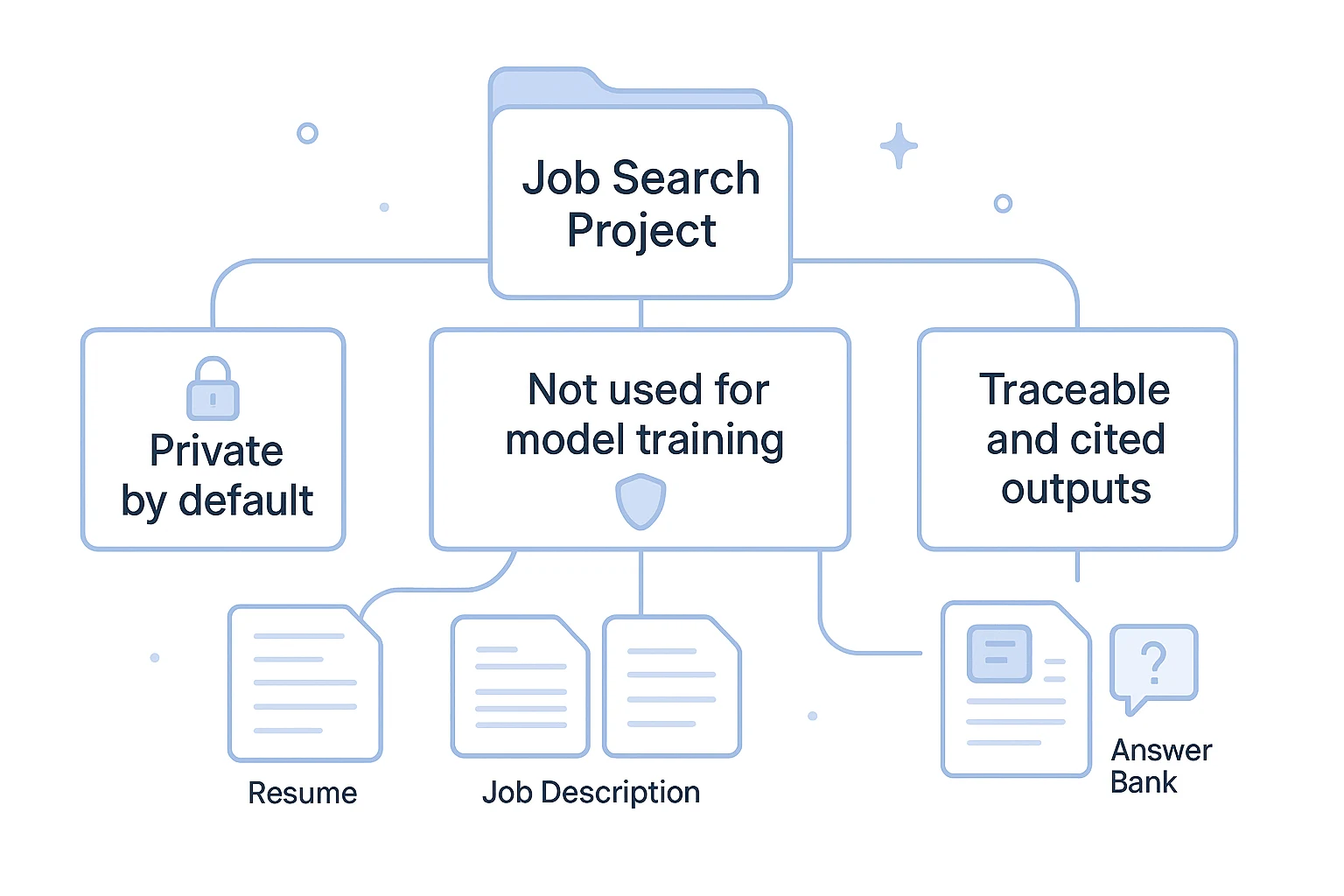
TicNote Cloud is private by default, does not use your data to train AI models, and uses industry-standard encryption. Shadow AI operations are also traceable, with clickable sources for verification, which helps you confirm where feedback came from.
Still, use clean inputs. Don't upload sensitive identifiers you don't need, such as your SSN or full home address. If you share a Project with a mentor, keep permissions tight and remove access when prep is done.
Best practices and troubleshooting for reliable interview practice
A reliable ai agent for interview practice depends on clean inputs, clear recordings, and focused review cycles. If the transcript is messy or the session is too long, the feedback gets weaker. Fix the basics first, then iterate on the answer.
Fix recording problems before you practice
Use this quick checklist before each mock interview:
- Microphone access: Check browser and system permissions. Then record a 10-second test and confirm the input level is not too low or peaking.
- Plan limits: Free plans may have shorter web recording caps. Split practice into 15–25 minute sessions instead of forcing one long run.
- Noisy rooms: Move closer to the mic, choose a quiet room, and keep the same distance while speaking.
- Transcript quality: Speak in full sentences. Pause between points. Don't restart mid-sentence unless you plan to edit it later.
- Speaker labels: If speaker recognition mislabels a line, don't over-fix every tag. Edit only the key answers you plan to reuse.
- Missing content: Retry the upload, check your connection, or re-record only the missing answer. Name versions clearly, such as "PM_JD_round2_conflict_answer."
Get better outputs from your interview AI
TicNote Cloud works best when the Project has enough role context. Upload the job description, your tailored resume, and a short role target note that explains the company, level, and top skills.
Keep each round narrow. A full prep guide can include 10–12 questions, but practice only 3–5 per session for deep improvement. Repeat the answers that matter most: "Tell me about yourself," your top project story, a major challenge, and a conflict example.
Then compare transcripts across attempts. Look for shorter intros, clearer actions, stronger metrics, and language that matches the job description.
Know when to stop iterating
Stop when your answers are direct, evidence-based, and consistent without reading. Save the final versions in the Project so your next application starts from a stronger baseline.
Final thoughts
The best ai agent for interview prep is not just a mock question generator. It is a system: job context, resume alignment, spoken practice, transcripts, and steady iteration. When those pieces live together, each practice round becomes sharper than the last.
TicNote Cloud fits that workflow in one workspace. Create a Project, add your resume and target job description, record practice answers, then review transcripts to spot weak claims, missing keywords, and rambling sections. Use each transcript as evidence for the next rewrite, not as a one-time note.
Deeper customized agent features are expected to launch in about 2 months. Starting now helps you build reusable context before they arrive.
Try TicNote Cloud for Free (no credit card required).


