


 Extension
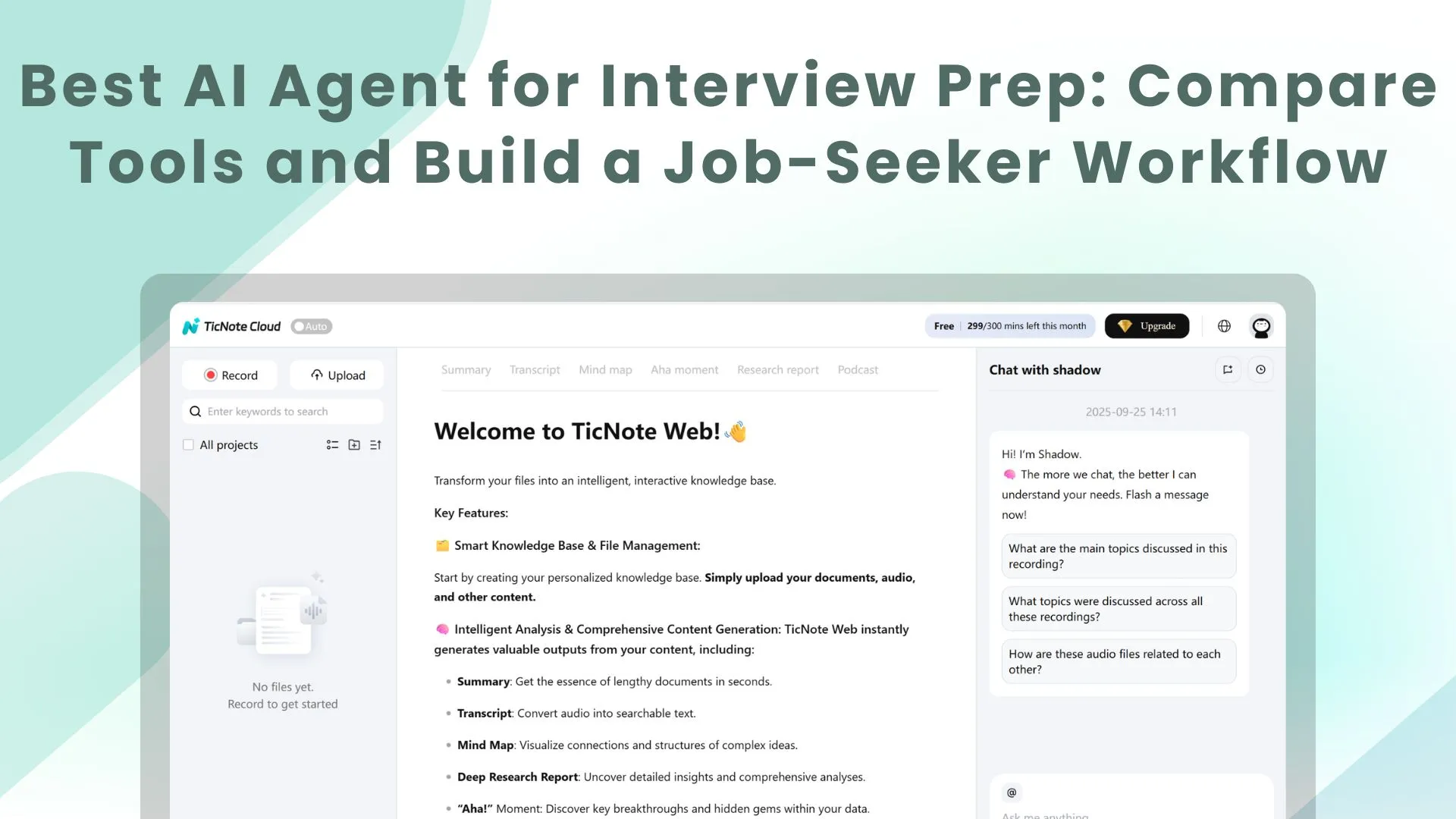
TL;DR: Best AI agent for interview prep for job seekers
Best pick: Try TicNote Cloud for Free if you want an AI agent for interview prep that connects JD/resume matching, ATS resume fixes, cover letters, tailored prep, mock practice via Podcast, and application tracking.
Applying to many roles gets messy fast. Generic prompts lose context, so prep drifts away from each job description. With TicNote Cloud, you can keep each role inside one workflow and practice from the same materials.
- ChatGPT: flexible brainstorming.
- Google Gemini: strong for Docs and Drive.
- Yoodli: speaking delivery feedback.
- Final Round AI: interview coaching.
- Interviewing.io: human technical practice.
What is an AI agent for interview prep, and how can it help job seekers?
An AI agent for interview prep is a context-aware assistant for candidates. It uses your resume, target job description (JD), and career goals to create interview-ready outputs. For job seekers, an "AI agent for interview" is not an employer screening bot. It helps you understand the role, improve your materials, practice better answers, and track what to fix next.
Know the three tool types
Most products fall into 3 buckets:
- Point tools: These fix one artifact, such as a resume, cover letter, or LinkedIn summary.
- Mock interview tools: These drill Q&A, timing, tone, confidence, and delivery for behavioral or role-specific questions.
- Full-cycle AI career agents: These connect the whole search in one workspace. They remember target roles, saved JDs, resumes, notes, practice sessions, and follow-up tasks across applications.
That last bucket matters when you're applying to 10, 30, or 50 roles. Context compounds. A career agent can compare one resume against several JDs, then turn the gaps into prep tasks. If you also want the employer-side view, this guide to AI interview screening workflows explains how teams build better shortlists.
Use AI where it improves preparation
A strong candidate-side agent can help with:
- JD/resume match analysis and role-fit gaps.
- ATS resume optimizer guidance that aligns keywords without stuffing.
- Cover letters that tie real evidence to job requirements.
- Interview prep guides with likely questions and STAR (Situation, Task, Action, Result) outlines.
- Mock interviews for behavioral and technical practice.
- Post-call notes that improve your next resume, answer bank, and follow-up email.
AI still has limits. Verify every claim, salary detail, and company fact. Don't fabricate experience. The goal is sharper preparation, not a fake profile.
Top AI agents for interview prep: quick comparison
The best AI agent for interview prep depends on the job-search stage you need to fix. Some tools help you write stronger answers. Others coach your voice. TicNote Cloud is different because it supports the full application-to-interview workflow in one Project.
Compare the best-fit tools fast
TicNote Cloud works best for job seekers who want one workspace for every role. Upload a job description and resume to generate a 7-dimension radar-chart match report, an ATS-optimized one-page resume, a cover letter, and a tailored interview prep guide. Then use the Podcast feature for mock interview practice, track improvement over time, and let Project agent memory learn from every JD, resume, note, and practice file you add. It's free to start, no credit card.
ChatGPT is strong for fast ideation, answer rewrites, and question generation. The trade-off: you must prompt carefully and manage each application's context yourself.
Google Gemini fits candidates who live in Google Drive and Docs. It can draft, summarize, and organize quickly, but context can spread across many files.
Yoodli is best as a speech practice layer. It focuses on filler words, pacing, and confidence cues, not resume or cover-letter artifacts.
Final Round AI is interview-focused. It helps with role-specific questions and answer critique, but its scope is narrower than a full-cycle career agent.
Interviewing.io is different: it offers human technical mock interviews with feedback. It's strongest for engineering-style interviews.
For employer-side use cases, see this related guide to AI interview screening workflows.
| Capability | TicNote Cloud | ChatGPT | Google Gemini | Yoodli | Final Round AI | Interviewing.io |
| JD/resume match | Yes, 7-dimension radar report | Manual prompting | Possible with files | No | Limited | No |
| ATS resume optimizer | Yes, one-page resume output | Prompt-based | Prompt-based | No | Limited | No |
| Cover letter | Yes | Yes | Yes | No | Limited | No |
| Tailored prep guide | Yes, based on JD and resume | Yes, if prompted | Yes, if organized | No | Yes | Human-led feedback |
| Mock interview AI | Yes, via Podcast workflow | Yes | Limited | Yes, speech-focused | Yes | No, human mock interviews |
| Progress tracking/memory | Project memory over time | User-managed | File-based, can sprawl | Practice history | Interview practice history | Session feedback |
| Privacy controls | Private by default, traceable Shadow operations | Depends on setup | Depends on workspace settings | Tool-specific | Tool-specific | Platform-specific |
Callout: If you want the full-cycle option, start with Try TicNote Cloud for Free. It connects application quality, interview readiness, and progress tracking in one job-search workspace.
How to choose the right product
The best ai agent for interview prep depends on your weakest step. If you're applying to multiple roles, choose the tool that keeps your job description (JD), resume, notes, company research, and interview practice in one place. That usually matters more than having one impressive mock interview feature.
Choose based on the job-search gap
- Choose TicNote Cloud when you want one workspace for every application. Create one Project per target role and add the JD, latest resume, recruiter notes, research, and practice materials. From there, use the Project context to produce a radar match report, applicant tracking system (ATS) one-page resume, cover letter, tailored prep guide, and Podcast-based practice flow. The key benefit is continuity: each output stays connected to the source files instead of living in separate chats and documents.
- Choose ChatGPT when you need flexible brainstorming. It's strong for quick rewrites, answer drafts, role-play prompts, and idea generation. Pick it if you're comfortable pasting context, checking details, and managing versions yourself.
- Choose Google Gemini when your process already lives in Google files. If your resume, cover letters, tracker, and notes are all in Docs and Drive, Gemini can help where the work already happens. It's a good fit for light editing and document-based support.
- Choose Yoodli when your main gap is delivery. Use it when you need feedback on pacing, clarity, filler words, and confidence. Pair it with a workspace tool, because delivery coaching won't fully solve JD/resume alignment.
- Choose Final Round AI when you want interview-focused coaching. It fits candidates who already have a strong resume and need intensive question drilling, answer structure, and interview repetition.
- Choose Interviewing.io when you need human technical mocks. Software engineers and technical candidates get the most value here because realistic practice with experienced interviewers is hard to replace.
Use this default path
If you're unsure, start with TicNote Cloud because it covers the most steps end to end: match analysis, resume optimization, cover letters, prep guides, practice assets, and progress tracking. Then add a specialist tool only when you hit a clear gap, such as speaking delivery or live technical mock interviews.
Before you start, prepare these inputs:
- 1 target JD
- Your latest resume
- 2–3 quantified wins, such as revenue, time saved, or projects shipped
- Target role level, such as intern, associate, manager, or senior
- Notes from past interviews or recruiter calls, if available
What makes a full-cycle AI career agent different from generic interview prep tools?
TicNote Cloud is a full-cycle AI career agent for job seekers, not just an ai agent for interview practice. You can upload a job description and resume to get a 7-dimension radar-chart match report, an ATS-optimized one-page resume, a tailored cover letter, and a role-specific prep guide. Then you can practice mock interviews with Podcast, review your notes, and track progress as your Project agent learns your background with every file added.
Callout: Try TicNote Cloud for Free. It's free to start, with no credit card needed.
Bundle the whole job-search workflow
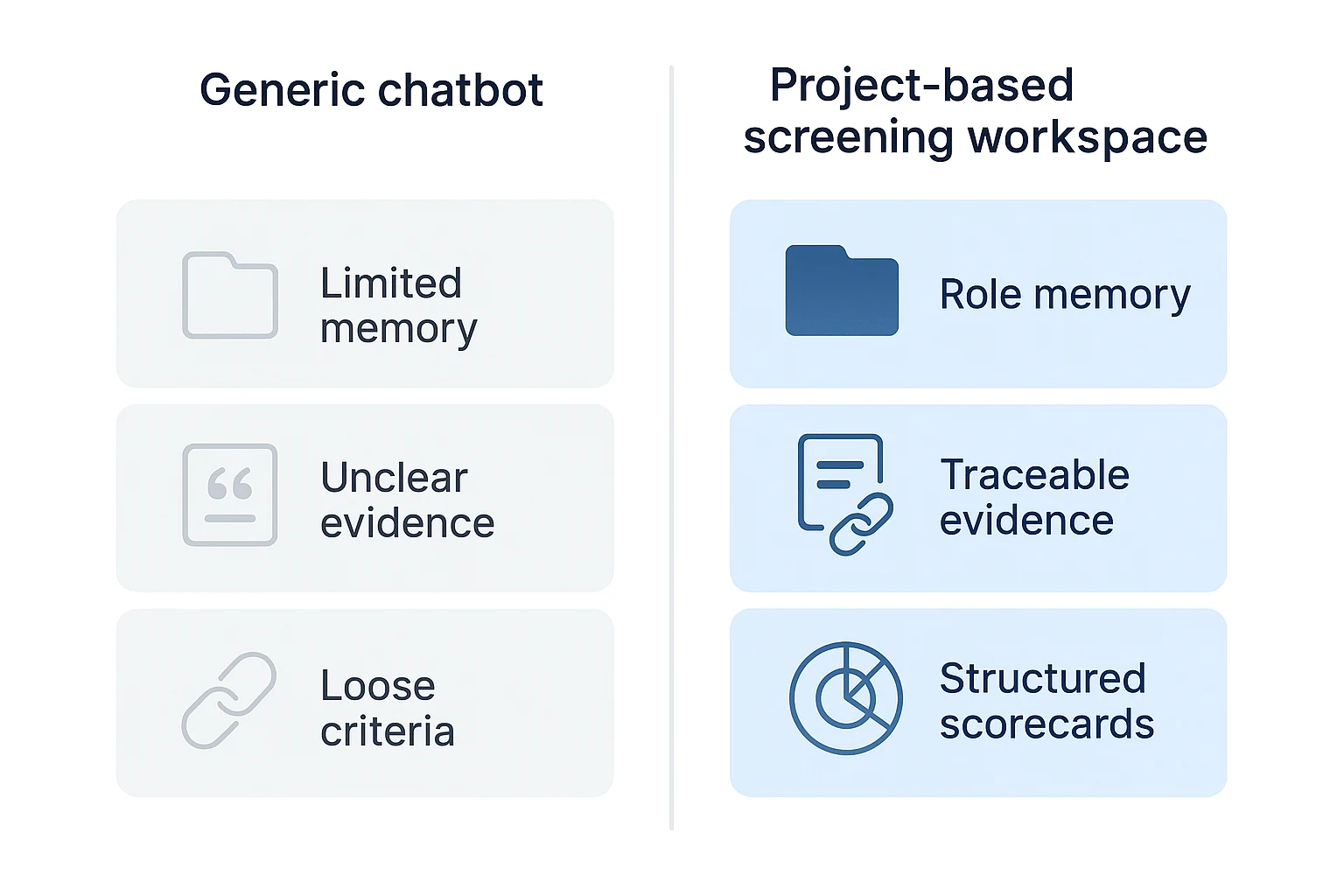
Generic interview tools usually start too late. They help you answer questions, but they don't know why your resume was changed, which role you targeted, or what evidence your cover letter promised.
A full-cycle career agent keeps the chain connected:
- Resume: aligned to the job description
- Cover letter: mapped to the strongest proof points
- Prep guide: built from the same role requirements
- Mock practice: based on likely questions
- Feedback: saved back into the same Project
That means fewer context switches, less version chaos, and better consistency from application to interview stories.
Use the 7-dimension match report to find gaps
The JD/resume match report should show where you're strong and where you need proof. TicNote Cloud's radar chart can compare your resume against seven practical dimensions:
- Role responsibilities
- Skills and tech stack
- Seniority signals
- Domain knowledge
- Impact metrics
- Keywords and ATS fit
- Communication and leadership
Use low scores as a work plan. If "impact metrics" is weak, add numbers. If "domain knowledge" is thin, prepare one project story that proves learning speed.
Turn gaps into stronger application assets
The agent should rewrite resume bullets to show proof, not buzzwords. A strong bullet connects action, tool, result, and scale. It should also add job keywords naturally while keeping formatting ATS-safe: simple headings, clean spacing, and no complex graphics.
For the cover letter, the goal is tighter matching. Each paragraph should connect one top requirement to specific evidence from your background.
Practice with a role-specific feedback loop
A custom prep guide should include behavioral, role-specific, company or mission, scenario, and "tell me about a time" questions. It should also build a story bank, plus follow-up questions that push for detail.
With Podcast, the practice loop is simple: generate questions, record answers, review summaries and notes, revise, then repeat. Treat each Project as one application hub. Add recruiter call notes, portfolio links, and past feedback, and the Project agent gets sharper over time.
This is best for:
- Career changers who need to translate experience
- Multi-role appliers managing several versions
- Candidates who need structure before interviews
How should job seekers build an AI interview workflow from application to follow-up?
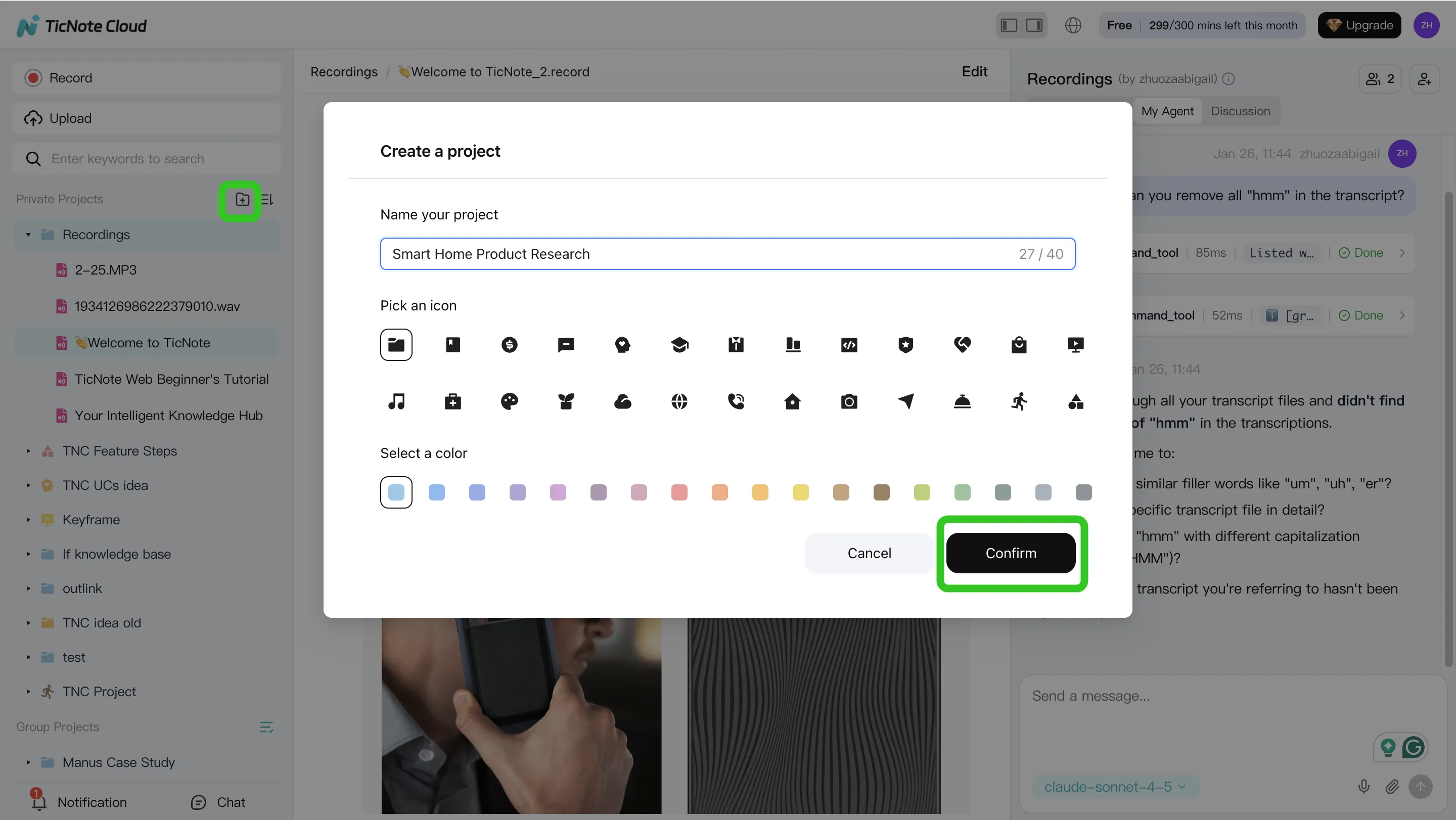
A strong AI agent for interview prep works best when it has the same context you do. In TicNote Cloud, the cleanest setup is one Project per role, so your resume edits, company notes, recruiter messages, and practice feedback don't mix across applications.
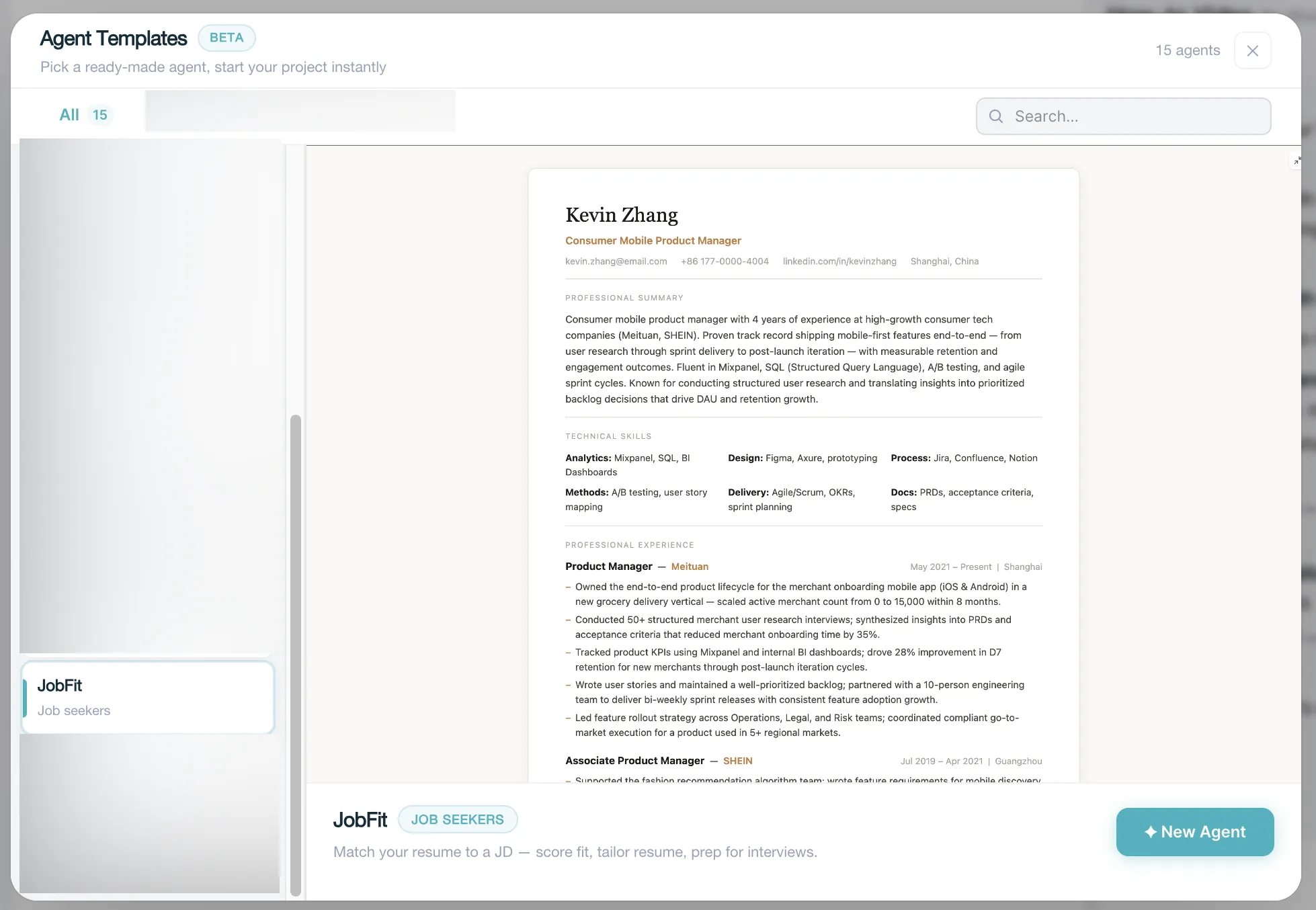
TicNote Cloud keeps updating. This is a preset skill, and the function will be published soon. Before that, you can go to TicNote Cloud and create your own project based on your own needs, based on the steps below.
Build the workflow in TicNote Cloud web studio
- Create or open a Project for the target role. Add the job description, your current resume, portfolio or LinkedIn notes, company research, and recruiter email threads. Use direct upload in the file folder area, or attach files in the Shadow AI panel and ask it to save them to the right folder.
- Ask Shadow AI to search, analyze, edit, and organize the content. Start with prompts like: "Summarize my resume match against this job description," "Find skill gaps," "Suggest ATS keywords," and "Create a story bank from my projects." Then organize the output into four sections: Fit gaps, Proof points, Likely questions, and Objections.
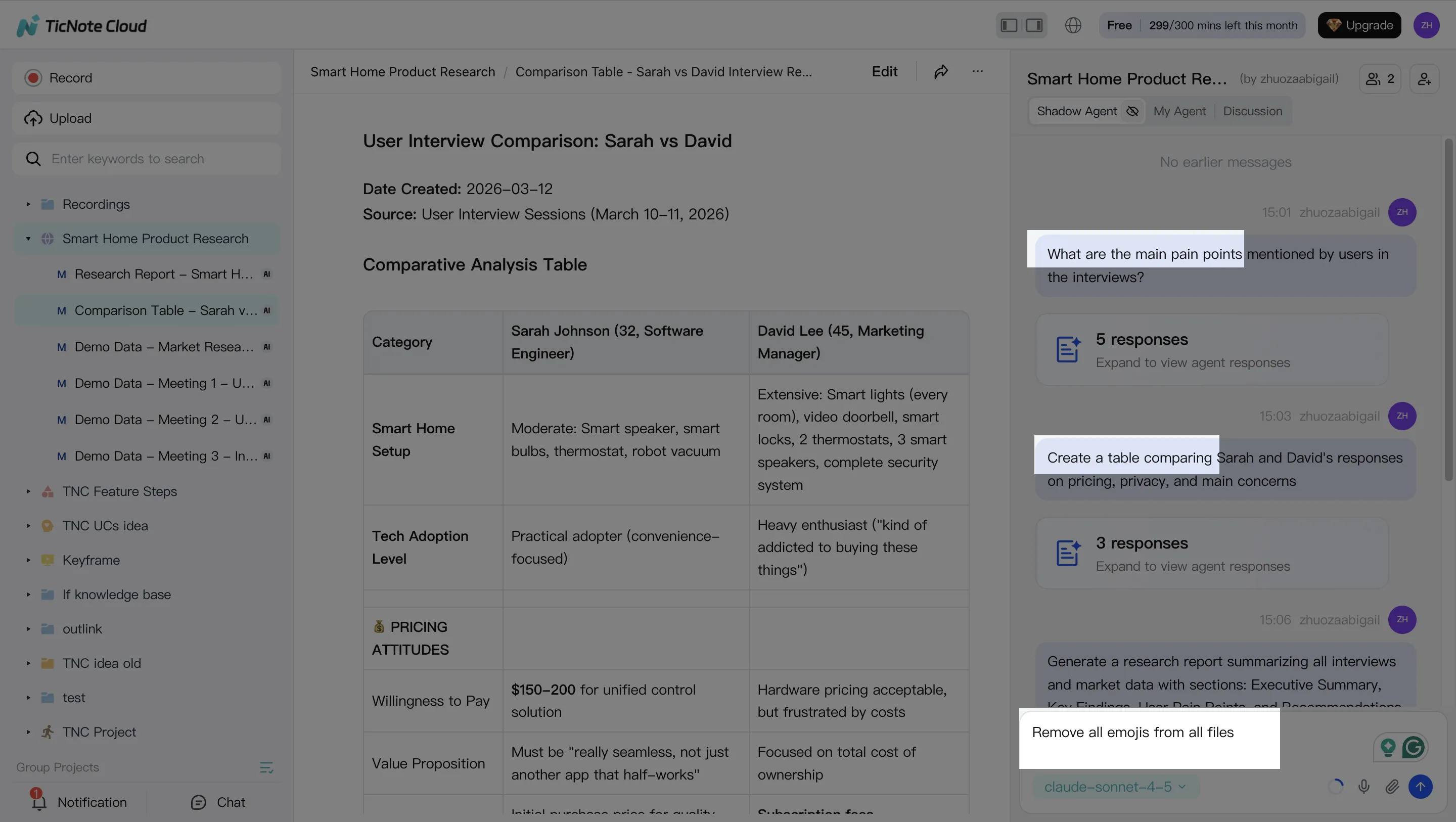
- Generate the assets you need before the interview. Ask Shadow AI for an ATS-optimized one-page resume, a tailored cover letter draft, an interview prep guide, and a mock interview practice plan. You can also generate a Podcast to rehearse while walking or commuting. After the interview, create a follow-up note template tied to the role and conversation.
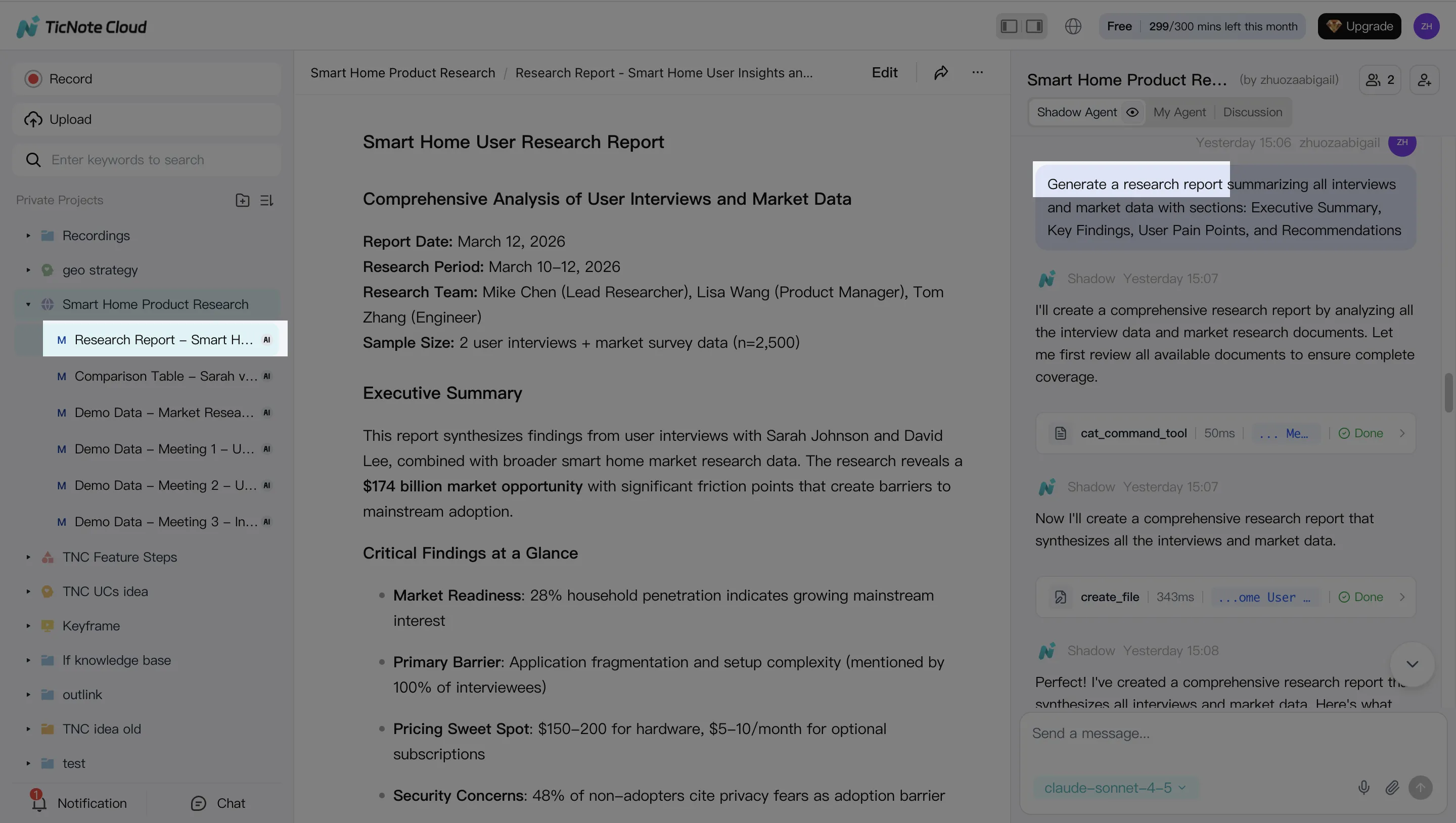
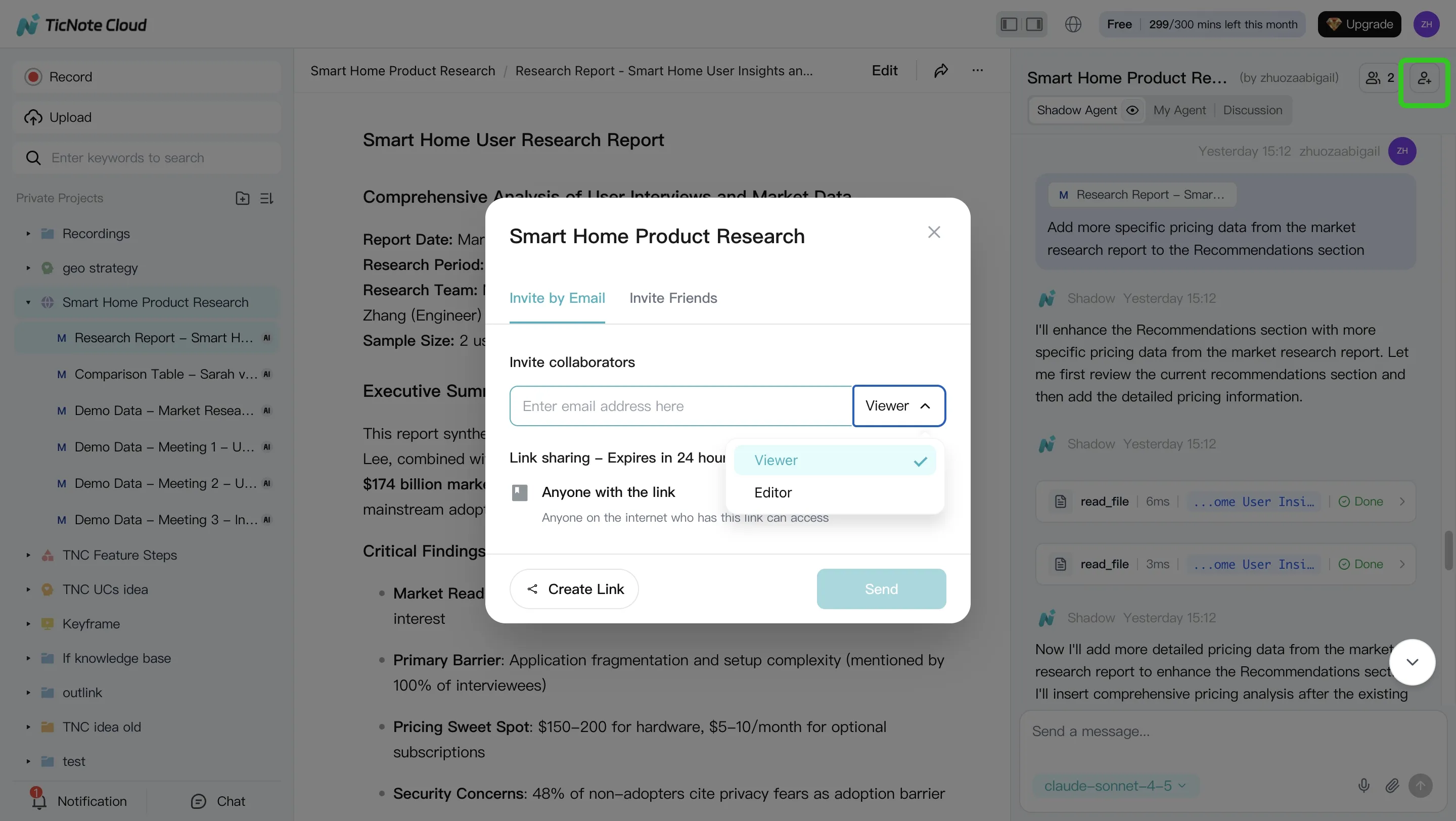
- Review, refine, and collaborate. Check every metric, title, and claim against your source files. Ask Shadow AI to make the tone more concise or more senior. If useful, share the Project with a mentor for comments while keeping the role's version history in one place.
Use the app for quick capture
Use the mobile app for lighter work: post-call reflections, quick uploads, recruiter notes, and ideas for stronger answers. Do the heavier resume, cover letter, prep guide, and Podcast generation in the web studio.
Track progress across applications
Keep the same scorecard in every Project: weak areas, questions missed, proof points to improve, and next drills. This gives you a simple 1-to-1 view of readiness by role.
Privacy, accuracy, and ethical use for AI interview prep
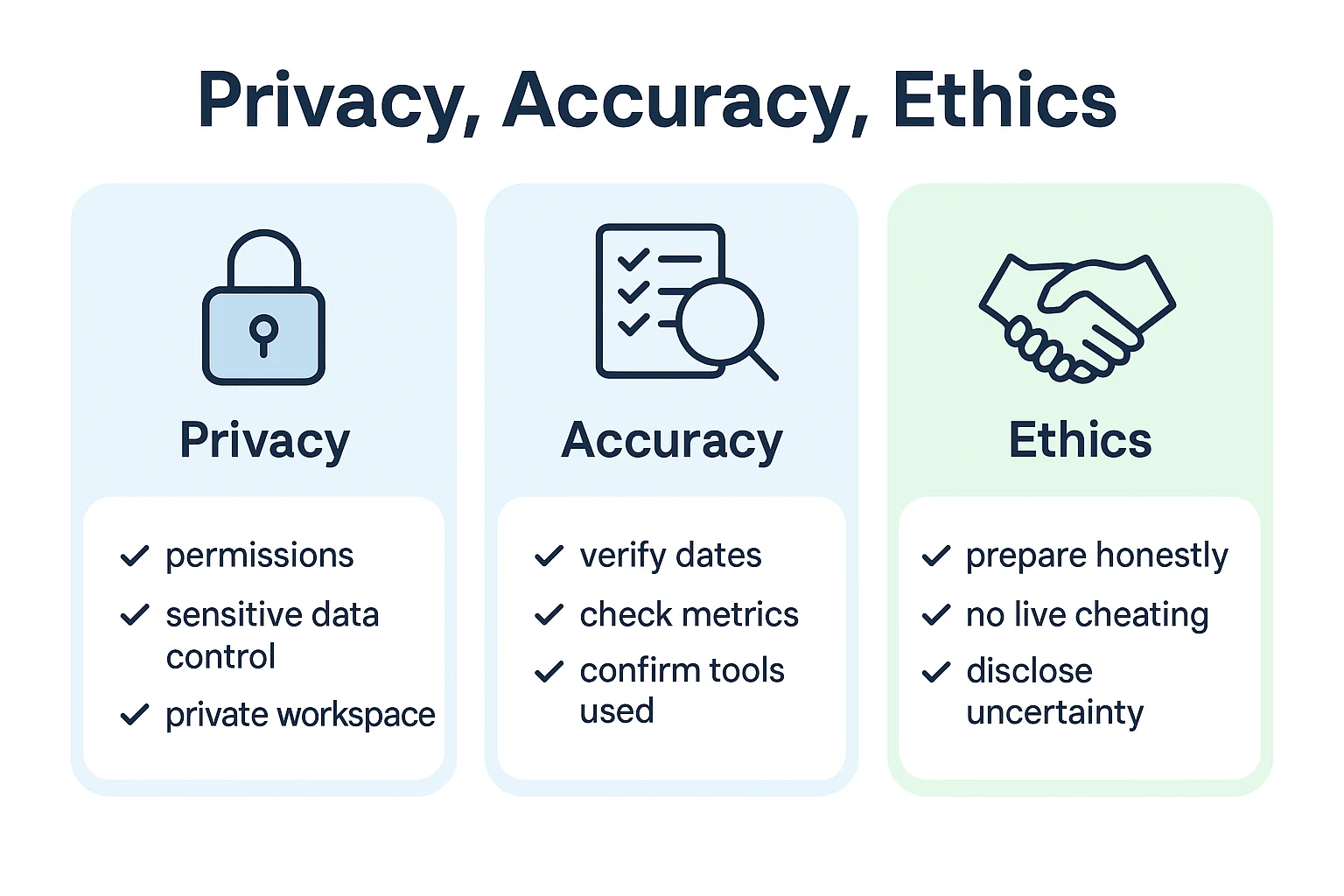
An AI agent for interview prep should make you sharper, not less honest. Use it to organize your stories, compare your resume with the job description, and practice answers. Don't use it to invent experience, impersonate your work, or feed you hidden answers during a live interview.
Verify every claim before you apply
AI can polish weak writing, but it can also make details sound more certain than they are. Before sending a resume, cover letter, or prep sheet, check:
- Dates, job titles, employers, degrees, and certifications
- Metrics, revenue numbers, team sizes, and project outcomes
- Tools, programming languages, platforms, and methods you actually used
- Ownership language, such as "led," "supported," or "contributed to"
If you're unsure, use safer wording: "contributed to," "helped improve," "worked with," or "estimated based on internal reporting." Accurate beats inflated.
Control sensitive personal data
Keep your interview workspace clean. Remove unnecessary identifiers like home address, full birth date, national ID numbers, and private references. Use a separate document for sensitive details you only share when needed. Avoid uploading government IDs, medical details, or confidential employer data unless the tool and use case clearly require it.
Choose tools with traceable outputs
Prefer private-by-default workspaces, clear retention controls, audit trails, and citations back to source files. These features help you see where AI answers came from and fix mistakes fast.
TicNote Cloud states that customer data is not used to train AI models, and Shadow AI operations are traceable within Projects. Still, confirm the privacy terms for any tool before uploading career documents. The ethical edge is simple: transparent preparation creates clearer stories and more consistent interviews.
Final thoughts: Use an AI career agent to prepare with context
The best AI agent for interview prep is the one that keeps your context together. Your JD, resume, story bank, match notes, and practice feedback should feed the same workspace, so your answers, resume bullets, and follow-up messages stay consistent.
For most job seekers, TicNote Cloud is the strongest default because it supports the full loop:
- Match the job description to your resume
- Build an ATS-friendly resume
- Draft a tailored cover letter
- Create a focused prep guide
- Practice with mock interview notes and feedback
- Track each role and improve the next round
Verify every fact before you send it, never invent experience, and use AI to prepare ethically—not to misrepresent yourself.


