


 Extension
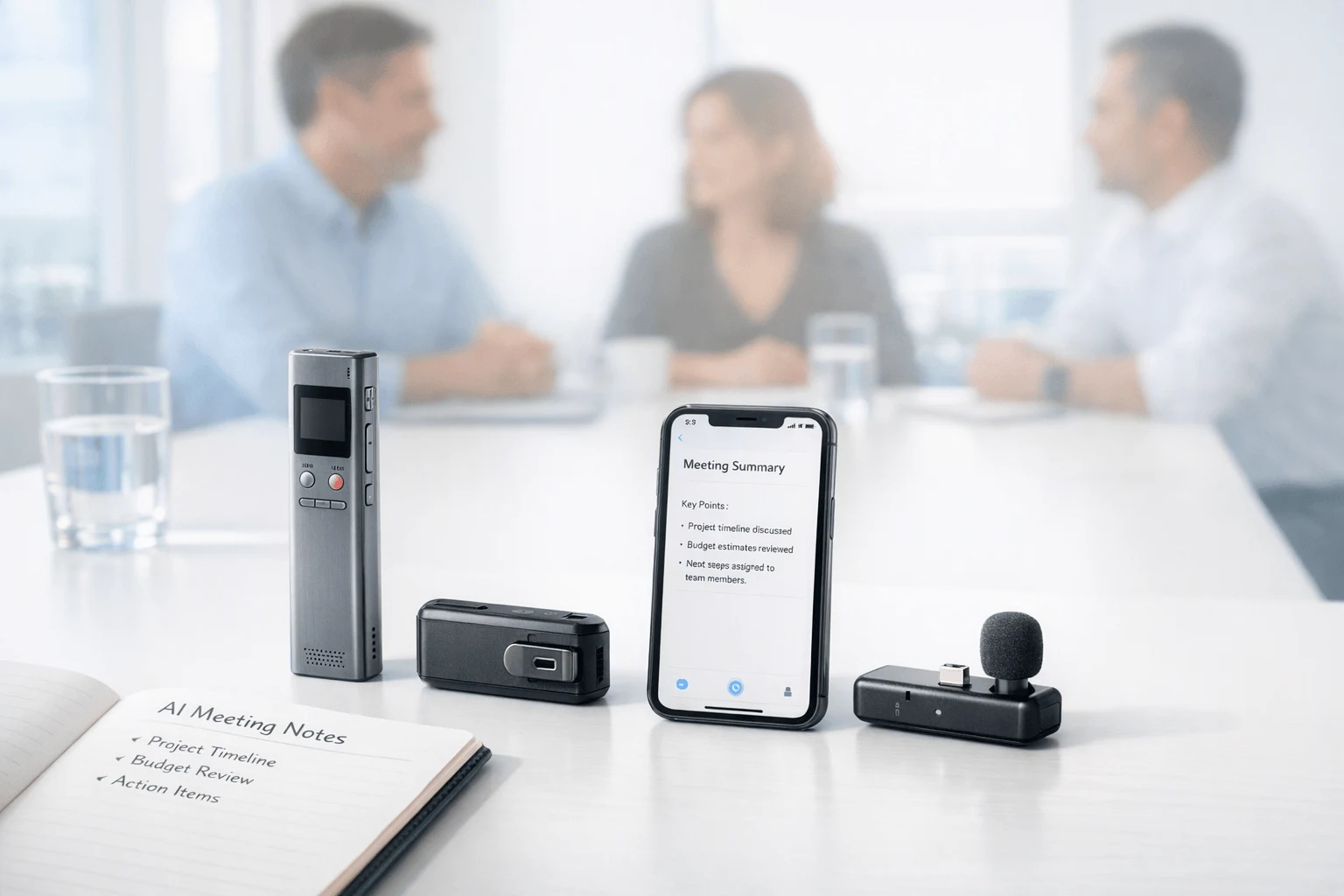
TL;DR: Voice Recorders and AI note takers for in-person meetings
If you want the fastest safe bet, compare dedicated devices first: for most professionals, an AI Voice Recorder for in-person Meetings works better as dedicated hardware than as a phone-only app, because it keeps recording offline, captures room audio more reliably, and turns meetings into transcripts, summaries, and action items without a bot. In this category, TicNote is the strongest overall fit for buyers who want hardware plus AI notes in one workflow.
Best picks by use case:
- Best overall for most professionals: TicNote
- Best app-first live transcription: Otter
- Best for multilingual teams: TicNote
- Best hardware-first simplicity: PLAUD
- Best for noise-heavy rooms: PLAUD Note Pro
- Best software-led privacy controls: Notta
Before you buy, check six things: room size, number of speakers, background noise, offline needs, privacy rules, and whether you want a dedicated recorder or a bot-free notes workflow. If your meetings happen in real rooms, not just Zoom, TicNote's card recorder and earbud options are the most complete place to start.
Why an AI Voice Recorder for in-person Meetings needs different features
An AI Voice Recorder for in-person Meetings lives or dies on capture quality before AI ever touches the file. In a Zoom call, each person usually has a separate, clean audio channel. In a conference room, the recorder has to deal with distance, echo, table reflections, and people talking over each other, so the microphone array, placement, pickup range, and room acoustics matter far more than the summary engine.
Judge room performance first
Many software-first meeting tools work well online but struggle in live rooms because they weren't built for messy shared audio. The main failure points are practical:
- far-end voices sound thin or drop out
- overlap makes speaker labeling unreliable
- HVAC, hallway noise, and keyboard taps mask speech
- weak offline workflows break when phones lose signal
- a phone on the table can feel distracting or too visible
That's why headline accuracy claims don't mean much without context. A tool that sounds great in a quiet 1:1 can fall apart in a six-person workshop.
Know when a phone is enough
A smartphone can be fine for short, quiet conversations with one or two speakers at close range. If you're recording a quick check-in at a small table, the convenience is hard to beat. But once you move to 4+ speakers, client meetings, site visits, or all-day workshops, dedicated hardware usually wins because it is built for intentional placement, longer battery life, and more dependable offline capture. If you want a deeper breakdown, this guide on recorders versus phones for meetings and lectures covers the trade-offs well.
Use dedicated hardware for higher-stakes rooms
This is where purpose-built devices start to make sense. A card-style recorder such as TicNote Card fits formal meeting rooms better than a phone, while TicNote Pods suit mobile workflows where you may need room capture plus earbuds-based use in the same day. The point isn't that hardware is always better. It's that buying criteria should match the room: speaker count, noise level, privacy expectations, battery life, and whether you can rely on internet access.
How we evaluated the best tools for in-person meeting recording
To judge an AI Voice Recorder for in-person Meetings fairly, we used the same kinds of situations professionals face every week, not lab-perfect demos. That means testing in a 2- to 4-person small room, a 6- to 10-person conference room, a noisy café or open office, and hybrid or client-site settings with weak signal, speaker movement, and uneven seating distance.
We tested real meeting conditions
Our framework focused on variables that change results fast:
- speaker count: 2, 4, 8+
- distance from device: about 1 to 10 meters
- seating pattern: around a table, side-by-side, and spread across a room
- movement: people turning away, standing up, or walking to a whiteboard
- connectivity: offline recording, weak Wi-Fi, and phone-free use
- noise: HVAC hum, keyboard clicks, café chatter, and overlapping speech
This matters because headline accuracy claims rarely carry over from one room to another. In NIST Speech Recognition Scoring Toolkit (SCTK) / Rich Transcription evaluations documentation, recognition error rates can increase by up to 18 percentage points due to acoustic mismatch, speaker characteristics, and the language model used.
We scored workflow, not just transcripts
We normalized scoring across hardware and app-based tools, with raw capture quality weighted first. Our model prioritized:
- audio capture quality
- transcript usefulness
- speaker attribution
- summary and action-item quality
- offline reliability
- privacy controls
- turnaround speed
- hardware burden
- total cost of ownership
In plain terms, a tool lost points if it heard the room poorly, mislabeled speakers, or needed perfect internet to be useful.
We treated accuracy claims carefully
Vendor percentages are rarely apples-to-apples. One brand may test close-range dictation, while another tests group speech. So we compared outcomes by room condition, overlap, language, and device placement. That gives buyers a truer picture of daily performance than any single accuracy number.
Best AI voice recorders and note takers for in-person meetings
If you need an AI Voice Recorder for in-person Meetings, the best option depends less on brand familiarity and more on how you actually work: in conference rooms, on client sites, in noisy cafés, or across mixed in-person and virtual workflows. The strongest tools split into two camps: dedicated hardware that captures the room better, and app-first software that is easier to deploy but more limited when mic position, noise, and offline use matter.
TicNote
Best for: professionals who want dedicated hardware plus AI notes in one workflow.
Workflow: press record on a card recorder or earbud case, capture the meeting offline if needed, then sync for transcript, summary, action items, searchable Q&A, and document generation.
Strengths:
- Distinct hardware options for different field conditions
- Offline recording with later sync
- Real-time transcription and translation on supported workflows
- AI summaries, to-do lists, and ask-AI search
- Can generate documents and reports from recordings
- Hardware spans wallet-sized cards and earbud-based capture
Tradeoffs:
- Full value depends on using the hardware-and-cloud workflow together
- Real-time and sync behavior varies by model
- Teams that want software only may prefer an app-first tool
Pricing entry points: Card Lite from $129.99, Card from $159.99, Pods Wi‑Fi from $249.99, Pods 4G from $299.99.
Standout hardware options:
- TicNote Card: best if you want a premium, credit card-sized recorder with 64GB storage, 25-hour battery, and a lever to switch recording mode.
- TicNote Card Lite: best if you want lower cost and one-button simplicity.
- TicNote Pods 4G: best for mobile pros who want phone-free recording, live summary during the meeting, and real-time upload.
- TicNote Pods Wi‑Fi: best for global users who prefer earbud workflow without 4G limits.
What makes TicNote stand out is package fit. Most rivals do one or two things well. TicNote combines room capture hardware, offline recording, transcript creation, translation, AI summaries, speaker identification, and post-meeting outputs in one system. That is especially useful for consultants, sales teams, project managers, and field staff who move between desks, sites, and travel days.
See the TicNote lineup if you want to compare card and earbud workflows side by side.
Otter.ai
Otter is the strongest app-first pick for teams already mixing virtual and in-person meetings. Its core advantage is speed: open the app, record on mobile, get live transcription, then search and share notes later. If your team already uses Zoom, Teams, or Google Meet, Otter fits naturally.
The tradeoff is physical capture. In a real room, phone placement matters a lot. A software recorder on one person's handset usually struggles more than dedicated hardware when speakers are spread out, soft-spoken, or interrupted by HVAC noise and side chatter. It also makes internet dependence more visible, especially if your workflow relies on cloud processing.
Notta
Notta is a solid multilingual-friendly choice for users who care about language coverage and flexible app or upload workflows. It works well when meetings are recorded on a phone or another device first, then processed into transcripts, summaries, and shareable outputs.
Its weakness for in-person use is familiar: no dedicated capture hardware in this comparison set. That means you still need to solve microphone placement, room acoustics, and battery management yourself. Free-plan practicality can also be tight if you record several long meetings each week.
PLAUD
PLAUD is the clearest hardware-first alternative in this category. It appeals to buyers who want a dedicated meeting transcription device rather than relying on a phone mic. Its range of card and wearable formats gives users more physical recording options, and its app ecosystem is more mature than many newer hardware brands.
The main tradeoffs are around subscriptions, ecosystem commitment, and model selection. Buyers need to decide not just whether they want PLAUD, but which PLAUD form factor fits their day. If you're comparing these two categories directly, this PLAUD vs app-first notes comparison helps clarify where hardware wins and where software stays simpler.
Krisp
Krisp is the best choice when background noise is the main problem to solve. Its value is noise reduction first, notes second. In crowded spaces, bot-free notes and device-side audio cleanup can improve intelligibility before transcription starts.
But there is a tradeoff. Aggressive filtering can sometimes flatten soft voices, overlapping speech, or low-volume comments that matter in transcripts. In other words, cleaner audio does not always mean a more complete meeting record.
Whisper-based local tools
Whisper-based local tools are the privacy-max option for regulated teams or highly sensitive conversations. They can run offline or locally, which reduces cloud exposure and gives buyers more control over where audio is processed.
That said, convenience drops fast. You usually get weaker summaries, less reliable speaker labeling, fewer polished exports, and more setup work. For many teams, that is worth it. For most business users, it is not.
Bottom line
The best tool for in-person meetings depends on room size, speaker count, background noise, and whether you need dedicated hardware or just workable software. If capture quality, offline recording, and fast AI outputs matter most, TicNote is the most complete option; if you want simple app-based notes, Otter or Notta may be enough; if privacy is the top priority, local Whisper workflows still have a place.
Which tool should you choose for your workflow?
The right AI Voice Recorder for in-person Meetings depends less on feature lists and more on how you actually work day to day. If you need reliable capture in live rooms, clear post-meeting output, and fewer moving parts, the best choice is usually the one that fits your meeting habits, privacy needs, and follow-up workload.
Choose TicNote for the broadest business fit
Pick TicNote if you want dedicated hardware plus AI output in one workflow. It fits professionals who need offline recording, a device that looks intentional in client meetings, and fast deliverables after the meeting ends.
Why it stands out:
- dedicated hardware for in-person capture
- offline recording with sync later
- transcripts, summaries, action items, and follow-up documents
- options for card-style use or earbud-based capture
- practical fit for consultants, sales teams, project managers, and field staff
If your job involves back-to-back meetings, this is the safest all-around choice. It also fits buyers comparing bot-free meeting note workflows with hardware-led setups.
Choose Otter for app-first live transcription
Choose Otter if you don't want extra hardware and mainly work in smaller rooms or hybrid meetings. It's best for teams already using its app and those who value simple live transcription, search, and sharing over dedicated recording gear.
Trade-off: it is software-first, so it is less ideal when phone placement, room pickup, or offline capture matter most.
Choose Notta for multilingual teams
Choose Notta if language coverage and translation workflows matter more than hardware. It makes sense for international teams, multilingual interviews, and users who want transcripts to move quickly into summaries, presentations, or shared knowledge.
Trade-off: you gain language flexibility, but you give up the simplicity of a purpose-built recorder.
Choose Plaud for hardware-first simplicity
Choose Plaud if you like the idea of a dedicated recorder with a companion app and don't need the widest workflow range. It is a strong fit for buyers who want hardware in their pocket, solid recording specs, and structured summaries after sync.
Choose Krisp for noisy environments
Choose Krisp if background noise is the main problem. It is useful in busy offices, echo-heavy rooms, and public spaces, though aggressive cleanup can sometimes soften quiet voices or fine detail.
Choose local Whisper tools for strict privacy
Choose local Whisper-based tools if privacy outweighs convenience and your team accepts a more manual process. They work for strict environments that prefer local processing, but setup is slower and AI summaries are usually weaker.
In short, most business buyers should choose TicNote when they need the best balance of hardware, offline reliability, AI notes, and practical deployment across real in-person meetings.
TicNote features you cannot get in the same package elsewhere
TicNote stands out because it combines dedicated hardware, offline capture, and AI follow-up in one system built for real rooms, not just browser meetings. If you need an AI Voice Recorder for in-person Meetings, the choice inside the lineup is simple: card recorders fit desk meetings and daily carry, while the earbud models fit travel, field work, and phone-light workflows. You can also compare the full device lineup by use case before choosing.
Pick the right form factor first
- TicNote Card: credit card-size, 64GB, 25-hour battery, lever switch for earphone or speaker mode, best for professionals who want a premium wallet-ready recorder at $159.99.
- TicNote Card Lite: simpler one-button card model, 25-hour battery, 3-mic array, lower price at $129.99, best for buyers who want the core workflow without extras.
- TicNote Pods 4G: earbuds plus case, phone-optional upload over 4G, live summary during recording, about 13 hours with 4G on, best for field teams and heavy travelers at $299.99.
- TicNote Pods Wi-Fi: same earbud-style workflow with Wi-Fi and Bluetooth sync, about 22-hour battery, no region lock, best for global travel with a phone nearby at $249.99.
In practice, a card recorder is better when you want discreet table capture and a simple press-to-record habit. Pods make more sense when you move between calls, site visits, and walk-and-talk conversations.
Get AI help during and after the meeting
The biggest split is summary timing. Card and Card Lite create summaries after sync. Pods 4G can push a Live Summary while the meeting is still happening, which is useful when a consultant needs to confirm decisions before leaving the room. Across the range, TicNote adds real-time transcription, translation with bilingual subtitles, highlights, photo-to-transcript sync, Ask AI search, and document generation from recordings.
Why it works well for field and client teams
For sales, implementation, and operations teams, the value is speed and resilience. Offline recording means the device still works when signal drops. Phone-optional workflows reduce friction on the road. And the hardware looks professional in client settings, unlike balancing a phone in the middle of a table. The planned product module can showcase Card, Card Lite, Pods 4G, and Pods Wi-Fi directly in this section, with a secondary path for readers who want to see the device lineup.
Comparison table: which in-person meeting recorder fits your needs
A good comparison should normalize the basics first. For an AI Voice Recorder for in-person Meetings, the real differences are not just price or brand. They are capture method, how much the tool depends on a phone or cloud upload, how fast notes appear, and how well it handles real rooms with multiple speakers.
| Tool | Recording method | Offline capture | Live transcription | Speaker labels | AI summaries | Translation | Privacy posture | Upload dependence | Best-fit room type | Starting cost | Subscription model | Hardware model | Hidden workflow costs | Best fit |
| TicNote | Dedicated card recorder or earbuds/case | Yes | Yes on supported workflows | Yes | Yes | Yes | Private-by-default claims, encrypted sync, optional offline recording | Low to medium | Small to medium rooms, field meetings | $129.99 | Hardware includes Plus plan; paid upgrades optional | Hardware-first | Lower admin time; sync still needed for some outputs | Best overall / best hardware-first |
| PLAUD | Card or wearable recorder | Yes | Limited by workflow | Yes | Yes | Yes | Strong compliance messaging | Medium | Small rooms, mobile capture | $159 | Free + paid plans | Hardware-first | Manual review, template setup, cloud dependence for outputs | Best premium alternative |
| Otter | Phone or laptop app | Partial | Yes | Yes | Yes | Limited language set | Mature business controls | High | Quiet small rooms or hybrid meetings | $0 | Free + paid software tiers | No hardware required | Phone placement affects capture; app-first workflow | Best app-first |
| Notta | App and imports | Partial | Yes | Yes | Yes | Strong multilingual options | Enterprise security focus | High | Small meetings, interviews, multilingual teams | $0 | Free + paid software tiers | No hardware required | More upload and post-processing steps | Best multilingual app |
| Krisp | Desktop app for calls | No true room recorder | Live for supported calls | Limited in room use | Yes | Limited | Software-centric privacy controls | High | Online and hybrid, not true in-person rooms | $0 | Free + paid software tiers | No hardware required | Weak fit for table-room capture | Best for calls, not rooms |
| Local Whisper workflow | DIY recorder plus local transcription | Yes | No | Limited without extra tooling | No native summary | No native translation | Strongest local control | Low cloud dependence | Privacy-sensitive interviews, one-on-one meetings | $0+ | Mostly self-managed | Optional hardware | High manual setup, cleanup, and summarization time | Best privacy-first |
If you want a deeper look at dedicated devices, this guide to meeting, interview, and call recorders breaks down the hardware trade-offs in more detail.
At a glance, TicNote is the strongest fit when you want hardware, offline capture, AI notes, and translation in one workflow. Otter and Notta make more sense if you are fully app-first. Local Whisper is the clear privacy-first pick, but you pay for that control with slower setup and more manual work.
Final thoughts
The best AI Voice Recorder for in-person Meetings is the one that captures speech clearly in real rooms, works when your phone or signal doesn't, and turns raw audio into notes you can use right away. In practice, that means capture quality, offline reliability, speaker labeling, and useful summaries matter more than flashy extras.
For most professionals, a dedicated recorder beats a phone app when the room is noisy, speakers overlap, or meetings move fast. If you want dedicated hardware plus AI notes in one workflow, TicNote is the strongest fit here because it combines offline recording, fast transcription, summaries, action items, and flexible form factors without adding much friction.
For teams comparing rollouts, it also makes sense to review device and cloud workflow options before standardizing.
Buy TicNote if you want dedicated meeting hardware with AI notes built in.


